

Managing Orders
10/22/2025
If you want to learn more about the new shipping process, please refer to these articles:

Accessing the Manage Orders Page
To start managing your orders, head to the Seller Center and select Orders > Manage Orders.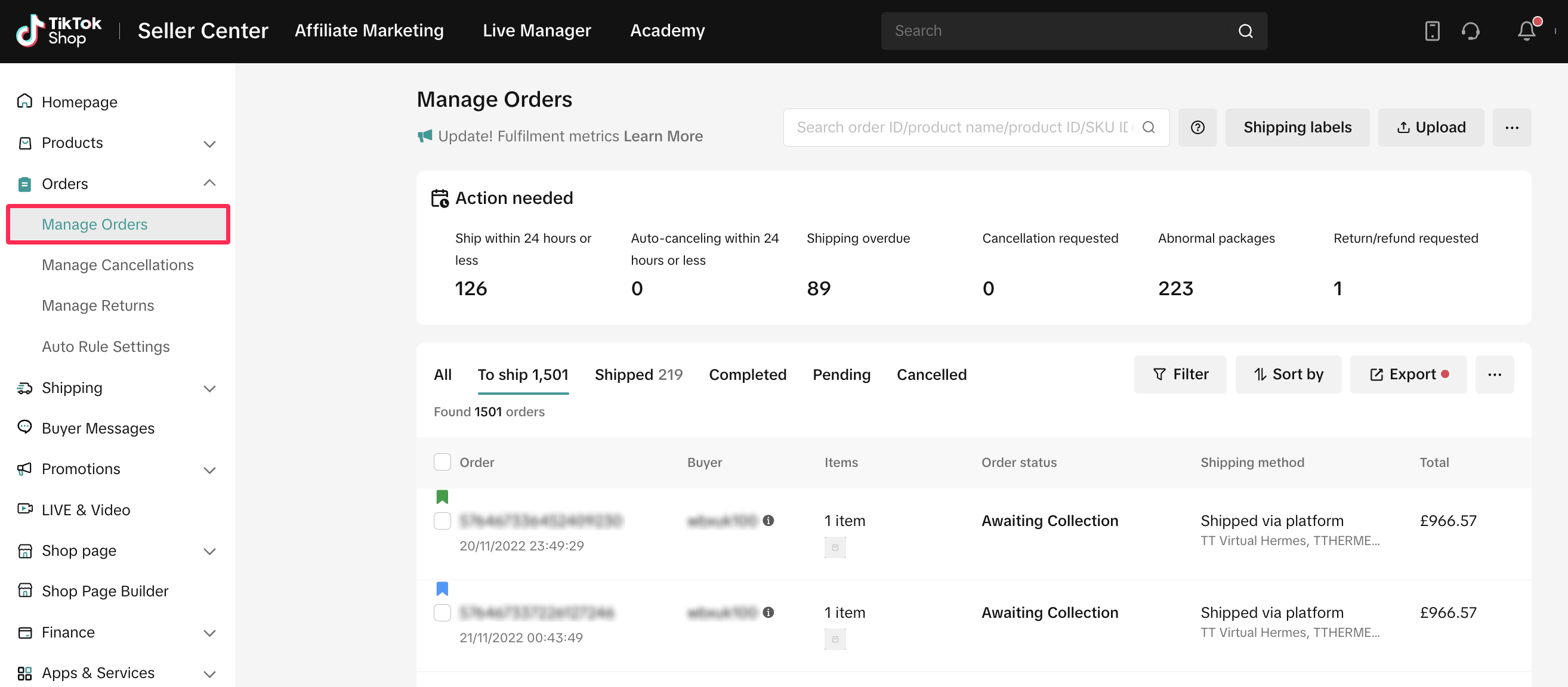

Understanding Order Statuses
On the Manage Orders page, you'll find tabs for different order stages. These tabs help you track and manage orders according to their status.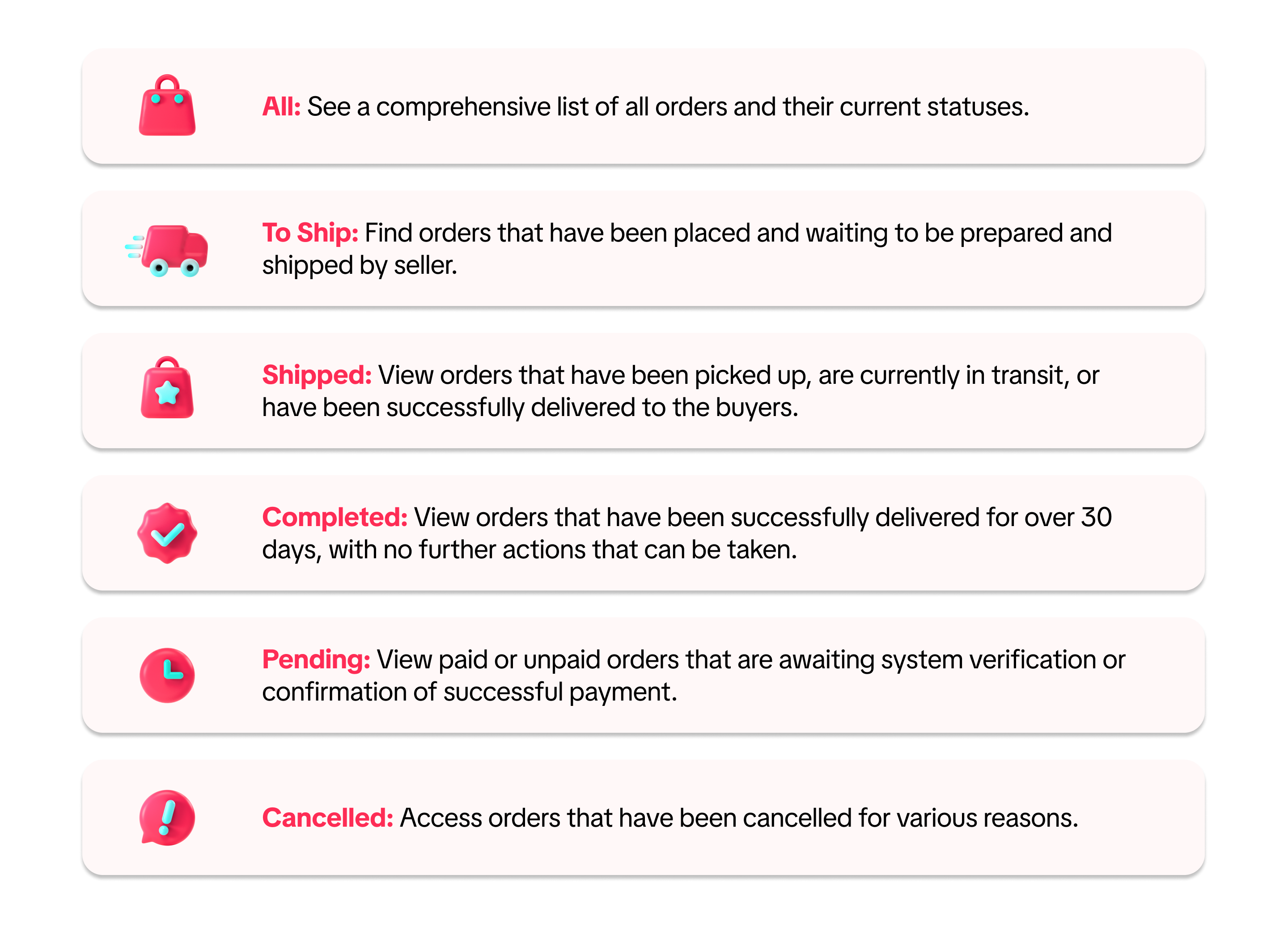


Action Needed Tab
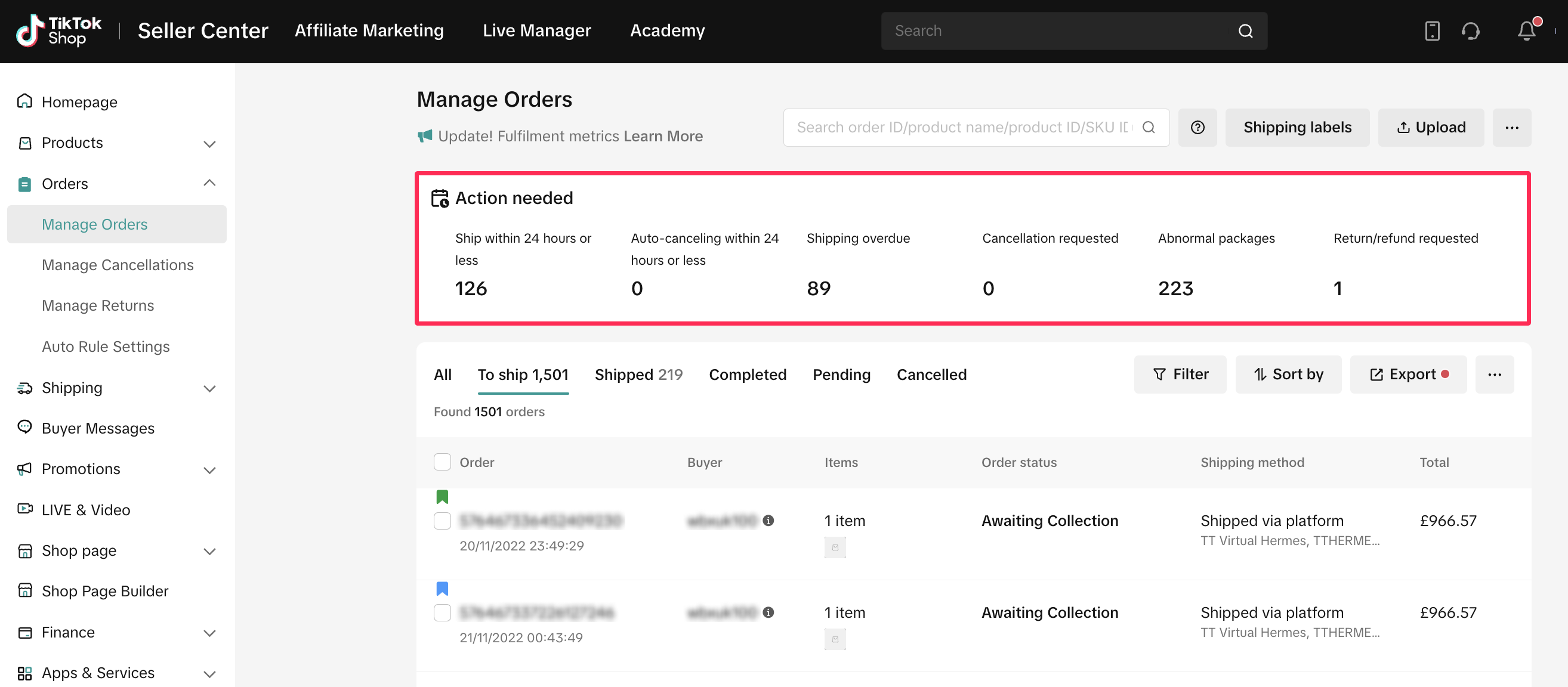
We've enhanced the UI for the Manage Orders page by introducing a new 'Action Needed' tab. This ensures that you won't overlook any critical orders requiring attention on your part. The tab also highlights cancellation requests and return/refund requests, providing you with a comprehensive overview of your orders.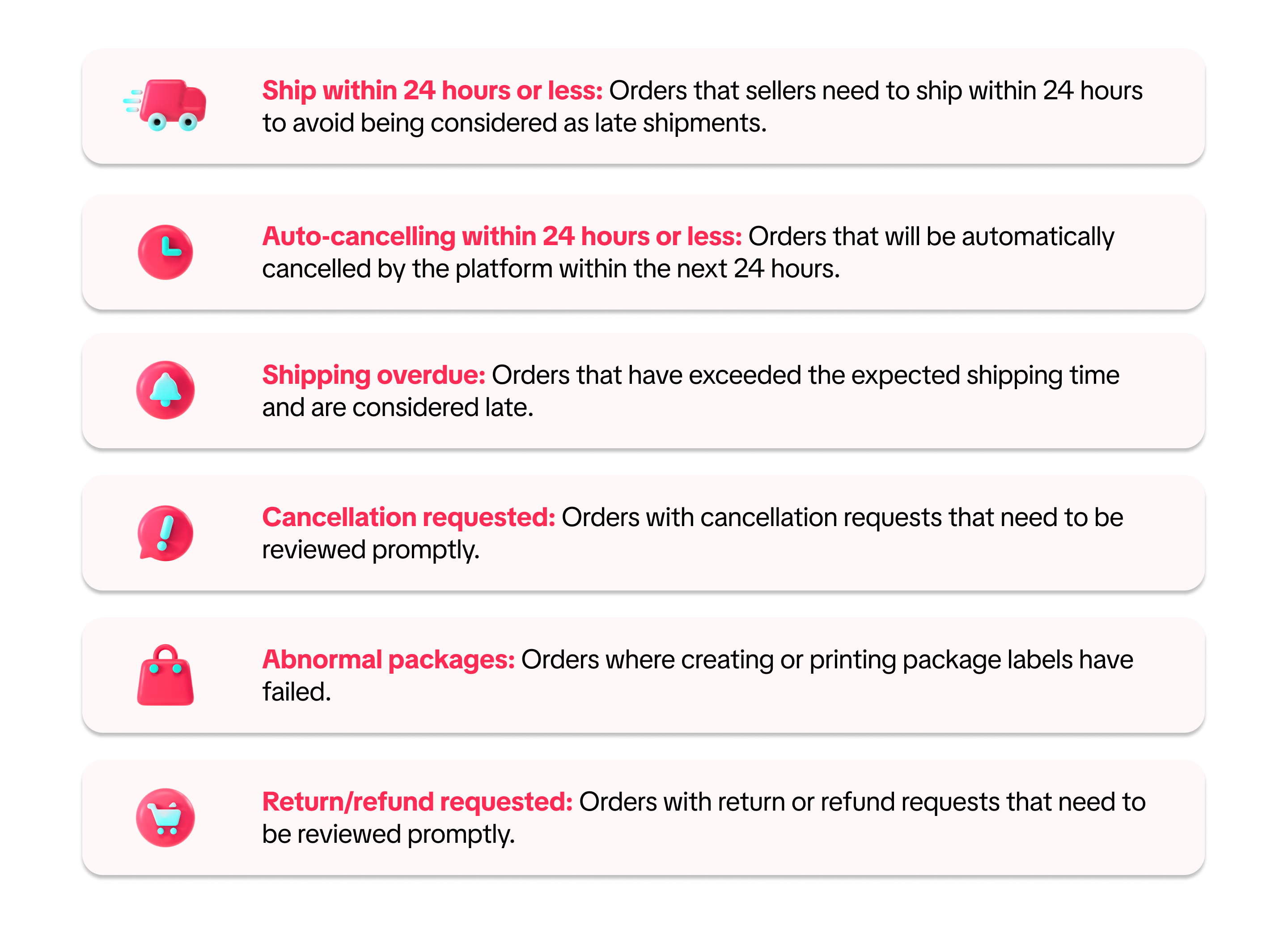

Search and Filter
We have optimised and streamlined the search function, allowing you to effortlessly find your orders with our new global search. Now, you can search for various details, including order ID, tracking numbers, product IDs, and SKUs, all within a single search bar.You can search up to 100 different IDs by simply separating your parameters using commas (,) and enclosing them in quotation marks (").
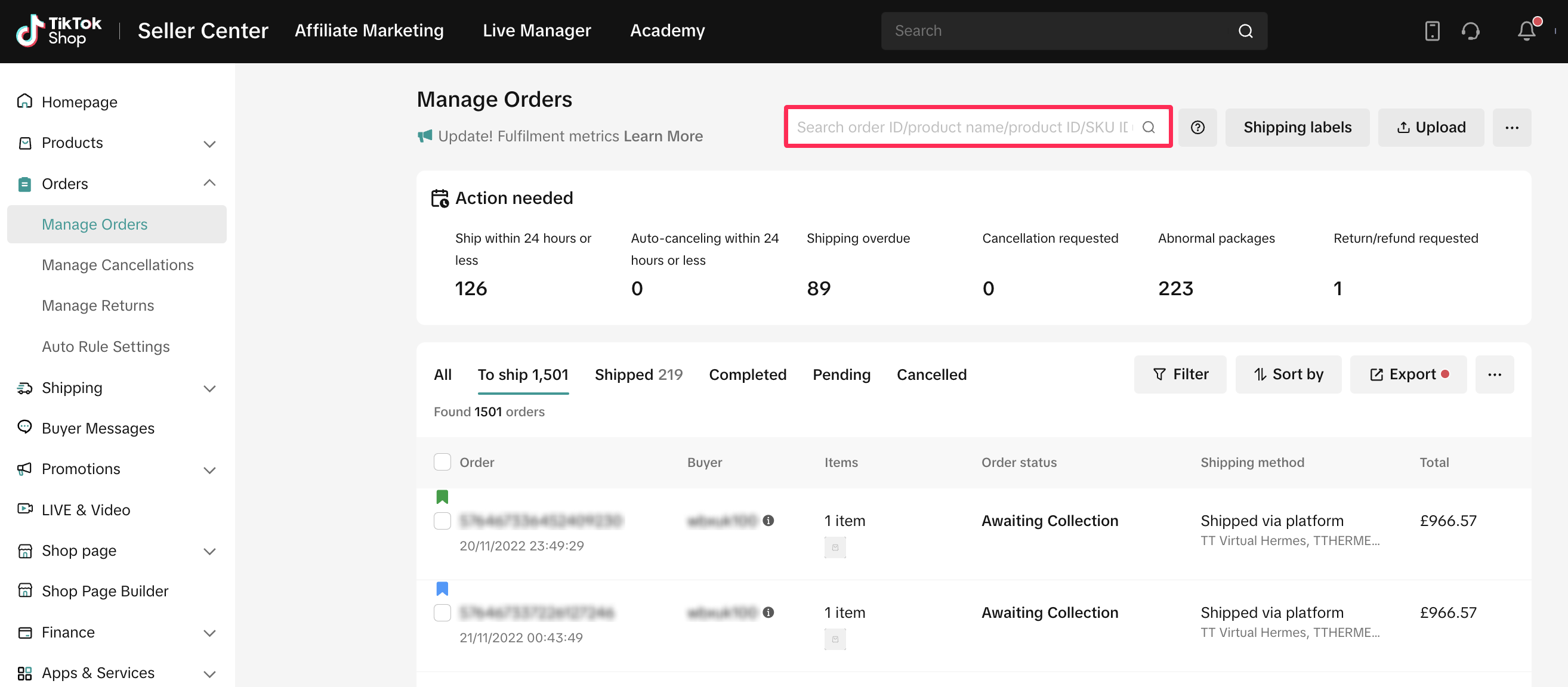 To enhance your results further, utilise our newly improved filters, providing a variety of options for you to choose and customise.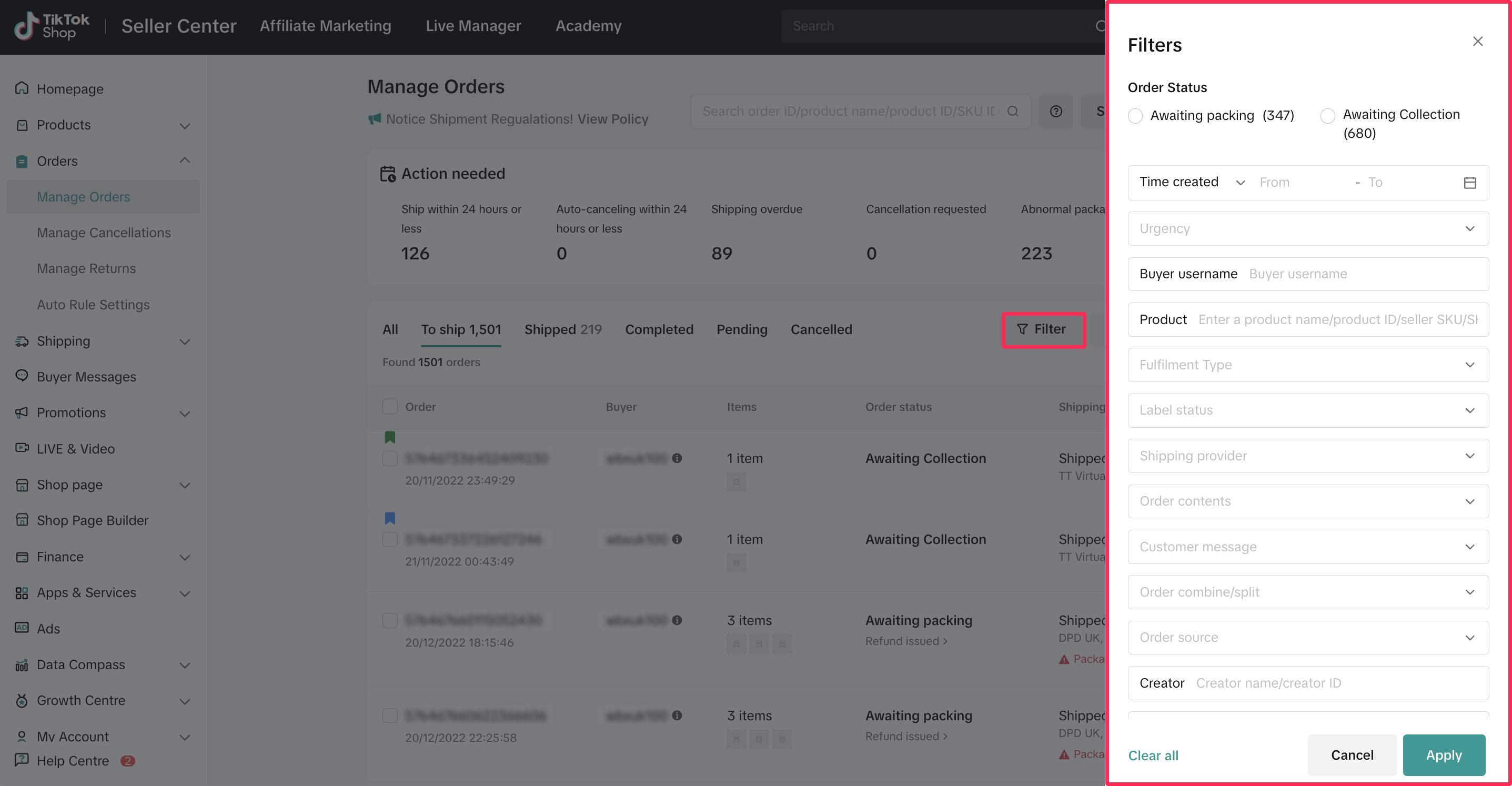

List View and Card View
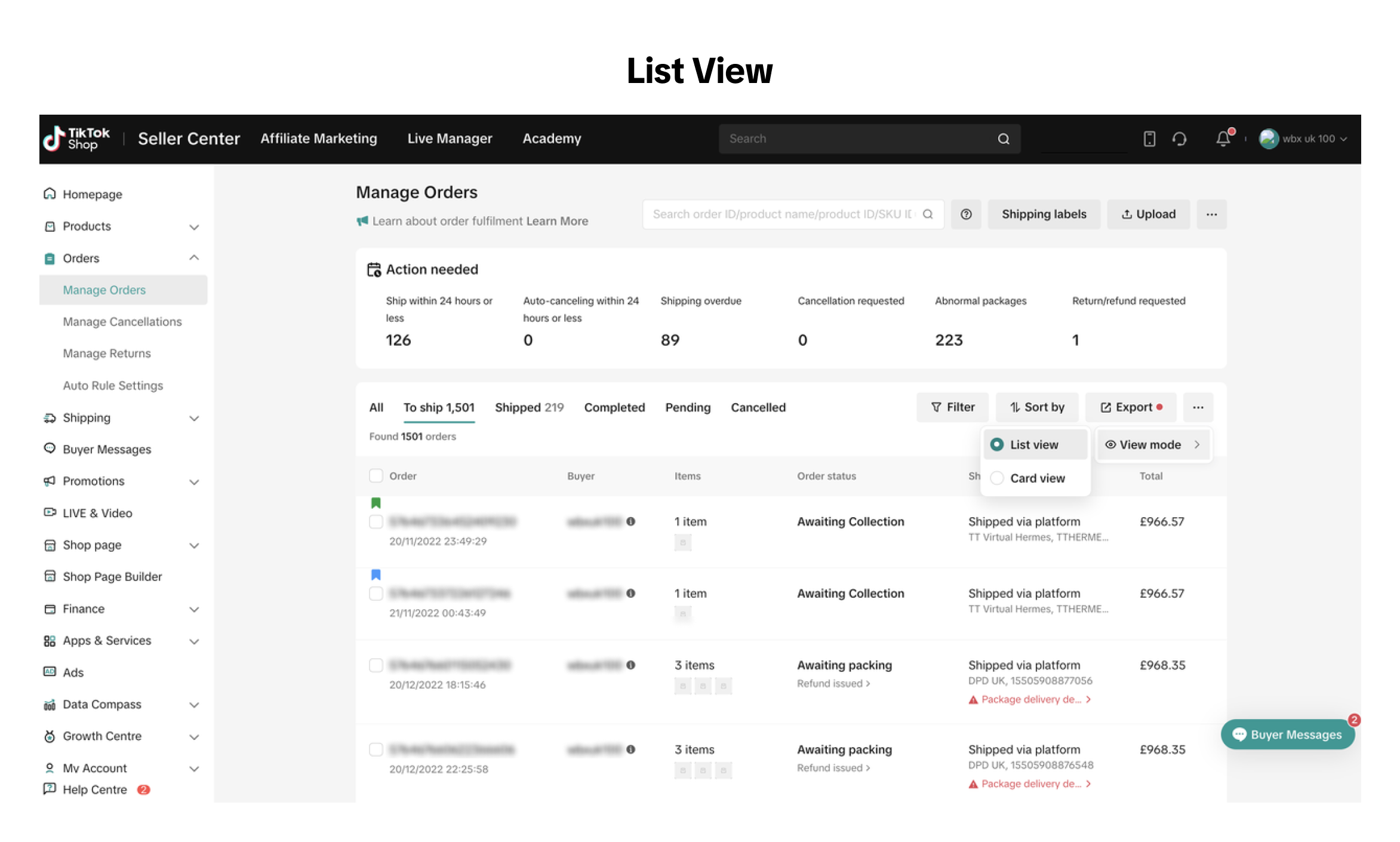
We've added greater flexibility for viewing your orders with the new List View. You can switch to List View to see more orders on a single page or switch back to Card View for more detailed information about your orders.Simply go to the More icon (...), click on view mode, and select List view or Card View.


Adding Order Note
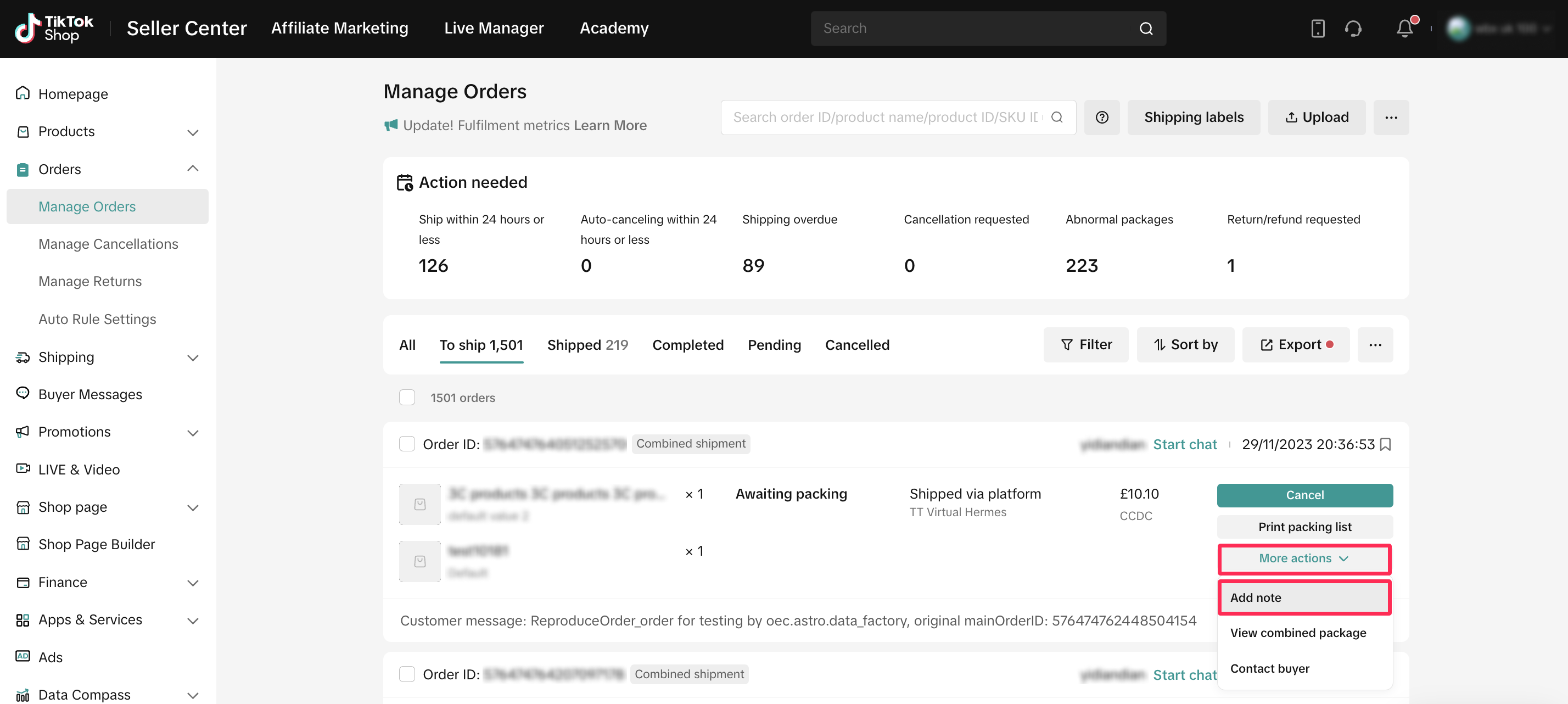
For efficient order management, we offer an 'Add Note' feature, which serves as a personal reminder and helps identify orders needing special attention.You can use this feature by selecting 'More Actions' and 'Add Note' on Manage Orders page. This functionality enables you to:
- Assign different coloured flags to orders for easy identification.
- Attach notes to individual orders, allowing modifications and tracking of note history.
- Filter orders by flag colors, with seller notes included as parameters in exported order lists.
- Include 'Seller Notes' on both picking lists and shipping label printouts for enhanced order management.

Exporting Orders
You can also export all of your orders or selected orders under the current tab or export filtered orders to further optimise your order management process.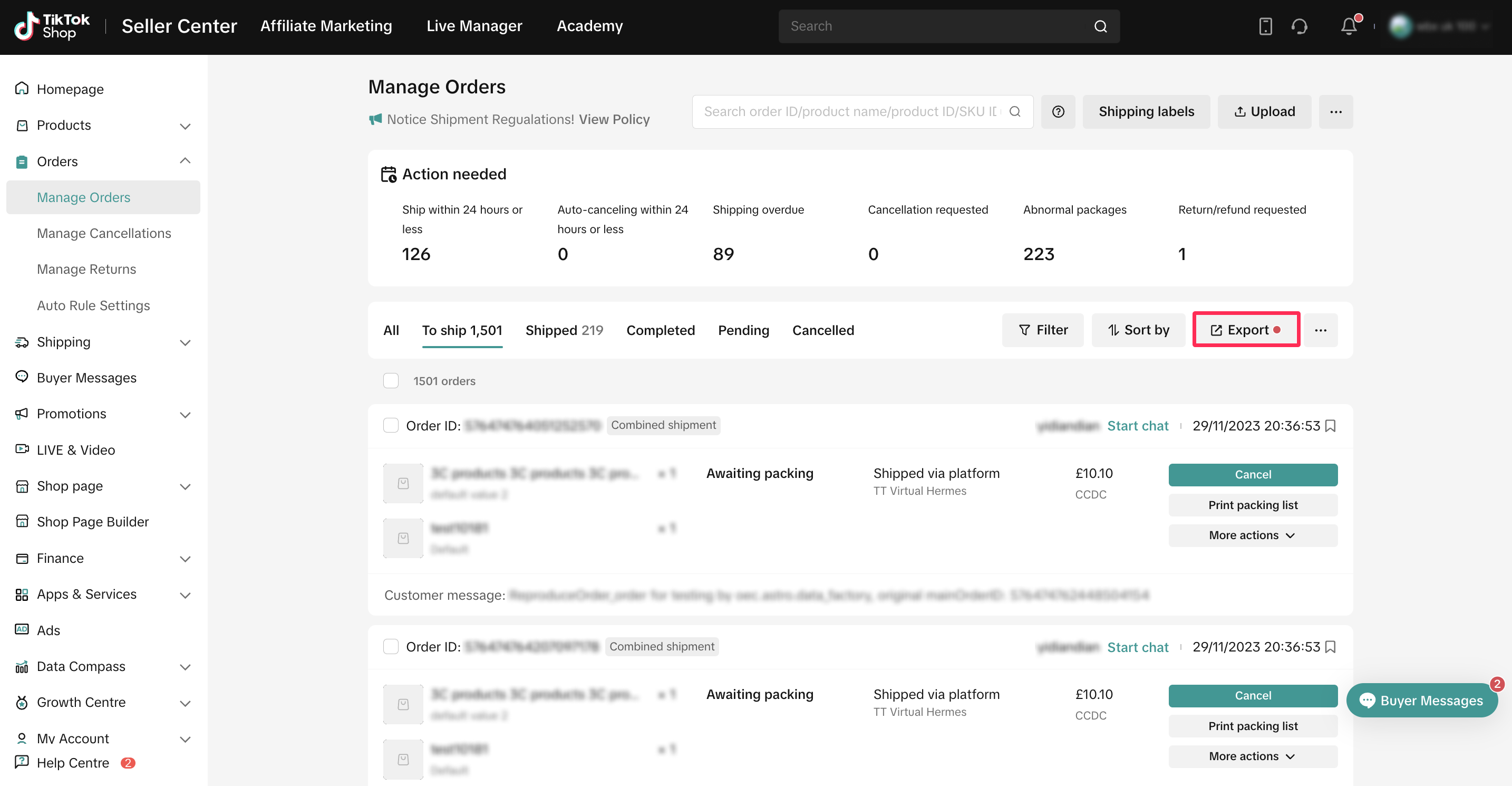
Cancelling Orders
As a seller, if you wish to cancel a buyer's order, you can do so before updating the status to 'Shipped.' On the Manage Orders page, select the order you want to cancel. Then, choose More Actions > Cancel. Next, select the cancellation reason and confirm.
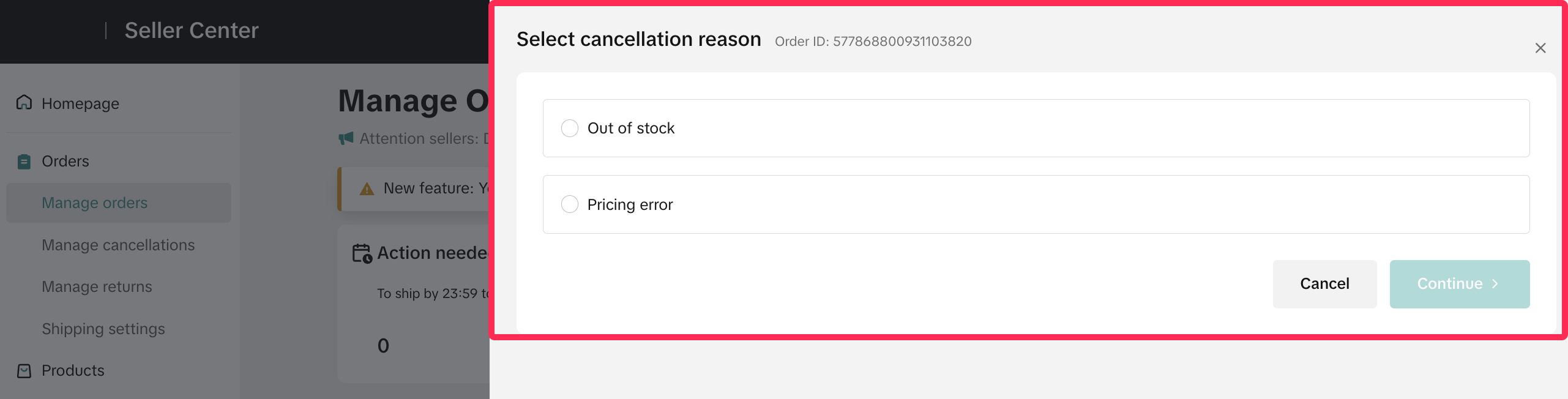 ❗️Please note that if you initiate the cancellation due to a seller's fault, such as no stock or incorrect pricing, your cancellation will be classified as a seller-fault cancellation and will be included in the SFCR.
Learn more about the cancellation policy and SFCR.

FAQ
- Can I ask the online support team to help cancel the orders for me?
You may also be interested in
- 4 lessons
Order Management
The order management system at Seller Center is extremely streamlined and easy to use for new seller…
- 1 lesson
Shipping Orders done right! (Infographic)
Create a smooth delivery process for enhanced customer satisfaction.

Batch Check Tool
In this article, we will introduce you to the Batch Check tool on the Seller Center app. This tool i…
Pre-Orders
How do I qualify for the right to mark my products as "pre-order" products? If this is the first sho…
Order Fulfilment - Overview
Effective and efficient order fulfilment is key to satisfying and retaining customers. Here are the…

What if my package gets lost, damaged, or scrapped?
Overview Scenarios If your package was lost or damaged, you can raise a ticket with the order ID and…
Combining Orders into a Single Package
This article provides a simple guideline on combining multiple orders into a single package, giving…
TikTok Shop Platform Abuse Policy
Overview This Platform Abuse Policy (hereafter referred to as "this Policy") outlines the Seller &…

Appeal Guidelines for IPR Penalties
Appealing Intellectual Property Rights (IPR) Violations At TikTok Shop, we work hard to create a se…

What do I do if the buyer didn't receive the order but the s…
If an order is marked as delivered but the buyer never received the order, your course of action dep…