

Managing Refund-Only Request
11/04/2025

What is a Refund-Only Request
After purchasing, buyers may request a refund without returning the item if they are dissatisfied with the product, did not receive it, or if the item is non-returnable. Sellers should review the refund reason and respond promptly to avoid platform auto-approval.![[EN - VN].png](https://p16-oec-university-sign-sg.ibyteimg.com/tos-alisg-i-nk3i2mqmvs-sg/1092e6259a05431abcee75db0fb4ef69~tplv-nk3i2mqmvs-image.png?lk3s=5d1a069b&x-expires=2071816511&x-signature=3zPG5jJBu8BxBnMj2%2Bjonw3WwC8%3D)

How to Manage Refund-Only Requests
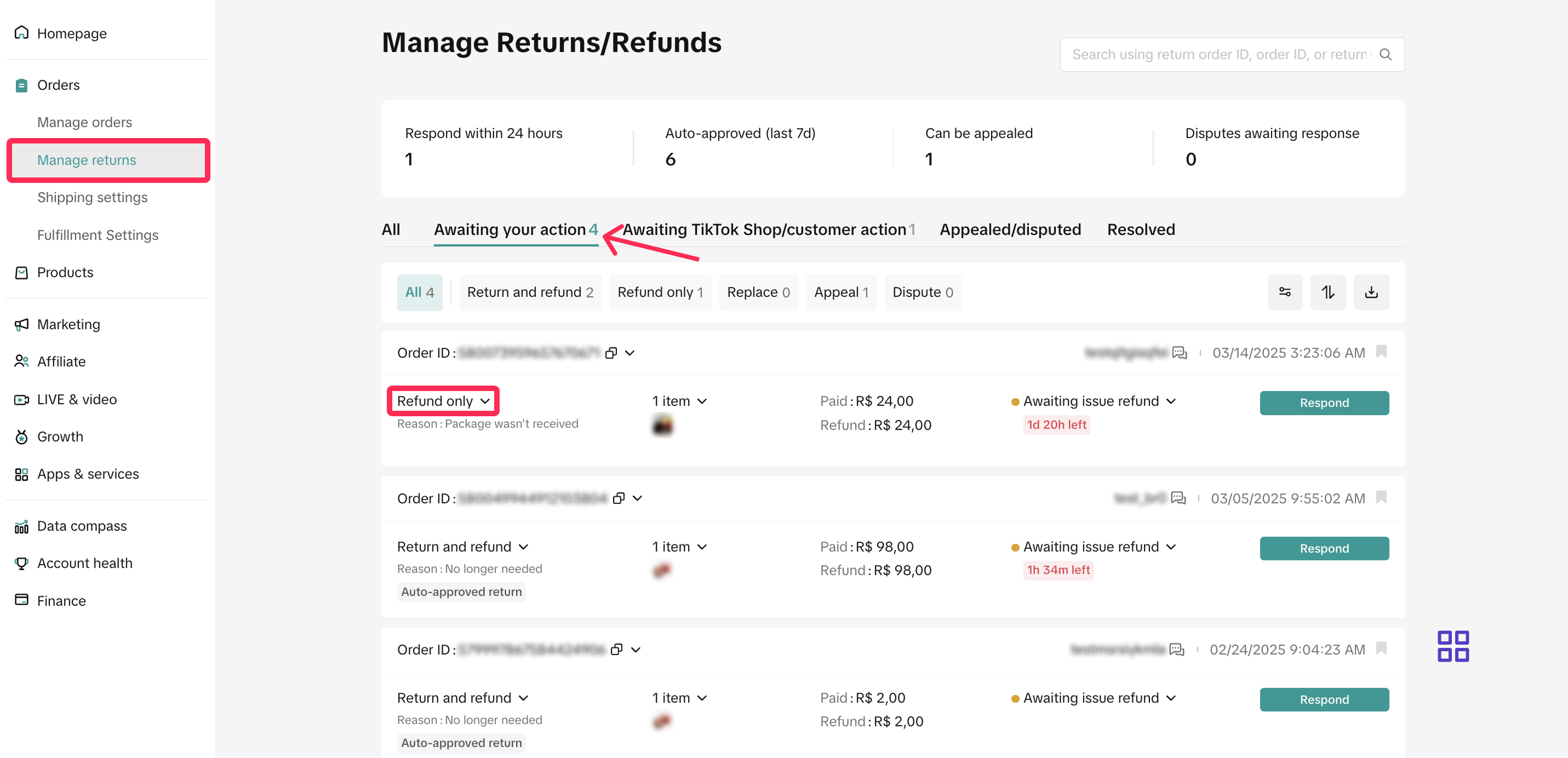
- Navigate to Seller Center and select Orders > Manage Returns. Go to the 'Awaiting Action' tab to view the refund requests that need your attention. Look for requests tagged as 'Refund-Only.'
- Review the refund request and reason, and respond within 1 calendar day. If you miss this timeframe, the platform will automatically approve these requests.
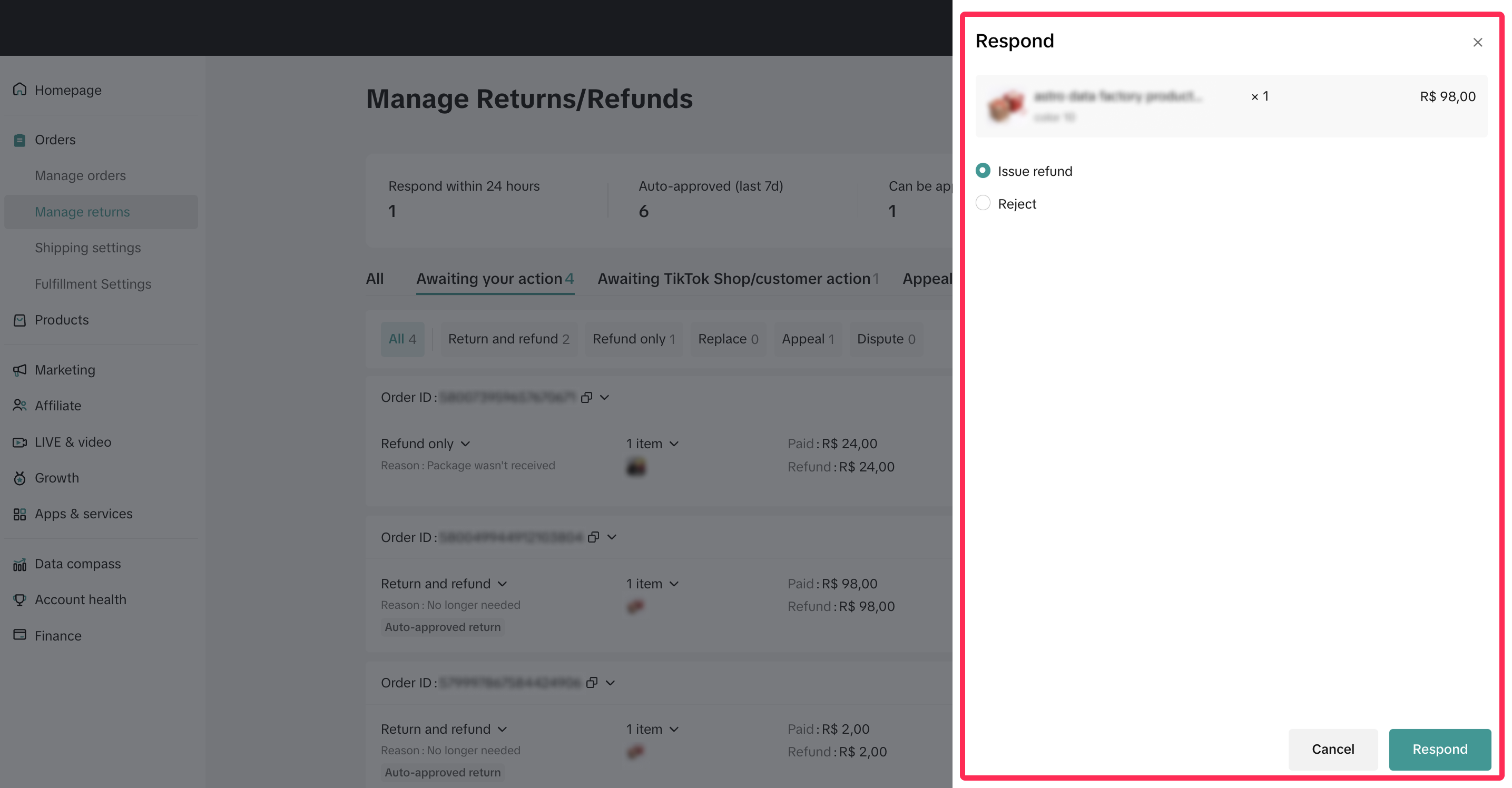
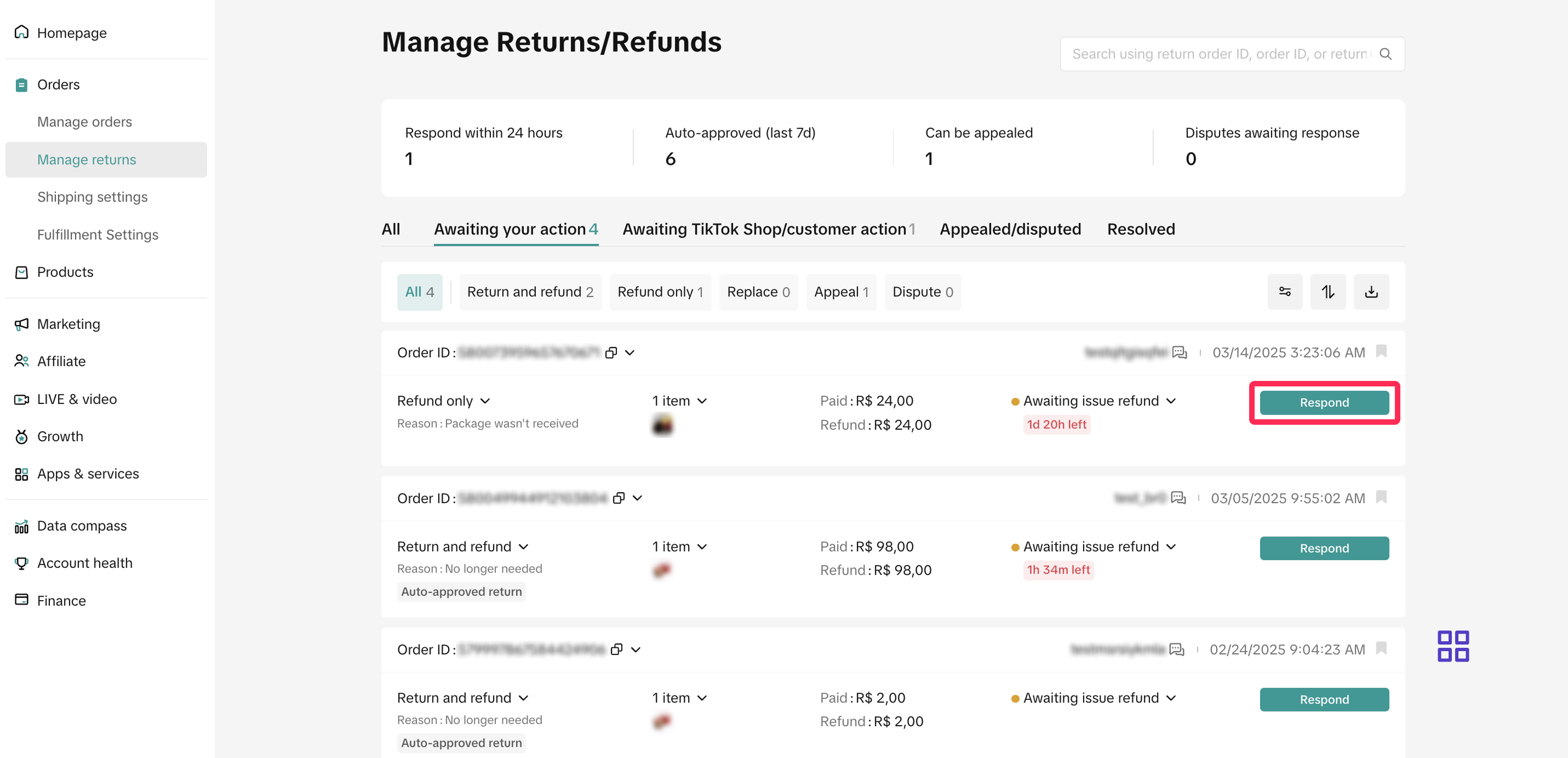 Here are the actions that you can take:
- Issue Refund: If the refund reason is valid, you can approve the request. The platform will issue the refund to the buyer.
- Reject: If a request doesn't meet your criteria, you can reject it and provide a clear reason for transparency.
 In some cases, the platform may approve a refund on your behalf. If you disagree with the platform's decision, you can raise an appeal within 7 calendar days from the time the refund is processed to the buyer. To learn more about the appeal process, please refer to this article.
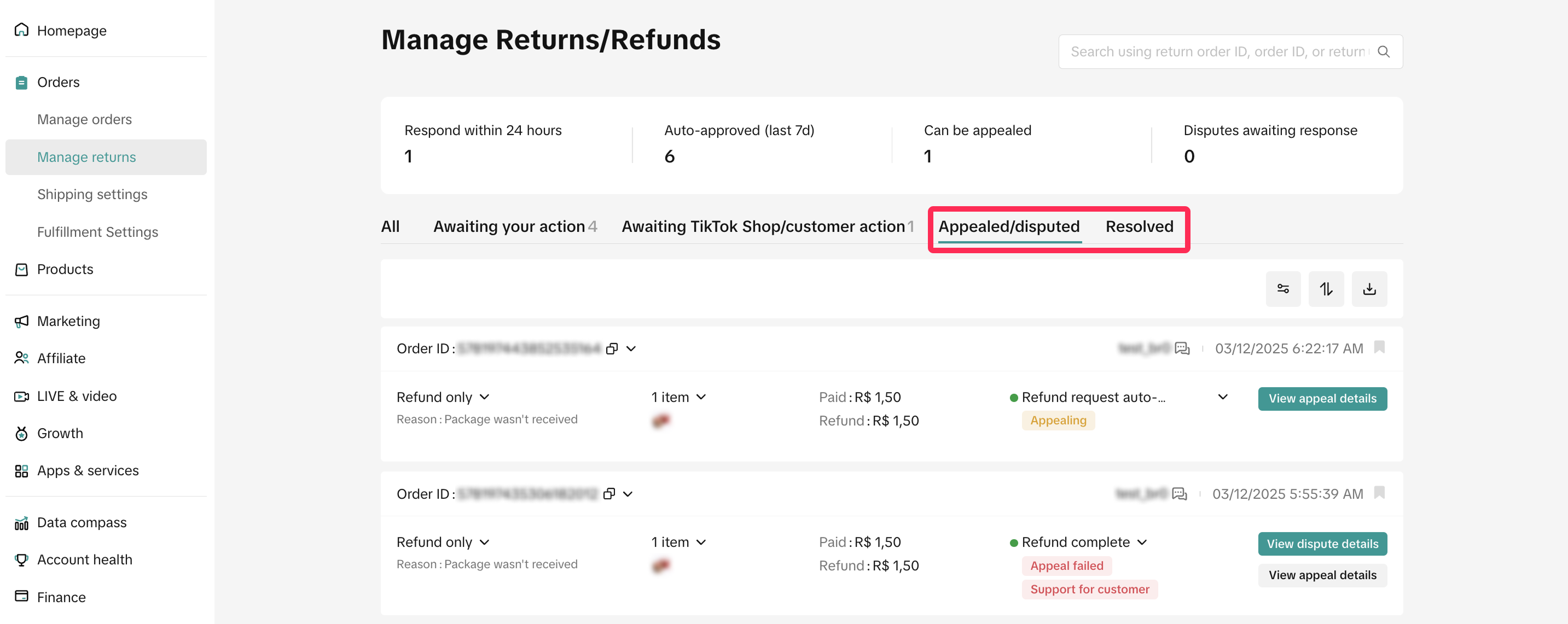
- Monitor requests that have resulted in disputes or those that have been successfully refunded under the Appealed/Disputed or the Resolved tabs, respectively. For successful refunds, the platform will issue the refund to the buyer automatically.

FAQ
- Are there any circumstances under which I can extend the 1-calendar day response time for 'Awaiting Action' requests?
You may also be interested in

Failed Return Package
Note: this rule applies only to local-to-local transactions. What is a failed return package? A fail…

Offering Refunds to Customers
This article provides a quick guide on how to initiate a refund to customers for minor inconvenience…

Required Evidence for Rejecting Buyer's Aftersale Requests
This article aims to provide a comprehensive guide on how to effectively reject a buyer's return, re…
Initiating an Appeal for Return/Refund Requests
This article aims to improve seller's understanding regarding appeal management on Seller Center fro…

Why can't I locate the Appeal button on the "Manage Returns/…
If you're unable to find the Appeal button on the "Manage Returns/Refunds" page, it could be due to…

When can a buyer raise a return/refund request?
Timeframe for return/refund requests: Buyers can submit a return/refund request within fifteen (15)…

What if the buyer returns incomplete, used, or incorrect ite…
No compensation for incorrect items returned by buyer: Buyers must ensure that they enclose the corr…
Auto Rule Settings for Returnless Refunds
This comprehensive guide will assist you in setting up automated rules for return/refund requests, s…
Auto Rule Settings for Cancellation Requests
This article will provide you with a quick walkthrough on how to set up automated rules for acceptin…
Return & Refund Methods
This guide will provide you with a clear understanding of the return process, various return methods…