

Quản lý yêu cầu chỉ hoàn tiền
04/11/2025

Yêu cầu chỉ hoàn tiền là gì
![[VN] (1).png](https://p16-oec-university-sign-sg.ibyteimg.com/tos-alisg-i-nk3i2mqmvs-sg/59c991d42f4e404c952b45ca8b369171~tplv-nk3i2mqmvs-image.png?lk3s=5d1a069b&x-expires=2071816619&x-signature=4yG1rVoi%2B%2BFaCyul%2B82KO7sLME8%3D)

Cách quản lý các yêu cầu chỉ hoàn tiền
- Truy cập vào Trung tâm nhà bán hàng rồi chọn Đơn hàng > Quản lý hàng trả lại. Truy cập vào tab "Đang chờ hành động" để xem các yêu cầu hoàn tiền bạn cần lưu ý. Tìm kiếm các yêu cầu được gắn thẻ là "Chỉ hoàn tiền".
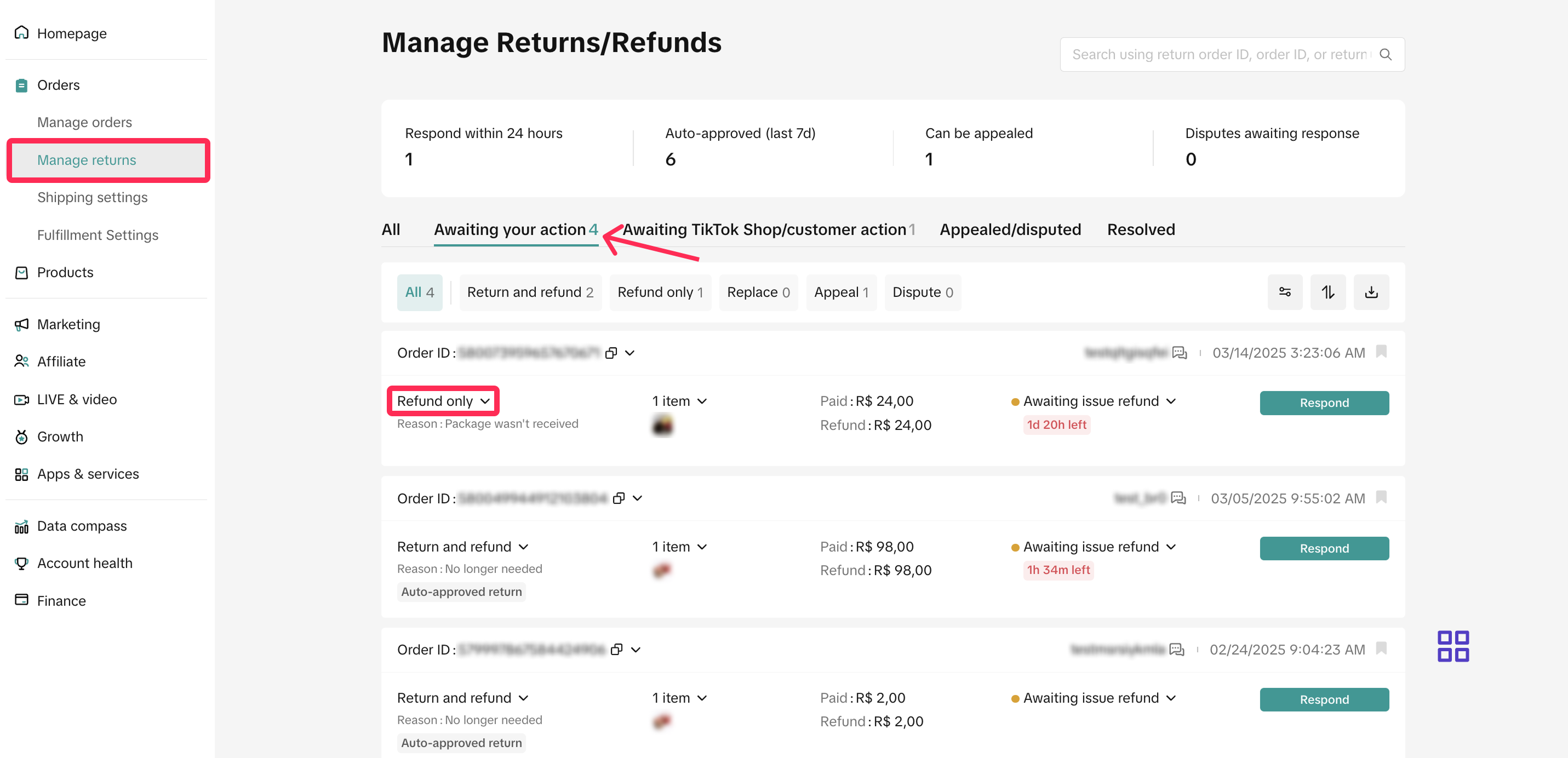
- Xem xét yêu cầu và lý do hoàn tiền, cũng như phản hồi trong vòng 1 ngày dương lịch. Nếu bạn bỏ lỡ khung thời gian này, nền tảng sẽ tự động phê duyệt các yêu cầu này.
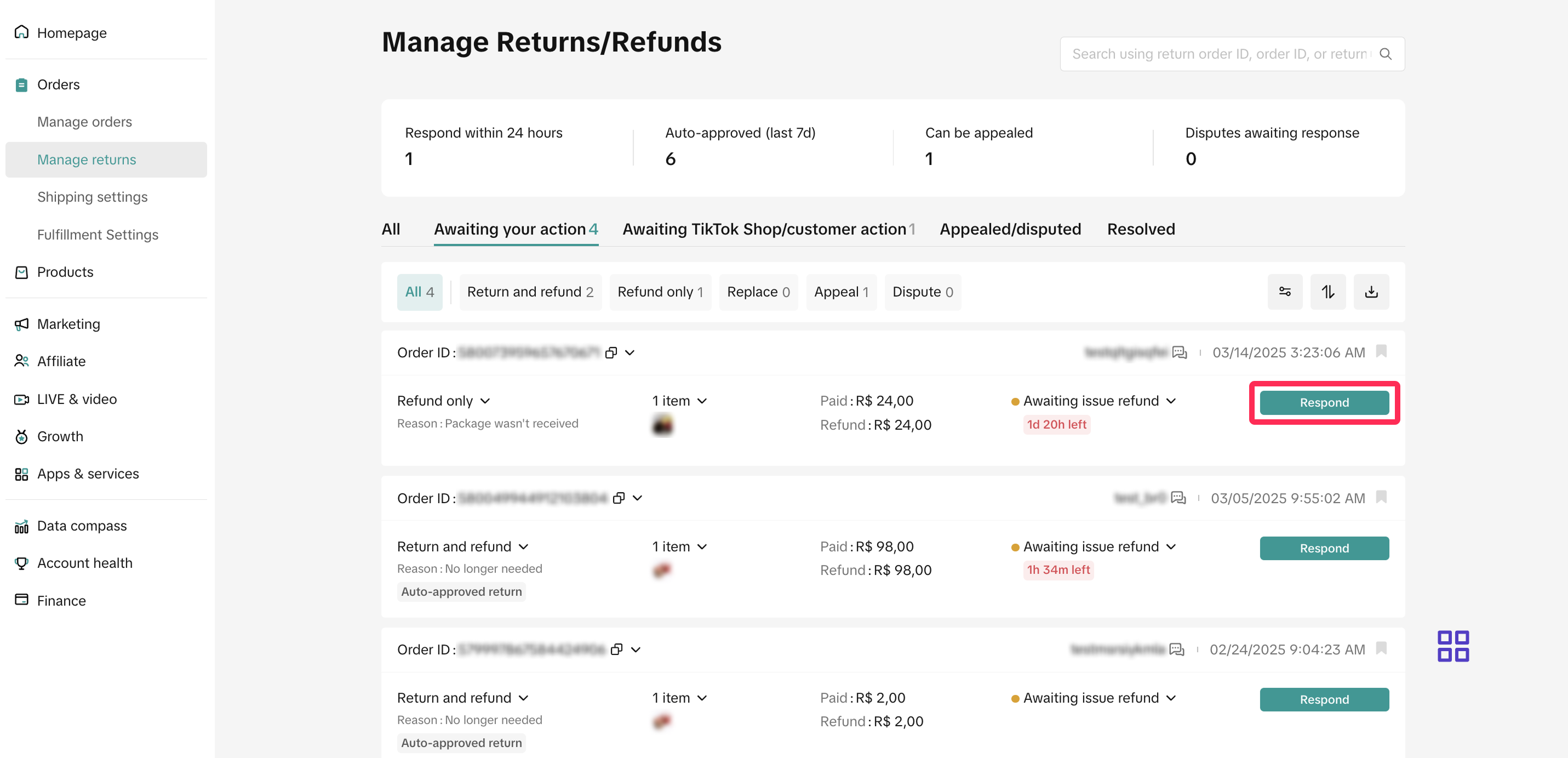
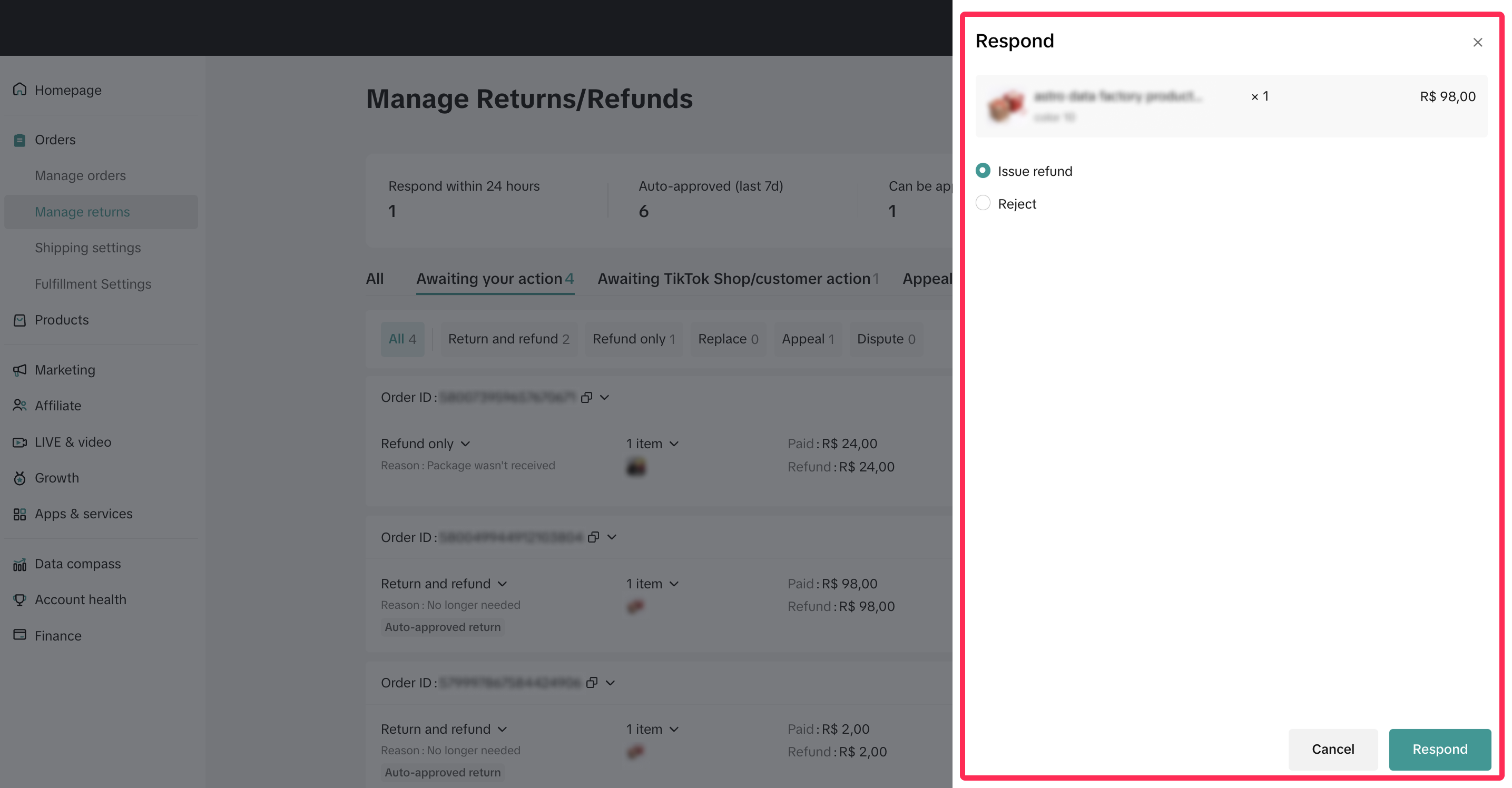
- Tiến hành hoàn tiền: Nếu lý do hoàn tiền hợp lệ, bạn có thể phê duyệt yêu cầu. Nền tảng sẽ tiến hành hoàn tiền cho người mua.
- Từ chối: Nếu yêu cầu không đáp ứng tiêu chí của bạn, bạn có thể từ chối và đưa ra lý do rõ ràng để đảm bảo tính minh bạch.
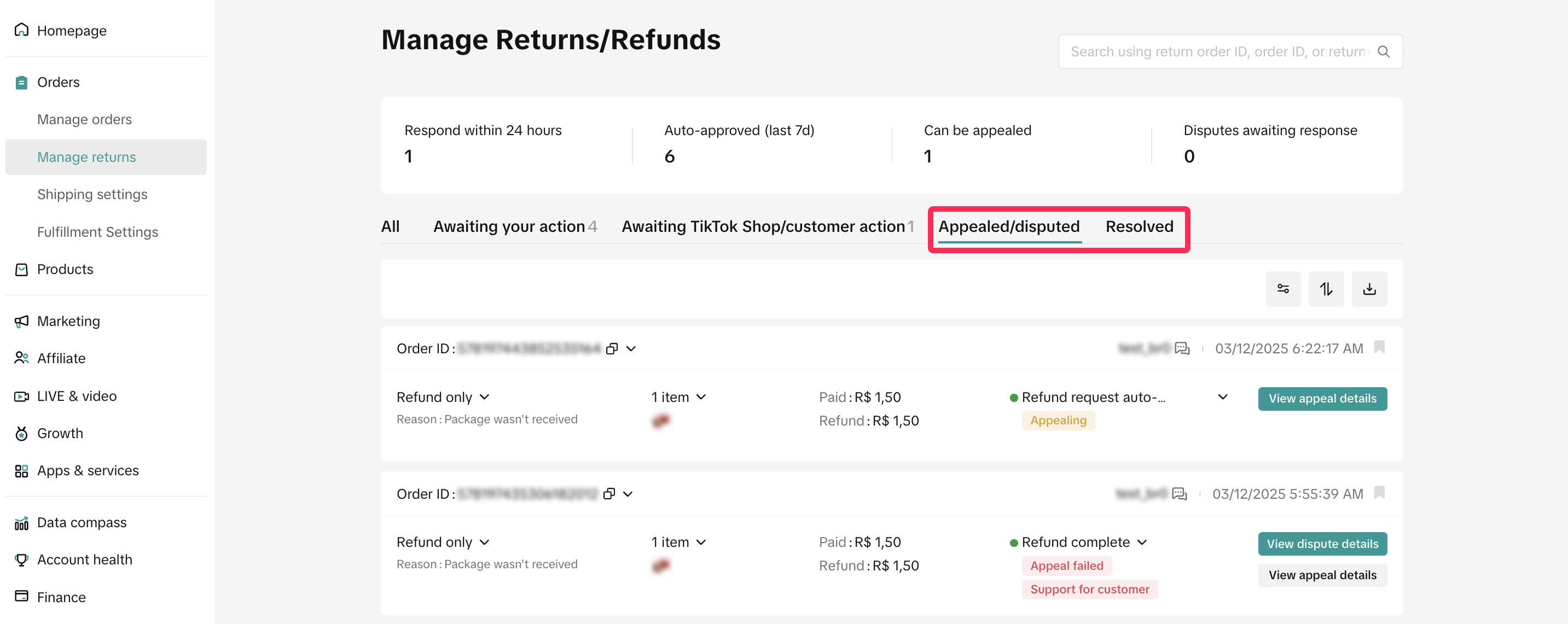
- Hãy theo dõi các yêu cầu dẫn đến tranh chấp hoặc các yêu cầu đã được xử lý hoàn tiền thành công tương ứng trong các tab Đã khiếu nại/tranh chấp hoặc Đã giải quyết. Đối với các giao dịch hoàn tiền thành công, nền tảng sẽ tự động hoàn tiền cho người mua.

Câu hỏi thường gặp
- Có trường hợp nào cho phép tôi gia hạn thời gian phản hồi là 1 ngày dương lịch đối với các yêu cầu "Đang chờ hành động" không?
You may also be interested in

Trả Hàng Không Thành Công
Lưu ý: Quy tắc này chỉ áp dụng cho các giao dịch nội địa Trả hàng không thành công là gì? Trả hàng k…
Đề nghị hoàn tiền cho khách hàng
Bài viết này cung cấp hướng dẫn nhanh về cách bắt đầu hoàn tiền cho khách hàng vì các trải nghiệm bấ…
Bằng Chứng Cần Cung Cấp để Từ Chối Yêu Cầu Hậu Mãi của Khách…
Bài viết này hướng dẫn đầy đủ cách từ chối hiệu quả yêu cầu trả hàng, hoàn tiền hoặc hủy đơn của Khá…
Khiếu Nại Yêu Cầu Trả Hàng/Hoàn Tiền
Khiếu nại yêu cầu Trả hàng của Khách Hàng Bài viết này nhằm mục đích giúp Nhà Bán Hàng hiểu rõ hơn v…

Tại sao tôi không thấy nút Khiếu nại trên trang “Quản lý yêu…
Nếu bạn không thấy nút Khiếu nại trên trang “Quản lý yêu cầu trả hàng/hoàn tiền”, có thể là do các l…

Khi nào người mua có thể đưa ra yêu cầu trả hàng/hoàn tiền?
Khung thời gian đưa ra yêu cầu trả hàng/hoàn tiền: Người mua có thể gửi yêu cầu trả hàng/hoàn tiền t…

Điều gì sẽ xảy ra nếu người mua gửi thiếu hàng, gửi hàng đã…
Không bồi thường cho các mặt hàng mà người mua gửi nhầm: Người mua phải đảm bảo gửi đúng mặt hàng ba…
Cài đặt quy tắc tự động cho Hoàn tiền không cần trả hàng
Hướng dẫn toàn diện này sẽ hỗ trợ bạn thiết lập các quy tắc tự động cho yêu cầu trả hàng/hoàn tiền,…
Thiết lập quy tắc tự động cho yêu cầu hủy
Bài viết này sẽ cung cấp cho bạn hướng dẫn nhanh về cách sử dụng công cụ tự động phê duyệt yêu cầu h…
Phương Thức Trả Hàng và Hoàn Tiền
Hướng dẫn này sẽ giúp bạn hiểu rõ về quy trình trả hàng, các phương thức trả hàng khác nhau và cách…