

Quản Lý Yêu Cầu Hủy Đơn
16/07/2025
Bài viết này cung cấp hướng dẫn nhanh chóng và dễ dàng để quản lý hiệu quả yêu cầu hủy đơn hàng.

Cách xem yêu cầu hủy đơn
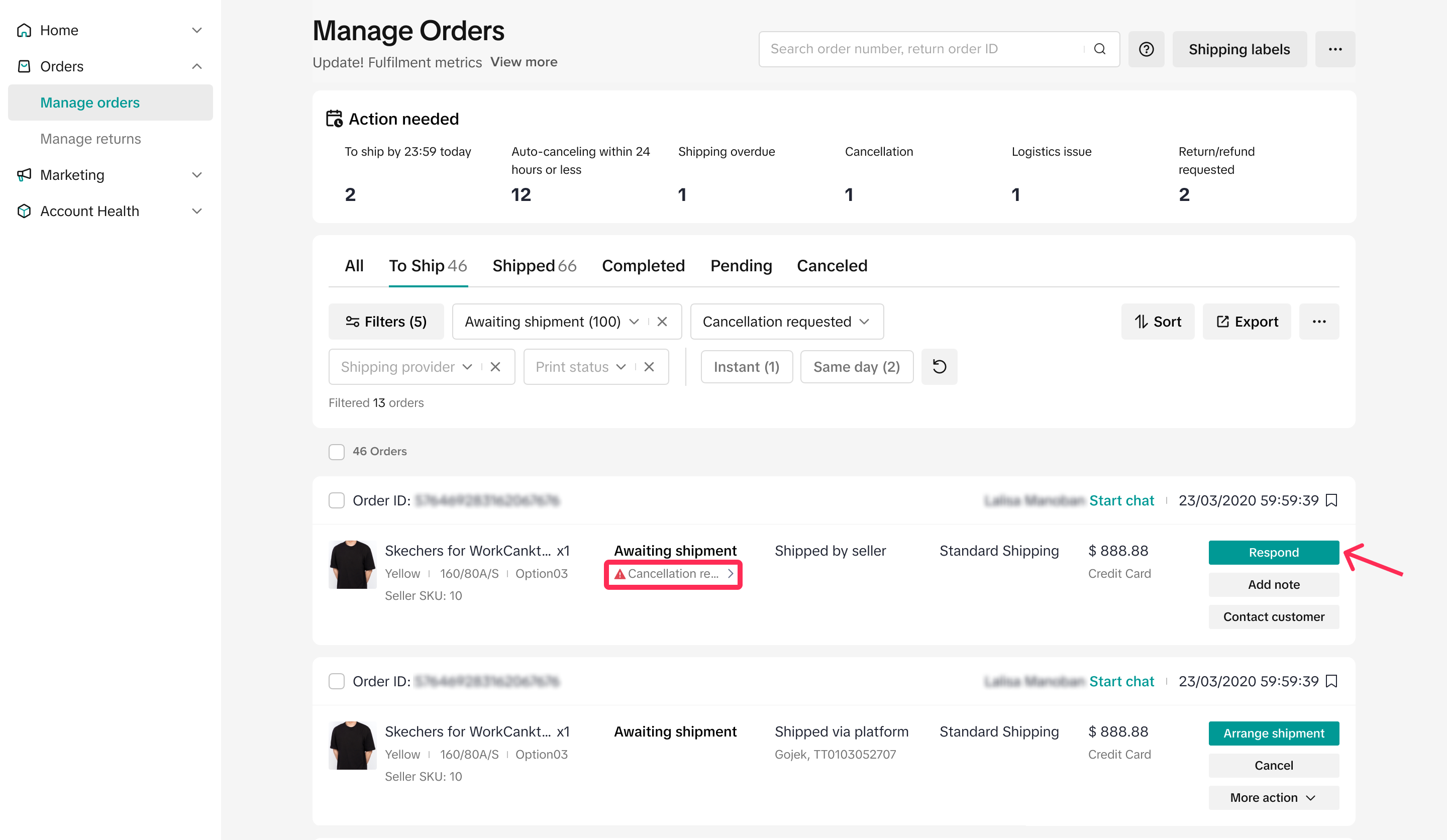
- Trên trang Quản lý đơn hàng, bạn sẽ thấy tab “Việc cần làm”. Tab này cung cấp cho bạn tổng quan nhanh về số yêu cầu hủy đơn bạn đã nhận được. Nhấp vào bộ lọc “Hủy” sẽ chuyển hướng bạn đến tab “Tất cả”. Tại đây, bạn có thể xem tất cả yêu cầu hủy đơn đã được phê duyệt tự động và yêu cầu hủy đơn bạn đã nhận.
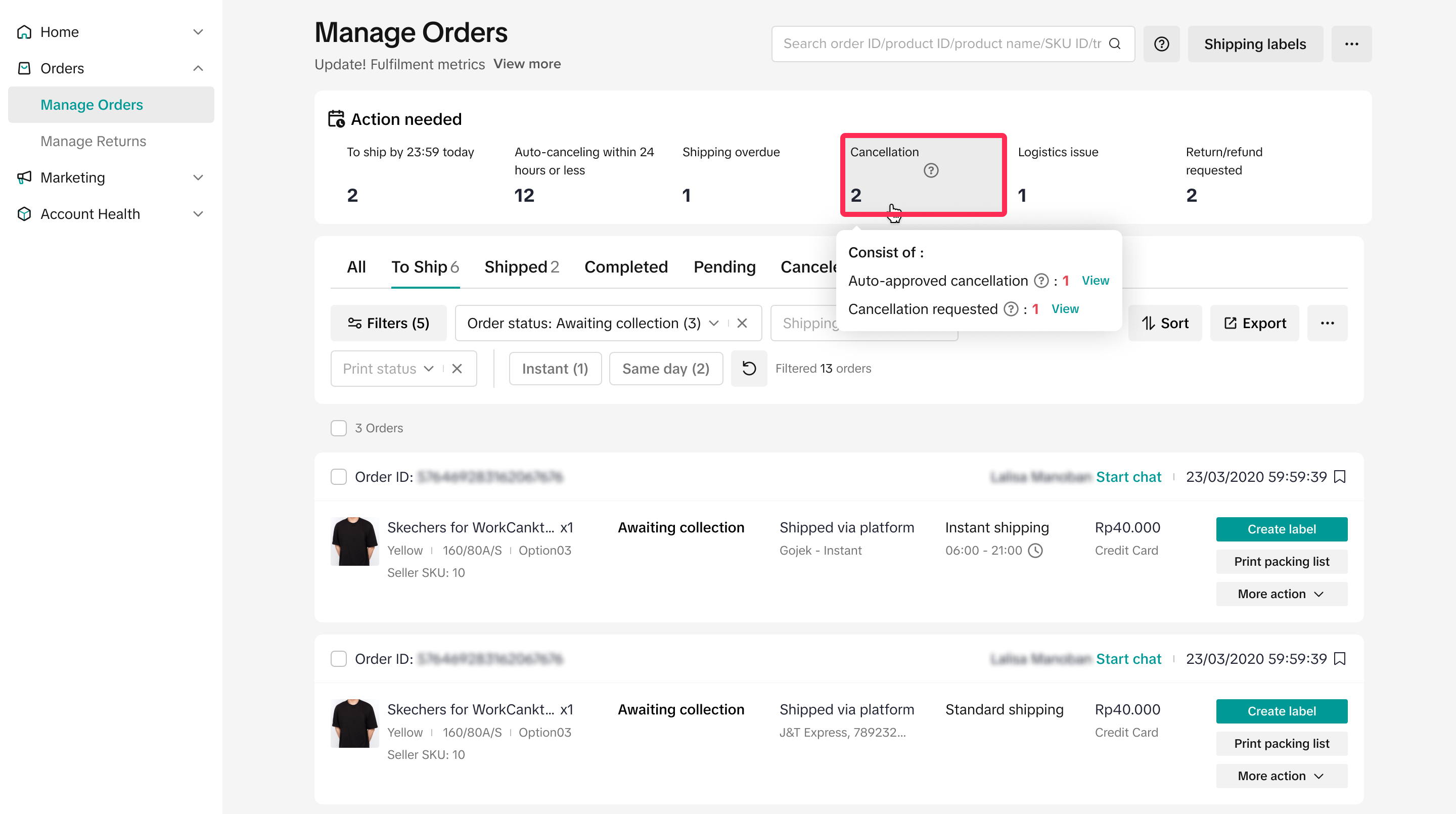
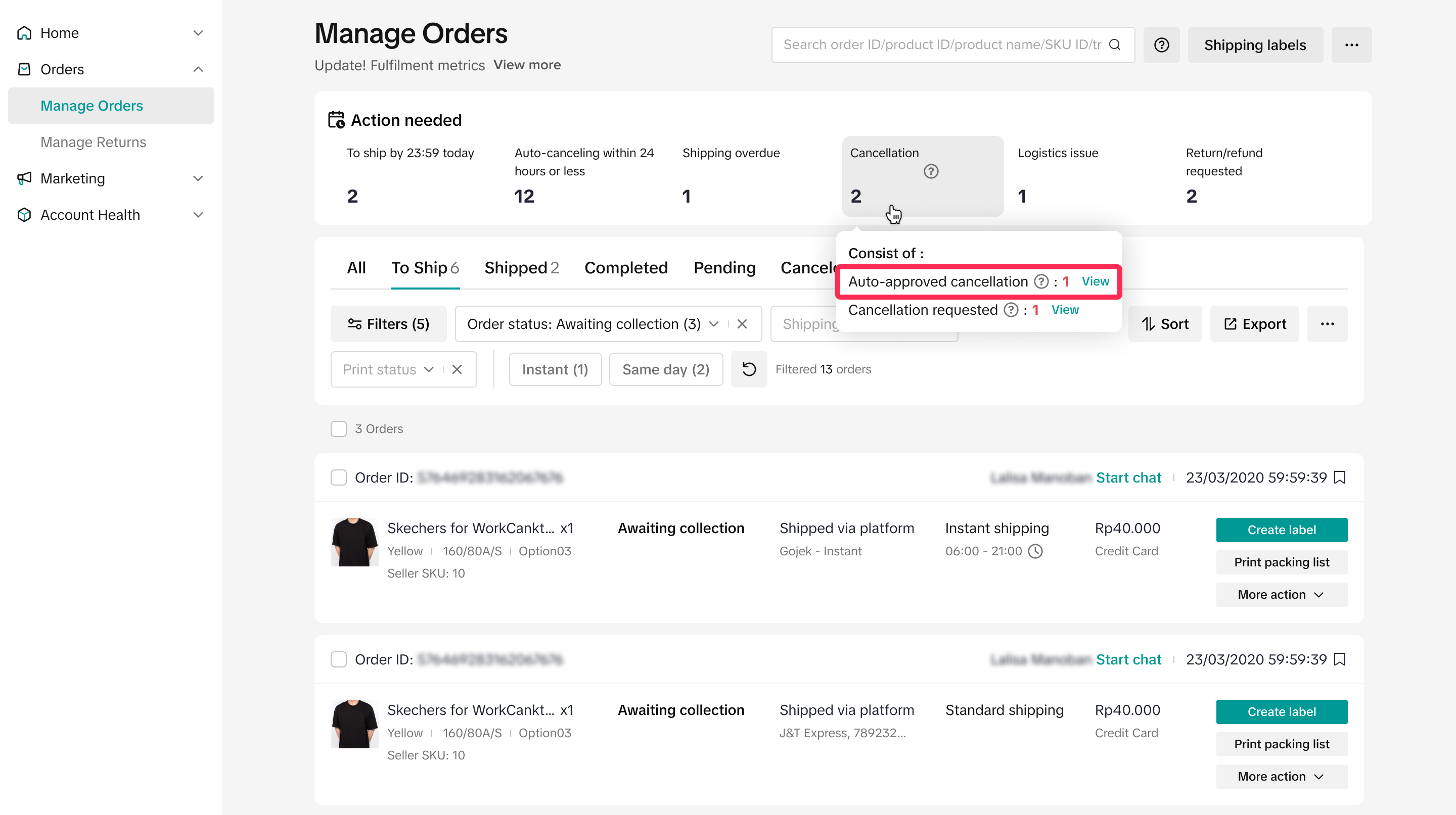
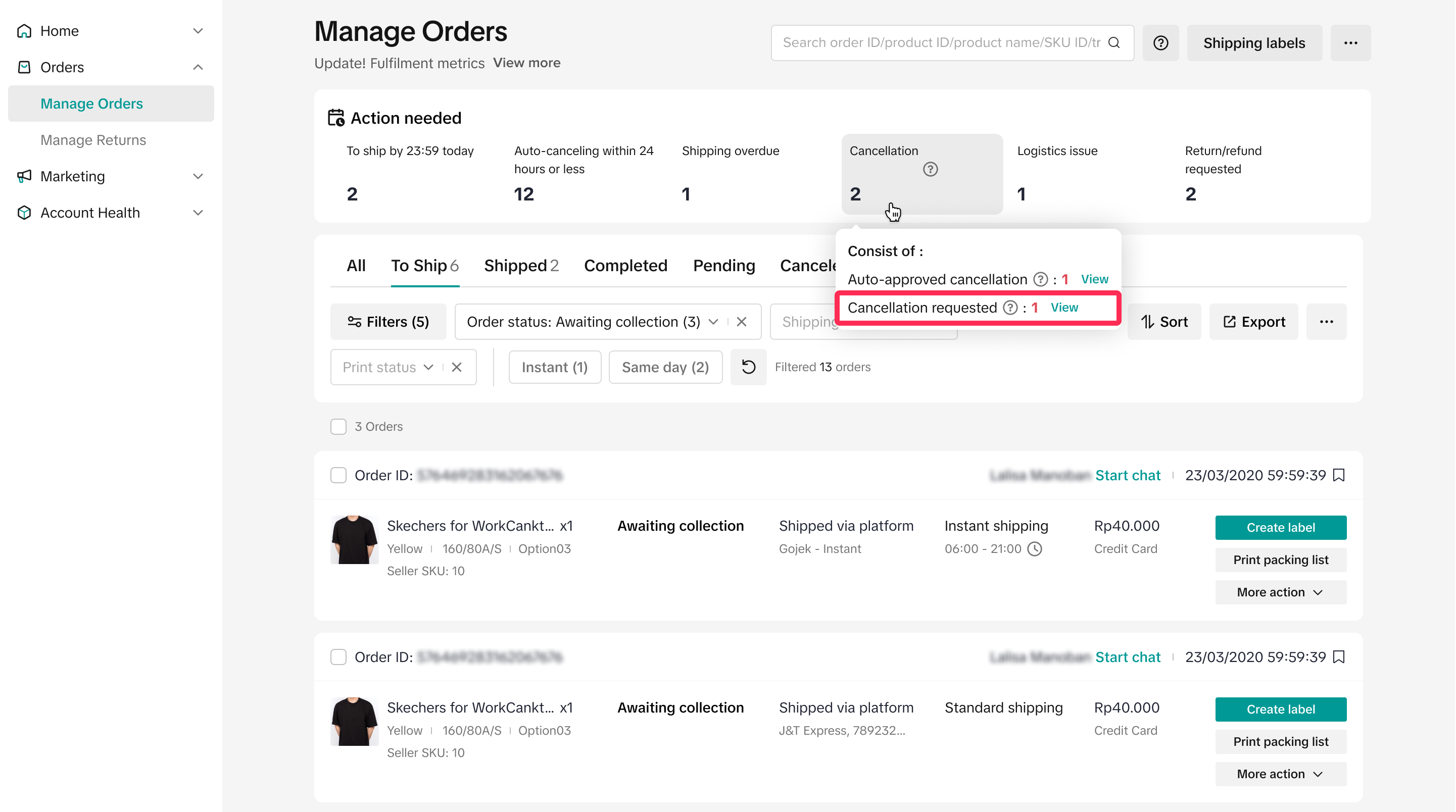
Nếu di chuột lên “Hủy”, bạn sẽ thấy thêm thông tin chi tiết, bao gồm:
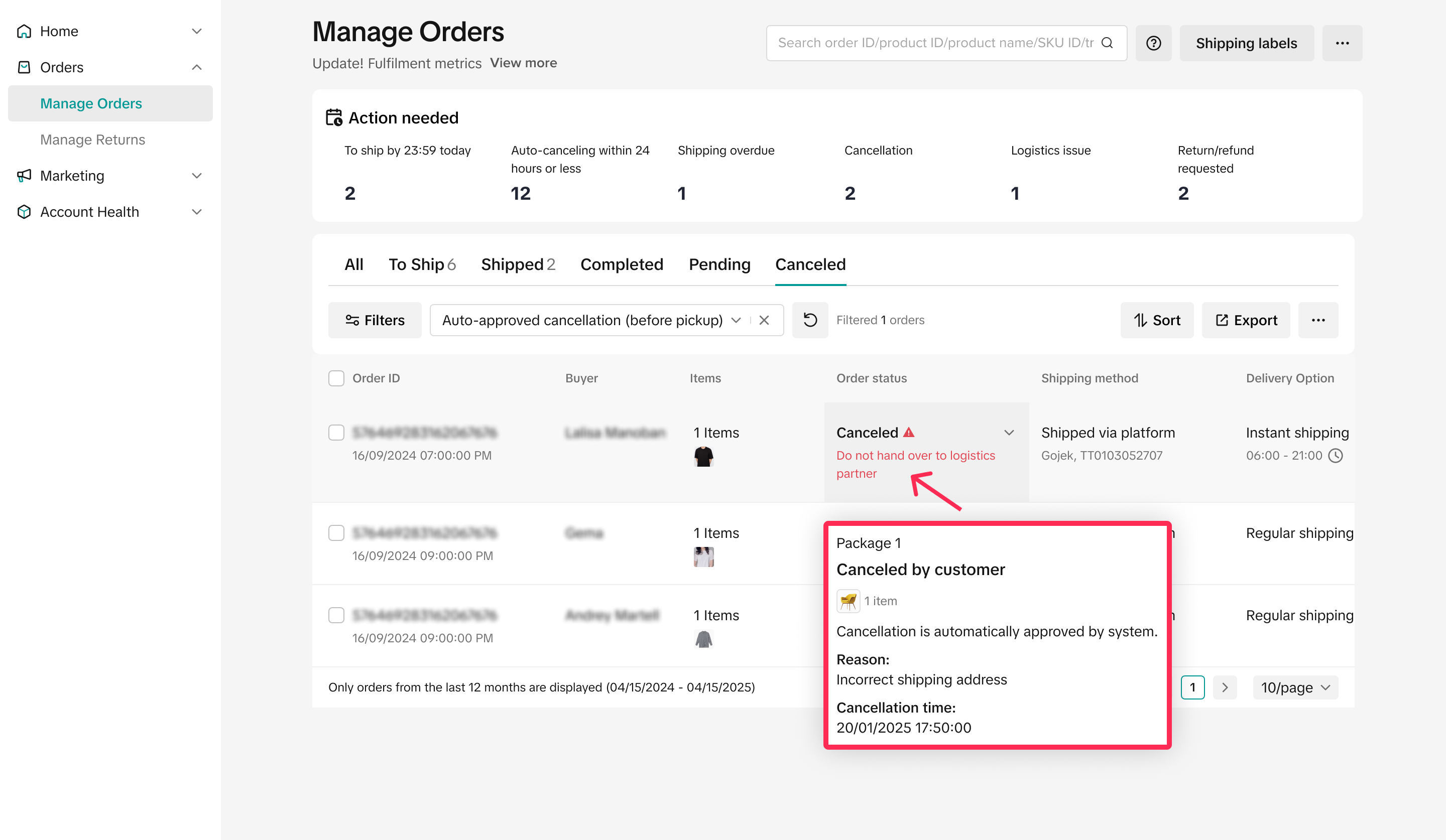
- Yêu cầu hủy đơn phê duyệt tự động: Đây là bất kỳ yêu cầu hủy đơn nào mà nền tảng đã tự động phê duyệt. Nhấp vào “Xem” để đi đến tab “Đã hủy”. Tại đây, bạn sẽ thấy cảnh báo rằng bạn không cần bàn giao đơn hàng này cho đơn vị kho vận và bạn có thể di chuột lên trạng thái đơn hàng để biết thêm chi tiết, chẳng hạn như lý do hủy đơn.
- Yêu cầu hủy đơn: Đây là những yêu cầu hủy đơn bạn cần xem xét và trả lời. Nhấp vào “Xem” để tìm đơn hàng. Bạn có 2 ngày thường để trả lời những yêu cầu này.

Cách hủy đơn hàng của bạn
Là người bán, nếu bạn không thể hoàn thiện đơn hàng và muốn hủy đơn của người mua, bạn có thể làm như vậy trước khi đơn hàng đổi trạng thái thành “Đã vận chuyển”.
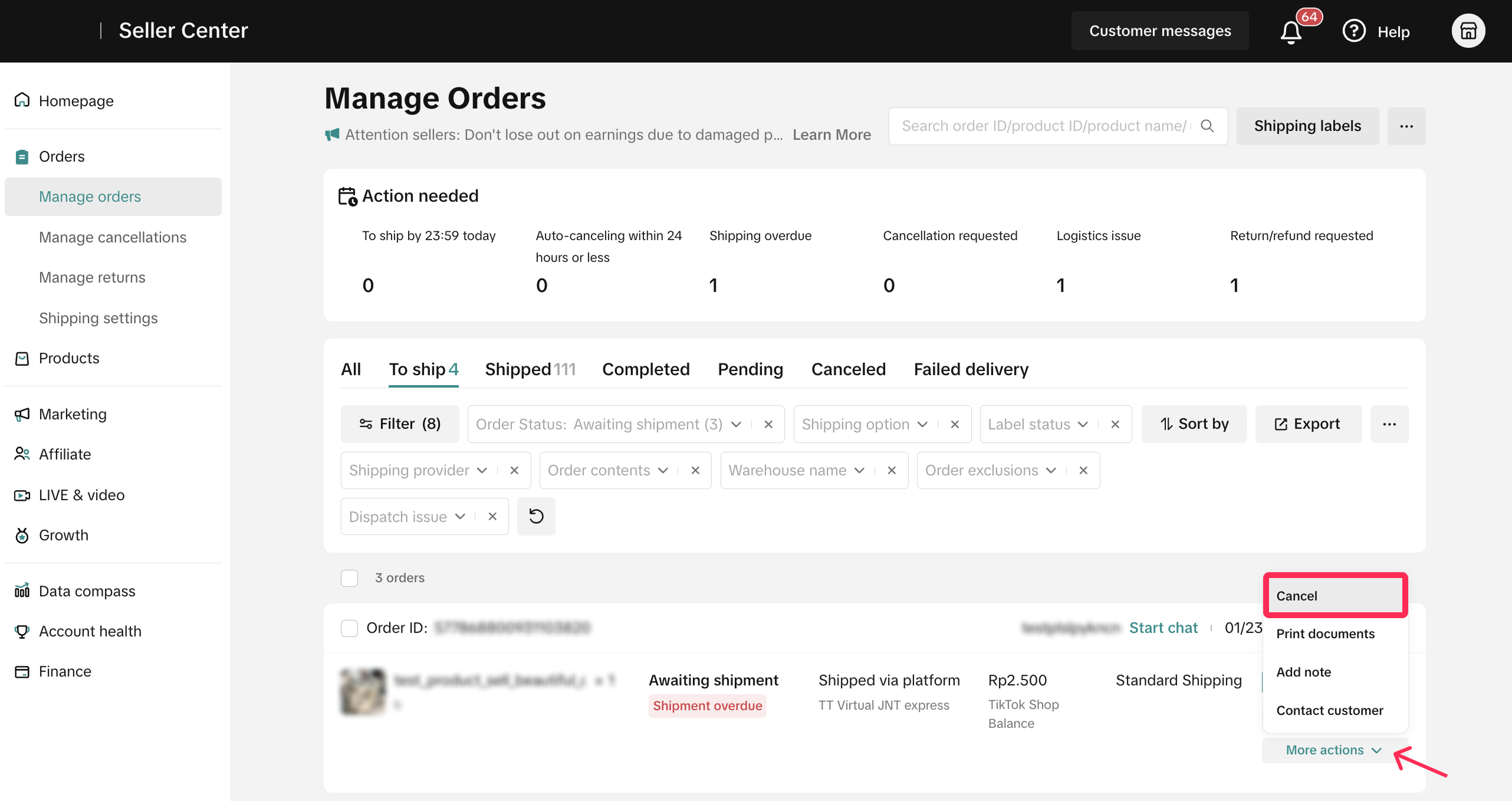
- Trên trang Quản lý đơn hàng, hãy chọn đơn bạn muốn hủy. Sau đó, chọn Hành động khác > Hủy. Tiếp theo, chọn lý do hủy và xác nhận.
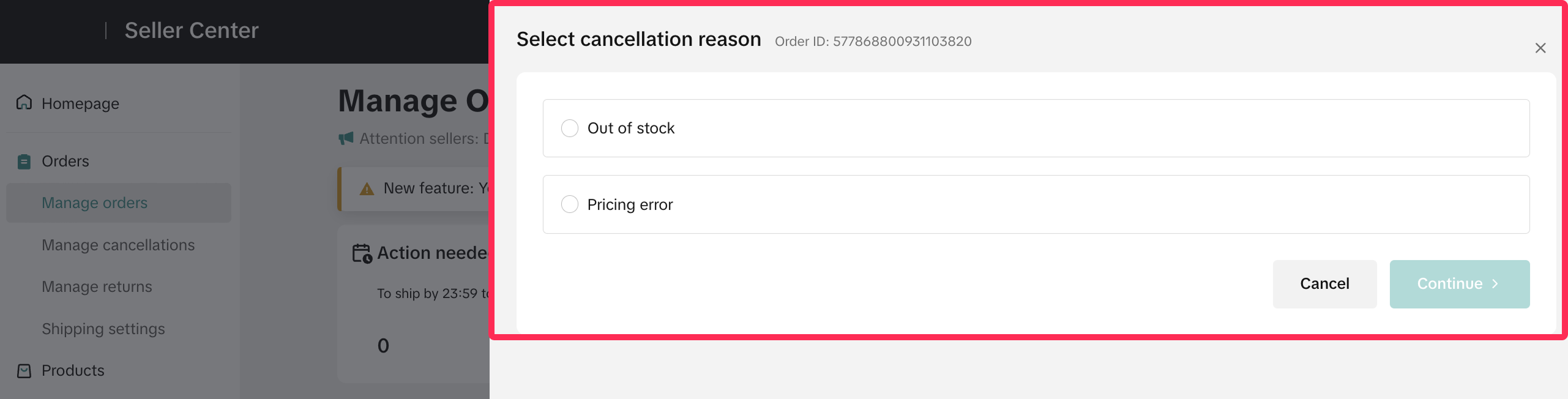
❗️Hãy lưu ý rằng nếu bạn tạo yêu cầu hủy đơn do lỗi của người bán, chẳng hạn như không có hàng hoặc giá không chính xác, yêu cầu hủy của bạn sẽ được phân loại là hủy đơn do lỗi của người bán và sẽ được tính vào SFCR.
Tìm hiểu thêm về chính sách hủy và SFCR.

Câu hỏi thường gặp
- Tôi có thể nhờ đội ngũ hỗ trợ trực tuyến hủy đơn hàng giúp tôi không?
PreviousHoàn Tiền Một PhầnBerikutnya Bồi Thường Tự Động cho các Yêu Cầu Trả Hàng do Khách Hàng tự Sắp Xếp
You may also be interested in
- 1 lesson
Tỷ lệ hủy do lỗi của nhà bán hàng TikTok Shop (SFCR)
Tỷ lệ hủy do lỗi của nhà bán hàng TikTok Shop (SFCR)

Tôi nên làm gì nếu tôi muốn hủy đơn hàng?
Dưới đây là các hướng dẫn quan trọng cho việc hủy đơn hàng bởi người bán: Người bán phải thông báo k…

Hủy đơn hàng
Khi nào khách hàng của tôi có thể hủy đơn hàng? Đơn hàng vận chuyển bởi TikTok Đối với các đơn…