

Combining Orders into a Single Package
04/03/2024
This article provides a simple guideline on combining multiple orders into a single package, giving sellers an efficient way to manage orders and deliveries. By following this guide, sellers can enhance logistics efficiency and streamline their operations effectively.


 Once combined, customers will see a consolidated shipment in their TikTok app and can track its delivery status. Changes to combined packages can be made prior to 'Awaiting Collection' status.





However, if a combined package is in the 'Awaiting Collection' stage, follow these steps to address the issue:

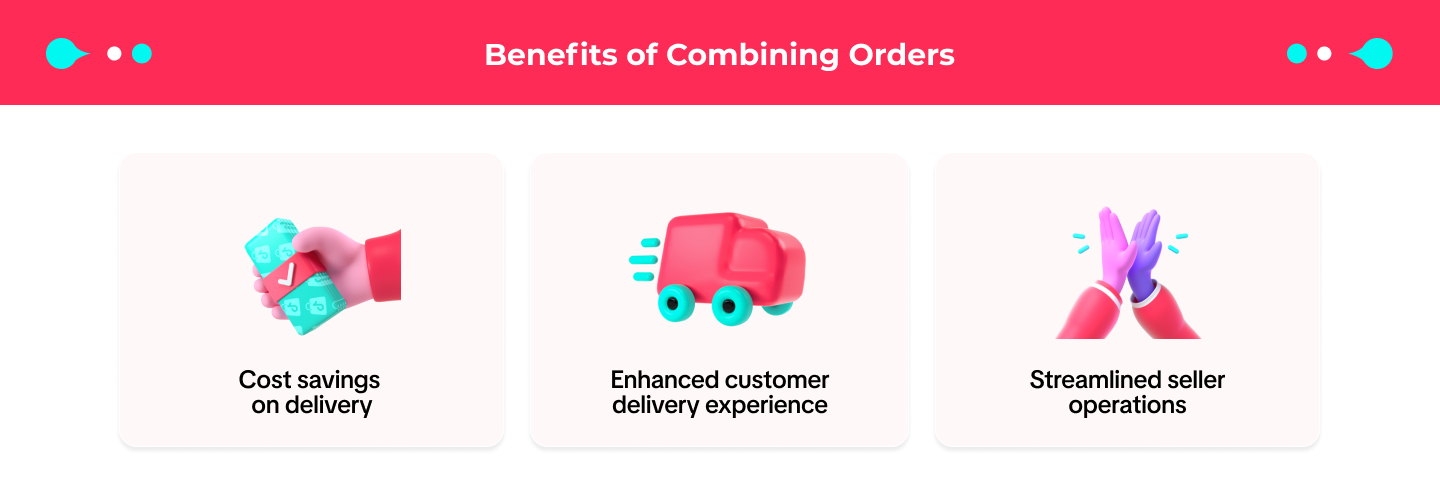
Benefits of Combining Orders
Combining Order Criteria
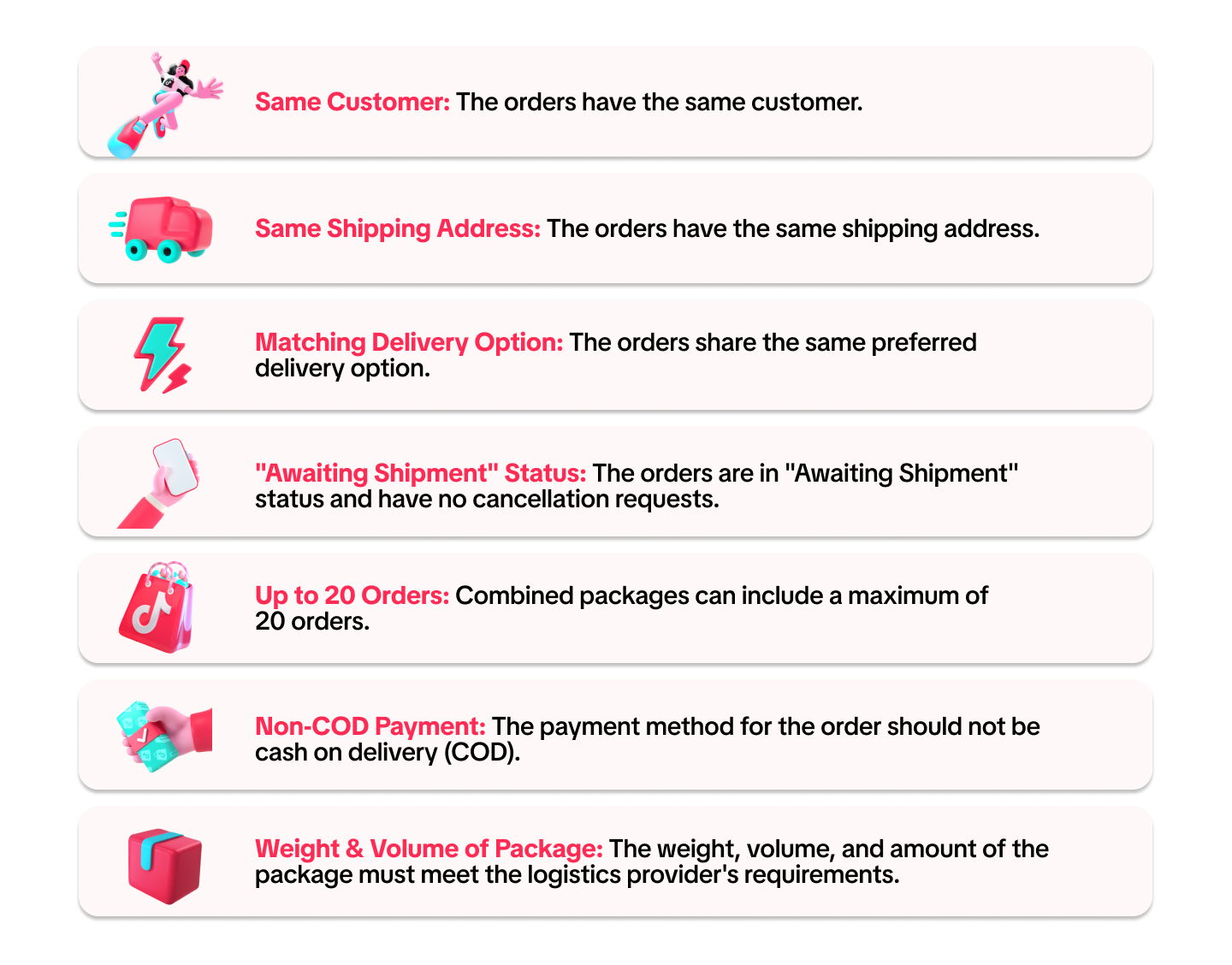
To streamline seller operations and enhance experience, Seller Centre will automatically suggest combining shipments when the following criteria are met:Once combined, customers will see a consolidated shipment in their TikTok app and can track its delivery status. Changes to combined packages can be made prior to 'Awaiting Collection' status.How to Combine Orders
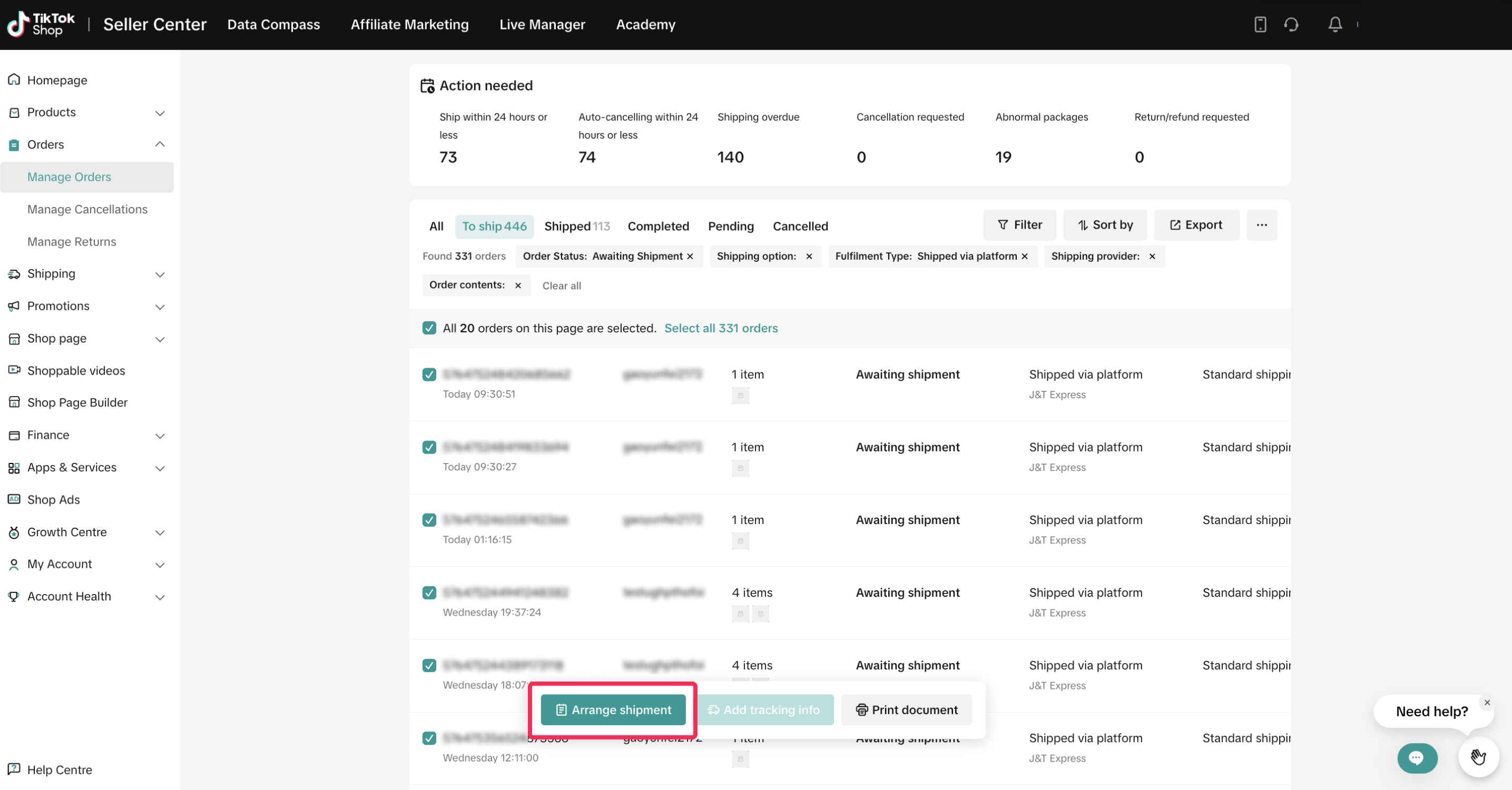
- To start, go to Orders > Manage Orders and select orders to arrange shipment as usual. If your orders can be combined, a pop-up suggesting combining orders will appear after you click on 'Arrange Shipment.'
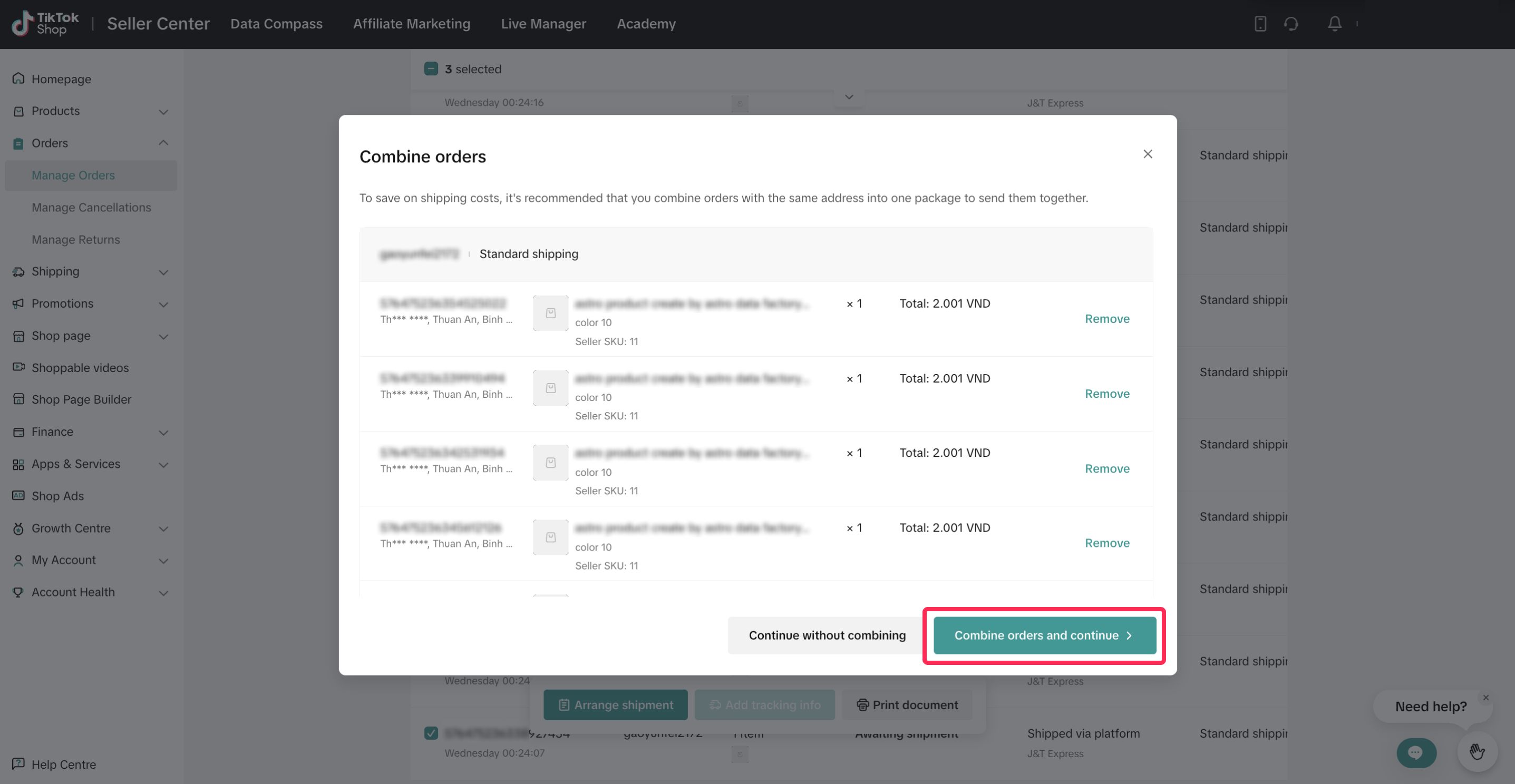
- You can accept all combinations by selecting 'Combine Orders and Continue' to proceed to the next step, or remove specific orders from the combination by clicking 'Remove.' Alternatively, you can choose not to combine any orders.
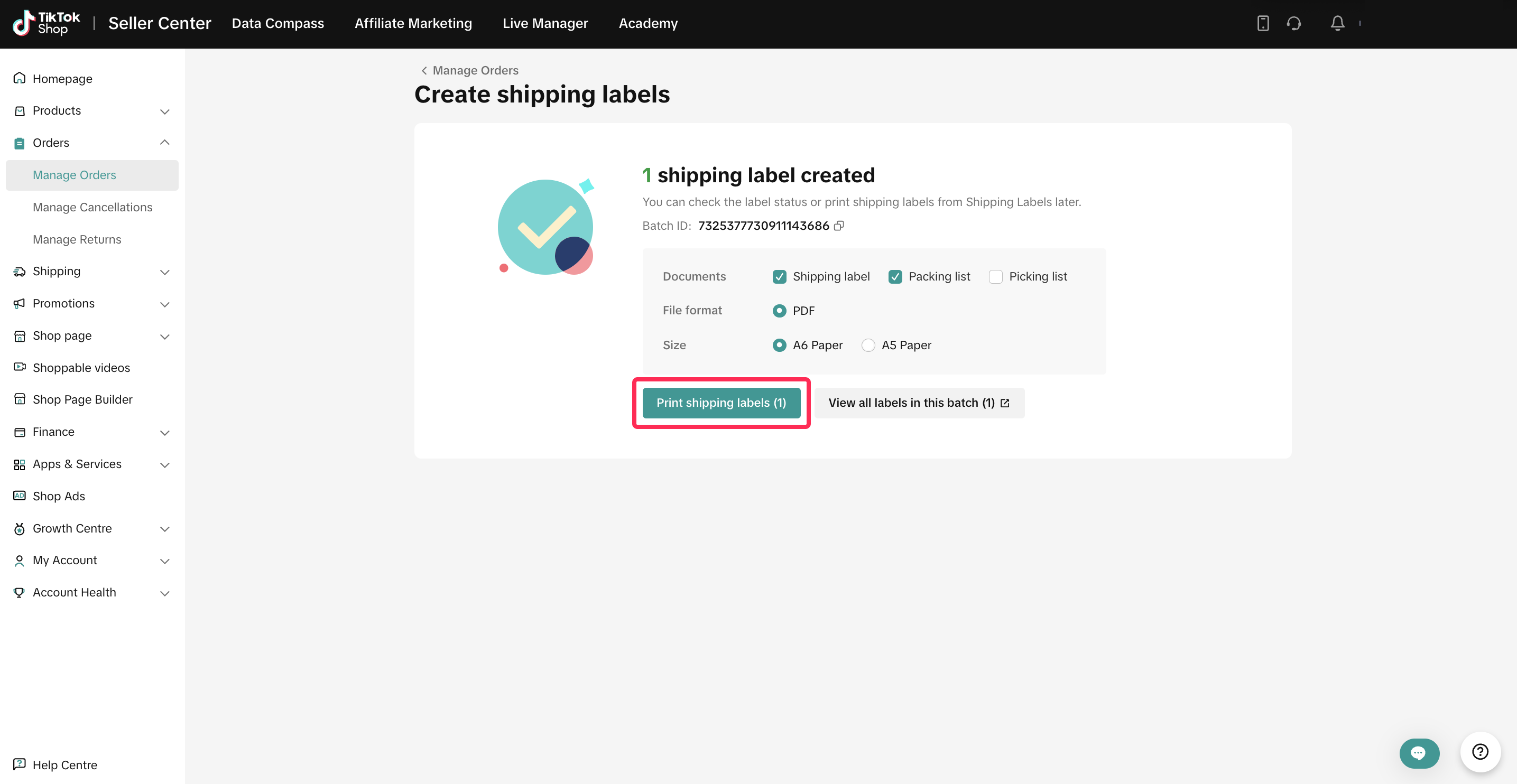
- After accepting the combination, you can continue to print shipping documents and follow the normal process.
Reviewing Combined Orders
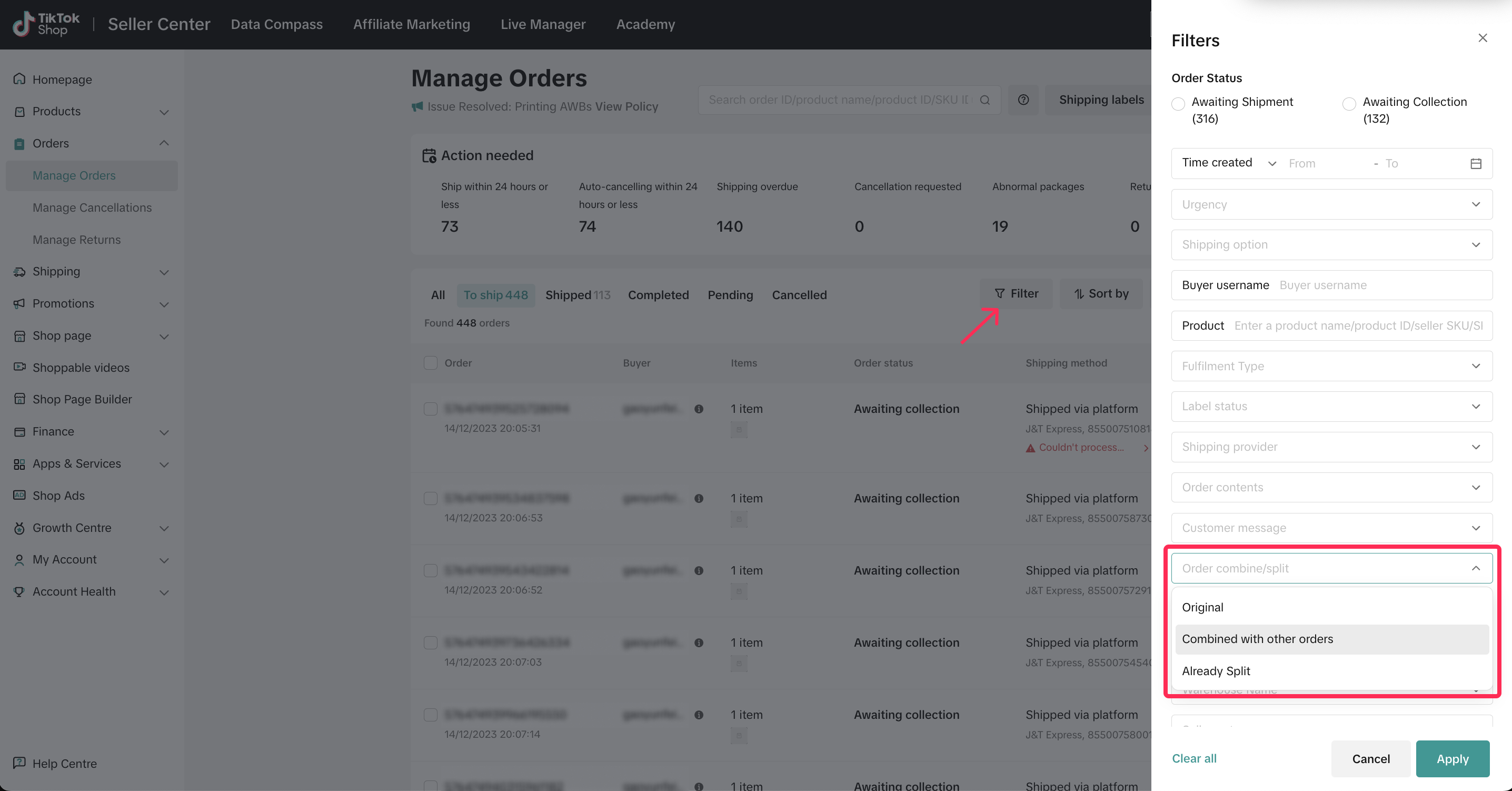
Sellers can review their combined orders in Manage Orders tab.- Navigate to Orders > Manage Orders. Click on the filter icon and go to the Order combine/split filter. Then, select 'Combined with other orders.'
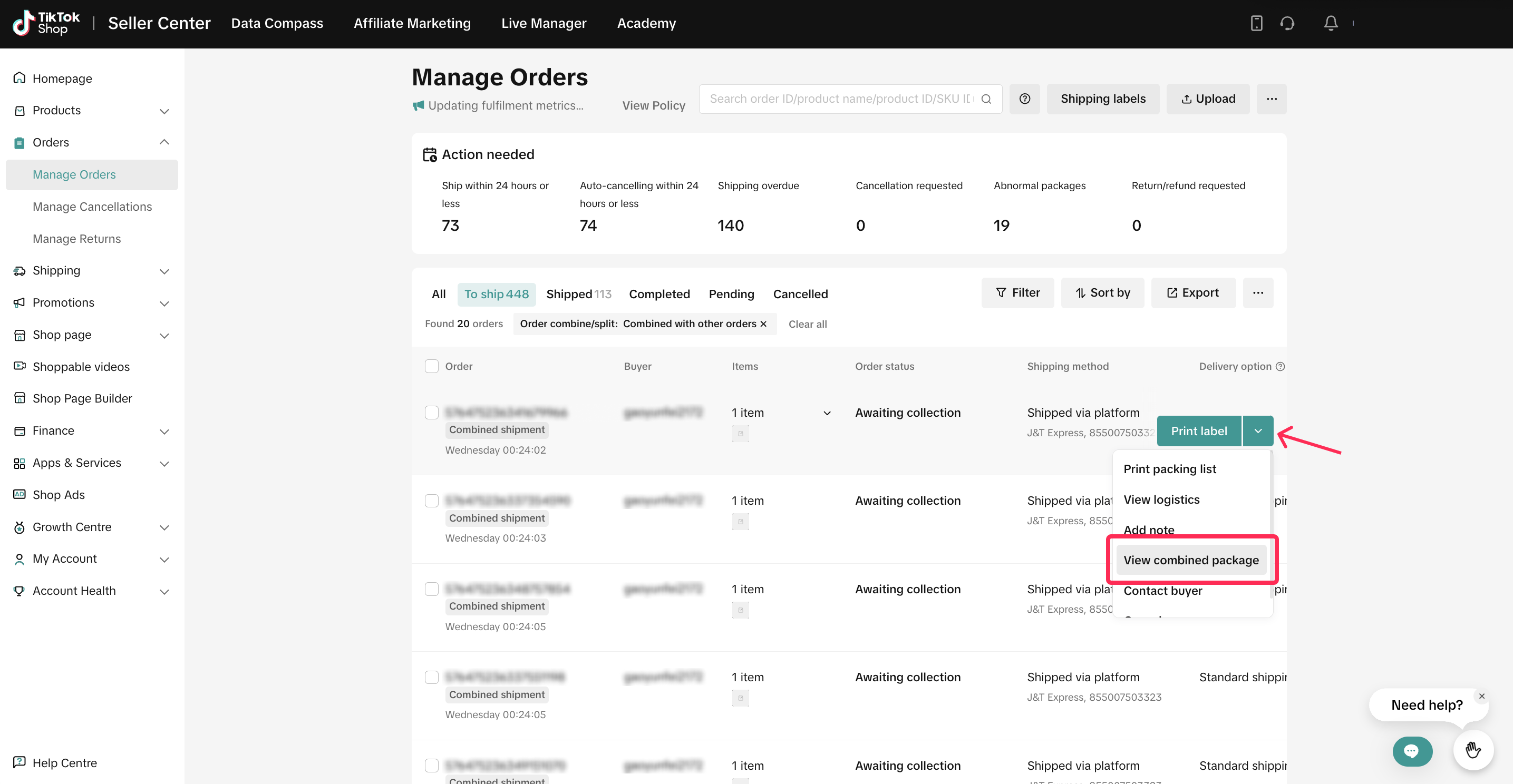
- A list of combined orders with the label 'Combined Shipment' will be displayed. Click on the drop-down button for a specific order and select 'View Combined Package.'
- You will be able to see the information and status of your combined orders.
Fulfilling Combined Orders
You can fulfill combined orders in the same way as you would for normal orders. For more detailed guidance on fulfilling an order, you can explore our feature guide.Handling Returns & Refunds
For successfully delivered combined packages, customers can request returns or refunds for orders without affecting the combined status.However, if a combined package is in the 'Awaiting Collection' stage, follow these steps to address the issue:
- Customer requests a refund for order(s) within the combined package.
- Seller approves or rejects the refund request. If approved, the package will be uncombined after the refund is processed.
- The remaining orders within the combined package will revert to separate orders for fulfillment. Seller Centre will automatically recommend combining these orders again, and will notify the seller accordingly.