

Seller-Funded Promotions Discount Threshold Guidelines
08/28/2025
This article teaches you about the new Seller-Funded Promotions Discount Threshold, aimed at ensuring a good user experience on our platform as well as fair pricing in order to support the best business outcomes for all sellers.

Excessive discounts include, but are not limited to, sellers who have exaggerated promotional prices that are not reflective of actual discounts, retail value in order to gain some benefits (i.e. sales, traffic, higher visibility placements, etc.) Such behaviours are not in accordance with applicable laws and are strongly discouraged as it would also give a bad experience to consumers on the platform.
With promotion discount thresholds, you will not be able to put a product on promotion below or higher a certain discount. The approximate range of eligible discounts ranges from 1-50% which may vary across seller promotional tools. It is recommended to check Seller Center in the process of setting up your individual promotions to see if the discount is allowable.
Here are some of the messages you might encounter in setting promotion prices:


What is the Seller-Funded Promotions Discount Threshold?
The Seller-Funded Promotions Discount Threshold is a series of minimum and maximum discount thresholds implemented across all Seller-Funded Promotions. This is done in order to remain in accordance with our pricing guidelines.Excessive discounts include, but are not limited to, sellers who have exaggerated promotional prices that are not reflective of actual discounts, retail value in order to gain some benefits (i.e. sales, traffic, higher visibility placements, etc.) Such behaviours are not in accordance with applicable laws and are strongly discouraged as it would also give a bad experience to consumers on the platform.
With promotion discount thresholds, you will not be able to put a product on promotion below or higher a certain discount. The approximate range of eligible discounts ranges from 1-50% which may vary across seller promotional tools. It is recommended to check Seller Center in the process of setting up your individual promotions to see if the discount is allowable.
Here are some of the messages you might encounter in setting promotion prices:
| Error message (APP) - Maximum discount | Error message: Minimum discount or maximum discount | Prompt warning message: Seller will still be able to successfully create promotion |
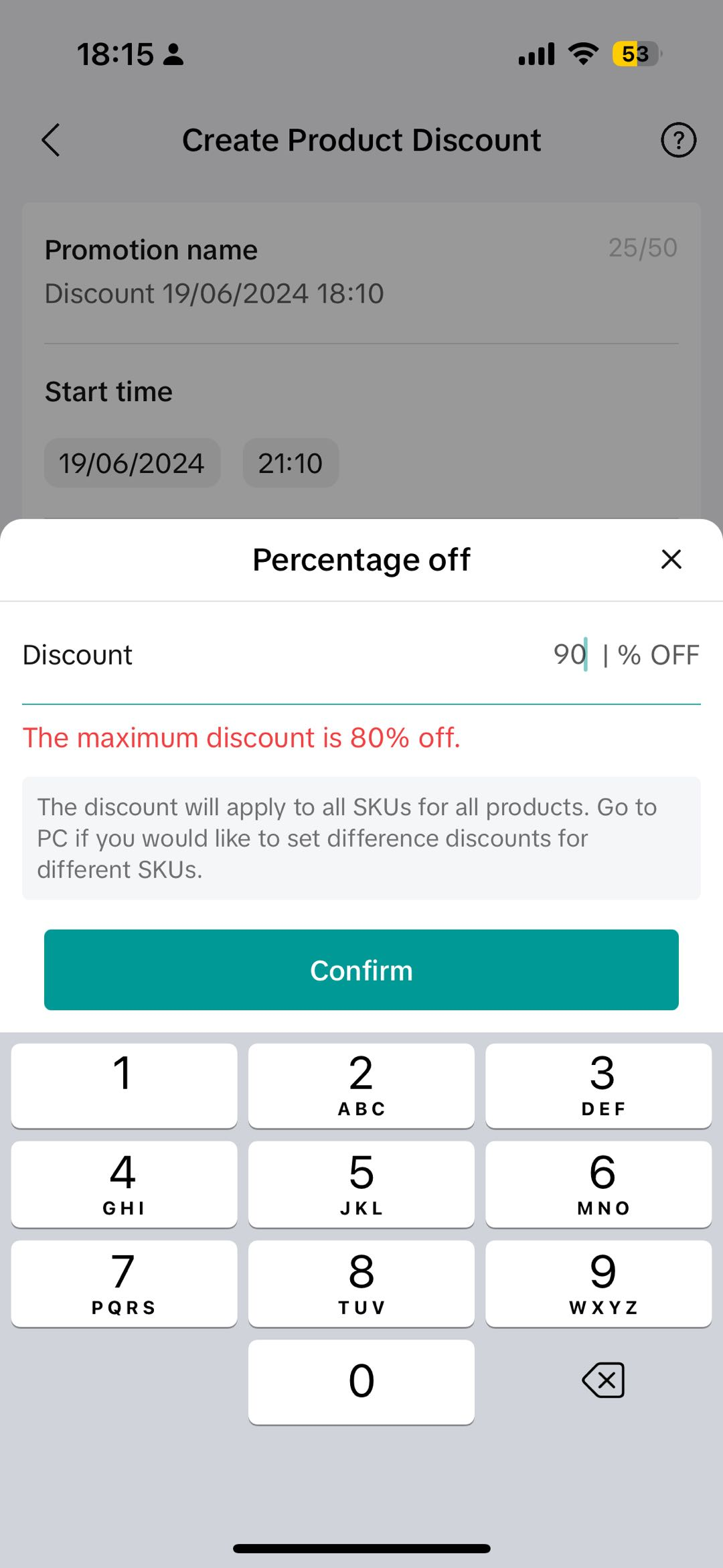 | 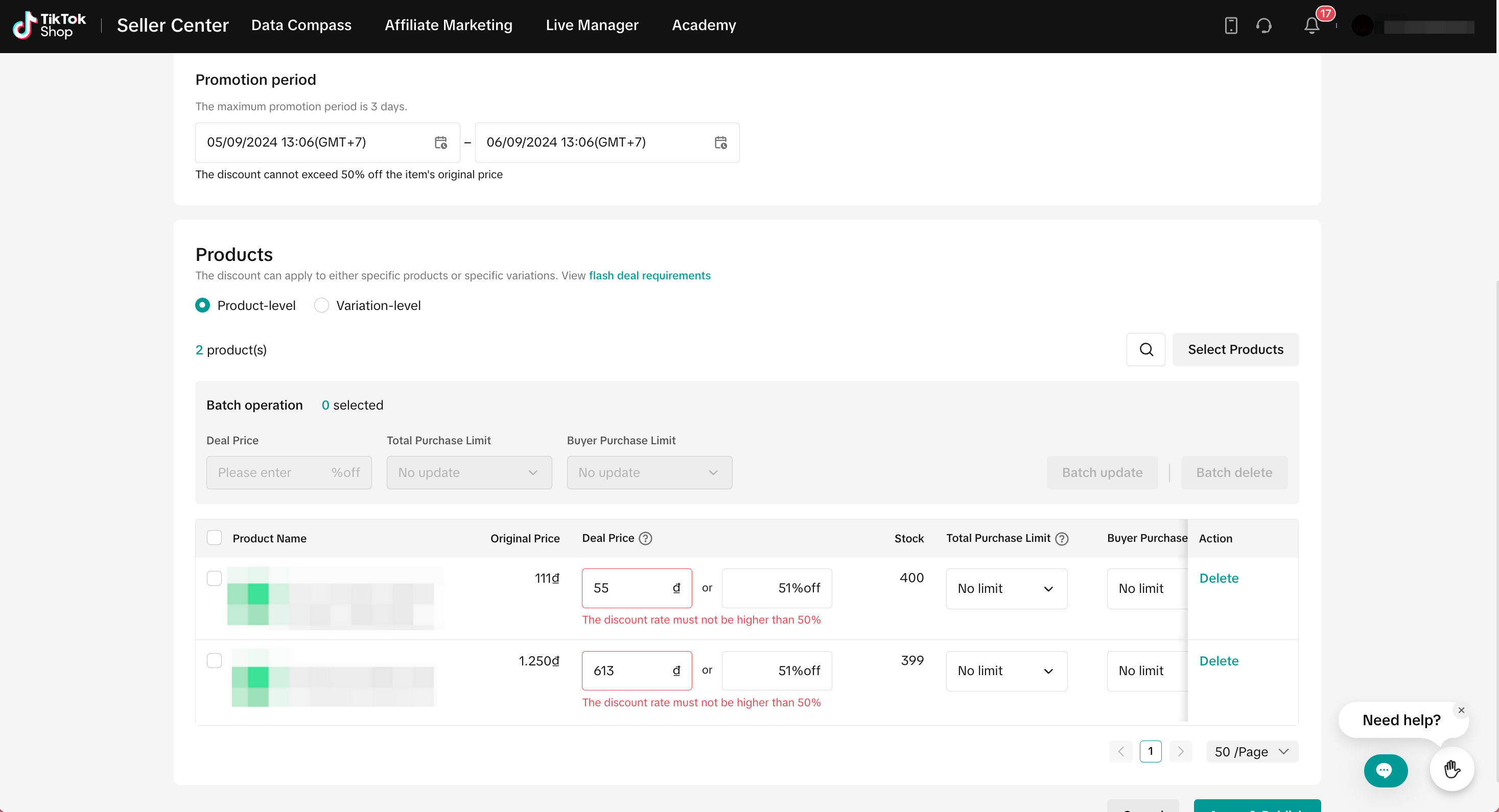 | 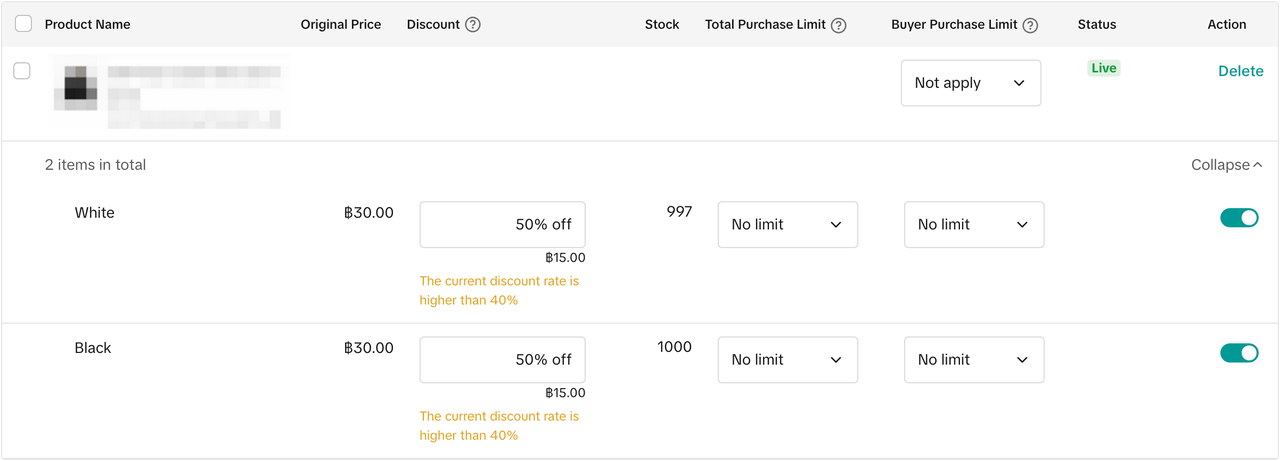 |
Eligible Dates for Increased Discounts
You can still promote products up to 99% in scenarios regulated by law and/or allowed by the local authorities (e.g. central promotion campaigns hosted by authorities or promotion on public holidays). This is shown on this table below:Category | Holiday | Start/End Date | |
2025 | Fixed days | New Year's Day | 1 January 2025 |
| Liberation Day/Reunification Day | 30 April 2025 | ||
| International Worker's Day | 1 May 2025 | ||
| Vietnam National Day | 2-3 September 2025 | ||
| Variable per year | Hung Kings Commemoration Day | 7 April 2025 | |
| Lunar New Year | 30 December 2024 - 2 February 2025 |
Promotion discount thresholds during eligible dates
| Tools | Normal Dates | Eligible Dates | ||
| Minimum Discount | Maximum Discount | Minimum Discount | Maximum Discount | |
| Product Discount | 1% | 90% | 1% | 90% |
| New Arrival Discount | 30% | 50% | 30% | 50% |
Flash Deal
| 1% | 50% | 1% | 99% |
| Bundle Deal | 1% | 50% | 1% | 50% |
| Buy More Save More (BMSM) | 1% | 50% | 1% | 99% |
Seller Voucher:
| 1% | 99% | 1% | 99% |
Seller Private Vouchers:
| 1% | 50% | 1% | 50% |
Create Promotions during Eligible Dates
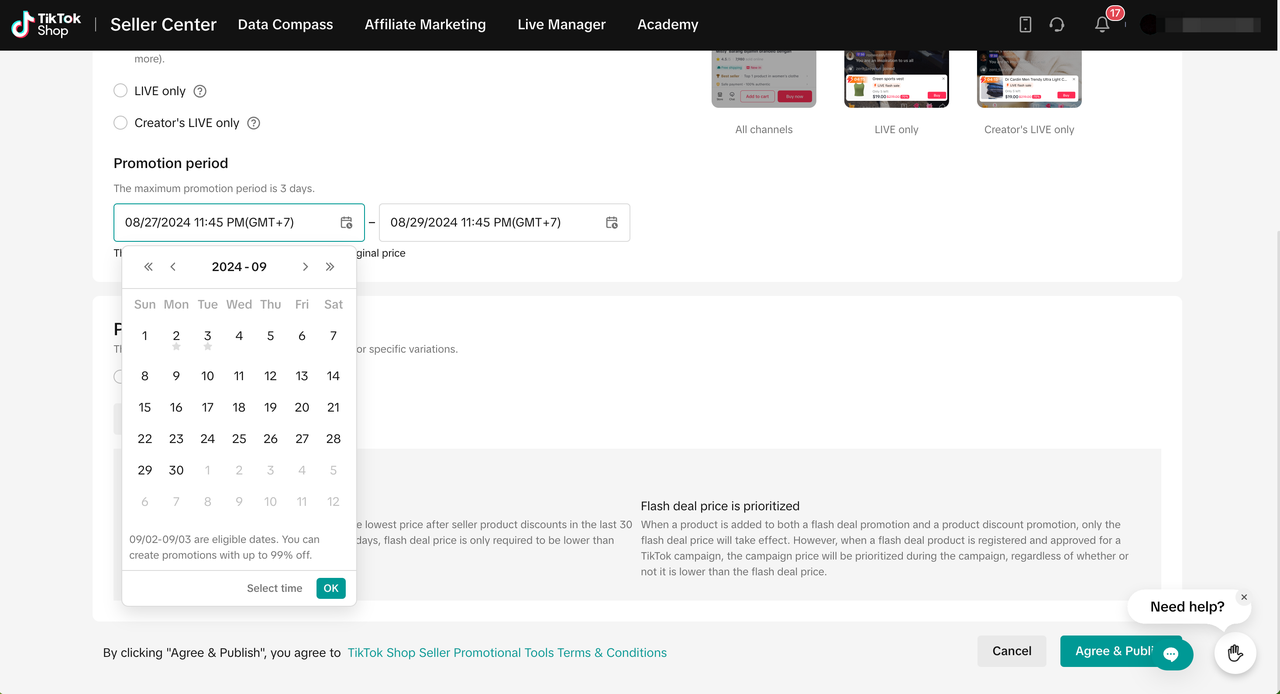
Sellers can create promotions for eligible dates on Seller Center PC only. To do so, visit Seller Center > Promotions > Promotion ToolsSelect Eligible Dates
- Ensure that your Seller Center is in the correct time zone (GMT+7)
- Select the start and end period of the promotion to be within the eligible dates.
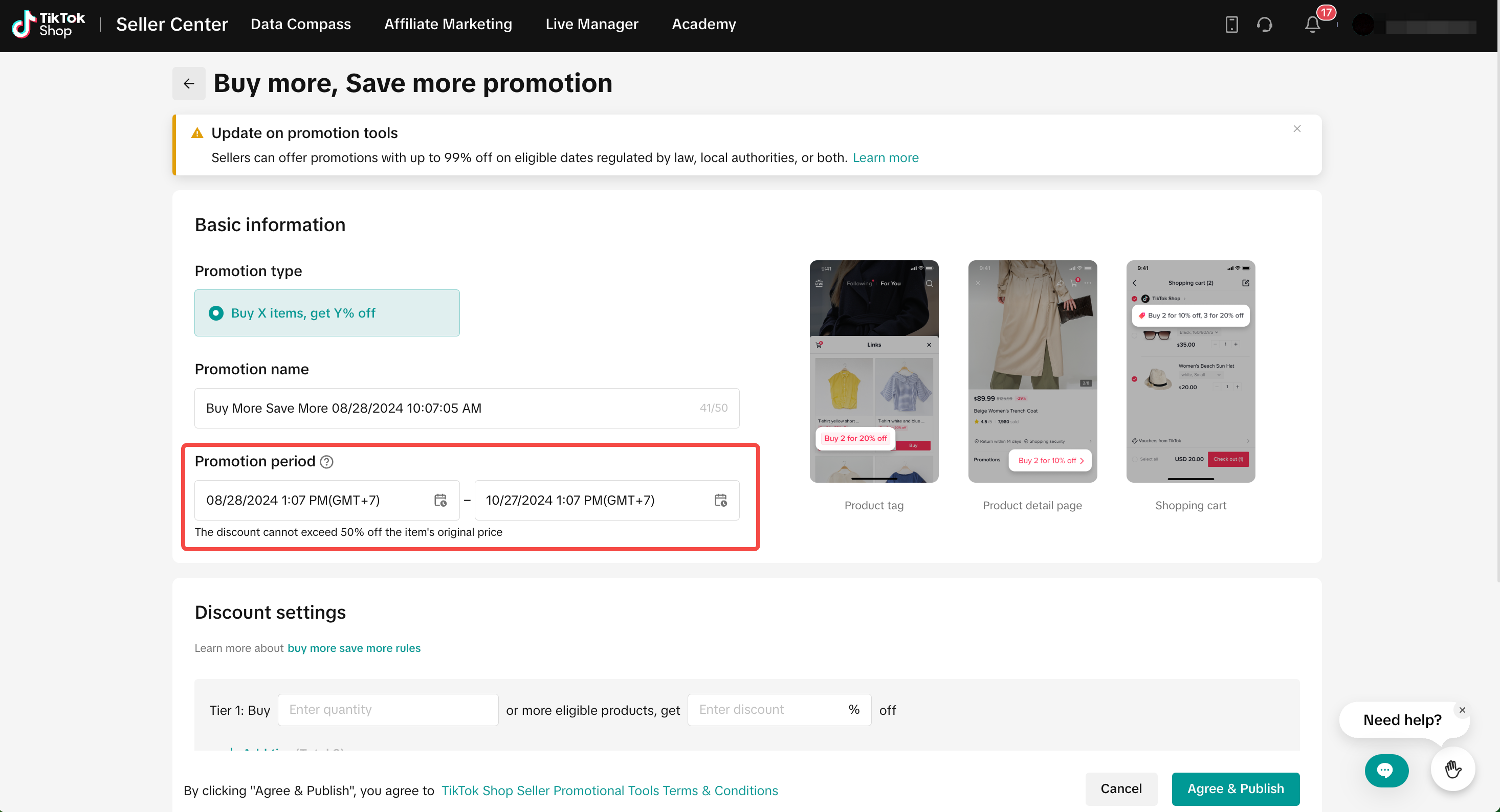
- If the promotion period selected is not within or partially within the eligible date, the current discount threshold (1%-50%) will take effect.
- For seller vouchers, ensure the voucher validity period is within the eligible dates. If the voucher validy period selected is not within or partially within the eligible date, the current discount threshold (1%-50%) will take effect.
- If sellers are unsure of the eligible dates, TikTok Shop has added an icon to identify if the date is an eligible date or not.
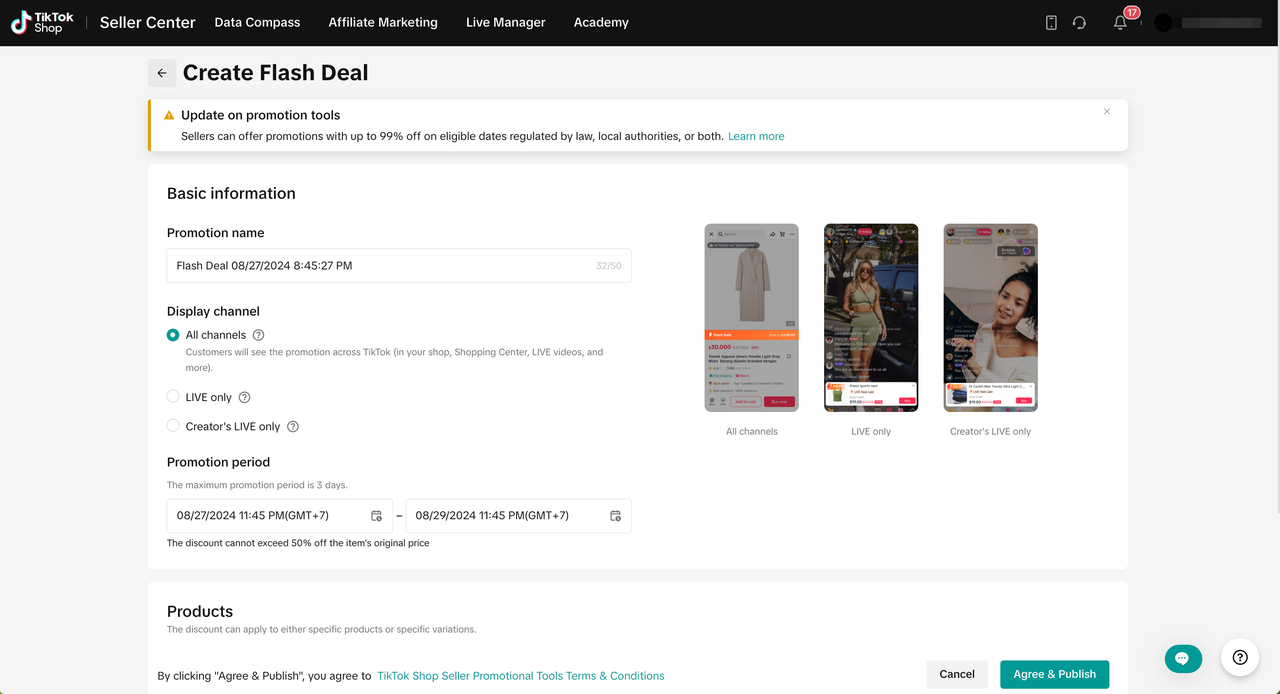 |  |
Promotion Setting
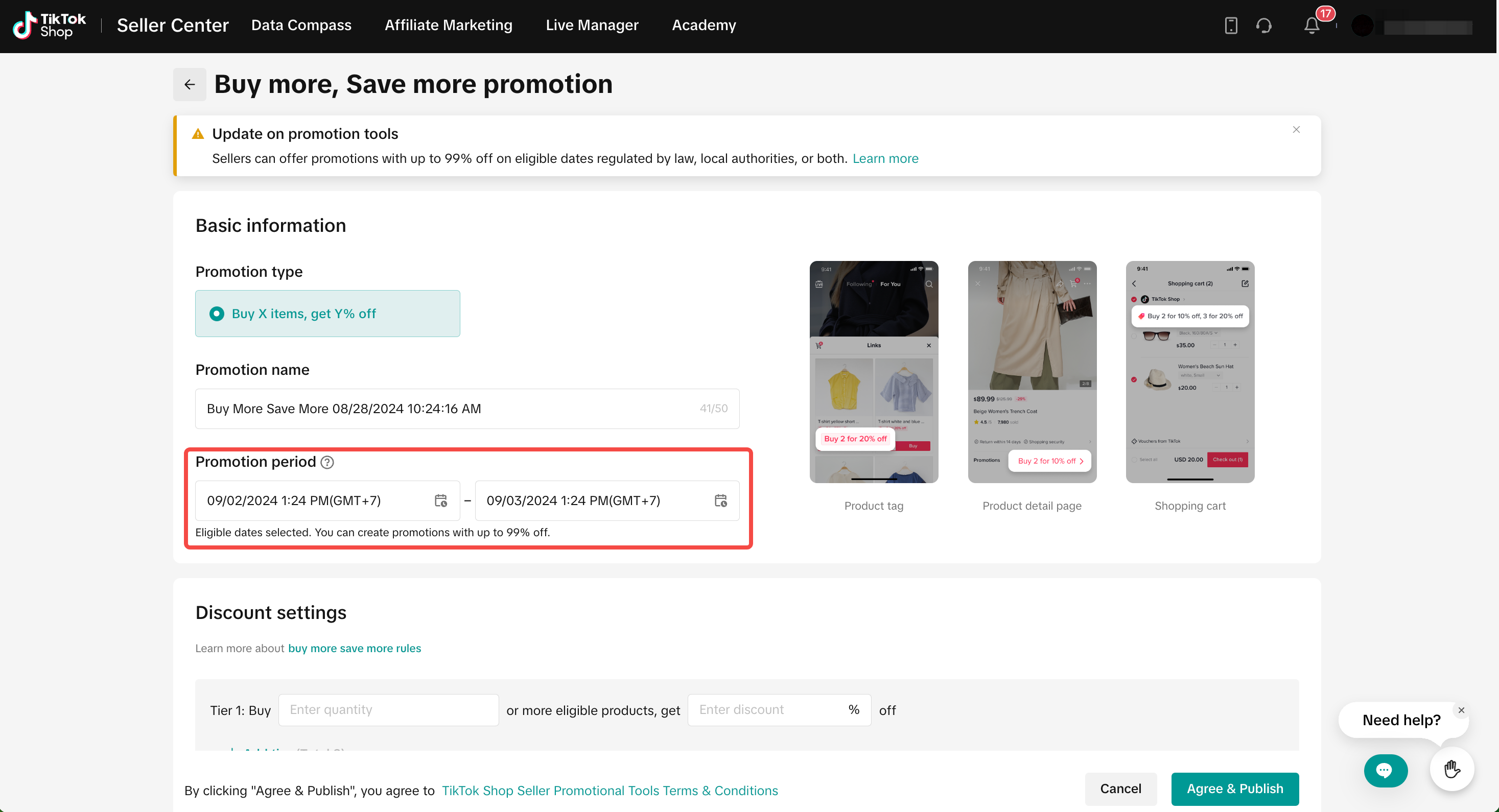
- Once eligible dates are selected, sellers will be prompted that up to 99% discount is supported for the promotion tool.
- Sellers can input the promotion discount up to 99% and submit the promotion as normal.
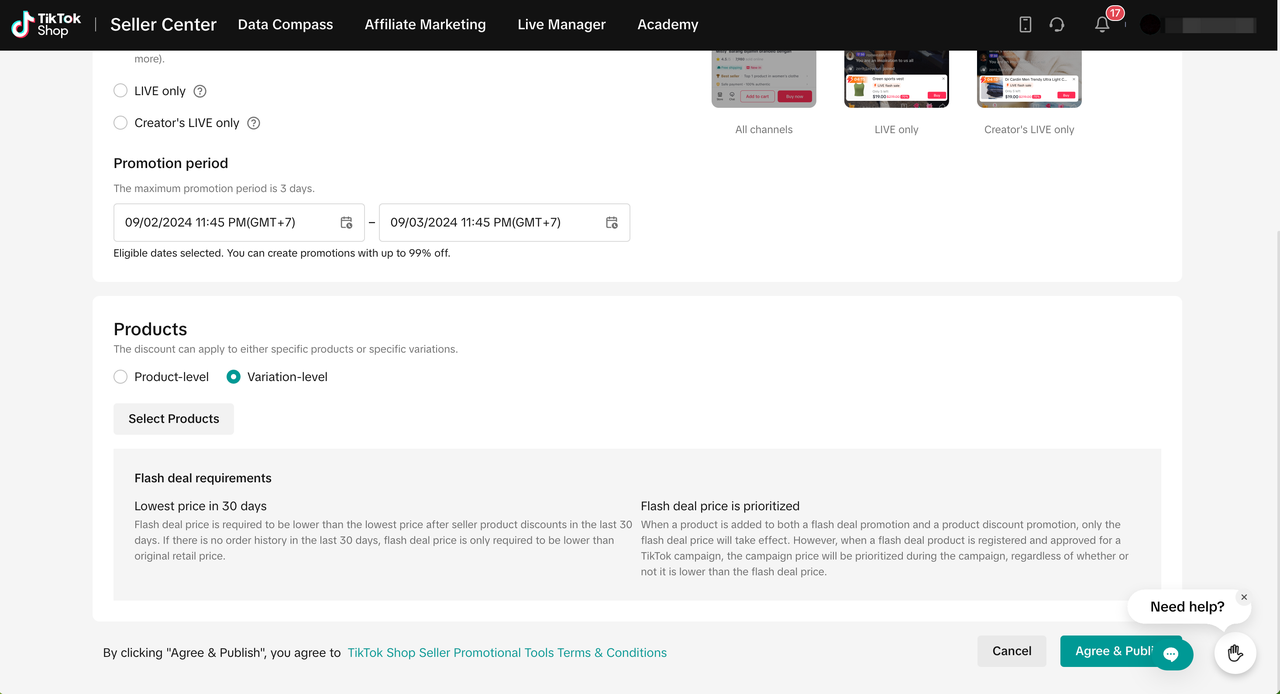 | 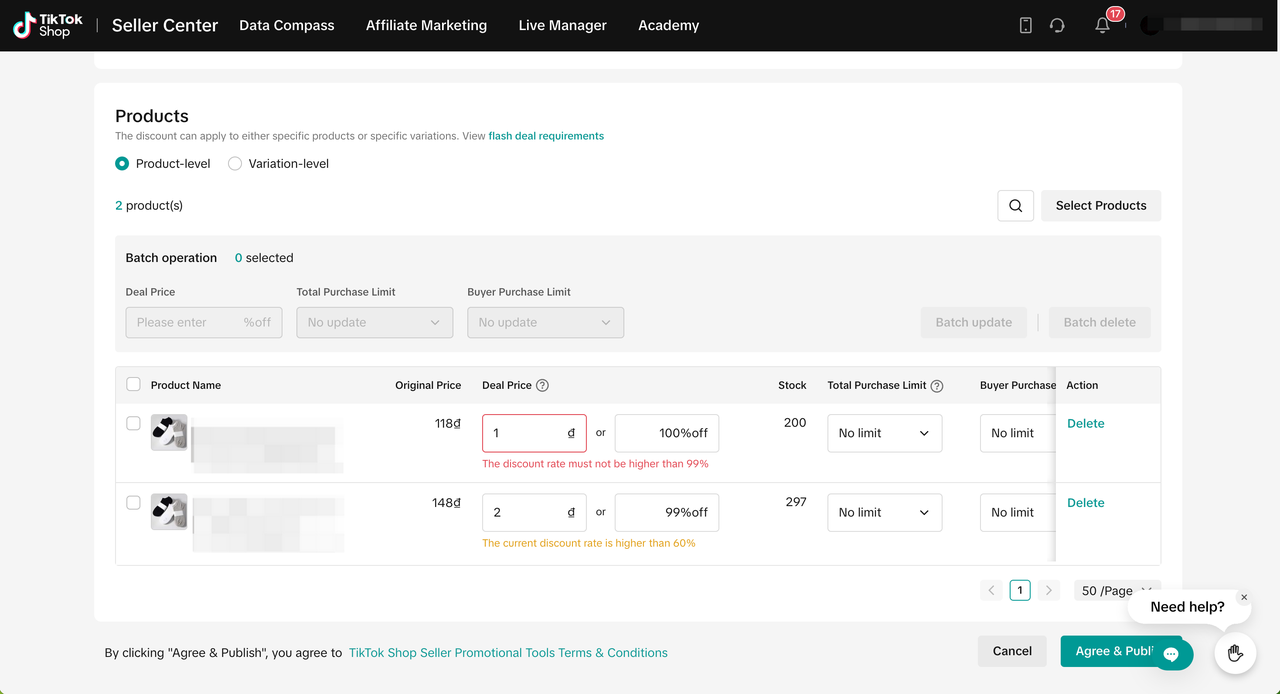 |
| Eligible dates selected: If the promotion duration date and time is within the eligible dates. | Non-eligible dates selected: If the promotion duration date and time is not within or partially within the eligible dates. |
 |  |
You may also be interested in
- 11 lessons
Promotion Tools
Enhance the customer experience with promotional tools available in the TikTok Shop merchant center
CUỘC THI HOT HIT - CÔNG CỤ GIẢM GIÁ HÀNG MỚI VỀ
🔥 Cuộc Thi Hot Hit: Chia Sẻ Trải Nghiệm – Rinh Quà "Cực Cháy" Lên Đến 2,5 Triệu Đồng! 🔥 Bạn đã…

Seller LIVE Interactive Voucher
This article teaches you how to use LIVE Interactive Vouchers to increase your average order value a…
Promo Code
Promo Code This article teaches you how to use Promo Code as a flexible external distribution tool t…
Review Coupon
This article introduces Review Coupon, a seller-funded promotional tool designed to help you collect…

Recommended Promotion
This article introduces Recommended Promotion, a personalized assistant built directly in your Selle…
Livestream Interaction
Product Selling Points

Short Video Tips

Giveaways