

Repeat Customer Voucher
02/17/2025
This article teaches you how to use Repeat Customer Vouchers to improve rate of order and order values, drive repeat purchases leading to customer retention and loyalty. You will learn how to set up and manage this voucher on the Seller Center on PC

A Repeat Customer is a user who;


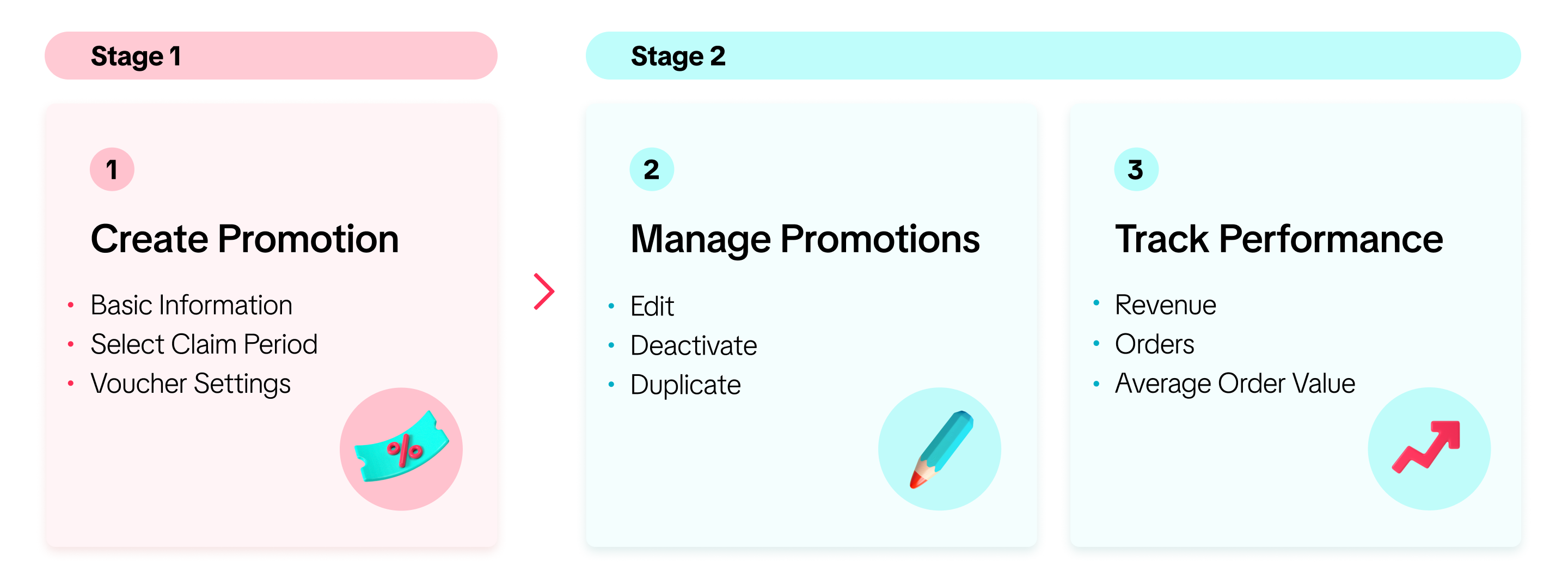
 In this article, we share how to create, manage, and track Repeat Customer Vouchers

Enter basic information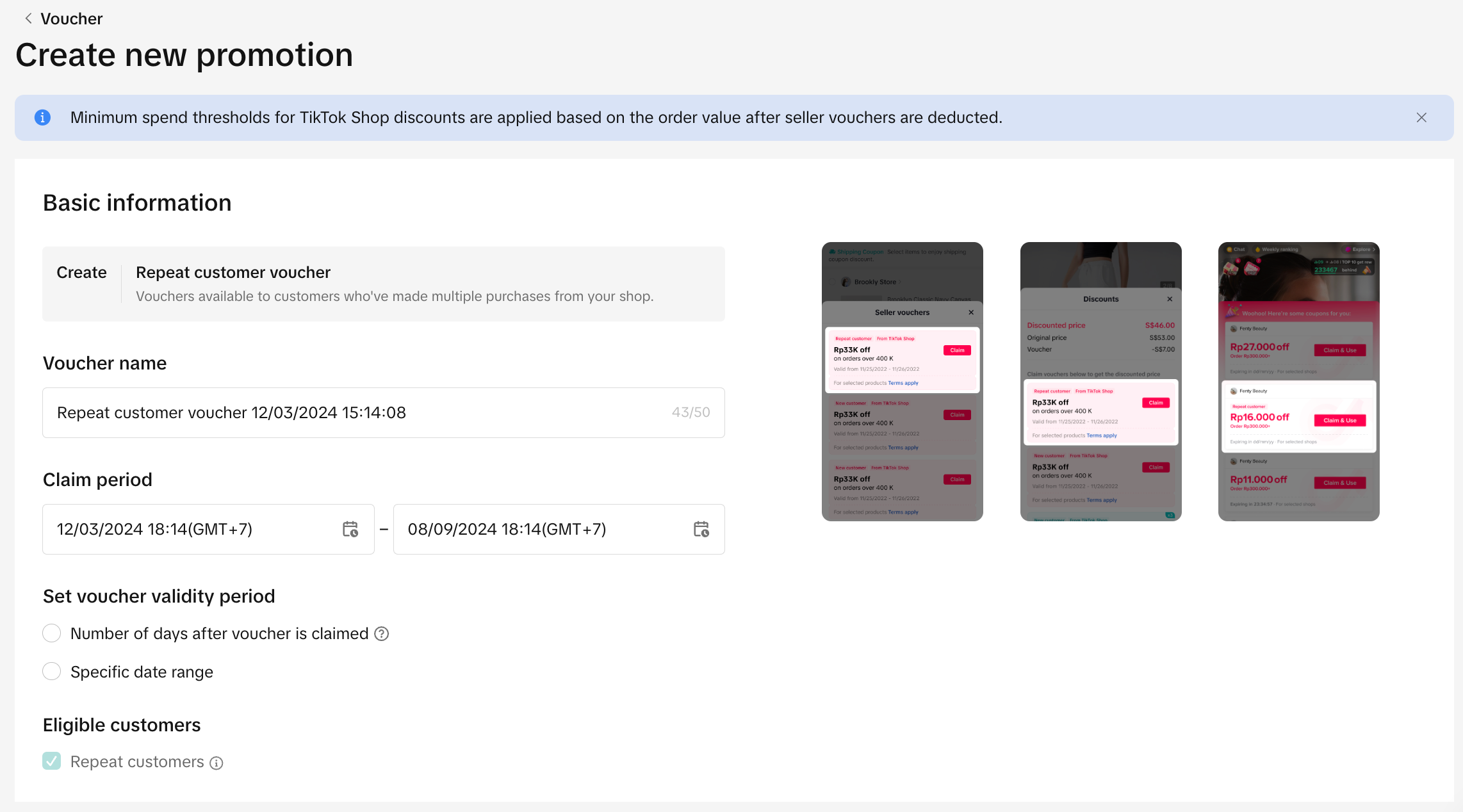 Voucher Setting
 The voucher can be applied to either the entire shop or specific products only.
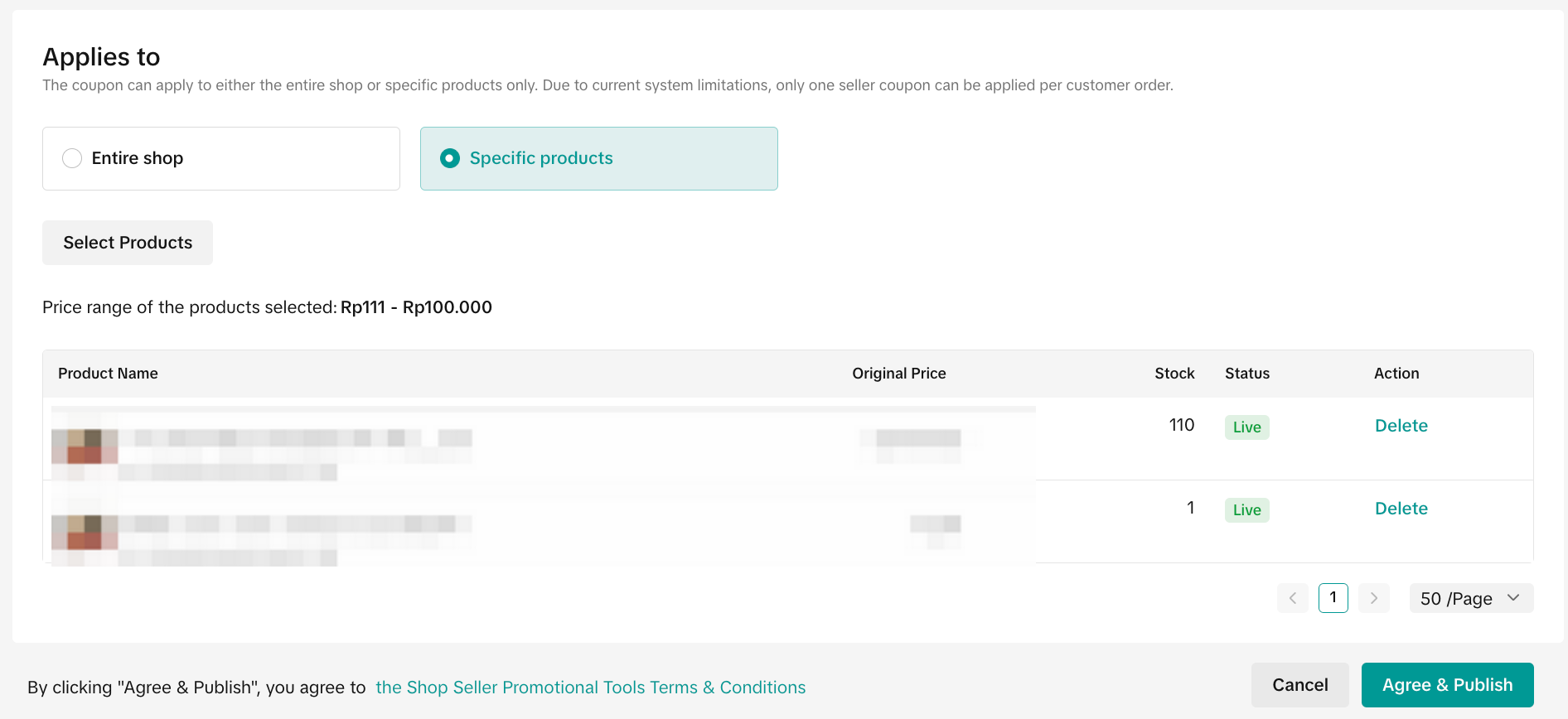 After all the settings are completed, click Submit to create the voucher.

To manage a Repeat Customer Voucher promotion on the Seller Center PC, visit Manage your promotion to view the details of ongoing, upcoming and deactivated promotions.

What is Repeat Customer Voucher?
Repeat Customer Voucher is a seller funded promotional tool that can only be claimed by returning customers and is redeemed during check-out. This tool allows sellers to offer discounts and minimum spend threshold to the repeat customer segment.A Repeat Customer is a user who;
- Has previously made a purchase in your shop and;
- Subsequently, made another purchase within 30 days.
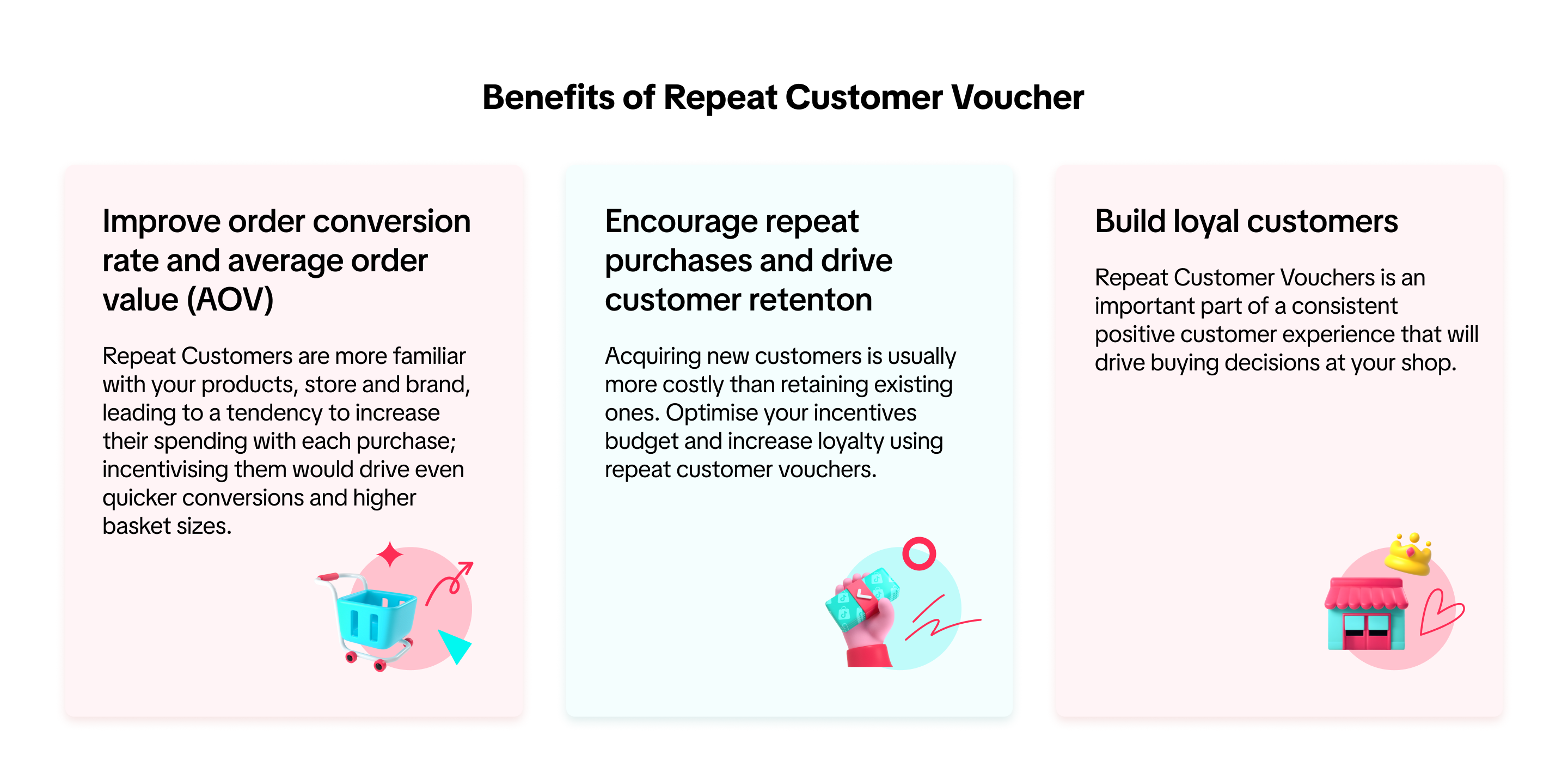
Benefits of Repeat Customer Voucher
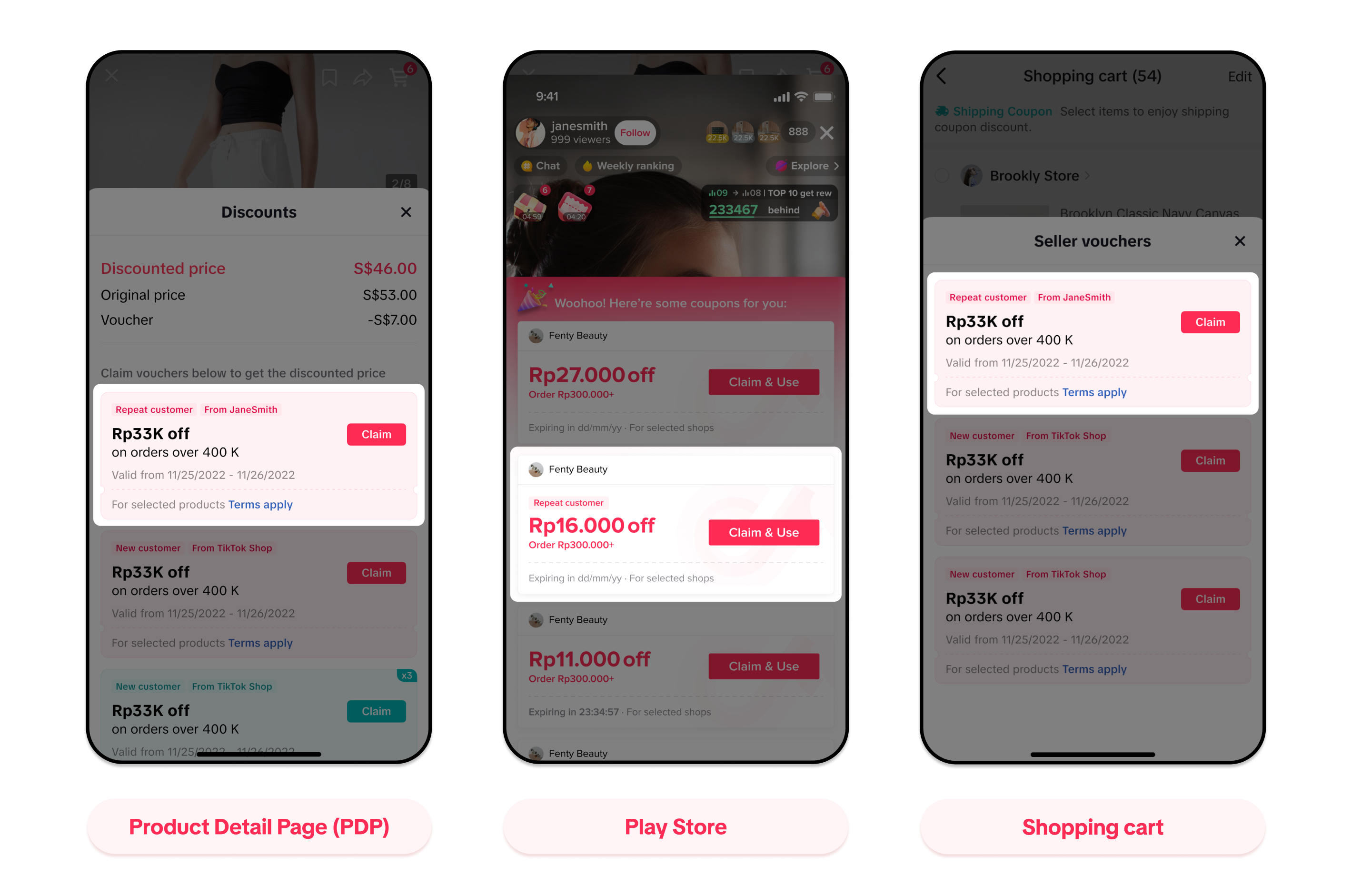
Display for Customers
Pages that eligible customers will be able to see the Repeat Customer Voucher when shopping on the app:In this article, we share how to create, manage, and track Repeat Customer VouchersCreate Repeat Customer Voucher
Entrance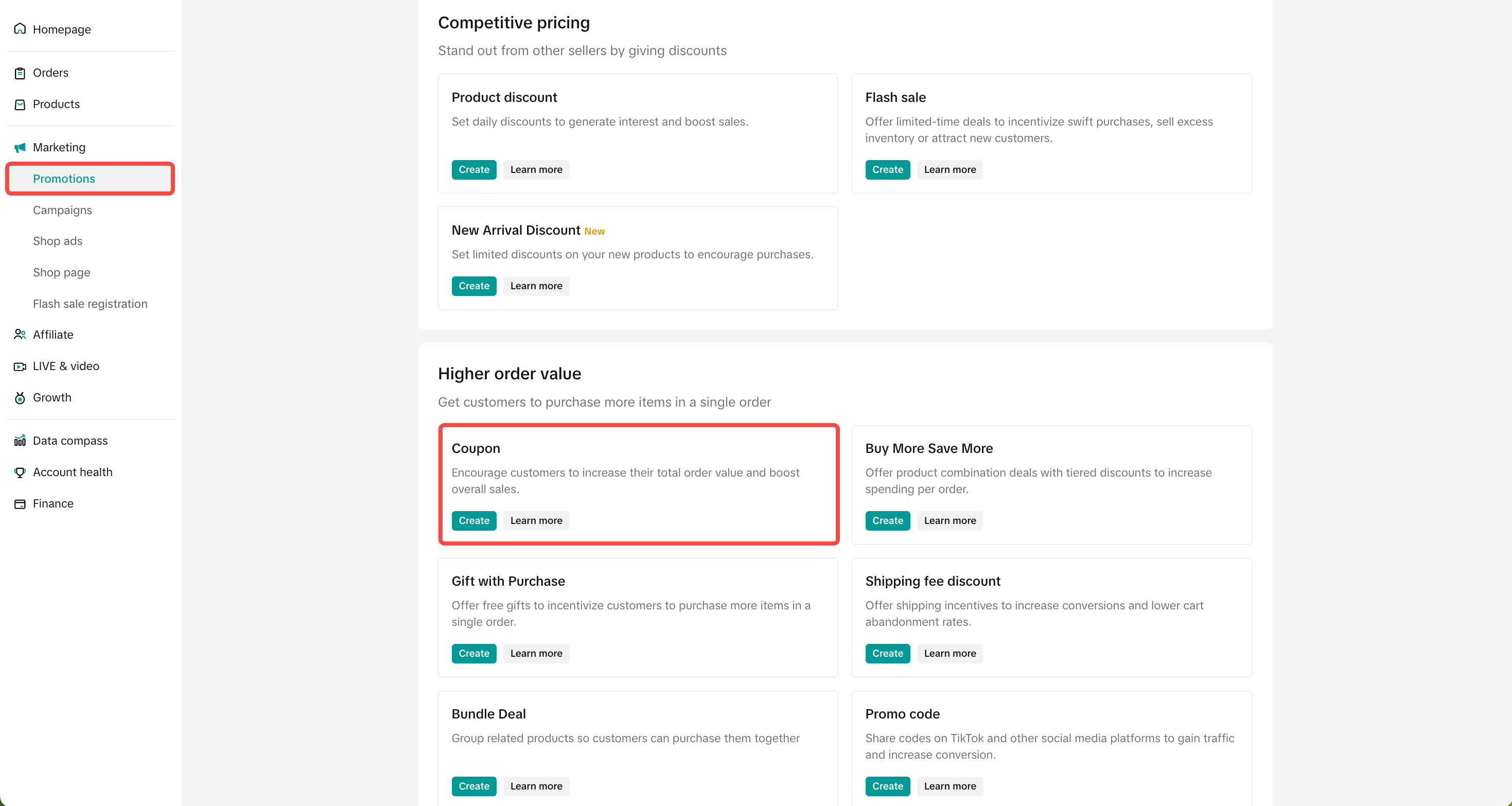 | 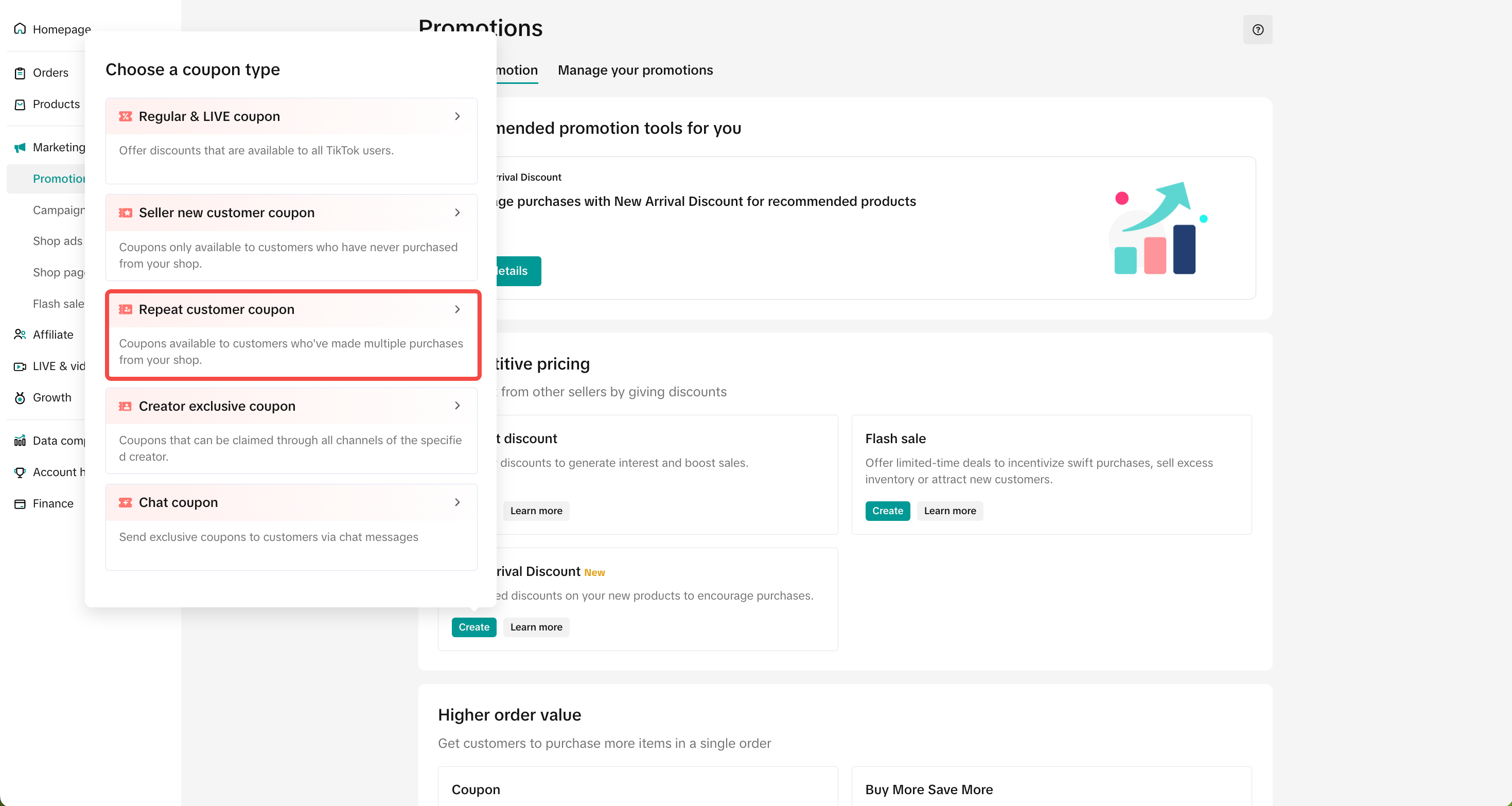 |
- Voucher name
- Claim period
- Voucher validity
- Eligible Customer: Repeat Customers will be the only option.
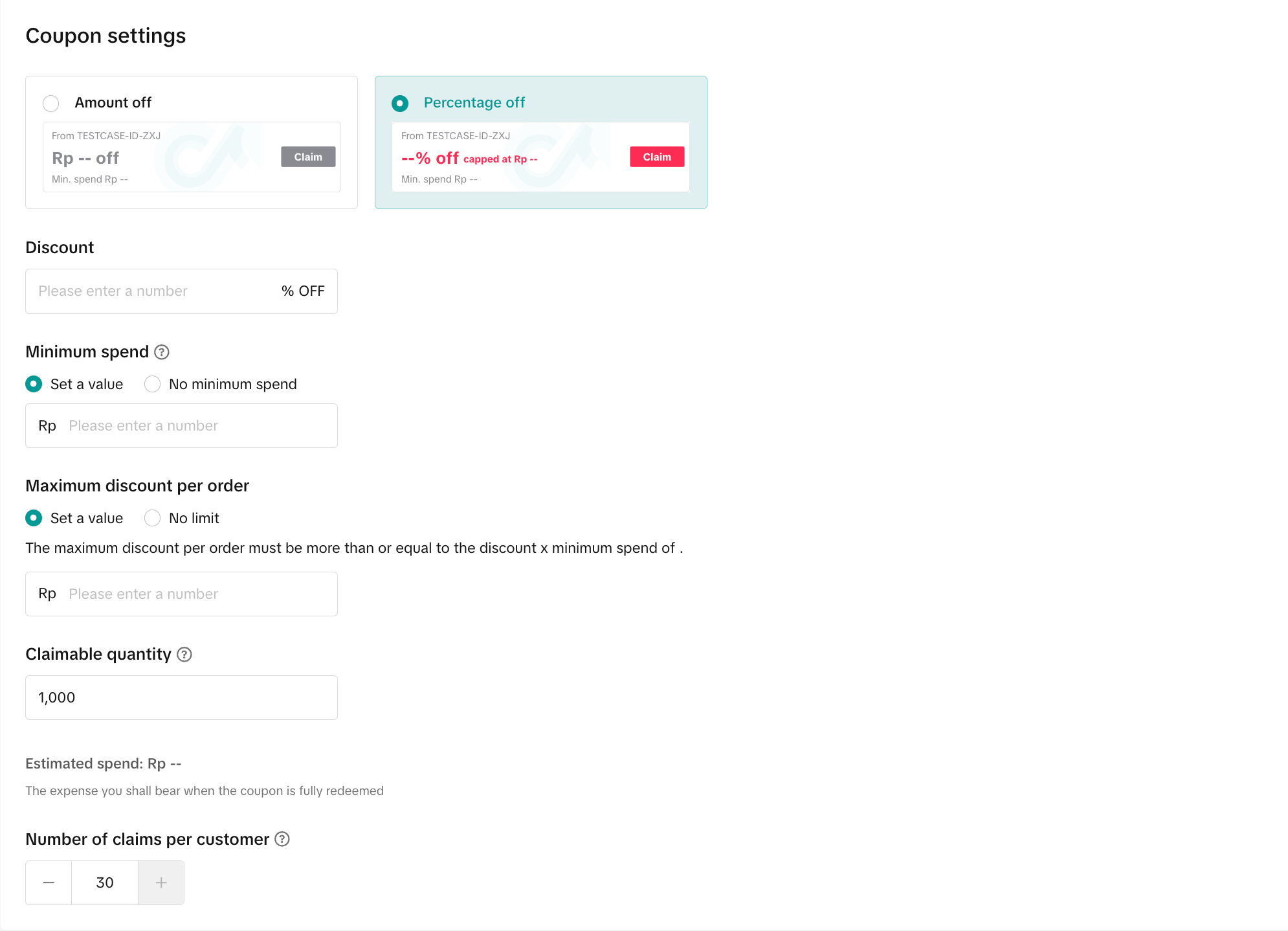
Voucher Setting- Discount type: You can set up Amount off or Percentage off vouchers.
- Amount off: Reduce the price by setting a fixed amount
- Percentage off: Reduce the price by setting a percentage
- Minimum spend: The minimum spend required for buyers to enjoy the discount
- Maximum discount per order: For percentage off discount type, you can choose to set a maximum discount per order (The maximum discount per order must be greater than or equal to the Discount percentage x Minimum spend)
- For example: If the discount is 50% and the minimum spend is 10, the maximum discount per order must be greater than or equal to 5.
- Claimable Quantity: Indicate the claimable quantity for your voucher to be claimed by buyers. Once the voucher is fully claimed, the voucher will no longer be displayed to buyers (Note: The claimable quantity is not the actual usage quantity of the voucher as buyers who claimed the voucher may not successfully complete the check out with the voucher).
- Number of claims per customer: A maximum of 1 seller voucher can be applied per order by default. The number of claims per customer refers to the amount of times the same buyer can enjoy the voucher in different orders.
The voucher can be applied to either the entire shop or specific products only.- Click Specific products to select products. Here, you can filter by product category, product name and product ID.
After all the settings are completed, click Submit to create the voucher.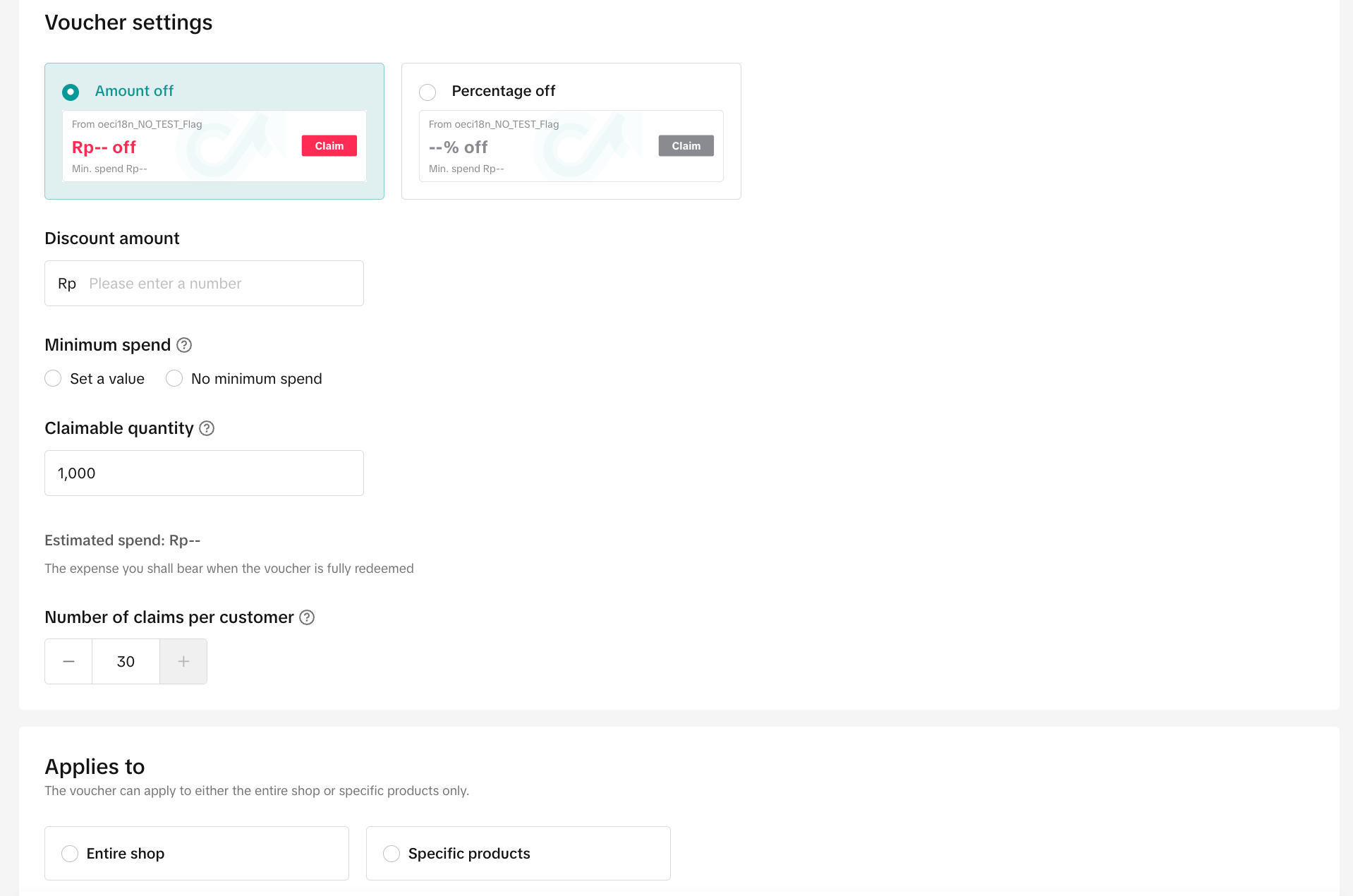 | 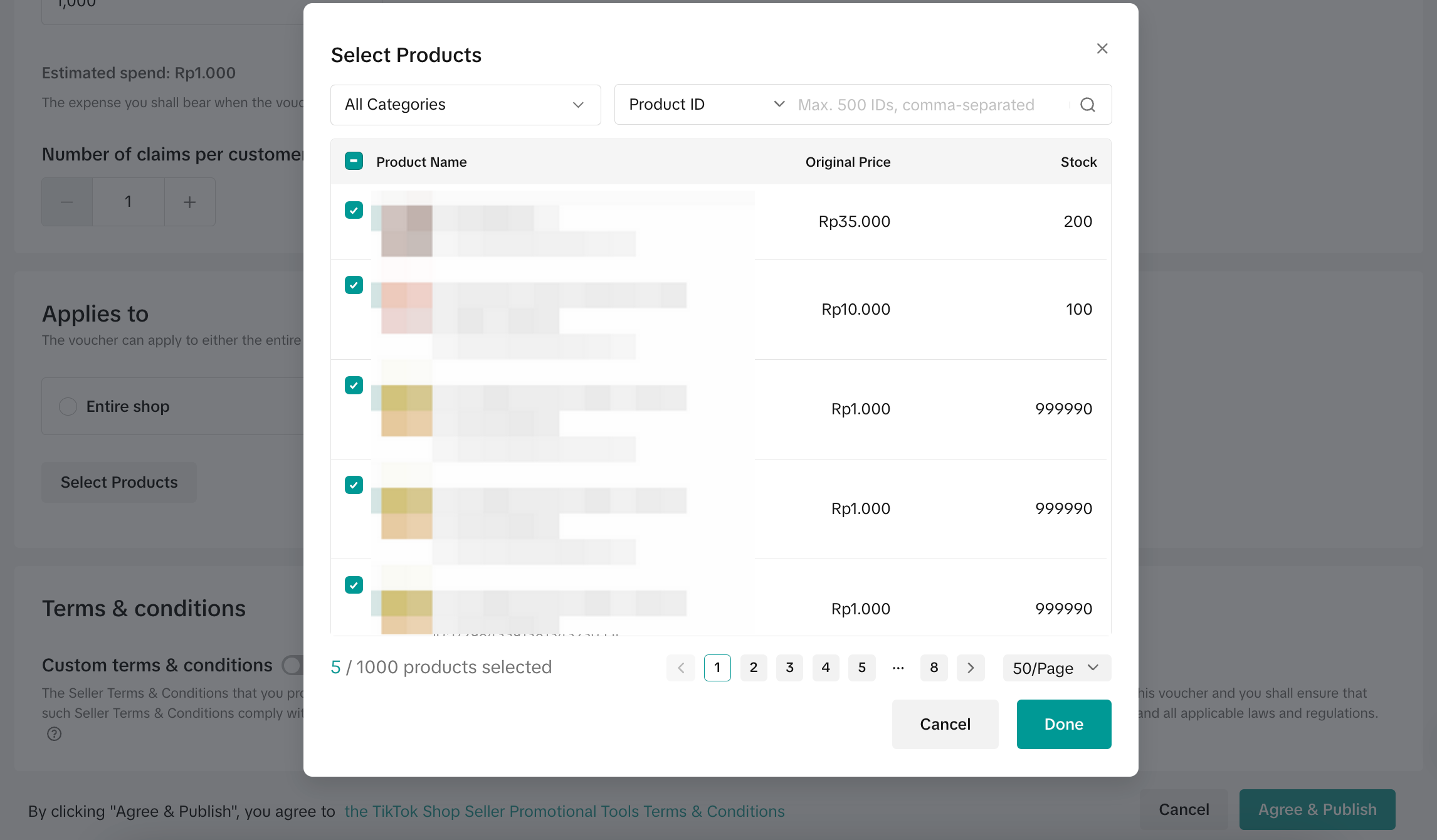 |
Manage Repeat Customer Voucher
Entrance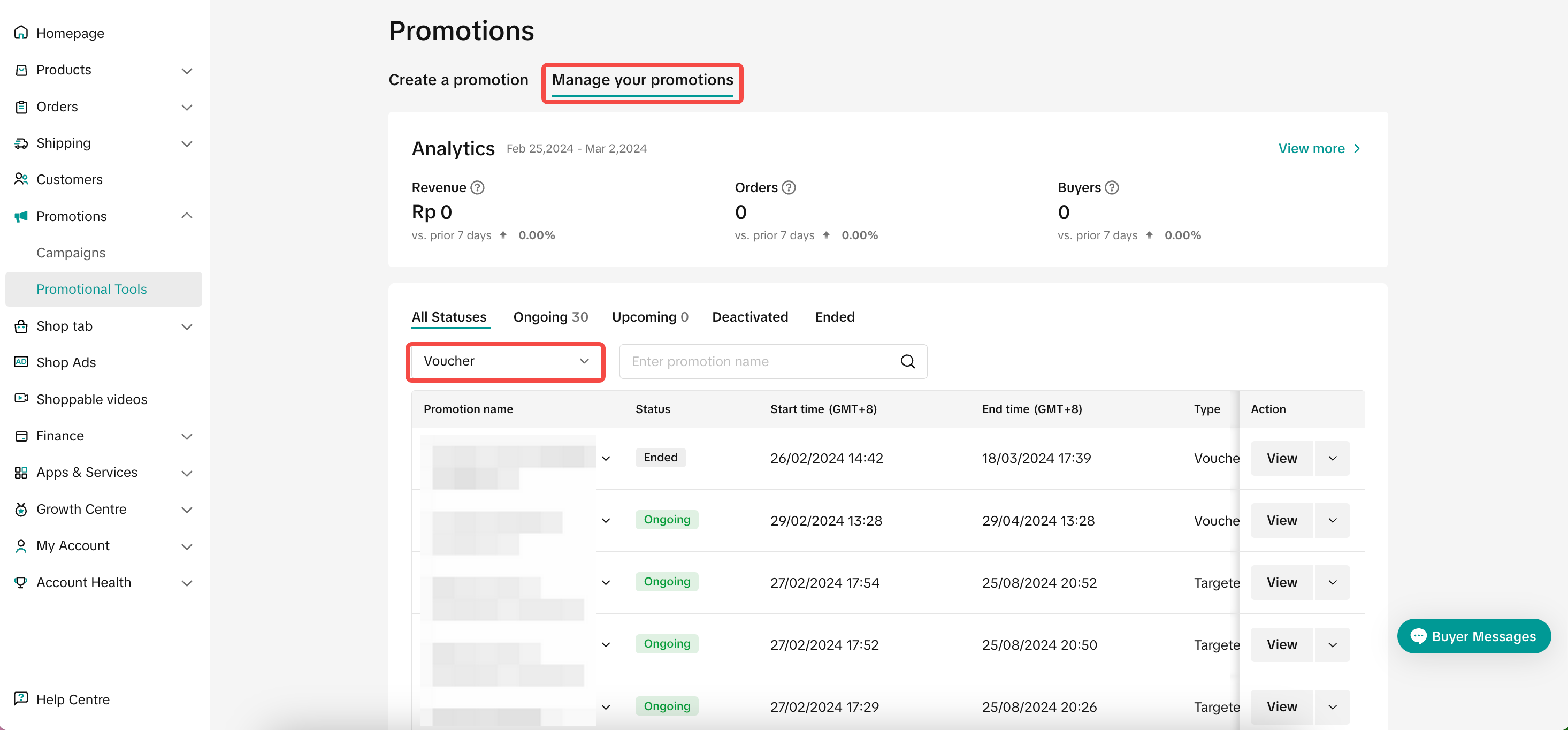 | 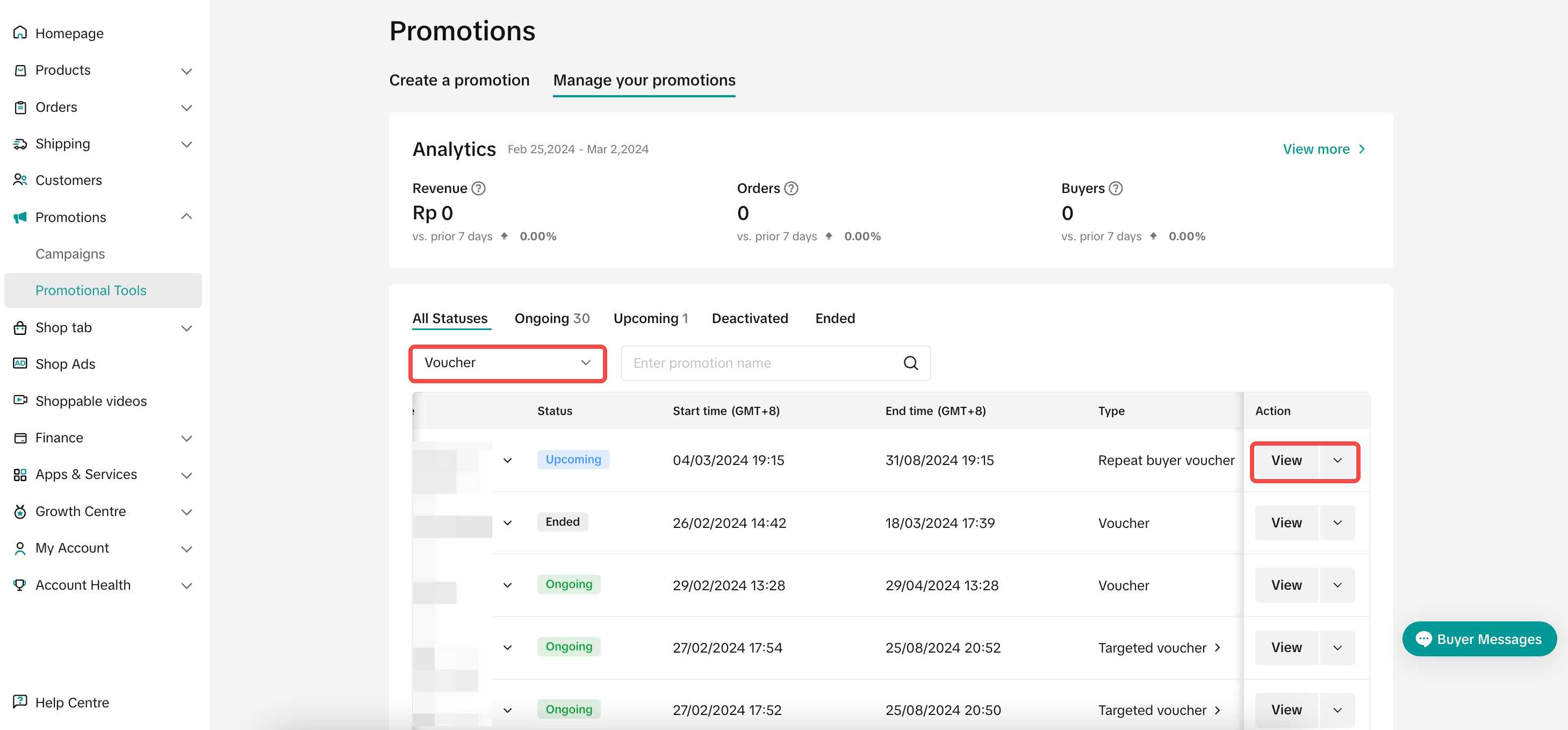 |
- Click Edit: To edit upcoming promotions, all voucher settings can be edited. To edit ongoing promotion, only the promotion period can be extended and the claimmable quantity can be increased
- Click Deactivate: To end an upcoming or ongoing promotion
- Click Duplicate: To copy and paste the Repeat Customer Voucher setting to help you quickly set up another one.
FAQs
- Can sellers create Repeat Customer Voucher on TikTok Shop Seller Center App?
- How many Repeat Customer Vouchers can be created at the same time?
- Who will be able to see and claim a Repeat Customer Voucher?
- Can the Repeat Customer Voucher be used with other seller vouchers in the same order?
- If I have already created a Repeat Customer Voucher, will the group size of repeat customers be updated over time?
- If I have no repeat customers or very little repeat customers, will I still be able to create a Repeat Customer Voucher?
You may also be interested in
- 11 lessons
Promotion Tools
Enhance the customer experience with promotional tools available in the TikTok Shop merchant center
CUỘC THI HOT HIT - CÔNG CỤ GIẢM GIÁ HÀNG MỚI VỀ
🔥 Cuộc Thi Hot Hit: Chia Sẻ Trải Nghiệm – Rinh Quà "Cực Cháy" Lên Đến 2,5 Triệu Đồng! 🔥 Bạn đã…

Seller LIVE Interactive Voucher
This article teaches you how to use LIVE Interactive Vouchers to increase your average order value a…
Promo Code
Promo Code This article teaches you how to use Promo Code as a flexible external distribution tool t…
Review Coupon
This article introduces Review Coupon, a seller-funded promotional tool designed to help you collect…

Recommended Promotion
This article introduces Recommended Promotion, a personalized assistant built directly in your Selle…
Livestream Interaction
Product Selling Points
Short Video Tips
Giveaways