

Order Volume Limit (OVL)
06/29/2025
What is an Order Volume Limit (OVL)?
An Order Volume Limit (OVL) is a restriction that limits the total number of orders that a shop can receive each day. Upon reaching the order volume limit, products will appear as "out-of-stock" to customers and the shop will not be able to receive additional orders until the order limit is reset the next day. When an OVL is applied, a banner listing the number of orders a shop can accept will be displayed in the Seller Center Manage Orders tab.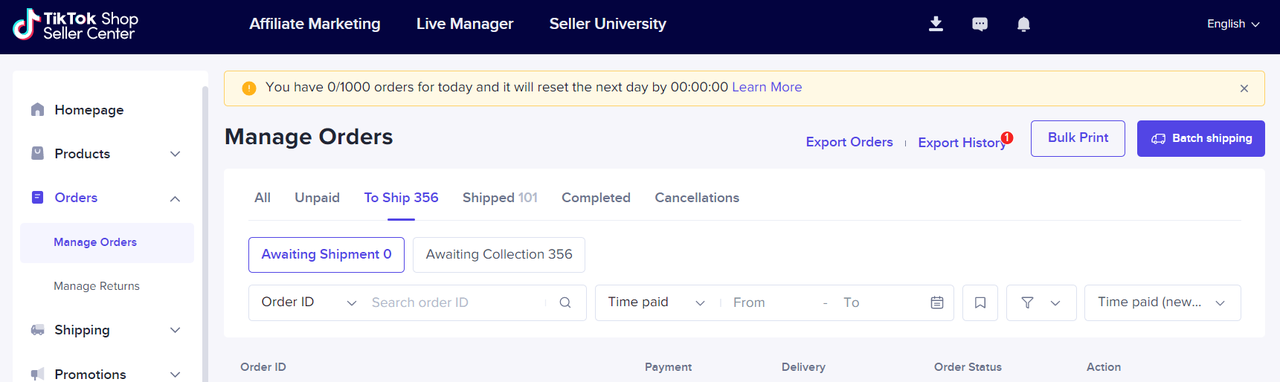 Upon reaching the OVL for the day, a banner description in the Seller Center Manage Orders tab will be displayed. All products will appear to users as "Sold Out" until the limit is reset the next day.
When may OVLs be applied to my shop?
We may apply OVLs to shops in the following situations:- Shops currently in the New Shop Probation Period
- Sellers who violate certain policies (such as having a high late-dispatch rate or seller-fault cancellation rate)
- Other special situations where sellers may need help managing their order volume
- Other potential situations where an OVL is deemed necessary
How will I know if an OVL has been applied to my shop?
If a seller has an OVL applied due to a violation, they will receive a violation ticket that can be viewed in the Seller Center > Shop Health > Violation Records.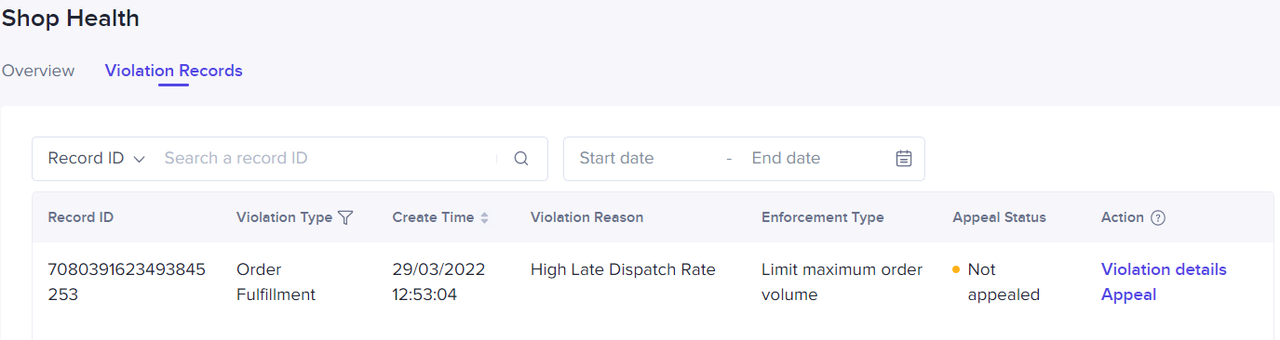 If a seller has an OVL applied to their shop due to the New Shop Probation Period or special situations, they will be able to view this on their homepage or the Manage Orders tab.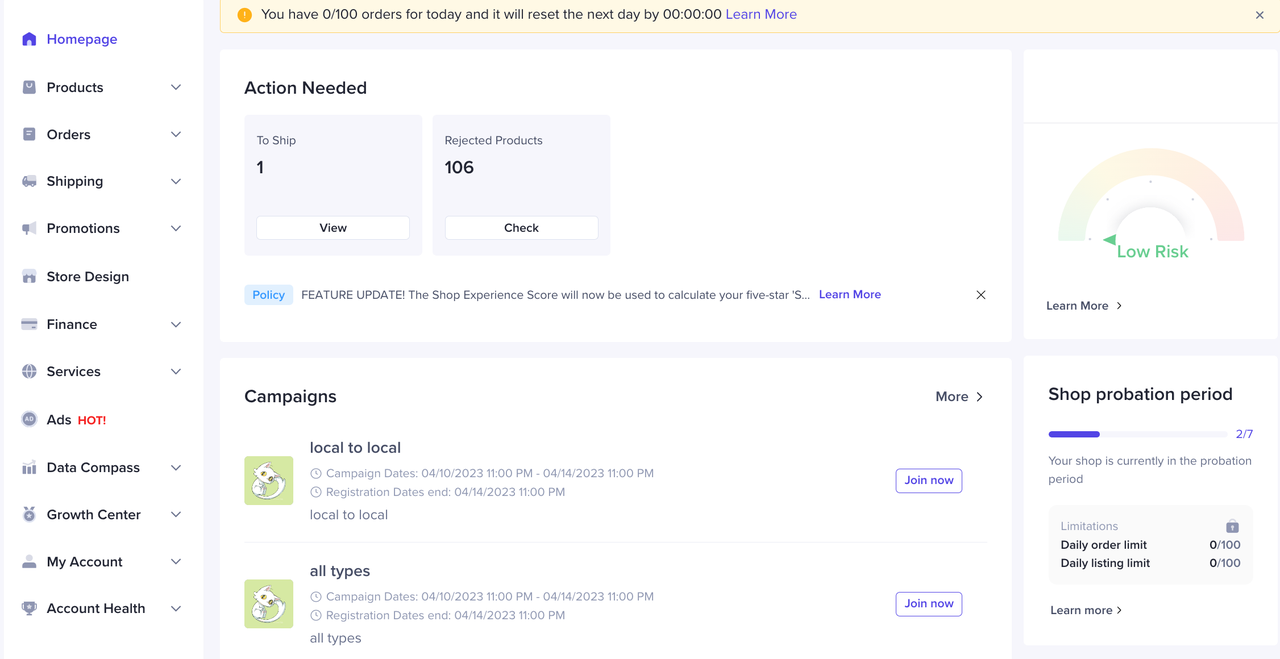
How can I appeal an OVL?
If you believe an OVL has been wrongfully applied, you can submit an appeal via the Seller Center > Shop Health > Violation Records. You will be required to provide a reasonable explanation with supporting documents for your appeal to be processed. Please read our Seller Appeal Guidelines article for more information.You may also be interested in
- 2 lessons
Account Health
Learn how to become a great seller on TikTok Shop and ensure your store is productive by understandi…
- 1 lesson
Store Rating
Learn more about Store Rating, how it is calculated & how to maintain a good rating for your TikTok…

Violation Points & Milestones for Sellers
What are Violation Points? Violation Points are points issued to sellers who breach our policies an…
Unfair Behaviour and Terms of Sale
Here at TikTok Shop, one of our main objectives is to create a trustworthy shopping environment for…
Seller-Fault Cancellation Rate (SFCR)
What is the Seller-fault Cancellation Rate (SFCR)? The Seller-fault Cancellation Rate is the percen…
Customer Review Policy
Why is customer feedback (i.e., Ratings and Reviews) so important? Ratings and reviews of products/s…

Violation Reasons, Points & Enforcement Actions for Sellers
Violation Reasons and Points Below are non-exhaustive Violation Reasons and their corresponding rang…
TikTok Shop Policy Quiz
What is the Policy Quiz? TikTok Shop's Policy Quiz is a feature that aims to help you better underst…
Tips to Improve Customer Reviews
We've moved! Click here to view the Guide to Negative Customer Feedback on TikTok Shop
Negative Review Rates (NRR)
What are Negative Reviews? Negative Reviews are ratings of 1-2 stars on the product rating system (a…