

[Important Notice] Order Fulfillment Process for Pre-order Items
12/22/2025
- Order Fulfillment Timeline for Pre-orders
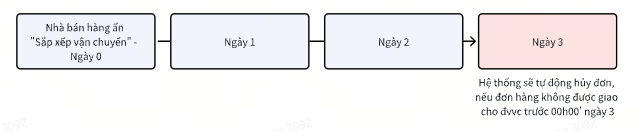
- Orders must be packed at the time of clicking “Arrange Shipment” and before the logistics provider arrives for pickup:
- An order is considered “ready” when it has been completely and properly packed.
- Click “Arrange Shipment” and attach the shipping label.
- Ensure the order is fully ready before the logistics provider arrives for pickup.
- Clicking “Arrange Shipment” indicates that the seller has notified the logistics provider that the orders are ready for dispatch.
To ensure that orders are fully prepared before clicking “Arrange Shipment” to notify the logistics provider for pickup, sellers may follow the steps below:
|
|
|
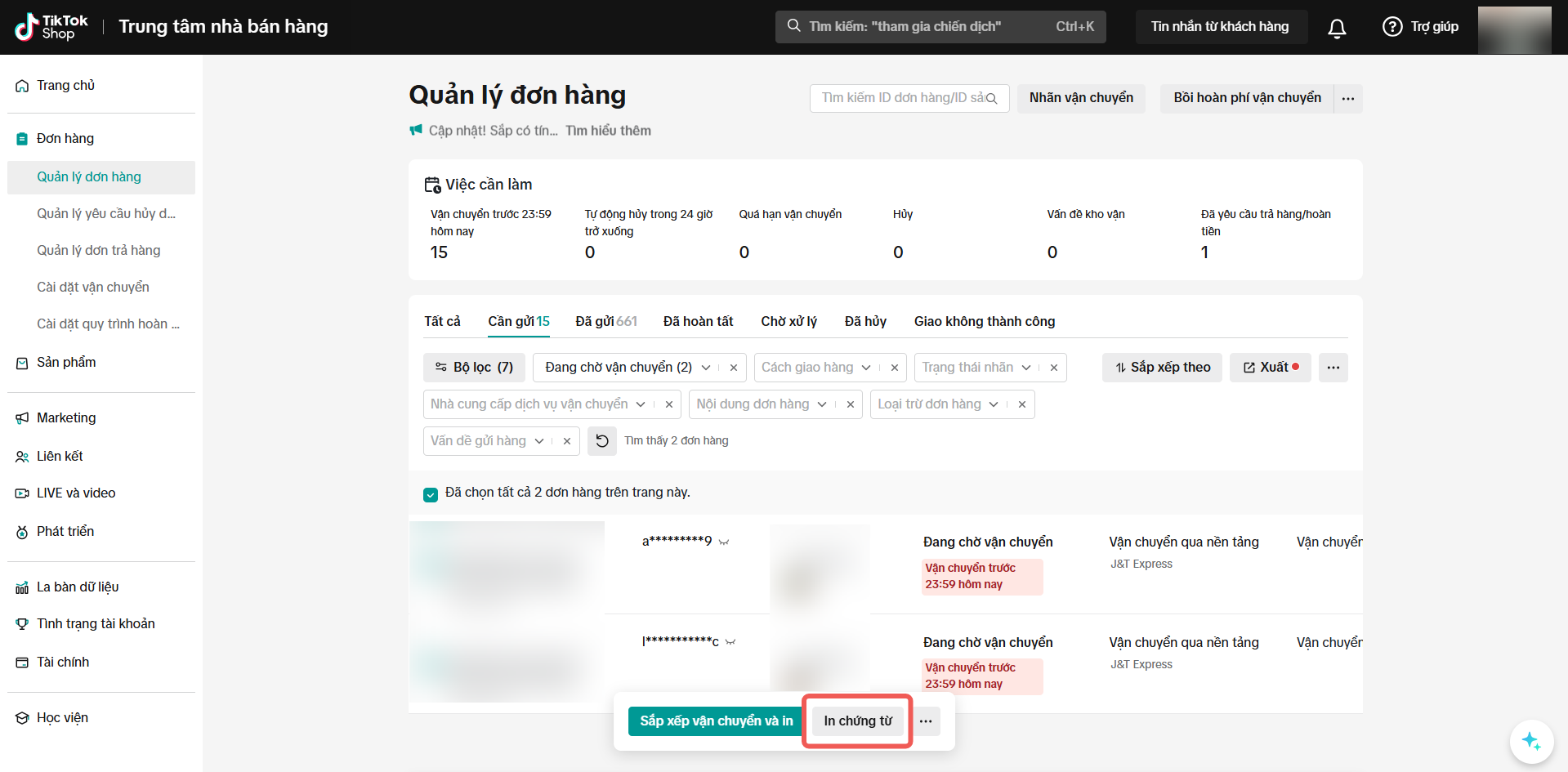 | 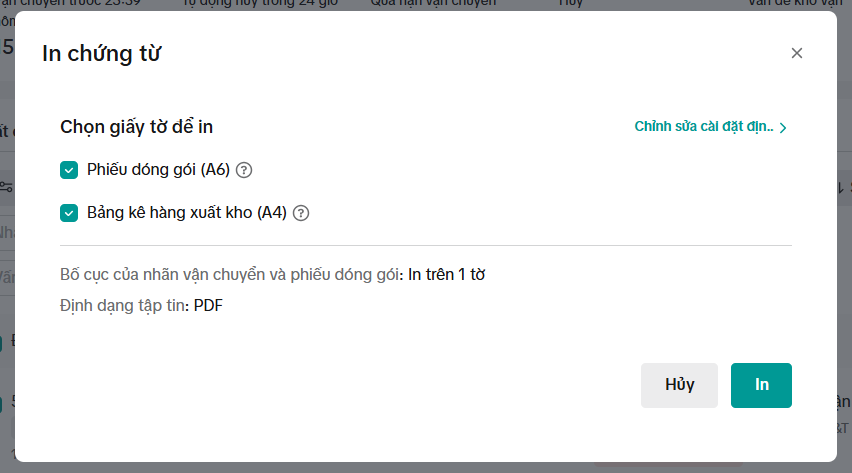 | 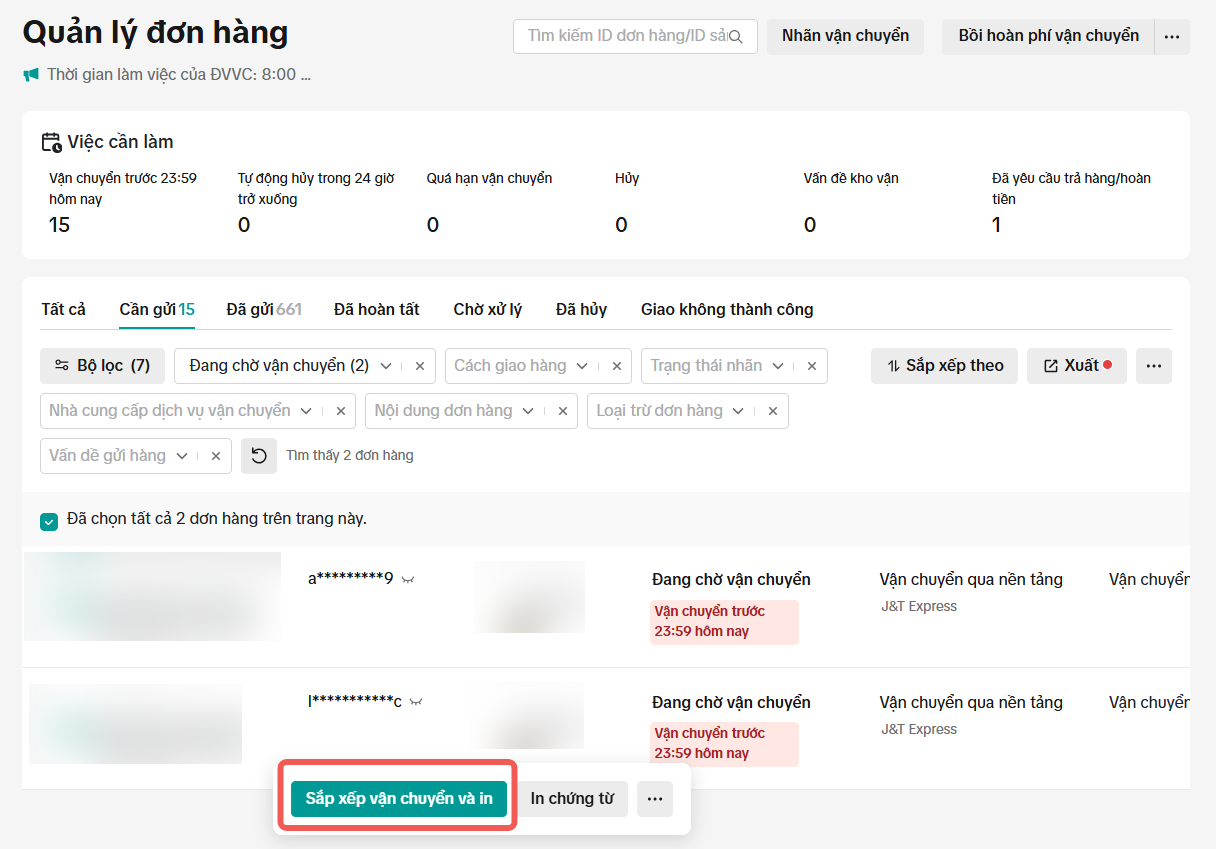 |
You may also be interested in

General Introduction About Logistics Providers On TikTok Sho…
Page Description: This article provides an overview of the logistics providers partnered with TikTok…

TikTok Shop Seller Own Fleet
What is SOF (Seller Own Fleet)? Seller Own fleet is a special type of delivery service for sellers…

Vietnam Platform Shipping Fee Instruction
How does TikTok Shop calculate shipping fees to be paid by the Seller? Shipping fees to be paid by t…
Splitting Order into Multiple Packages
This article provides a simple guideline on splitting orders into multiple packages, giving you more…
Ship by Seller
What steps do I need to follow when fulfilling an order via Ship by Seller? Step 1: Review Order Rev…
Platform Abuse
What kinds of practices do we consider "Platform Abuse" on TikTok Shop? Dropshipping Dropshipping, o…
Ship by TikTok
What steps do I need to follow when fulfilling an order via Ship by TikTok? Step 1: Review Order Rev…

Lịch Gia Hạn Đơn Hàng & Làm Việc Của Đơn Vị Vận Chuyển Dịp T…
How to Directly Contact Logistics Providers
This article provides a concise guide on how to efficiently contact logistics providers to inquire a…
Fulfill your orders on Seller APP
New fulfillment setting menu Introducing a new menu for sellers to manage fulfillment setup to allow…