

Adding Existing Products from TikTok Shop
12/15/2025
Keep in mind that all products must comply with our platform's listing guidelines.

What is "List Existing Product"?
Listing an existing product helps you streamline the entire product listing process by quickly copying information from existing products already in our platforms. This feature is especially valuable for sellers who want to:- Maintain consistency across similar listings.
- Avoid manually re-entering product details.
- Launch products faster and more efficiently.

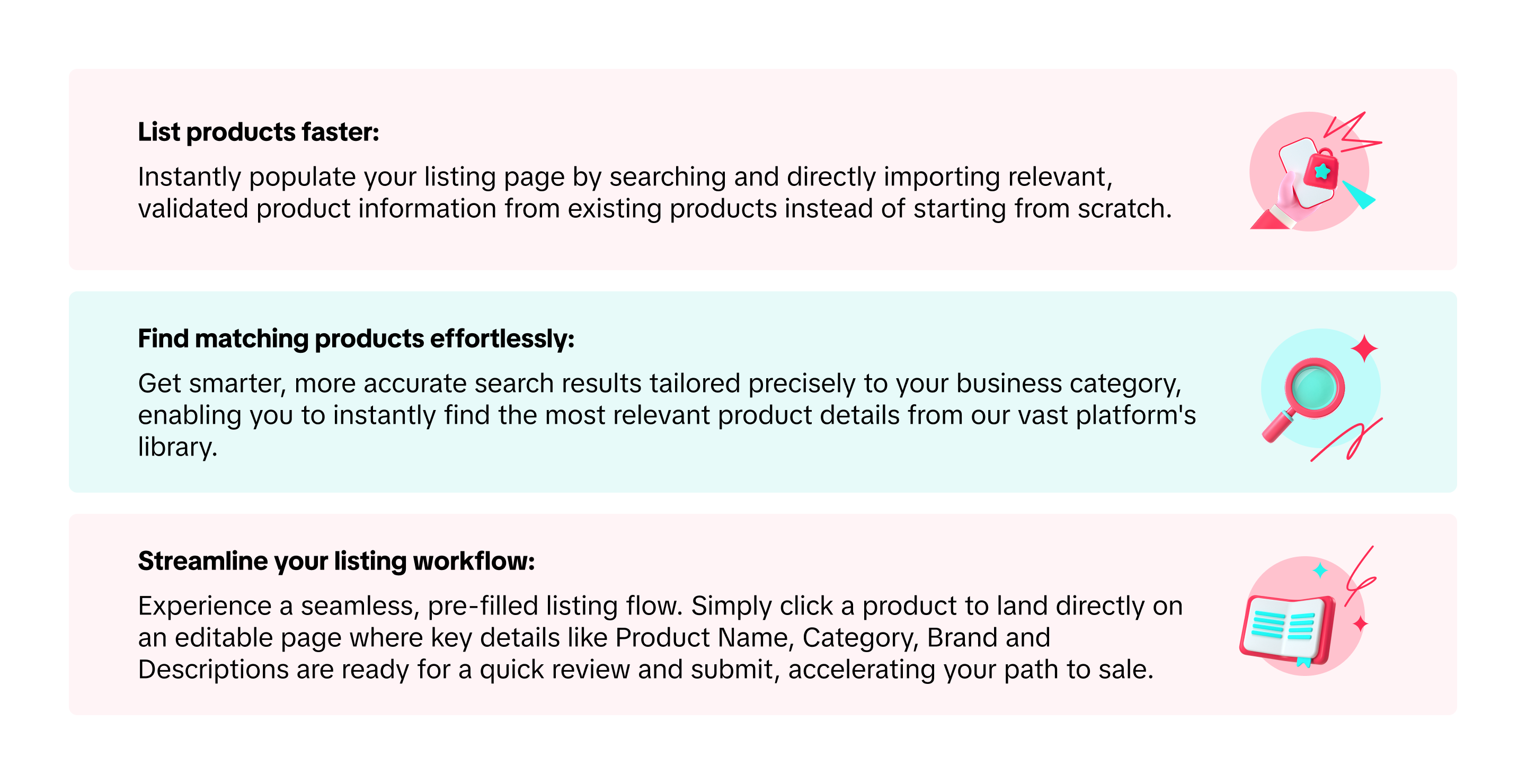
Key Benefits

How to access this feature
- Go to Seller Center.
- Navigate to "Product" on the left-hand menu and click "Add products".
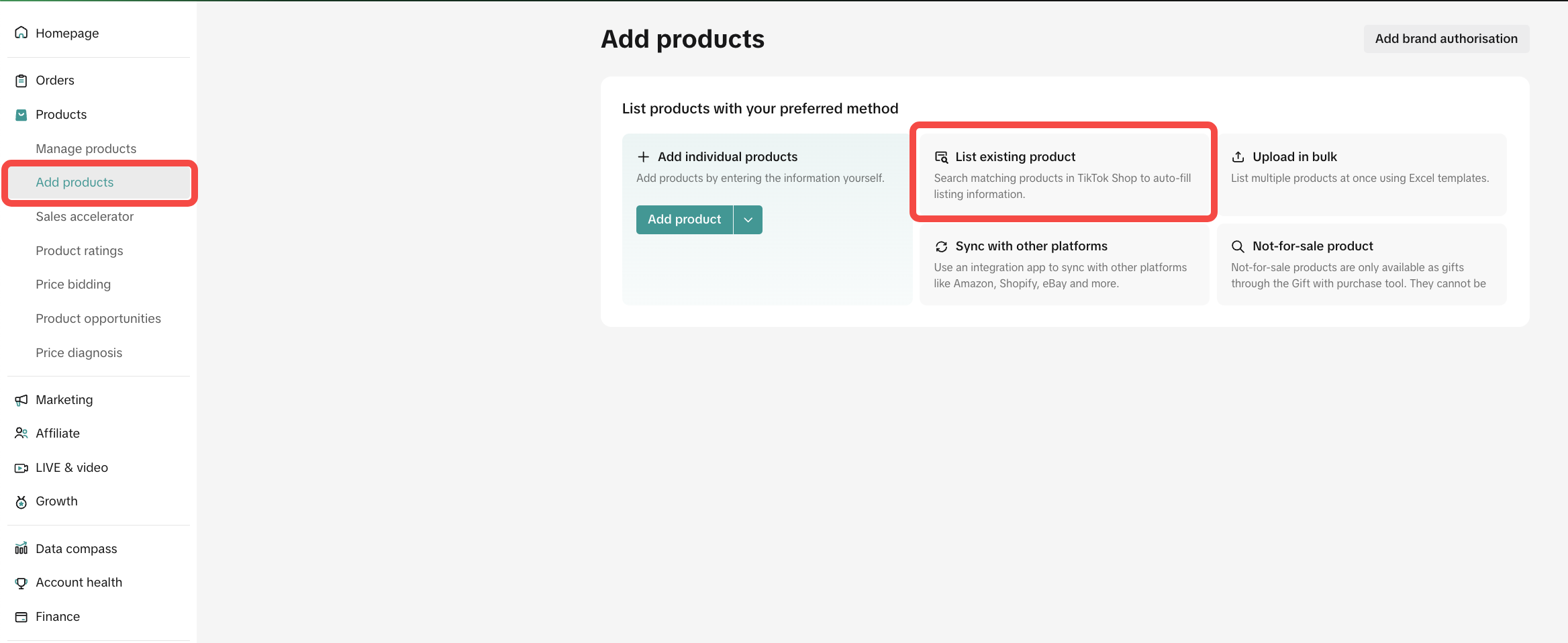
- Click the List existing product section on the page to get started.

How to list an existing product on Desktop
- Select "List an existing product" on the "Add products" page.
- In the toolbar, search for a product to copy by typing in either keywords (product or brand name). Click enter to search.
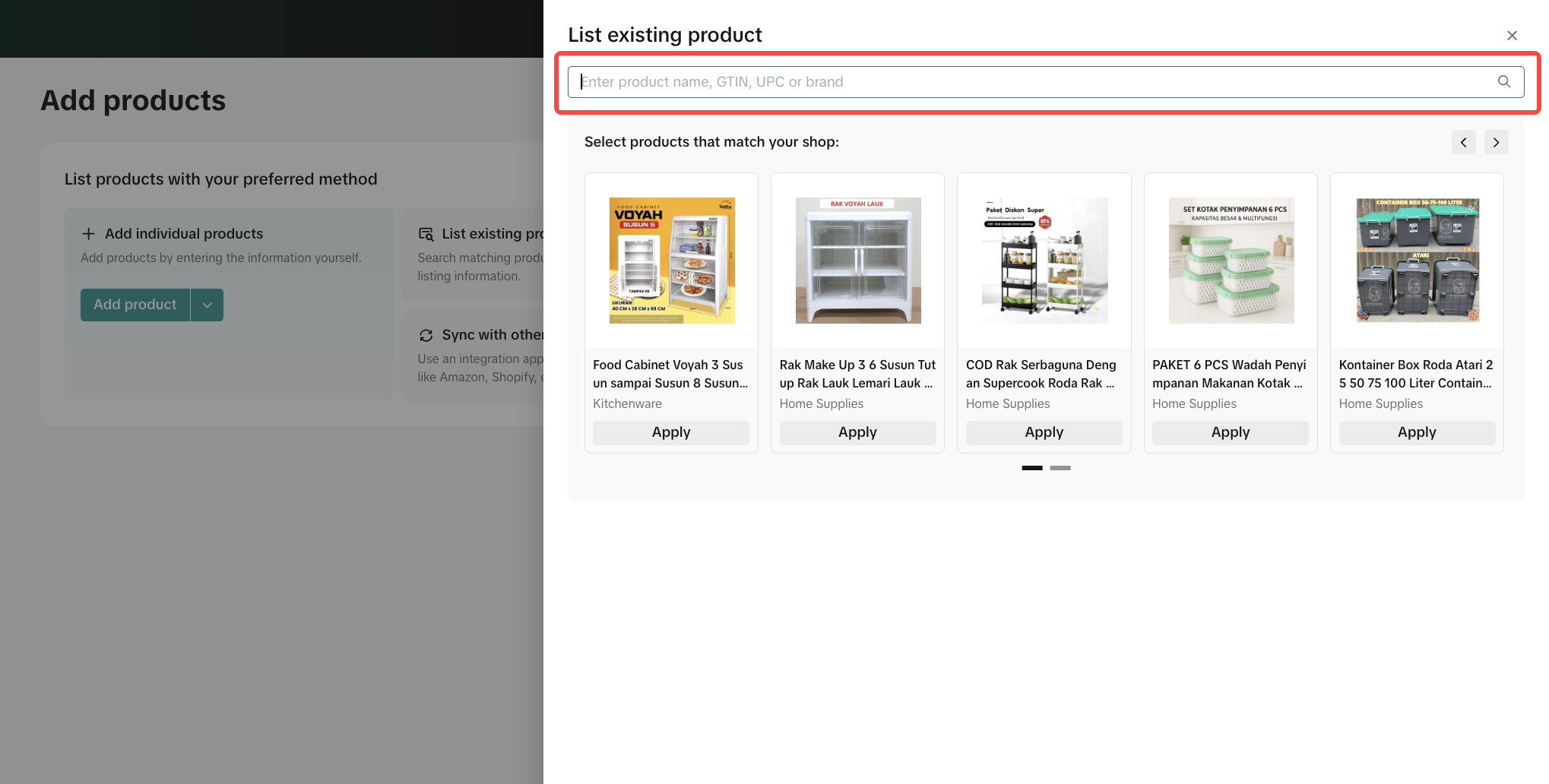
- From the search results, select the desired product. Click Apply to directly copy its information into your new listing form and then click Accept. Complete the Product Listing from there:
- Review and edit information that was copied to your listing
- Fill in the remaining required details that the system does not pre-fill:
- Size information
- Price and quantity information
- Compliance information, such as required certifications (if prompted) or product attributes
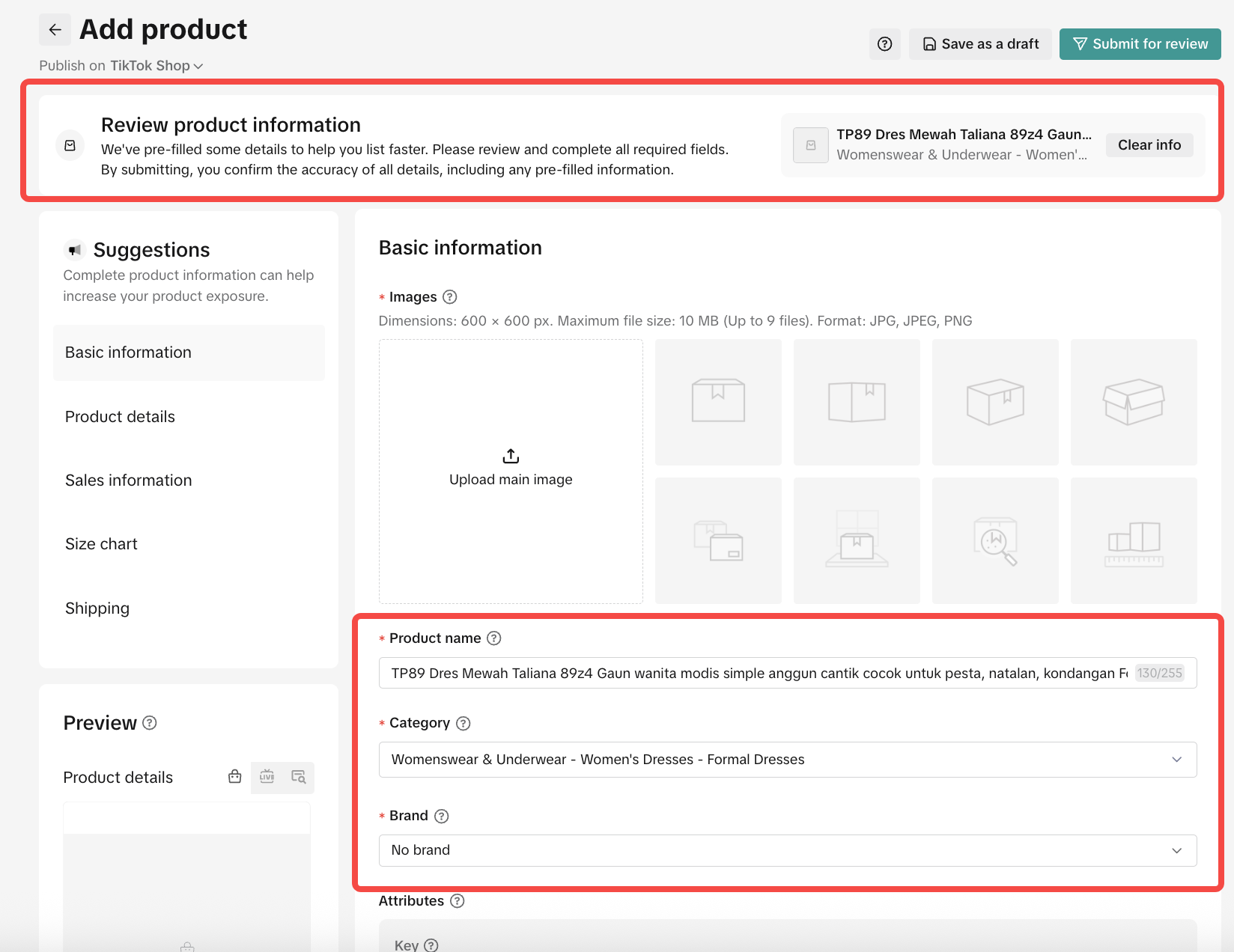
- Once completed, click Submit for review to finalize and publish your product listing.

FAQ
- What if I want to copy a branded product but don’t have brand authorization?
- If you do not have brand authorization for your desired product, you cannot copy its information. To proceed, apply for brand authorization.
- Why can’t I find the product I want to copy?
- If the product belongs to an “invite-only” category, the system filters out items from categories you don’t have access to. To resolve this, you need to apply for category permissions.
- Can I edit product information that is copied?
- Yes, you can edit information that was copied over to better suit your listing needs.
Anda mungkin juga tertarik
- 5 lessons
Product Listing And Management
Listing your product is the first step in officially bringing your product to consumers.
- 1 lesson
What causes Incomplete Information in product listings? (Inf…
Best practices to avoid Incomplete Information violation

Branded Products Listing Guidelines
What are Branded Products? Branded products are products bearing a brand. The brand and its features…

Price Diagnosis
This feature will help sellers to review their product price competitiveness in TikTok Shop and full…
Trademark Infringement
What is a Trademark? A trademark includes but is not limited to words, symbols, slogans, designs, sh…

Product Listing and Image Editor on Seller Center App
Image Editor The new product image editor enables sellers to take product pictures continuously and…

Patent and Design Infringement
What are patents and designs? Patents protect inventions and give the owner the right to prevent oth…
Copyright Infringement
What is a copyright? Copyright is a legal right that protects original works and stops others from u…
Making Comparisons in Product Listings
What constitutes a "comparison"? A "comparison" is any statement that compares your product with the…
Clickbait Tactics in Product Listings
What constitutes clickbait tactics? In the e-commerce context, clickbait tactics are used to induce…