

TikTok Account Health
12/31/2024
What is the TikTok Account Health for?
TikTok Account Health is an all-in-one tool that can help TikTok Shop sellers like you better understand attached creators and track any violations associated with these creators. On top of your own Shop Health, you will now also be able to view the violation records for your attached creators. This is also where you can help your creators file for appeals. In the TikTok Account Health, you can view details on:- Creator(s) attached to you
- Attached creator(s)' Account Standing
- Our guidelines and policies
- The date and time of violation(s)
- The reasons for violation(s)
- Any penalty action(s)
- Details about the violating content
- Details about the appeal status
Where to find TikTok Account Health?
On PC (Account Standing)- Go to TikTok Shop Seller Center and log in with your TikTok Shop Seller Account.
- When you enter Seller Center, click Account Heath and find TikTok Account Health.
- If you do not link any creator:
- You will see the No Creator Account page
- If there are several creators attached to you:
- Official account(s) associated with your shop will be displayed by default. You may click "Switch Account" in the upper right corner to switch to other marketing account(s).
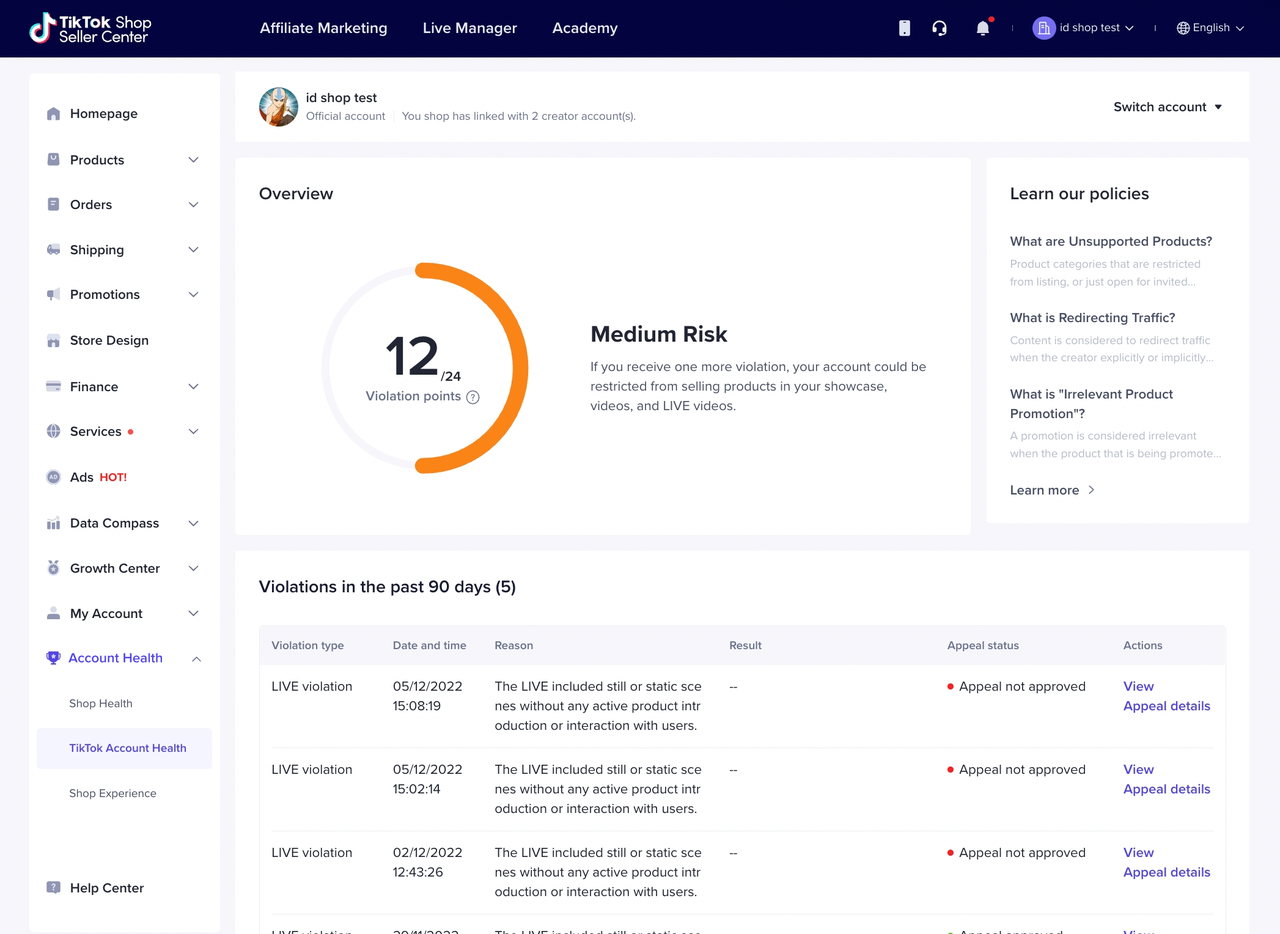
Overview
In this section, you can view accumulated violation points for targeted creators and learn about creator risk level through the dashboard.- For detailed enforcement information and our creator performance evaluation guideline, you may click "?" under displayed violation points standing.
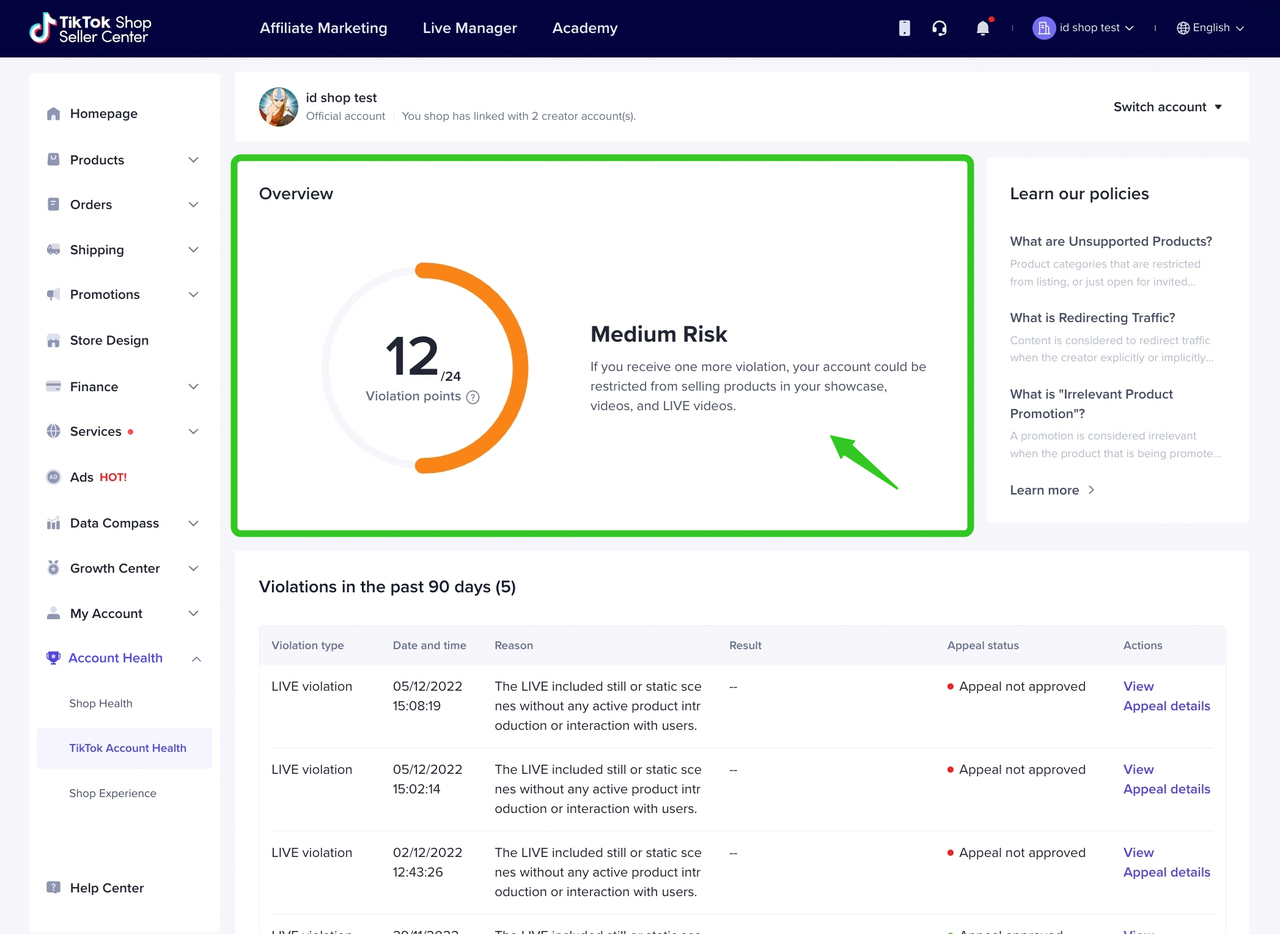
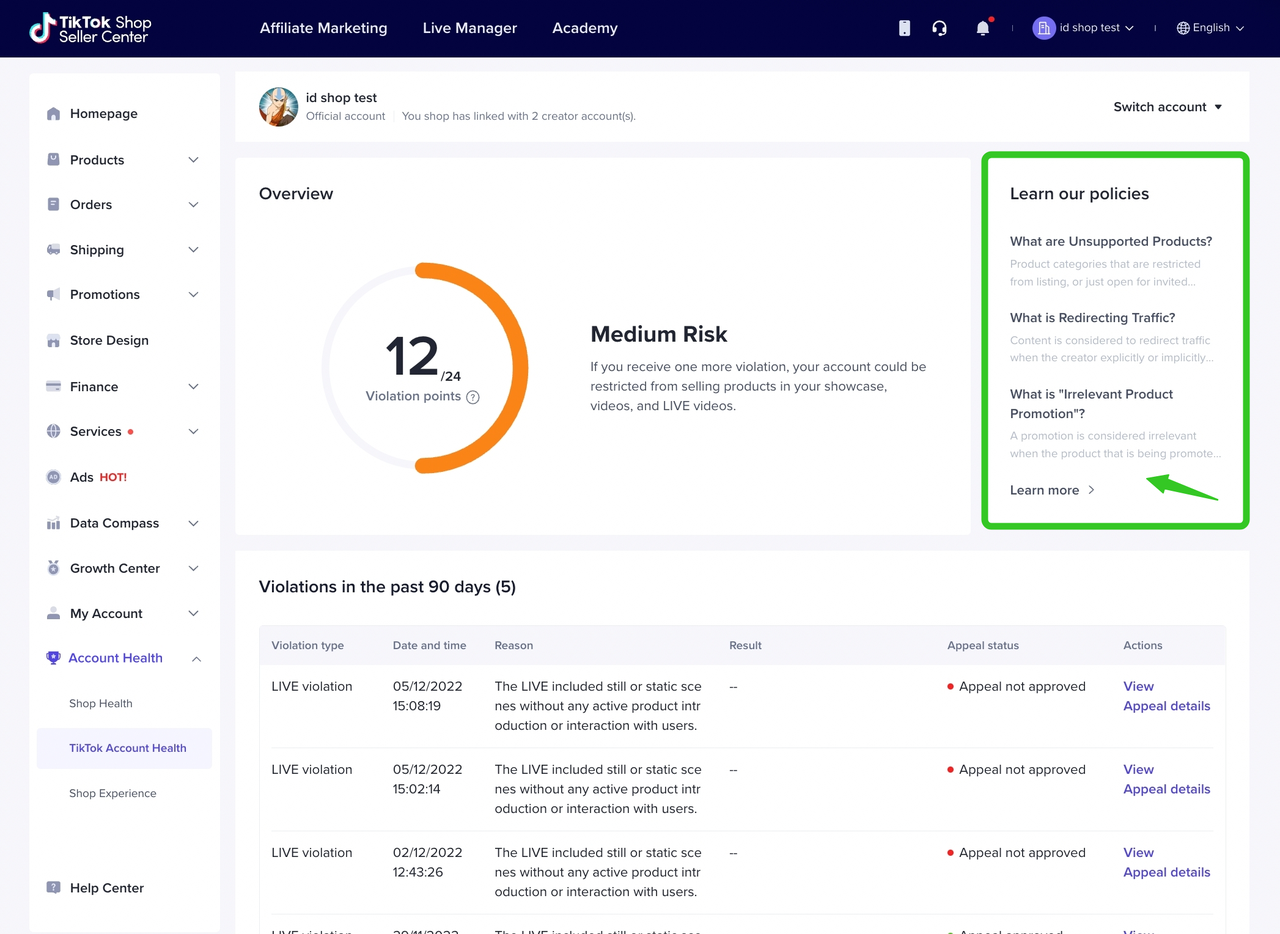
Learn our Policy
In this section, you can learn about the guidelines and policies set up by TikTok Shop.- For our complete content guidelines, you can click "Learn more"
Violation Records
You can view detailed violation reasons and file an appeal for your attached creator here.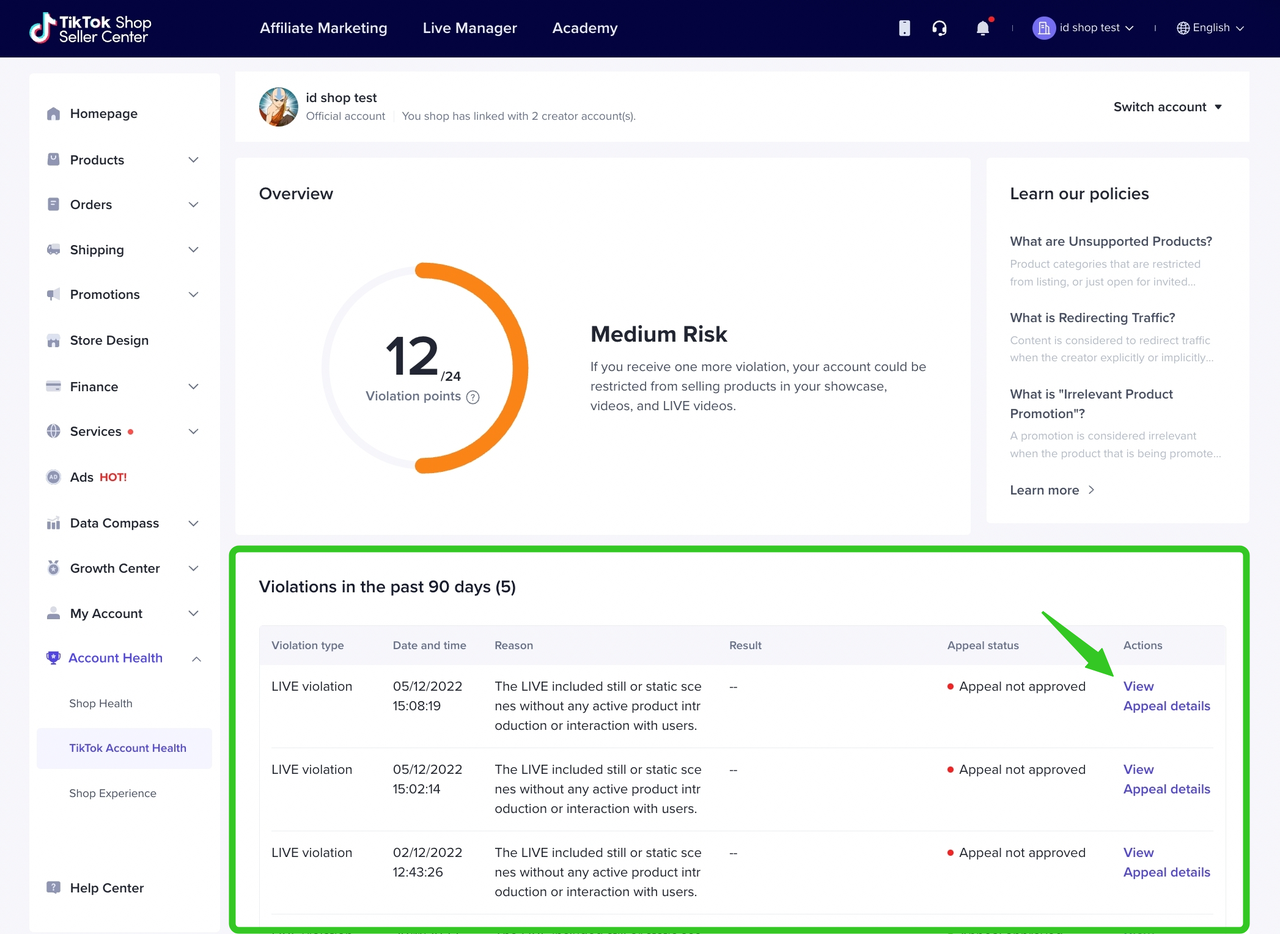
- Click "View" to get detailed information about a particular violation record
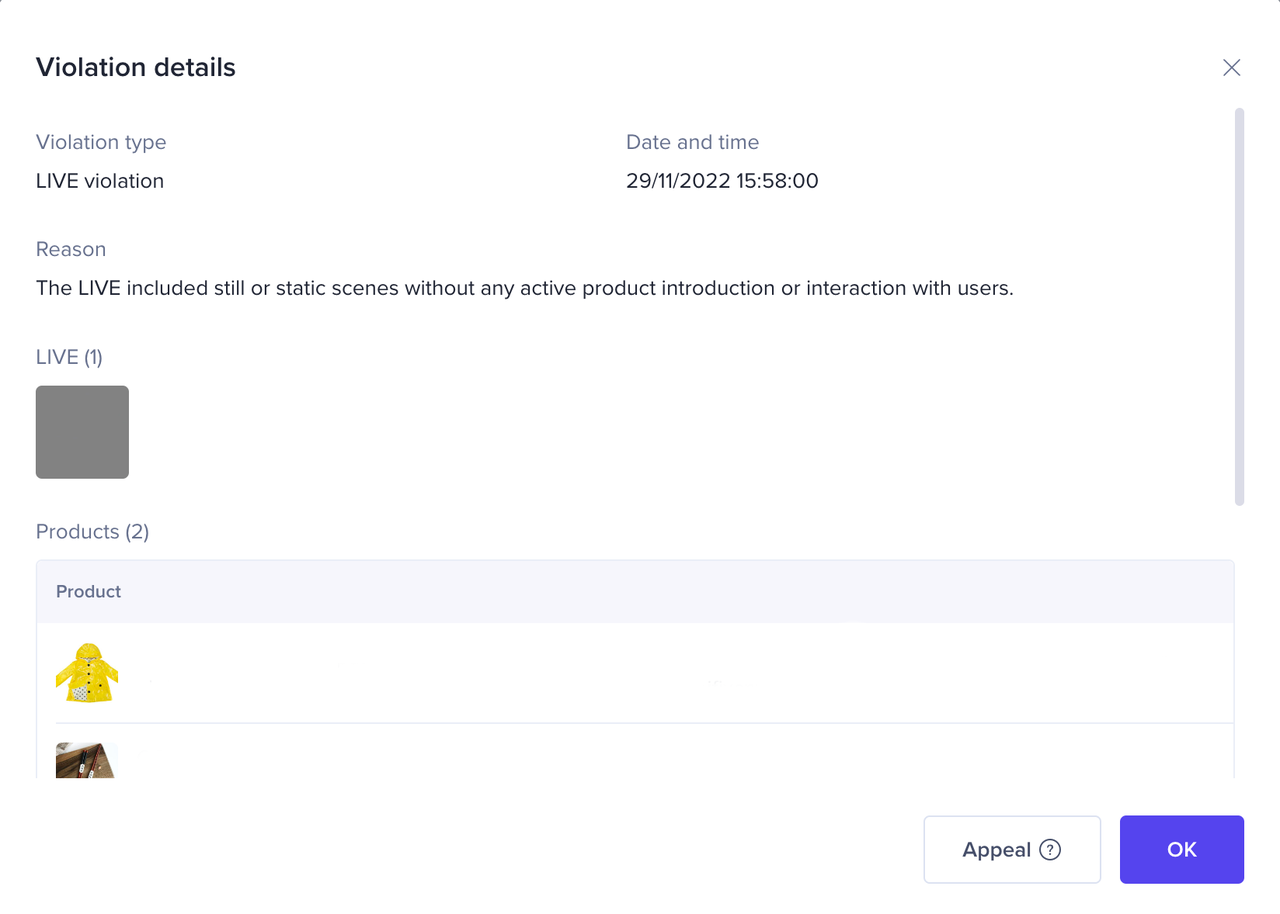
- Click "Appeal Details" to help your attached creator file an appeal
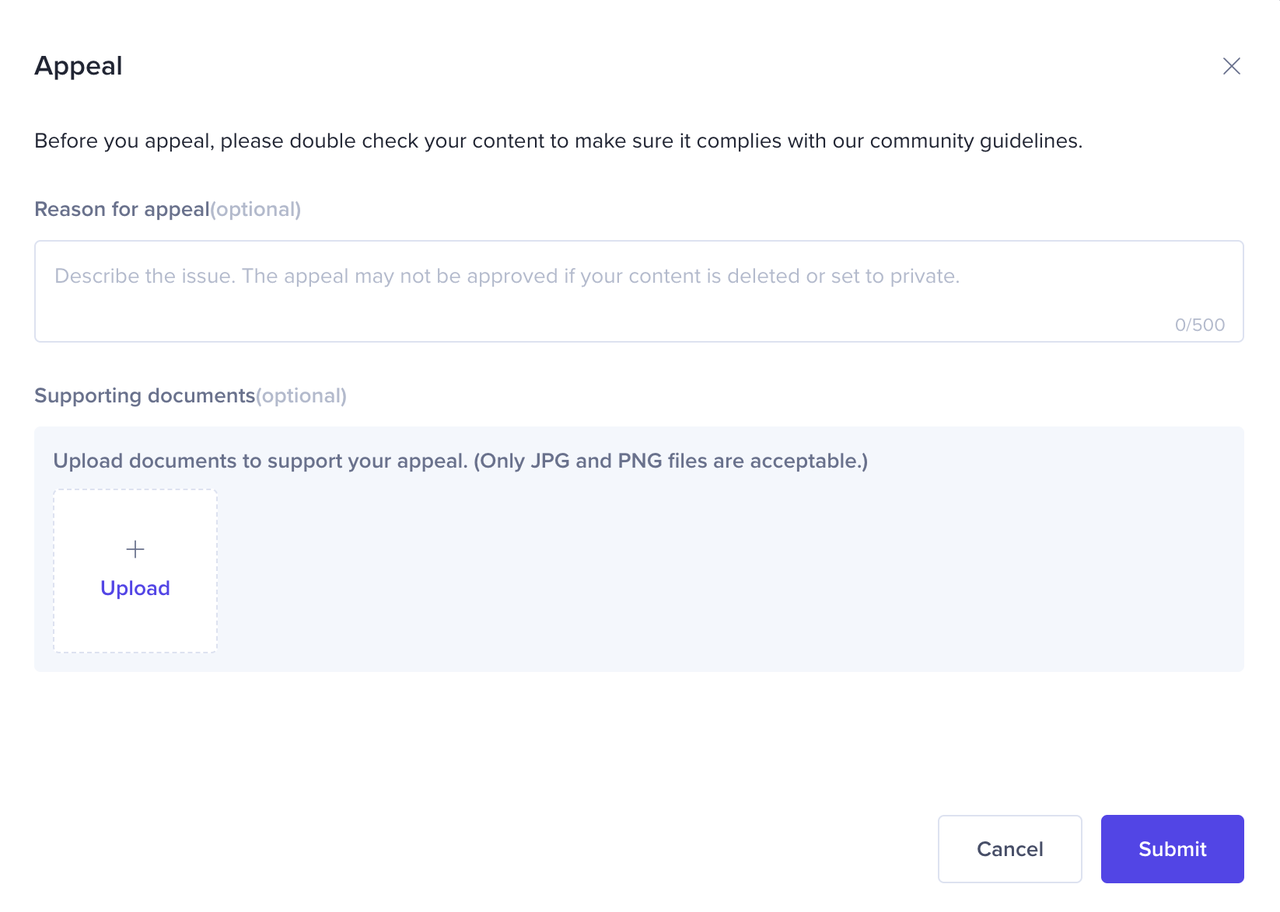
Appeal
If a seller believes that an enforcement action was taken against them in error, they may file an appeal through the Seller Center by raising a ticket. TikTok Shop will then investigate the case and take corrective actions where applicable.The appeal guidelines are as follows:- Sellers can raise a maximum of two appeals against one case.
- The first appeal must be raised within 30 days of our enforcement.
- The second appeal can be raised within 15 days of the rejection of the first appeal.
- If the seller's appeal is successful, we will remove any penalties issued and restore any withdrawn privileges.
- All decisions made by TikTok Shop are at TikTok Shop's sole discretion and are final after the second appeal is rejected.
- Any appeals raised after the timelines stipulated above will not constitute a valid appeal and will not be reviewed by TikTok Shop.
- Collecting and preparing all supporting documents to prove the authenticity of the business or of specific order(s).
- Providing a clear explanation on why the enforcement action was taken against them in error.
- Providing any additional materials or information that may be required by TikTok Shop.
You may also be interested in
- 1 lesson
Store Rating
Learn more about Store Rating, how it is calculated & how to maintain a good rating for your TikTok…

Violation Points & Milestones for Sellers
What are Violation Points? Violation Points are points issued to sellers who breach our policies an…
Unfair Behaviour and Terms of Sale
Here at TikTok Shop, one of our main objectives is to create a trustworthy shopping environment for…
Seller-Fault Cancellation Rate (SFCR)
What is the Seller-fault Cancellation Rate (SFCR)? The Seller-fault Cancellation Rate is the percen…
Order Volume Limit (OVL)
What is an Order Volume Limit (OVL)? An Order Volume Limit (OVL) is a restriction that limits the to…
Customer Review Policy
Why is customer feedback (i.e., Ratings and Reviews) so important? Ratings and reviews of products/s…

Violation Reasons, Points & Enforcement Actions for Sellers
Violation Reasons and Points Below are non-exhaustive Violation Reasons and their corresponding rang…
TikTok Shop Policy Quiz
What is the Policy Quiz? TikTok Shop's Policy Quiz is a feature that aims to help you better underst…
Tips to Improve Customer Reviews
We've moved! Click here to view the Guide to Negative Customer Feedback on TikTok Shop
Negative Review Rates (NRR)
What are Negative Reviews? Negative Reviews are ratings of 1-2 stars on the product rating system (a…