

Managing Orders on Seller Center App
06/30/2025
Experience the new Orders page and download the Seller Center app by clicking the links below:

Accessing the Orders Page
On the Seller Center app home page, you can easily access the Orders page by tapping 'Orders' from the navigation bar at the bottom of the page.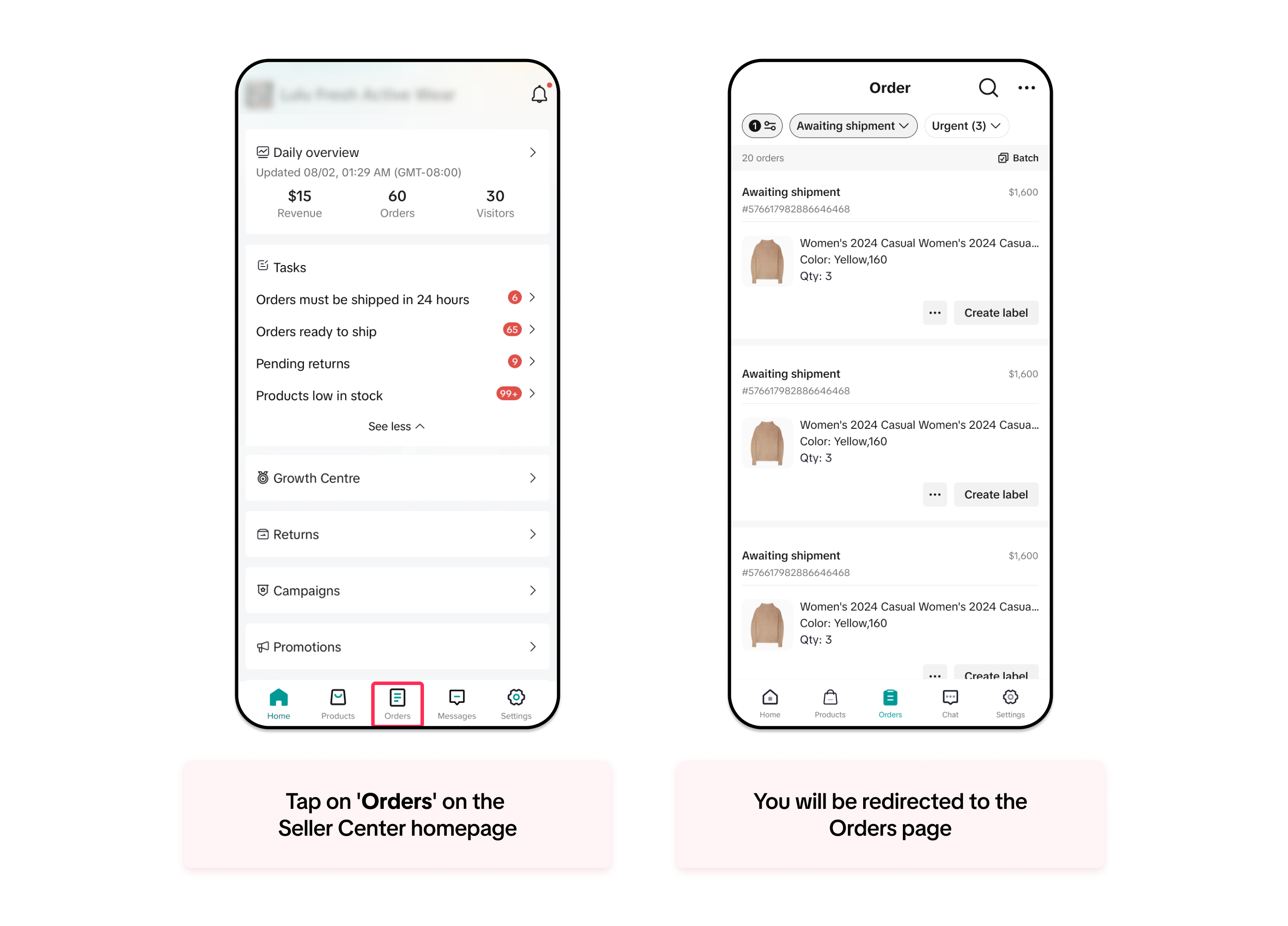

Filtering and Sorting Your Orders
Once you are on the Orders page, you will see different filters and sorting options to help you identify and find your orders more easily. Follow the guidelines below to filter and sort your orders:Filtering by Order Status
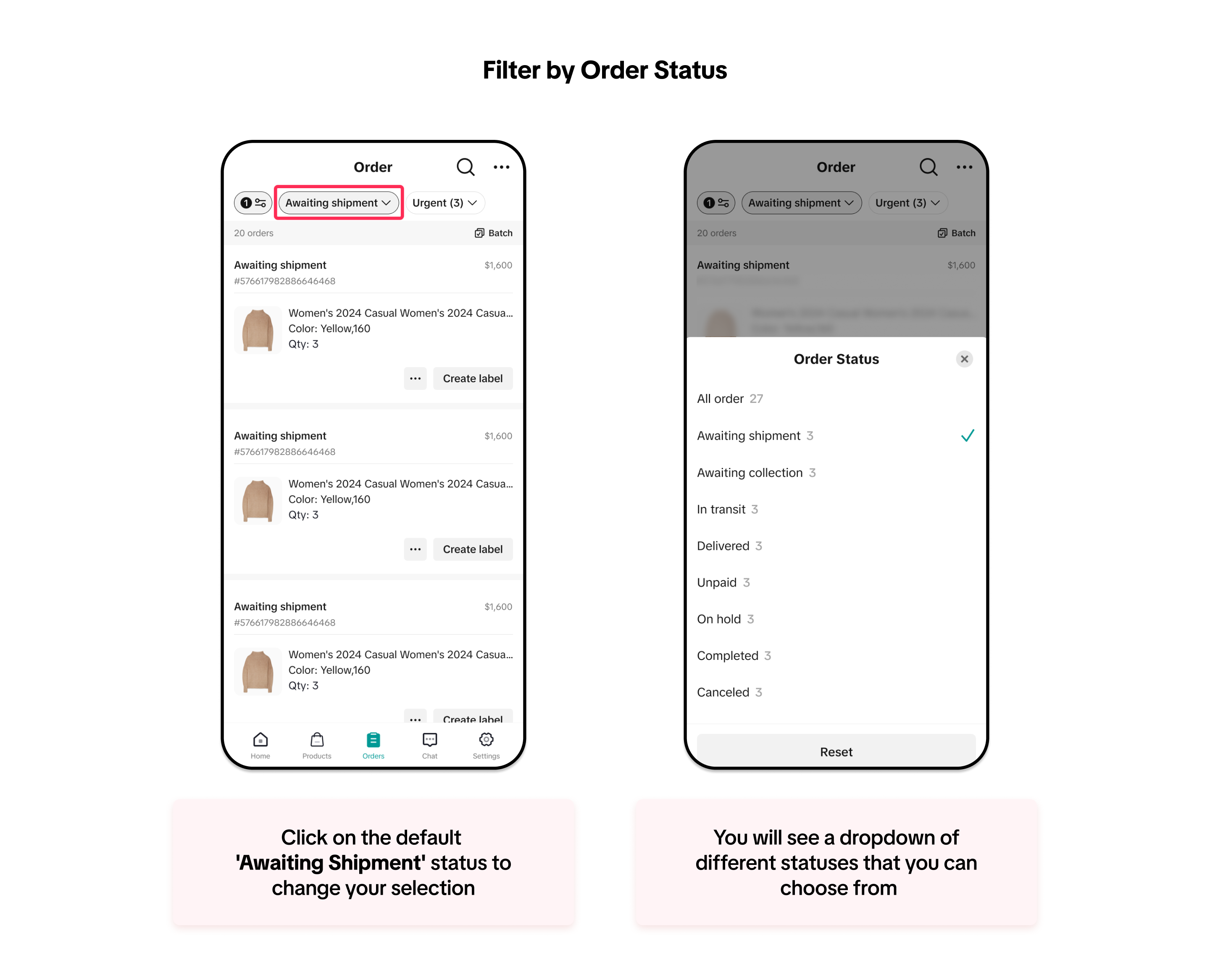
You can easily filter your order status similarly to how you do on a PC. The default filter is set to 'Awaiting Shipment,' but you can click on this dropdown to explore different statuses:- All order
- Awaiting shipment
- Awaiting collection
- In transit
- Delivered
- Unpaid
- On hold
- Completed
- Cancelled
Filtering by Urgency
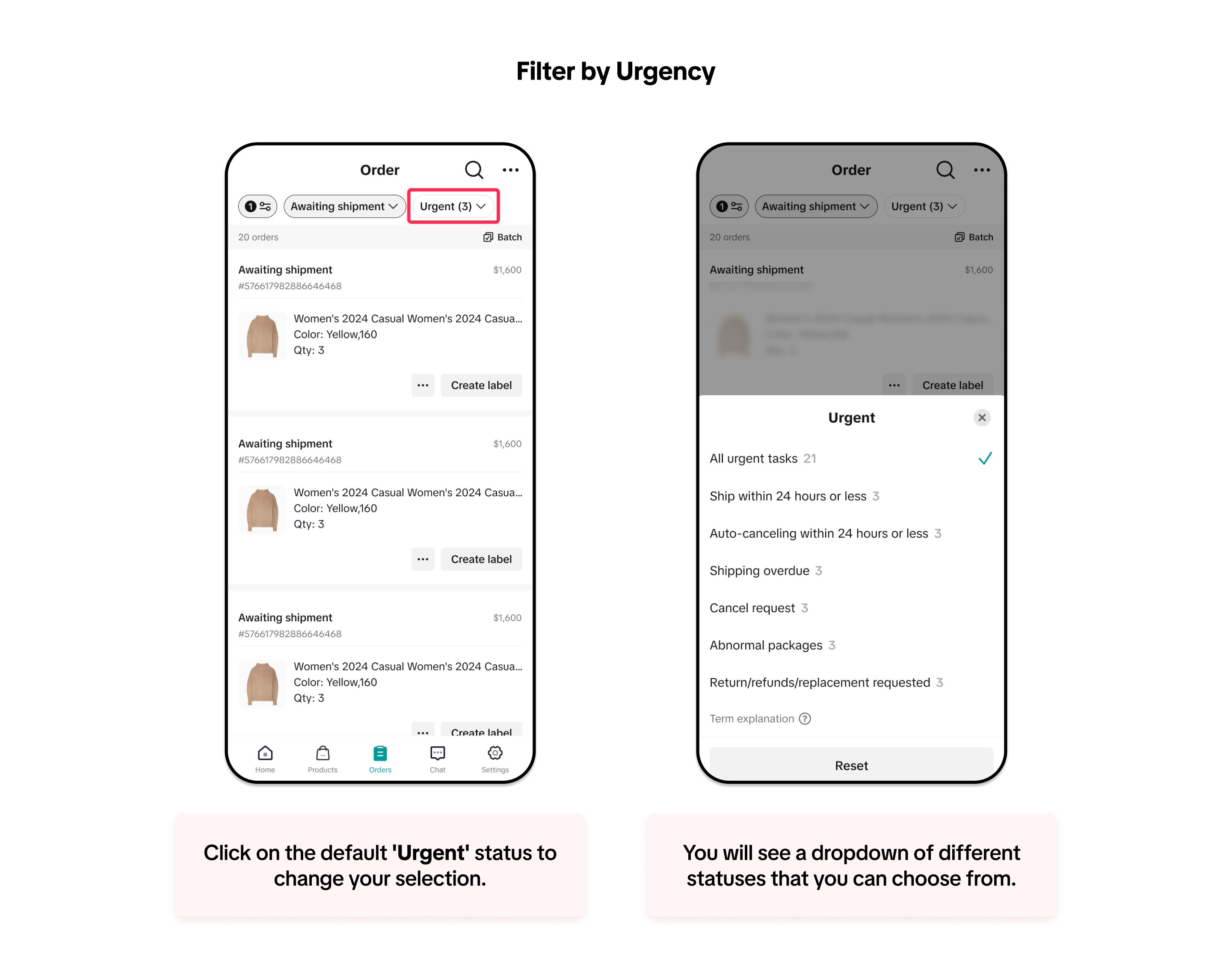
To help you prioritise and manage your orders more efficiently, you can also filter your orders by different types of urgency:- All urgent task
- Ship within 24 hours or less
- Auto-cancelling within 24 hours or less
- Shipping overdue
- Cancellation requested
- Abnormal packages
- Return/refund requested
To learn more about the definition of each status, you can refer to our Managing Orders article.
Sorting Your Orders
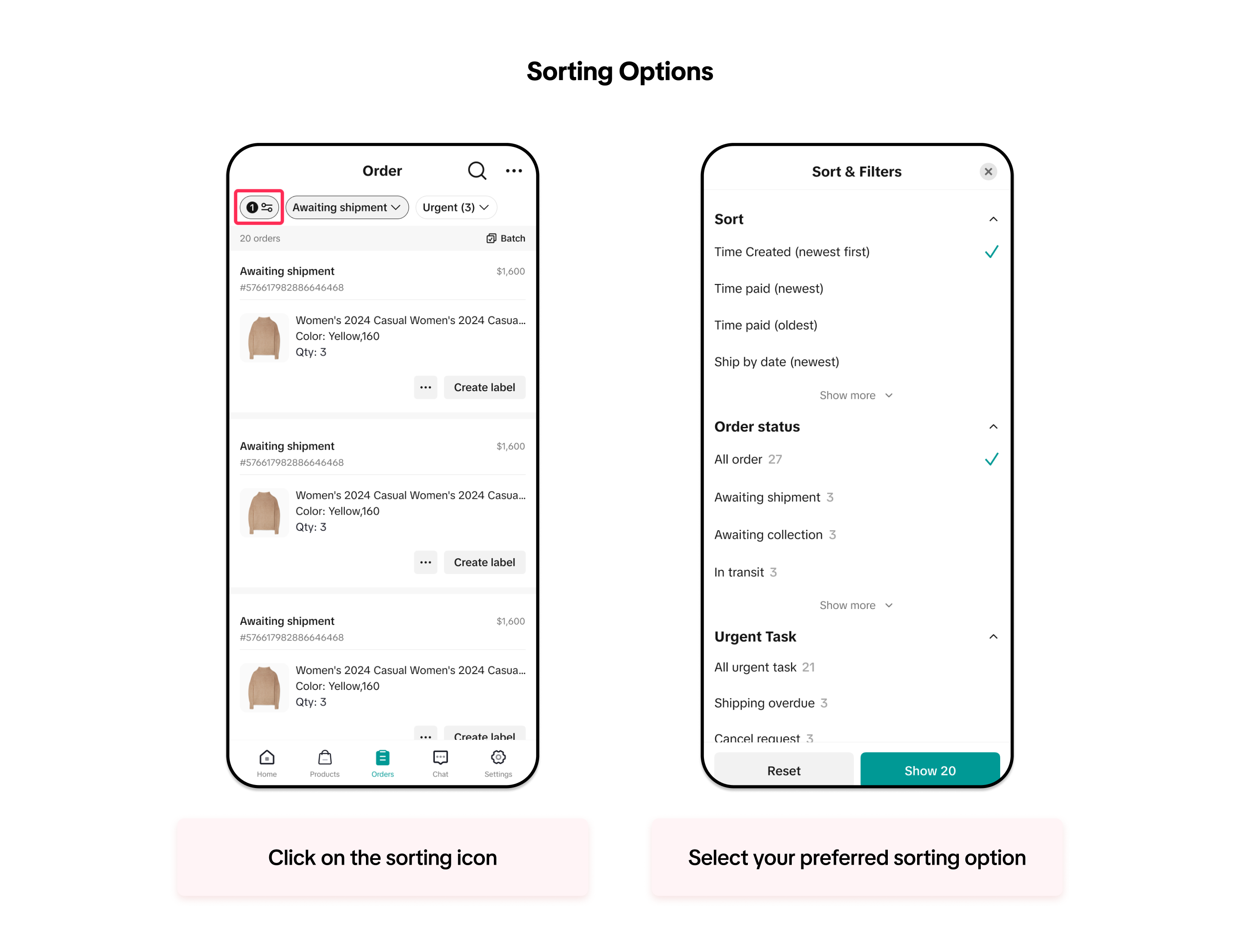
You can also sort your orders to view them in your preferred order. This sorting option is consistent with Seller Center on a PC.- Ship by date (oldest first)
- Ship by date (newest first)
- Time paid (oldest)
- Time paid (newest)
- Time create - (oldest first)
- Time create - (newest first)
- Total price (lowest first)
- Total price (highest first)

Searching for Your Orders
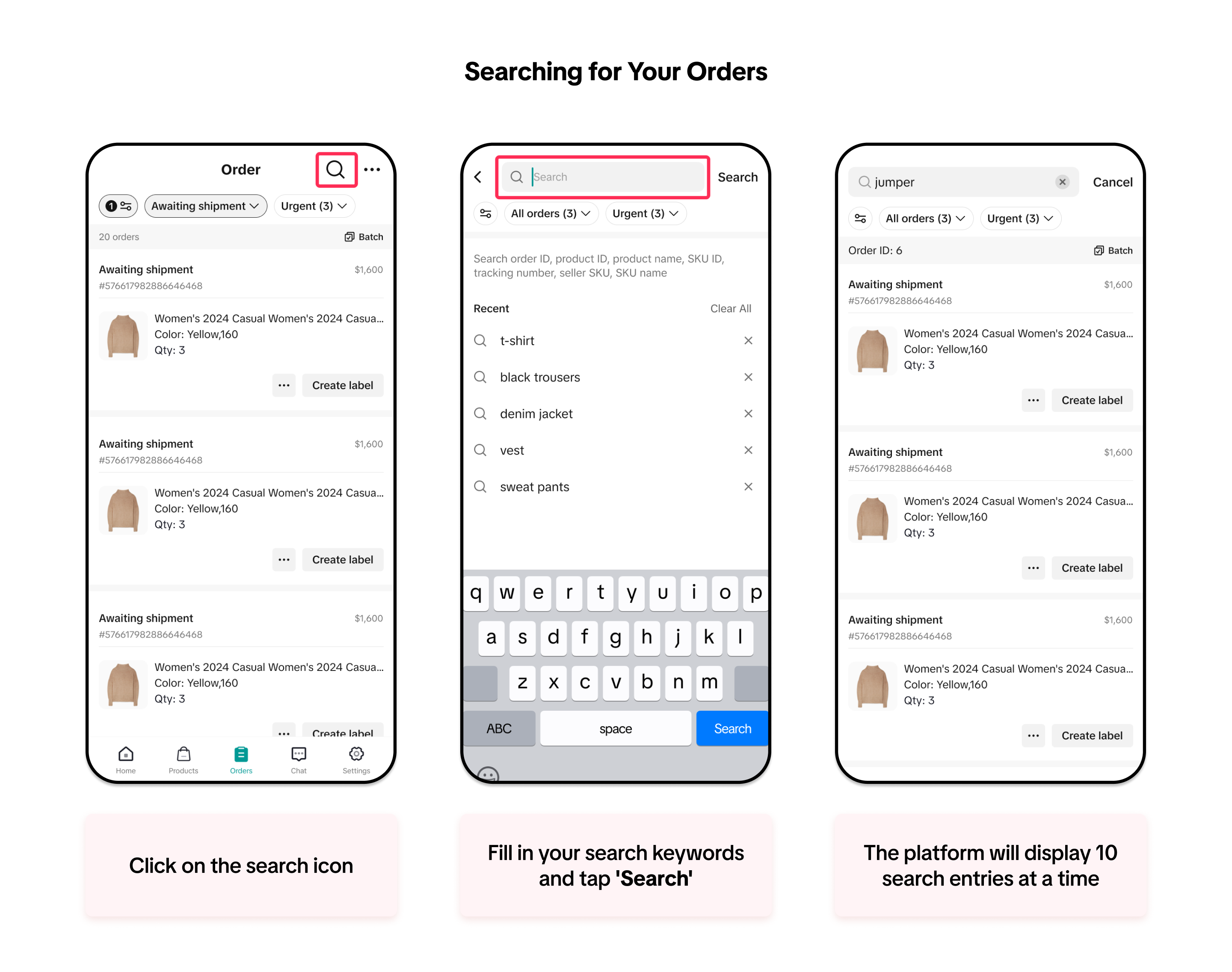
The search function on the Seller Center app has been improved to provide a streamlined experience in your daily operations.Now, you can search for various details, including order ID, product ID, product name, SKU ID, tracking number, Seller SKU, and SKU name, all within a single search bar. The platform will display a maximum of 10 search entries at a time.
You can also view your recent searches within the search bar and tap on recent searches to quickly see the results.

Understanding Your Orders
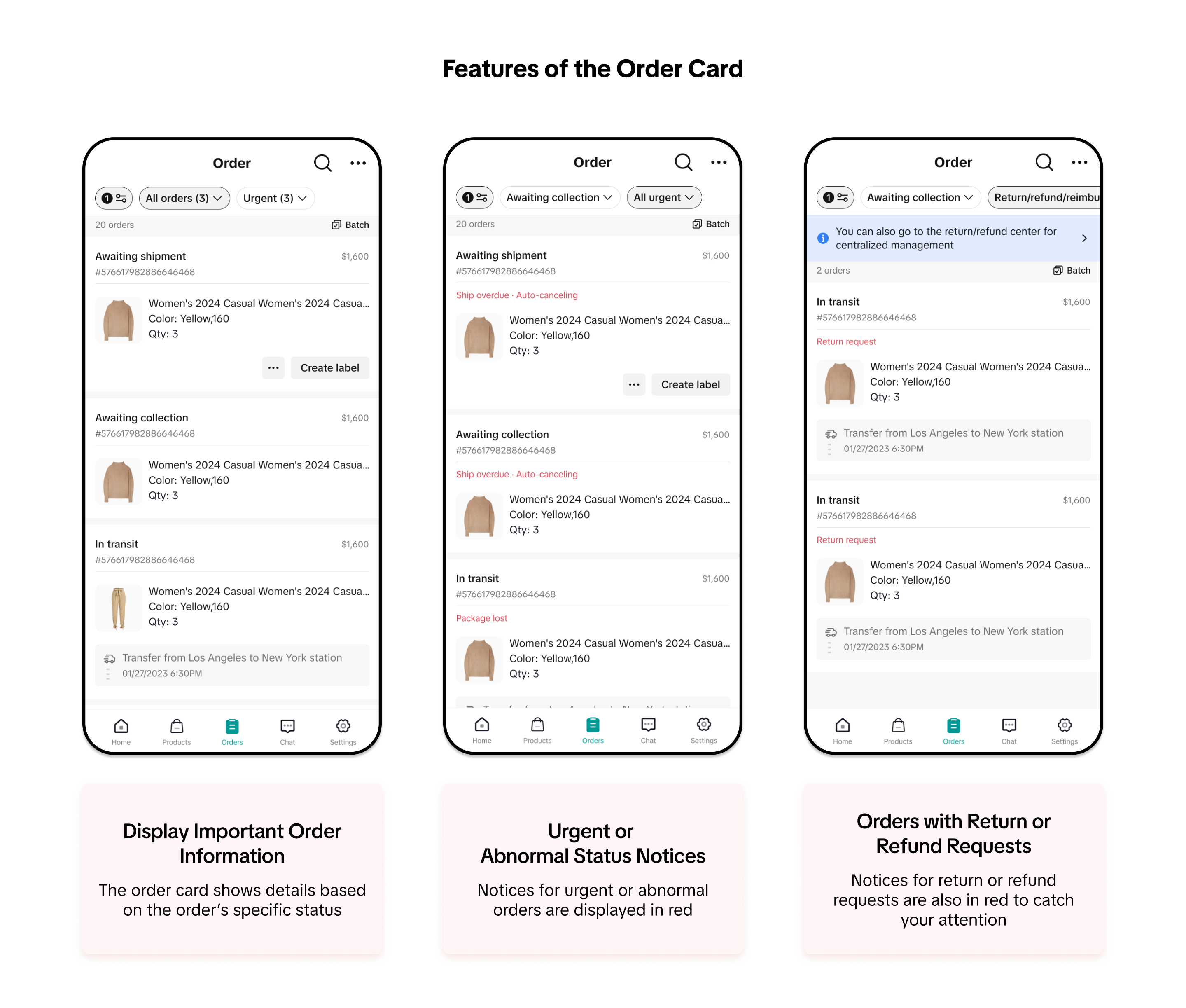
On the Orders page in the Seller Center app, we have optimised the design of the order card and order detail page to provide you with comprehensive and important information, helping you manage and process your orders quickly.Order Card
The order card displays crucial details such as order status, specific status details, order ID, price, and order information.For orders with urgent status or return/refund requests, you will see notices and reminders from the platform to ensure you don't miss any important actions.
Order Detail Page
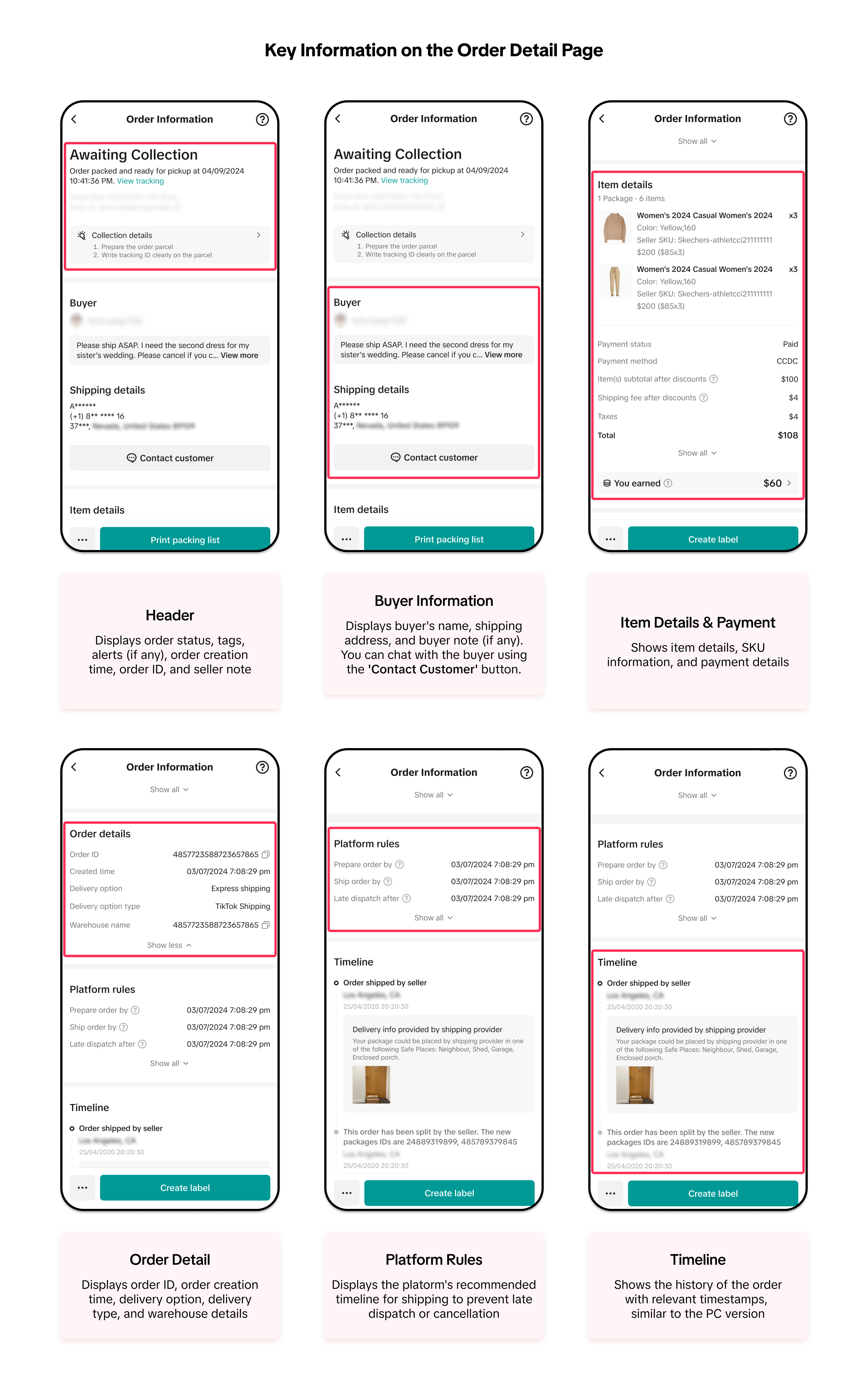
The order detail page has been redesigned to provide detailed information and recommended actions to help you process your orders on time.Here is the key information on the order detail page:
Có thể bạn cũng quan tâm về
- 1 lesson
Shipping Orders done right! (Infographic)
Create a smooth delivery process for enhanced customer satisfaction.

Batch Check Tool
In this article, we will introduce you to the Batch Check tool on the Seller Center app. This tool i…
Pre-Orders
How do I qualify for the right to mark my products as "pre-order" products? If this is the first sho…
Order Fulfilment - Overview
Effective and efficient order fulfilment is key to satisfying and retaining customers. Here are the…

What if my package gets lost, damaged, or scrapped?
Overview Scenarios If your package was lost or damaged, you can raise a ticket with the order ID and…
Combining Orders into a Single Package
This article provides a simple guideline on combining multiple orders into a single package, giving…

Appeal Guidelines for IPR Penalties
Appealing Intellectual Property Rights (IPR) Violations At TikTok Shop, we work hard to create a se…

What do I do if the buyer didn't receive the order but the s…
If an order is marked as delivered but the buyer never received the order, your course of action dep…

TikTok Shop Packaging Guidelines
Packaging-related Responsibilities: In order to reduce the risk of damage or leakage during transpor…
Managing Return and Refund Requests
This article walks you through the basics of the returns and refunds process, equipping you with the…