

Auto-Posting Teaser
12/09/2025
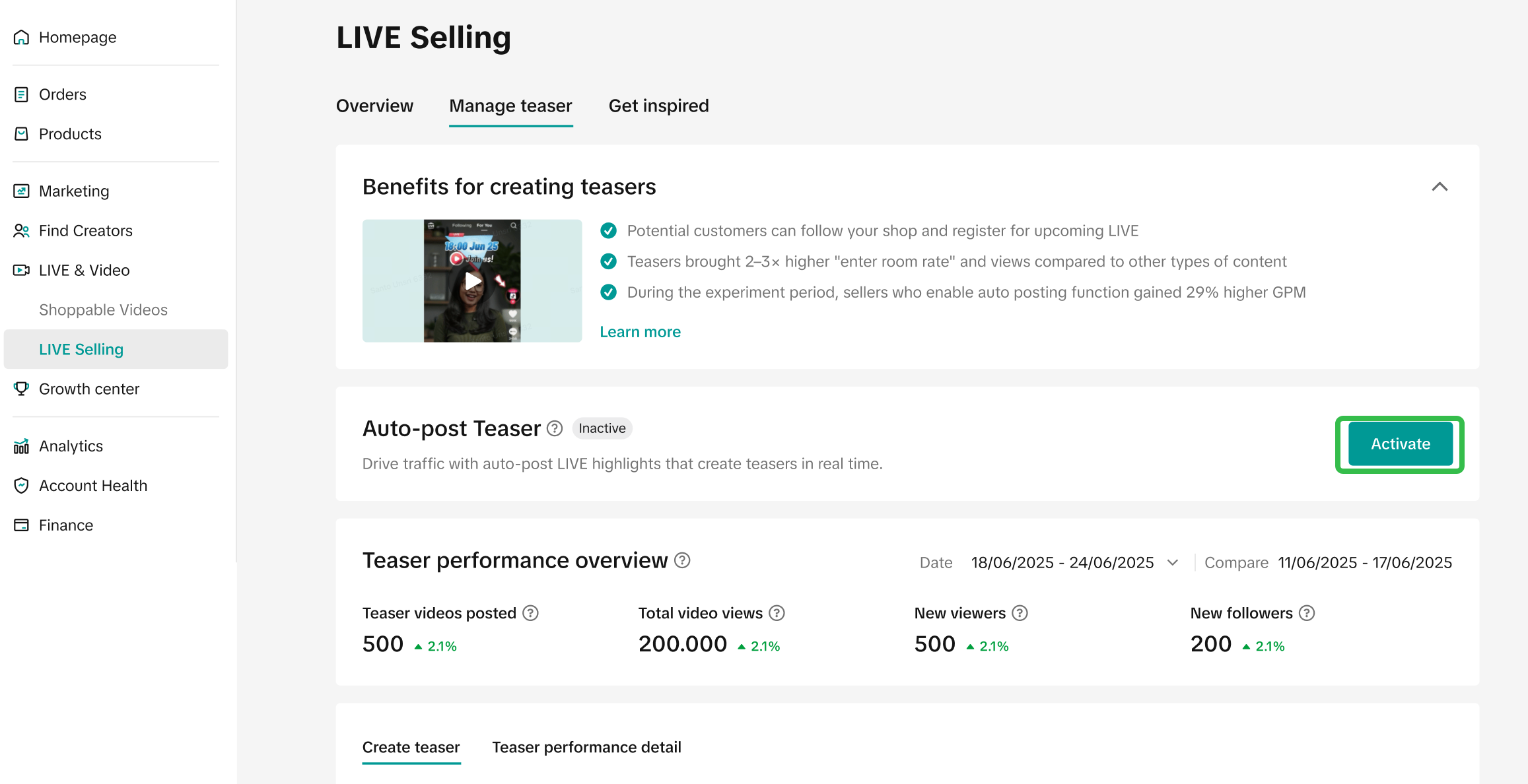
This article gives you a brief overview of what an Auto-Post Teaser feature is and how it can benefit in your next e-Commerce LIVE session. Sellers can find this feature at LIVE Selling page on TikTok Shop Seller Center PC version.

Teaser is proven to drive LIVE room traffic with a higher quality audience than other forms of pre-LIVE content.
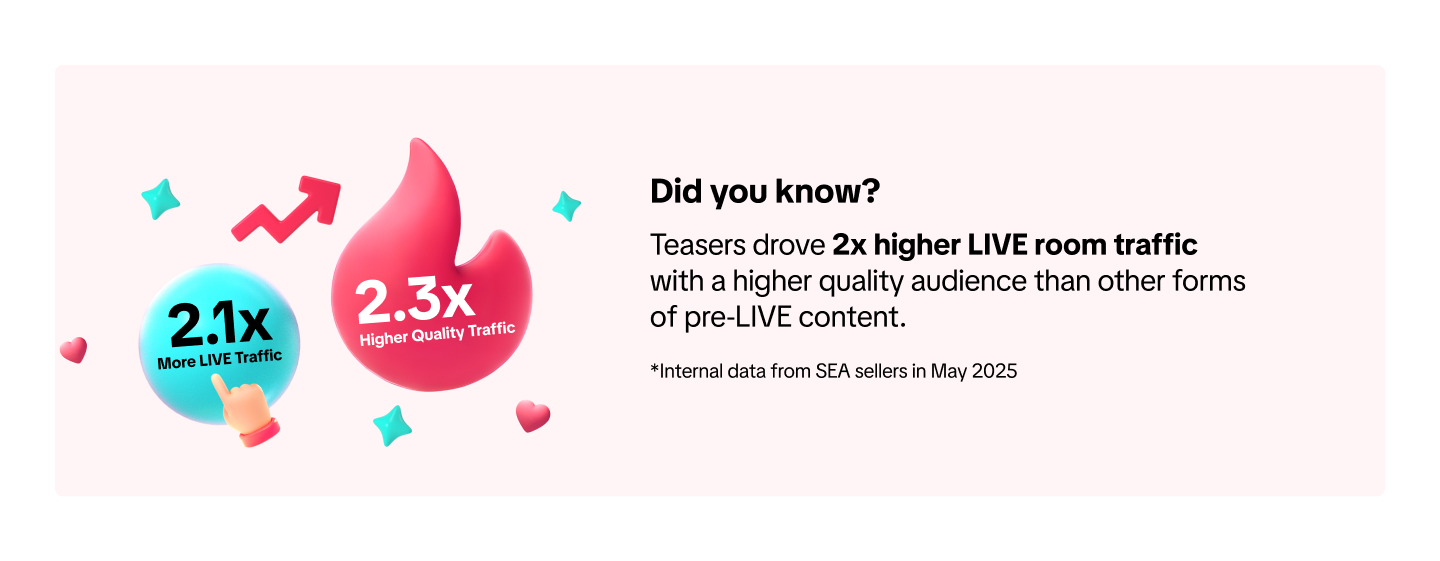 Auto-Post Teaser feature acts as your personal marketing team that works for you, anytime when you're LIVE. It’s designed to solve one big problem, "getting your products in front of people who are already scrolling through TikTok and are ready to buy."
This feature is available to all sellers who linked Official TikTok Account to Seller Center.
In short, enabling the Auto-Post Teaser function is the simplest and most effective way to turn any potential customer into a LIVE viewer, so you can focus on making more sales. However, toggling on LIVE Teaser Auto-Post does not guarantee a fixed number of teasers that will be automatically posted, as it depends on several factors such as your LIVE traffic, GMV, LIVE room engagement and more.
*AI-generated replay clips from your previous LIVE sessions are automatically selected by the platform based on relevancy. You can disable this feature at any time.


What is Auto-Post Teaser?
As a shop owner, you're always looking for new ways to get more people into your LIVE room and turn them into paying customers. We understand that it's a lot of work to be LIVE, engage your audience, and try to promote your LIVE at the same time.Teaser is proven to drive LIVE room traffic with a higher quality audience than other forms of pre-LIVE content.
This feature is available to all sellers who linked Official TikTok Account to Seller Center.
Why You Should Enable Auto-Post Teaser?
- Teaser Fills Your LIVE Room Automatically
- Teaser Attracts a Higher Quality Audience
- This Feature Keeps Your TikTok Profile Clean
In short, enabling the Auto-Post Teaser function is the simplest and most effective way to turn any potential customer into a LIVE viewer, so you can focus on making more sales. However, toggling on LIVE Teaser Auto-Post does not guarantee a fixed number of teasers that will be automatically posted, as it depends on several factors such as your LIVE traffic, GMV, LIVE room engagement and more.
*AI-generated replay clips from your previous LIVE sessions are automatically selected by the platform based on relevancy. You can disable this feature at any time.
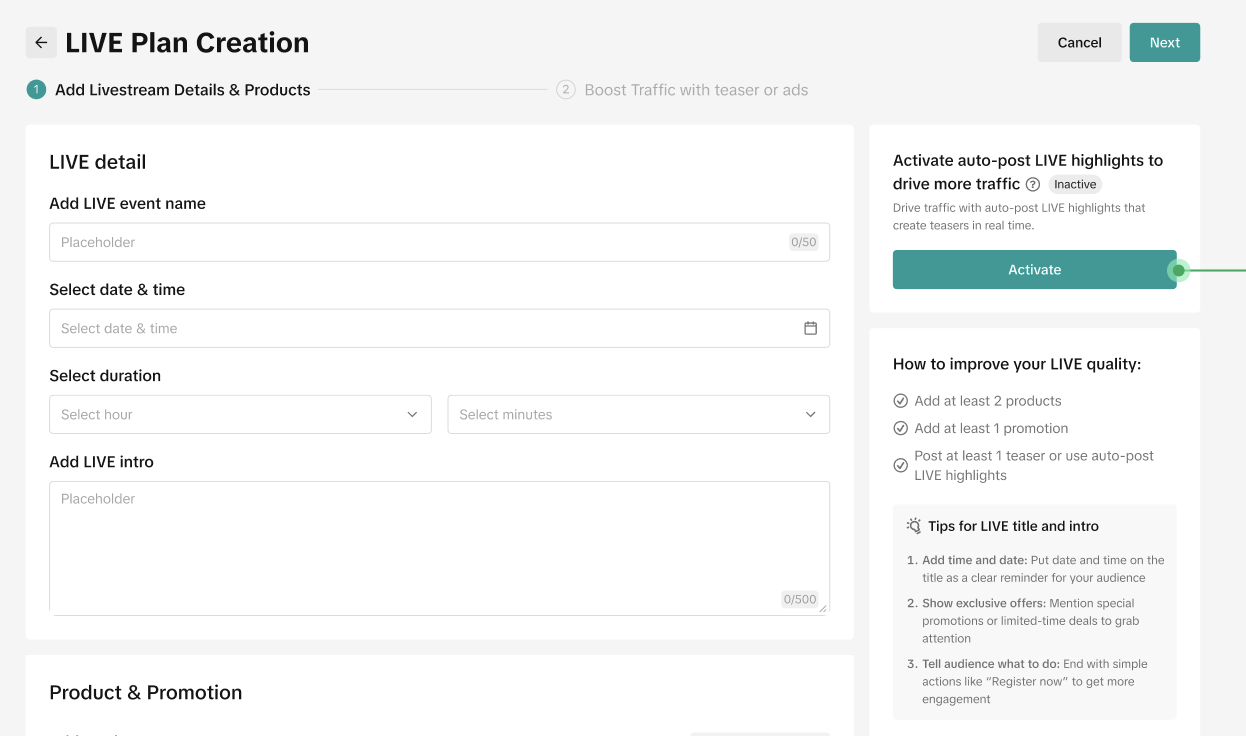
Feature Entrance on PC
| Entrance | Auto-Post Setting | Instruction |
Auto-Post Teaser is among the top recommended actions.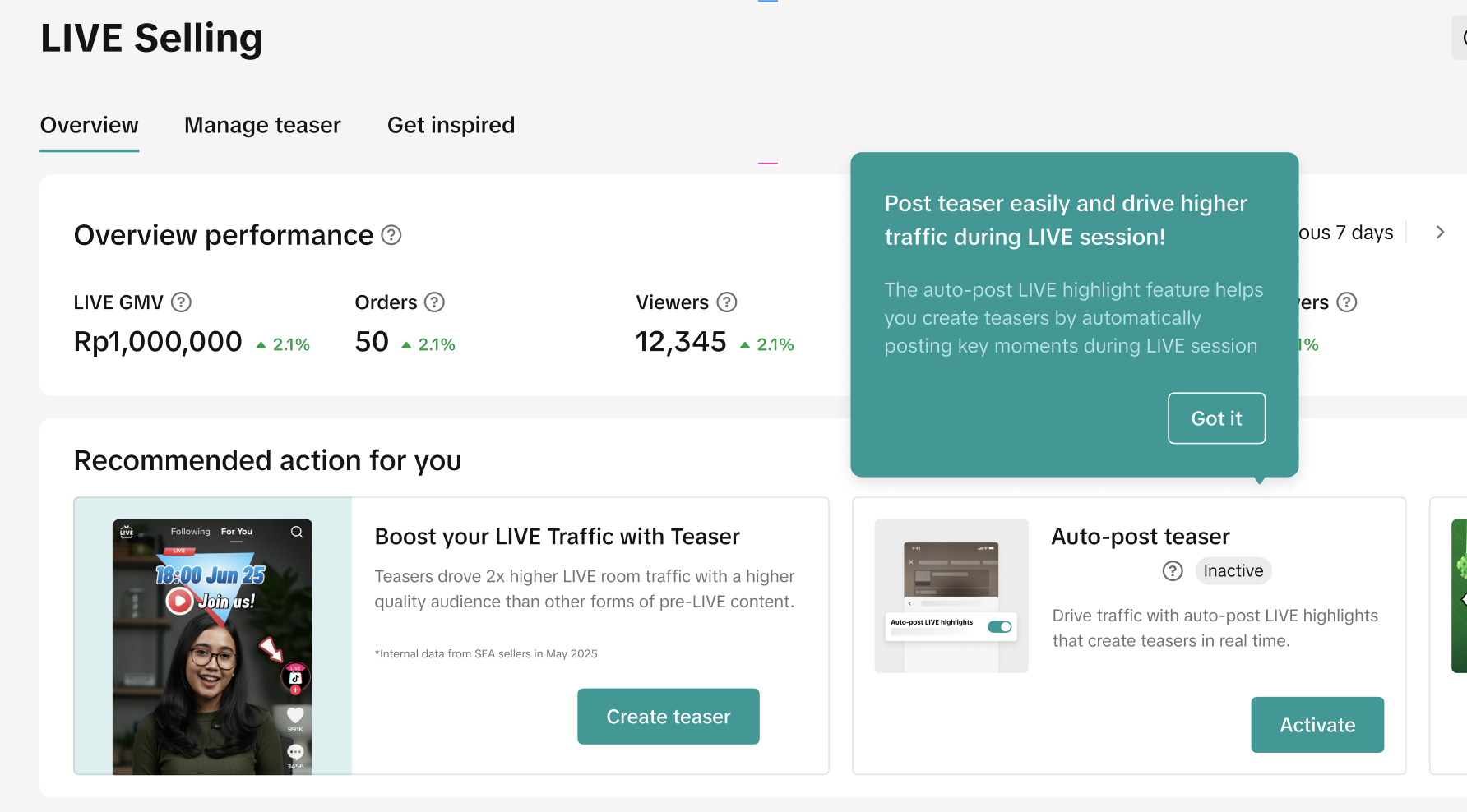 | 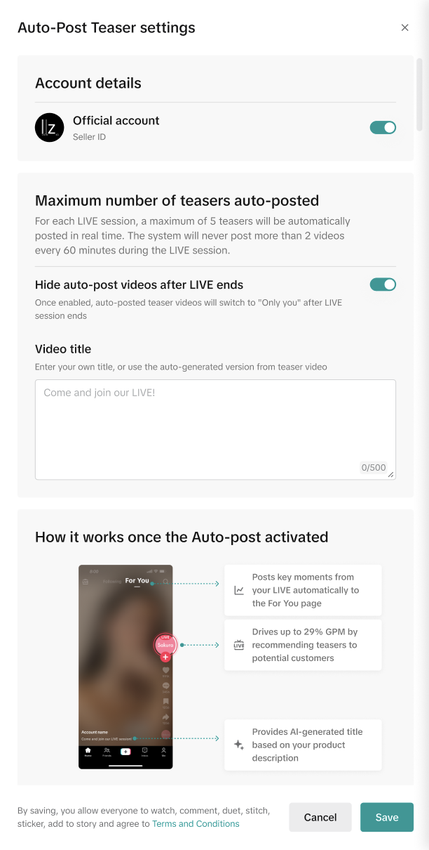 | After clicking "Activate", follow these quick steps to get your teaser running.
|
|
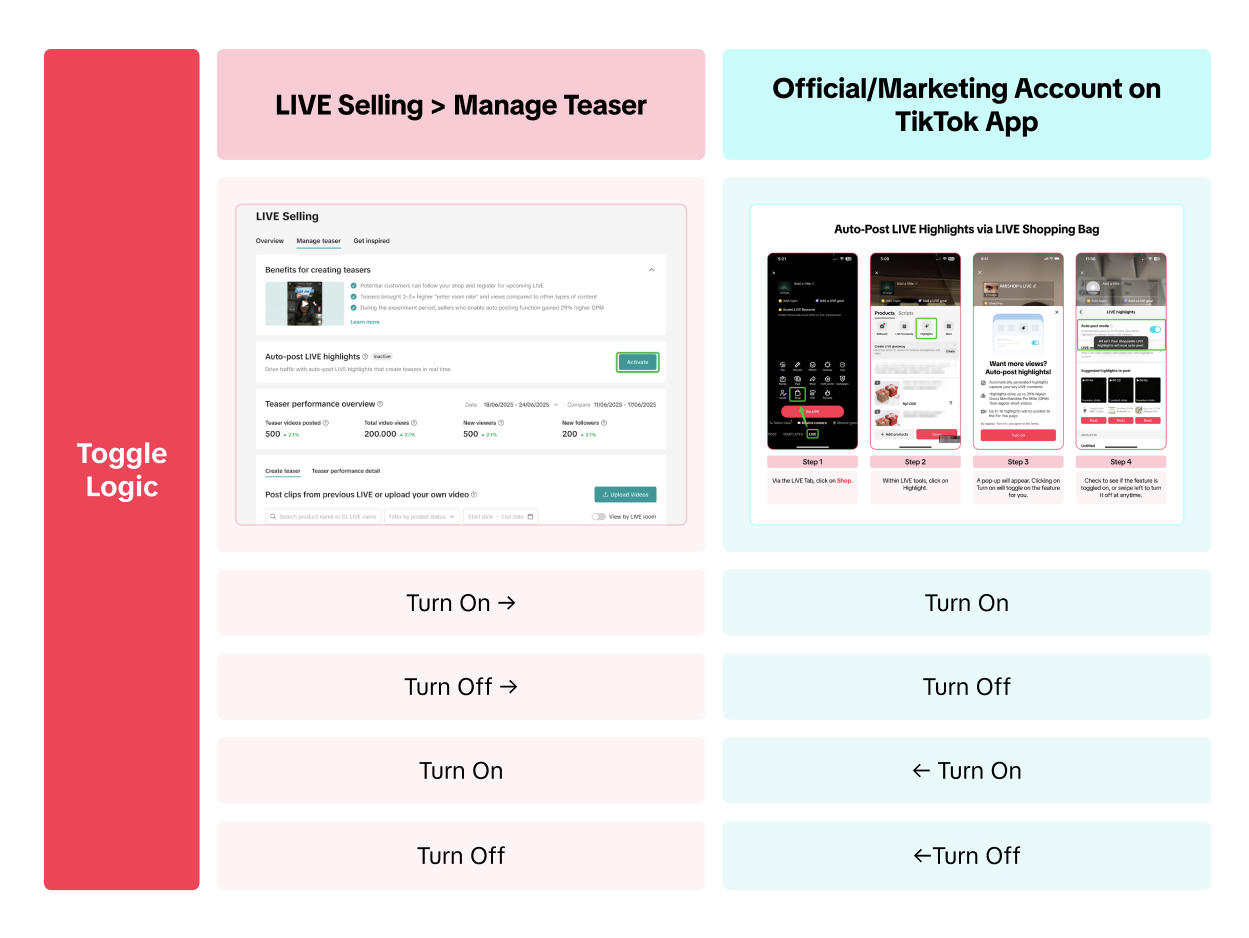
Toggle Logic between Seller Center PC and TikTok App
Auto-Post Teaser relates to the Auto-Post LIVE Highlight on TikTok App. The infographic below explains how they impact each other.Drive More Viewers to Your LIVE for Free
Actually, LIVE Highlights or Teaser are platform tools that can help you create short videos by repurposing best-performing moments from your LIVE room. Learn more about how each feature works here
Sellers can access this feature via both Seller Center and TikTok App: - On Seller Center PC: This feature is known as Teaser and is available to sellers with Official Accounts.
- On TikTok App: This feature is known as LIVE Highlights and is available to sellers and affiliate creators. Learn more about auto-post LIVE Highlight here.

FAQ
- Who are the eligible users for this feature?
- How does the platform decide which recommended video to be prioritised for auto-posting?
- Can I delete the posted teasers later?
- How long does the toggle on and off take to be effective?
- I enable auto-post teasers and go LIVE everyday, but I don't have any teasers automatically posted, what is the reason?
- Once the auto-post feature is enabled, please make sure to go LIVE with your Official TikTok account in order to get the auto-posted teasers.