This article gives you a brief overview of what
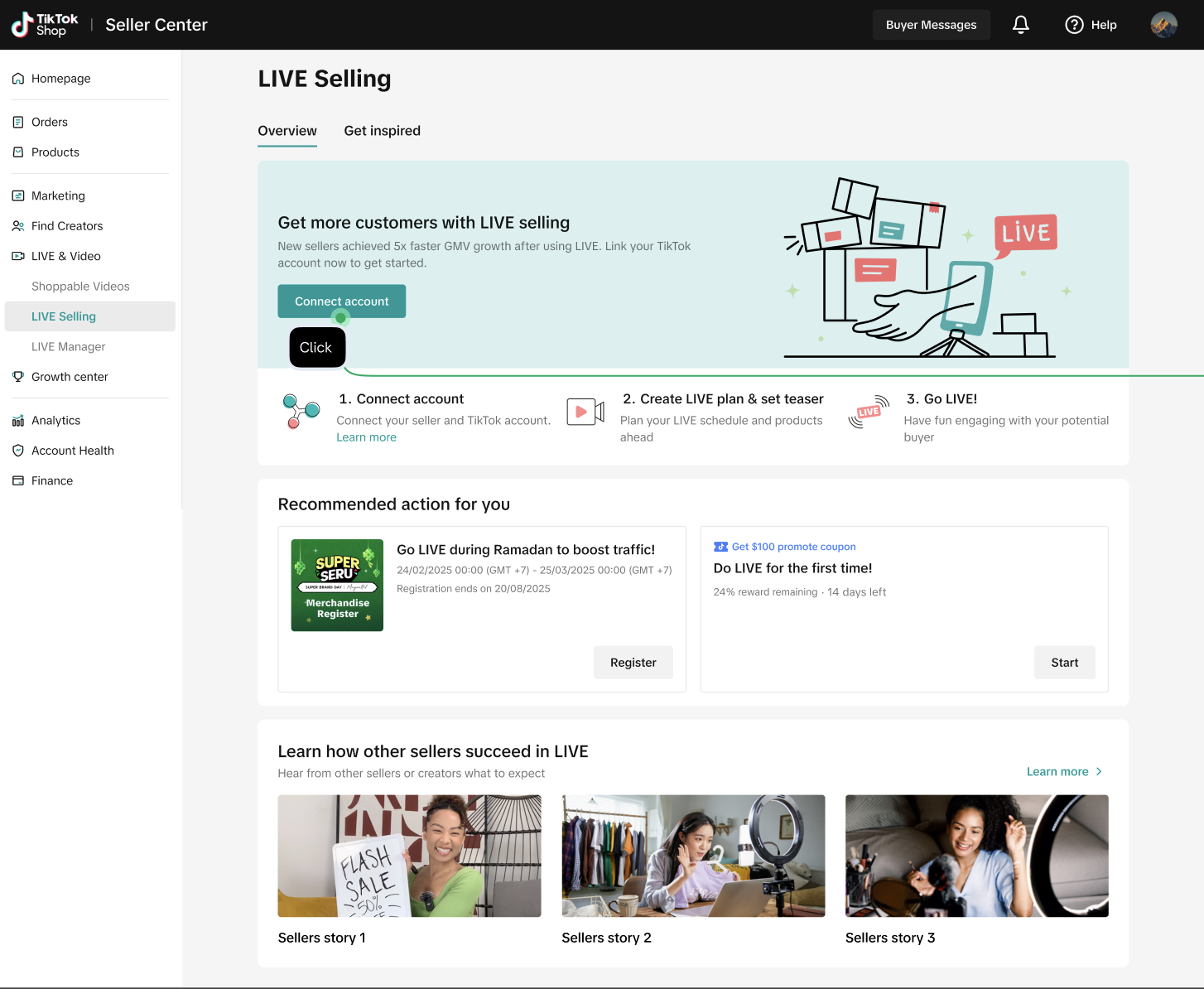
LIVE Selling feature is and how you can better prepare for your next e-Commerce LIVE session. Sellers can find this feature on TikTok Shop Seller Center PC version.
What is LIVE Selling?
TikTok Shop
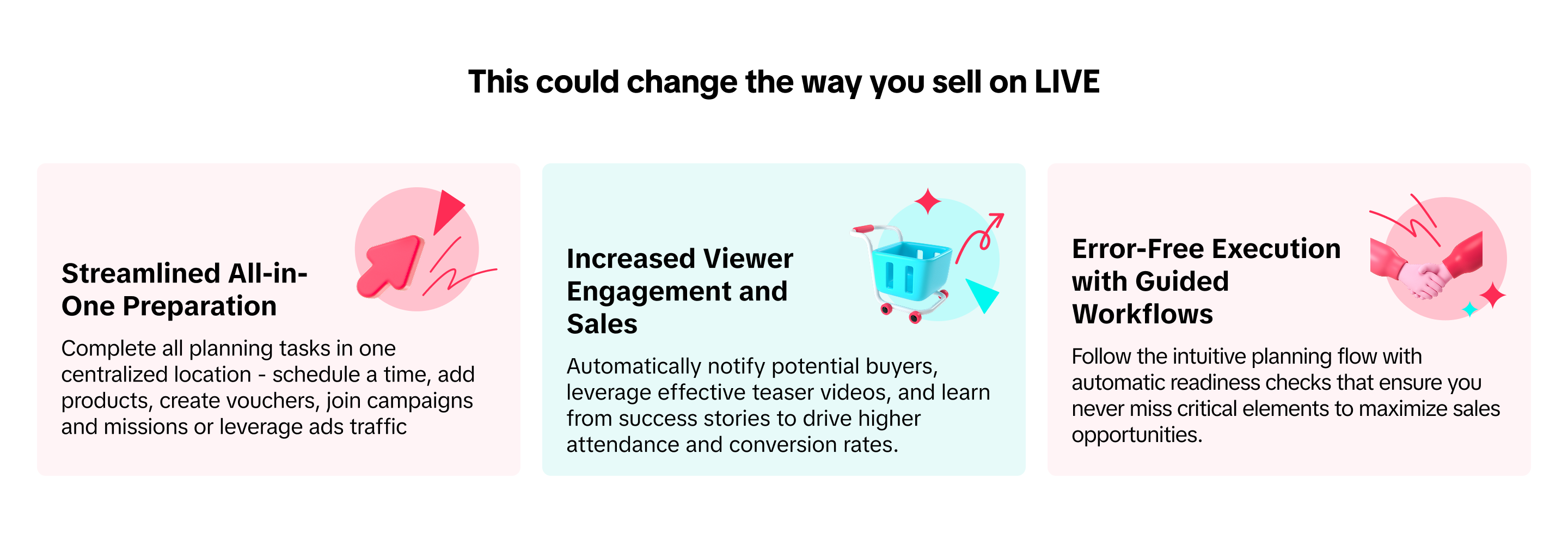
LIVE Selling offers a comprehensive solution to prepare, promote, and optimize your livestream commerce journey. This all-in-one feature streamlines the entire planning process while guiding you through a proven workflow designed to maximize buyer engagement and sales opportunities.
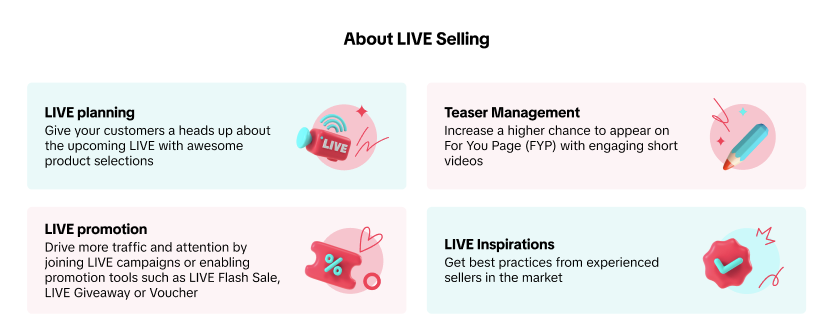
LIVE Selling is now remarkably accessible with our guided approach to E-Commerce LIVE excellence:- Strategically plan LIVE sessions through TikTok Shop LIVE Plan, allowing potential customers to discover and schedule attendance in advance
- Boost Enter-Room-Rate (ERR) with captivating teaser videos showcasing previous high-engagement moments from your previous livestreams. Teaser Management allows sellers to turn their best moment into viewer magnets while keeping production costs low.
- Maximize visibility by leveraging multiple growth levers—complete Missions & Rewards, deploy LIVE promotion tools, participate in platform campaigns, or launch targeted ad campaigns
- Accelerate your learning curve by studying market-proven strategies from top-performing sellers in your category
Once planning is complete, the system automatically notifies potential buyers about your upcoming session. Sellers can also leverage valuable insights from previous LIVE performance recaps to continuously refine their approach. Transform your E-Commerce LIVE selling approach today with powerful livestream tools designed for measurable results.
Overall Experience
Visit
Seller Center > LIVE&Video > LIVE Selling Please note that all screenshots provided in this guide are for illustrative purposes from mock-up data only.
First-Time LIVE Sellers
Link an Official Account to your shop
Linking your Official Account to your shop improves your shop's
discoverability through TikTok shopping experience; browsing, searching, while ensuring the shop remains accessible at every stage of the LIVE shopping experience, maximizing both visibility and conversion opportunities.
Learn about Seller LIVE Success Stories
As a new TikTok Shop seller, you're facing a crowded marketplace where mistakes cost frustration. The most successful TikTok Shop entrepreneurs studied what worked, adapted those strategies to their products, and executed consistently in their own way.
LIVE Selling Full Experience
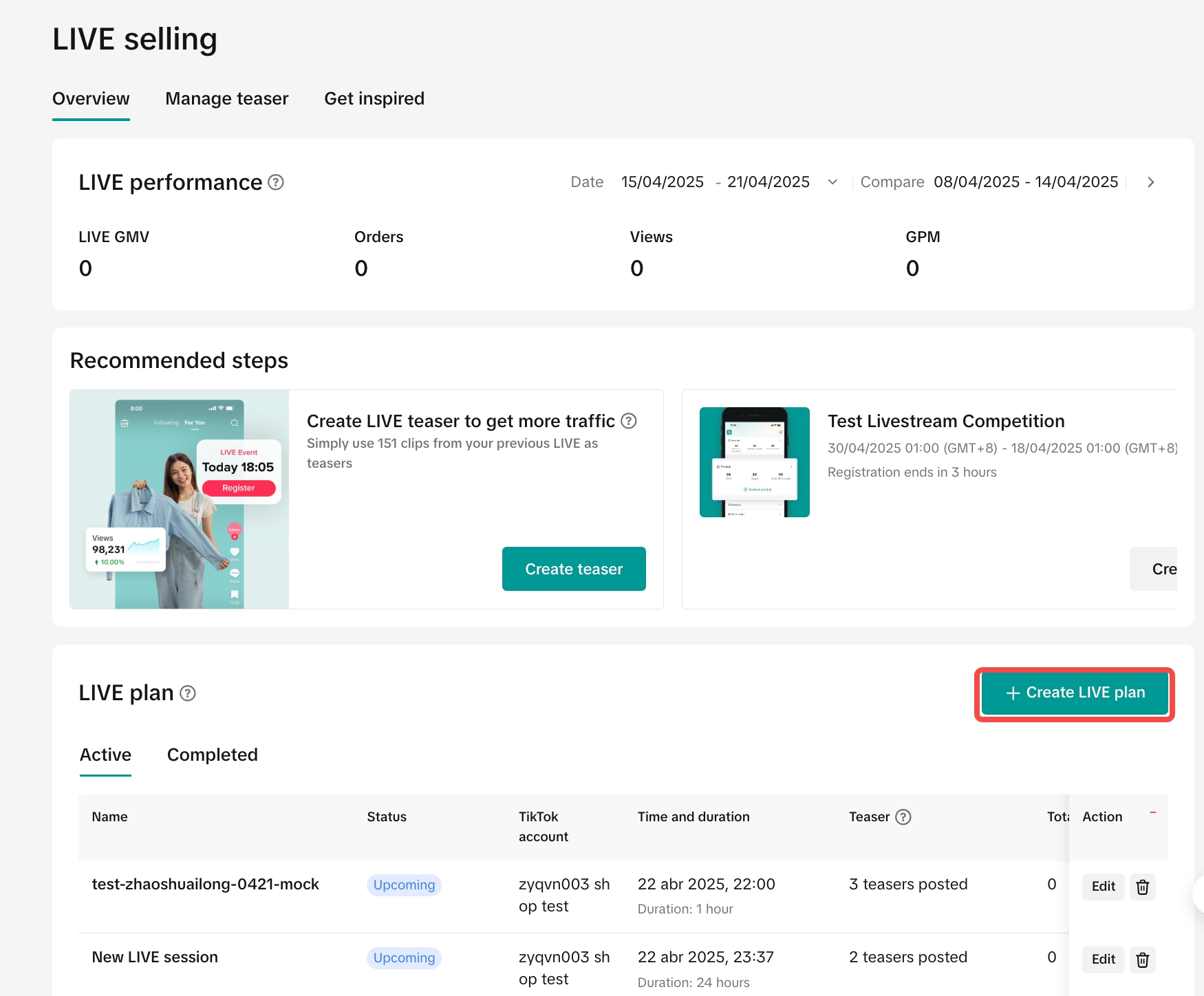
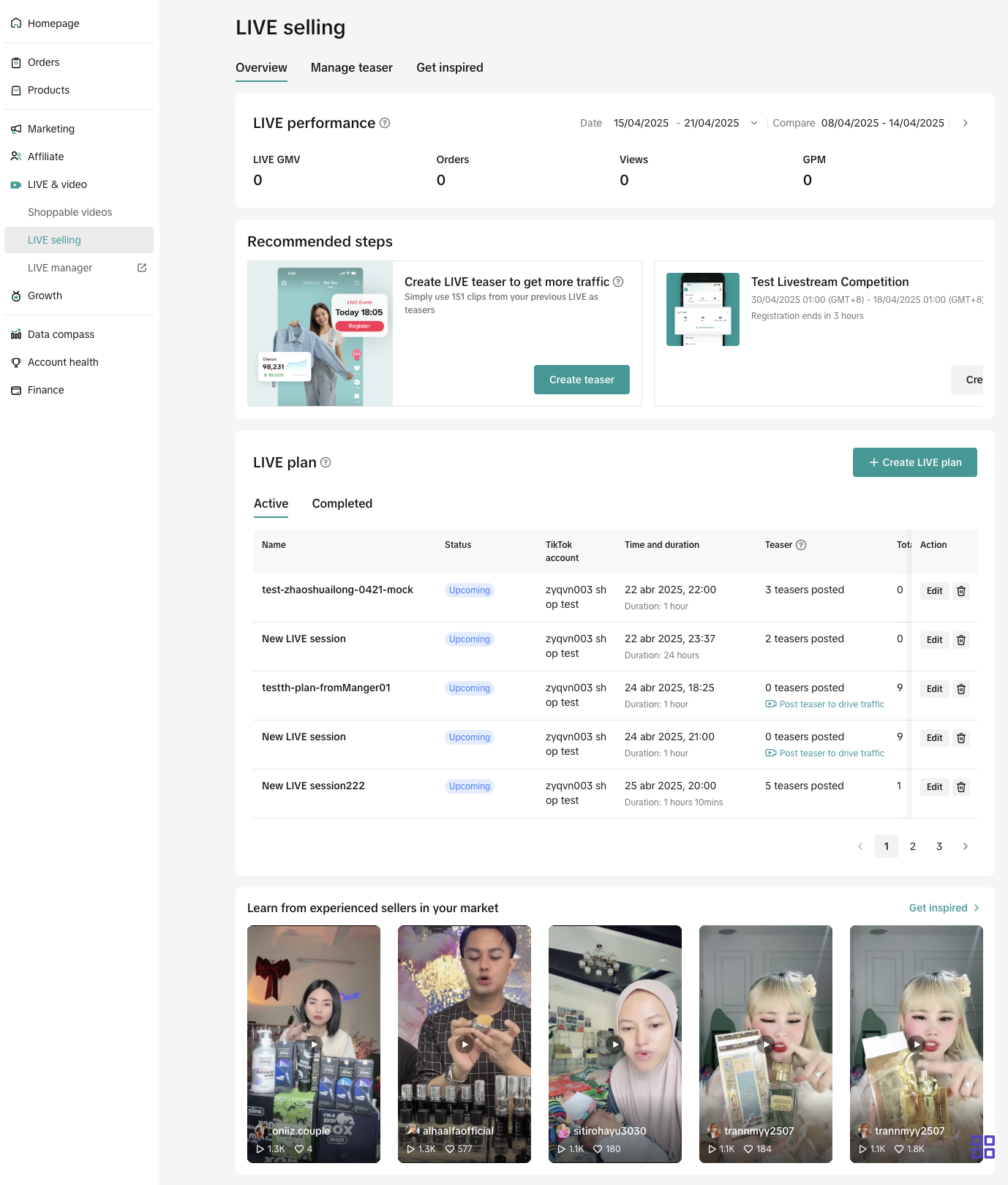
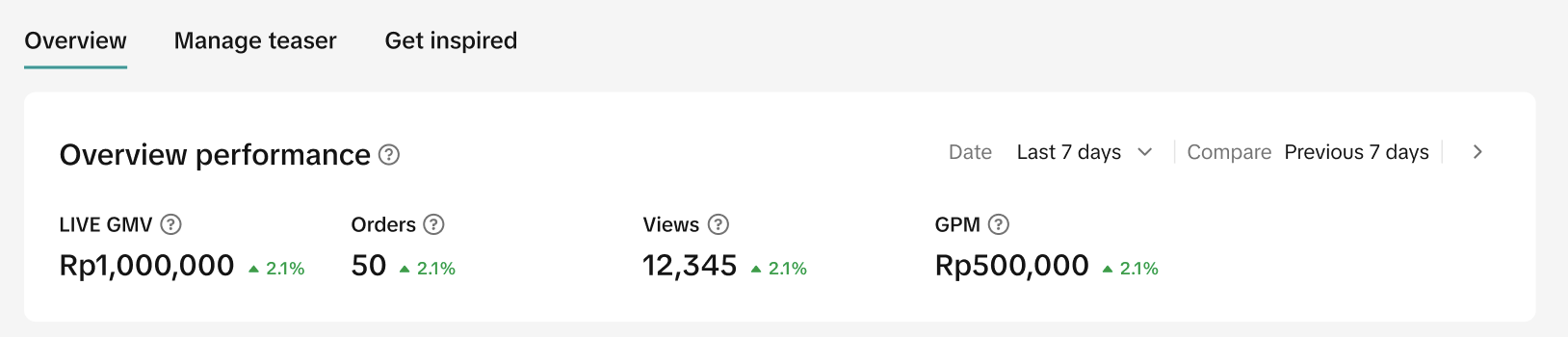
Topline performance from your previous LIVE session for you to pivot in the upcoming sessions. At the top of the page, the Overview Performance section displays a LIVE performance recap during the time selected; the last 7 days and customized period.
Please note that the comparison capability is only applicable when the last 7 days is selected. 🍄 Please note that the LIVE GMV performance here derives from the payment stage which includes returns, refunds and cancellations. LIVE GMV from Affiliate Creators are not included here.Recommendation Action
This section is dynamically optimized for the best outcomes according to the action you have taken between posting a teaser, registering for a platform campaign and joining Mission&Rewards.
Post a Teaser
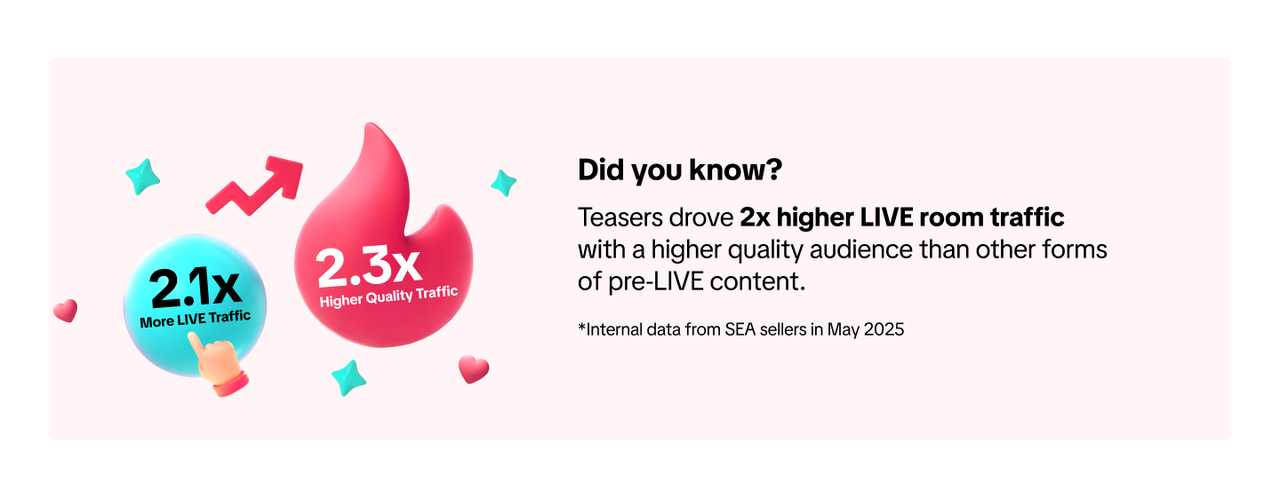
Increase the chance to drive traffic to your upcoming LIVE room with a teaser video as potential buyers can discover your LIVE room via this teaser video.
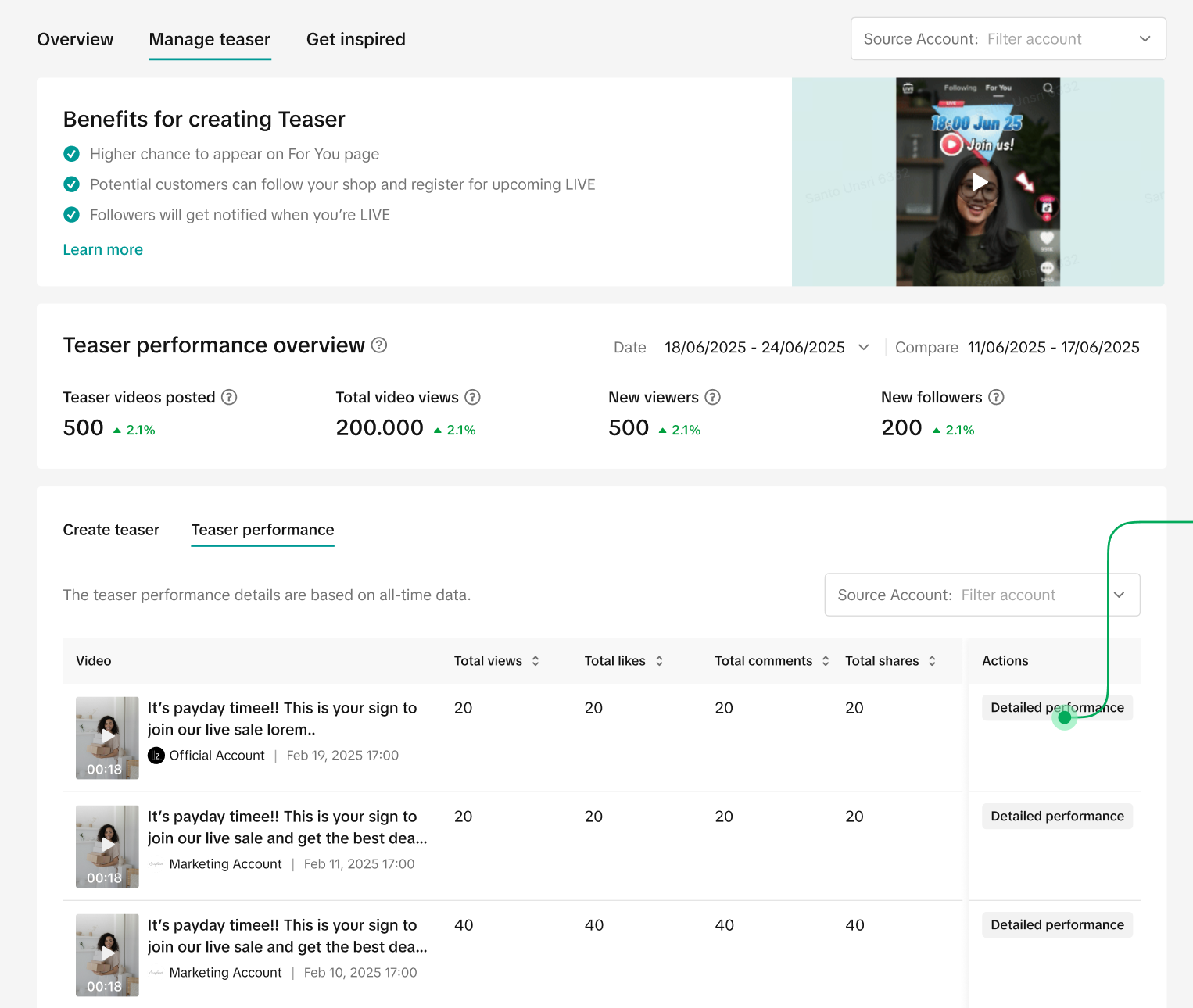
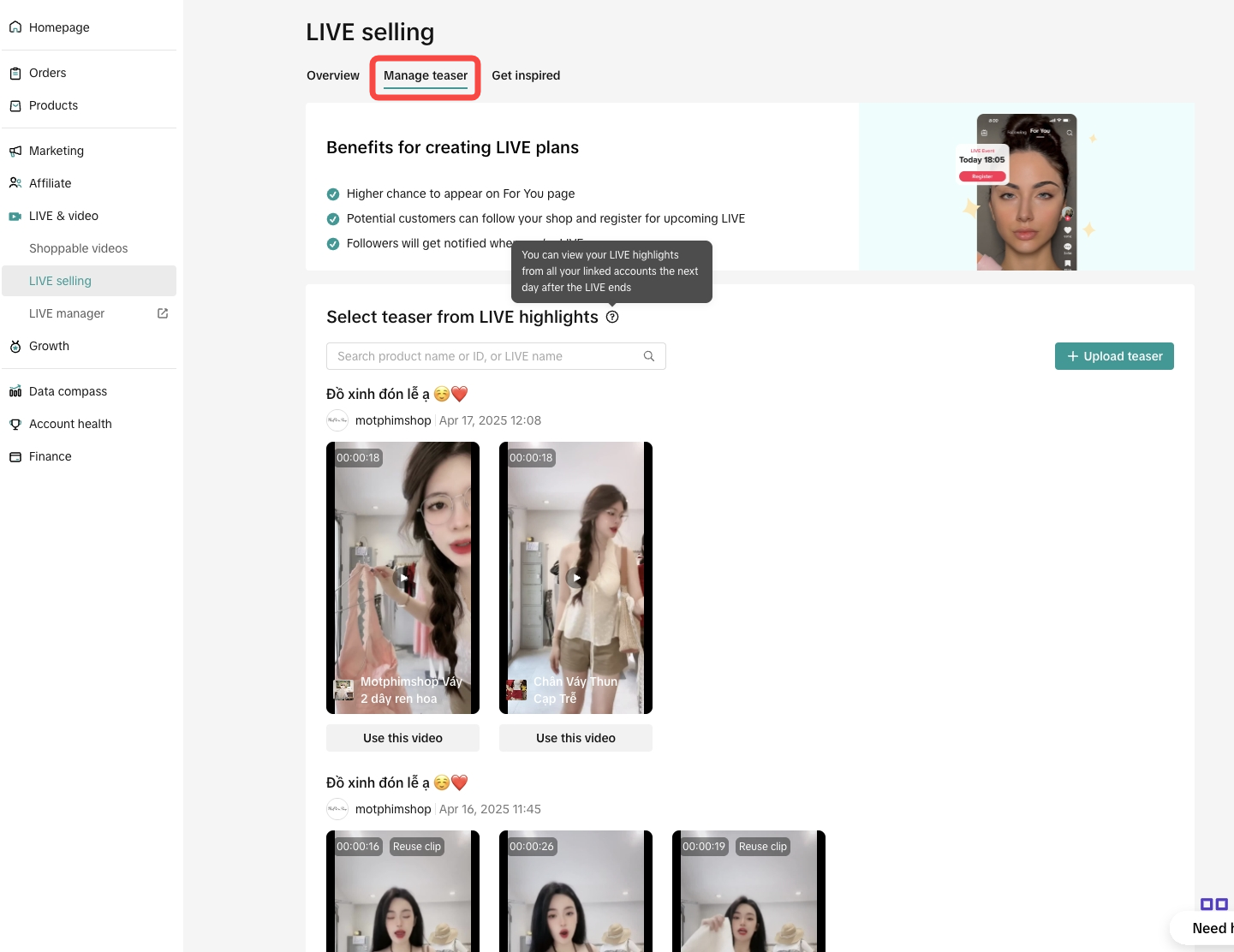
Teaser is a non E-Commerce video generated from the peak moment in your previous LIVE session or an offline video on the
Manage Teaser tab.
Platform LIVE Campaigns are promotional events that help sellers to effectively promote products and shops given higher visibility and attractive subsidies to convert potential buyers right in the LIVE session.
Mission & Rewards
Mission & Rewards is a series of missions to motivate sellers to get familiarized with the platform and get incentives while improving sales. Sellers can find relevant LIVE missions here.
Plan the next LIVE
LIVE Plan is readiness checklist for sellers, especially those who are new to E-Commerce LIVE, as this feature helps with product planning, seller promotion planning in addition to teaser management. By following this plan, sellers can be confident while experiencing LIVE Selling!
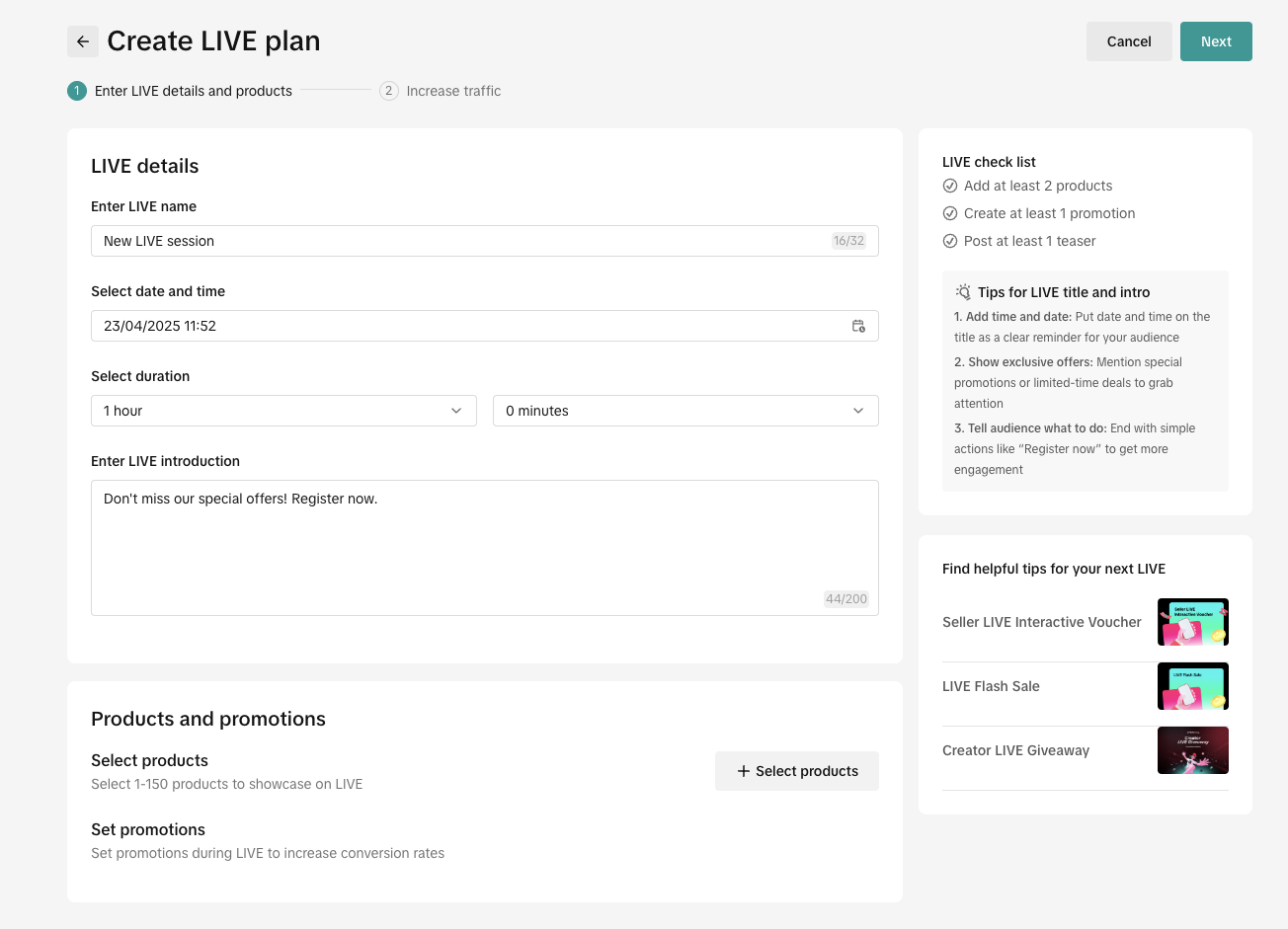
- Click on Create LIVE Plan button on Overview page and fill in the LIVE details
- Fill in the information regarding LIVE session schedule
- LIVE session title
- Date, time and LIVE duration
- LIVE description
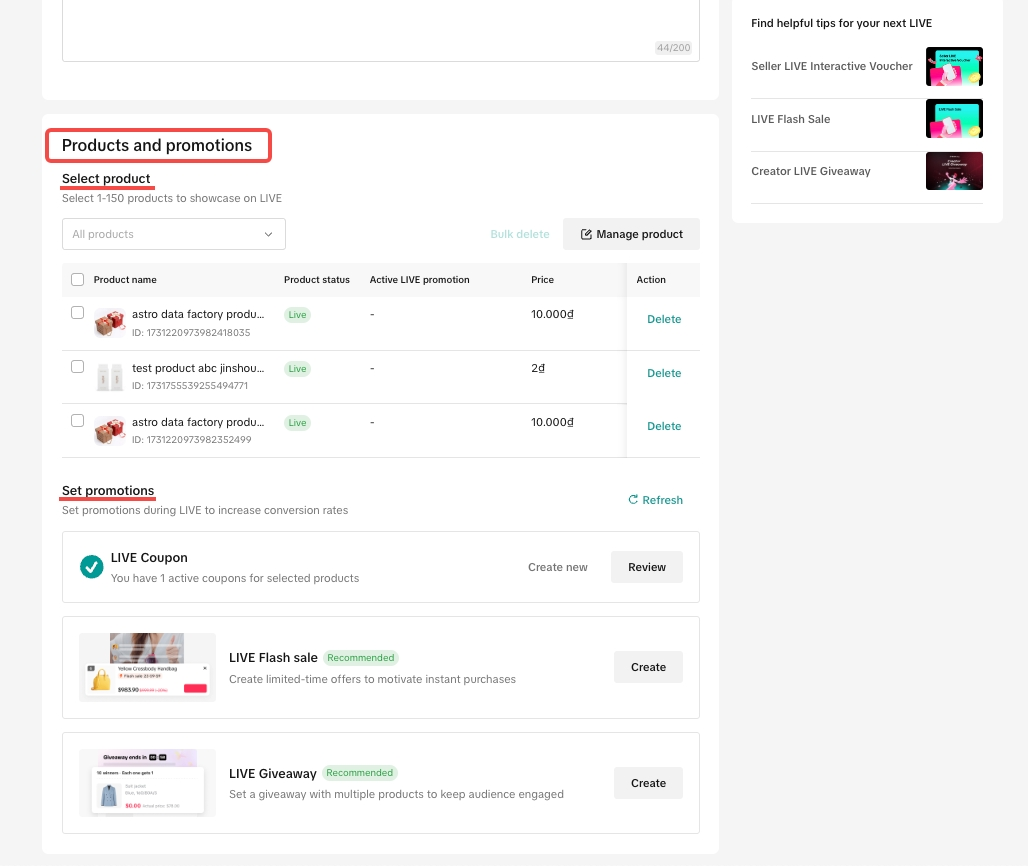
🍄Pro Tip🍄For the best shopping experience, the minimum duration of a LIVE session should be more than 60 minutes during the day outside of rush hours. Sellers may also avoid crashing with direct competitors.- Add 1-150 products right on LIVE plan creation page.
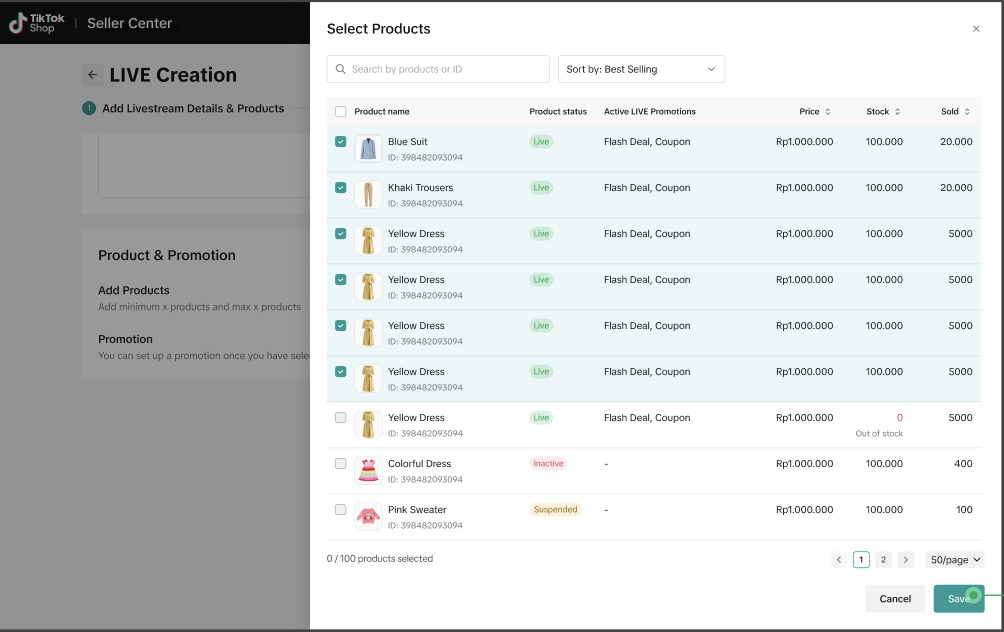
- Products listed here are consistent with Manage Product page, so the stock and status are consistent.
- Existing Promotion Tools bound with selected products will be visible there too
- Sellers can read more about seller LIVE promotion tools, LIVE dashboard, LIVE event, etc on the right panel
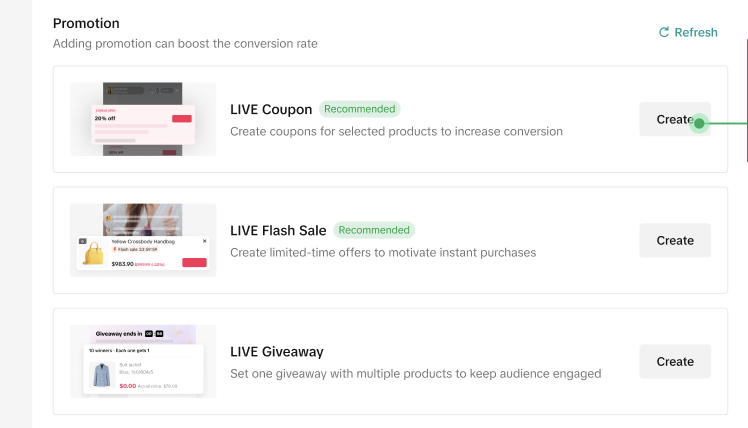
- In case that none of the selected products is bound with Seller Promotion Tools.
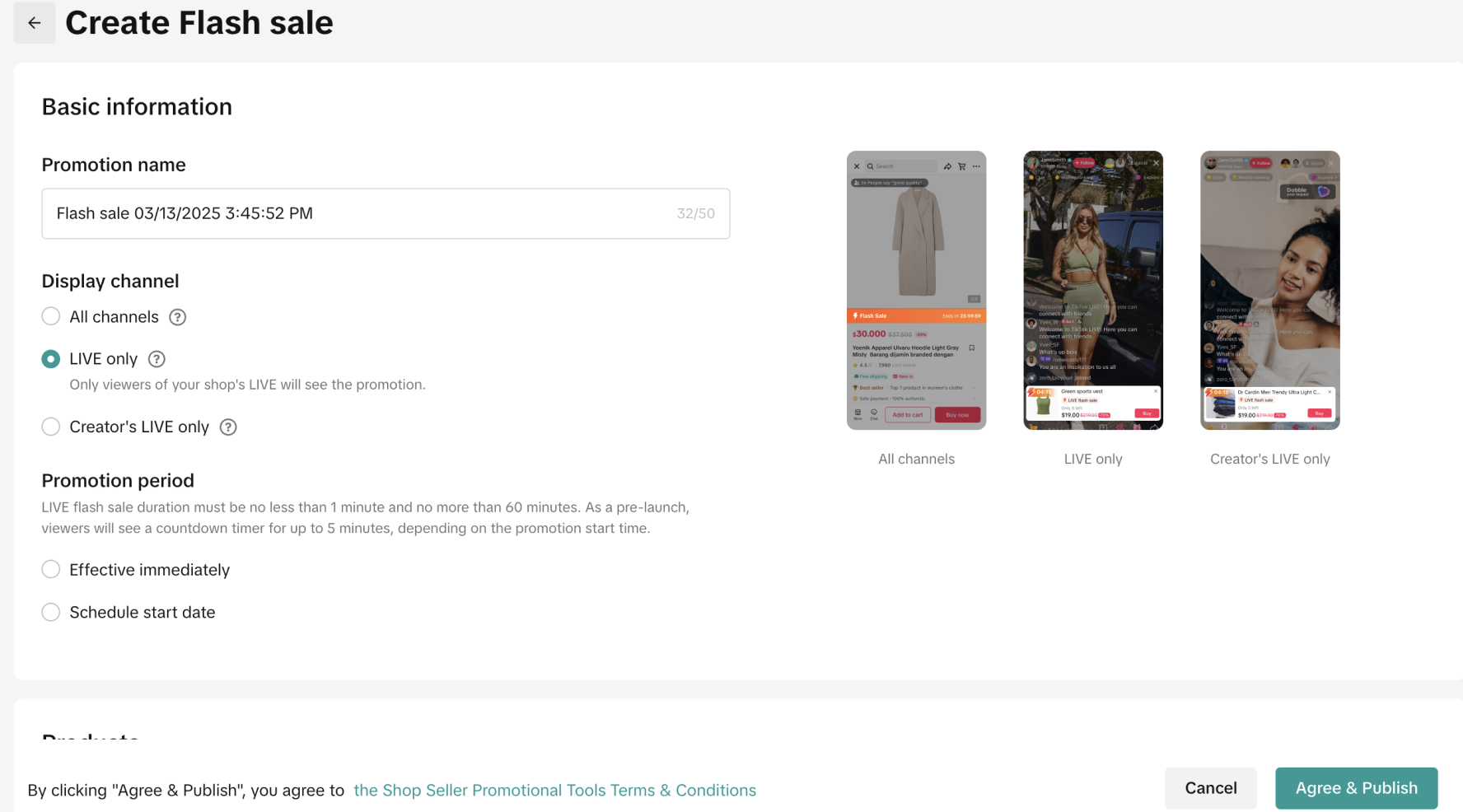
- It is recommended to have at least 1 promotion tool in a LIVE session. Seller may click on the "create" button to setup a promotion tool on the Promotion page
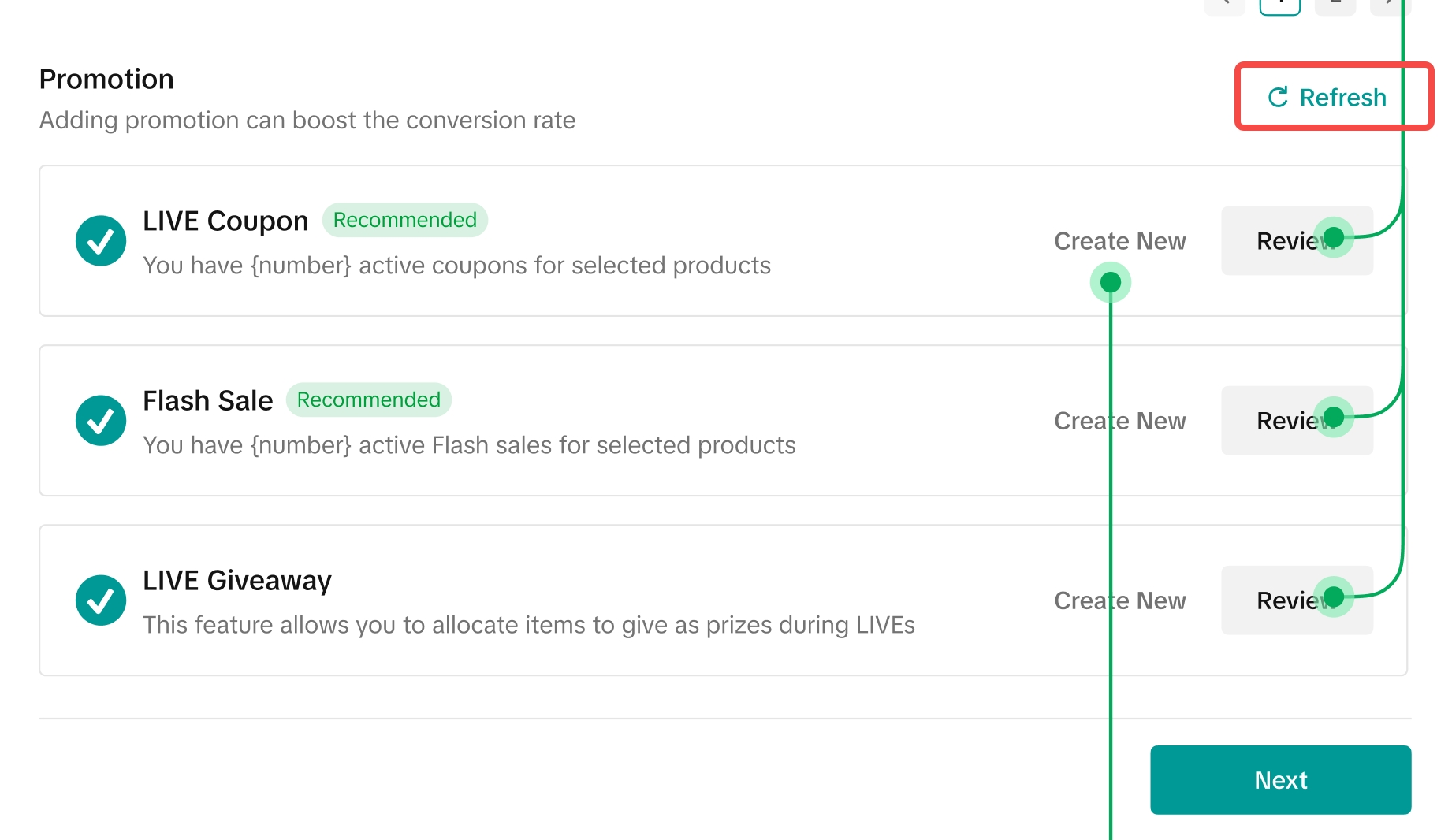
- Once a promotion tool is set up, click on Refresh button on the original LIVE Plan page to see it.
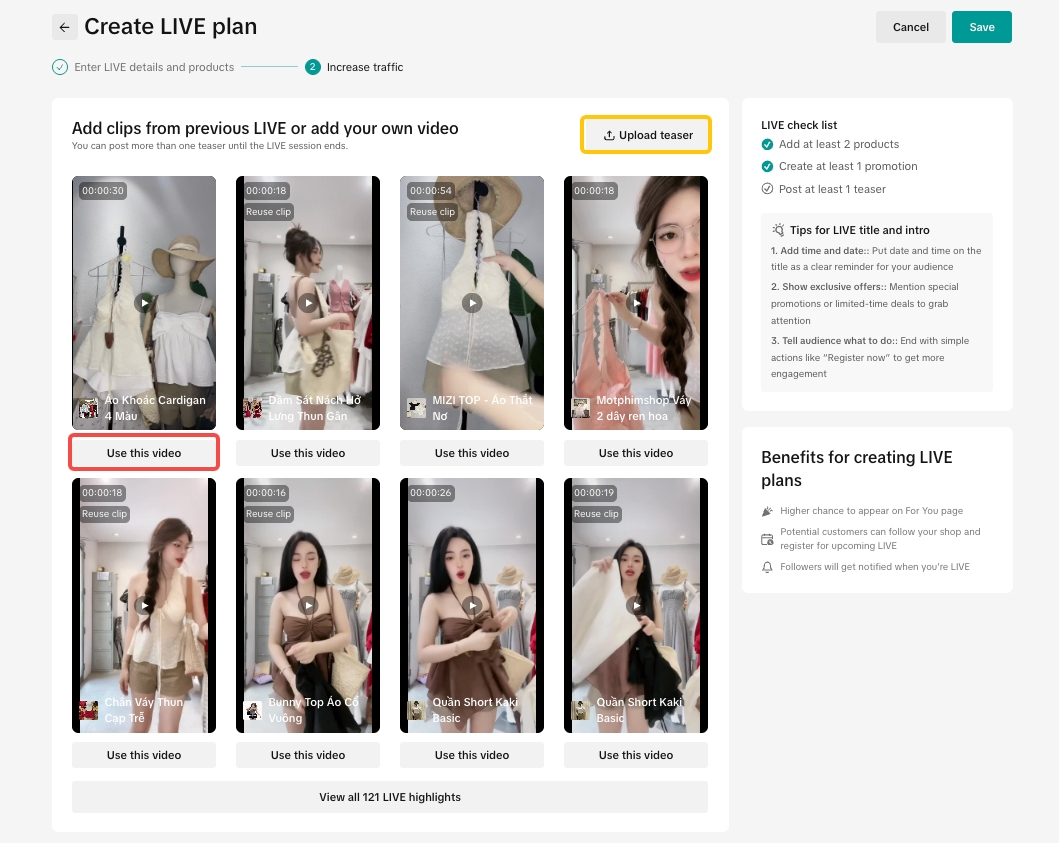
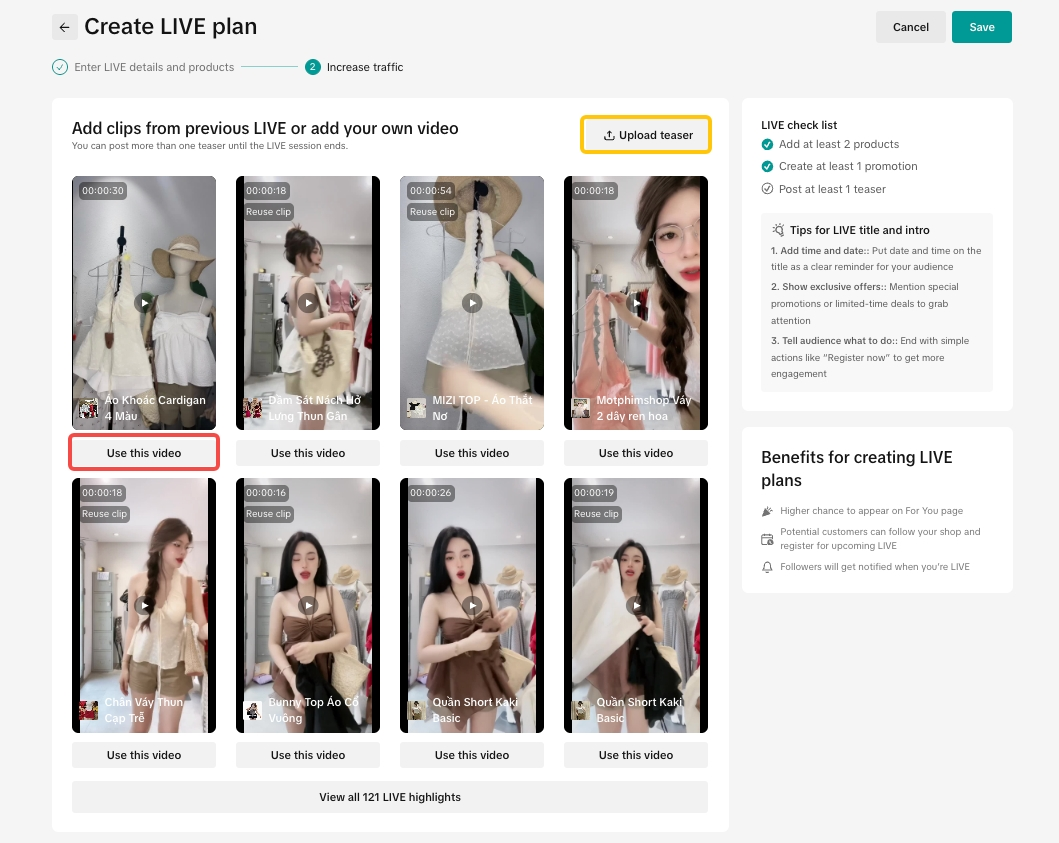
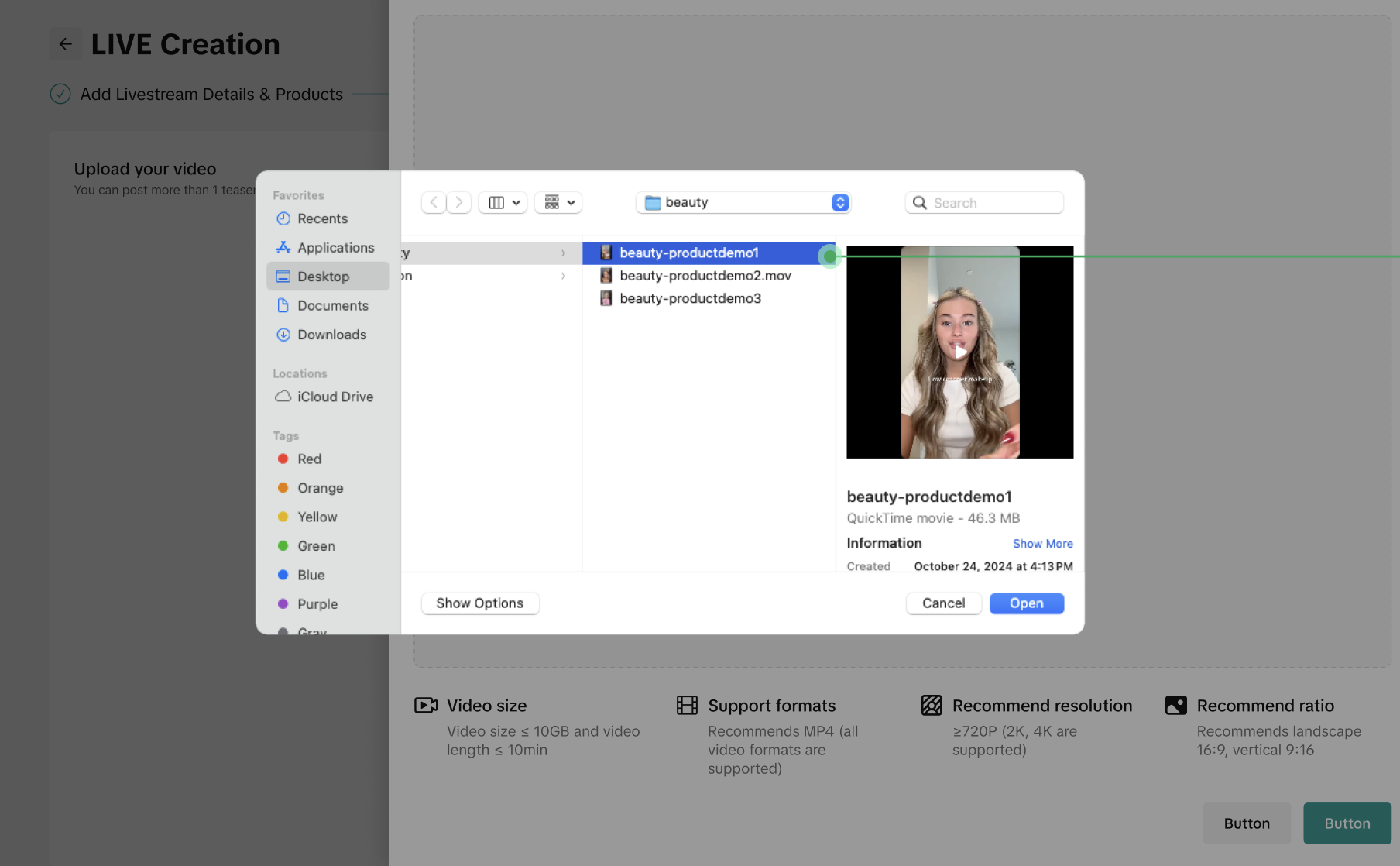
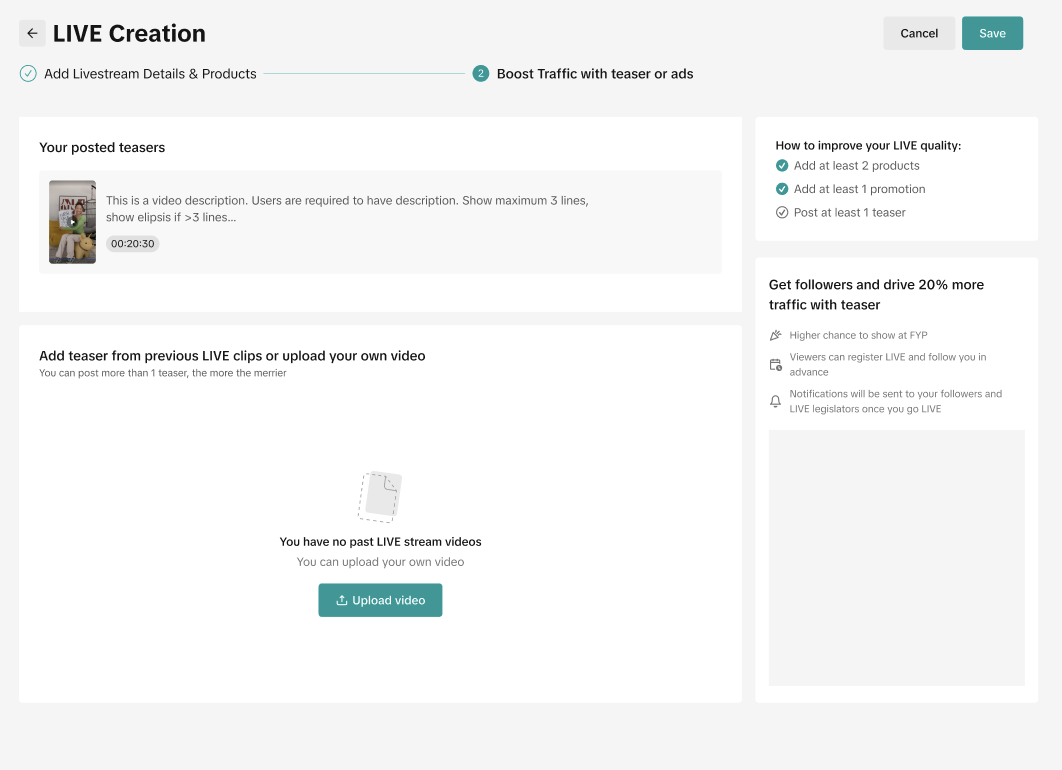
🍄 Pro Tip 🍄Ideally, prepare at least: 2 products, 1 promotion tool and 1 teaser video as minimum foundation to ensure the LIVE room meets basic engagement and effectiveness.- Create teaser videos from your previous LIVE session (red) sorted by the highest GMV and engagement rate or simply upload offline footage (yellow). Once the suggested footage is selected, please allow ~30 seconds for the system to prepare the teaser video.
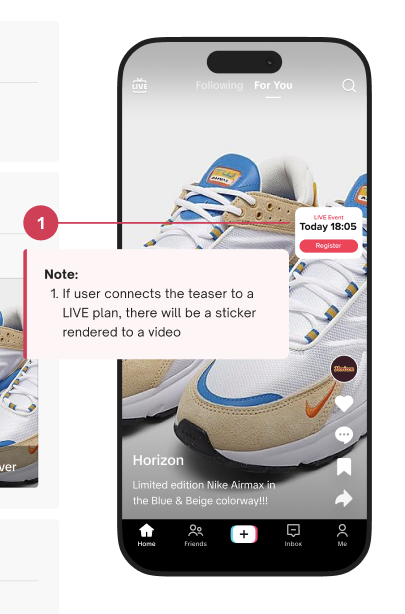
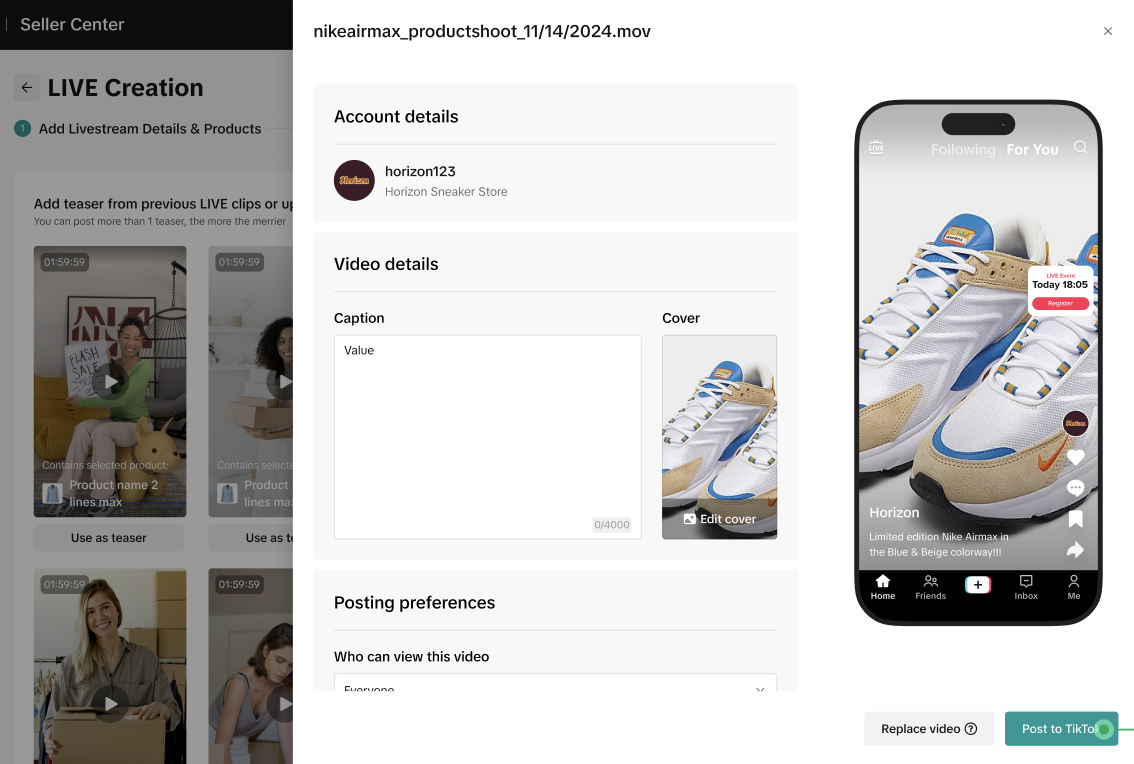
- For footage of the previous LIVE session, select one of the upcoming LIVE Plans. The system will automatically add background music, overlay text LIVE timing sticker* and an arrow pointing to the account avatar position.
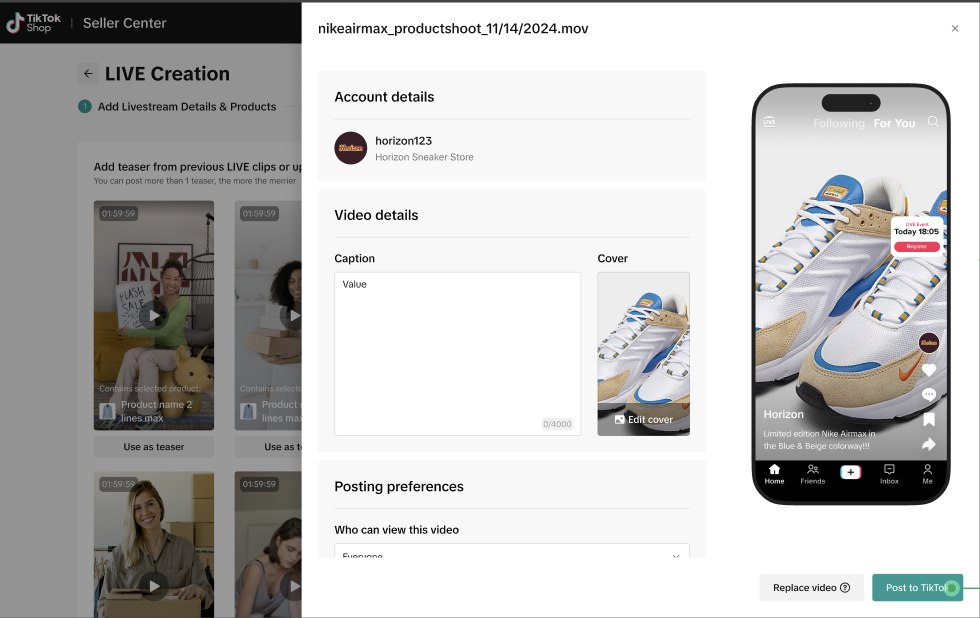
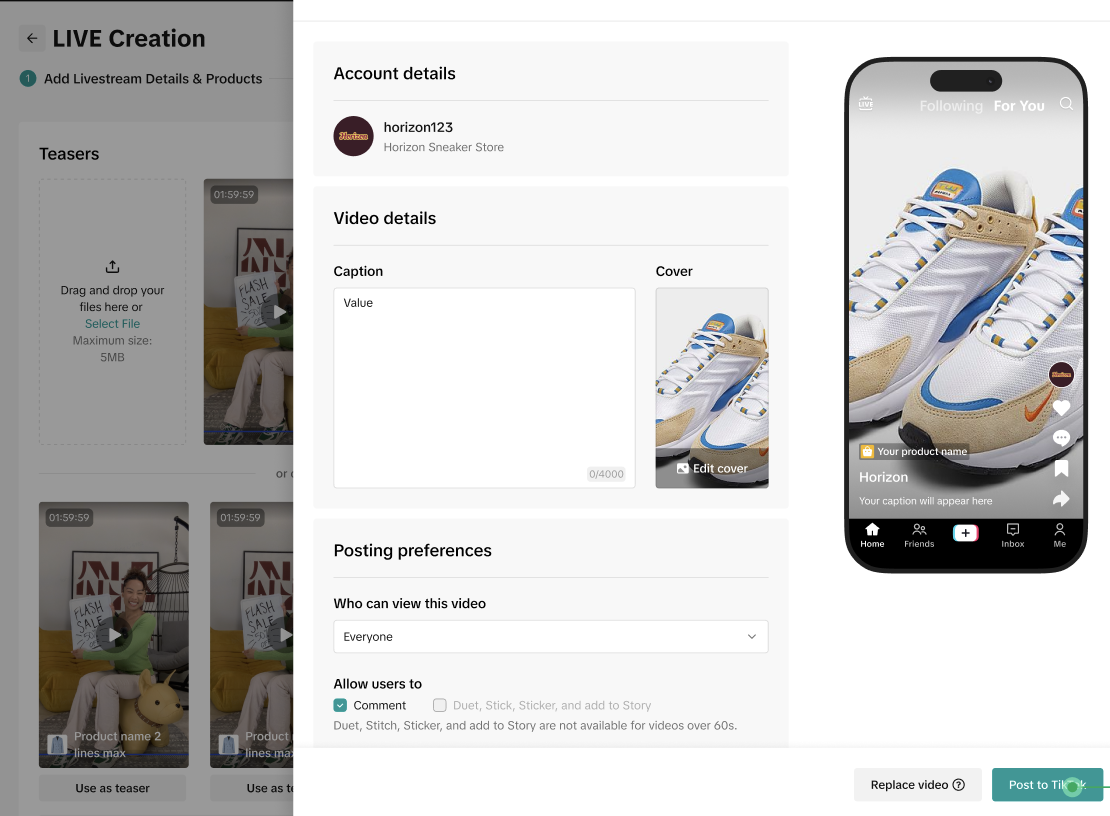
Remark: an overlay text LIVE timing sticker is only available once linked with a LIVE Plan.- Seller should input video caption and preferences before posting on the bound TikTok account.
- Link the teaser with the existing LIVE Plan and post on the bound Official Account.
- The sticker will draw potential customers' attention as well as the seller's existing followers to the upcoming LIVE session
- Add to LIVE plan and get the sticker about the upcoming LIVE session
- However, if you post teaser video to TikTok Official account directly, there will be no sticker
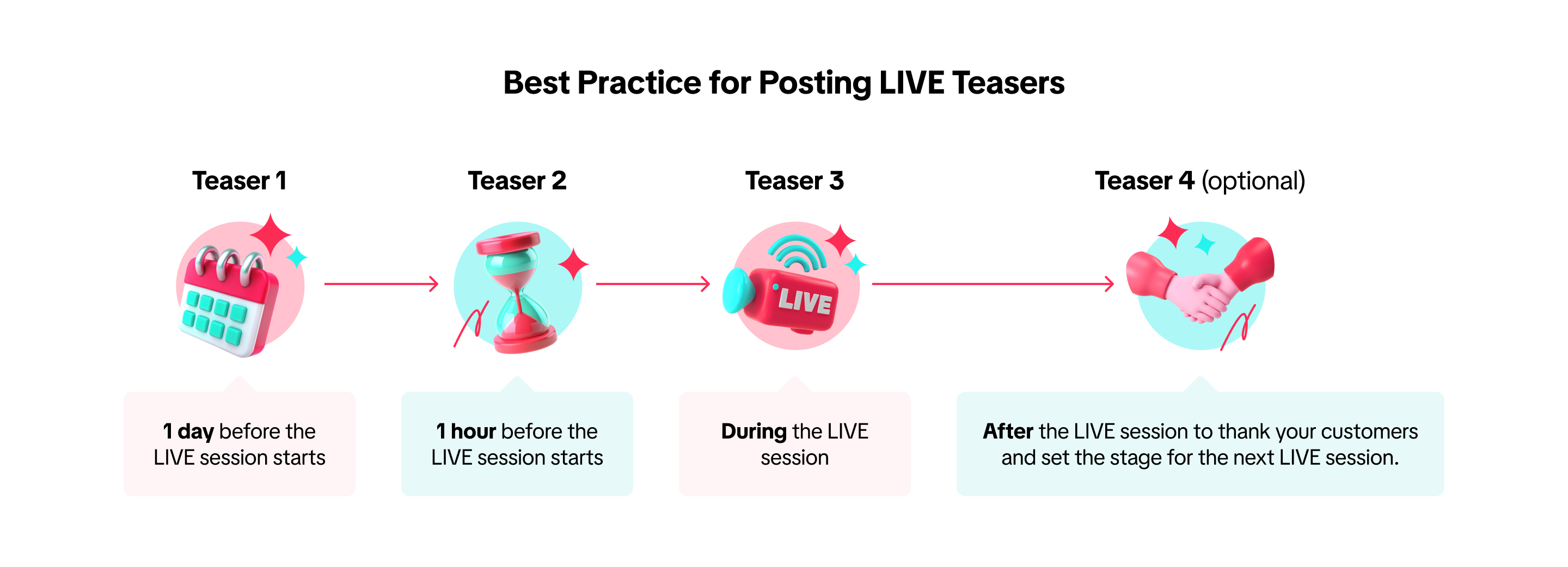
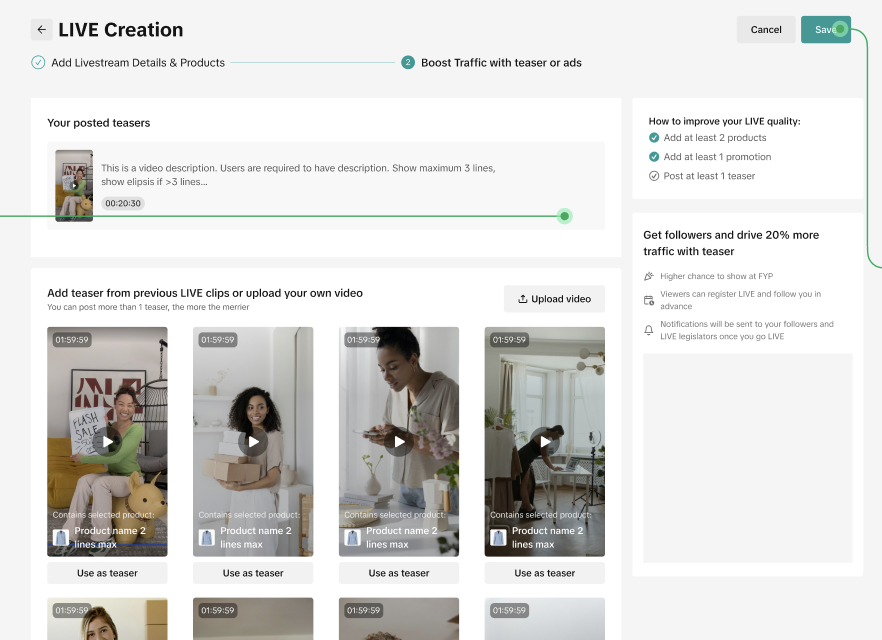
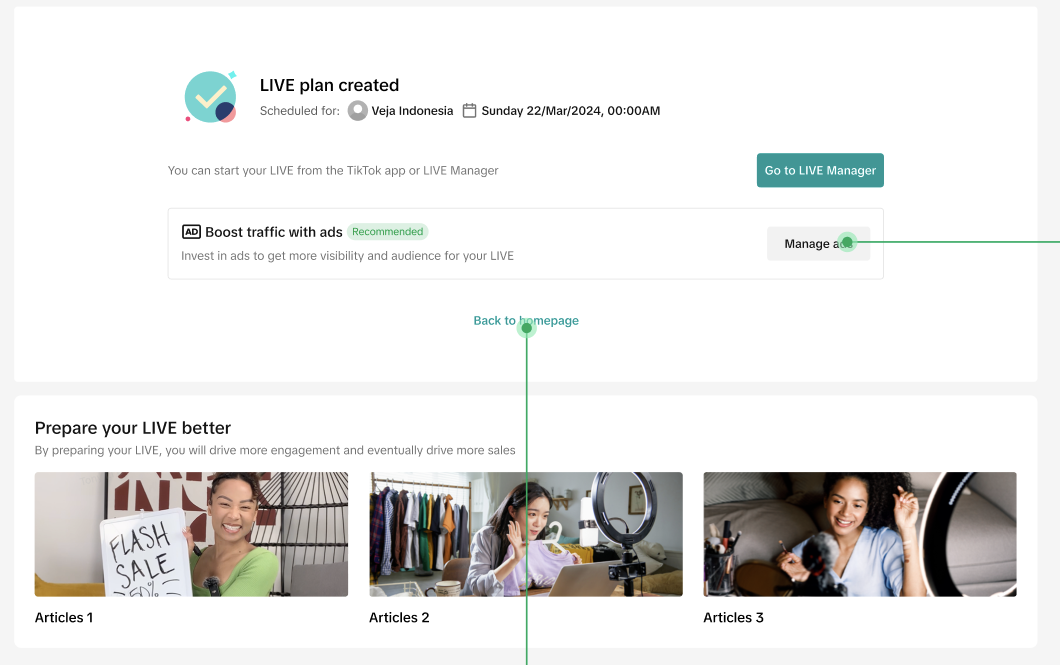
🍄 Pro Tip 🍄It is recommended to post at least 2 teaser videos--1 day and 1 hour prior to the LIVE session.- LIVE Plan has been successfully published
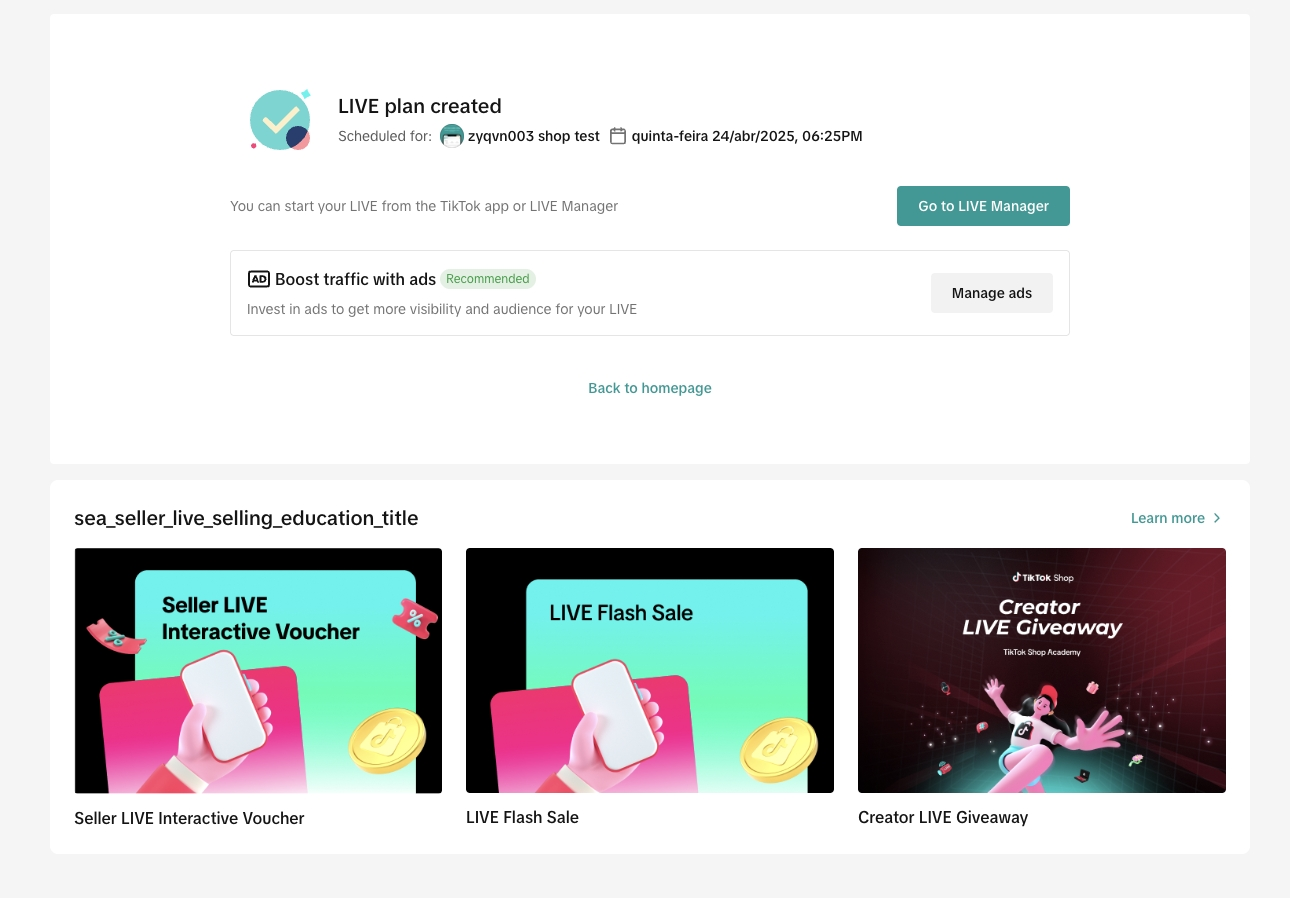
- The published LIVE Plan will integrate with LIVE Event where non-followers can register to get a reminder when the LIVE session starts.
- Alternatively, sellers can boost traffic with ads by clicking "Manage Ads" to jump to Shop ads page.
- Go LIVE when it's time. Click on Go to LIVE Manager to start livestreaming.
🍄 Did you know? 🍄There's no penalty if the LIVE session starts later than the scheduled time. However, you might lose the selling opportunities as the audience might not be able to wait around.LIVE plan list
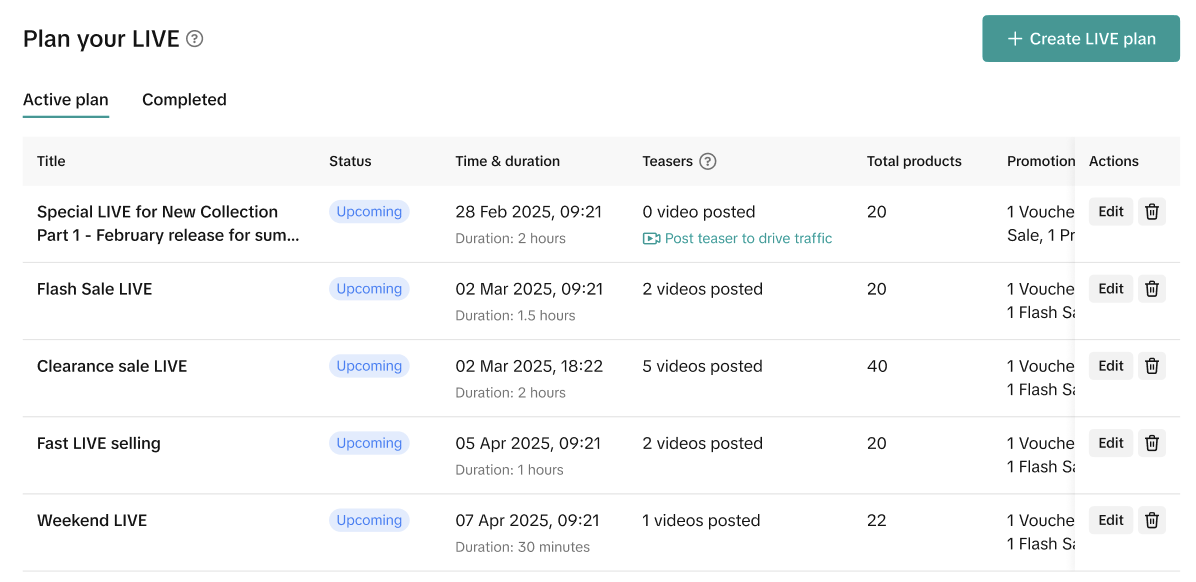
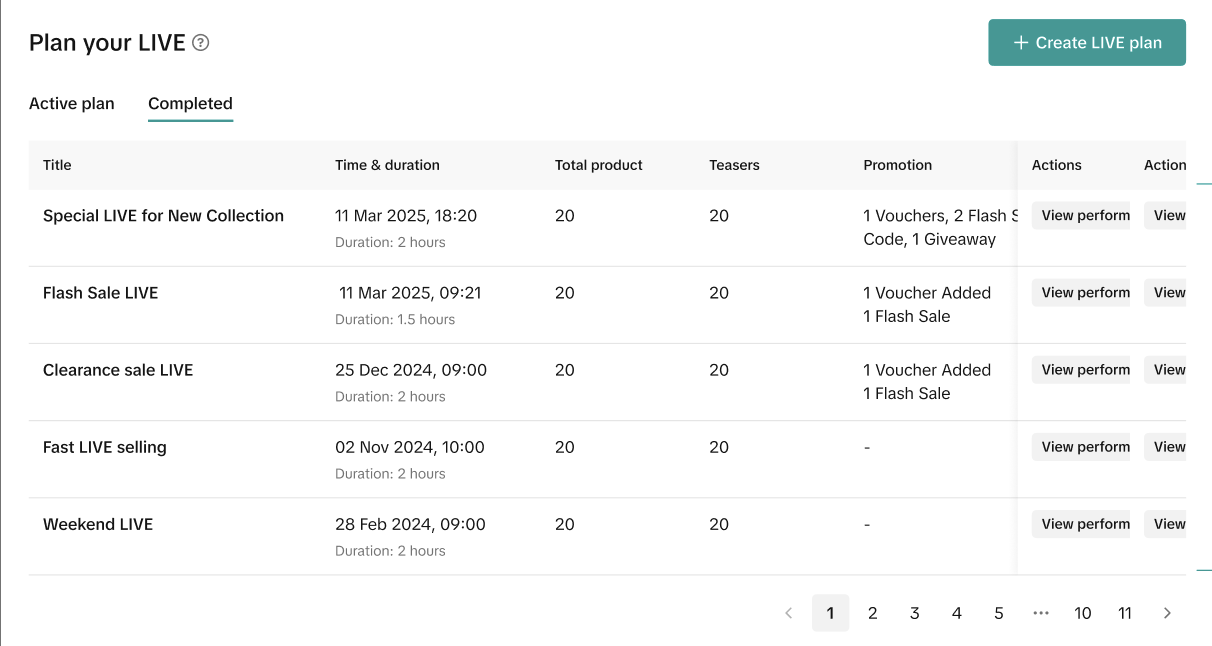
Created and completed LIVE Plan are listed at the bottom of LIVE Selling Overview for sellers' awareness.
Once created, event details (dates, times) cannot be modified. Only featured product lists and promotional tools remain editable. For any schedule changes, sellers must delete the existing plan and create a new one.
This limitation exists because LIVE plan on LIVE Selling automatically syncs with LIVE Event on TikTok account, where potential buyers may have already subscribed to the upcoming LIVE.
While there are no platform penalties for starting a LIVE session later than scheduled, delayed starts may result in decreased attendance as customers with competing commitments may not be able to wait for your LIVE session to begin.
LIVE teaser
Complete your LIVE Plan by creating a Teaser post—your most powerful pre-LIVE marketing tool while keeping production costs virtually non-existent with Teaser Management.
To maximize viewership and conversions, every effective Teaser must include 3 critical elements:
- Date & Time – Give viewers the exact moment to join, enabling them to schedule accordingly
- Highlighted Products – Showcase your featured items to attract your target audience
- Exclusive LIVE Offers – Create urgency by promoting special deals available only during the upcoming LIVE session
This strategic combination transforms casual browsers into LIVE attendees, significantly boosting your LIVE room traffic and sales potential.
Creating a teaser
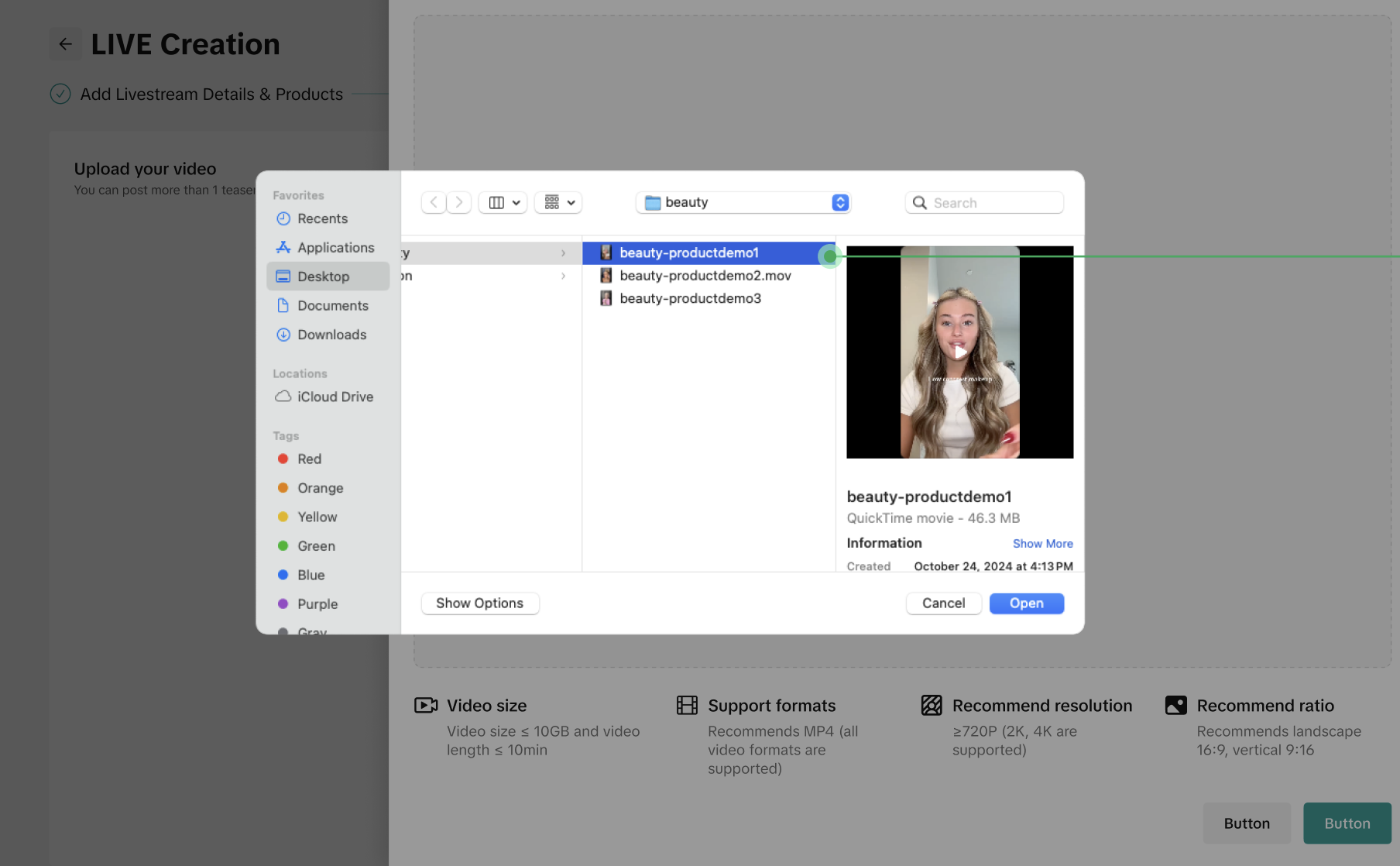
- After input the LIVE schedule details, sellers can select footage videos from their previous LIVE session sorted by the highest GMV and engagement rate. Alternatively, sellers can upload an offline video if there's no footage available at the time.
- Alternatively, sellers can upload an offline video if there's no footage available. No need to pin products here.
- Fill in the video caption and preference. The system will auto-edit the video from the previous LIVE session with background music, subtitles and an arrow.
- Teaser will get a sticker about Date&Time to anticipate the upcoming LIVE session.
- The Teaser is successfully posted on seller's official account.
- Please note that once a teaser is posted, sellers can only save, re-edit or delete it on TikTok app. Sellers can edit captions and cover once a day within 7 days after posting.
- Lastly, sellers click on Go to LIVE Manager to start on LIVE once it's time.
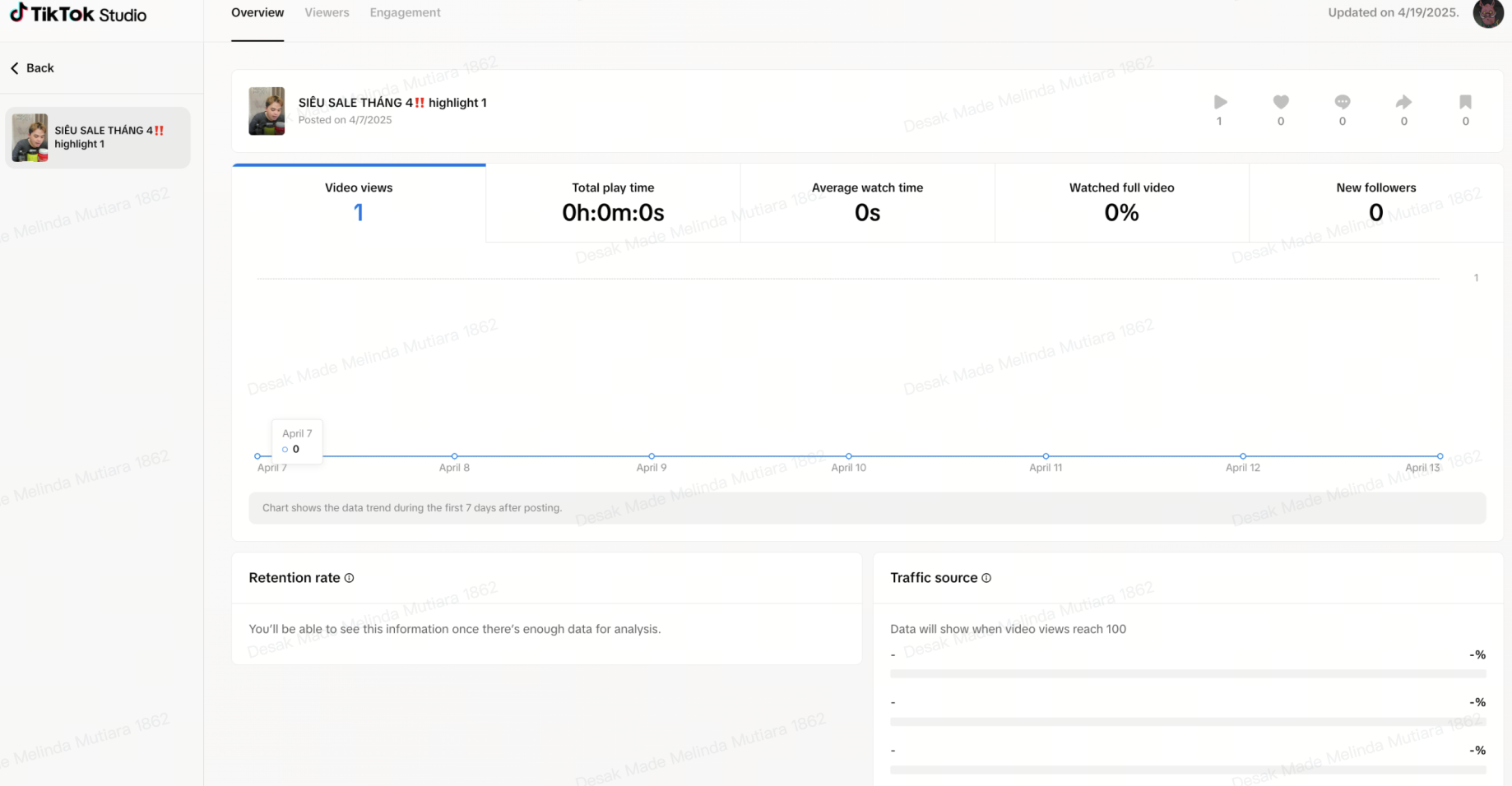
The seller will be able to view teaser video performance in the last 7 days once they post a teaser.
LIVE Inspiration
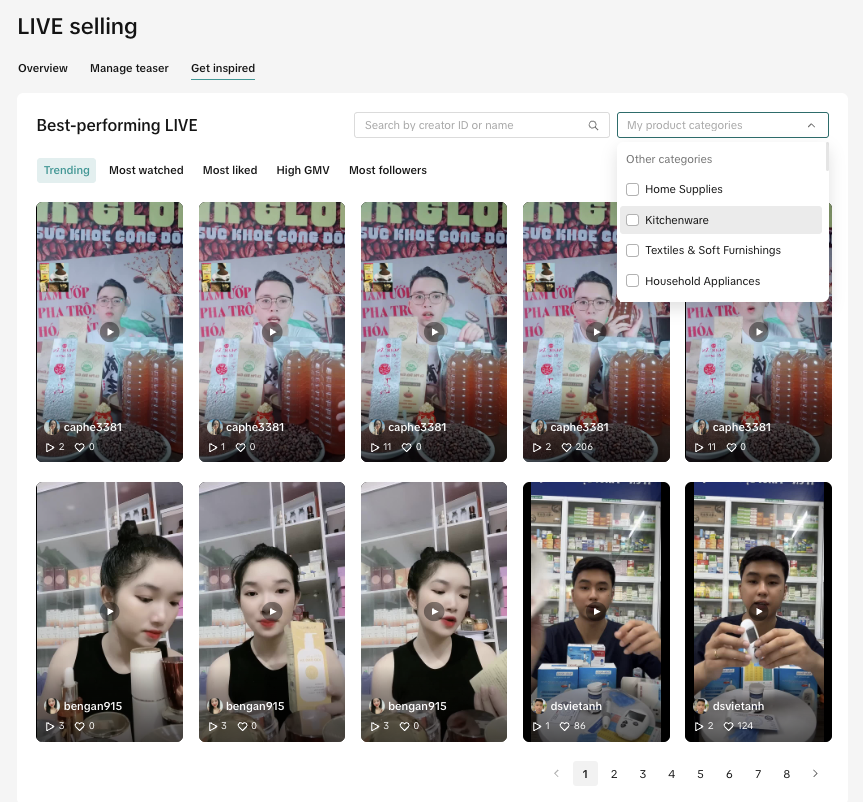
Get best practices from experienced sellers in the market from the Get Inspired tab by searching TikTok username or selecting relevant L1 shop categories.
Alternatively, the list can be sorted by LIVE GMV, LIVE conversion rate and LIVE engagement rate within the selected time period. Please note that the data shown is from 2 days prior-same as Data Compass default setting. However, sellers can go to LIVE Inspiration page on Data Compass to customize a specific period for relevant inspirations.
LIVE Tips for sellers
LIVE Operation Made Easy on Desktop
LIVE Selling feature on TikTok Shop Seller Center on desktop transforms your LIVE strategy as it integrates with other powerful functions across Seller Center including Mission & Rewards, Campaign registration and Promotion Tool creation to ensure sellers are set up for success.
While the host engages with the audience through TikTok app, the critical competitive advantages can be achieved on operating on Seller Center as a real time team collaboration.
Our most successful sellers also operate with a dual-device approach—host engaging via TikTok app, while support optimizes through Seller Center desktop. This proven workflow dramatically increases conversion rates by combining authentic engagement with data-driven content selling strategy.
Drive performance with strategic Pre-LIVE content
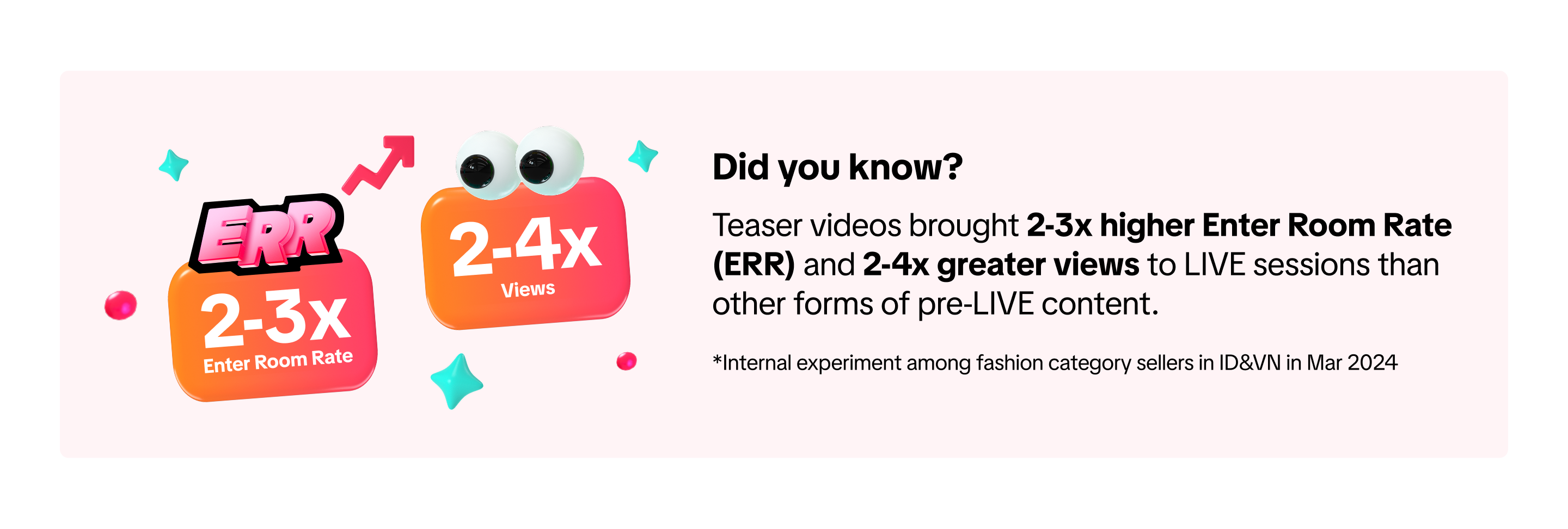
Teaser video is your Pre-LIVE traffic engine that builds anticipation and significantly boosts ERR (Enter-Room-Rate). LIVE Selling feature transforms teaser management process into a streamlined workflow, allowing you
to convert non-eCommerce content viewers into valuable eCommerce LIVE audience for barely any production costs via Teaser Management function.
Teaser video story-telling best practice
- Video duration: ~40s
- Do not add any products to this video to ensure it drives traffic
- The product must appear within the first 3s to grab viewer's attention
- Focus on product demonstration more than mentioning price tags unless there's a very attractive deal
- Leverage video editor tools; LIVE billboard, CTA point to LIVE entrance such as the profile avatar, LIVE Event, etc
- Effective story-telling; native mix, single take or monologue over static image-based video
FAQ
Linking TikTok Account
- Why am I not able to link my Official TikTok account?
- Make sure TikTok account is not an affiliate account or a marketing account.
- Sellers may need to wait until they resolve penalty violations they may have beforehand.
- Can I link my Marketing Account too?
- LIVE Selling only supports Official Account at this time.
LIVE Plan
- Is my LIVE Plan editable?
- Once a LIVE Plan is created, event details (dates, times, duration) cannot be modified. Only featured product lists and promotional tools remain editable. For any schedule changes, sellers must delete the existing plan and create a new one.
- This limitation exists because LIVE plan schedule automatically syncs with TikTok's LIVE Event calendar, where potential buyers may have already set reminders or subscribed to your broadcast. While there are no platform penalties for starting a LIVE session later than scheduled, delayed starts risk losing valuable attendees who might not be able to adjust their schedules to accommodate changes.
- Is there a penalty if I cannot make it by the time mentioned on my LIVE Plan?
- While there is no platform penalty for starting a LIVE session later than the initial scheduled time, delayed starts may result in decreased attendance as customers with competing commitments may not be able to wait for your LIVE session to begin.
- However, we recommend planning event timings carefully during initial setup and maintaining consistent scheduling practices across your LIVE Plan to maximize audience retention.
- Is it mandatory to have a LIVE Plan before an actual LIVE session?
- While a LIVE Plan is not mandatory to start on LIVE, LIVE Plan helps with product planning, seller promotion planning in addition to teaser management. By following the guided steps, sellers can be more confident while experiencing LIVE Selling.
- Will my followers get notified when I start my LIVE as planned?
- Yes, LIVE Plan integrates with LIVE Event on Official Account page. Your followers and anyone who subscribes will get notifications once your LIVE session starts.
LIVE Teaser
- How should I position LIVE teaser videos differently from LIVE highlight videos?
- Live Teaser is Your Pre-LIVE Traffic Engine
Pre-LIVE teasers to build anticipation and significantly boost Enter-Room-Rate (ERR). LIVE Selling transforms teaser management process into a streamlined workflow, allowing you to convert non-eCommerce content viewers into valuable LIVE attendees.
- LIVE Highlight is Your Video GMV Catalyst
Leverage LIVE highlights as your most efficient content creation opportunity. This straightforward format automatically transforms your best moments into shoppable video content, directing qualified traffic directly to featured products and measurably increasing Video traffic and sales.
- Together, these two create a complete funnel—non-eCommerce teaser videos drive LIVE attendance and potentially LIVE conversion while eCommerce highlighted videos generate video GMV.
- Can I save LIVE Teaser video on my device?
- Yes, sellers can save or delete teaser videos on TikTok app. Please note that TikTok video caption and cover can be edited once a day within 7 days after posting.
- LIVE highlight/teaser - whether we should buy ads?
- It is recommended to maximize LIVE room exposure by posting 1-4 teaser videos for 1 LIVE session. However, sellers can also run ads to fulfill a specific target with TikTok ads solutions.
LIVE Session Traffic
- Why is Enter-Room-Rate (ERR) important?
Enter Room Rate (ERR) is simply the percentage of people who are exposed to your LIVE entrances and decide to actually join the LIVE room.
Example: If 100 casual viewers see your LIVE teaser video on FYP, and 15 of them click on the profile avatar to enter your LIVE room, you have a 15% Enter Room Rate.
This metric matters because it directly impacts your selling potential, especially when there's an optimized ad campaign running in parallel to maximize the delivery.
Higher ERR usually means:
- Higher chance your products are seen by potential customers
- Increased opportunity for engagement and questions
- Greater likelihood of conversion and sales
Unlike total viewers, which can be misleading, ERR reveals how effectively your LIVE session actually converts interest into attendance. Our top sellers consistently focus on improving this metric through compelling teasers and highlights that create genuine curiosity about what will be available during their upcoming LIVE sessions.
When we share that certain strategies can "double your ERR," we're talking about real business impact—twice as many interested viewers converting into actual attendees who can make purchases in that LIVE session.





 Please note that the comparison capability is only applicable when the last 7 days is selected.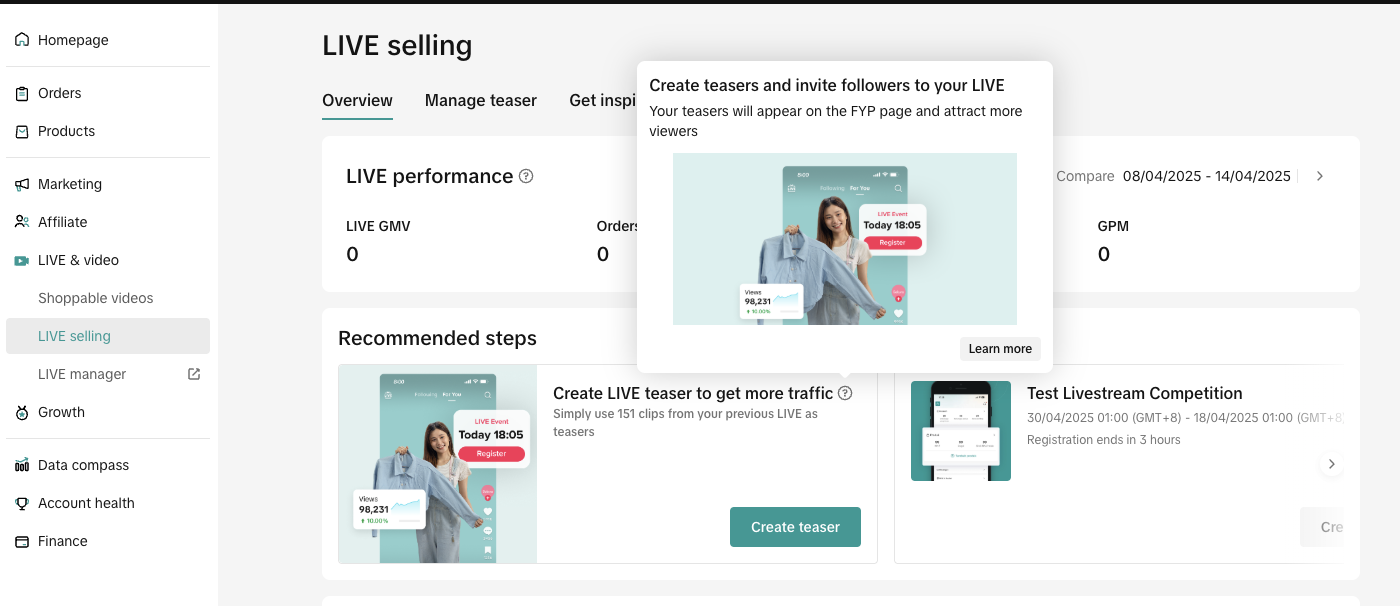

 To maximize viewership and conversions, every effective Teaser must include 3 critical elements: