

Smart Suggestion for Managing Products
11/03/2023

Parts in Manage Product Menu with Smart Suggestions Function

How to Use Smart Suggestions in Product Name
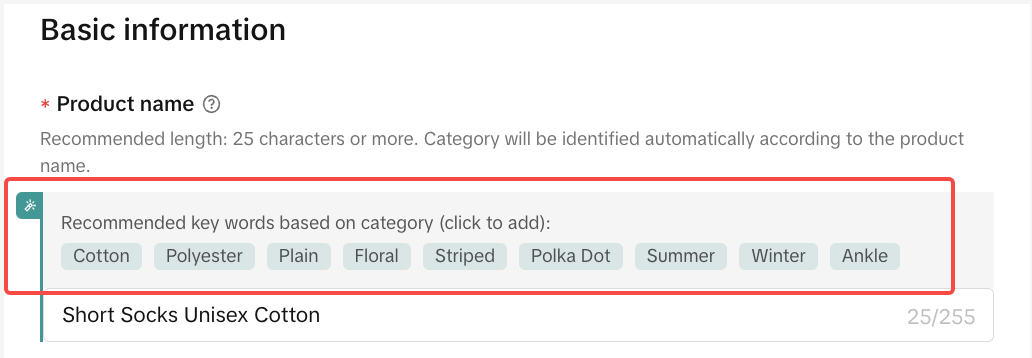
To create an engaging and proper product title, TikTok Shop provides smart suggestions that will help to give additional keyword suggestions that are suitable for your products based on some keywords that you have entered.For example, if your product is a fashion item, after you put some keywords into your product, smart suggestions will appear for you to add into the product name. This can help increase your product discoverability.

How to Use Smart Suggestions in Product Category
After you add keywords to your product name, the system will generate recommended Product Category that matches your product based on its product name.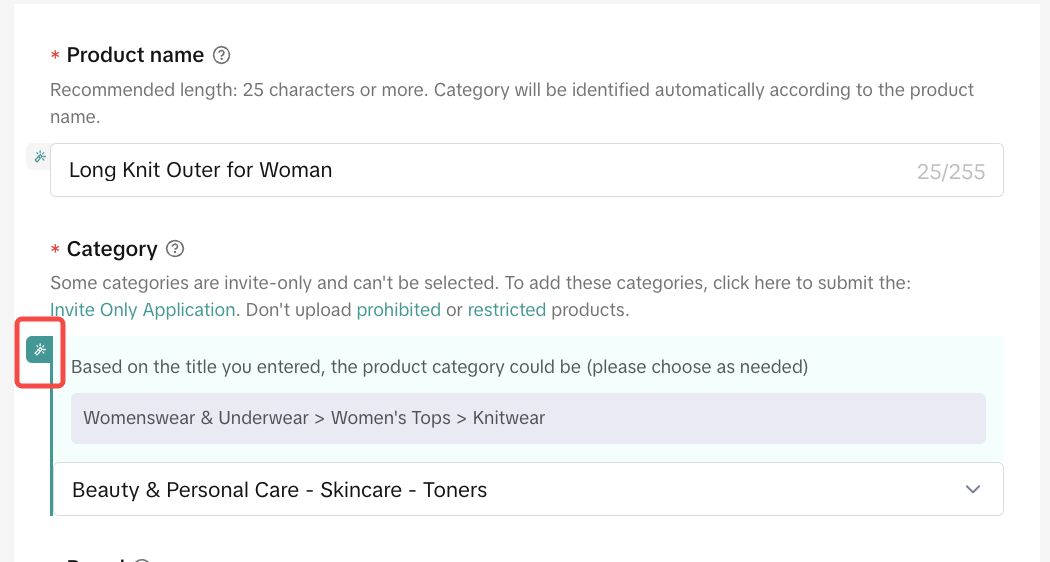 You can click on the icon above to use the suggested product category if you think it is suitable for your product.
Choosing the right category is important to help your products can easily be discovered by potential customers when they are looking for a product that relates to your product. Using recommended categories could increase the potential for your product to pass Quality Control.

How to Use Smart Suggestions in Product Attributes
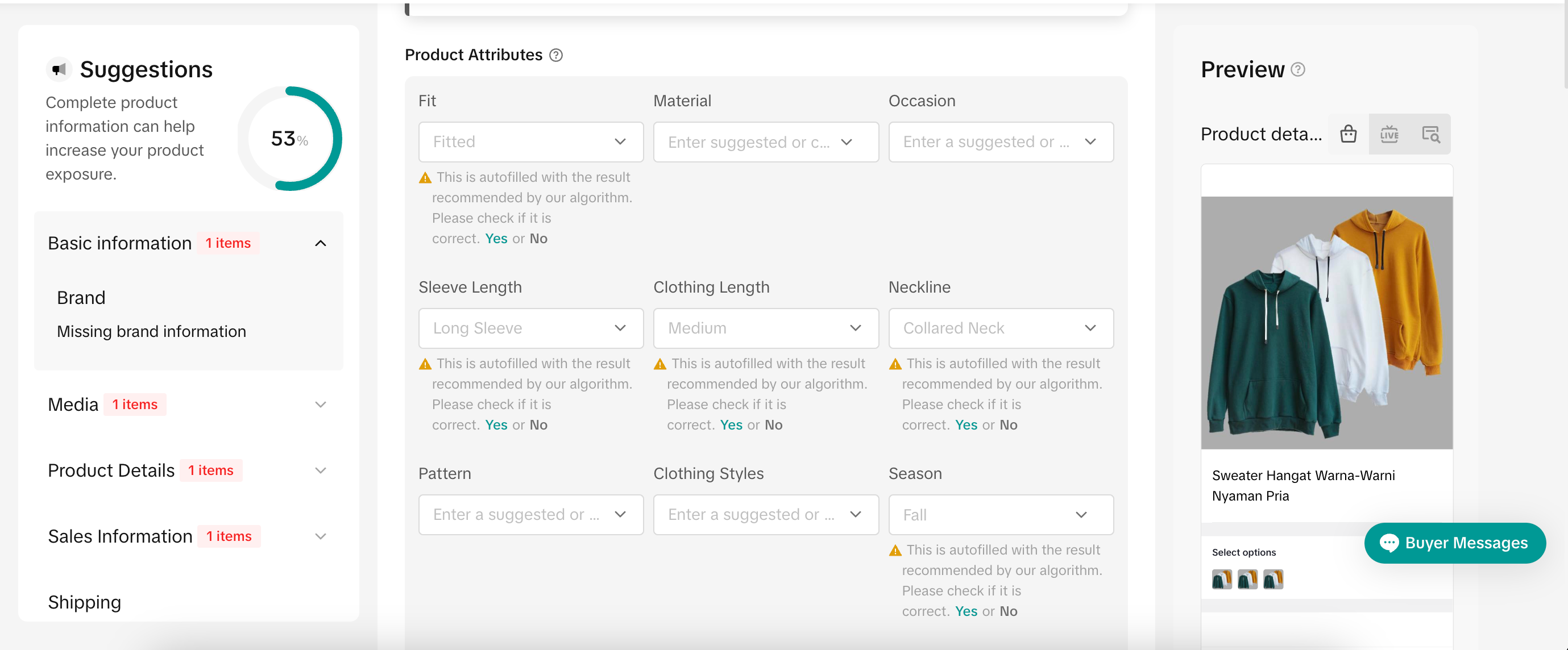
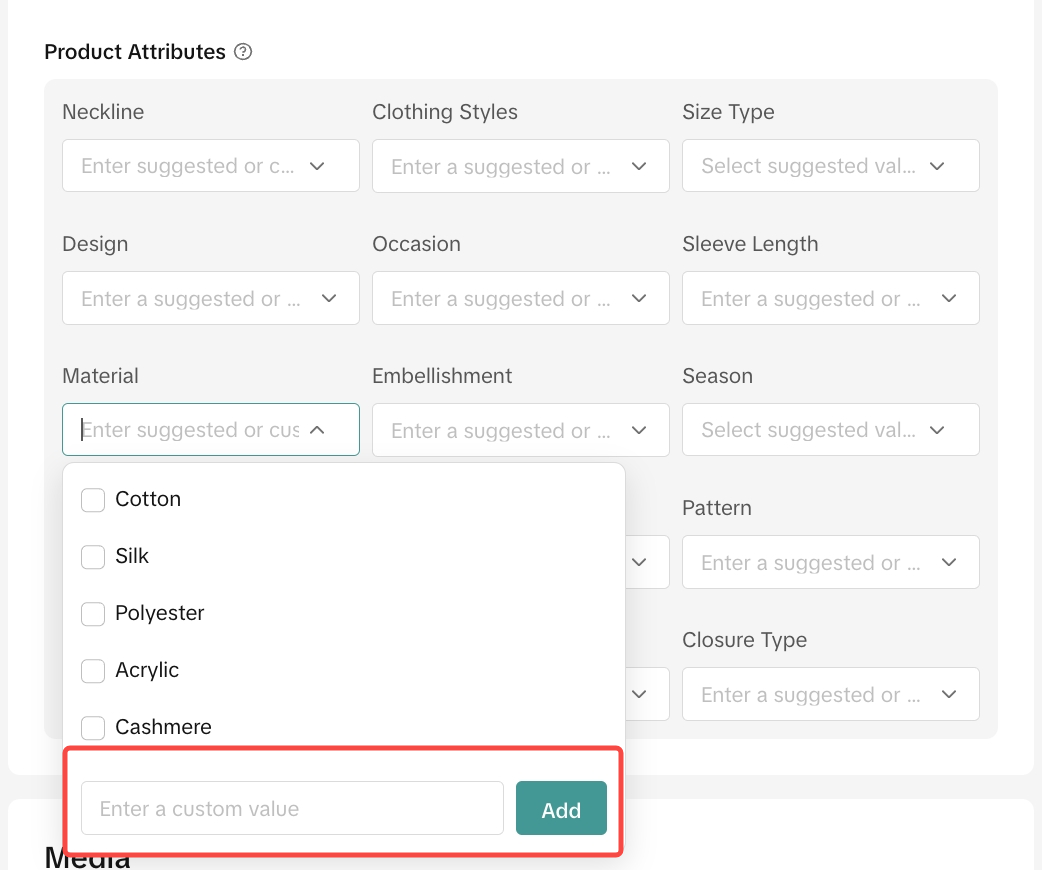
In the Product Attributes section, you will see the suggested attributes detail for your products based on the product name and category you have input on the previous step.You can choose whether to use the suggested attributes or add a custom attribute value that you think is more suitable for your product by entering the attribute manually and clicking the Add button.

How to Use Smart Suggestions in Product Description
Product Description is important to help customers have a better understanding of your products and it can help to convince them to purchase your product.This function can assist sellers in generating highly natural and comprehensive product description content. Additionally, it offers detailed descriptions of the product's specifications. These descriptions are generated by AI and aim to help consumers grasp the essence of the product, aiding them in making purchase decisions.
However, we would like to inform the sellers that the contents generated by the AI might be inaccurate. Therefore, we strongly encourage sellers who use these functions to:
Carefully check the result of product description narrative to ensure its accuracy before publishing.
Keywords Optimization
- Enter keyword in the Product Description
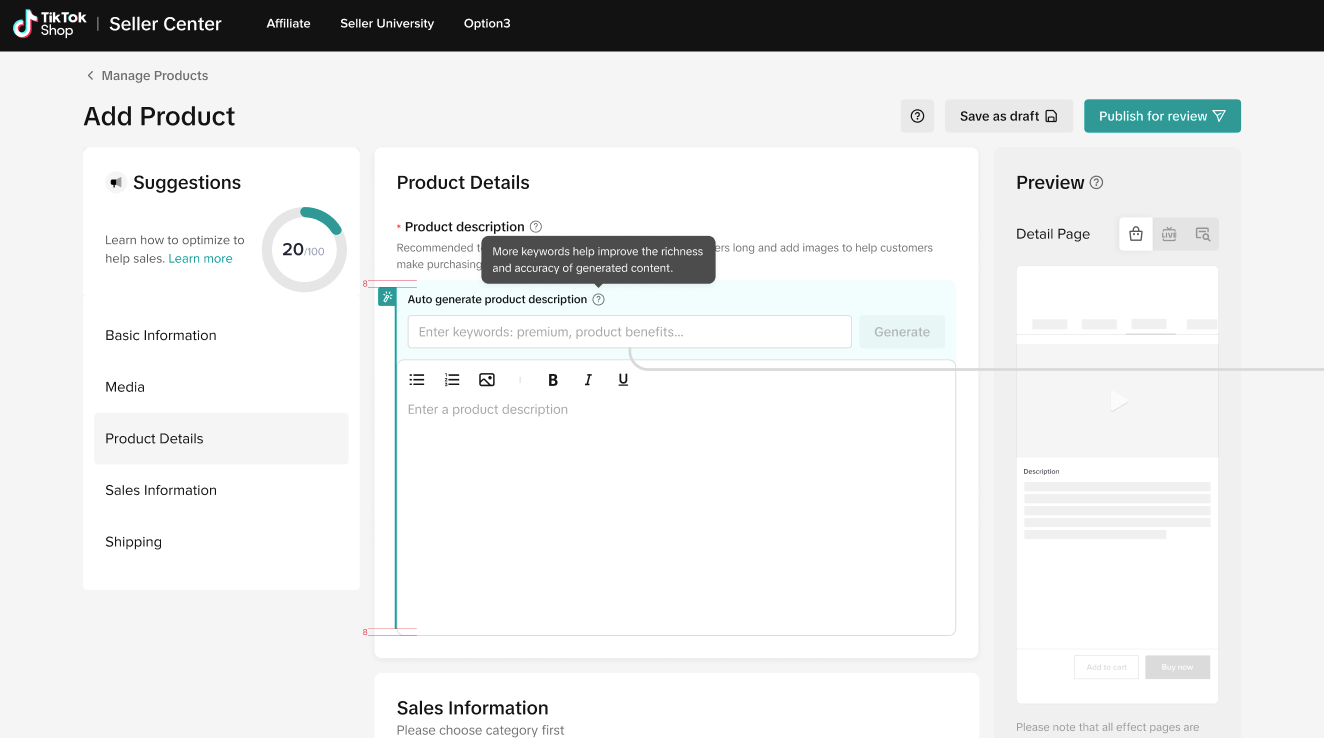
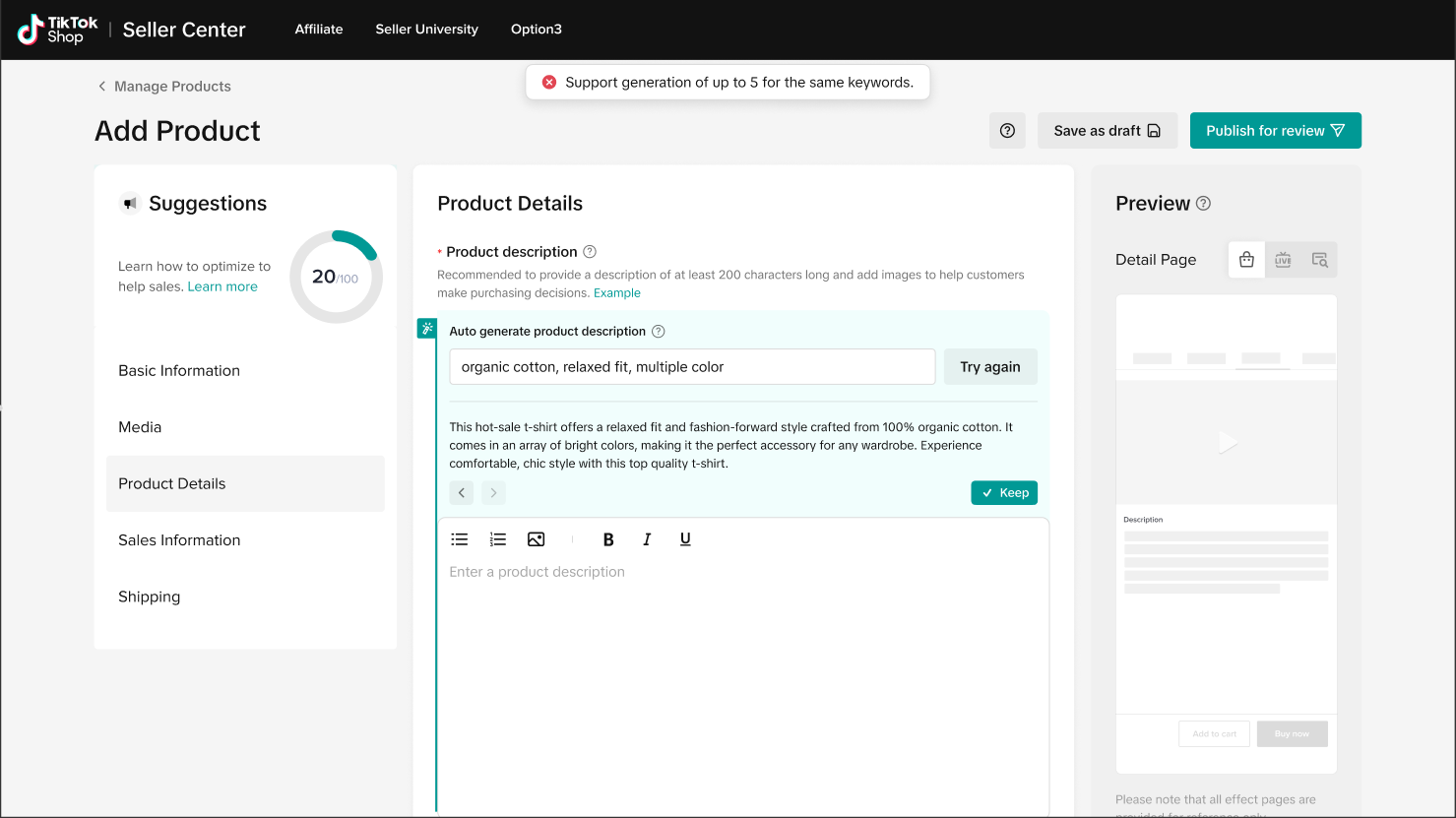
- After entering a keyword, the generate button lights up. Click to start getting smart suggestion results.
- Suggested information: Please enter at least 3 keywords that describe the product. More keywords will help to improve the richness and accuracy of generated content
- The system will generate a maximum of 200 characters
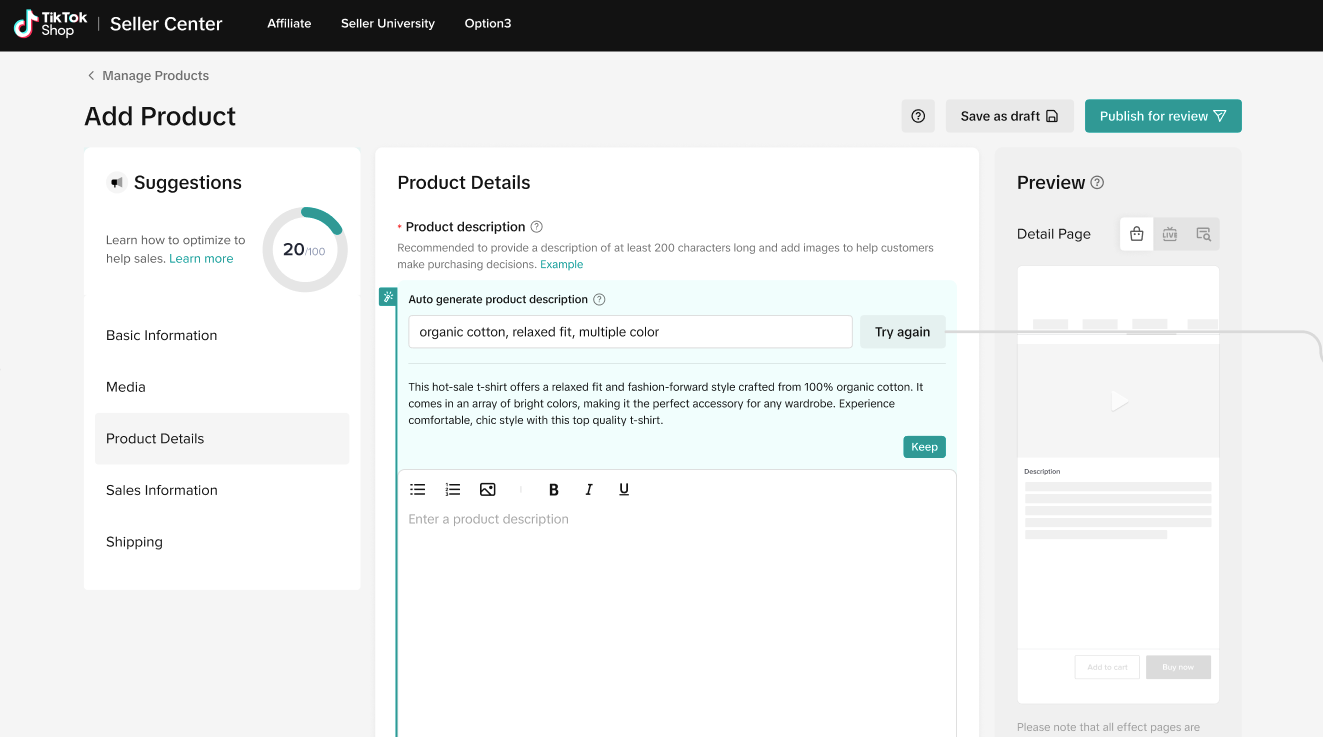
- Waiting for the system to generate
- After the result is generated and before the result is adopted by seller, the button text will be changed to 「try again」
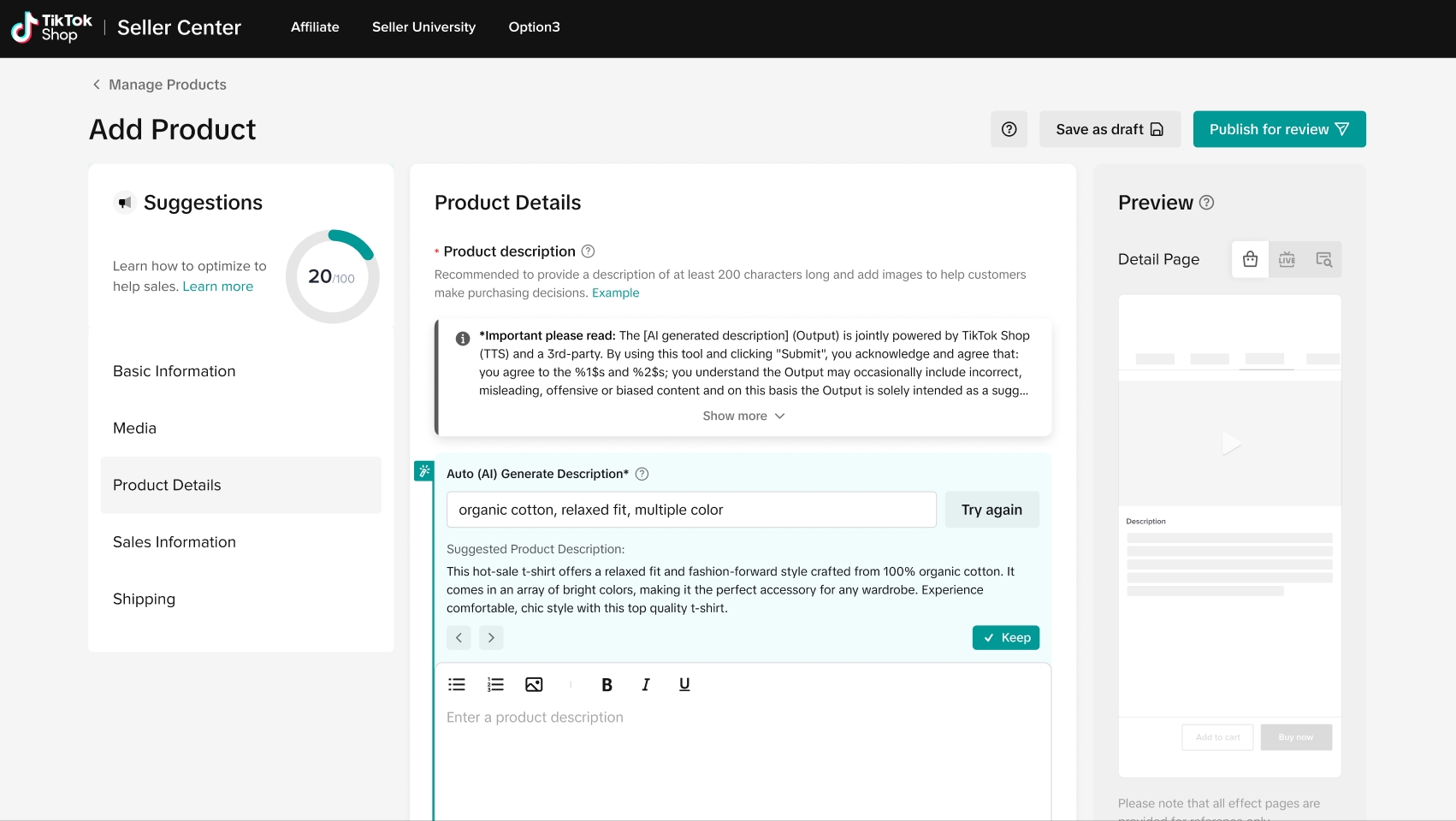
- After the system generates the result. Support Actions: Keep/Cancel
- If seller clicks 「Keep」, the generated content will automatically be pasted into the detailed description input box. Added to the end of existing content.
- If sellers click the icon below, the system will generate another result as an option.

- The system will provide 5 different results of product description narrative options.
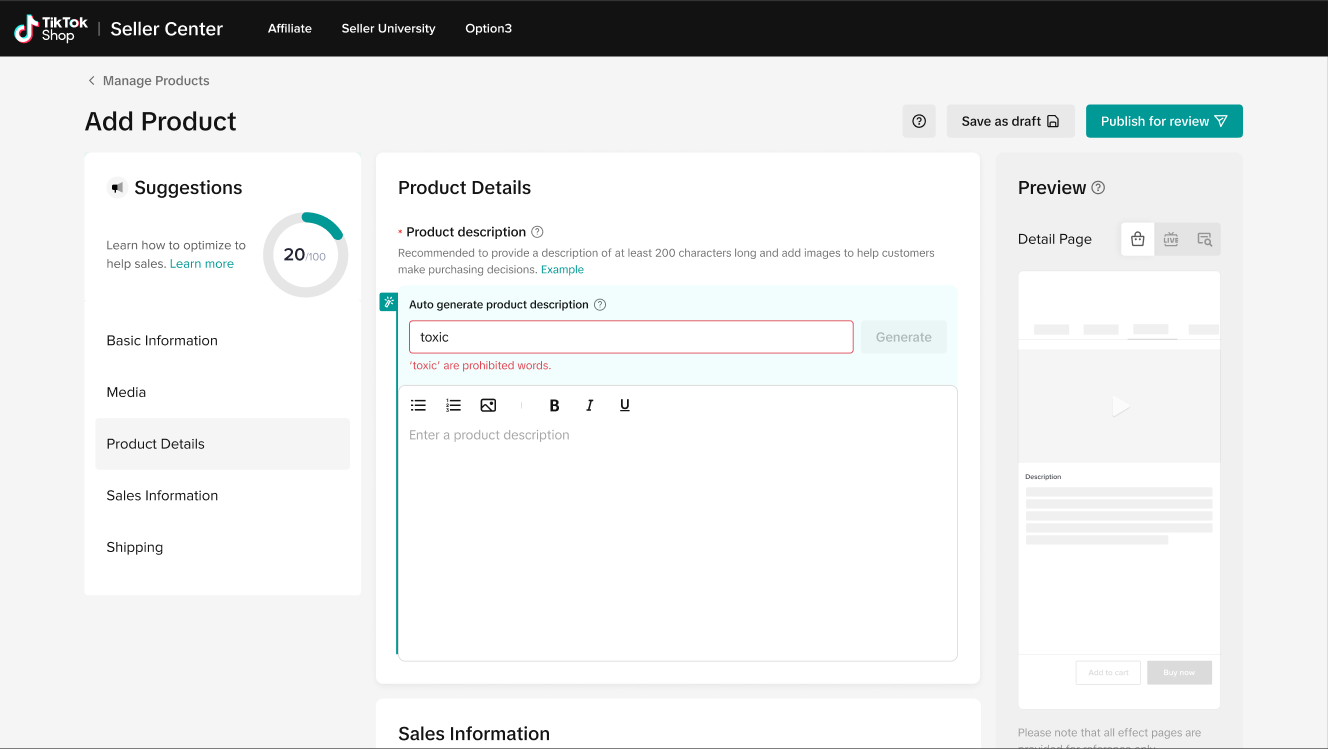
- Prohibited word in the keywords bar:
- Some words are prohibited in AI content generation according to TikTok Shop policy. If sellers put the prohibited word in the keyword bar, an alert will appear and the system will not generate the suggested product description narrative options.
Format Optimization
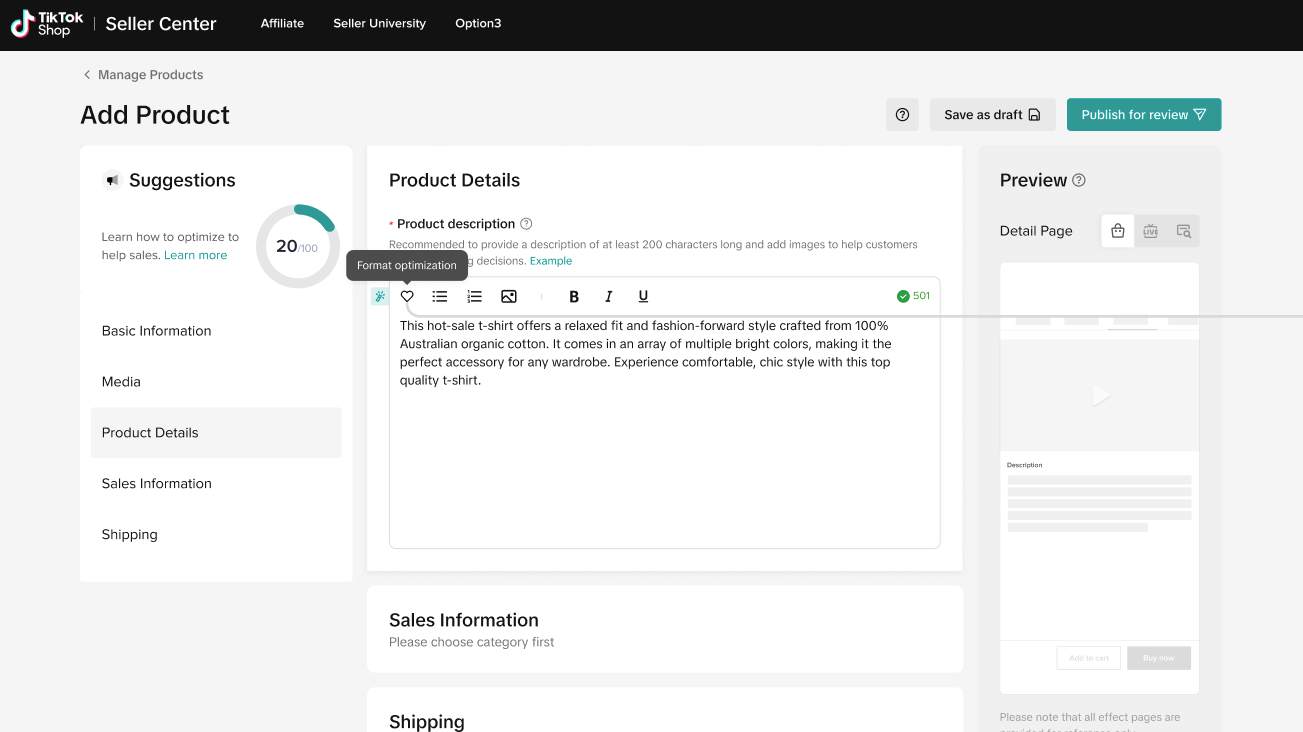
- When there is content filled in and the content exceeds 200 characters:
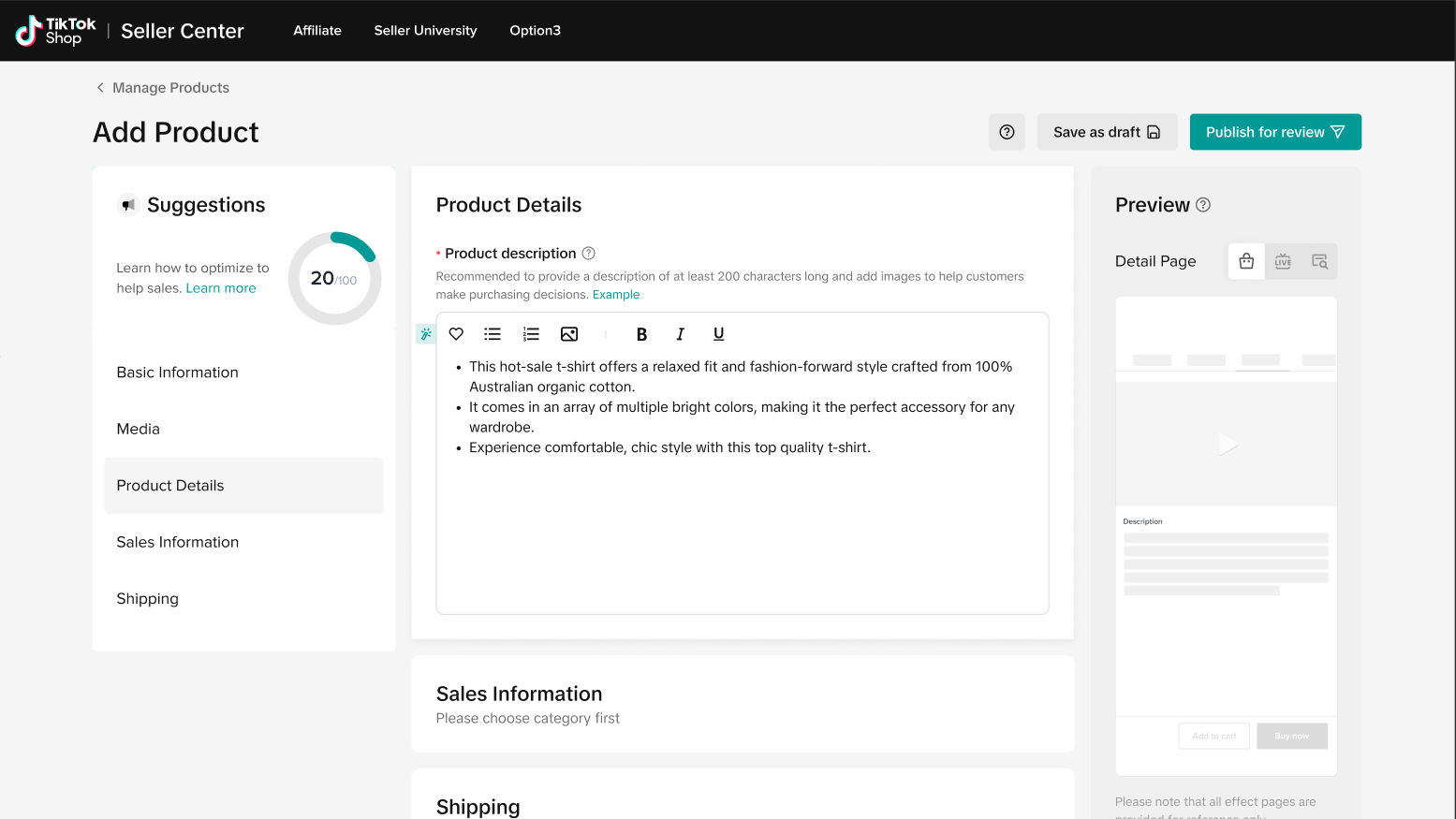
- The format optimization button appears, and after clicking, the system's ability will optimize the content paragraph in the current input box
- After clicking, it will take effect directly in the input box
- This will not delete/add the content that has been entered by sellers previously.

FAQ
- How many words does the seller need to provide so that the system can generate product description?
- To generate accurate description, the seller needs to input at least 3 key words
- Can I edit the keywords?
- Yes, sellers can edit keywords, and each time the seller edits or adds the keywords, the system will generate new contents.
- Is this function free of charge?
- Yes, it is free for sellers to use.
- Can the seller edit the content?
- Yes, sellers can edit the smart suggestions generated by system after they adopt the content.
- Is this feature compulsory for sellers to use?
- No, this feature is non-compulsory for sellers to use, but it will help sellers greatly in generating product description narratives, category recommendation, and product name based on trending keyword recommendations
- Will the trending keyword recommendation dynamically change?
- Yes, the trending keyword recommendation will dynamically change on a weekly basis based on the current trend of keywords on our platform related to your product
You may also be interested in
- 5 lessons
Product Listing And Management
Listing your product is the first step in officially bringing your product to consumers.
- 1 lesson
What causes Incomplete Information in product listings? (Inf…
Best practices to avoid Incomplete Information violation
Adding Existing Products from TikTok Shop
Getting your products live is the first essential step to succeeding on our platform. While we offer…

Branded Products Listing Guidelines
What are Branded Products? Branded products are products bearing a brand. The brand and its features…

Price Diagnosis
This feature will help sellers to review their product price competitiveness in TikTok Shop and full…
Trademark Infringement
What is a Trademark? A trademark includes but is not limited to words, symbols, slogans, designs, sh…
Product Listing and Image Editor on Seller Center App
Image Editor The new product image editor enables sellers to take product pictures continuously and…
Patent and Design Infringement
What are patents and designs? Patents protect inventions and give the owner the right to prevent oth…
Copyright Infringement
What is a copyright? Copyright is a legal right that protects original works and stops others from u…
Making Comparisons in Product Listings
What constitutes a "comparison"? A "comparison" is any statement that compares your product with the…