

Clearance Product
01/13/2026
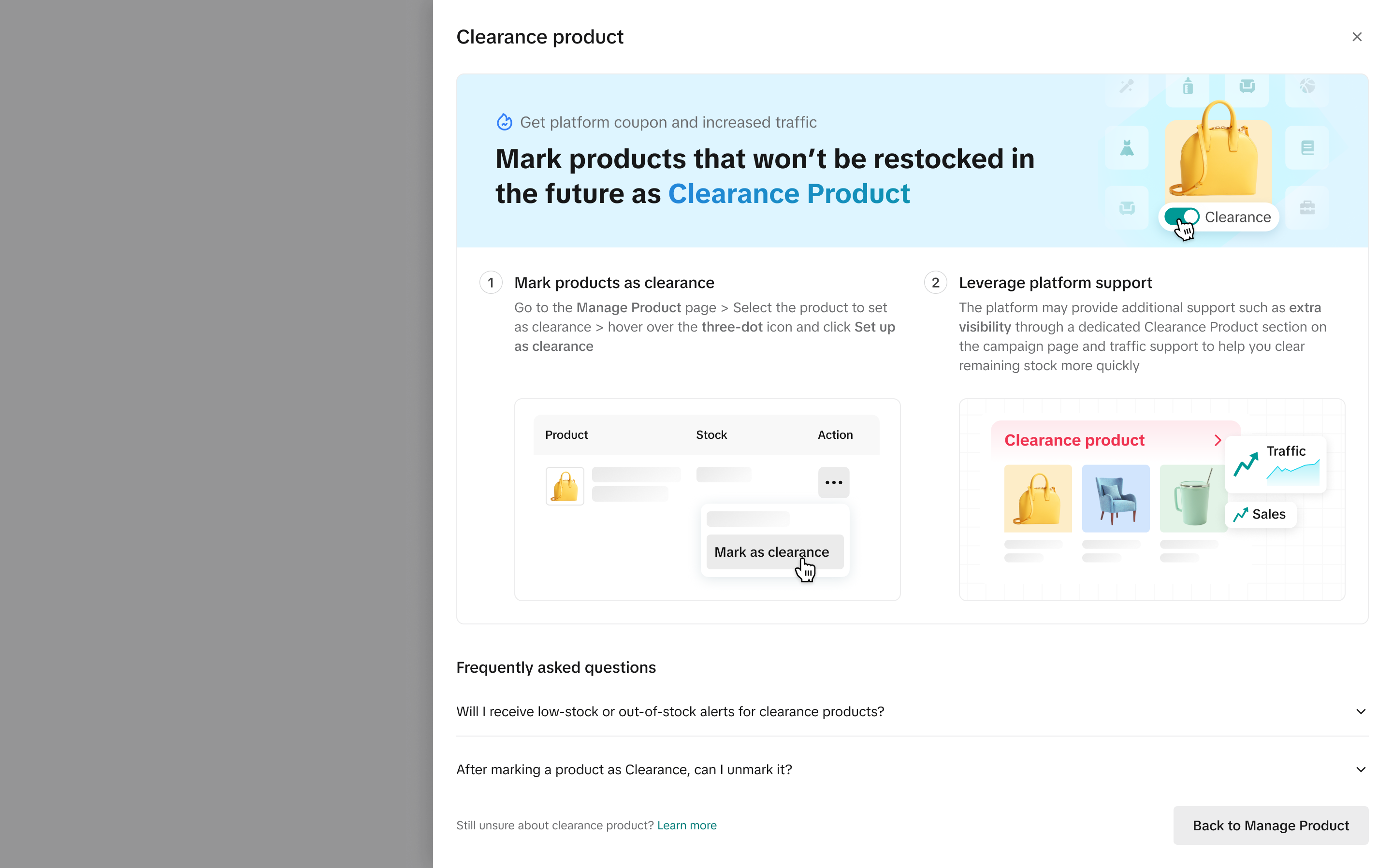

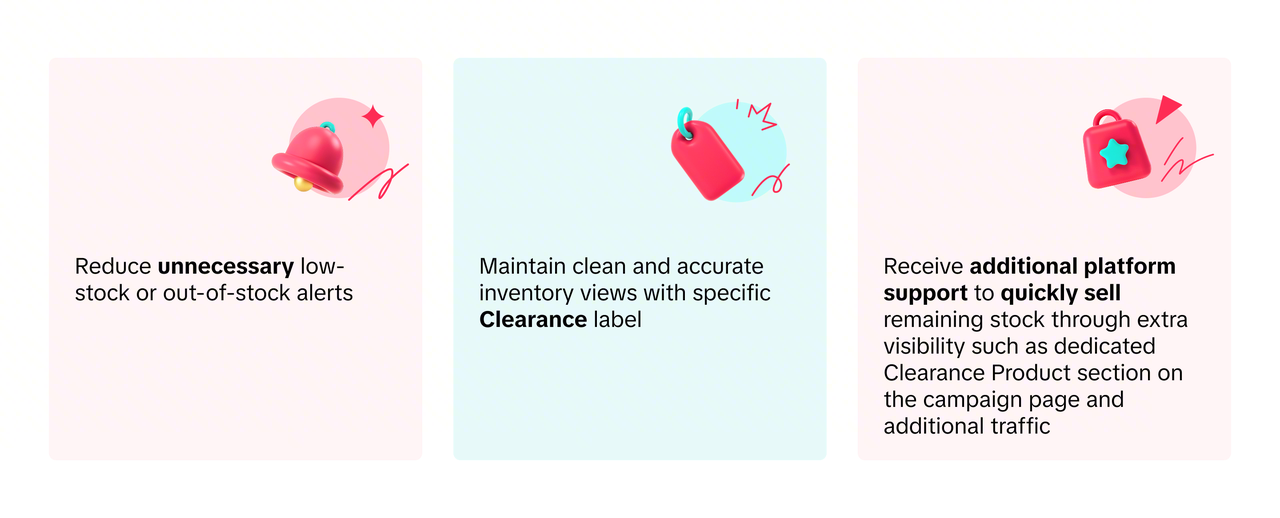
Benefits of Clearance Product

How to Setup Clearance Product
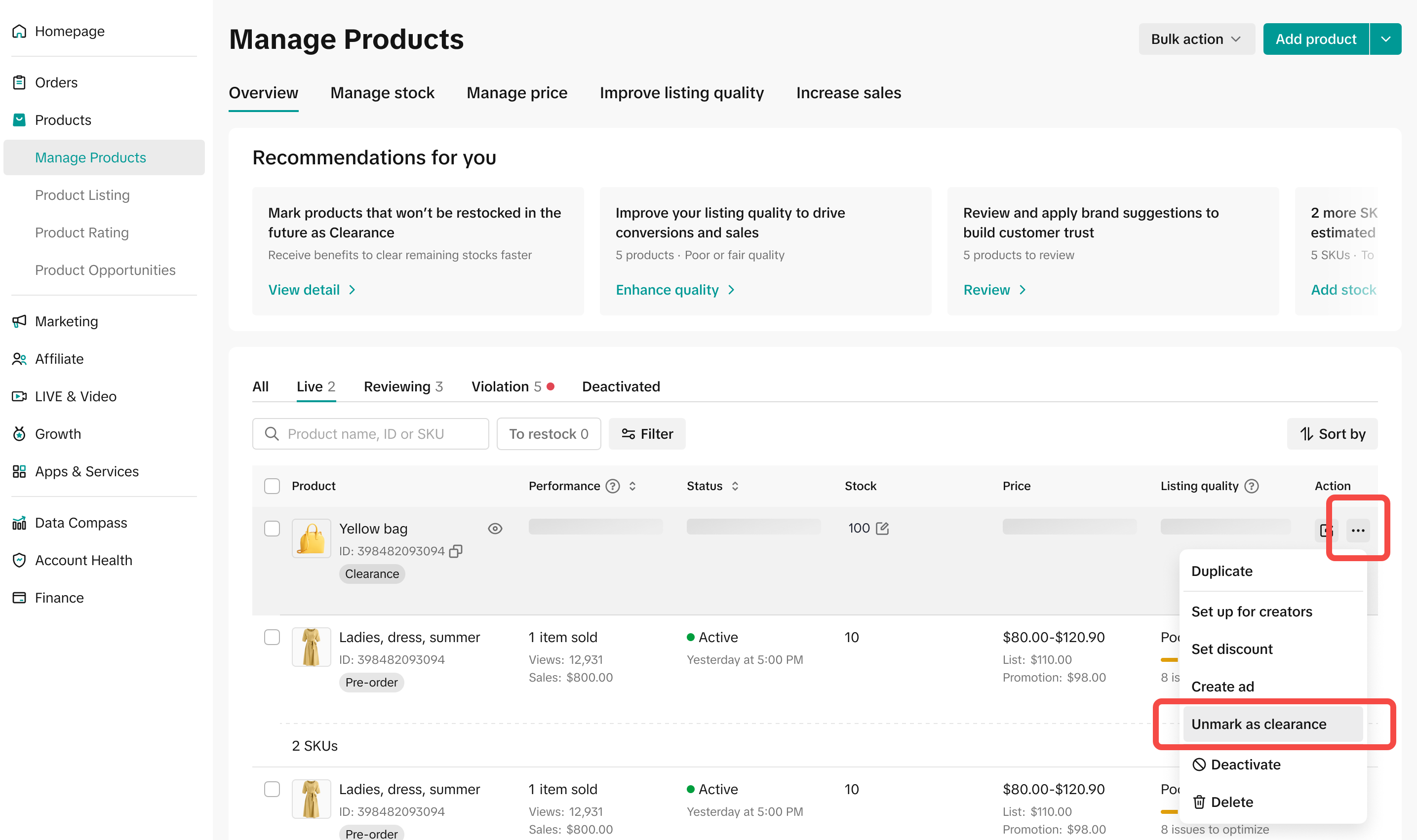
Sellers can see the details of Clearance Product on the top of Manage Product Page.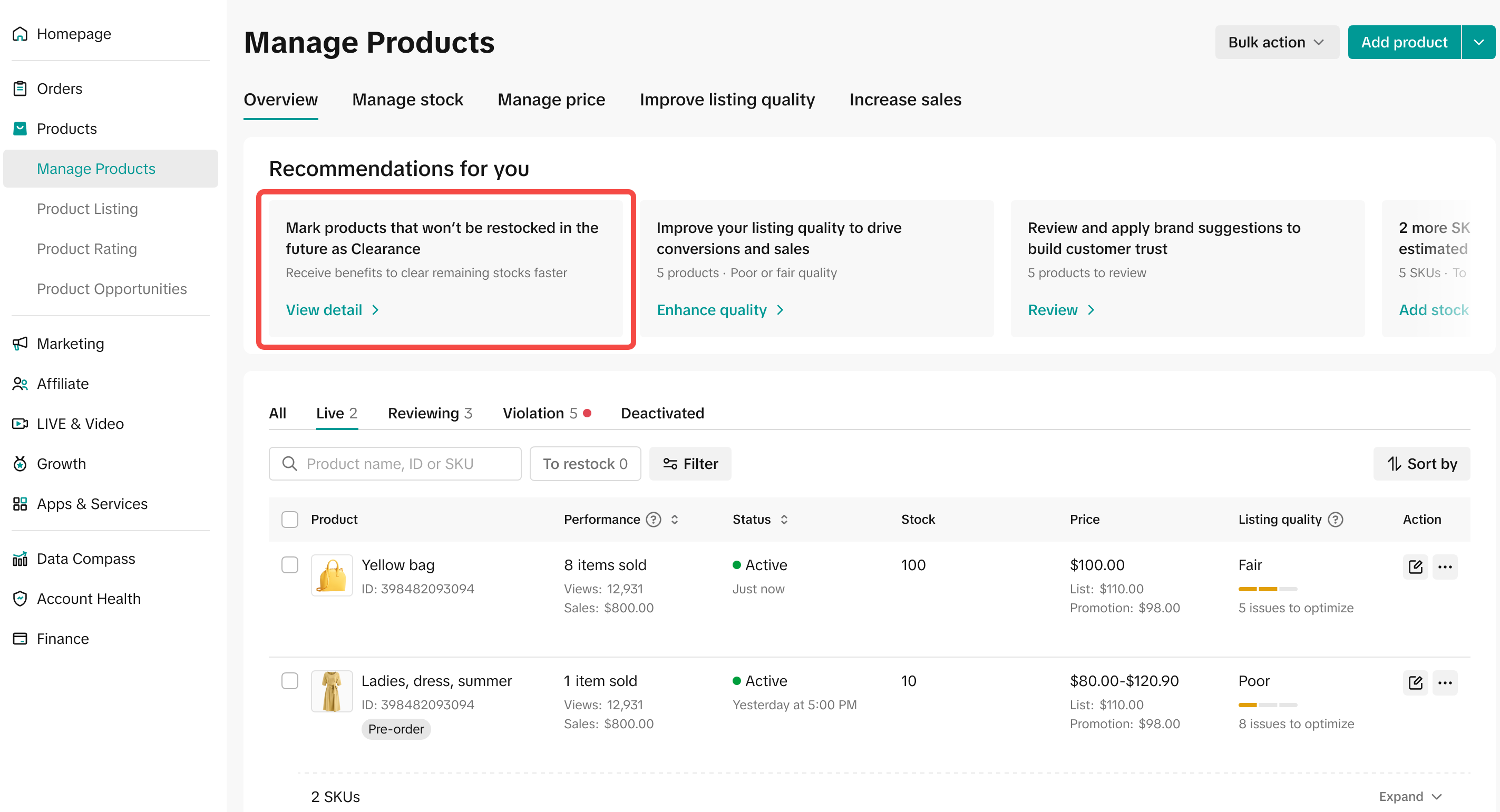 To set up a product as Clearance, sellers can select the product, hover over the three-dots icon, and choose Set as Clearance. For products with SKUs, sellers can toggle Clearance on or off for each variant they want to mark as cleared.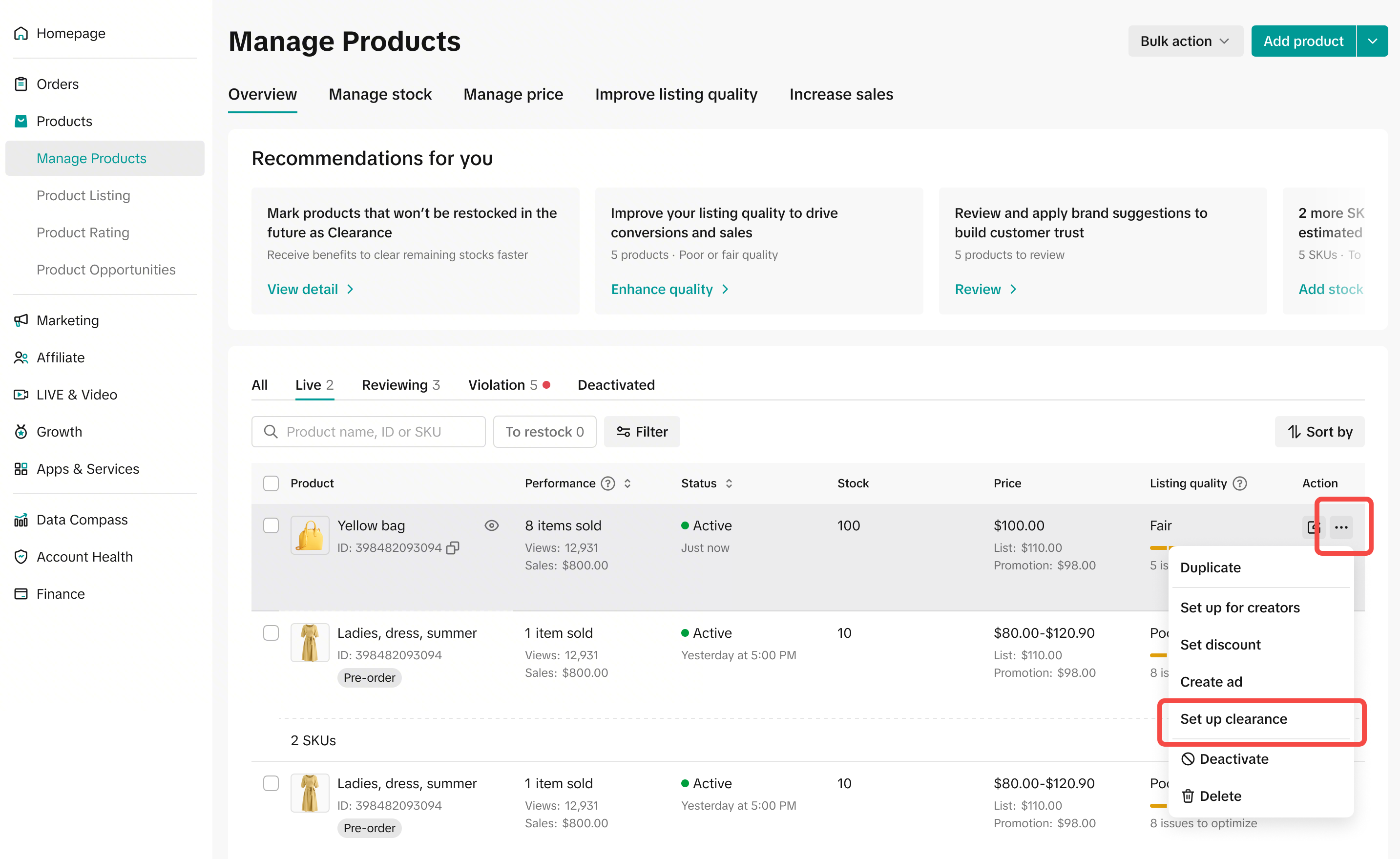
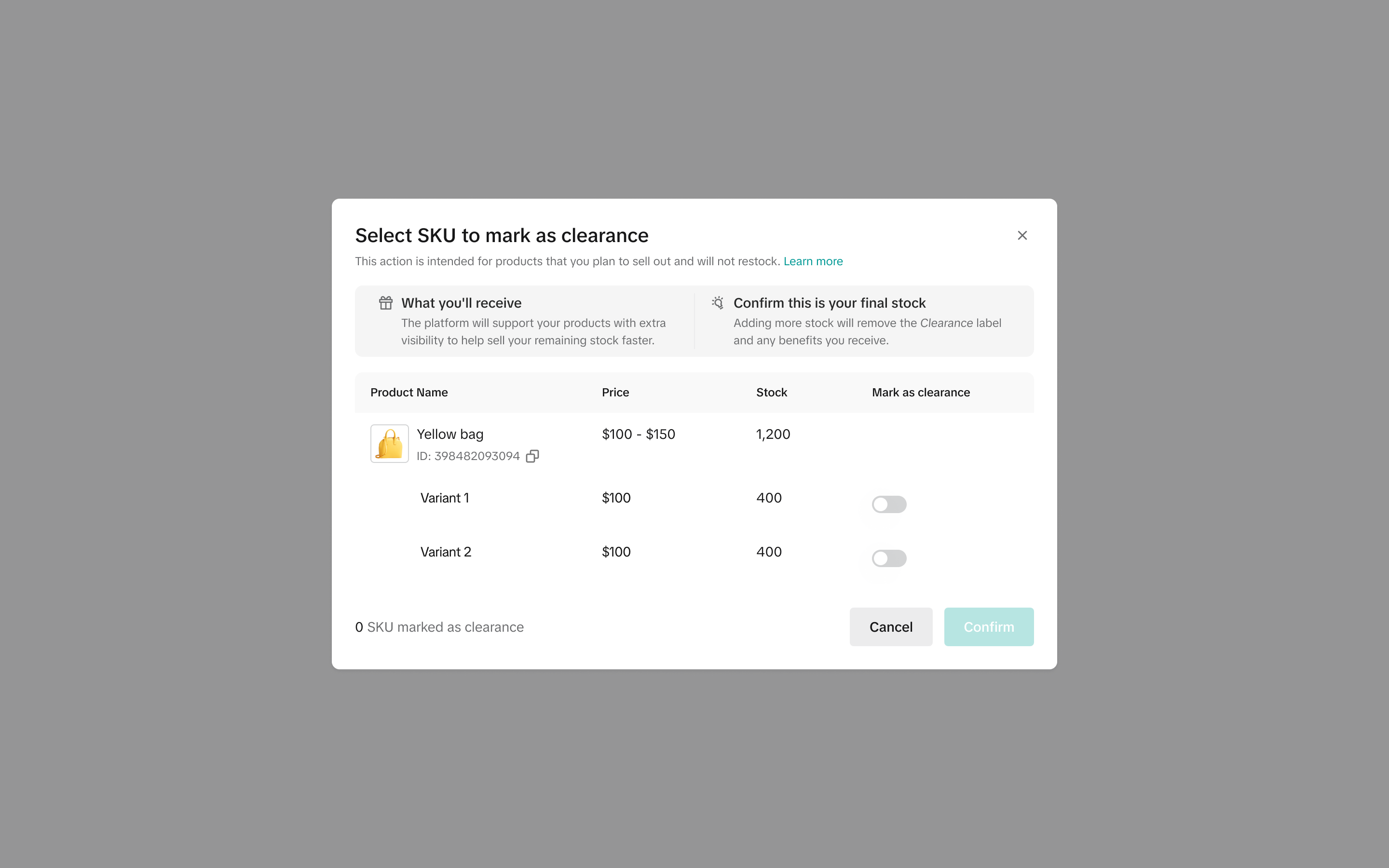 Once confirmed, the product will display a Clearance label in Seller Center and may receive additional platform support such as extra visibility.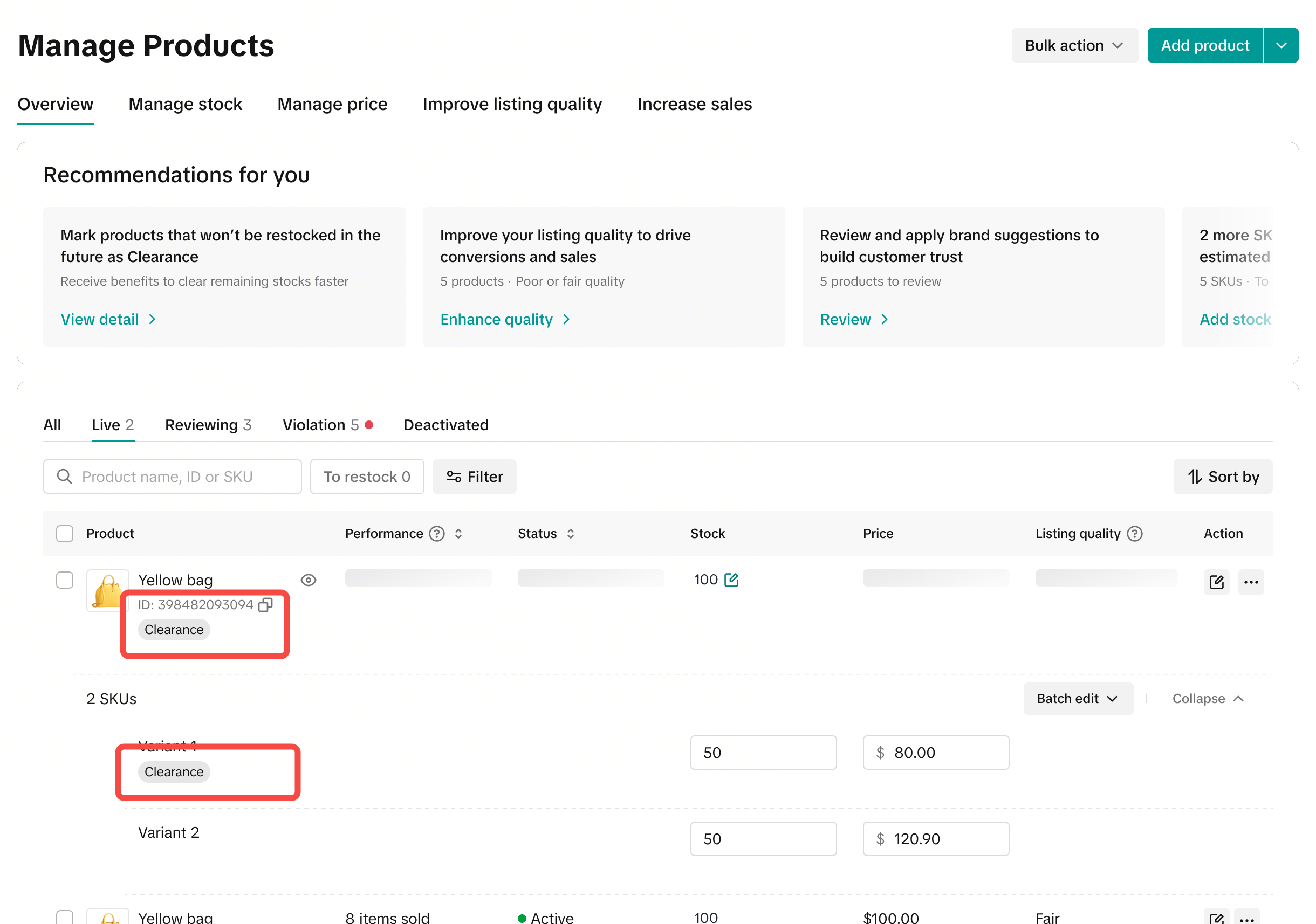

FAQ
- Will sellers receive low-stock or out-of-stock alerts for clearance products?
- No. Clearance products are intended to represent your last remaining stock and are not meant to be restocked. As a result, low-stock and out-of-stock alerts are not sent for these products.
- After marking a product as Clearance, can sellers unmark it?
- Yes. You can remove the Clearance status at any time from the Manage Product page. Please note that removing the Clearance tag will also end any related platform support.
- Will I be able to mark product as Clearance if the stock is 0?
- No. Product Clearance is intended for products with remaining stock so the last units can be sold. Products with zero stock cannot be marked as Clearance.
- What if I want to add more stock to a product that has been marked as Clearance?
- You can still add more stock. However, once additional stock is added, the Clearance label will be automatically removed in Seller Center, and all Clearance-related benefits on the platform will be removed immediately.
- Will my Clearance product display a Clearance label on the customer side?
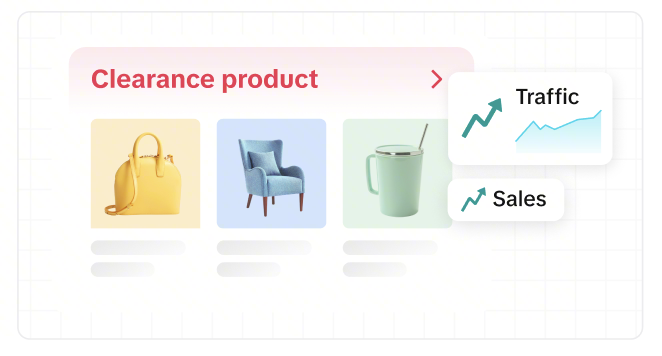
- Currently, there is no specific Clearance label shown on the customer side. However, Clearance products will be displayed in a dedicated Clearance section within the Campaign page on the TikTok app.
You may also be interested in
- 5 lessons
Product Listing And Management
Listing your product is the first step in officially bringing your product to consumers.
- 1 lesson
What causes Incomplete Information in product listings? (Inf…
Best practices to avoid Incomplete Information violation
Adding Existing Products from TikTok Shop
Getting your products live is the first essential step to succeeding on our platform. While we offer…

Branded Products Listing Guidelines
What are Branded Products? Branded products are products bearing a brand. The brand and its features…

Price Diagnosis
This feature will help sellers to review their product price competitiveness in TikTok Shop and full…
Trademark Infringement
What is a Trademark? A trademark includes but is not limited to words, symbols, slogans, designs, sh…
Product Listing and Image Editor on Seller Center App
Image Editor The new product image editor enables sellers to take product pictures continuously and…
Patent and Design Infringement
What are patents and designs? Patents protect inventions and give the owner the right to prevent oth…
Copyright Infringement
What is a copyright? Copyright is a legal right that protects original works and stops others from u…
Making Comparisons in Product Listings
What constitutes a "comparison"? A "comparison" is any statement that compares your product with the…