

Checking LIVE Data within LIVE Shopping Bag
02/28/2025
Within the LIVE Shopping Bag, LIVE hosts can now check real-time LIVE performance data via mobile app, making it extra convenient to monitor your LIVE performance on-the-go!
Benefits of LIVE Data in LIVE Shopping Bag
- Streamlined Experience: Instead of using both mobile and desktop, now you can enjoy the ease of using just your mobile to seamlessly monitor your LIVE performance.
- Validation & Motivation: Seeing positive data like growing GMV or Orders can serve as immediate validation that your LIVE is on the right track, boosting motivation to keep going and achieve your LIVE target!
- Easier Troubleshooting for Newbies: For new hosts, it can be overwhelming to know what to improve during a livestream. Having real-time suggestions allows you to focus on what’s most important, without needing years of experience to recognize which elements of your stream need work. It provides immediate insights that help you grow faster.

Entrance to LIVE Data in LIVE Shopping Bag
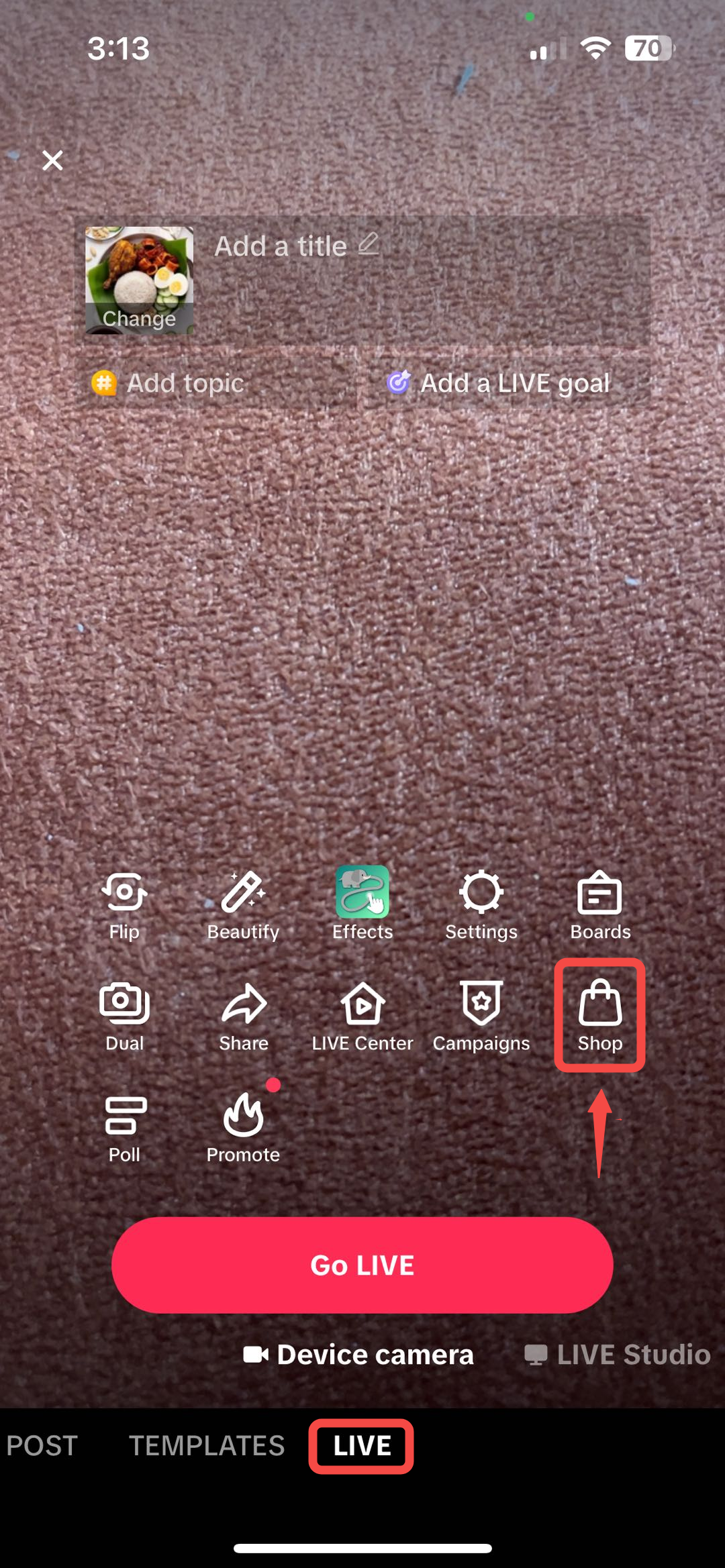
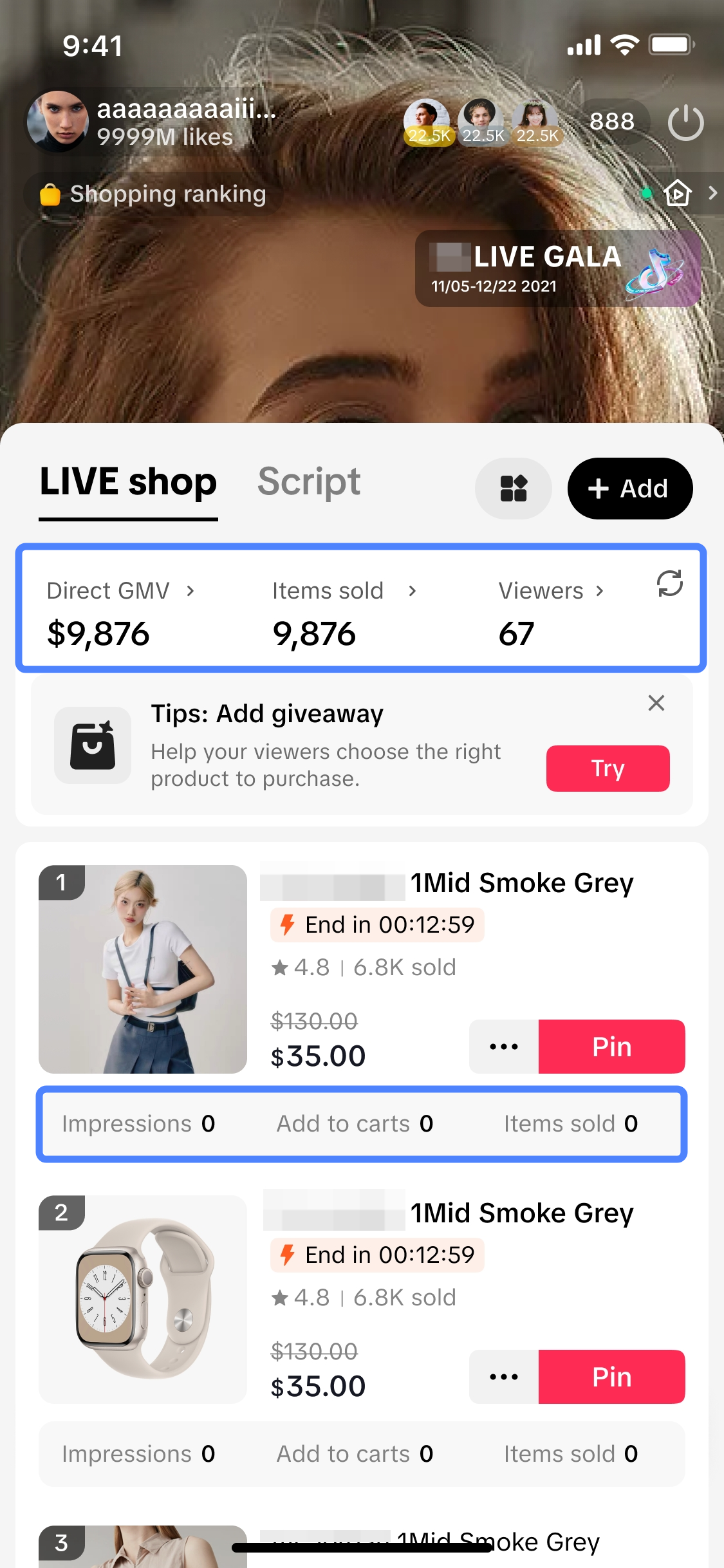
LIVE Data can be found via the LIVE Shopping Bag entry point, simply follow the guide below:Step 1 | Step 2 |
Go to LIVE screen > Click on Shop | This is the LIVE Shopping Bag, where you can now get a summary of your LIVE performance in real-time! |
 |  |

Key Features of LIVE Data in LIVE Shopping Bag
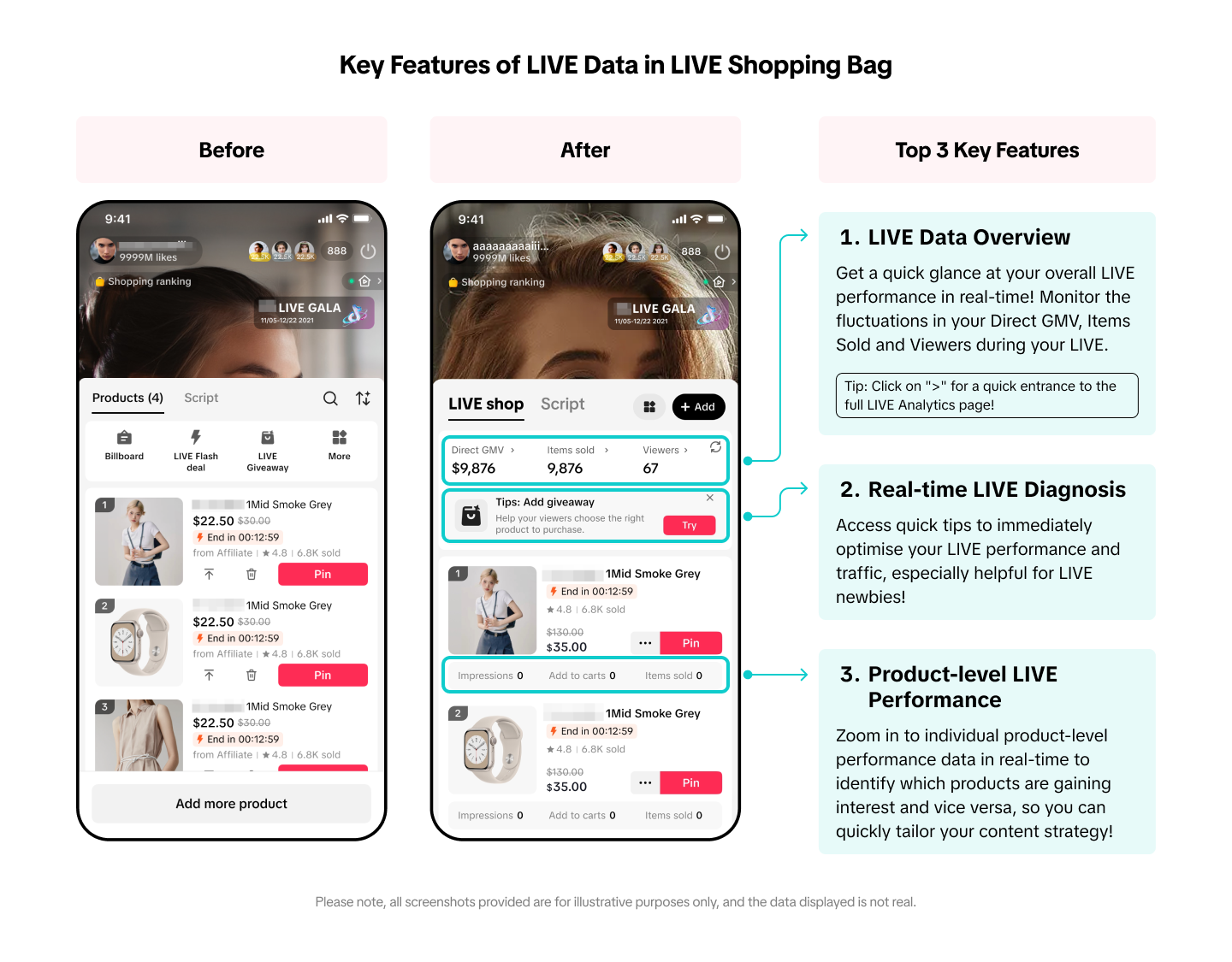
- LIVE Data Overview
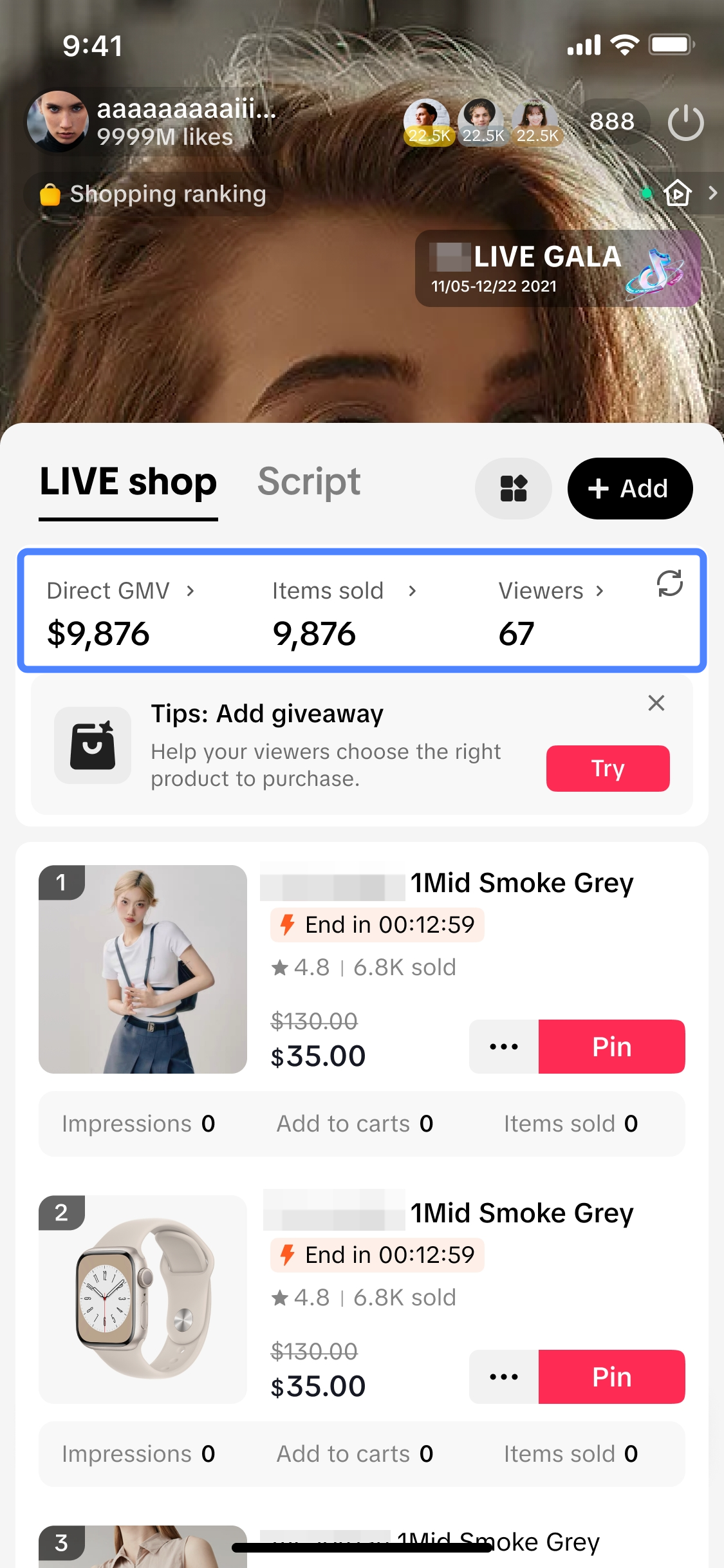 | LIVE Data Overview*Here, you can easily get a quick glance at your overall LIVE performance in real-time! Monitor the fluctuations in your Direct GMV, Items Sold and Viewers during your LIVE, to see what resonates with your audience and take quick actions to optimise your LIVE if needed.
|
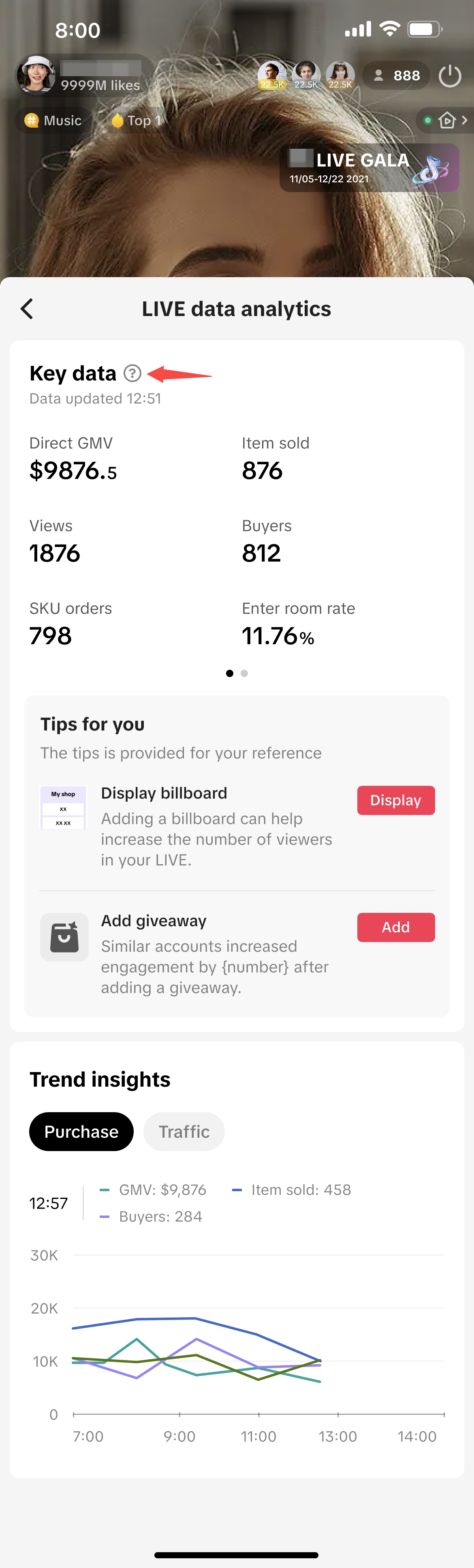 | LIVE Analytics page
|
- Real-time LIVE Diagnosis
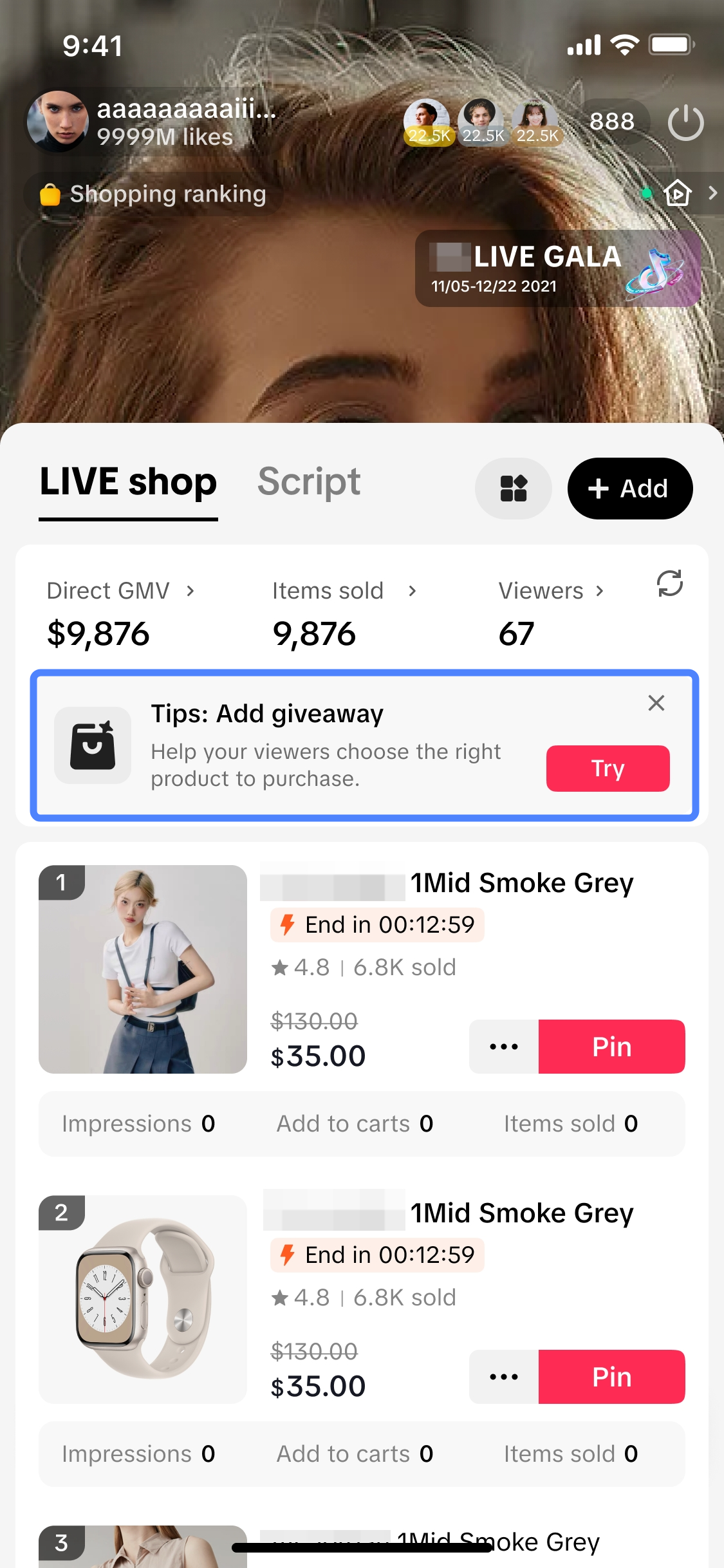 | Real-time LIVE Diagnosis*While conducting your LIVE, you can get quick tips to immediately optimise your LIVE performance through the LIVE Diagnosis prompt shown. Upon clicking on the prompt, it will lead you to the LIVE Data Analytics page where you can find more important tips and directly take action by clicking on the action button provided.*The diagnosis prompt will appear when there is low traffic towards your ongoing LIVE. | 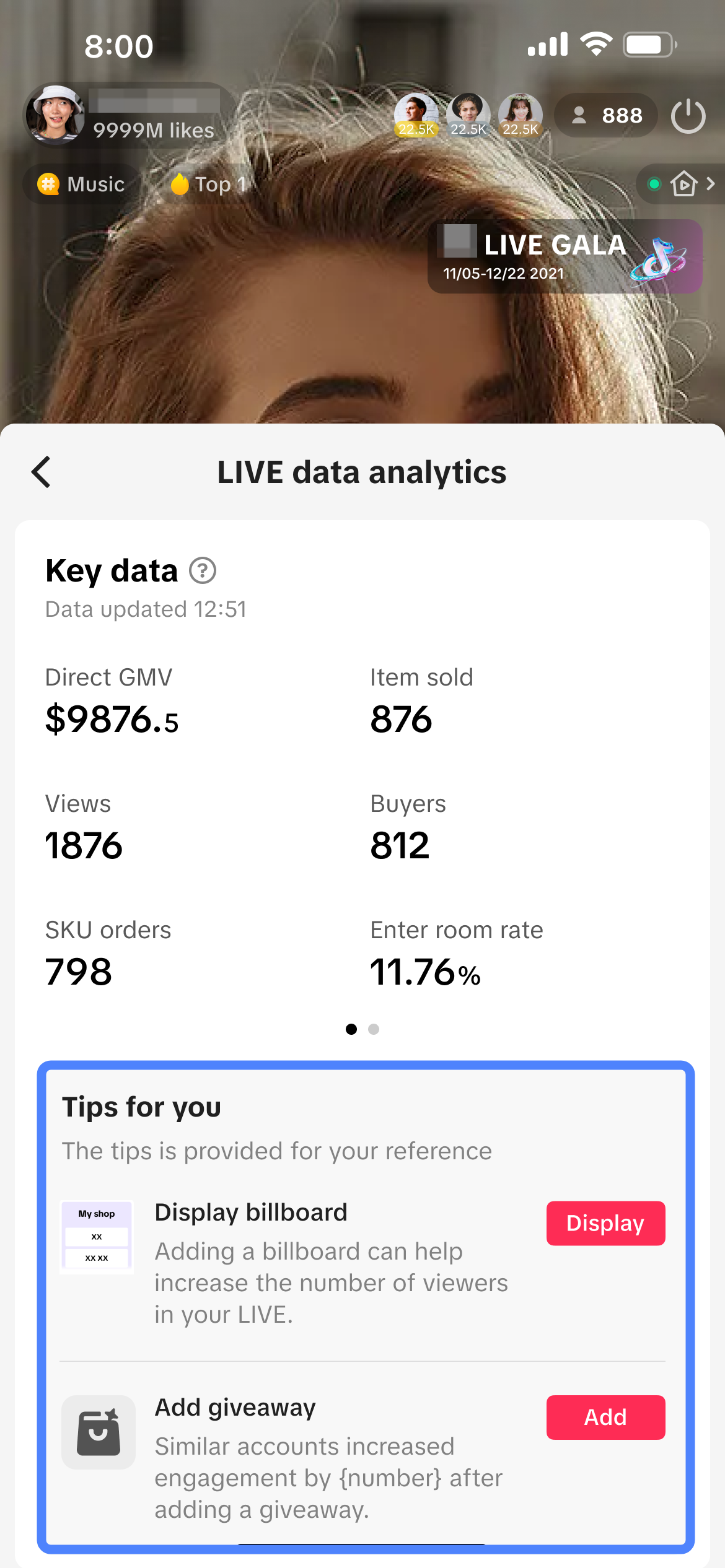 |
- Product-level LIVE Performance Data
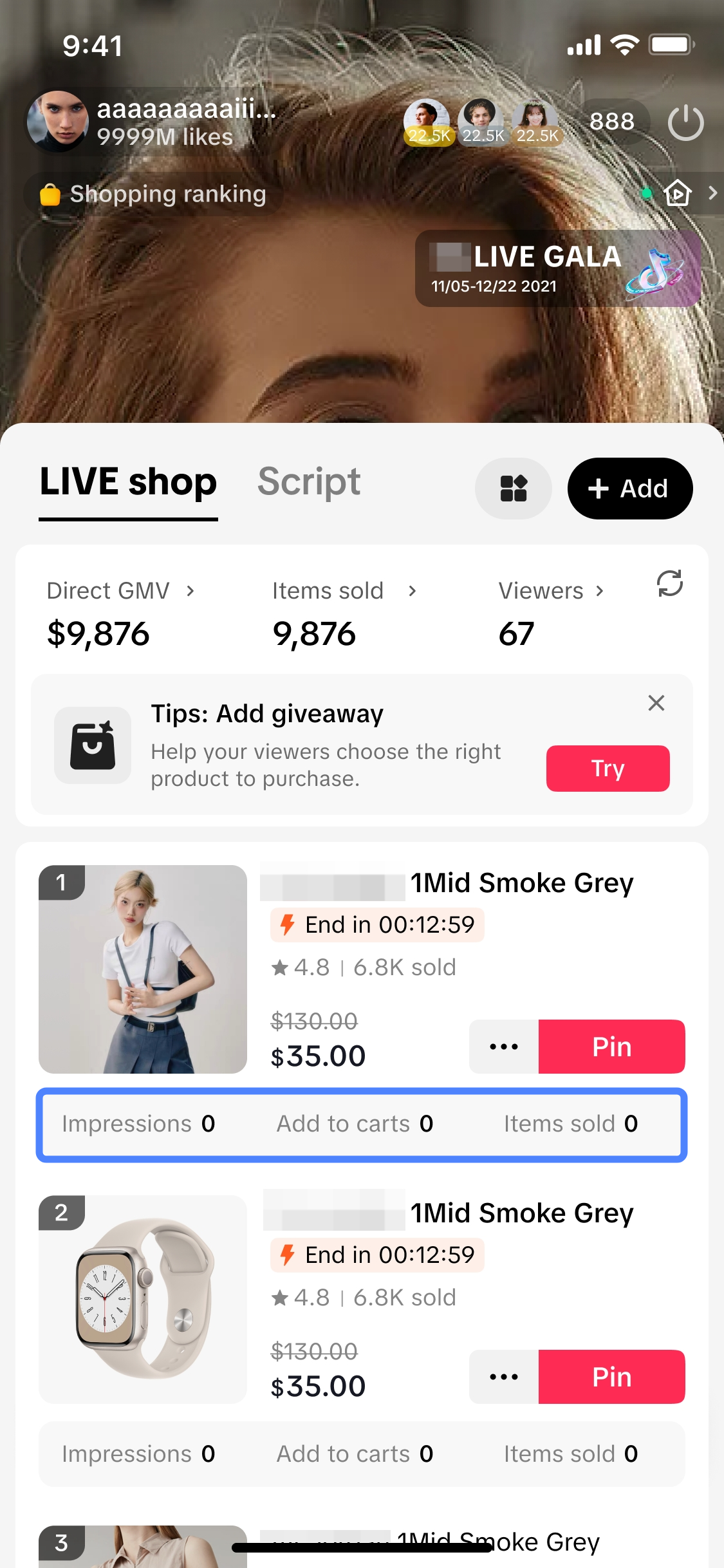 | Product-level LIVE Performance DataIn addition to the LIVE Data Overview available, you can also zoom in to individual product-level performance data in real-time during your LIVE! Check out each product's performance in terms of:
|

FAQs
- What does real-time data mean?
- There is no LIVE Data Overview module appearing in my LIVE Shopping Bag. Why is that?
- Will I be able to review the LIVE Data Overview and product-level performance data once my LIVE has ended?
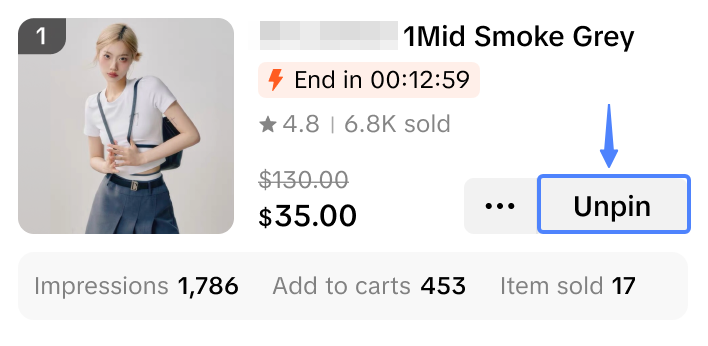
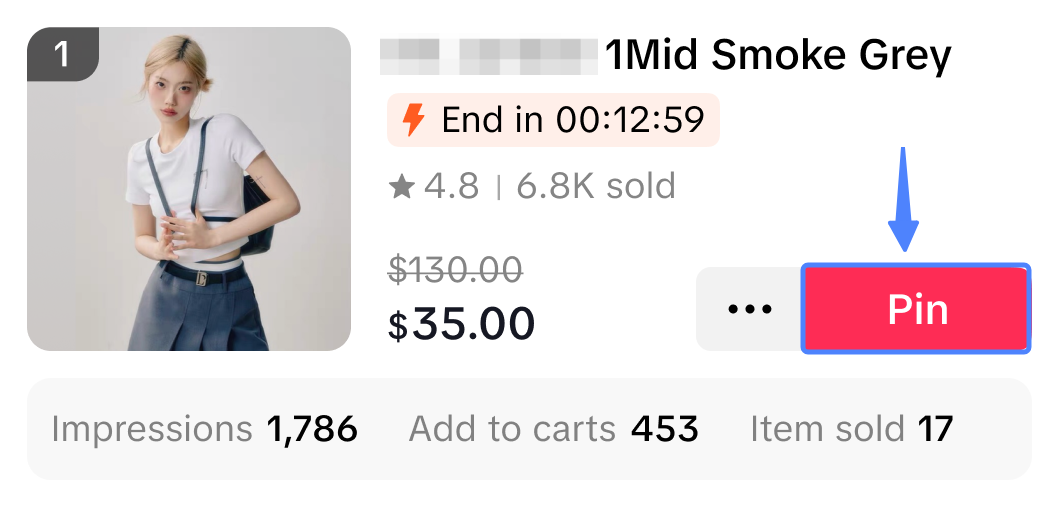
- Can I unpin a product that was previously pinned?
Unpin | Pin |
 |  |
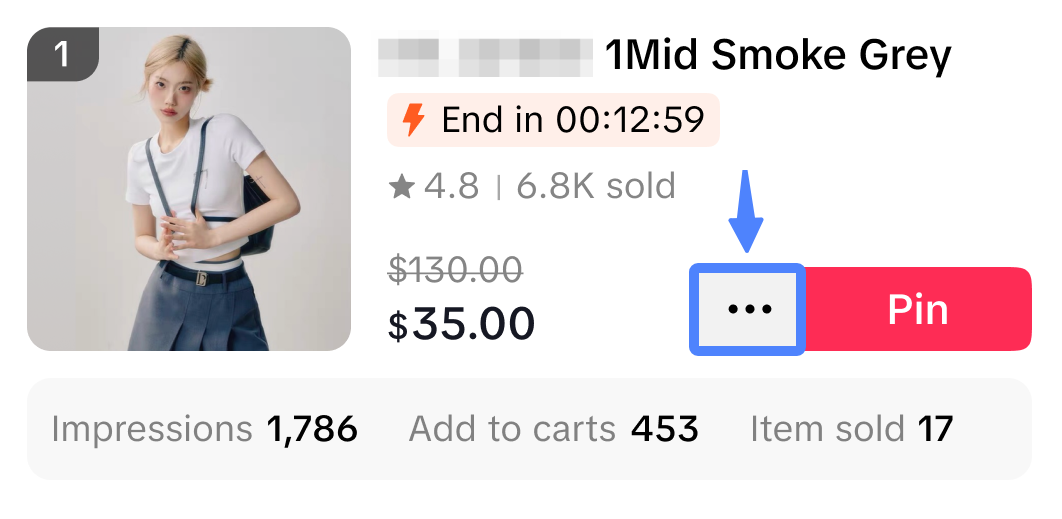
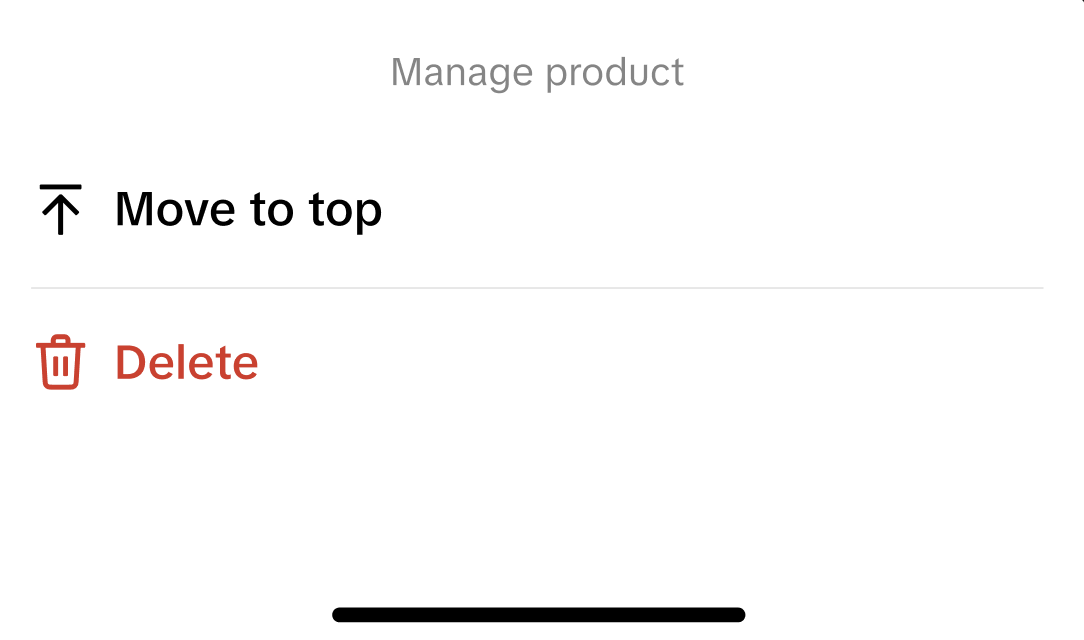
- How can I delete or move a product up within the LIVE shopping bag?
Step 1: At the product, click on the three dots | Step 2: Click 'Move to top' or 'Delete' |
 |  |
Anda mungkin juga tertarik
Auto-Sort Products for LIVE
In this article, we will teach you how the auto-sort products feature works and how it can benefit y…
LIVE Giveaway
LIVE Giveaway is a tool that allows sellers or creators to run giveaway events during LIVE, by givin…
LIVE Event
What is LIVE Event? Many viewers find it hard to keep track of livestream schedules because each cre…

Misleading Content
To protect customers and maintain trust, TikTok Shop prohibits any content that could mislead buyers…
LIVE Highlights
LIVE Highlights is a tool designed to provide you with the best-performing segments of your livestre…
【video】Operations Must Be The 3 TikTok Backends Live Profici…
01. TikTok Shop Seller Center 02. TikTok Shop Streamer 03. TikTok Desktop version
【video】Process of Live Streaming Optimization Logic and Room
01. Traffic Aspect 02. Content Aspect 03. Conversion Aspect
【video】The Logical Approach to Effectively Reviewing livestr…
01. Traffic Analysis 02. Content Analysis 03. Conversion Analysis

Creator LIVE Flash Sale
What is Creator LIVE Flash Sale? Creator LIVE Flash Sale is a type of Seller Flash Sale, whereby it…
LIVE Follower Voucher
This article will share with you what a LIVE Follower Voucher is, how you can leverage these LIVE Fo…