

Reporting Invalid or Incorrect Reviews
01/15/2026
Key Points:IMPORTANT: This feature is currently only available for select sellers. If you are unable to report customer reviews using the feature described below, you can do so by submitting a ticket via the Help Center.
- TikTok Shop does not tolerate customer reviews that are designed to mislead or manipulate other platform users.
- Report any invalid or incorrect customer reviews via the Product Ratings page in Seller Center.
What is an Invalid Or Incorrect Customer Review?
An invalid or incorrect customer review is a review that is unfair, misleading, or not genuine about your product or service. This includes:- Multiple Malicious reviews* - Reviews meant to harm a shop rather than share real feedback, such as:
- One customer making repeated purchases and leaving a negative review every time.
- A customer leaving many 1–2 star reviews across different shops without any review content.
- Coercive reviews - Reviews where a customer threatens to leave (or remove) a negative review unless they receive free products, refunds, samples, or other benefits.
- Competitor reviews* - Reviews posted by competing sellers with the intention of damaging your shop or product.
- Traffic diversion reviews - Reviews that encourage customers to buy the product on another platform or from another seller instead of your shop.
- Erroneous reviews - Reviews that are clearly wrong, such as
- Reviewing a product that you do not sell.
- Complaints caused by misunderstanding how the product is meant to be used.
- Invalid reviews - Reviews that are unrelated to the product purchased, meaningless, or posted only to spam.
How To Report An Invalid Or Incorrect Customer Review?
Step 1: Head over to the Product Ratings page in Seller Center.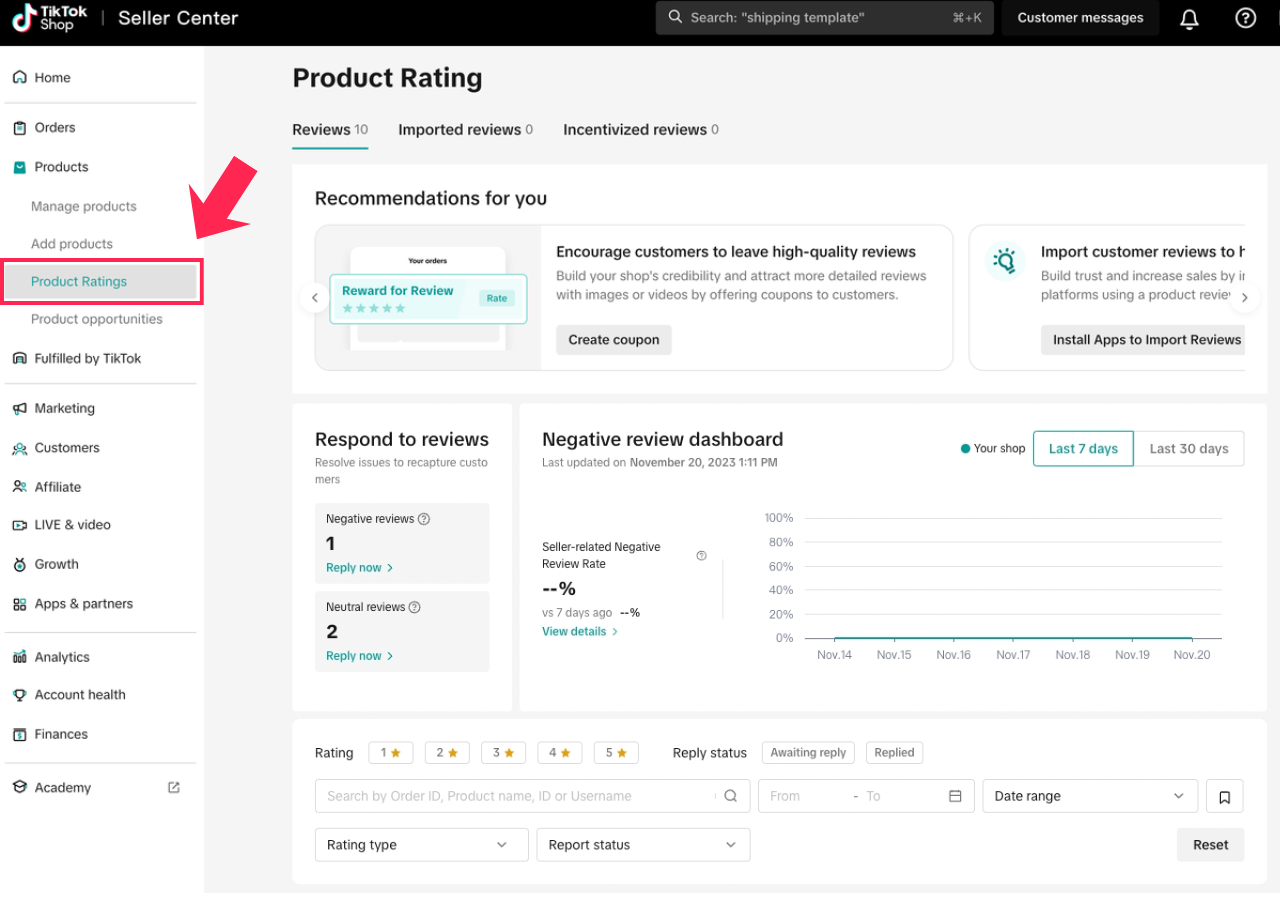 Step 2: Find the review that you want to report. Use the filters if needed. Click on Review details, and then Report review.
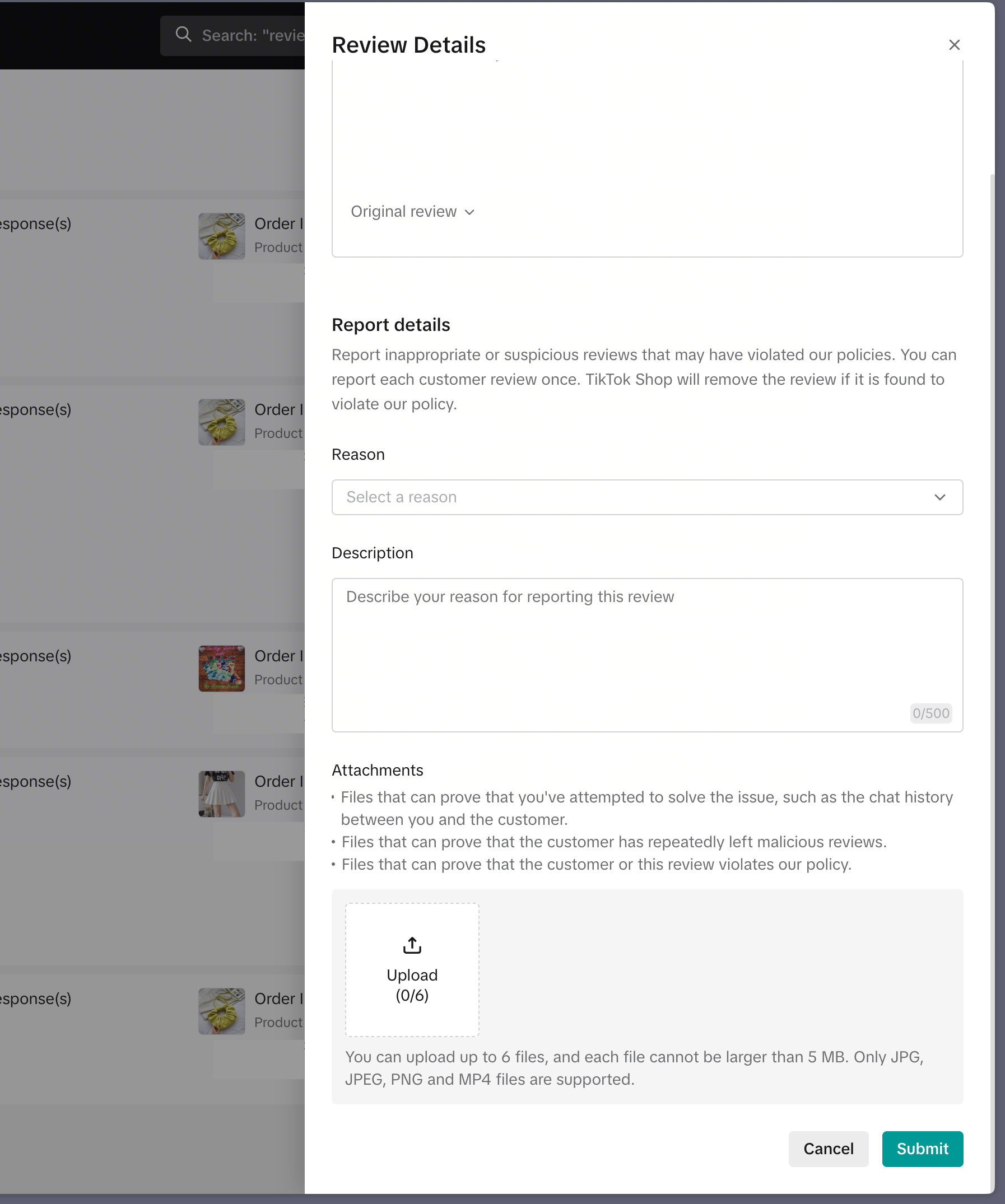
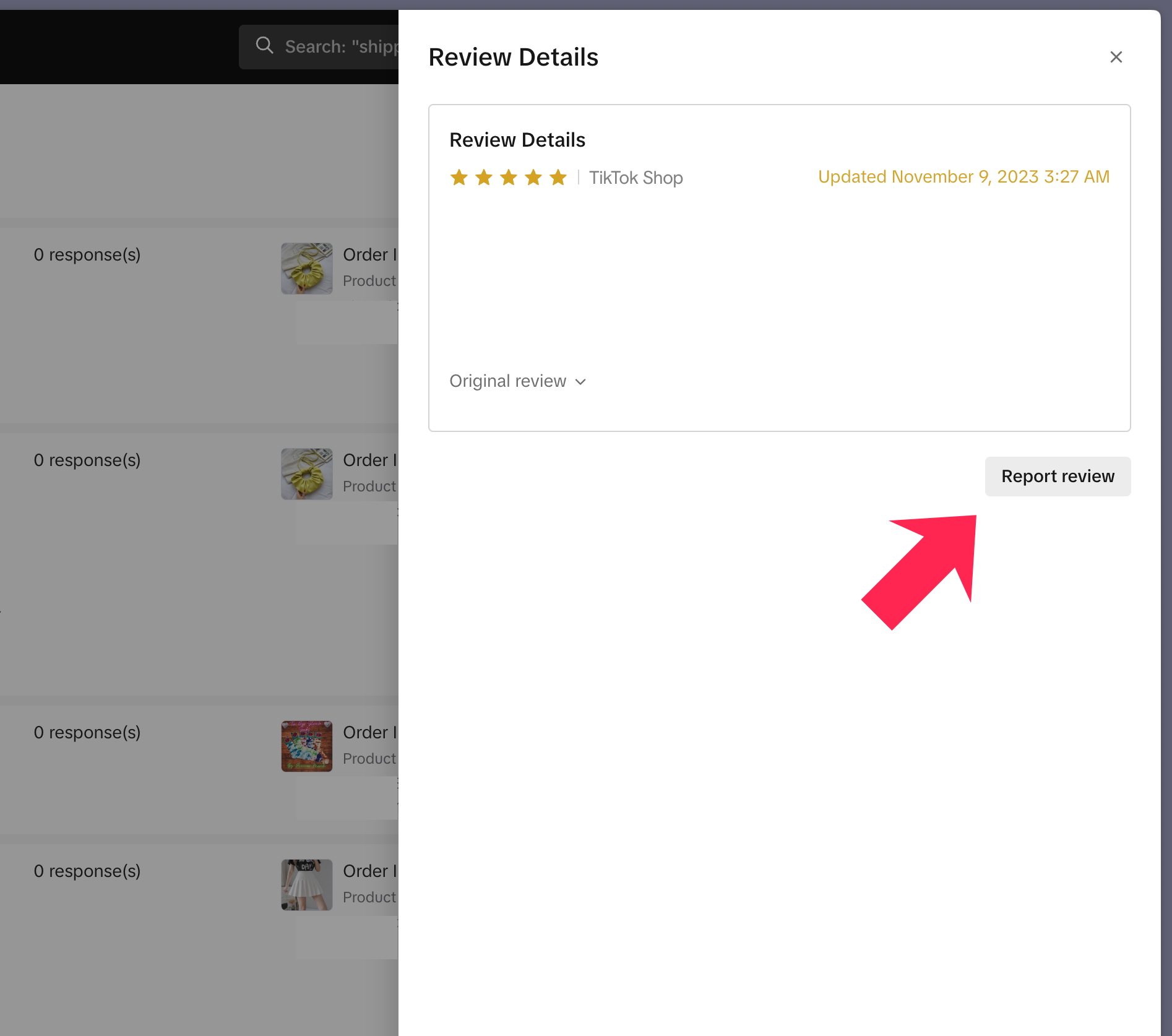 Step 3: Select a reason from the available options in the drop-down list. Explain why the review is invalid or incorrect. Upload relevant supporting information. Click Submit when you are ready.
 Step 4: Monitor the status of your report.
❗Submitting a report does not guarantee the review will be removed. It only ensures that your report will be reviewed. We will then decide, at our discretion, whether to approve your report.
Supporting Information
Repeated Malicious Reviews
Customers who post multiple malicious reviews typically exhibit bad intent. When reporting these reviews, upload the following evidence:- Screenshots of your chat with the customer to prove their bad intent. These should show that they never replied to your messages or refused to engage with you in good faith.
- Screenshots of the relevant product listing to prove the customer's review has no relevance to the product.
An example would be a customer leaving a negative review that the protein powder you sell did not help with their weight loss. Upload a screenshot of the product listing to prove you emphasized that the protein powder is only a supplement, and does not replace the necessity for a healthy, balanced diet and regular exercise.
Competitor Reviews
The key evidence is proof that the review was posted or engineered by a competing seller. When reporting these reviews, upload the following evidence:- Evidence proving that the customer who posted the review is connected to a competing seller. OR
An example would be a screenshot of the order details showing that the customer's delivery address is the same as a competing seller's warehouse or business address.
- Screenshots of review bombing on similar products sold by other sellers in your category. OR
- Screenshots of your Manage Orders page in Seller Center showing that a large number of orders were made for the same product within a very short period, and all orders received negative reviews.
Frequently Asked Questions (FAQ)
Is there a time limit for reporting reviews?
Yes, you must report a review within 30 calendar days of it being posted.
How many times can I report a review?
You can only report a review once.
Is there a limit on the number of reviews I can report?
We want to protect our sellers from malicious or abusive customers, so there is no limit on the number of reviews they can report. That said, if we suspect that a seller is misusing this tool, the seller will be blocked from submitting reports.