

How to apply to be an "Invite-only" Seller
06/29/2025
How do I apply to sell Invite-Only products?
Here are the steps you should follow to apply as a seller for the "Invite-only" category:Important note: The Qualification Center is currently only available on desktop.
Steps | Screenshot |
Step 1: Access the Qualification CenterOn your desktop, from the Seller Center, go to My Account > Account Settings > Qualification Center. | 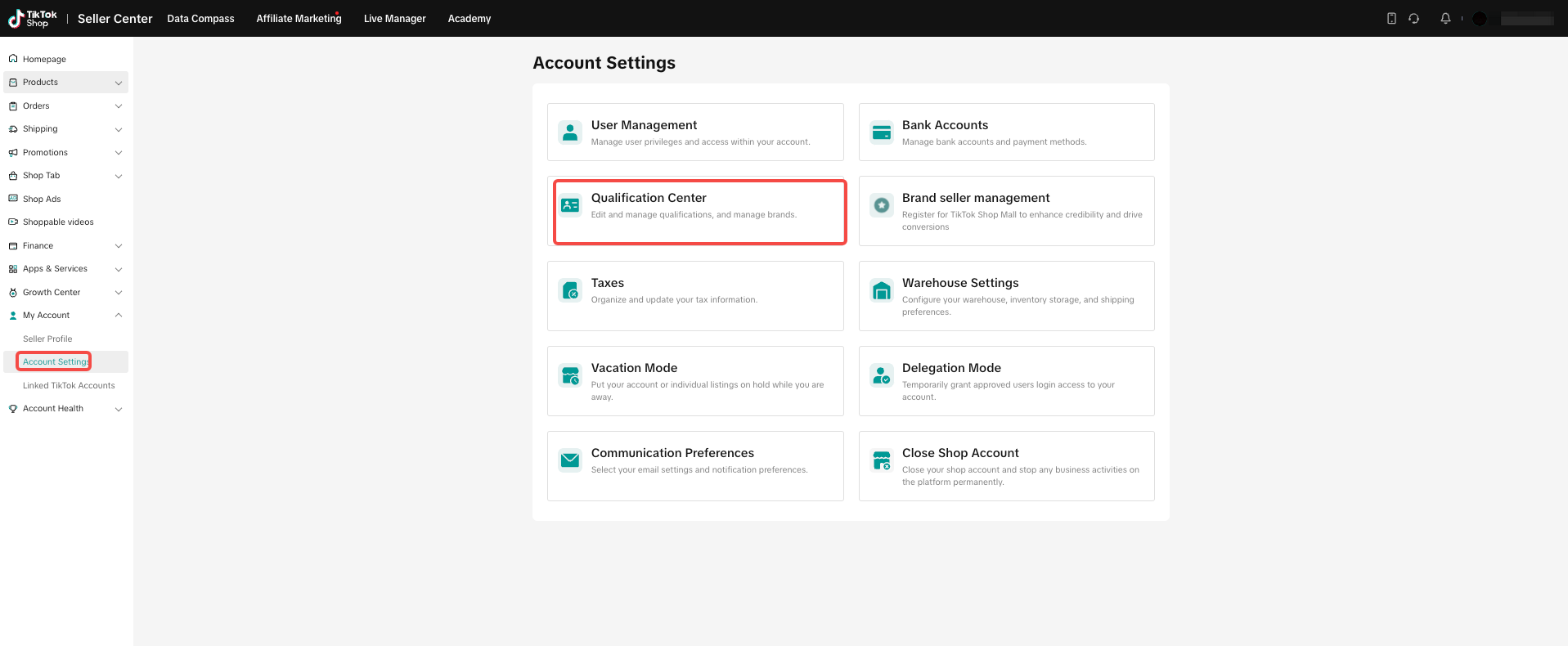 |
Step 2: Enter the Category Authorisation pageSelect Category Qualification, then click "Add category Authorization". | 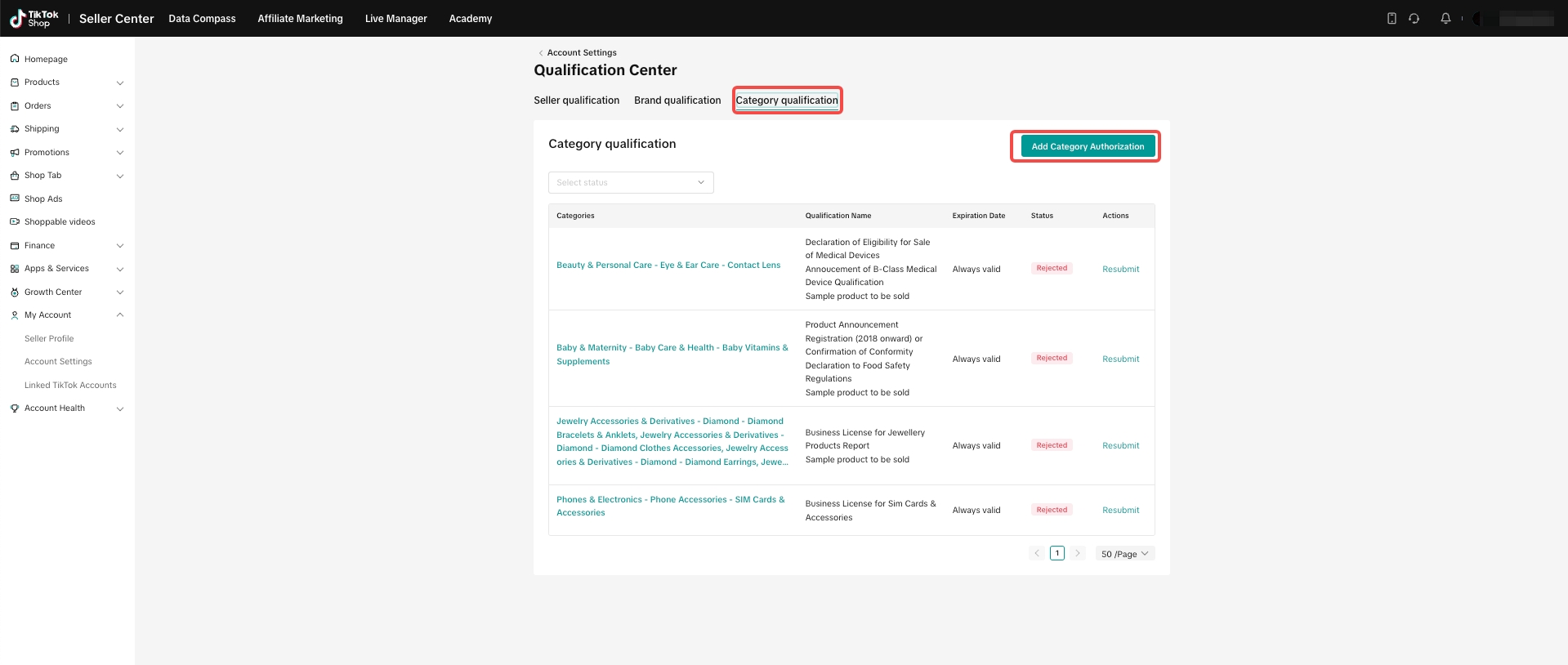 |
Step 3:Category SelectionSelect categories that you would like to apply to. You can select more than one category if applicable. | 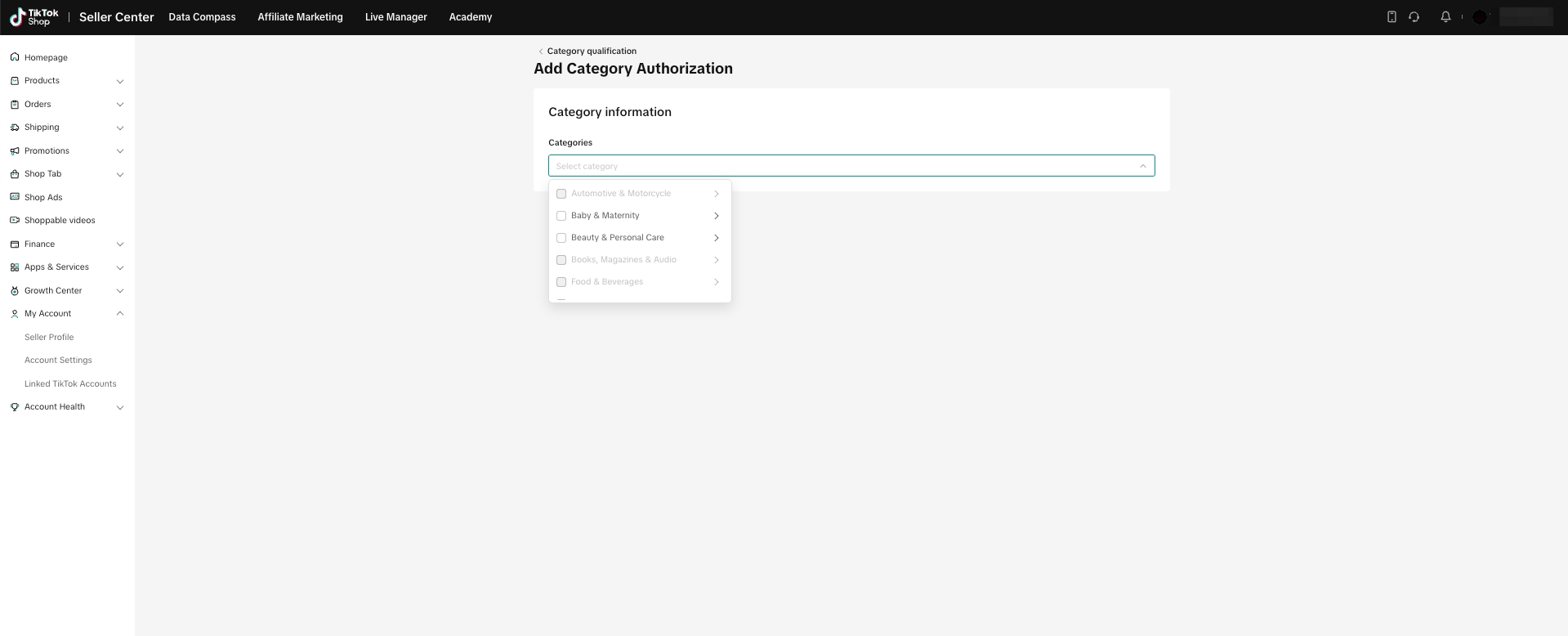 |
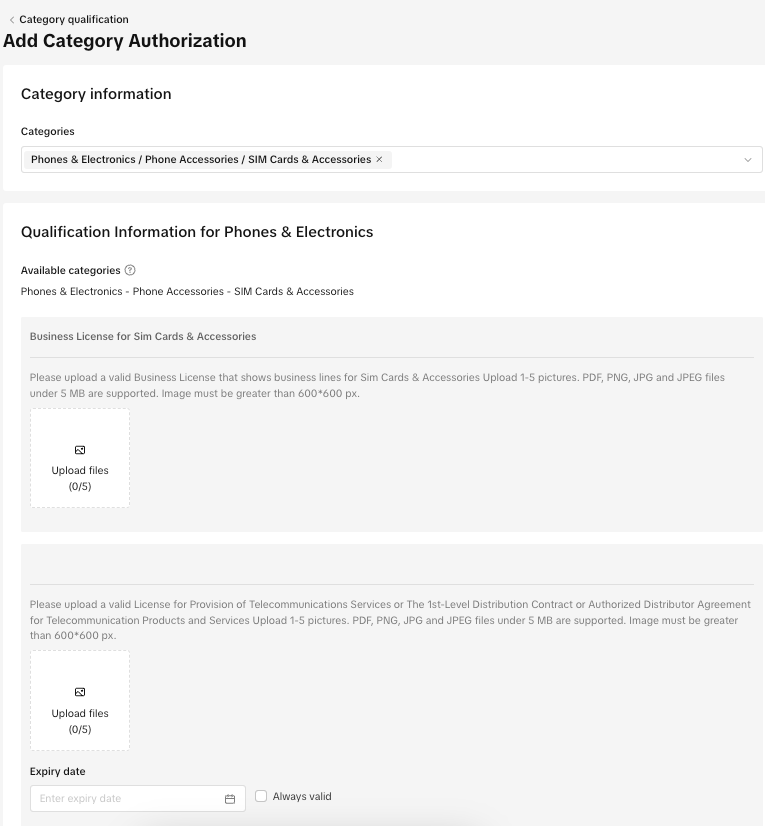
Step 4: Submit the relevant documentation
|  |
Step 5: Submit the request
| 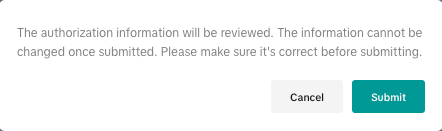 |
Step 6: Review results
| 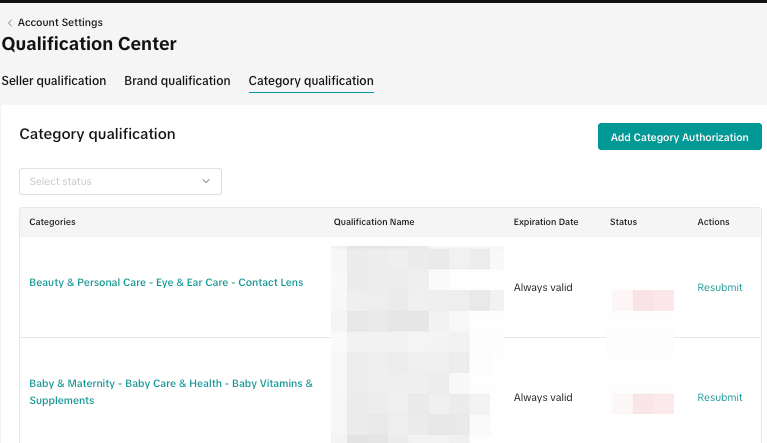 |
How Can I Appeal a Rejection?
Có thể bạn cũng quan tâm về
- 5 lessons
Product Listing And Management
Listing your product is the first step in officially bringing your product to consumers.
- 1 lesson
What causes Incomplete Information in product listings? (Inf…
Best practices to avoid Incomplete Information violation
Adding Existing Products from TikTok Shop
Getting your products live is the first essential step to succeeding on our platform. While we offer…

Branded Products Listing Guidelines
What are Branded Products? Branded products are products bearing a brand. The brand and its features…

Price Diagnosis
This feature will help sellers to review their product price competitiveness in TikTok Shop and full…
Trademark Infringement
What is a Trademark? A trademark includes but is not limited to words, symbols, slogans, designs, sh…
Product Listing and Image Editor on Seller Center App
Image Editor The new product image editor enables sellers to take product pictures continuously and…
Patent and Design Infringement
What are patents and designs? Patents protect inventions and give the owner the right to prevent oth…
Copyright Infringement
What is a copyright? Copyright is a legal right that protects original works and stops others from u…
Making Comparisons in Product Listings
What constitutes a "comparison"? A "comparison" is any statement that compares your product with the…