

Customer Feature
12/31/2024

What is Customer Feature?
- CRM refers to Customer Relationship Management, which means process managing relationships with customers by using mass communication tools to target different levels of users. Customer feature, previously CRM, provides sellers with operating tools to target customers in a more personal way.
- TikTok Shop Customer feature provides user segmentation and plan functions for sellers to do marketing, such as sending promotional messages, campaign announcements or offers to their customers on different levels.
- Customer feature is currently accessible only through the Customers menu in the Seller Center on PC.

What Do My Customers See?
The picture below is an illustration of what the message will look like on the customer's side.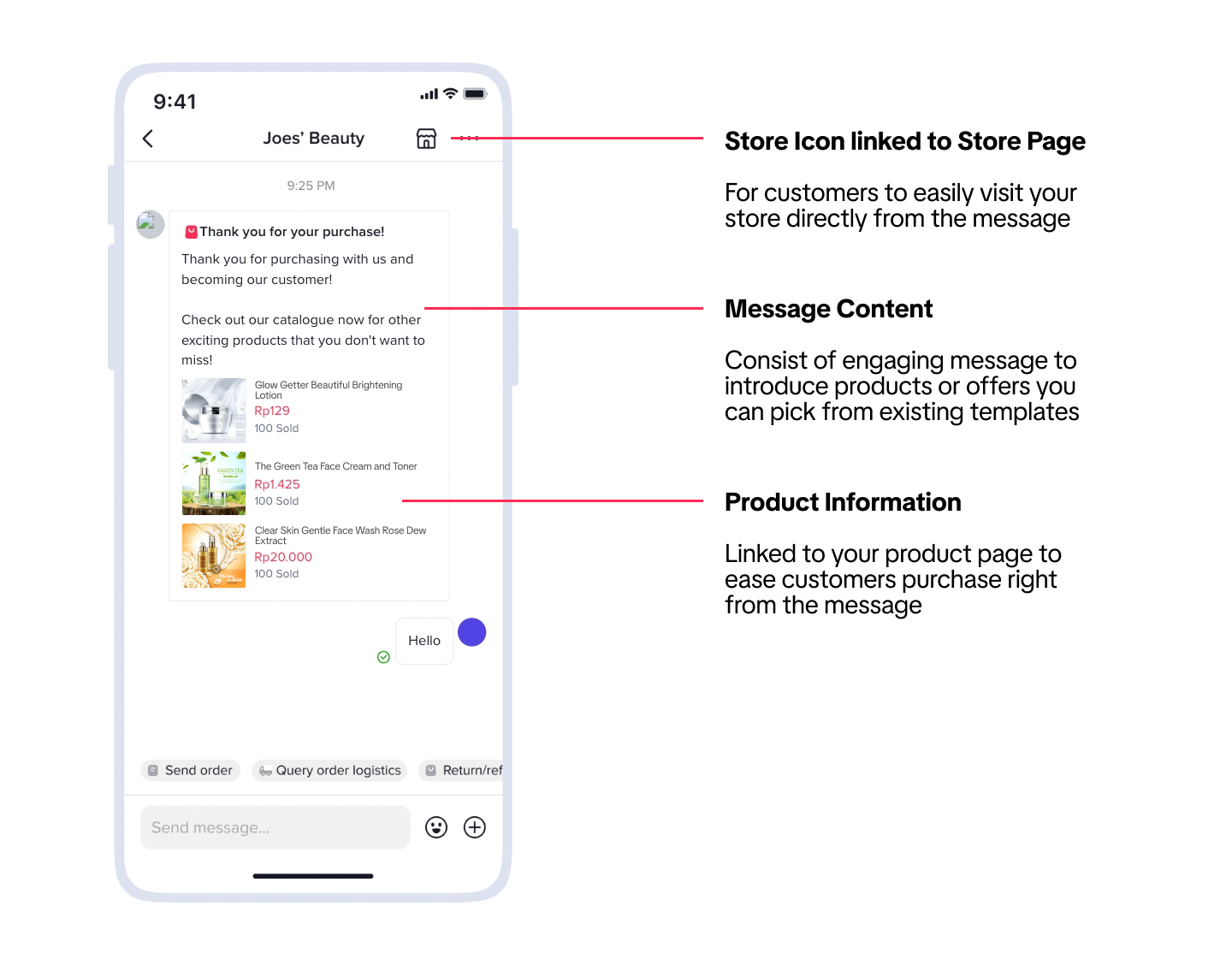 Note: All screenshots are for reference purposes only. The actual interface and features may differ.
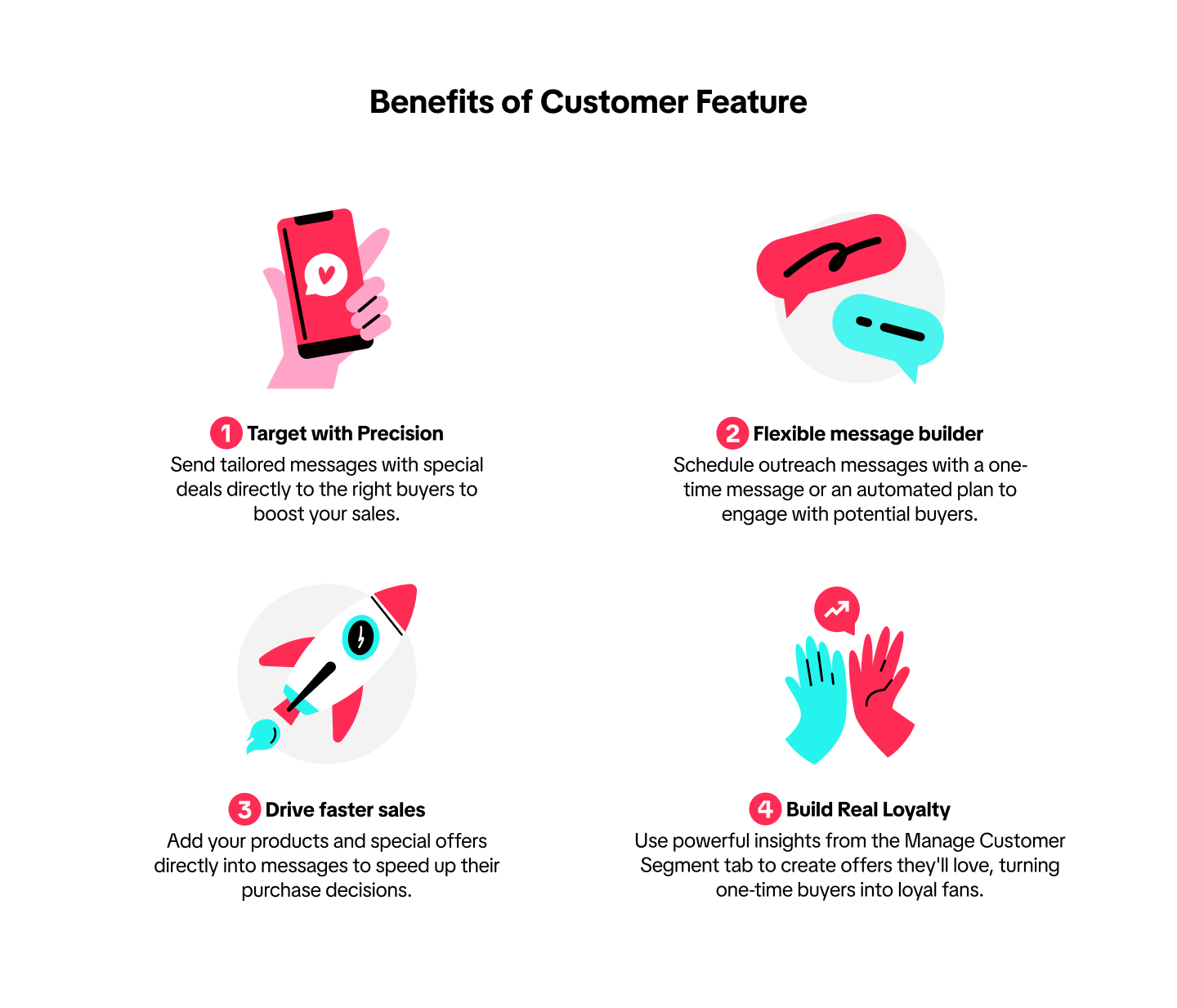
Benefits of Customer feature

Function Details
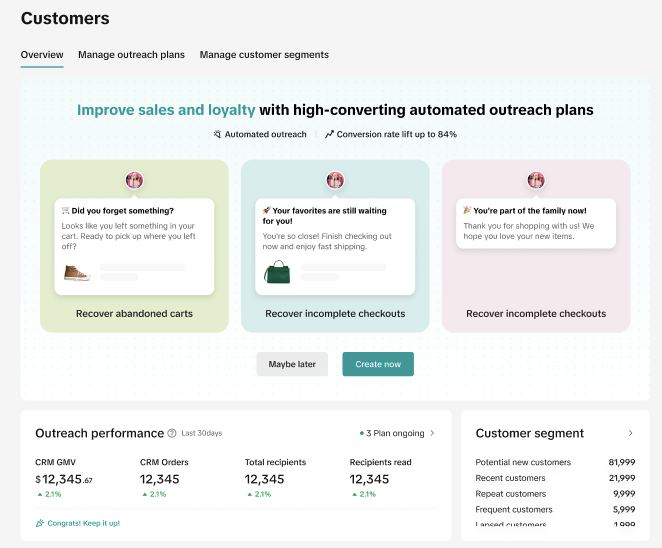
Customer feature has 3 key functions to help sellers manage engagement operations for customers smoothly.Customer Overview
Customer overview dashboard provides overall data and insights regarding customers' segmentation and historical analysis. Through this dashboard, sellers would be able to build their customer loyalty strategy, which ultimately leads to greater sales.- Understand customer outreach plans impact in funnel from view to purchase.
- Manage and grow customer segments based on your priorities.

Customer Segment
Customer groups provide sellers with an intelligent overview of their customers' persona based on their attributes, historical activities, and lifetime value. Once a segmentation is created, sellers can specifically create outreach plans and coupons as well as view the performance data.The system provides 7 different customer segments by default.
| Segment | Definition |
| Potential new customers | Customers who haven't shopped with you yet, but have added or favorited your products in the past 30 days. |
| Recent Customers | Customers who have made their first purchase in your shop in the past 30 days |
| Repeat Customers | Customers who have previously placed orders in your shop and made another purchase in the past 30 days |
| Frequent Customers | Customers who have more than 1 purchase in the store in the last 90 days. |
| Lapsed Customers | Customers with at least 1 purchase in the past 365 days but don’t repurchase in the last 90 days. |
| New Followers | Users who just followed shop's account and remain followers in the last 30 days. |
| Existing Active Followers | Users who have followed shop's account, engaged with your shop through LIVE, Short Videos and Product Card in the past 30 days. |
| Group | Conditions available |
| Demographics |
|
| Perchasing behavior |
|
| Shop follower |
|
| Engagement |
|
| Historical outreach performance | Read, click, unsubscribed your message |

Customer Outeach
One-Time Plan
Quickly create a one-time plan with our pre-built templates to send a message to target audiences at the scheduled time. This pre-built one-time plan is in limited quota.You can also create one from scratch to fit your specific business needs in 3 areas.
| Drive Sales | Share best-selling products | Announce new product launches | Promote LIVE, sales, and campaigns |
| Encourage repeat Purchases | Turn followers into customers | Get customers to buy again | Win back inactive customers |
| Build loyalty | Ask for reviews and testimonials | ||
One-Time Plan Setting
A message will be sent to your target customers at the scheduled time only once. | 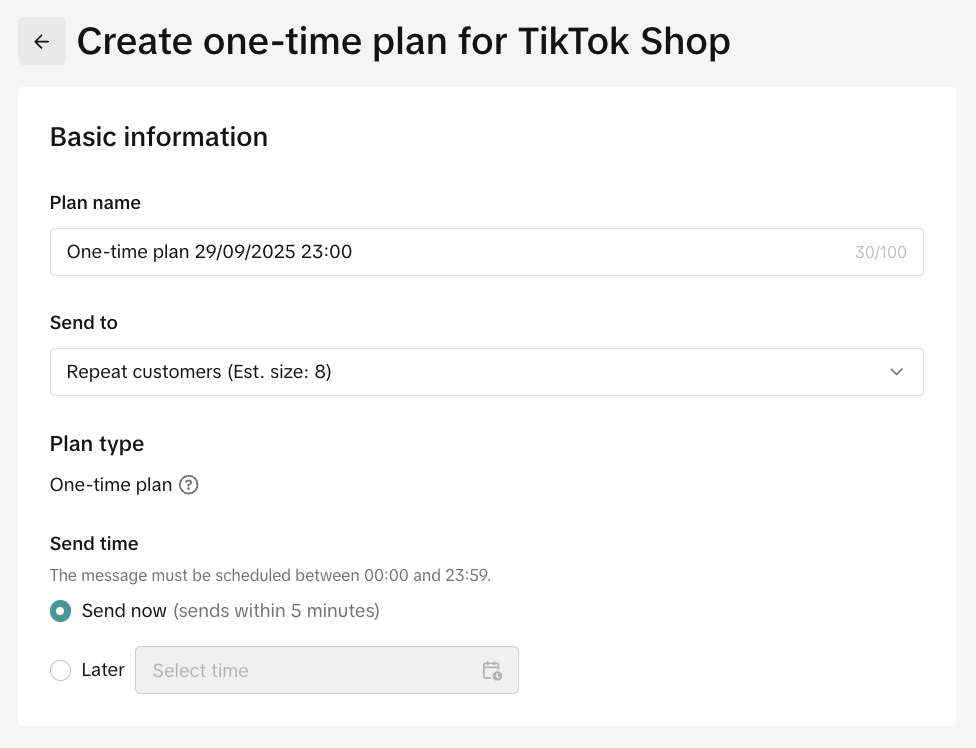 | Plan name: Free text up to 100 word counts.Send to: Your customer segmentationPlan type: One-timeSend time: Now or schedule it for later |
 | Channel: ChatContent:
| |
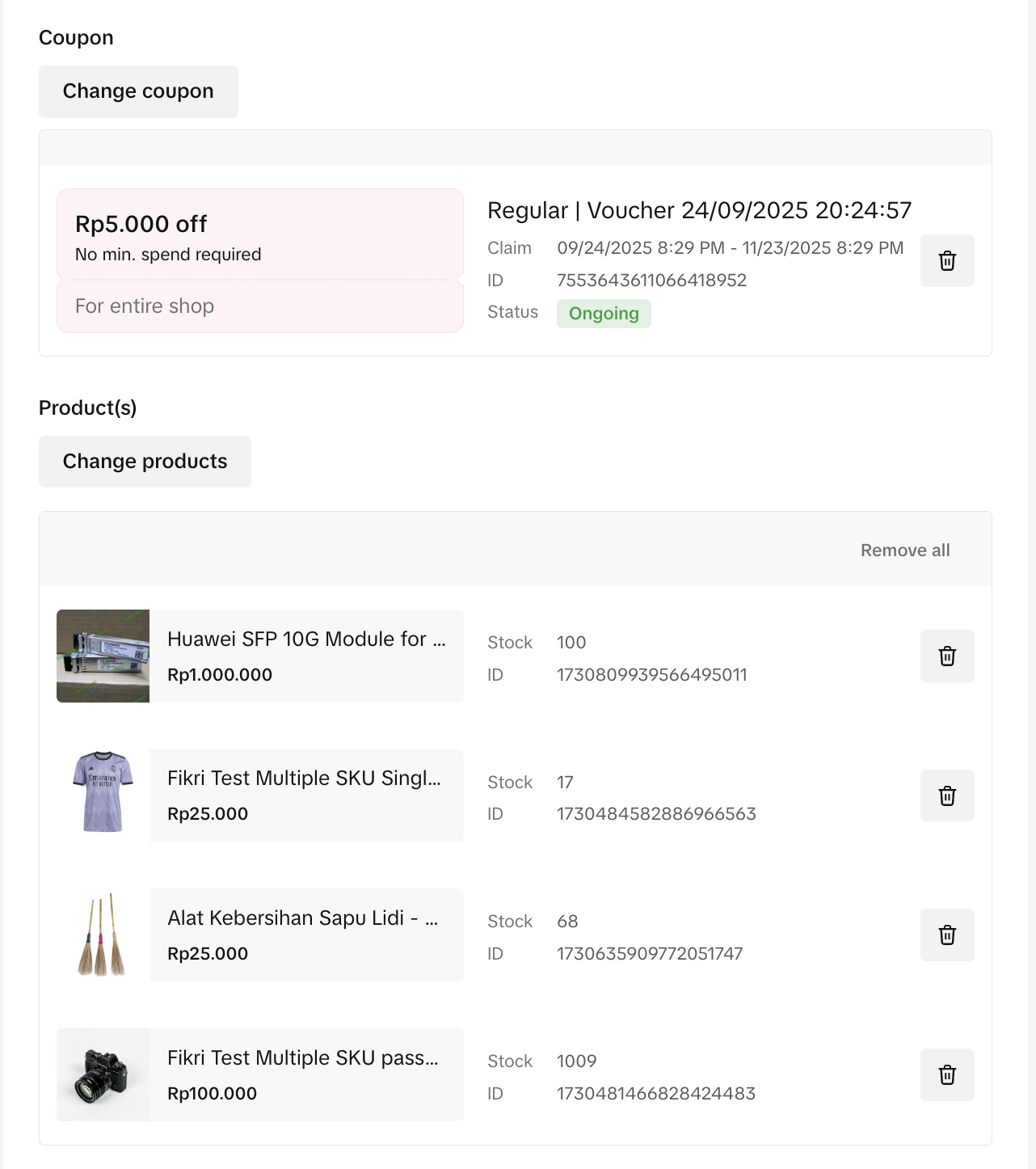 | Coupon: a voucher to close the deal with your customers.
| |
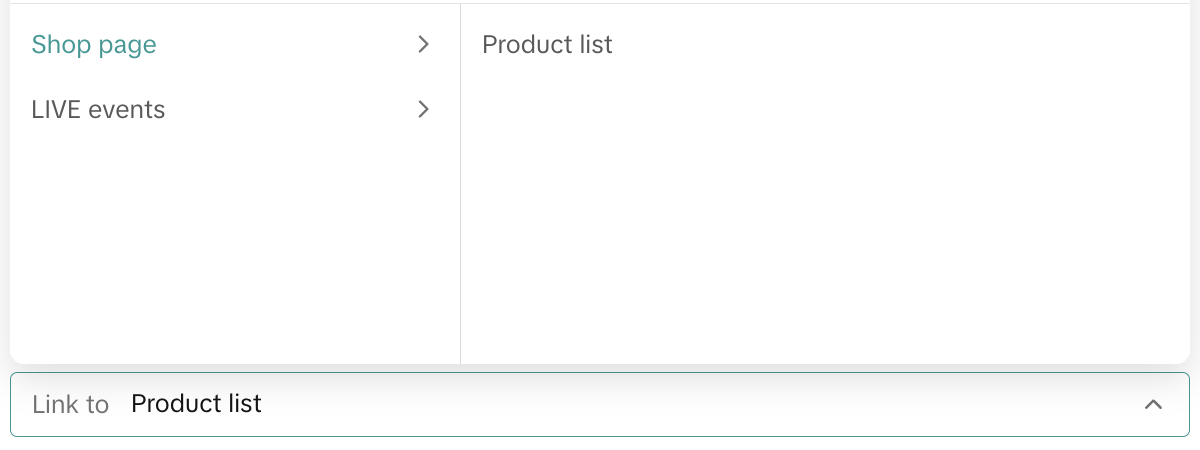 | Interactive button: allows customers to see more at your product list or LIVE Event | |
After you have completed the form, you are then provided with 3 action options to complete the setting
| ||
Pre-built automated plan templates
Automated plans will be triggered automatically to send a message to your customers once they meet the defined conditions during the timeframe you define.The automated customer outreach plan is unlimited as sellers can run multiple automated outreach plan objectives at the same time.
| Remind to purchase | Go LIVE reminder | Remind price drops | Recover abandoned carts | Recover incomplete checkouts |
| Build loyalty | Post-purchase thank you | |||
Automated Plan Setting
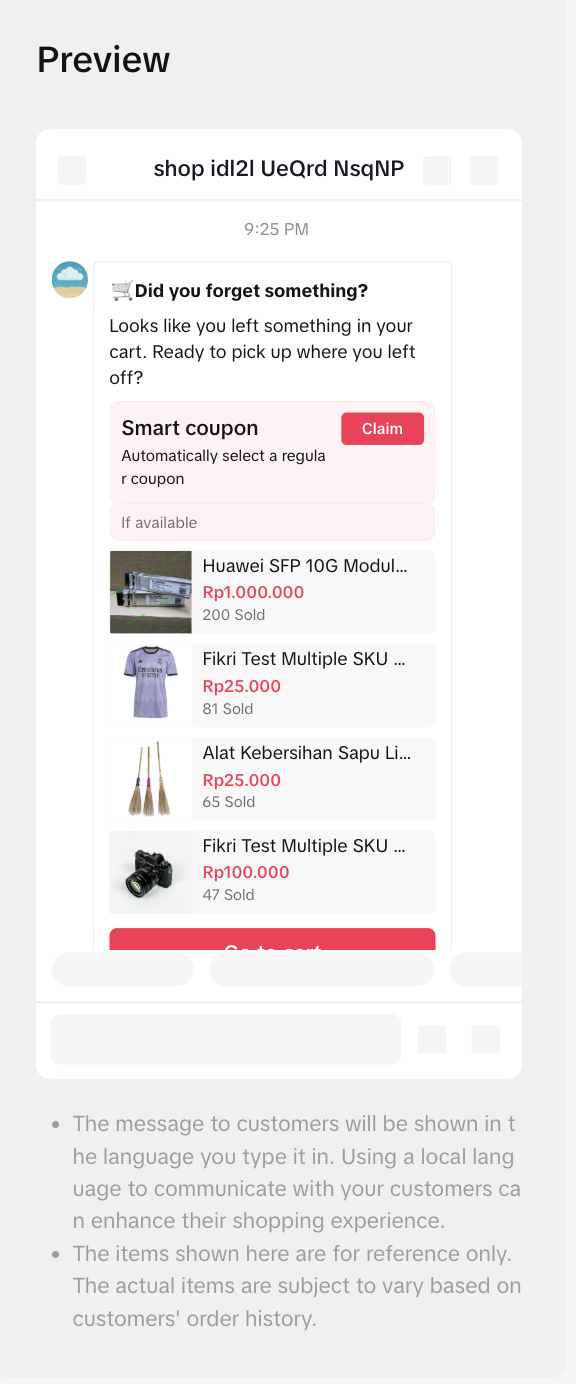 | 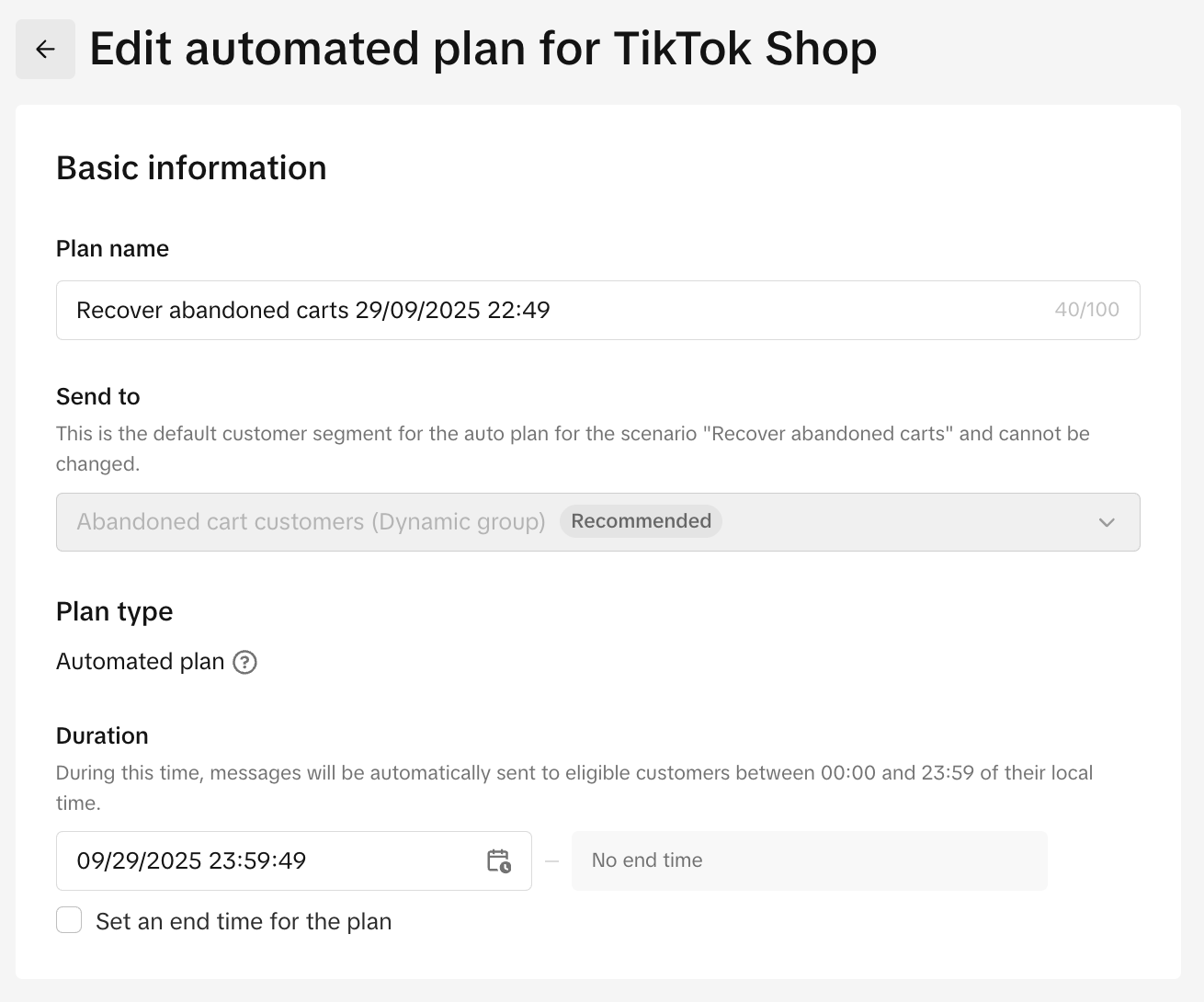 | Plan name: Free text up to 100 word counts.Send to: Your customer segmentationPlan type: Automated planSend time: Now or schedule it for later |
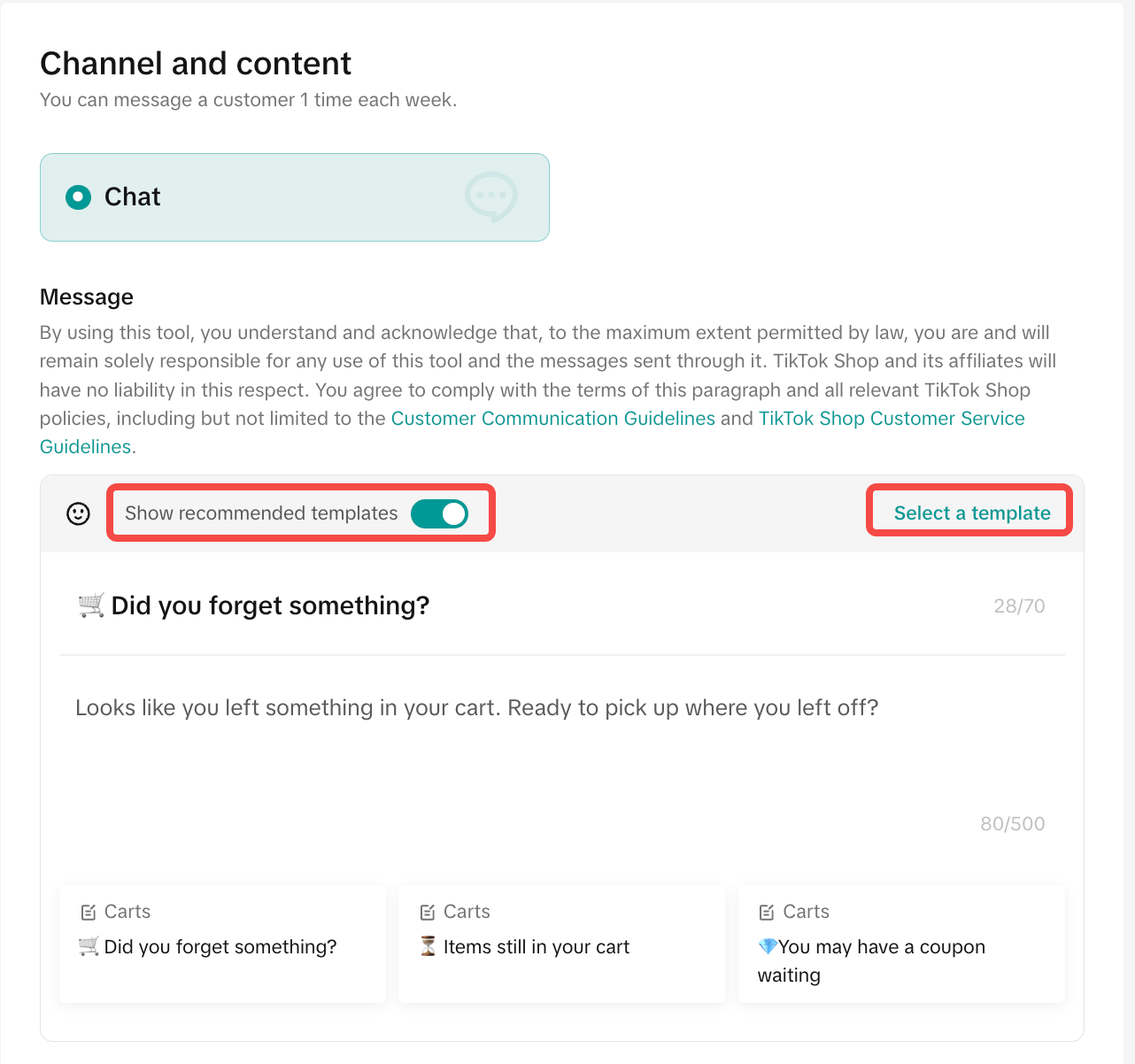 | Channel: ChatContent:
| |
 | Coupon: It's recommended to always attach a coupon to help your customer decide quickly.
| |
After you have completed the form, you are then provided with 3 action options to complete the setting
| ||
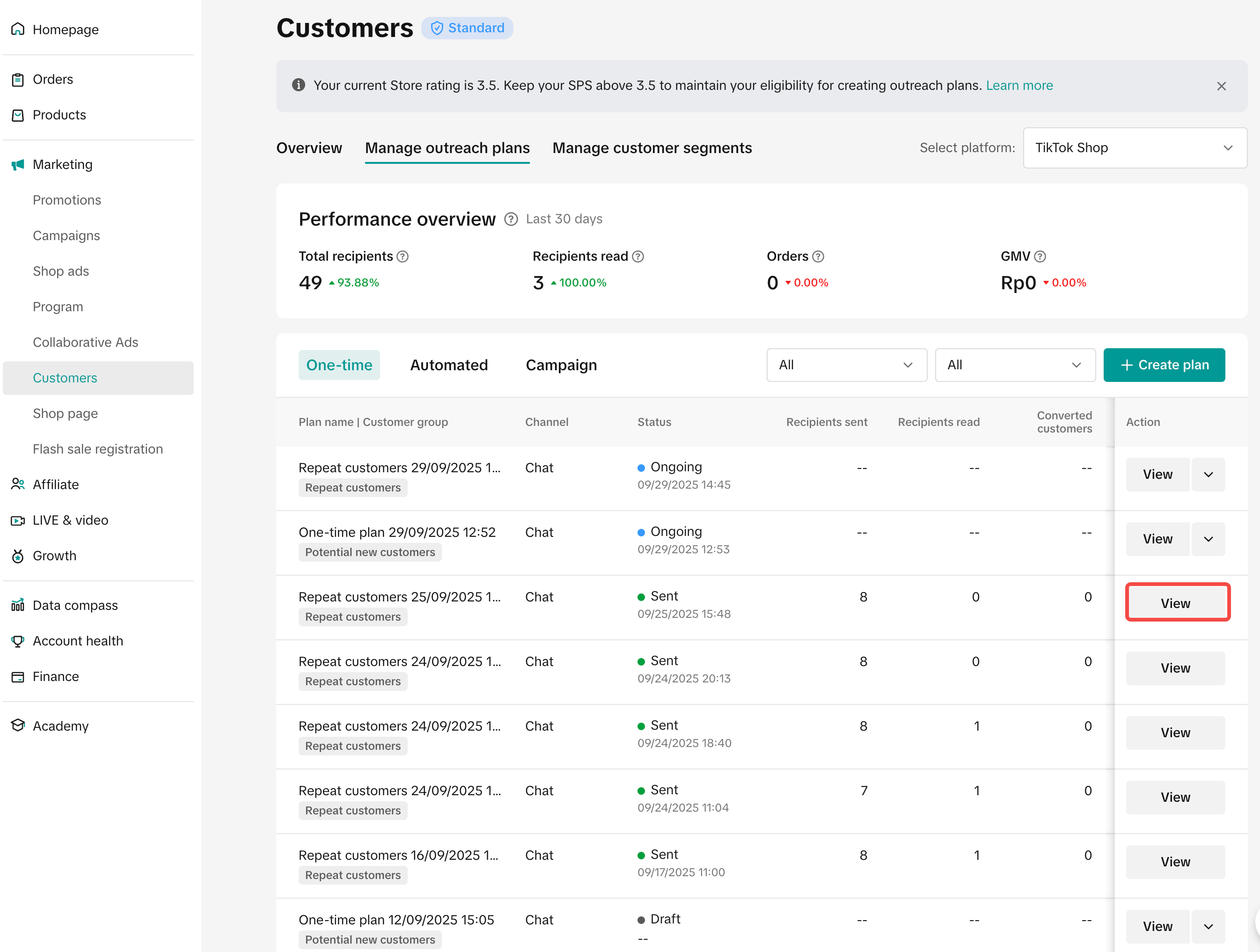
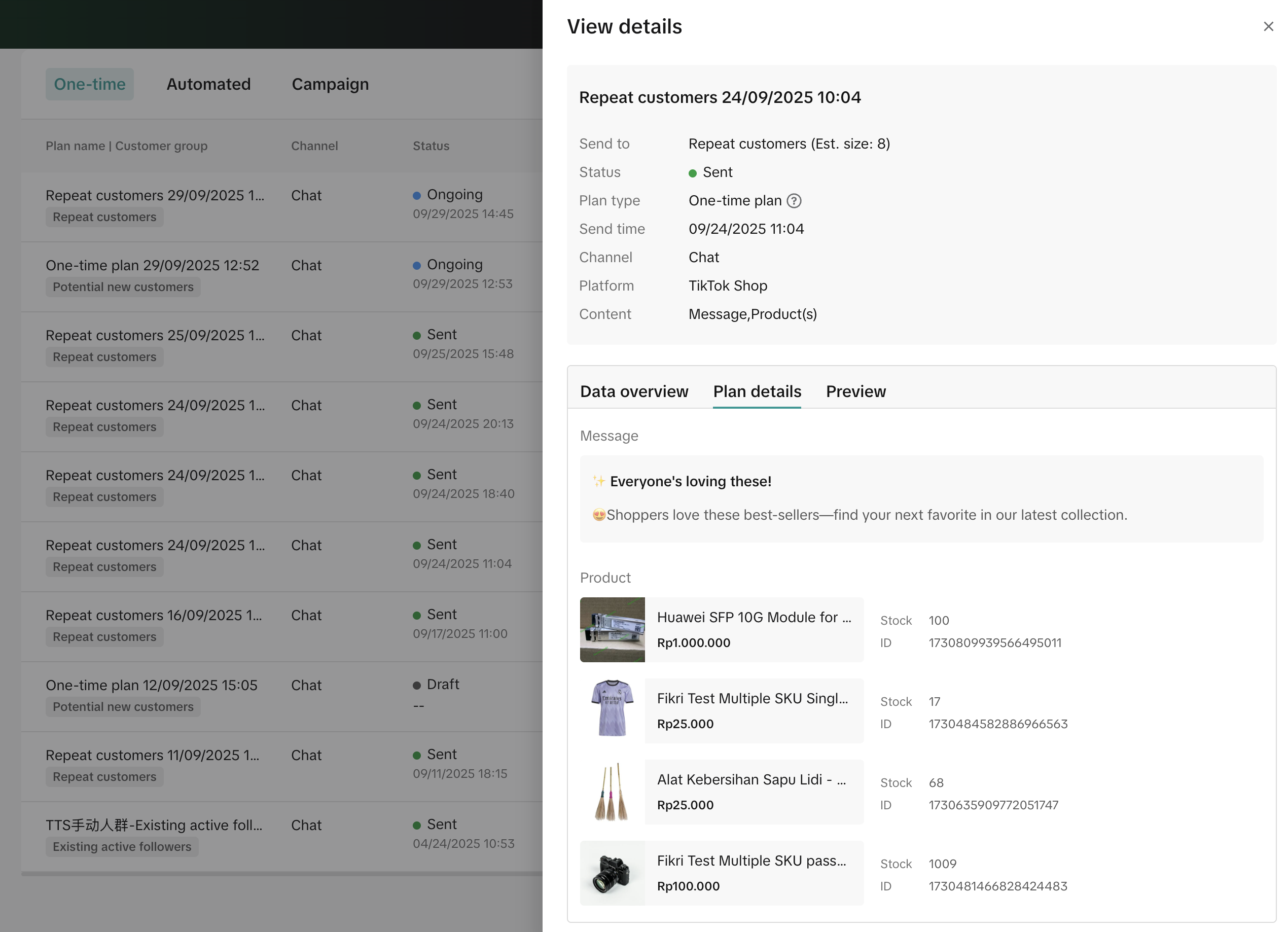
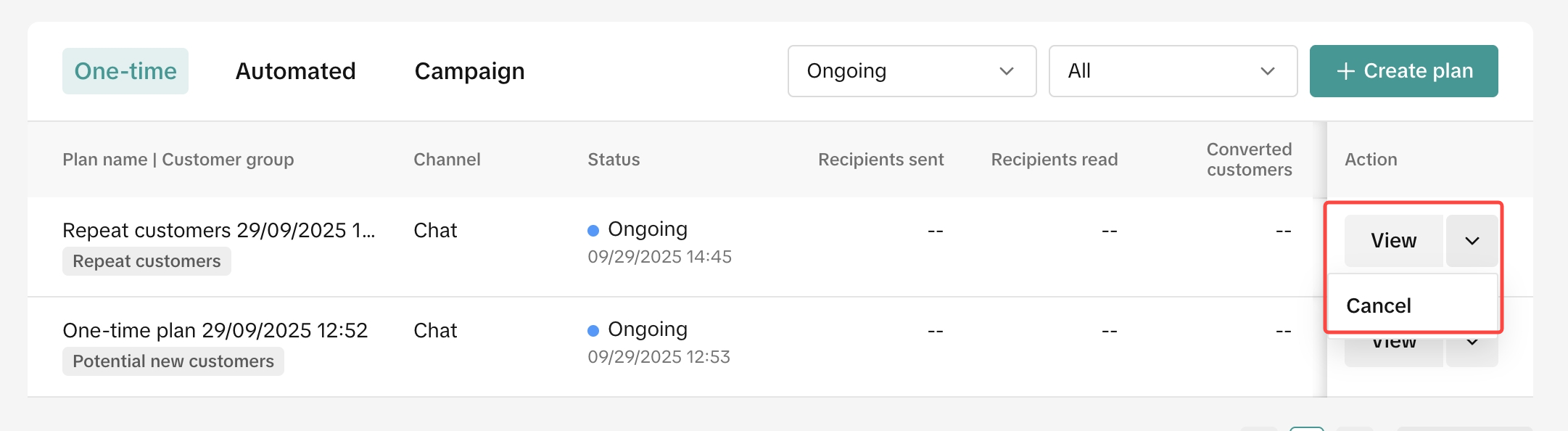
Manage Outreach Plans
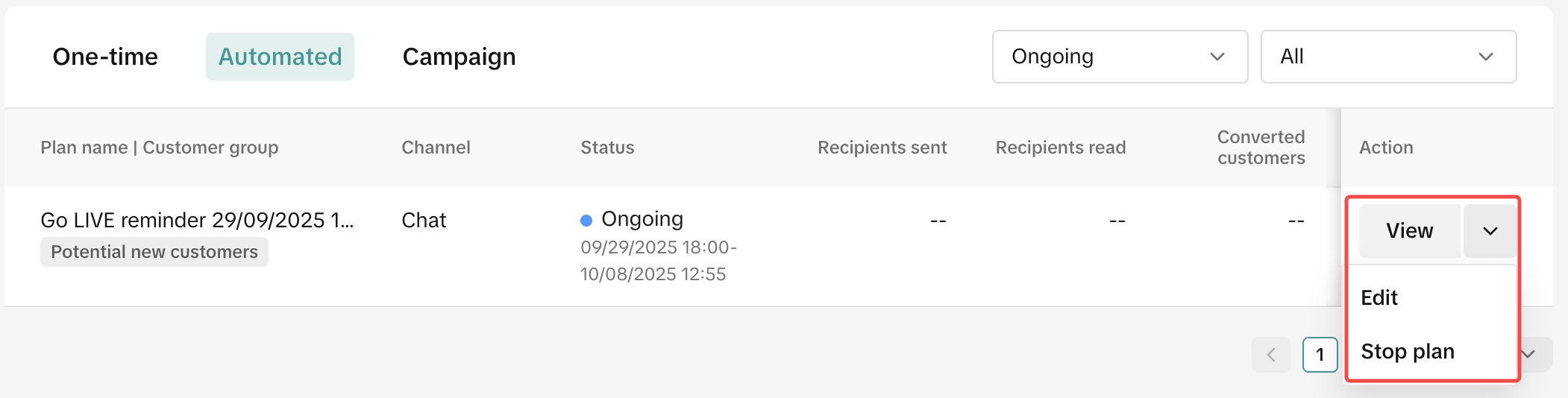
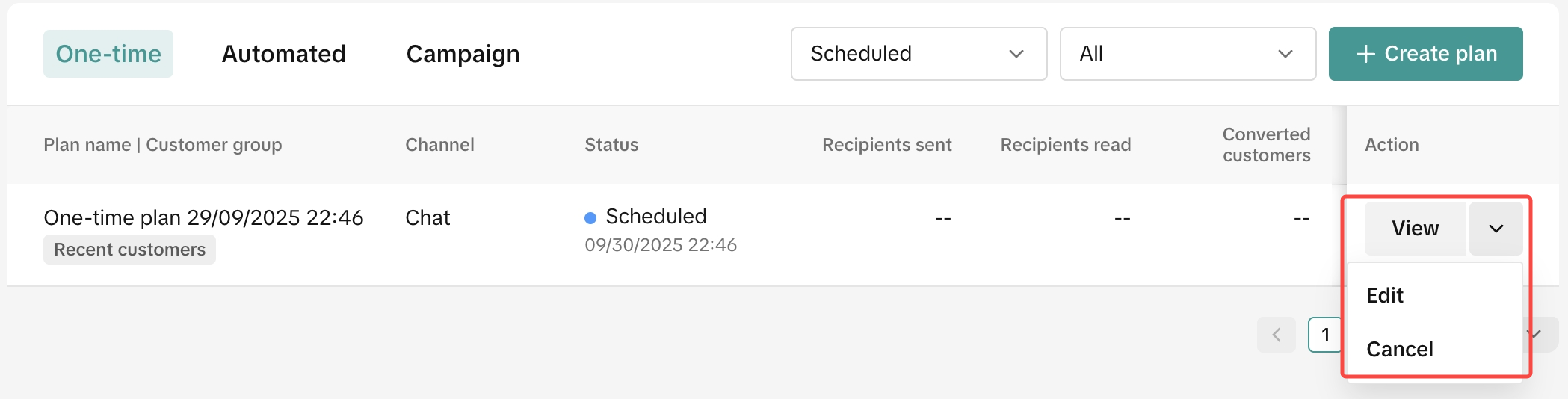
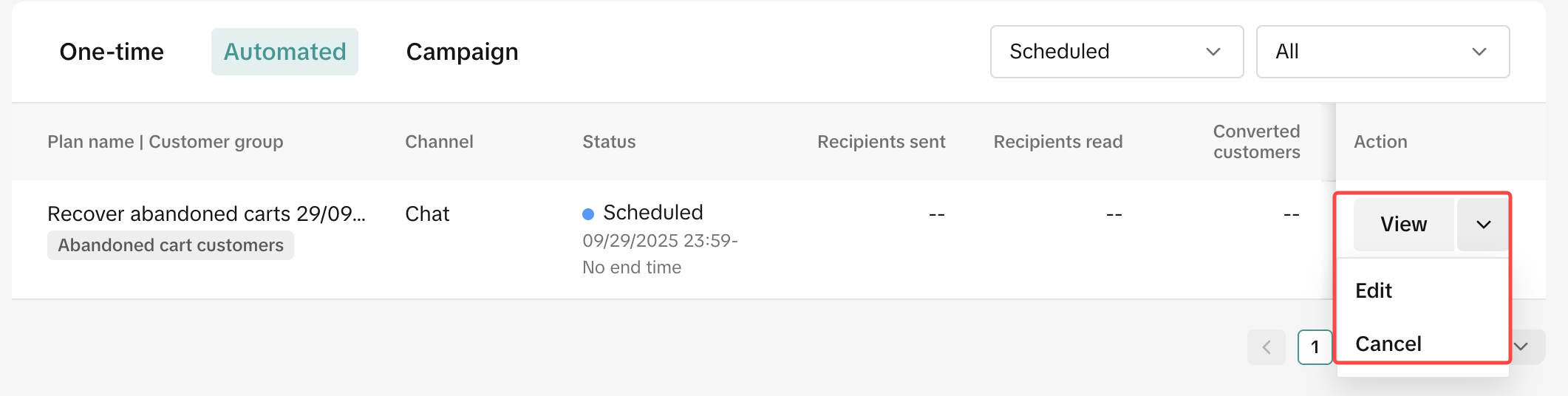
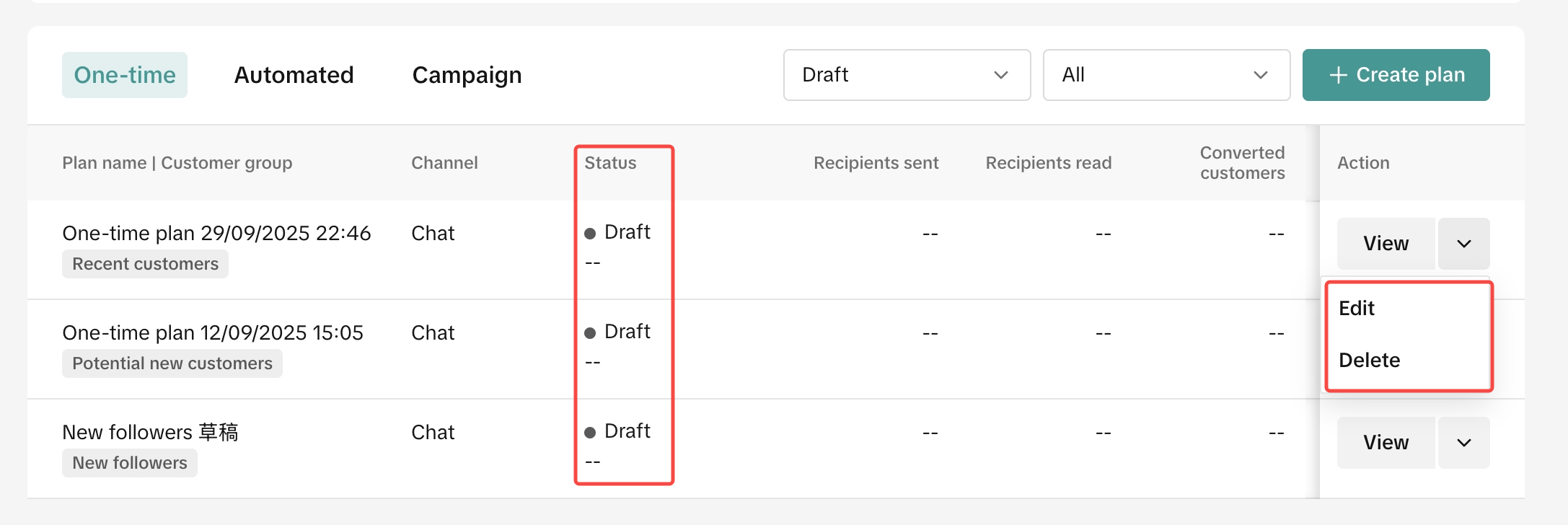
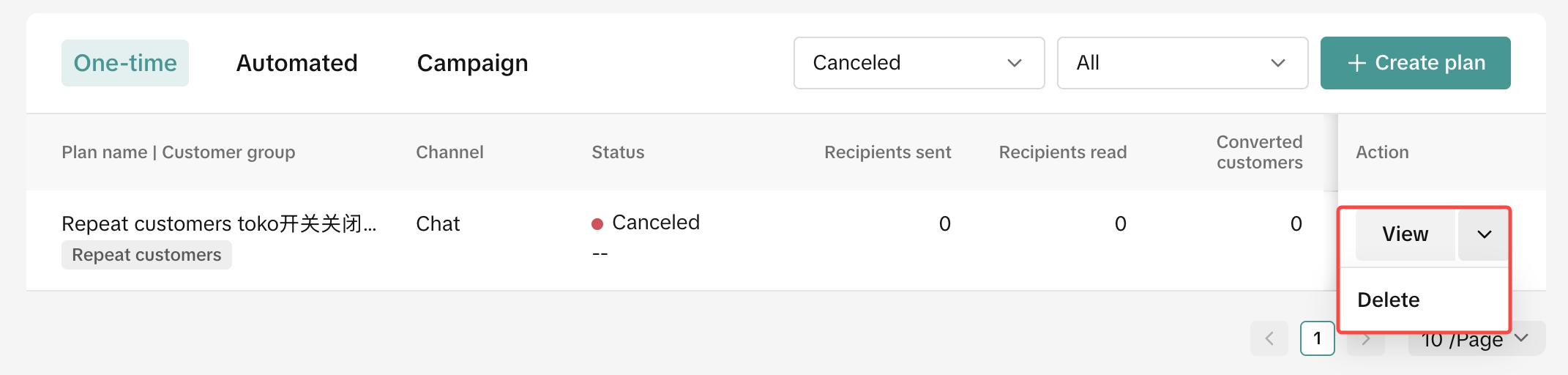
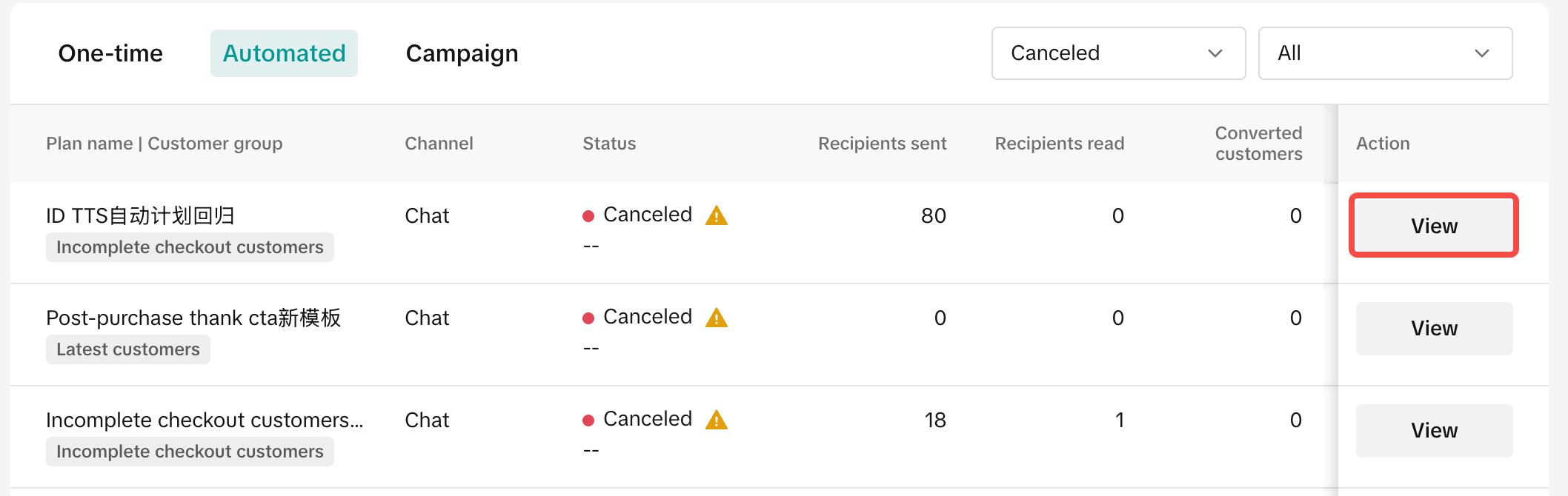
All outreach plans are in the Manage Outreach Plan tab where sellers can filter based on plan type (one time or automated) and status. See below for what you can do with each status.
| |
 |  |
| |
 |  |
| |
 |  |
| |
 | |
| |
 |  |

FAQ
- Is it possible for sellers to customise the message in the outreach plan?
- How many products can sellers include in the message?
- Can sellers edit the plan once they are submitted?
- How to identify which plan performs the best?
- As a seller, am I able to view individual outreach messages sent to customers from the Customer Message feature on the top right of Seller Center?
- How to identify which segment performs the best?

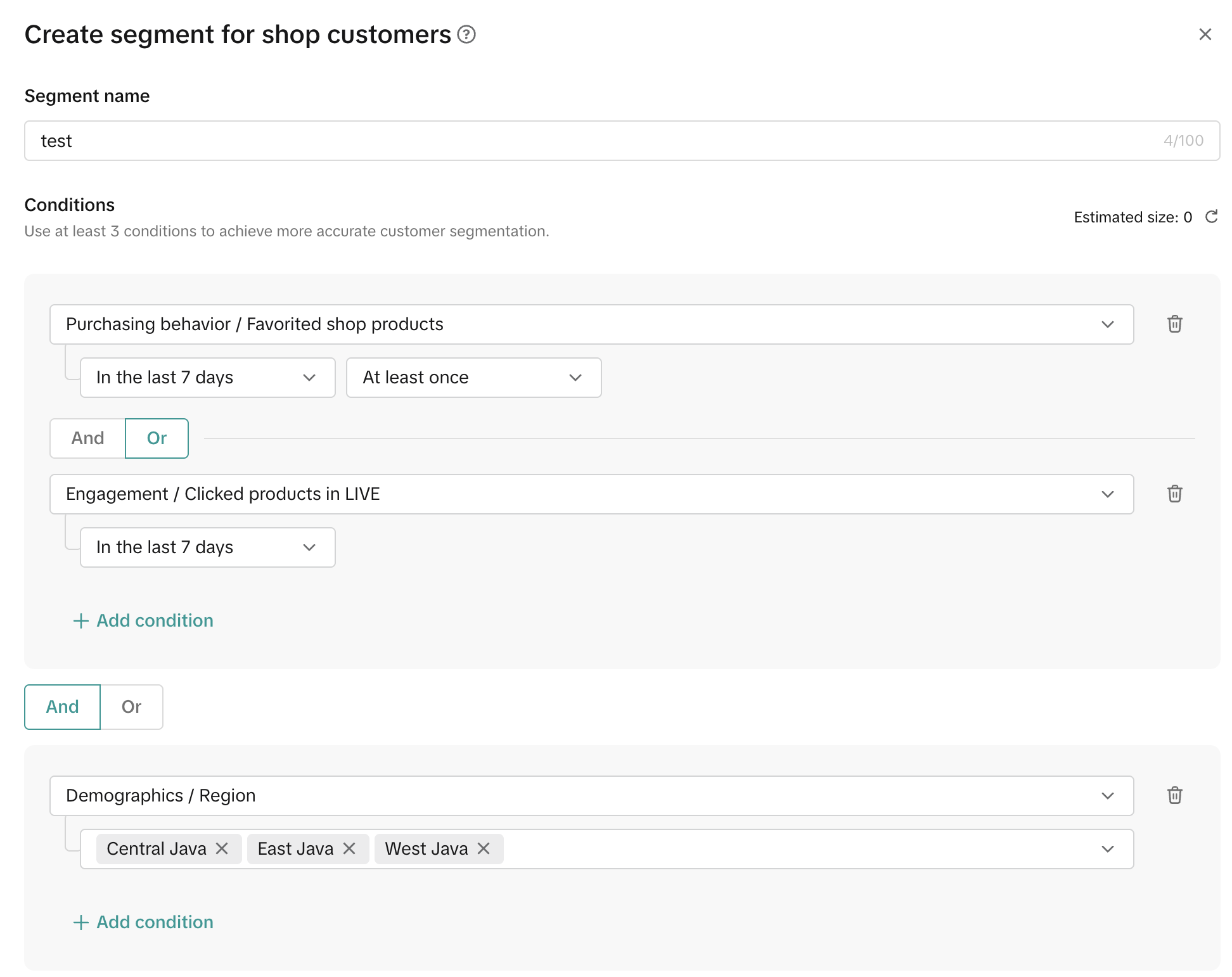
- Can sellers create their own criteria to tailor their own customer segmentation?
Example: Filtering for potential buyers in Java area, Indonesia.
- Is it possible for customers to block sellers from sending them outreach messages?
- What language will be sent to customers according to the template?
- The language seen by the seller is based on Seller Center's current language setting. If the local language is set in the seller background, the content will also be displayed in the local language.
- Each content is made available in English and local languages. Customers will see the corresponding language that is consistent to their TikTok App language setting.
- Can sellers' sub-accounts also use the Customer function?
 |  |
Có thể bạn cũng quan tâm về

Seller Sharing - Underme Vietnam
Underme Vietnam specializes in providing sporty lingerie for women on the TikTok Shop platform. Desp…

Shop Ownership Change Process
Note: You will only be able to change ownership from to individual to corporate/household sellers or…
Delegation Mode
This article informs what happens, why it helps, and what you need to do (one time) so your Account…

Violation Points & Milestones for Sellers
What are Violation Points? Violation Points are points issued to sellers who breach our policies an…
How can I change my login email address or phone number asso…
To update your email address/phone number, please follow the steps below: Login to your TikTok Shop…
【Video】Homepage - All you need to check
Find your daily important information and action needed items on homepage. 2.1 Let's Start Your Busi…
Scam Prevention: Cash on Delivery (COD) Scam Orders
Scam Prevention - Cash on Delivery (COD) Scam Orders TikTok Shop strives to provide a shopping exper…
TikTok e-commerce short video music selection guide
For the purpose of upholding music copyright law, we recommend that everyone uses music with commerc…
Adjustment Period for New Shops
New shops are subject to a adjustment period during which some functions are restricted. These restr…

Seller Sharing - Socomo Shop
Socomo is a brand specializing in Korean-style women's fashion, a rising star with a commendable tra…