

Customer Service Chat Assistant
12/31/2024
Customer Service Chat Assistant
TikTok Shop provides a powerful feature to help sellers increase customer service agent's work efficiency. This feature is called Customer Service Chat Assistant, which provides auto-reply, recommended answers, and chat bot functions. The chat assistant will accurately identify the customer's intentio and automatically give an appropriate reply to help resolve the enquiries.How to Access:Go to TikTok Shop Seller Center > Open Buyer Messages page (Floating window on the right hand side) > Chatbot > Assistant
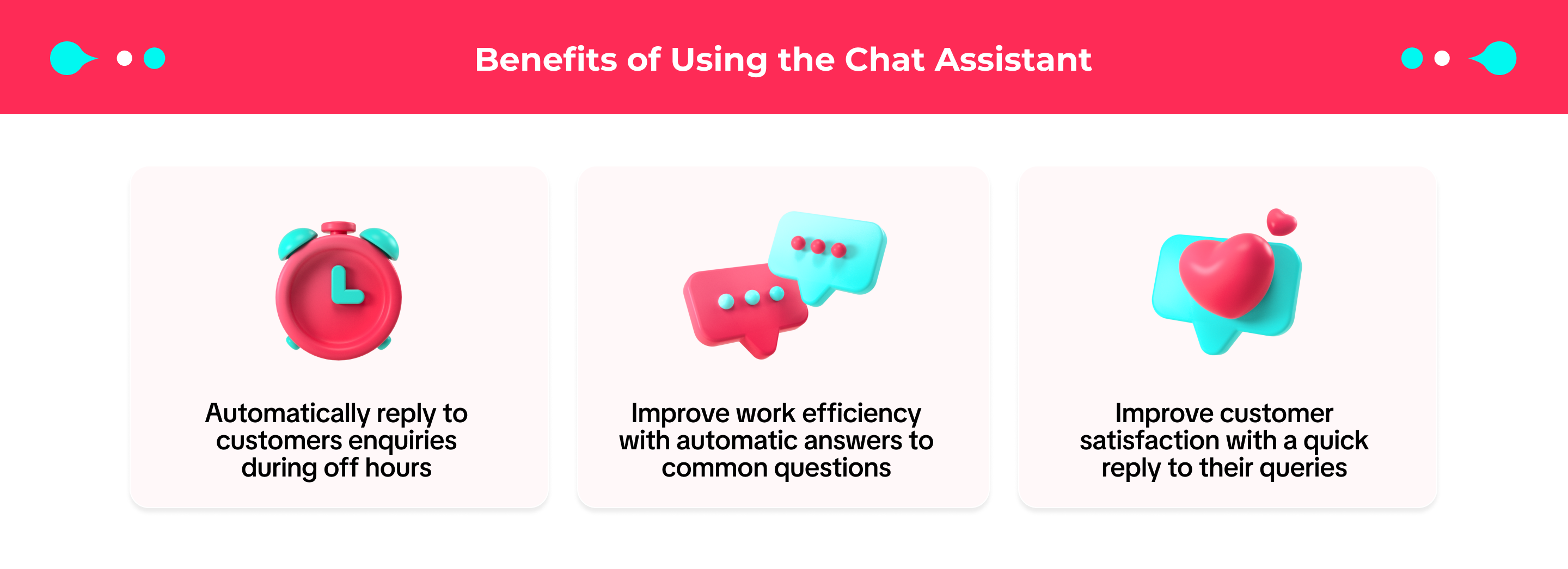

Key Functions
Recommended Answer This function provides recommended answers for customer service agents to quickly answer common questions without typing it over again. Recommended Answer could even be sent automatically to customers without Customer Service Agents choosing the answer first. This can help reduce customers' waiting time and improve work efficiency.
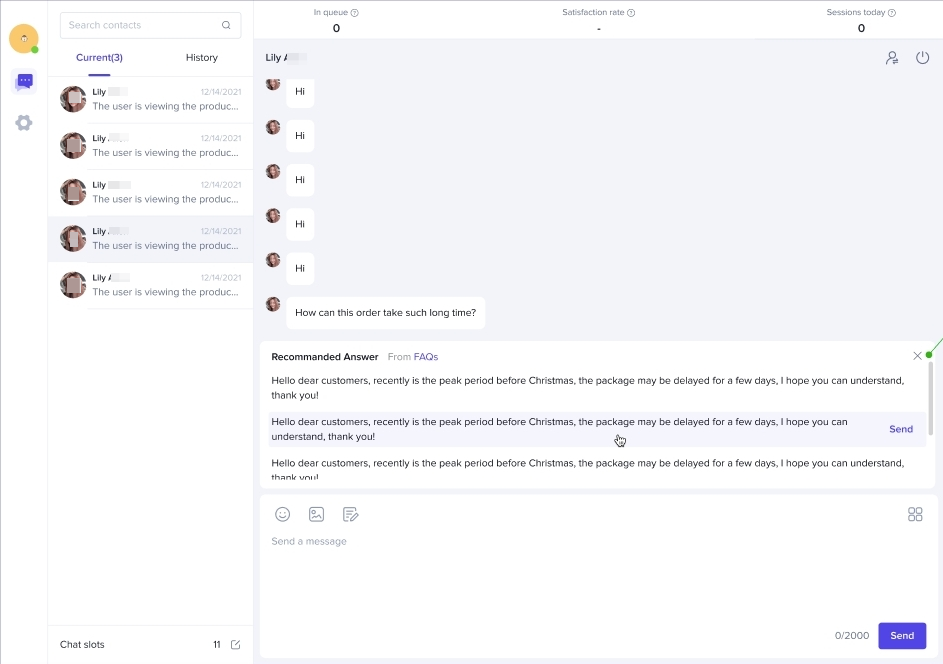
Chat Bot Chat Bot helps to answer enquiries from customers during off hours or when the customer service agents are offline.


How to Use Chat Assistant
Enable Recommended Answer
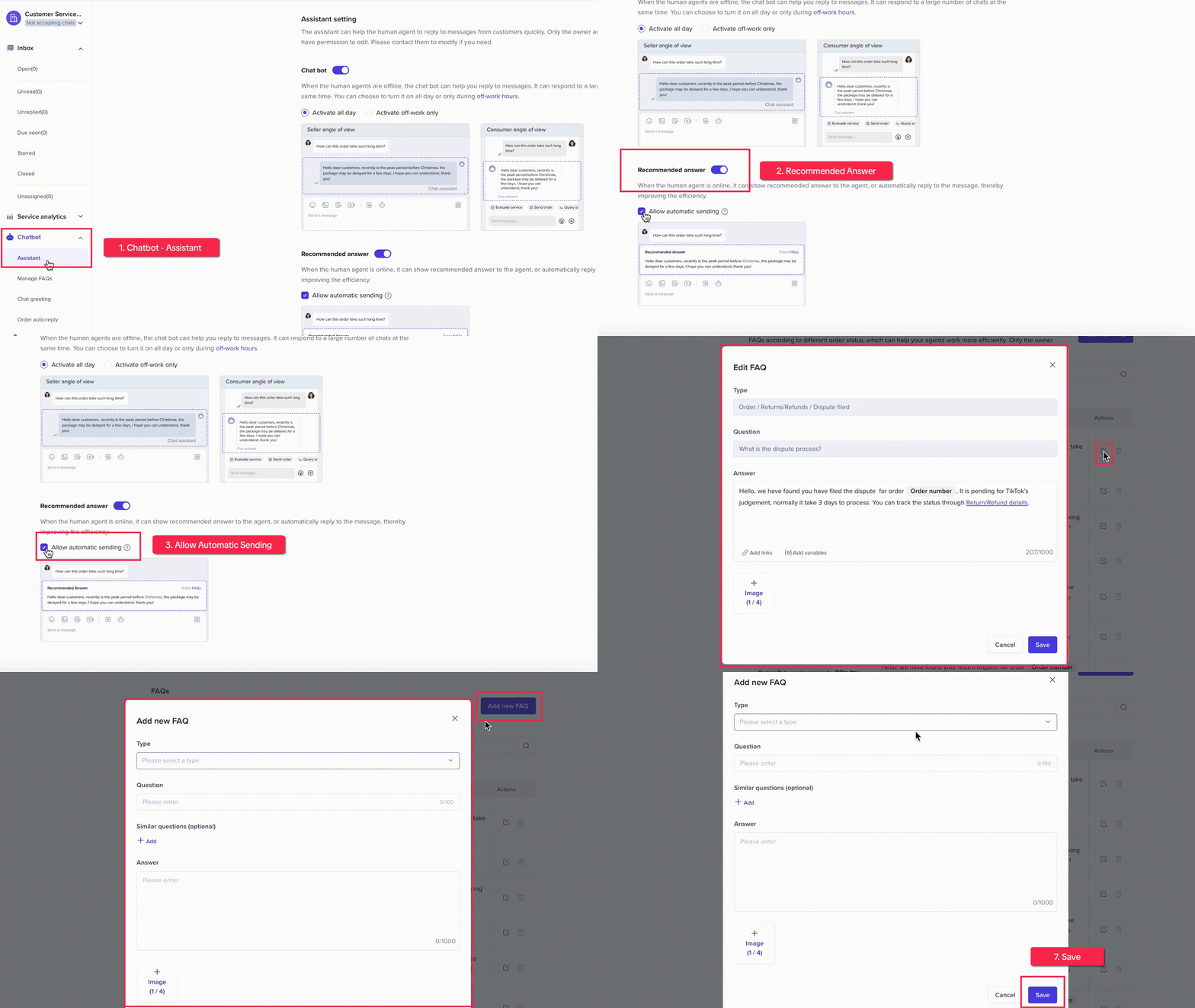
- Go to TikTok Shop Seller Center > Open Buyer Messages page (Floating window on the right hand side) > Chatbot > Manage FAQs
- Manage FAQs, sellers can edit the preset FAQ templates or add the new ones that are relevant to the store condition
- Go to the 'Assistant' page and enable 'Recommended Answers'. This will allow Customer Service Agents choose the preset answers before sending it to customers
- If sellers want the answers to be automatically sent to customers (without the Customer Service agents choose first), click the 'Allow Automatic Sending' button
- Question: How much does the shipping fee cost??
- Answer: The shipping cost is shown on the product details page.
Chat Assistant can also send the corresponding reply directly to the customer without Customer Service Agents choosing the answer if sellers turn on the 'Allow Automatic Sending' option.
 Notes:
- When the Customer Service Agent switches to the chat window, the chat assistant will stop sending automated answers.
- For the chat with recommended answer sending automatically, if the customer does not continue to ask after receiving the automatic reply, the chat will be displayed in the 'Unread' list, and the unread red dot prompt will be displayed, but it will not be displayed in the 'Unreplied' list. There are no unreplied label prompts. If the customer continues to ask questions, the chat assistant will continue to send answers continuously until it can not be answered.
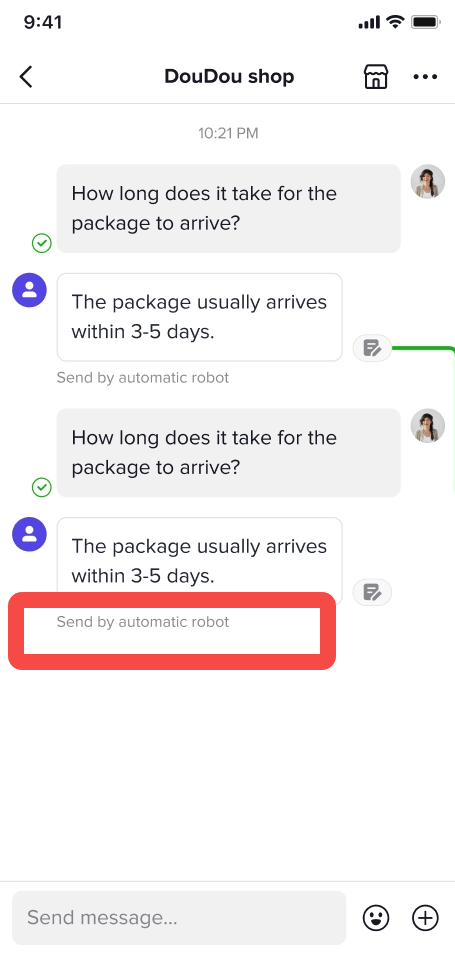
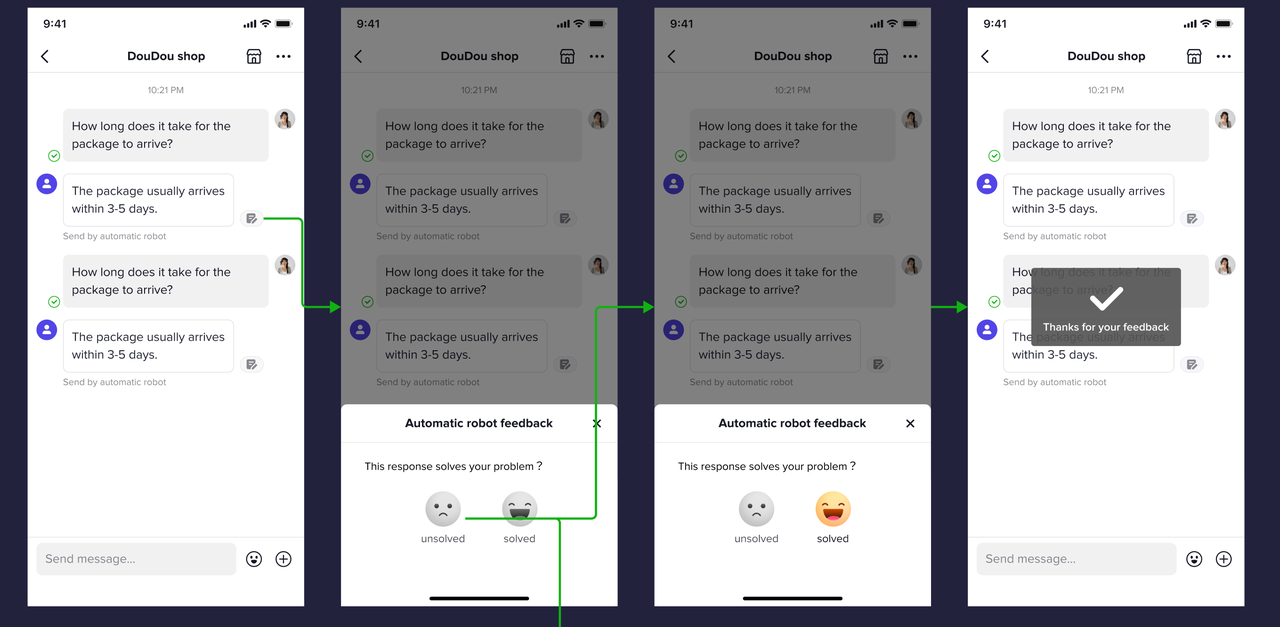
- Customer Service Agent can see the 'Automatically sending' label displayed under those messages sent by recommended answer. The 'Automatically sending' label is not displayed on the customer's side, so customers don't feel that this is an auto reply.
- When encountering questions that can not be processed by the recommended answer, this chat will be displayed in the 'Unreplied' list, and there will be an unreplied label prompt.
Enable Chat Bot When the FAQ database is configured, sellers can start enabling chat bot.
- Go to Assistant menu and enable 'Chat bot' toggle
- Choose the effective time for chat bot to step in, whether it is 'Activate all day' or 'Activate off-work only'.
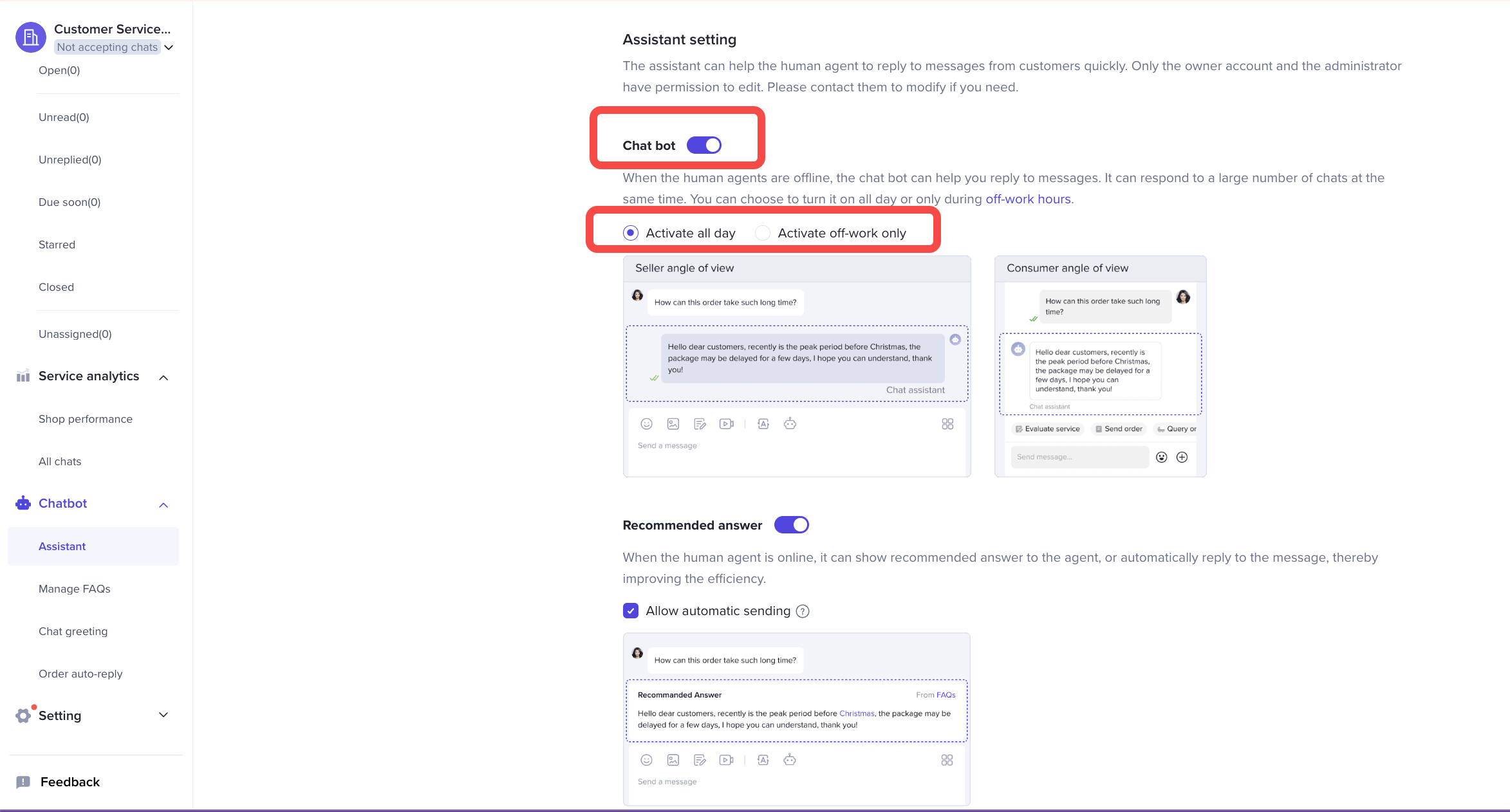
- When the human agent goes online, the chats answered by the chat bot will still be allocated to the human agent. If the customer does not continue to ask after receiving the auto reply from chat bot, this chat will not be displayed in the 'Unread' list, and the unread red dot prompt will not be displayed either. If the customer continues to ask questions, the bot will continue to send the corresponding content until it can't be answered by the bot anymore.
- For the message sent by the chat bot automatically, the Customer Service Agents can see "Chat bot" displayed under this message. Customers can also see "Sent by the chat assistant" displayed under this message.
- When encountering questions that can not be processed by the chat bot, the bot will send a brief reply: "Sorry that the Customer Service Agent is not online at the moment, he will reply to you as soon as he is online." If the customer continues to inquire, an automatic off-work reply set by the seller (if any) will be sent. This chat will appear on the unreplied list with an unreplied label.

Customer Reviews

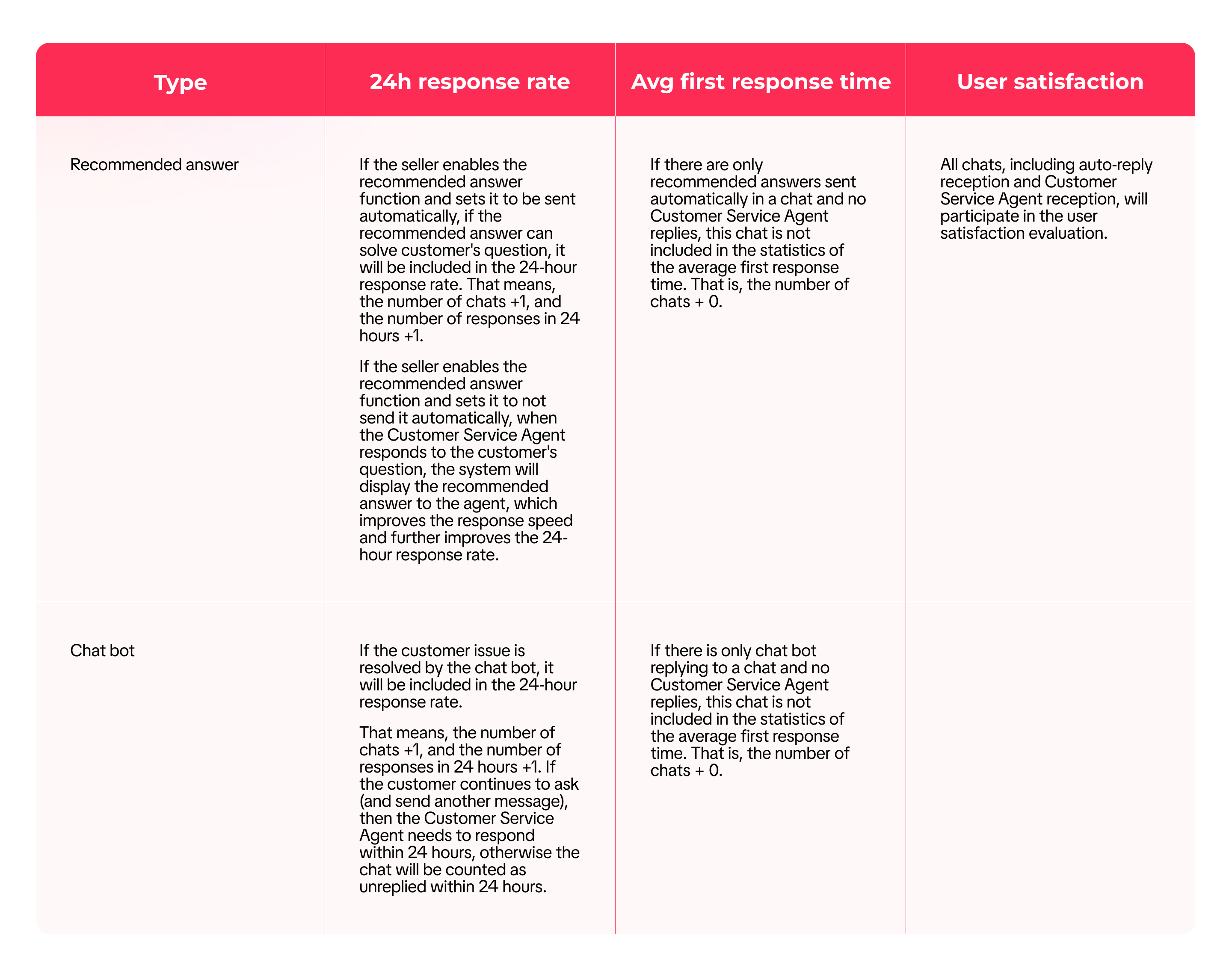
Impact of Chat Assistant on Metrics

FAQ
- After the chat assistant is enabled, will it automatically reply to all chats?
- If there is a problem that the chat assistant can not solve, the chat assistant will not automatically reply, and the response from a customer service agent is required.
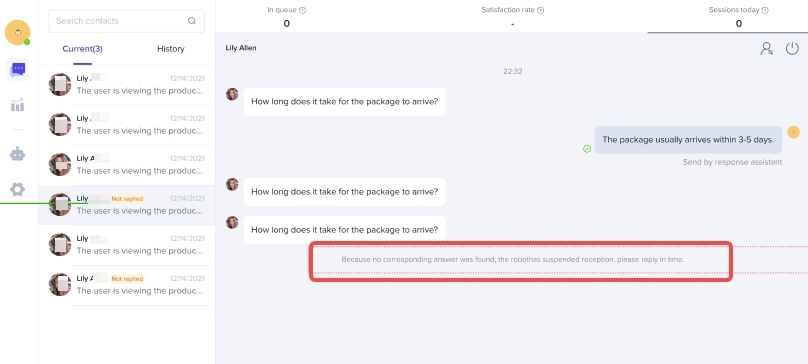
- If the same auto-reply content appears multiple times in the same chat, it means that the auto-reply may not answer the customer's question, so the chat assistant will stop replying to it, and the response from a customer service agent is required.
- When the chat assistant stops replying, a related system message will appear to remind the human agent.
Anda mungkin juga tertarik

Seller Sharing - Underme Vietnam
Underme Vietnam specializes in providing sporty lingerie for women on the TikTok Shop platform. Desp…

Shop Ownership Change Process
Note: You will only be able to change ownership from to individual to corporate/household sellers or…
Delegation Mode
This article informs what happens, why it helps, and what you need to do (one time) so your Account…

Violation Points & Milestones for Sellers
What are Violation Points? Violation Points are points issued to sellers who breach our policies an…

How can I change my login email address or phone number asso…
To update your email address/phone number, please follow the steps below: Login to your TikTok Shop…

【Video】Homepage - All you need to check
Find your daily important information and action needed items on homepage. 2.1 Let's Start Your Busi…
Scam Prevention: Cash on Delivery (COD) Scam Orders
Scam Prevention - Cash on Delivery (COD) Scam Orders TikTok Shop strives to provide a shopping exper…
TikTok e-commerce short video music selection guide
For the purpose of upholding music copyright law, we recommend that everyone uses music with commerc…
Adjustment Period for New Shops
New shops are subject to a adjustment period during which some functions are restricted. These restr…

Seller Sharing - Socomo Shop
Socomo is a brand specializing in Korean-style women's fashion, a rising star with a commendable tra…