

Shipping Fee Discount
12/31/2024
This article teaches you what the Seller Shipping Fee Discount is, and how to create, view, edit and terminate.

The benefits of using Seller Shipping Fee Discount


 Discount settings
Select Products: select whether promotion will apply to the Entire Shop or Specific Products After all the settings are completed, click Agree & Publish to create the Shipping Fee Discount promotion.

Enter My Promotions to view the details of ongoing, upcoming and deactivated promotions. From there, you can either Check, Edit or Terminate the Promotion.
What is Seller Shipping Fee Discount
The Shipping Fee Discount is a shipping discount promotion set by the Seller in the Seller Center, where the Seller bears all/part of the shipping cost.The benefits of using Seller Shipping Fee Discount
- Seller shipping discounts can increase your basket size and help make buyers' purchasing decisions easier.
- Offer your customers subsidised shipping on selected products, minimum basket sizes or storewide.
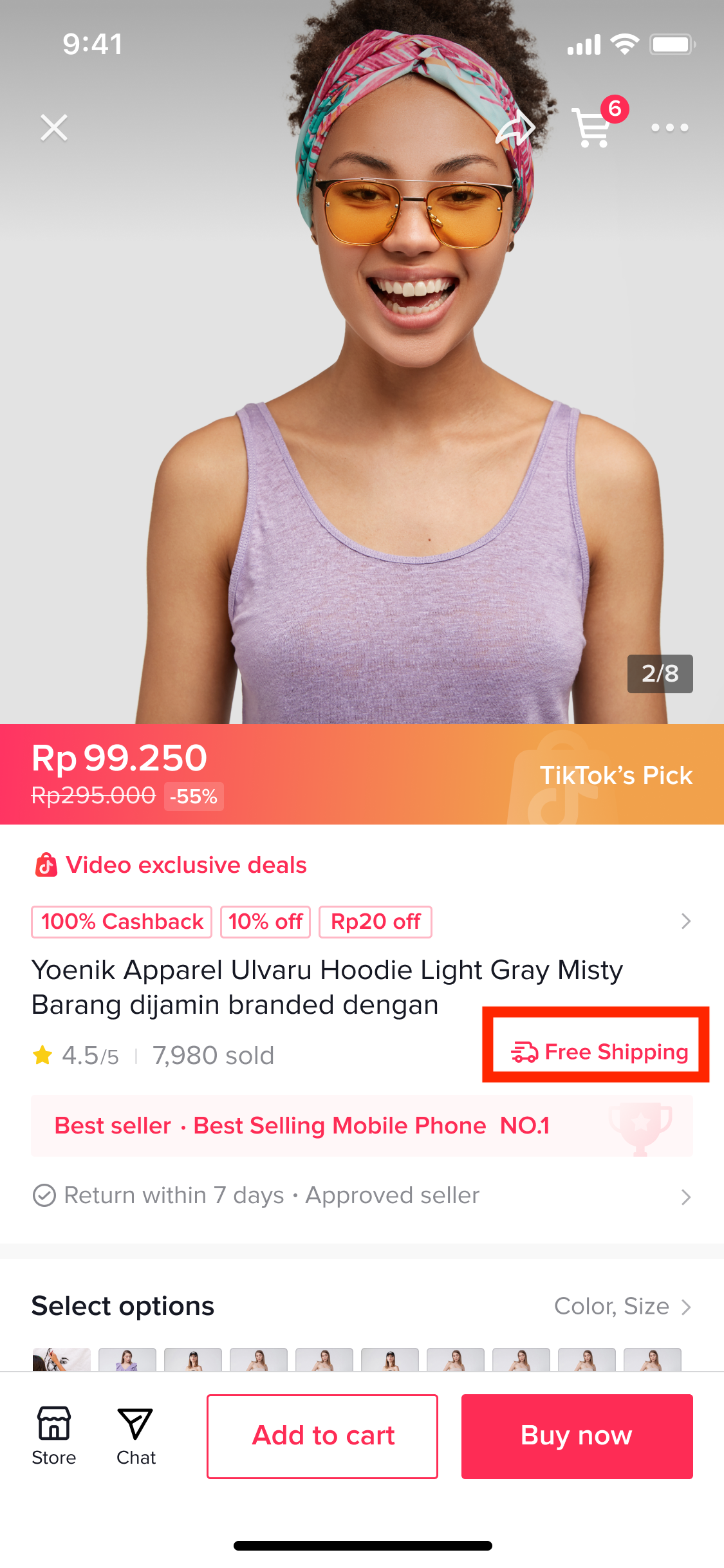
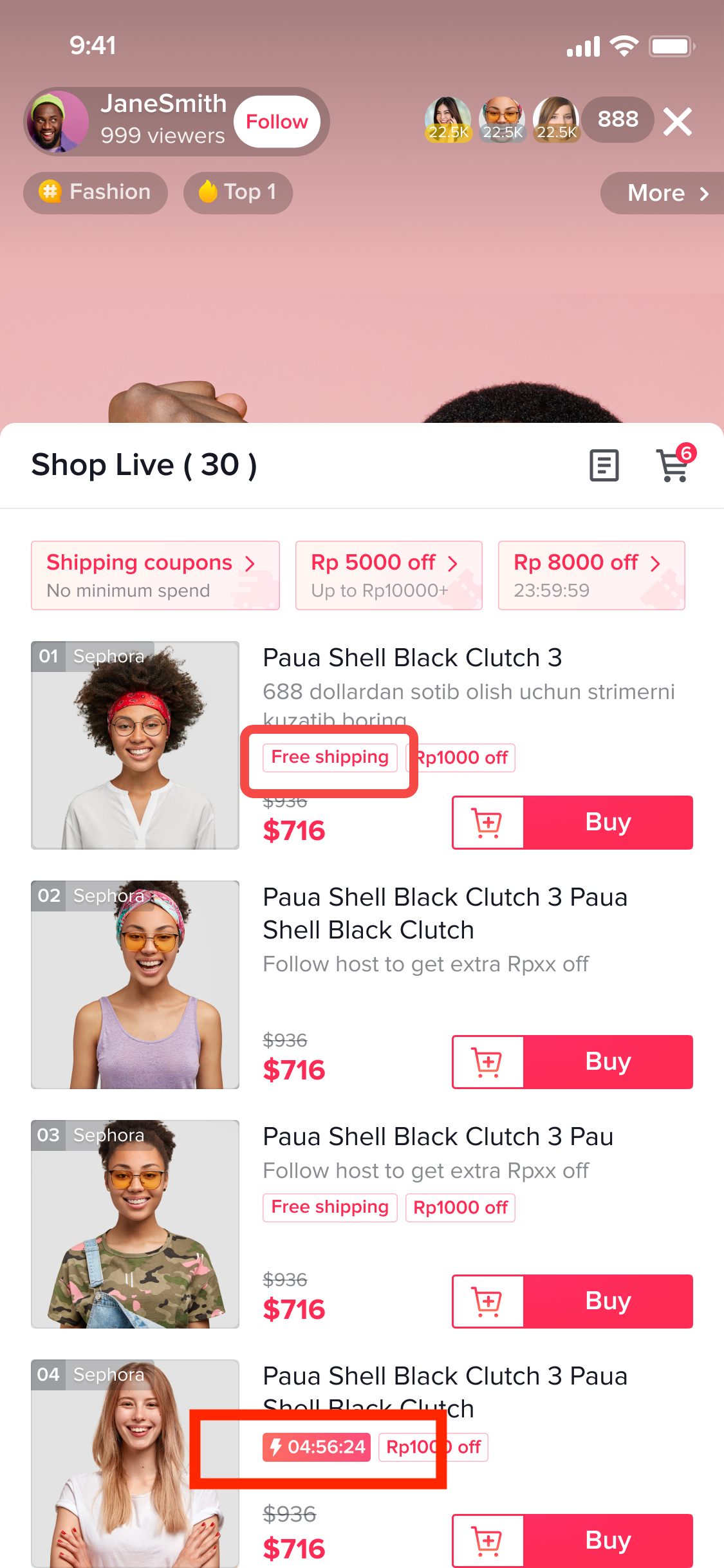
- More visibility: The Free Shipping label helps your products stand out and appear more attractive.
- The seller must maintain a positive shop account balance; and
- The seller account has passed the probation period (find out more here)
Customer Display
Here's how users will view and enjoy the Shipping Fee Discount.| Placing an order on PDP | On Livestream |
 |  |
Create Shipping Fee Discount
Entrance
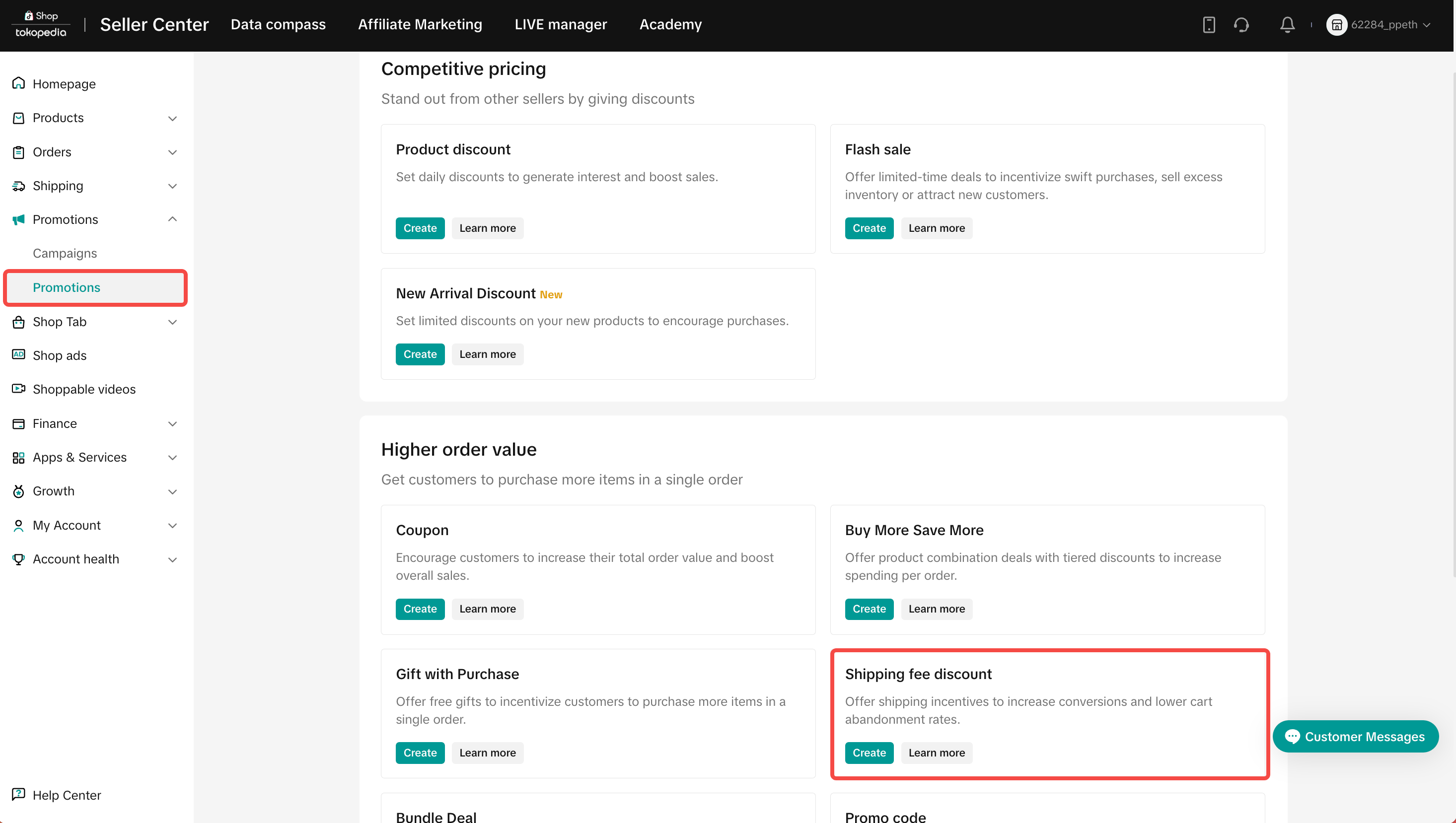
To create a voucher on the Seller Center on PC, visit the Promotional Tools tab.Basic Information
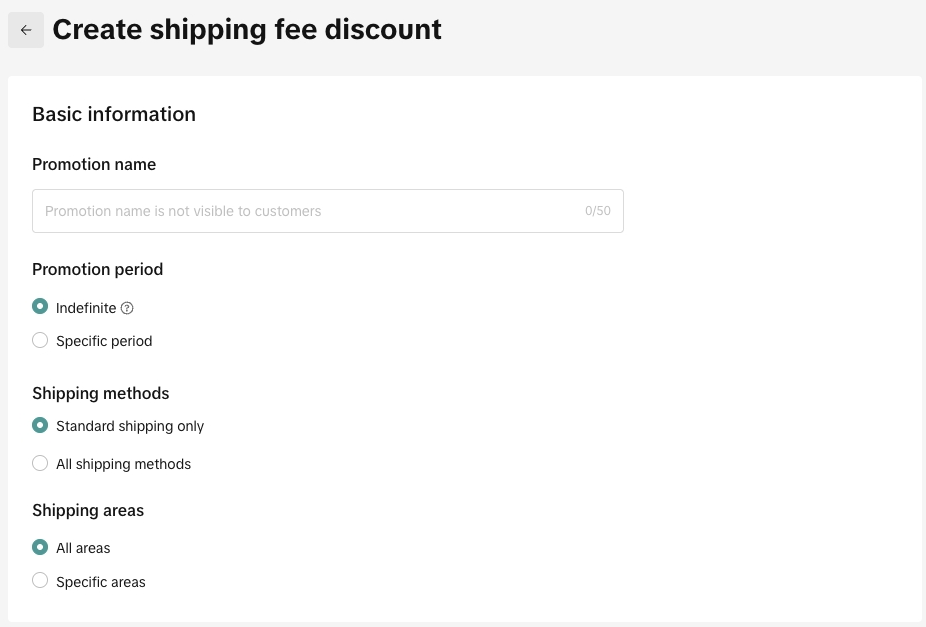
Basic Information
- Indefinite
- Specific period
- Standard shipping only: Economy and standard shipping
- All shipping methods: All shipping methods including express, next day delivery, economy and standard shipping.
- All areas
- Specific areas
- Period: Set your period to indefinite and be more competitive all year round, or a specific duration to create a sense of urgency
- Shipping Methods
- Shipping Area
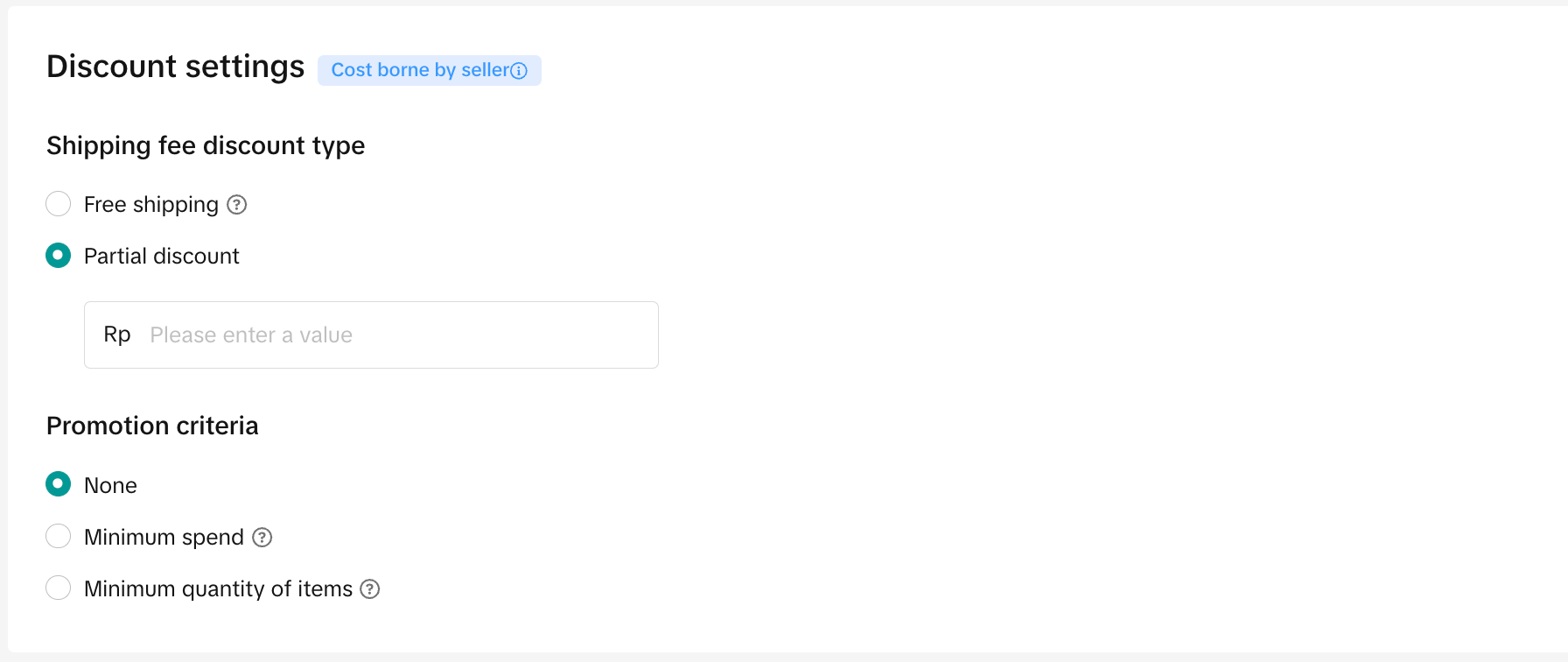
Discount settings - Free shipping
- Partial discount
- Shipping Fee Discount Type: make sure your subsidised shipping fee does not cost more than your order value. This will result in a negative balance.
Promotion Criteria
- 💡 Pro Tip: Set your minimum spend slightly higher than your average order value. Get your buyers to spend more!
- Minimum spend: The order total amount that must be met in order for the Shipping Fee Discount to be applied
- Minimum quantity of items: The total number of SKUs to be added to the order for the Shipping Fee Discount to be applied
Select Products: select whether promotion will apply to the Entire Shop or Specific Products
After all the settings are completed, click Agree & Publish to create the Shipping Fee Discount promotion.Manage Shipping Fee Discount
To manage your Shipping Fee Discount on the Seller Center, visit the Promotional Tools tab.Enter My Promotions to view the details of ongoing, upcoming and deactivated promotions. From there, you can either Check, Edit or Terminate the Promotion.
You may also be interested in

CUỘC THI HOT HIT - CÔNG CỤ GIẢM GIÁ HÀNG MỚI VỀ
🔥 Cuộc Thi Hot Hit: Chia Sẻ Trải Nghiệm – Rinh Quà "Cực Cháy" Lên Đến 2,5 Triệu Đồng! 🔥 Bạn đã…

Seller LIVE Interactive Voucher
This article teaches you how to use LIVE Interactive Vouchers to increase your average order value a…

Promo Code
Promo Code This article teaches you how to use Promo Code as a flexible external distribution tool t…

Review Coupon
This article introduces Review Coupon, a seller-funded promotional tool designed to help you collect…

Recommended Promotion
This article introduces Recommended Promotion, a personalized assistant built directly in your Selle…

Livestream Interaction

Product Selling Points

Short Video Tips

Giveaways

Platform and Seller Promotional Activities