

Campaign Dashboard
11/14/2024
*All information displayed on the dashboard is fictional and used for demonstration purposes only. Actual interface may vary.
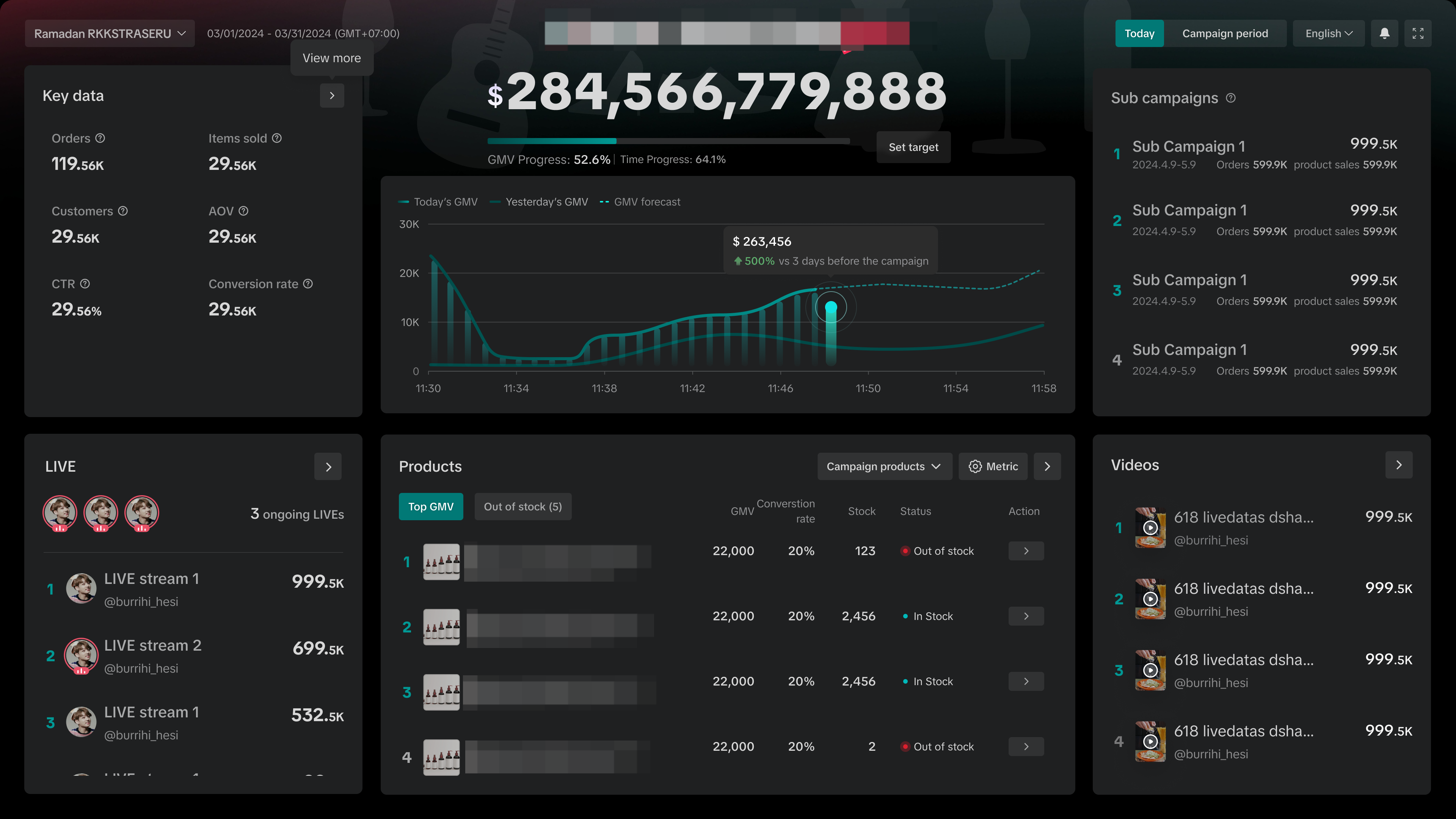

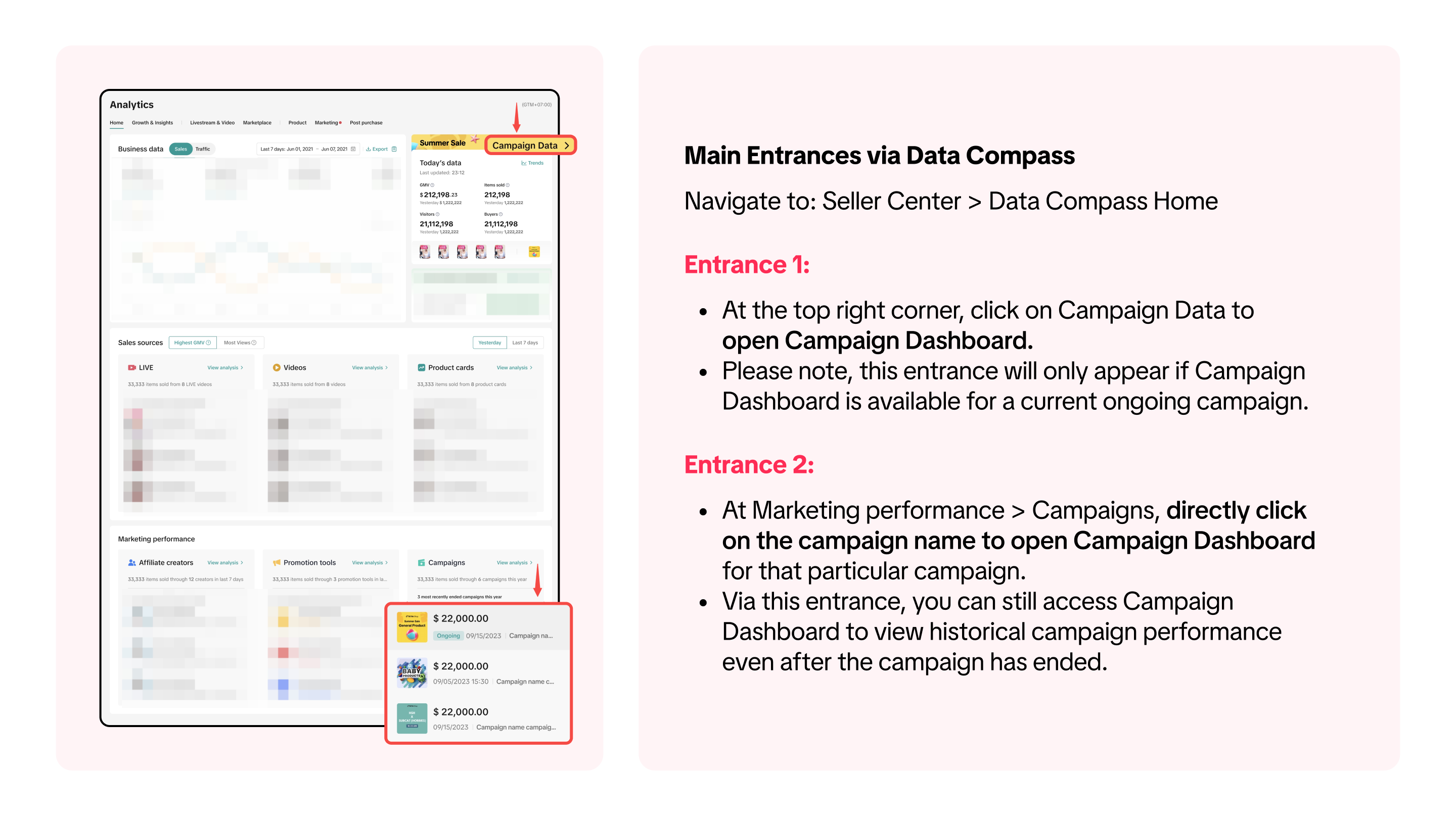
Where to Access Campaign Dashboard

How To Analyse Campaign Performance in Real Time
Track Your Campaign GMV Achievement and GMV Trend
Here, you can set your own campaign GMV target by clicking "Config Target", and monitor how your GMV performance is trending towards the target.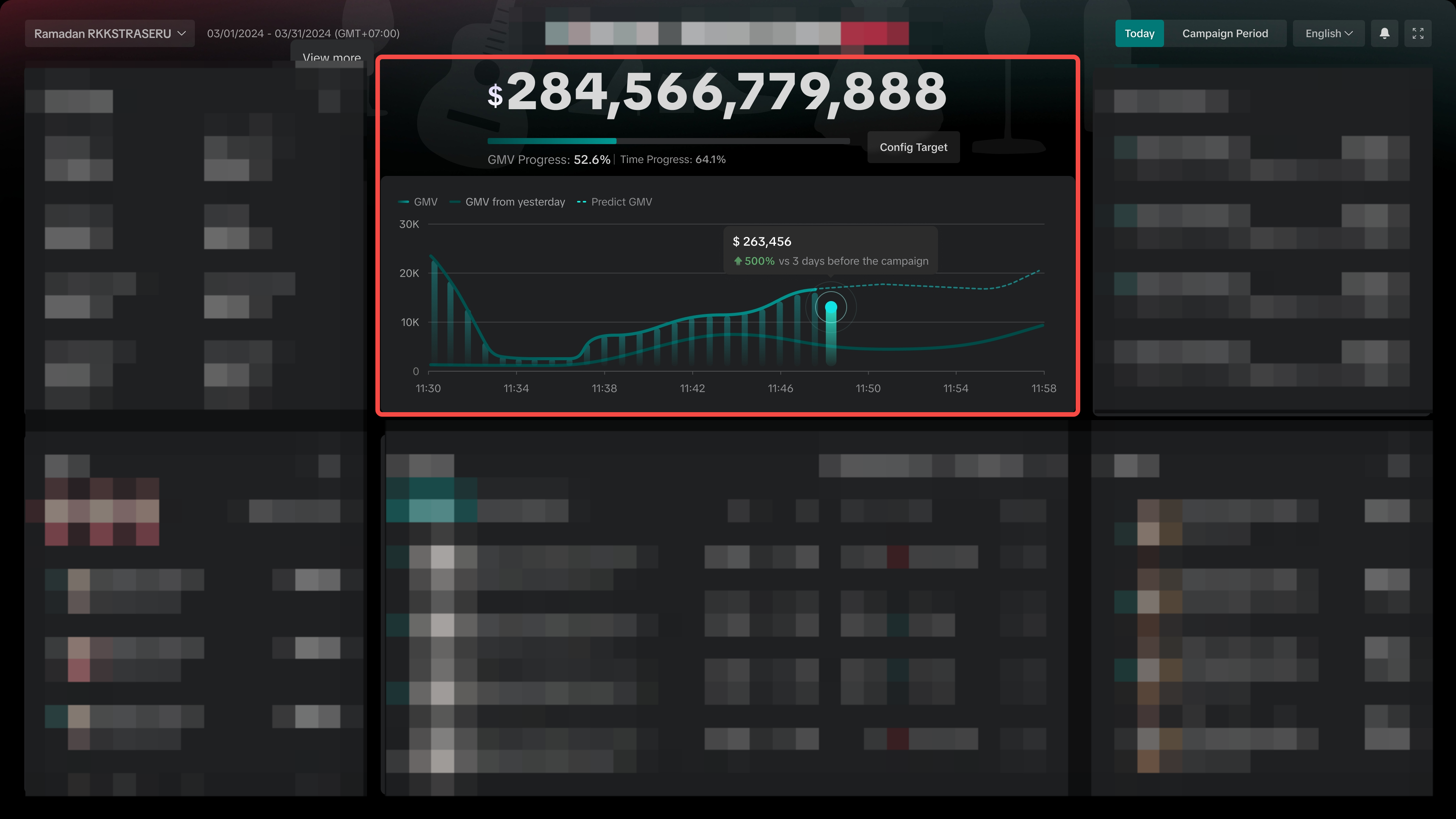
View your Core Data
Quickly grasp how your key metrics are performing during the campaign - such as GMV, Orders, Item Sold and more.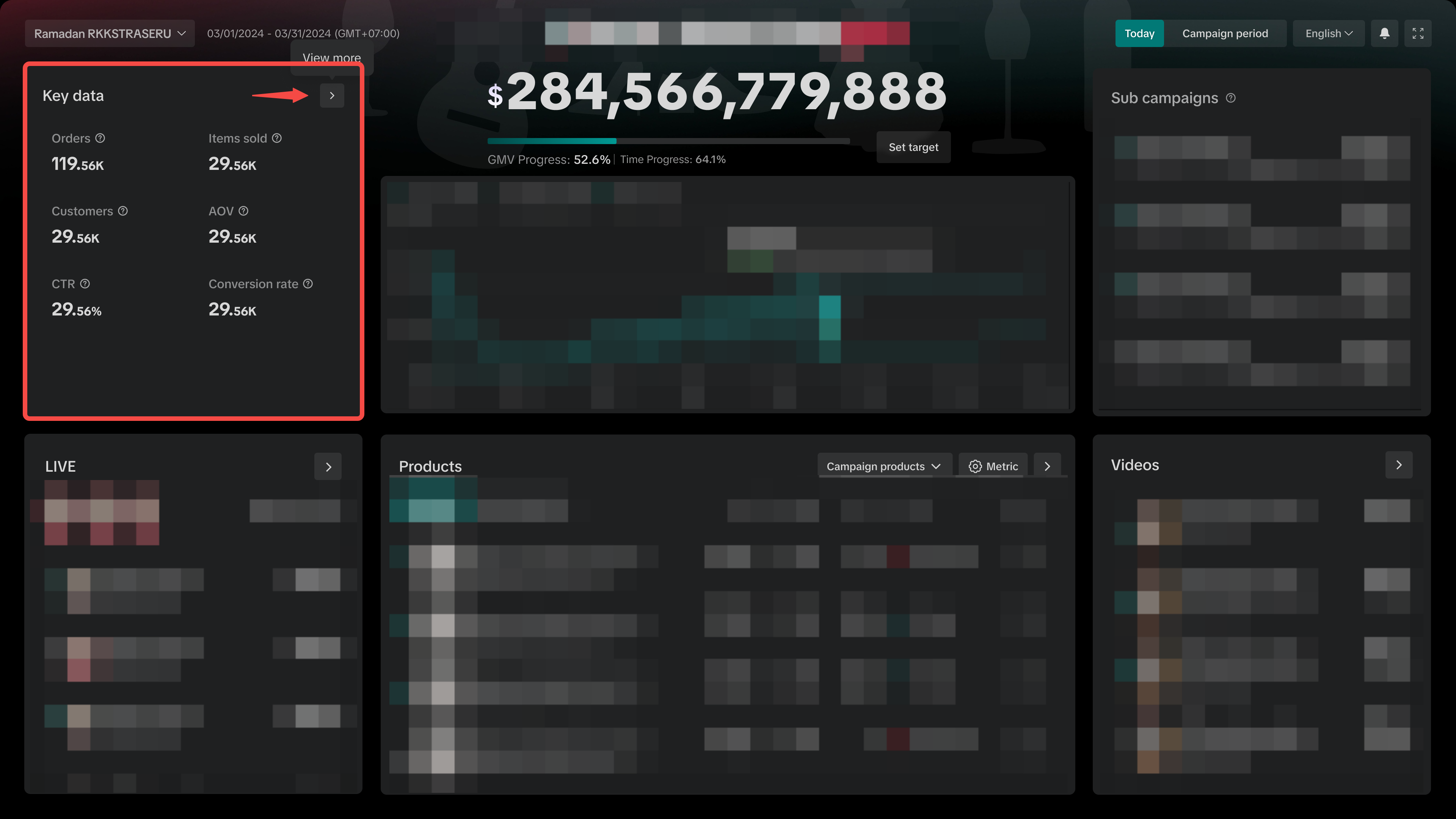 | 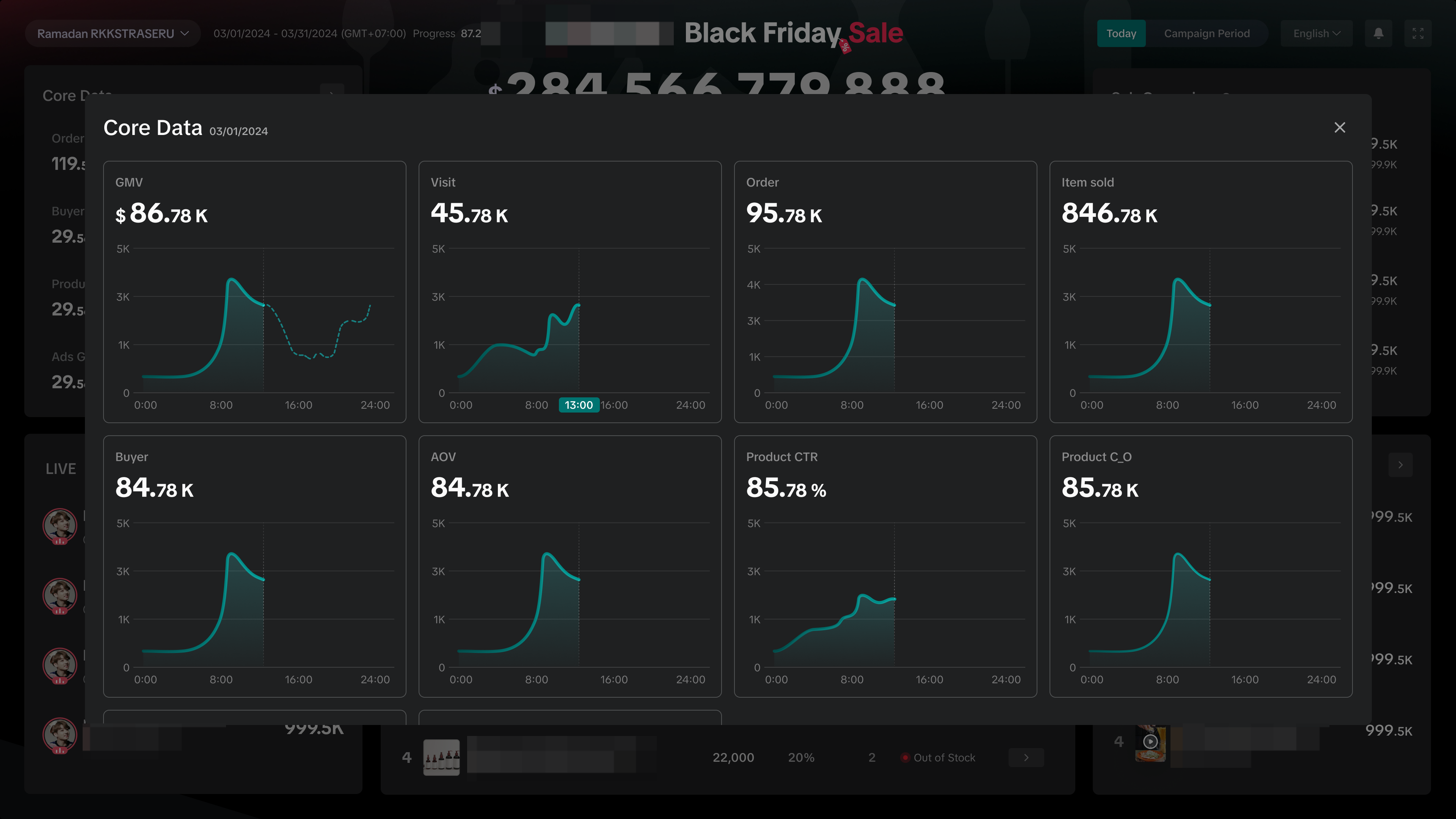 |
Review Performance of LIVEs
Directly access ongoing Livestreams by clicking on the creator bubble, and quickly view the list of top performing LIVEs ranked from highest to lowest GMV. Click on the arrow to access the full list of LIVEs.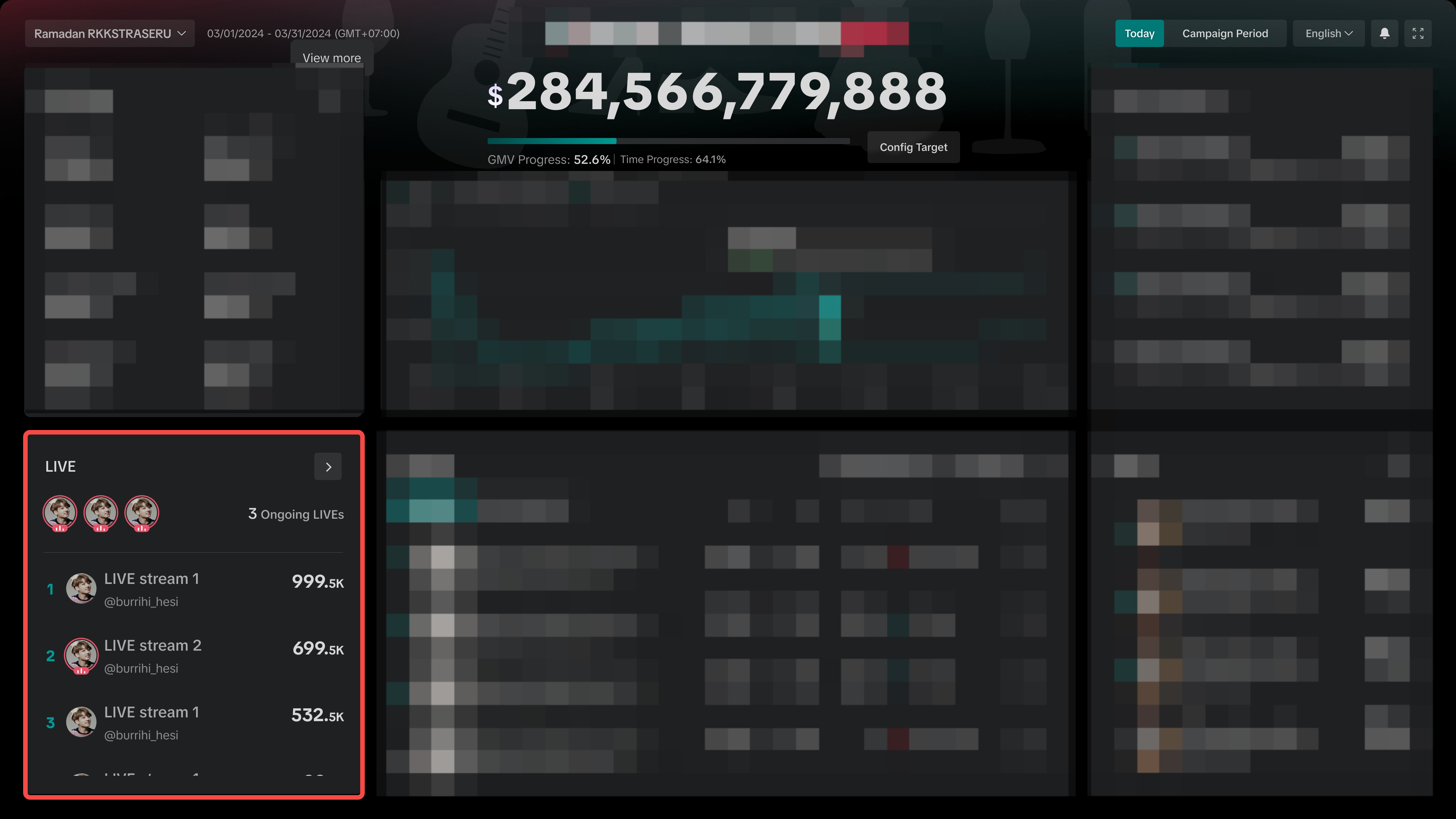
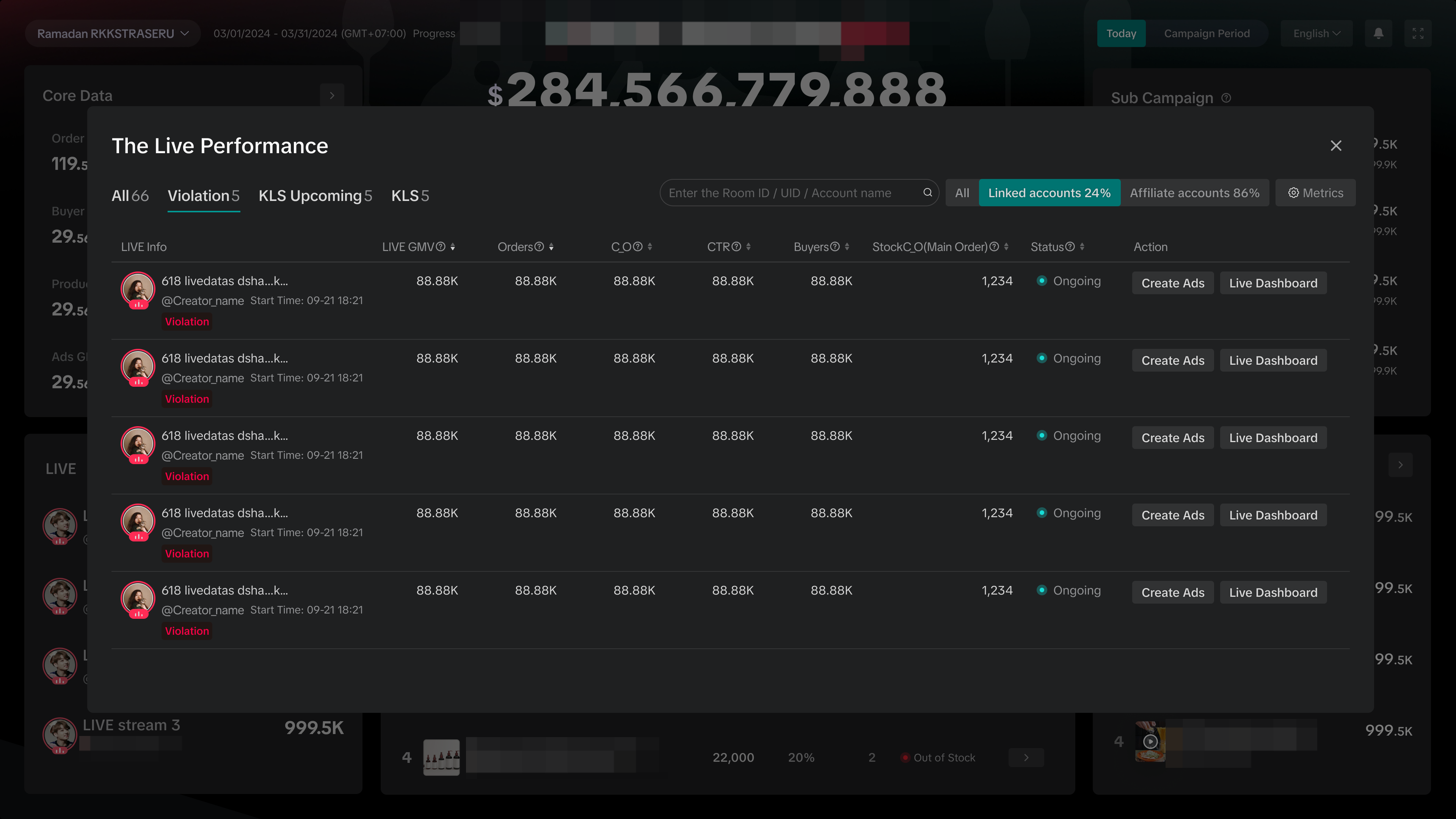 | The Live Performance list enables you to:
|
Track your Product Sales Performance
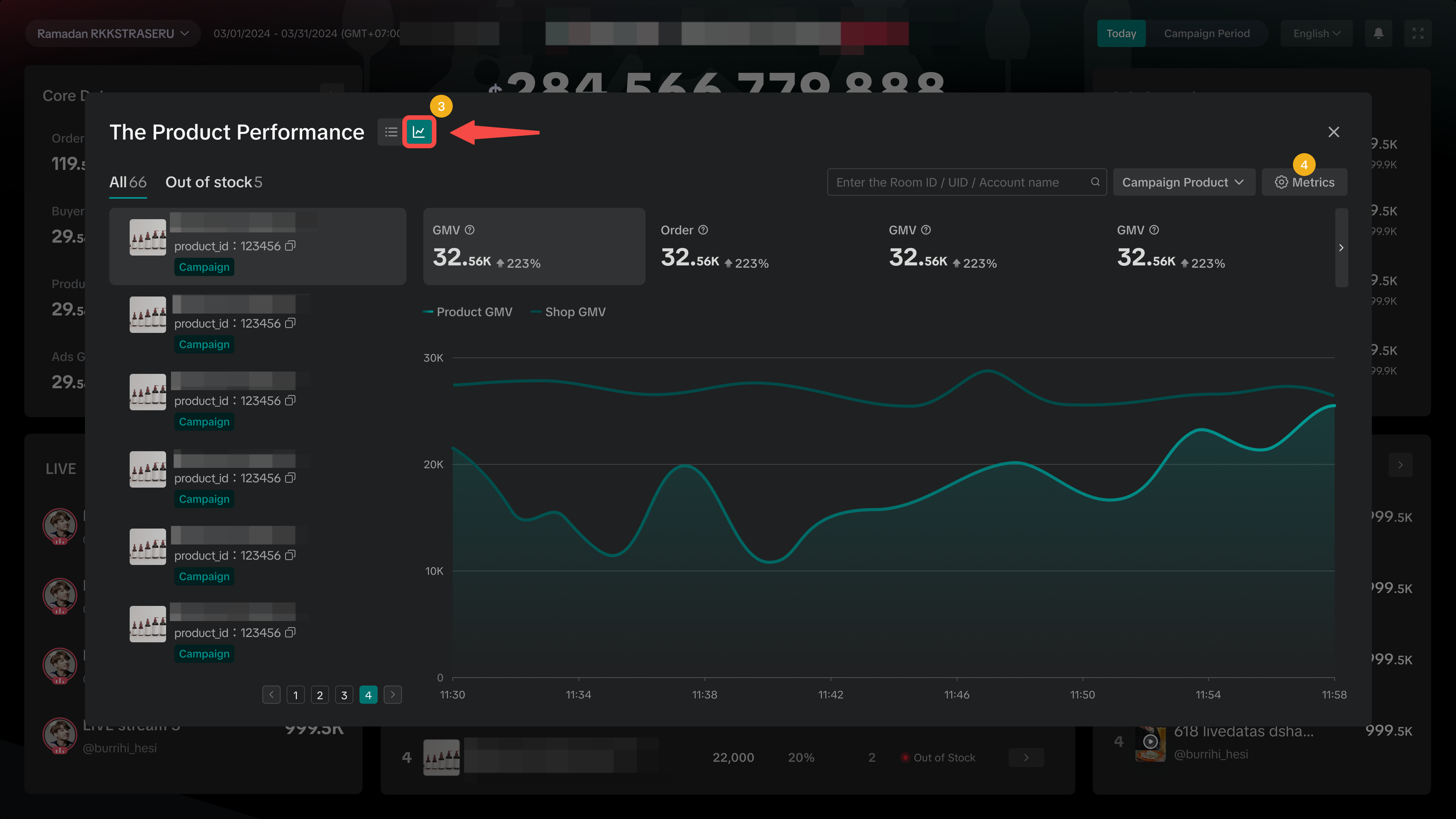
Identify fast-selling or slow-moving products to see where you can optimise further. Plus, easily recognise items that are out of stock to replenish inventory. Click on the arrow to access the full list of product performance.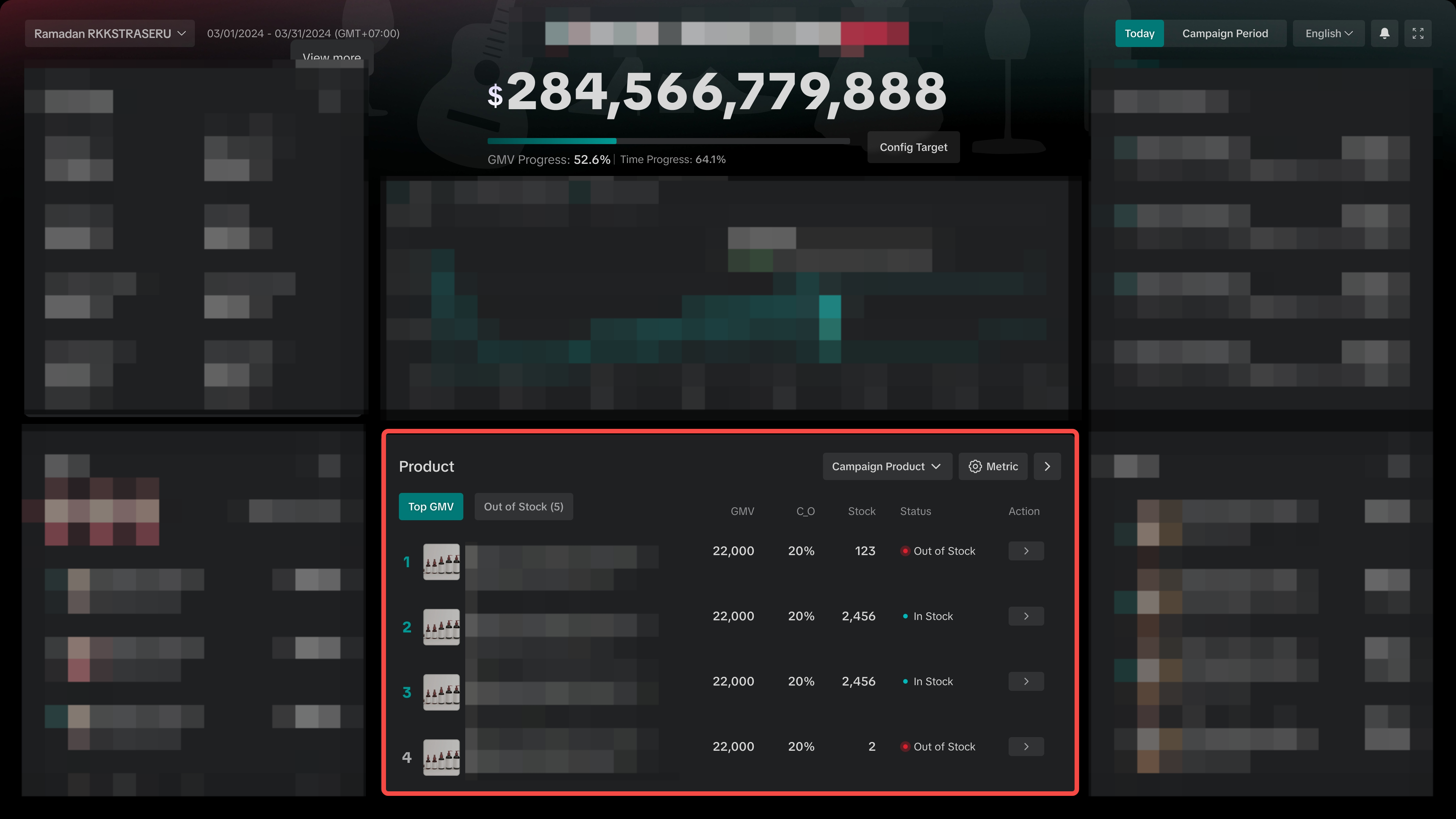
Product performance can be viewed in 2 different settings, either by product list view or by trendline view. | |
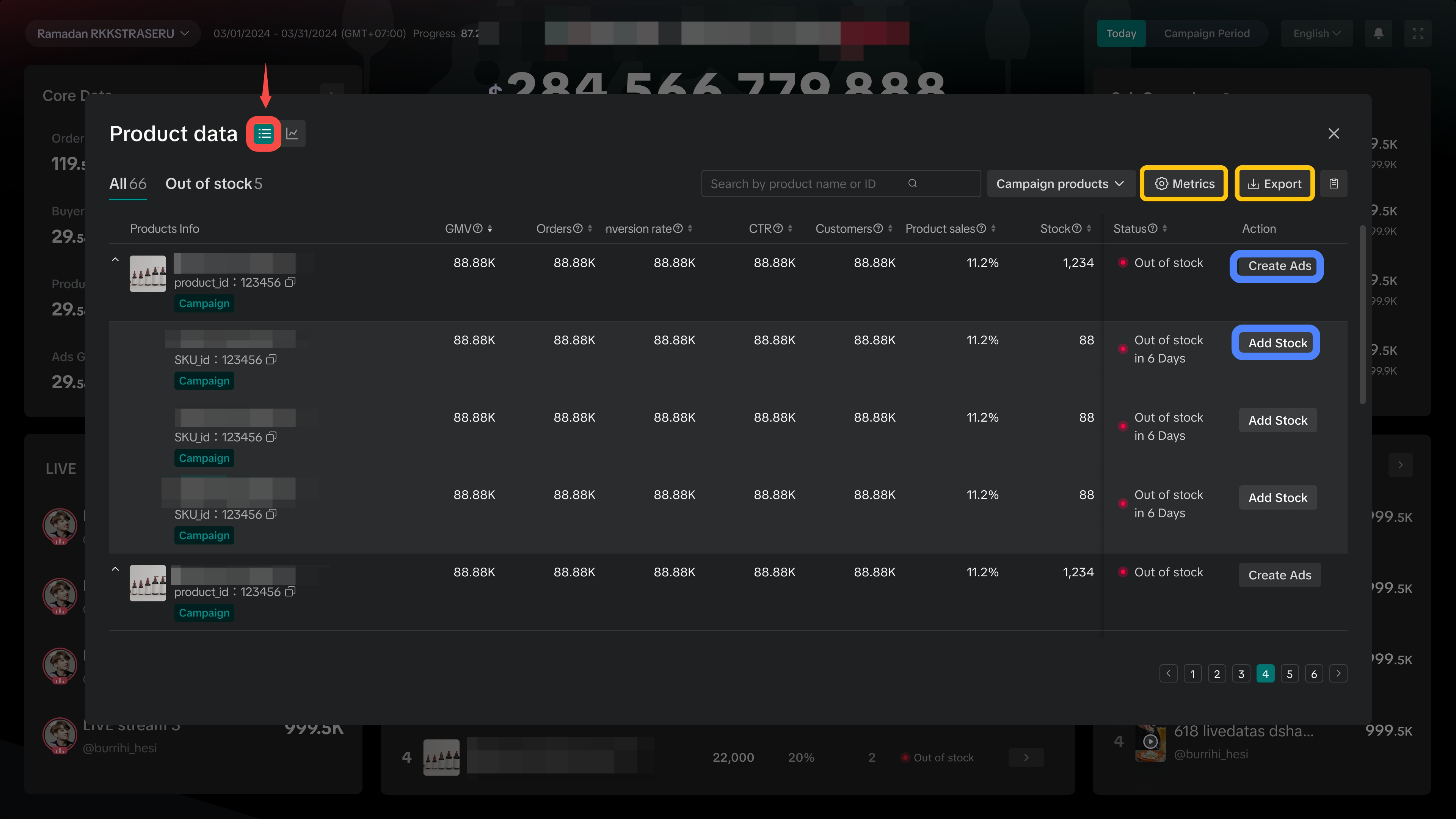
| 
|
| Tip: Keep an eye on your fast moving products to manage stock levels effectively and prevent products going Out of Stock! Similarly, review slow moving products and optimise your promotion to boost sales. | |
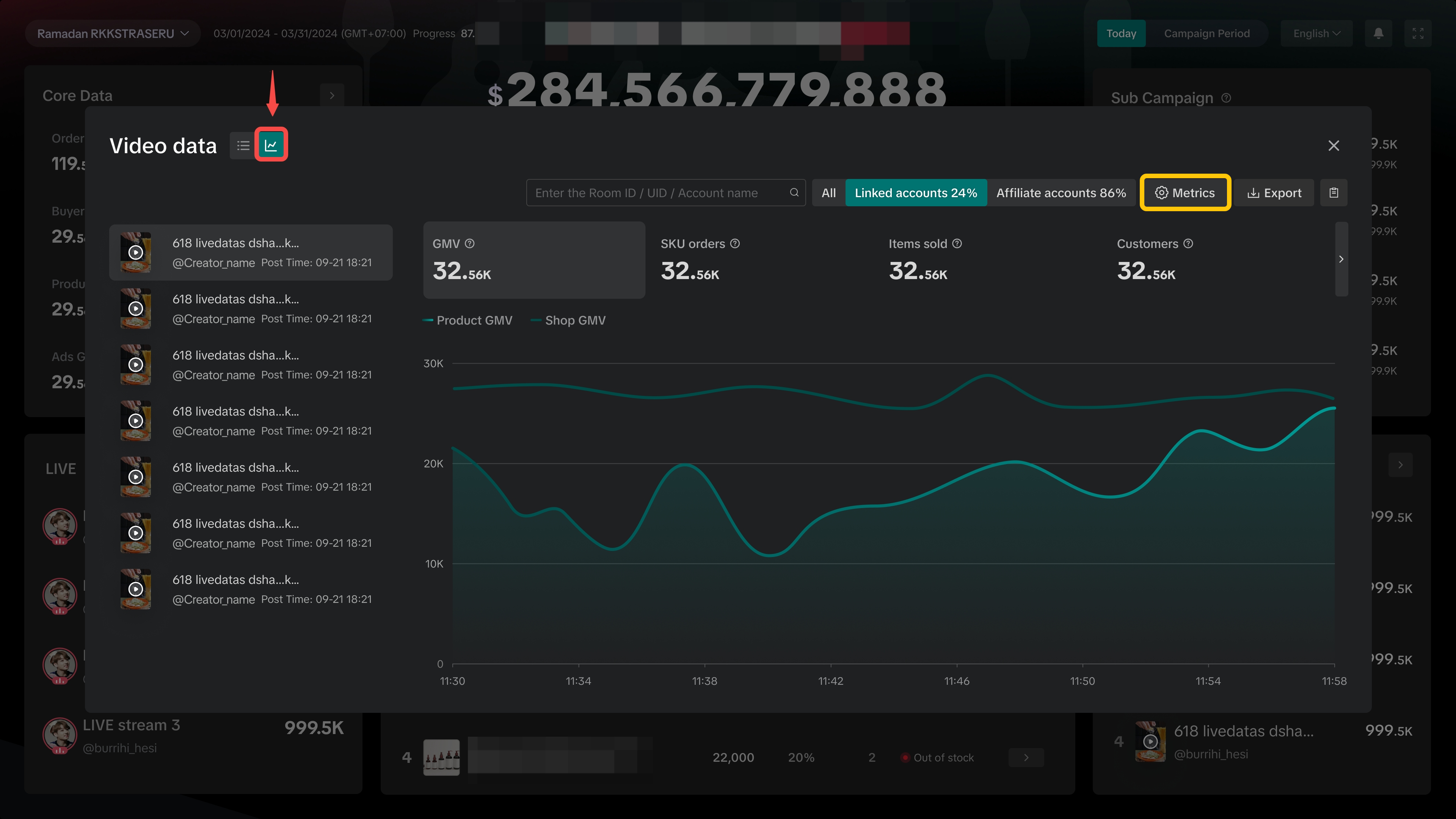
Review Performance of Videos
See the top videos ranked from highest to lowest GMV. Click on the arrow to access the full list of video performances.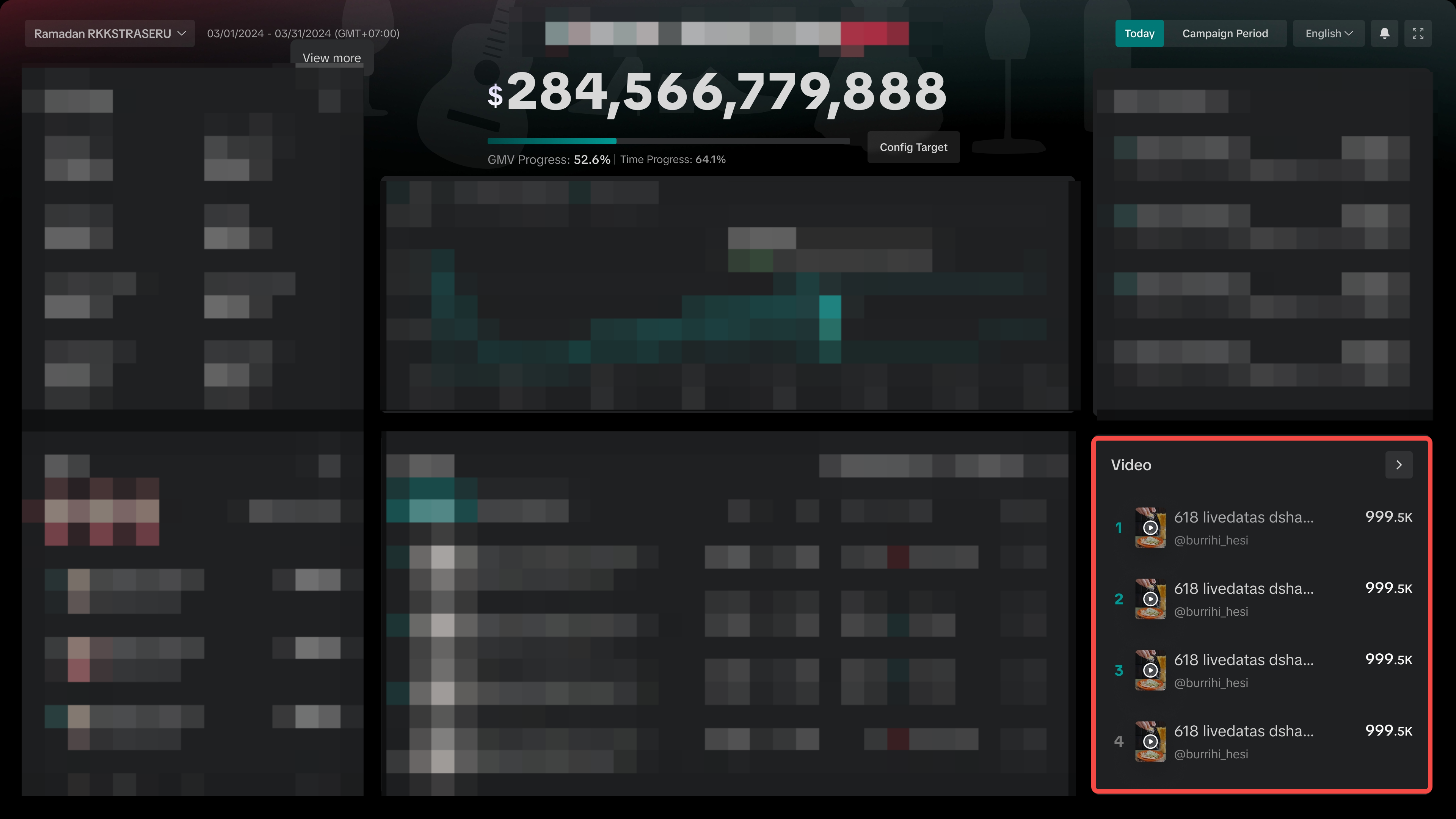
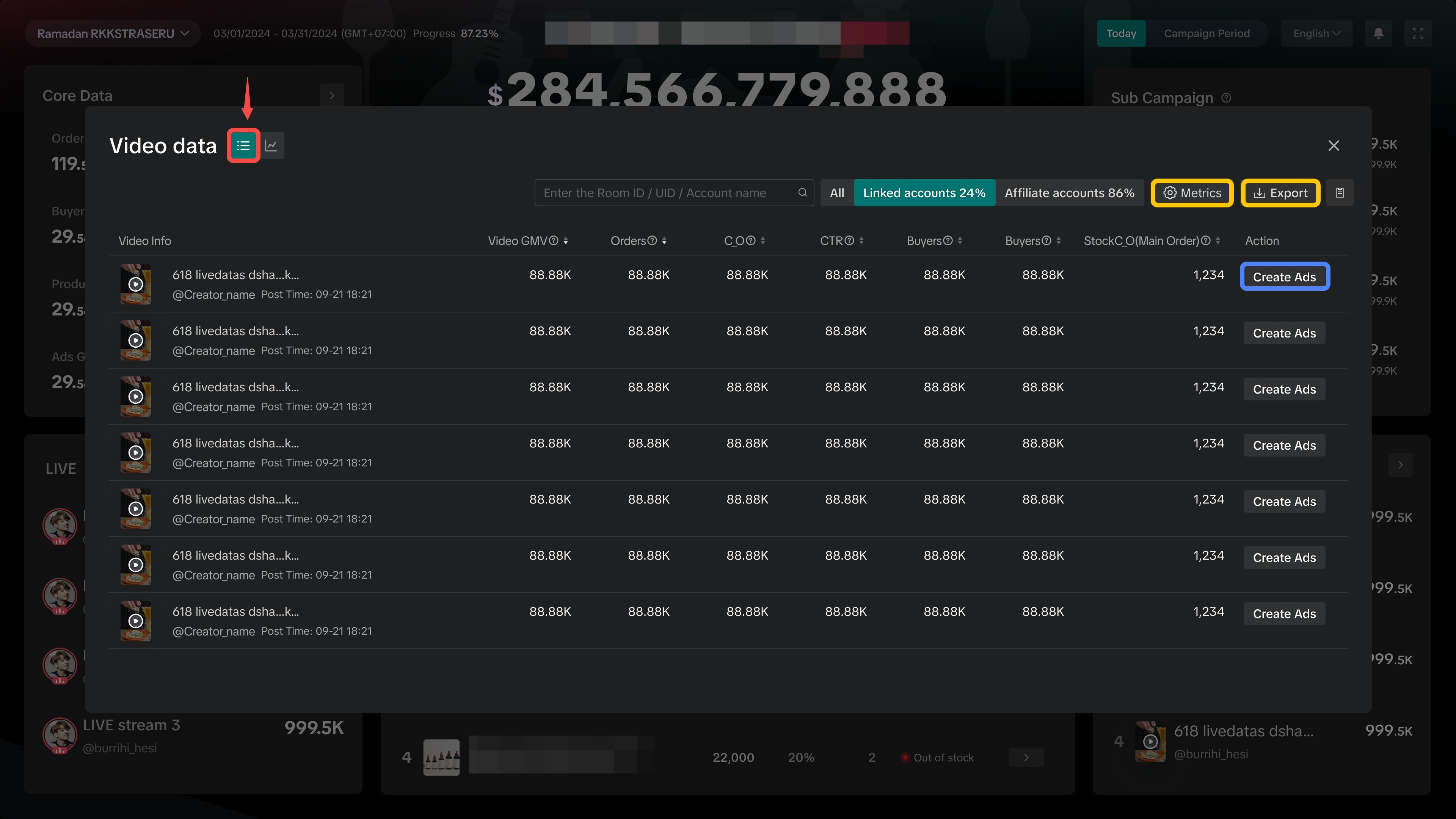
Video performance can be viewed in 2 different settings, either by product list view or by trendline view. | |
| 
|
Never Miss an Important Alert
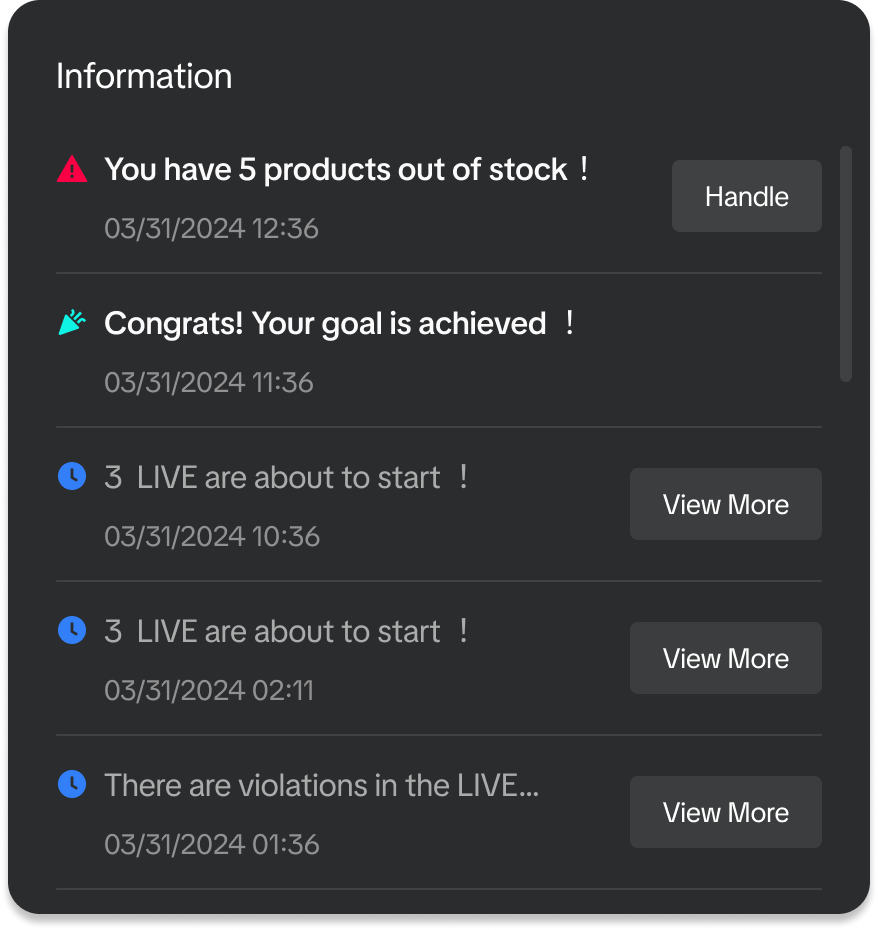 | Get important notifications and reminders such as low inventory alerts, LIVE violations, GMV target achieved, and livestream broadcast alerts. |

FAQs
- Why am I unable to find the entry points to Campaign Dashboard via Seller Center?
If you are unable to find the 2 entrance points shared above, you can also try these methods via Seller Center:
| Entrance 3 via Campaign Performance | Entrance 4 via Sub Campaign Analytics | ||
Data Compass > Marketing > Campaign Performance | Promotions > Campaigns > Manage Your Campaigns | ||
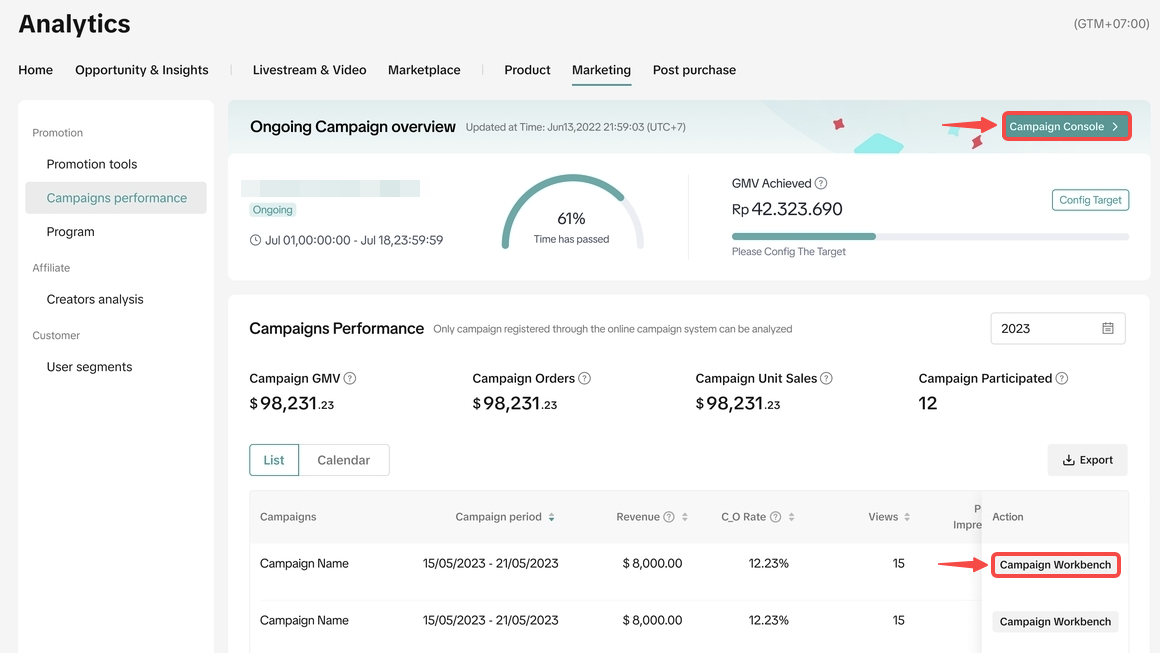 | 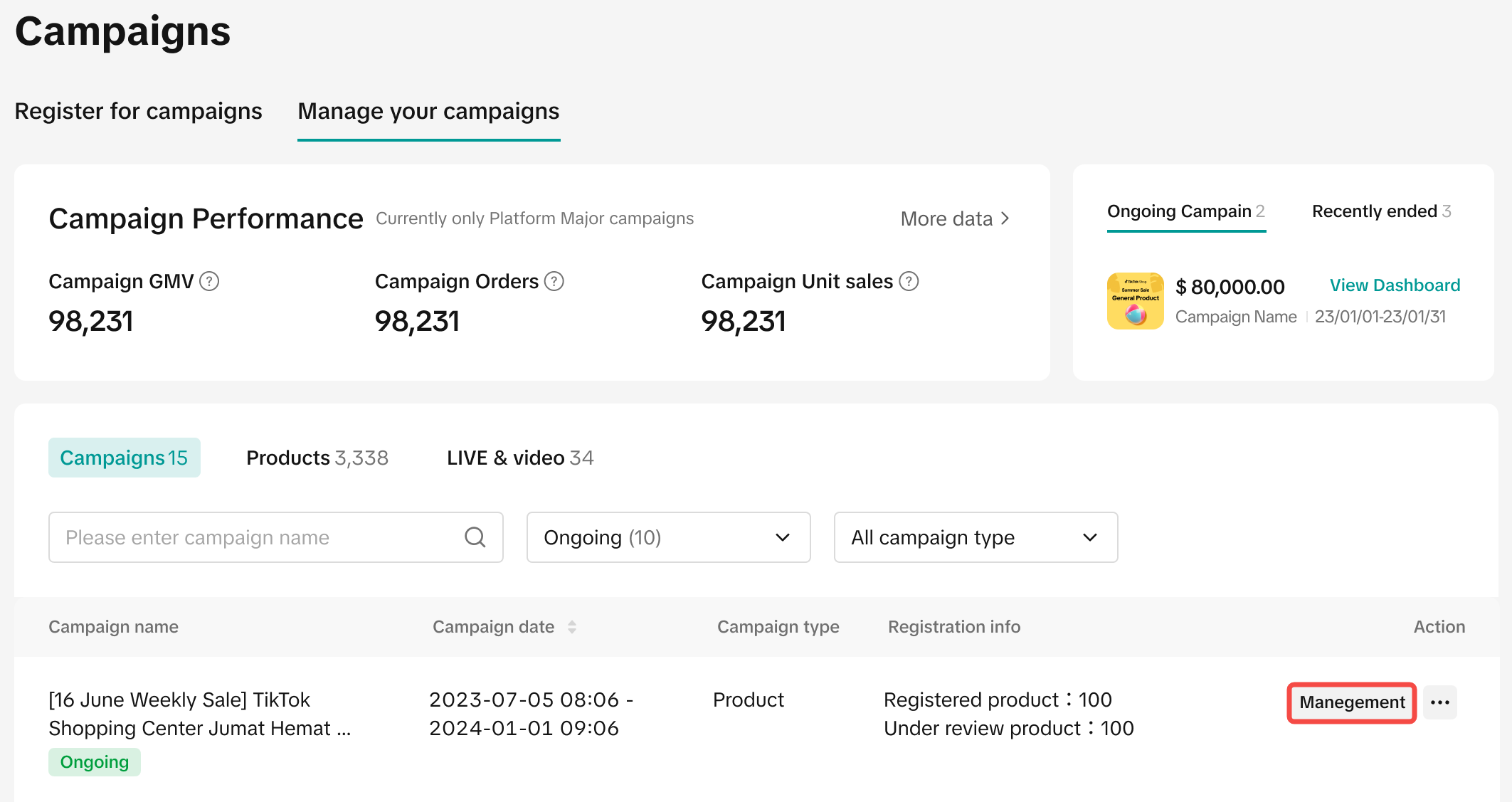 | 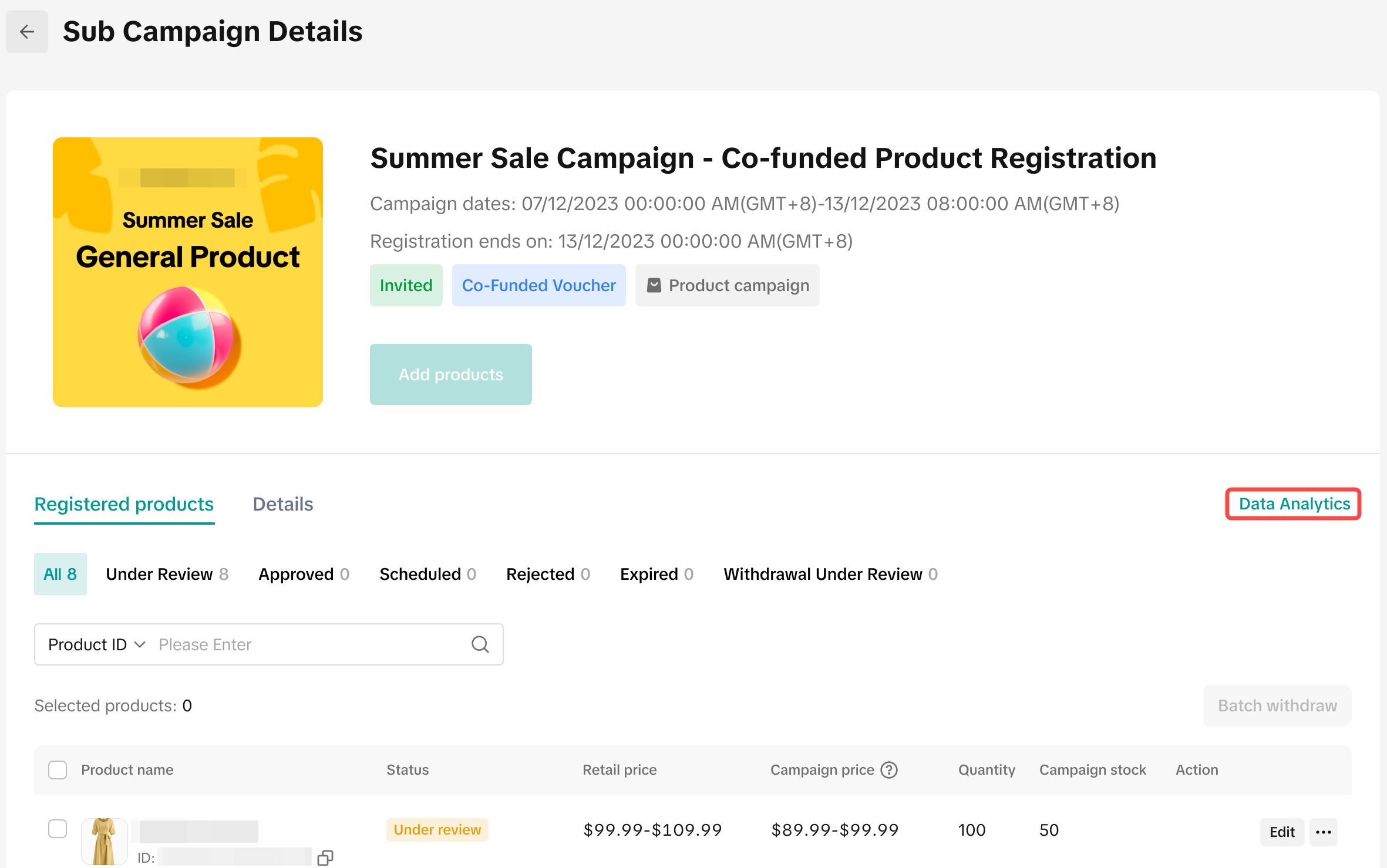 | 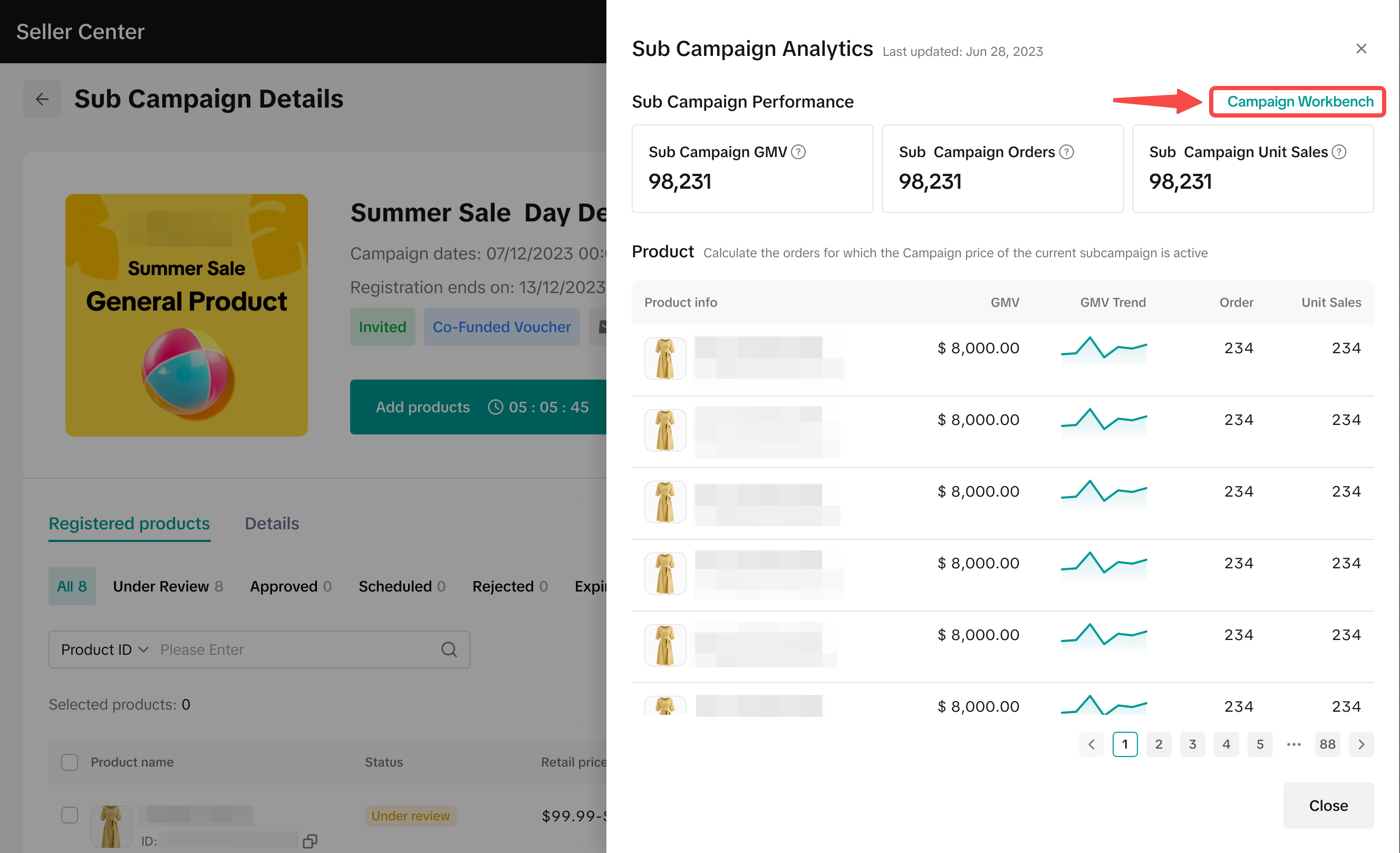 |
Click on Campaign Console or Campaign Workbench | Click on Management > Click on Data Analytics > Click on Campaign Workbench | ||
- Can I still access Campaign Dashboard after the campaign has ended?
คุณอาจสนใจ
Campaign Performance Insights
This article will help you understand how to use the new feature to help in tracking your shop's per…

Flash Sale Program Analytics
This article gives you a brief overview of what Flash Sale is and how you can track the performance…
Promotion Tools Analytics
This article gives you a brief overview of what Promotion Tools are and how you can track the perfor…
Livestream Campaigns
This article teaches you how to use Livestream Campaigns to increase traffic and conversions in your…

Co-Funded Campaigns
This article teaches you how to use Co-Funded Campaigns to increase sales in your store with high RO…

Product Campaigns
This article teaches you how to participate in platform product campaigns to increase sales in your…
Voucher Extra Program
This article teaches you what Voucher Extra are, how it works, as well as how the Voucher Extra Prog…

Thứ 6 Extra - Voucher thả ga - ELHA & HL
Campaign Objective A unique selling day that aims to create centralized, interactive shopping experi…

Thứ 6 Extra - Voucher thả ga - FMCG & FA Campaign
Campaign Objective A unique selling day that aims to create centralized, interactive shopping experi…

#TikTok Lifestyle - Smart Living, Hot Summer Sale_Only 29/03…
The Home & Living and Electronics Super Sale Campaign "#TikTok Lifestyle - Smart Living, Hot Summer…