

Transaction Fee
02/26/2026
Effective from 00:00 on 1st April, 2026, Vietnam time (GMT+7), the fee calculation logic will be adjusted. Details are as follows:

The Transaction Fee Rate is as follows:
Important: the Transaction Fee rate is inclusive of VN taxes. If you are a tax registered organisation in Vietnam and your Tax Code has been provided to and verified by TikTok, we will only collect the amount exclusive of taxes. Learn more here.


 Note: The above screenshots are just for reference. Actual interface display, amount and rates might be different.
 Note: The above screenshots are just for reference. Actual interface display, amount and rates might be different.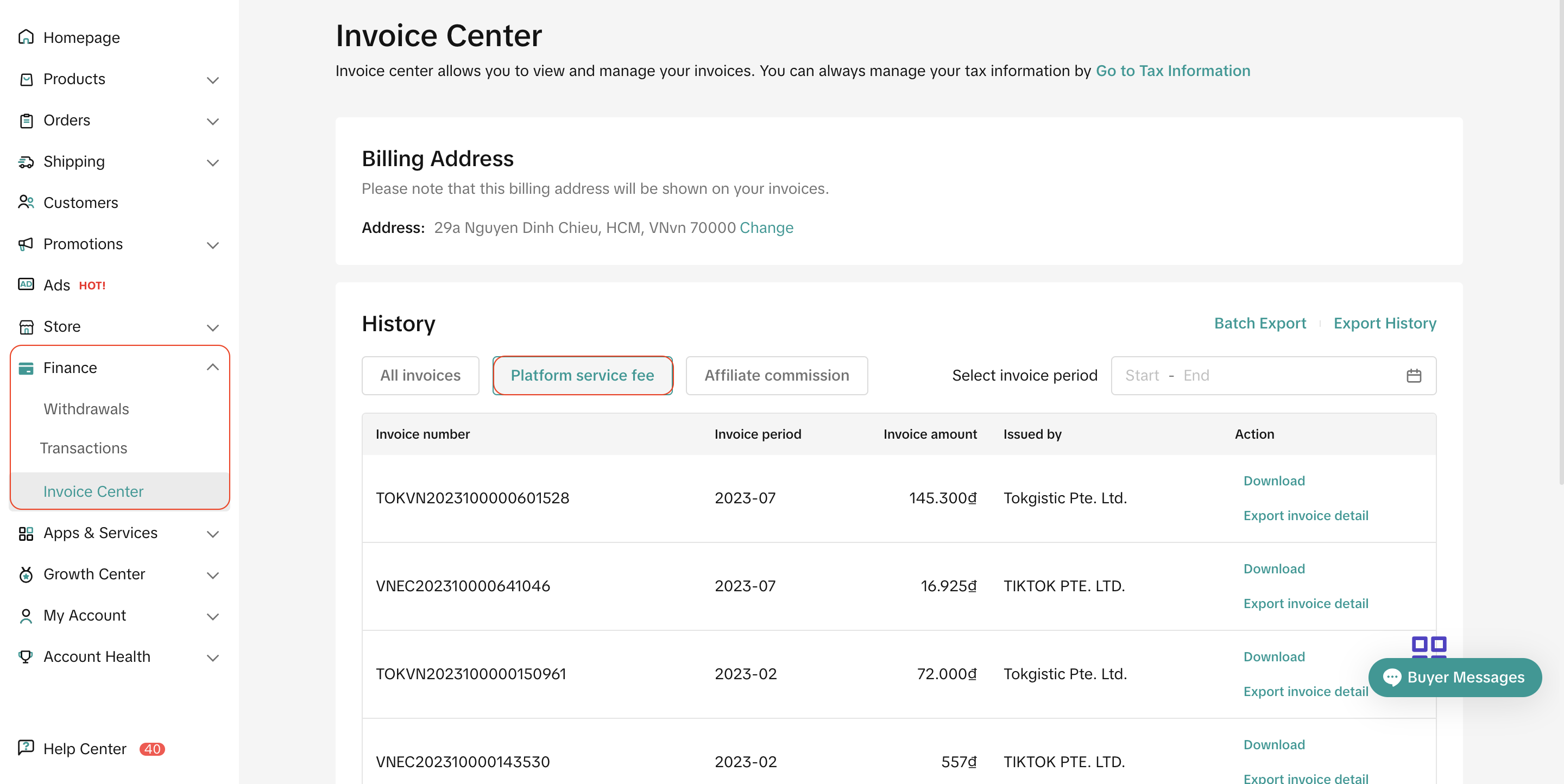
- The fee will be applied to all orders that are successfully delivered (listed under “Delivered”), as well as orders that result in returns and refunds.
- The calculation formula will be adjusted.
What is Transaction Fee?
After an order is successfully delivered to buyers, TikTok Shop will automatically deduct a fee from the final payout settlement. This amount is the Transaction Fee, and is charged to all sellers for processing successful orders in TikTok Shop.The Transaction Fee Rate is as follows:
Time | Amount |
| For orders created before 00:00, 17th July, 2024, Vietnam time (GMT+7) | 4% of total customer payment, after refund. |
| For orders created from 00:00, 17th July, 2024, Vietnam time (GMT+7) | 5% of total customer payment, after refund. |
How is the Transaction Fee calculated?
Formula
- Before 00:00, 1st April, 2026, Vietnam time (GMT+7): Transaction Fee = (Customer Payment - Customer Order Refund) * Fee rate = (Original Price - Seller Discount - Platform Discount + Customer Shipping Fee - Customer Order Refund) * Fee rate
- From 00:00, 1st April, 2026, Vietnam time (GMT+7): Transaction fee = Original Price - Seller Discount + Customer Shipping Fee - Customer Order Refund) * Fee rate
Example (Successfully Placed Order)
Item: Grey Shoe
| ||
Before 00:00, 1st April, 2026, Vietnam time (GMT+7) | From 00:00, 1st April, 2026, Vietnam time (GMT+7) | |
| Item Price | 100,000 ₫ | 100,000 ₫ |
| (-) Seller Discount | 5,000 ₫ | 5,000 ₫ |
| (-) Platform Discount | 5,000 ₫ | 5,000 ₫ |
| (+) Customer Shipping Fee | 6,000 ₫ | 6,000 ₫ |
| Transaction Fee Base | 96,000 ₫ | 101,000 ₫ |
| (X) Transaction Fee Rate | 5.00% | 5.00% |
| Transaction Fee | 4,800₫ | 5,050₫ |
FAQs
- Who will be charged the Transaction Fee?
- All sellers on TikTok Shop in Vietnam.
- How will I be charged the Transaction Fee?
- Applied to all orders that are successfully delivered (listed under “Delivered”), as well as orders that result in returns and refunds.
- Where can I check the details of the Transaction Fee amount charged for my order?
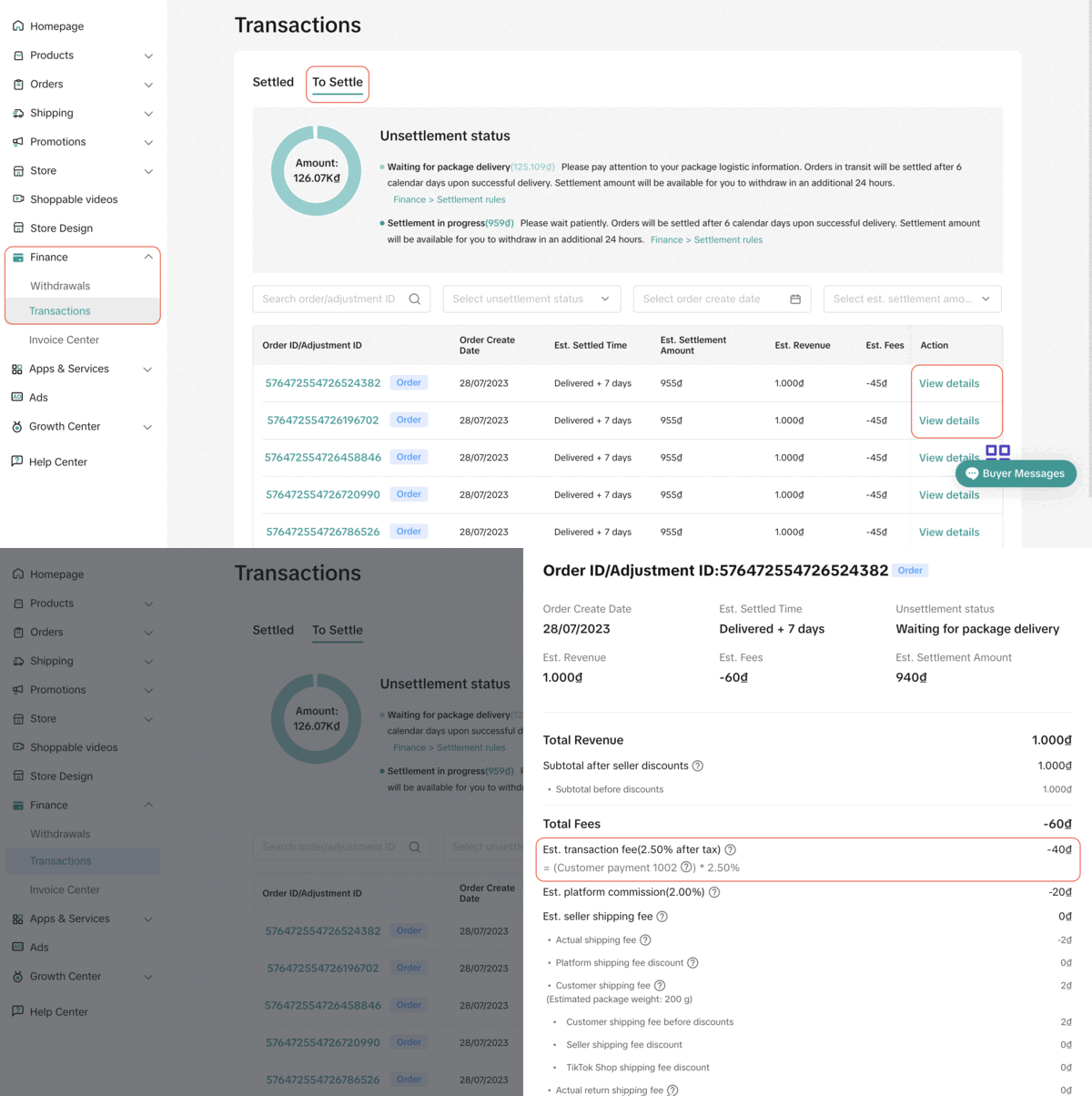
- For orders that have yet to be settled, you may see their Transaction Fee in TikTok Shop Seller Center > Finance > Transactions > To settle > View Details
Note: The above screenshots are just for reference. Actual interface display, amount and rates might be different.- For orders that have been settled, you may see their Transaction Fee in TikTok Shop Seller Center > Finance > Transactions > Settled > View Details
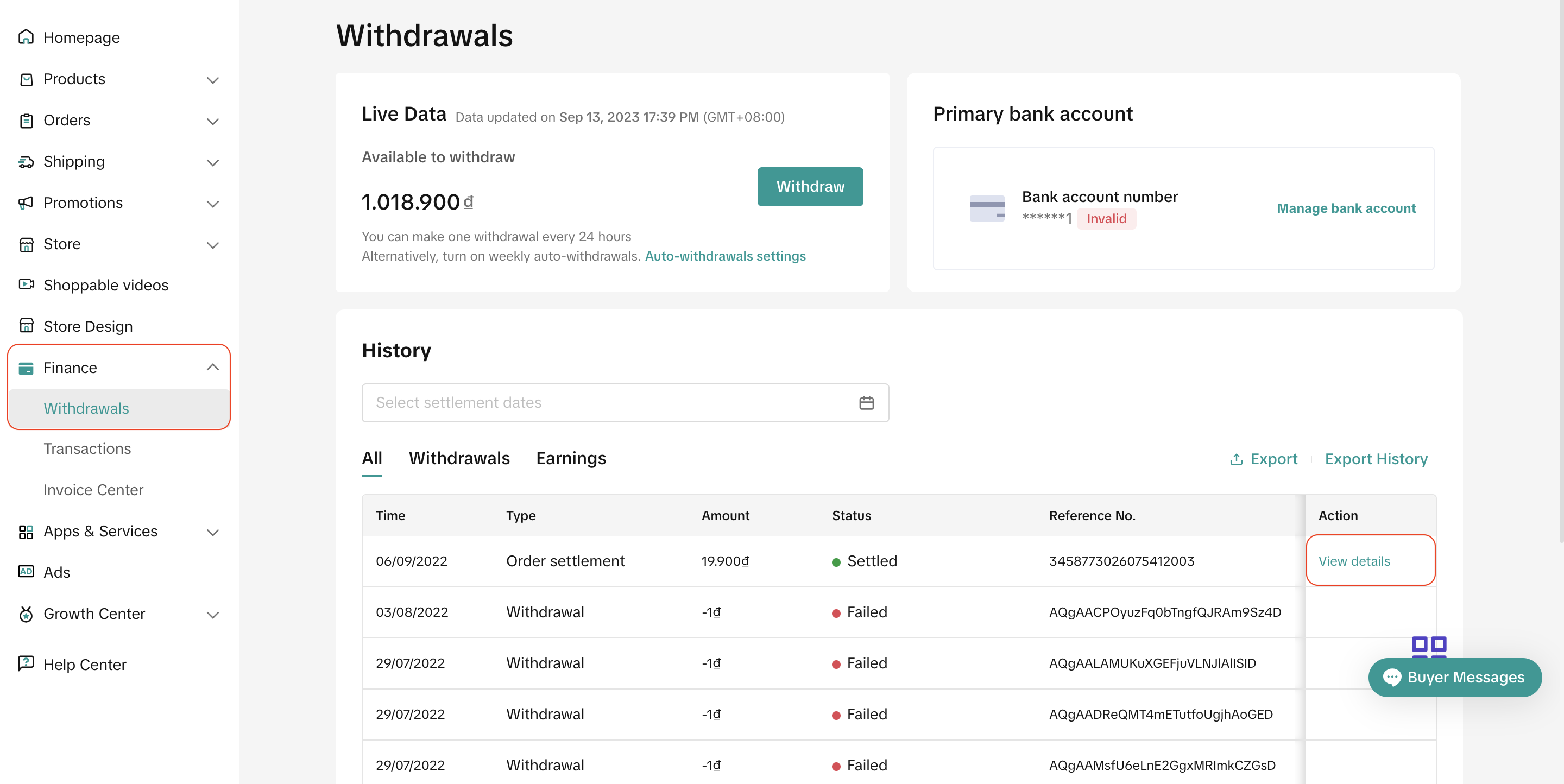
Note: The above screenshots are just for reference. Actual interface display, amount and rates might be different.- What does the refund process look like?
- Before successful delivery:
- If the entire order is cancelled, the platform commission fee will be refunded to sellers.
- If part of the order is cancelled, the platform commission fee will not be refunded to sellers.
- After successful delivery, the platform commission fee will not be refunded to sellers, including for orders with returns/refunds.
- The final amount for the Transaction Fee for each of my successful orders is slightly different from what I have calculated using the formula.
- Take note that if you are a tax registered organisation in Vietnam and you have provided your Tax Code to TikTok.
- Once your Tax Code has been verified, the Transaction Fee that TikTok collects and shows on invoice will be net of VN Taxes. This means that it excludes VN taxes (VAT & CIT).
- As a tax registered organisation, you're obliged to remit and report VN taxes on behalf of TikTok.
- For more information, kindly visit our feature guide here to understand the tax calculation illustration in Vietnam.
- Since this is a chargeable fee, will I receive an invoice describing the full Transaction Fee amount TikTok Shop has charged me for the month?
- Yes, you will receive an invoice the following month for the previous month's billing period. You may visit Finance > Invoice Center > Platform Service Fee to download the invoice.
- What should I do if I have some inquiries in regards to the Transaction Fee?
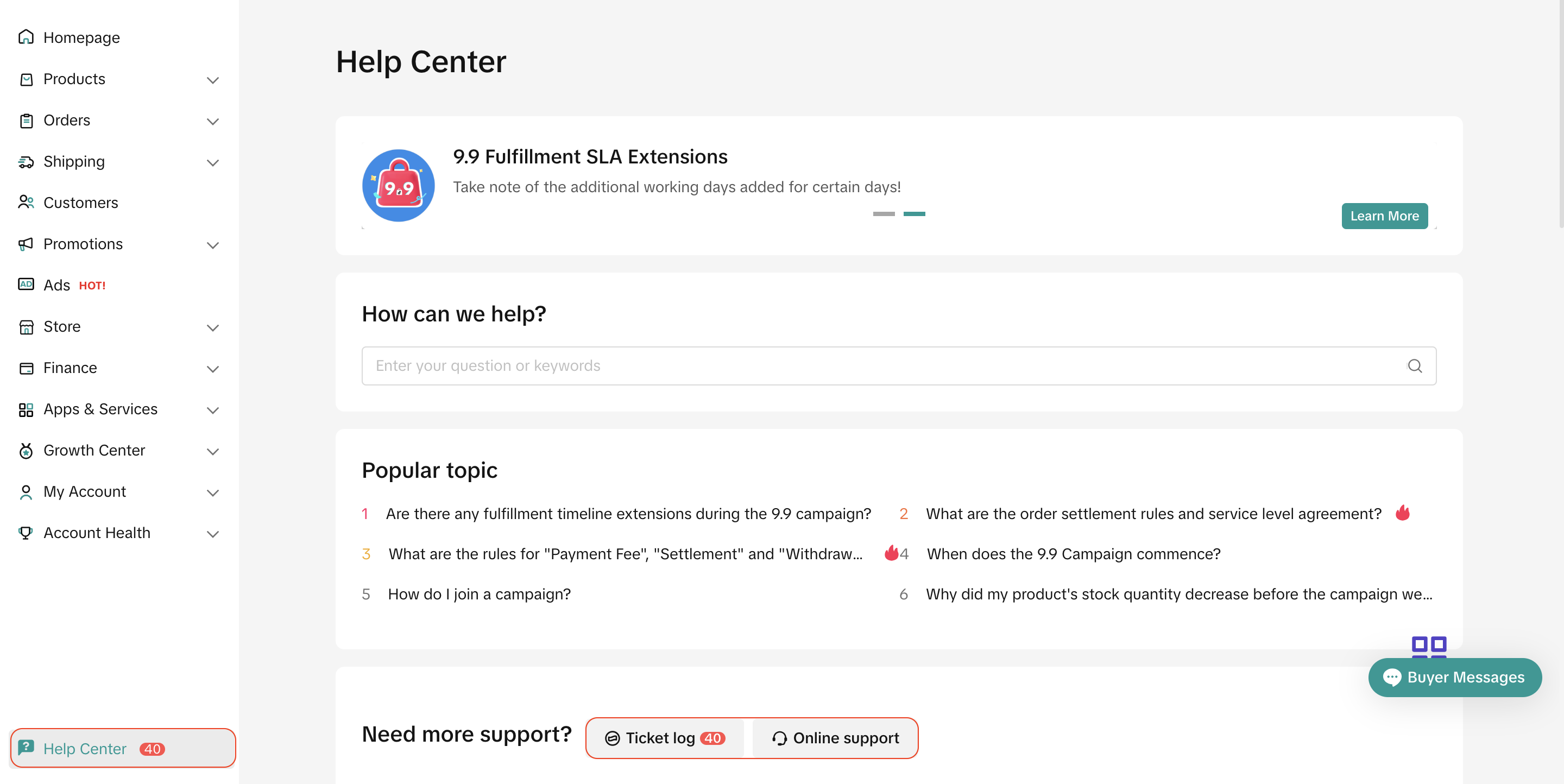
- You may reach out to our support team in TikTok Shop Seller Center > Help Center.
- Or you may also file an inquiry ticket at 'Ticket log' or please feel free to reach out and speak to our support representative via 'Online Support