

Recommended Promotion
03/05/2026
This article introduces Recommended Promotion, a personalized assistant built directly in your Seller Center. You'll learn how to set up and manage Recommended Promotions on Seller Center.

Whether you are a new seller or advanced seller looking to save time, Recommended Promotions allow you to create high-performance promotions in just a few clicks.


Introduction to Recommended Promotion
Recommended Promotions is a personalized assistant built directly in your Seller Center PC and App. It provides discount suggestions tailored specifically to your shop's performance and cross-referenced with the best practices of similar products and sellers.Whether you are a new seller or advanced seller looking to save time, Recommended Promotions allow you to create high-performance promotions in just a few clicks.
Why Recommended Promotion?
- Data-driven strategies: Recommended Promotions uses data to analyze your shop's historical performance alongside competitor benchmarks and trends. This ensures every recommendation is specifically tailored to what works for you, giving you the confidence that your promotions are optimized for maximum ROI.
- One-click combination strategies: Reduce manual planning and set up with the ability to apply single or combined promotion strategies in a single click.
- Real-time performance optimization: Recommended promotions provide diagnostic features that monitor your active promotions flagging them for adjustments to stay competitive.
How to use Recommended Promotions?
Pre-Setup: Discover Your Strategy
Before you create a promotion, use the Promotion homepage to idetnify the best recommended promotion strategies for your shop. Go to Seller Center, visit the promotion module and navigate to "create promotion" tab.- Look for the Recommended Promotions widget on the promotion homepage (Note: Recommendations are personalized; the specific strategies and number of suggestions available will vary based on each shop's performance data)
- Review the available Recommended Promotions. Each strategy is carefully selected to boost results whether it is a Single Promotion (e.g. a Product Discount), or Combined Strategy (e.g. Bundling a Voucher with a Seller Flash Sale) to maximize your conversion potential.
Recommended promotion (PC) | Recommended Promotion (App) |
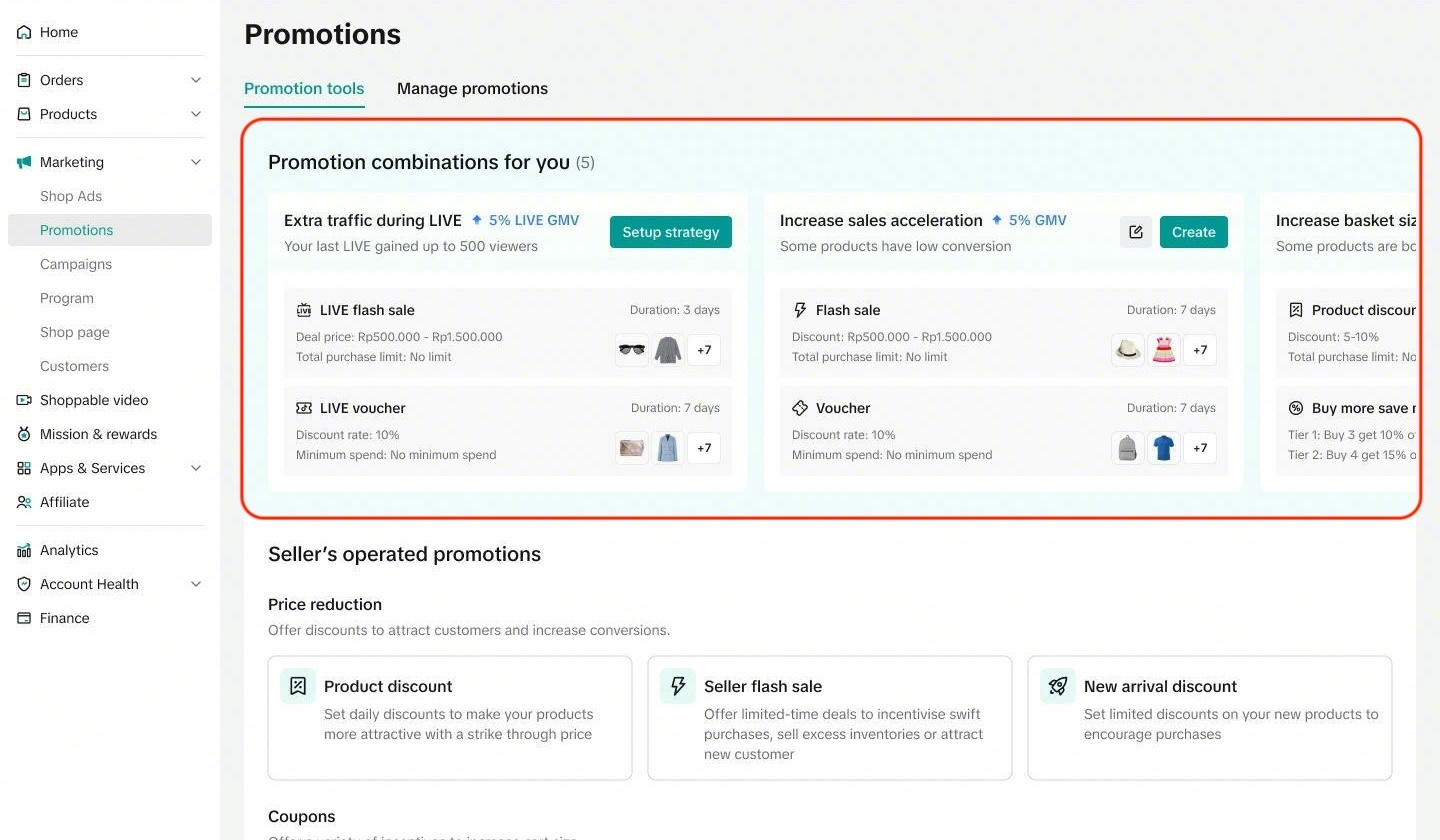 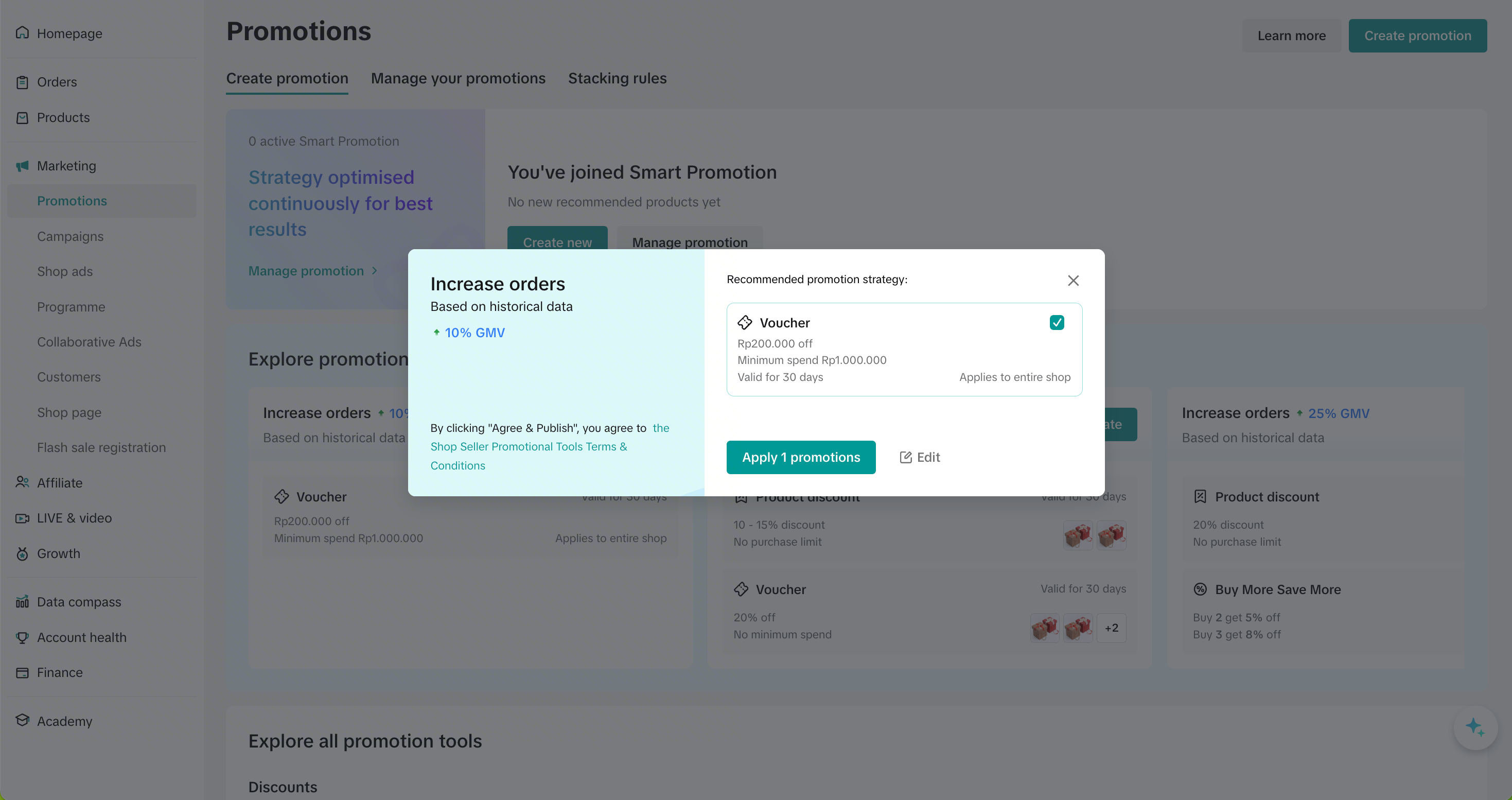 | 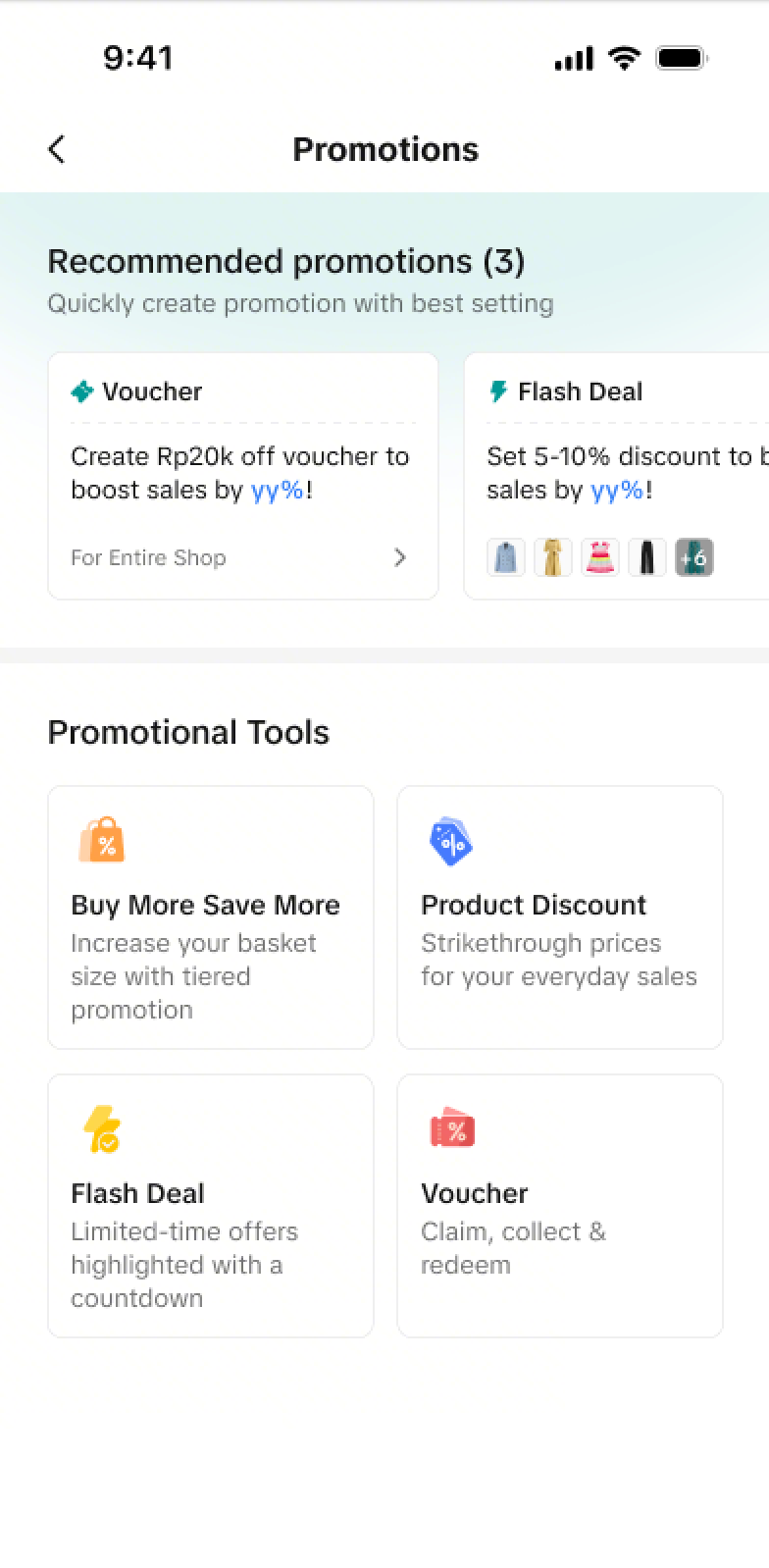 |
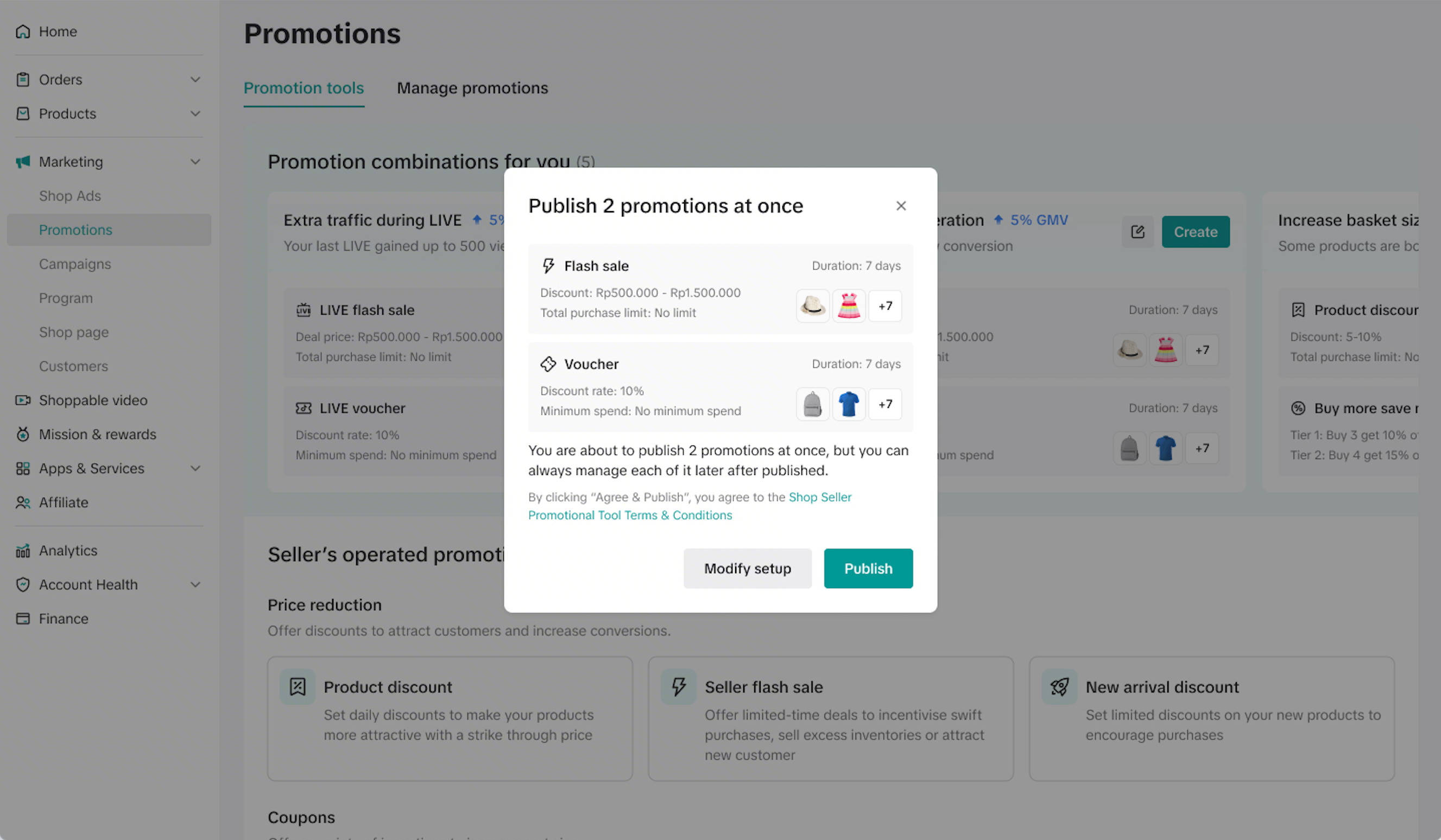
- If the recommendations fit your needs, click "Create". A summary of promotion details will appear for your final review. Once confirmed, your promotions will be activated immediately.
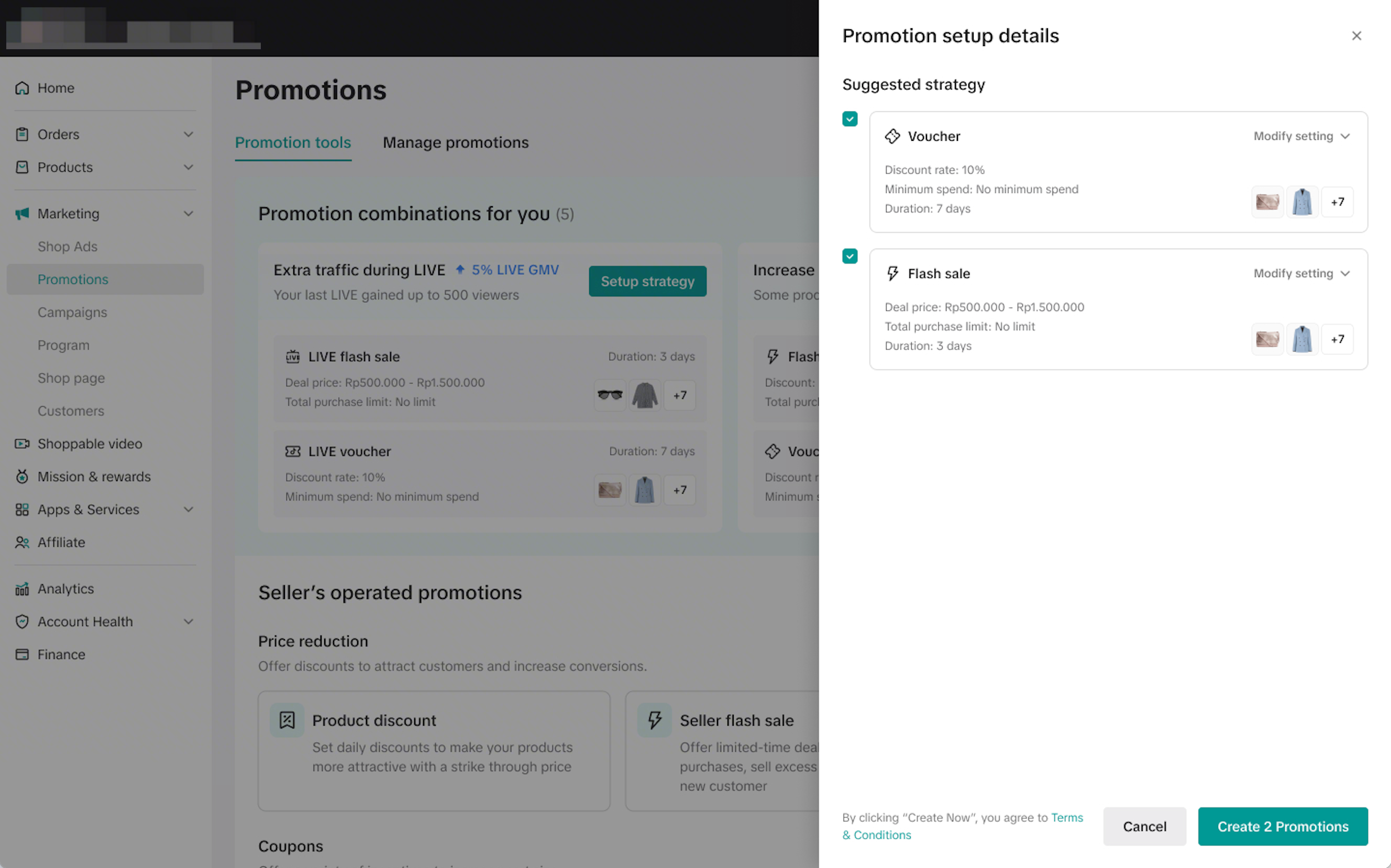
- If you wish to customize the promotion settings, click on the edit icon to modify specific settings such as discounts or duration before you publish.
Create | Edit |
 |  |
During Setup: Guided Implementation
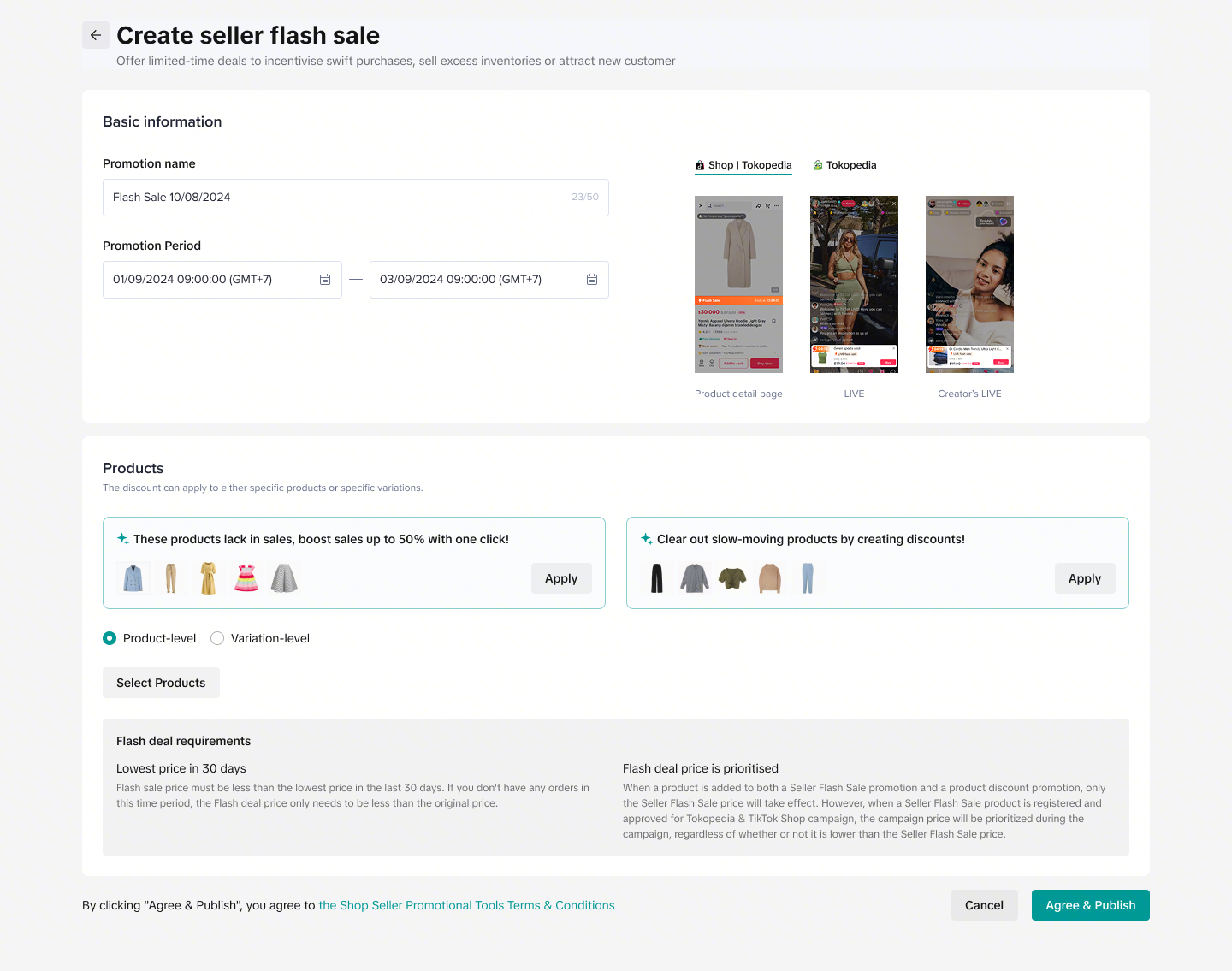
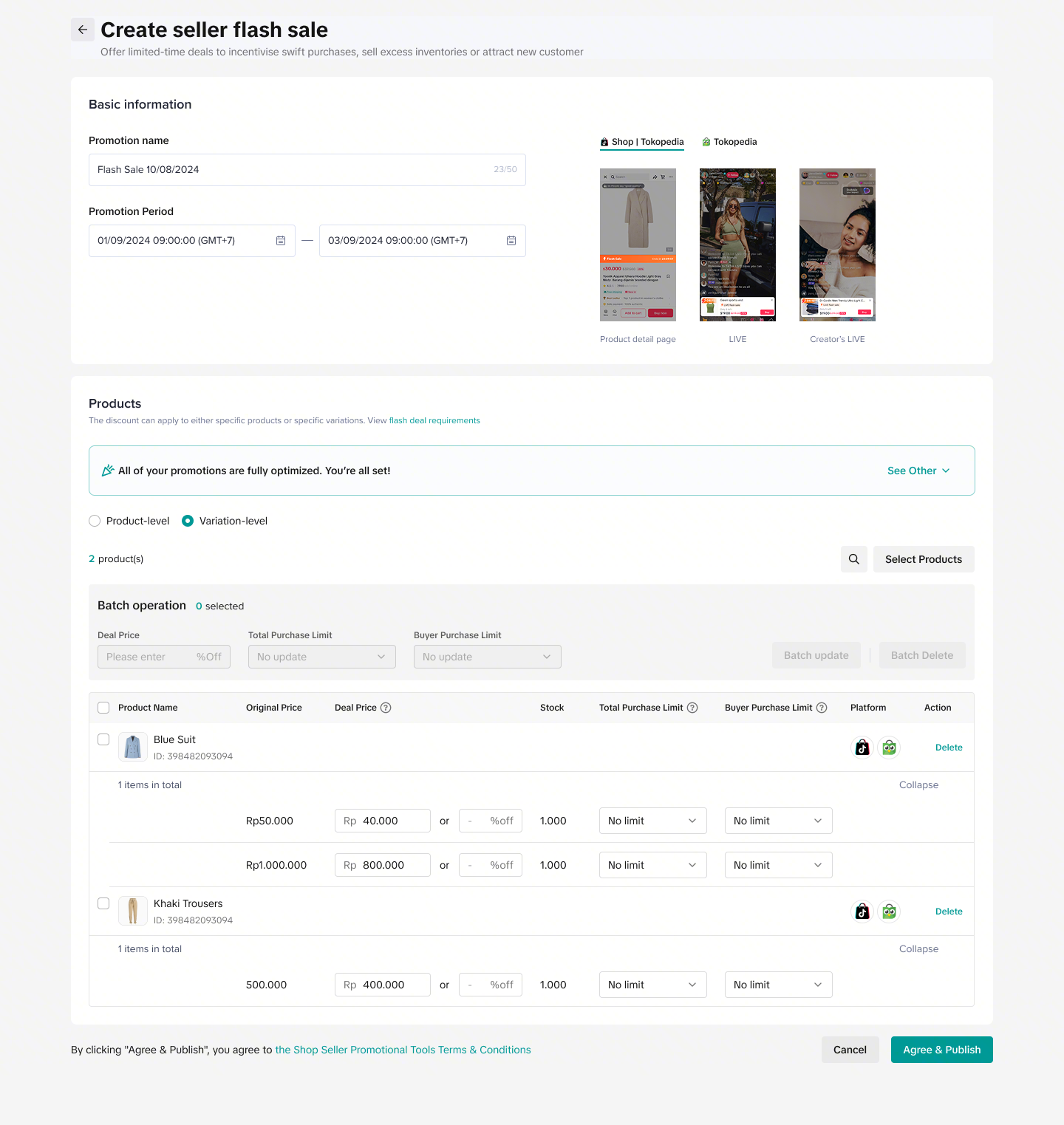
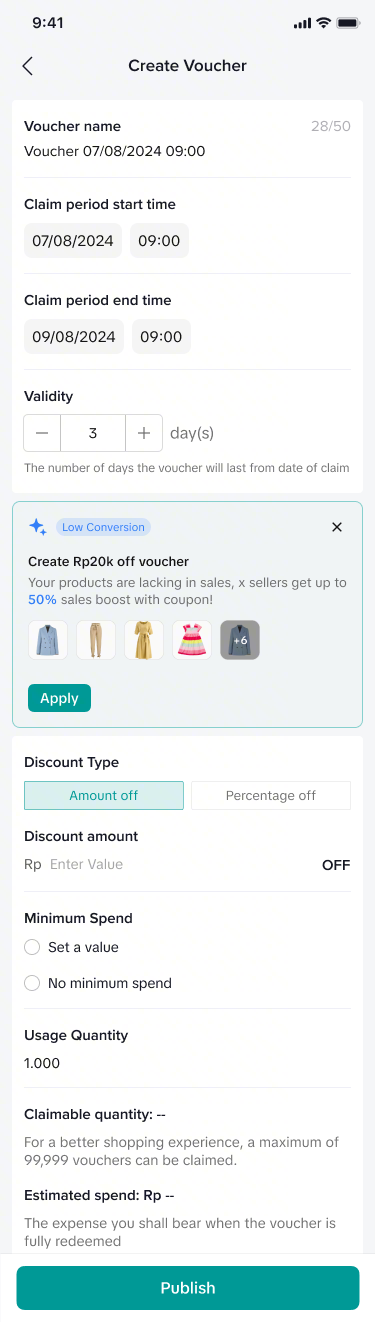
As you begin creating a promotion, Recommended Promotions acts as a real-time assistant, seamlessly embedded within each tool's creation page to guide you and ensure your settings are fully optimized.- Click "Apply" to automatically fill in the suggested settings. You can still manually adjust the suggested settings to ensure the promotion aligned with your business goals and profit margins before clicking "Publish"
Recommended promotion (PC) | Recommended Promotion (App) |
  |  |
Post-Setup: Diagnose and optimize
Once your promotion is active, refer to the performance data to further optimize or refine your promotion strategies. Go to Seller Center, visit the promotion module and navigate to "Manage your promotion" tab.Diagnosis widget | Diagnosis column |
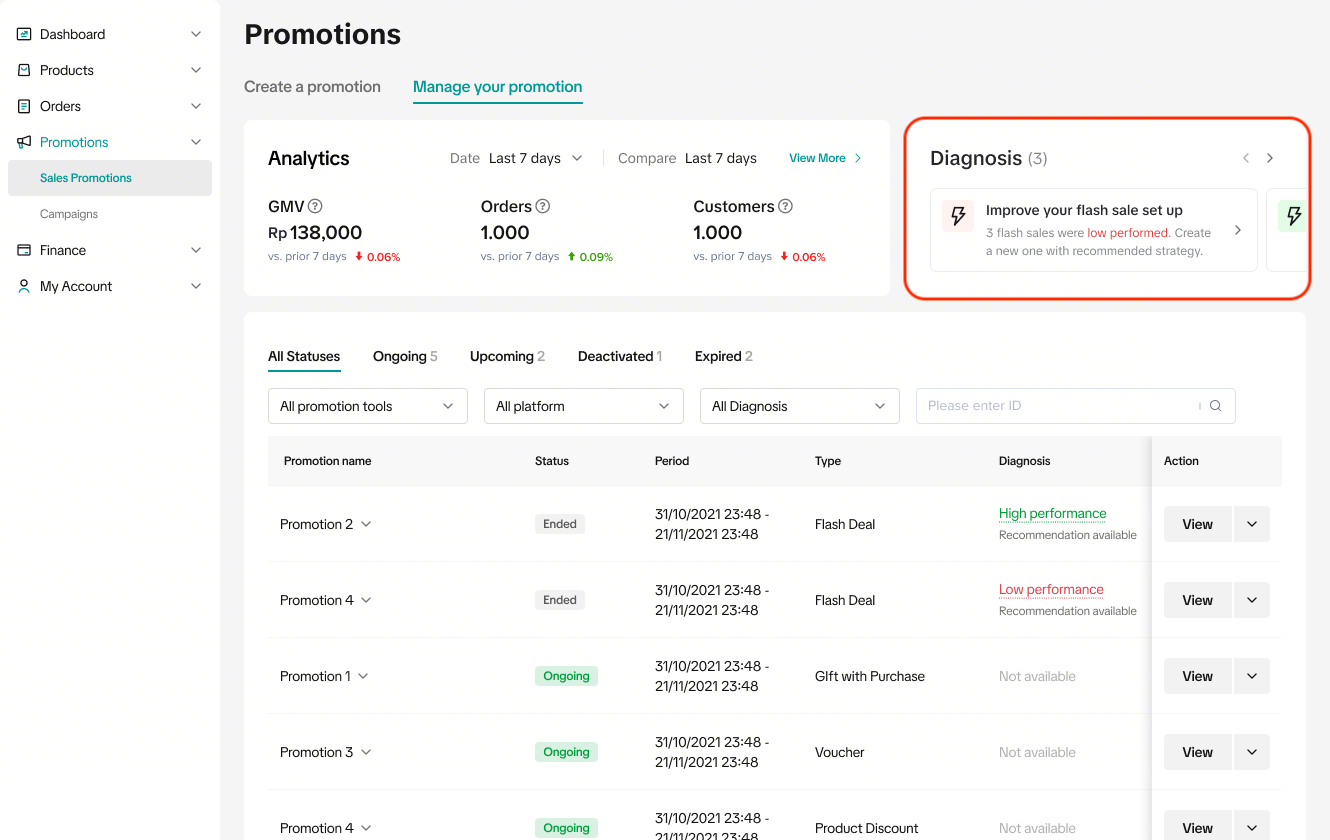 | 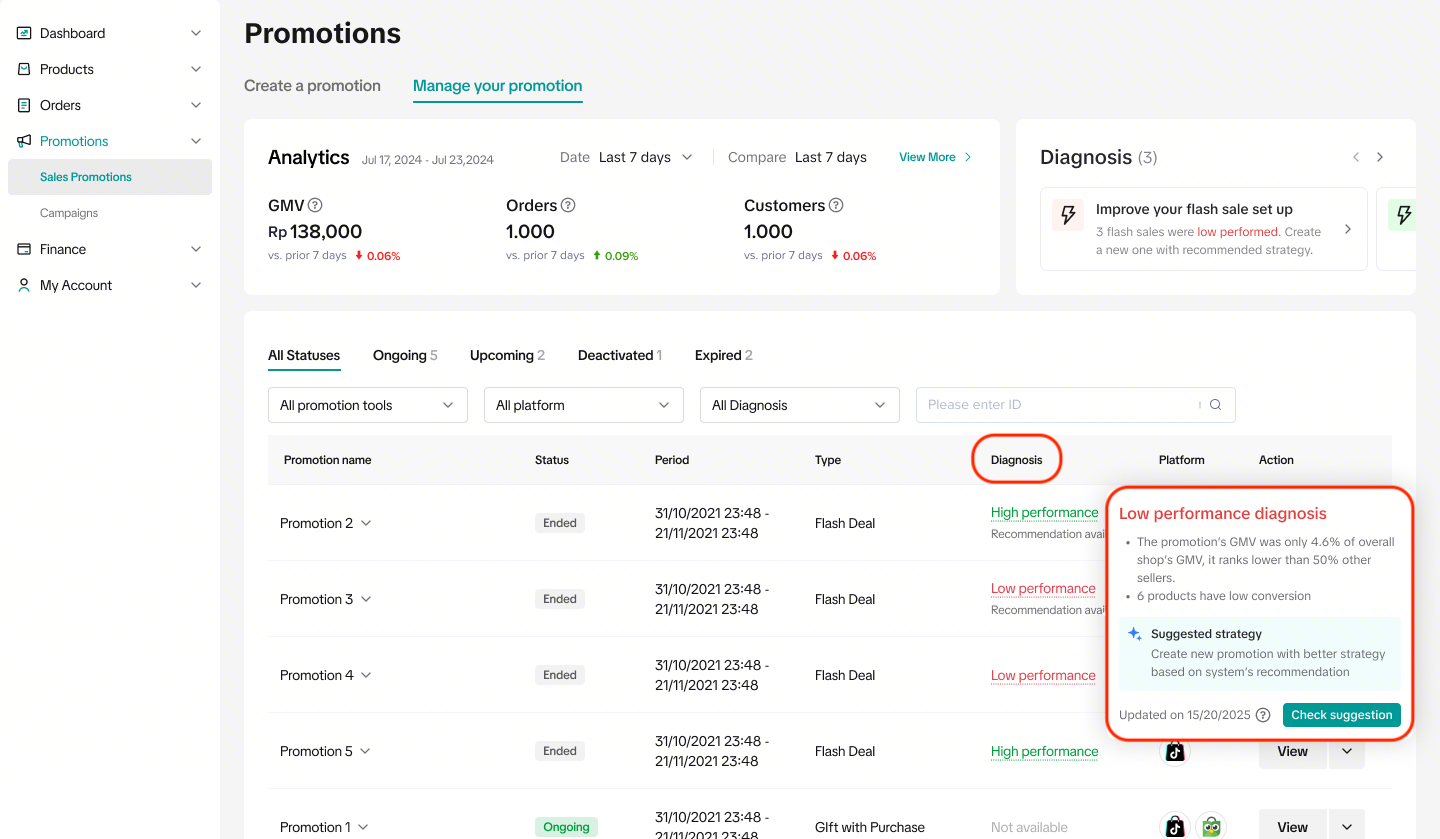 |
- Click "Check suggestions" to see the suggested settings to improve the promotion performance.
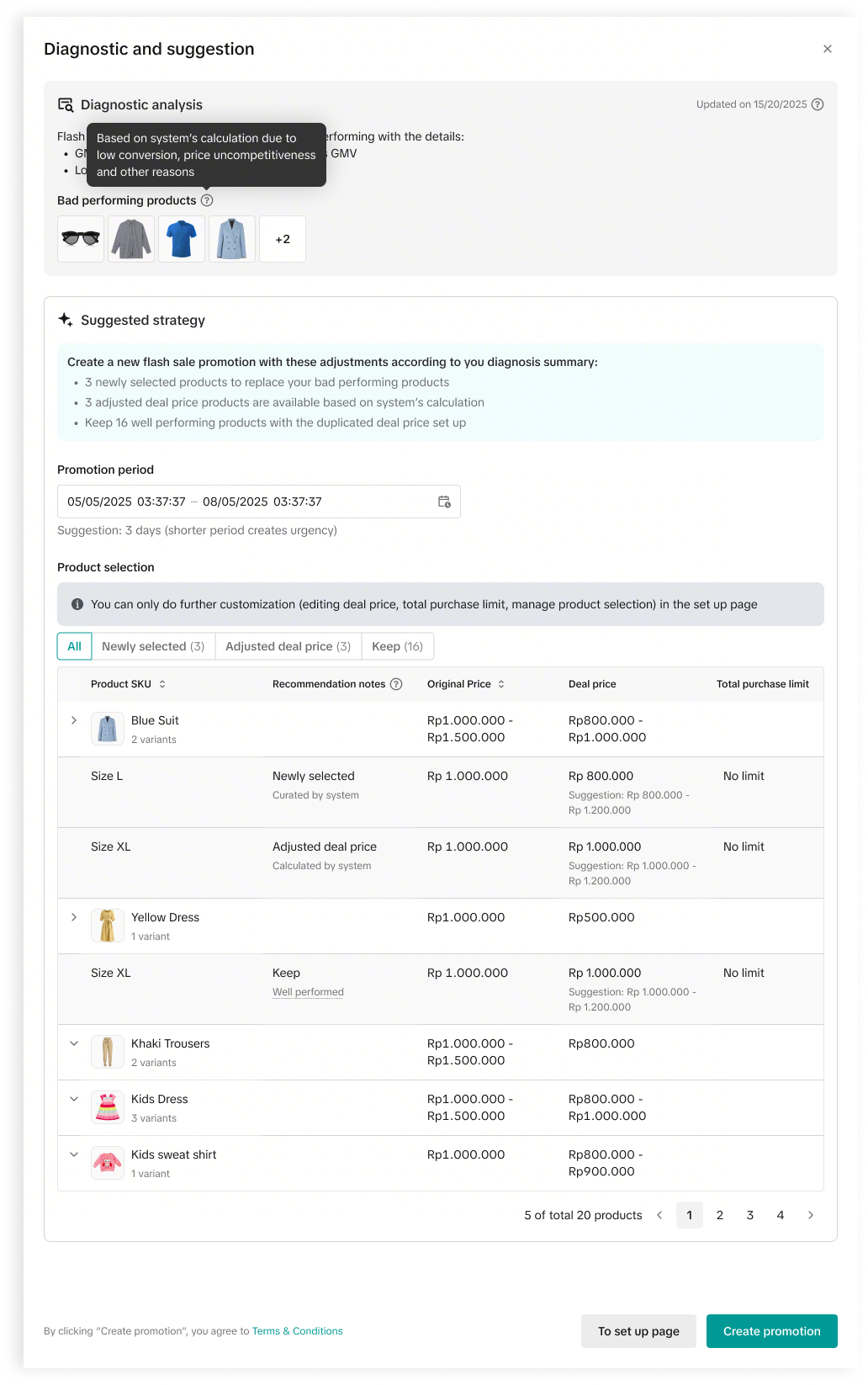
- To streamline your review process, the platform automatically categorizes your products into three groups. This allows you to quickly verify changes, modify settings and publish updates.
- Newly selected: These are high-potential products that platform recommends adding to your current promotion.
- Adjusted deal price: These are products already in your promotion where the platform suggests a new price point to stay competitive and improve conversion rates.
- Keep: No changes are required for these products; their current settings are already optimized for performance.
FAQ
- How often are Recommended Promotions updated?
- Will I get diagnostic insights on ongoing promotions, or only after they have ended?
- If I create a promotion based on diagnostic analysis, will it automatically replace my existing promotions?
You may also be interested in
- 11 lessons
Promotion Tools
Enhance the customer experience with promotional tools available in the TikTok Shop merchant center
CUỘC THI HOT HIT - CÔNG CỤ GIẢM GIÁ HÀNG MỚI VỀ
🔥 Cuộc Thi Hot Hit: Chia Sẻ Trải Nghiệm – Rinh Quà "Cực Cháy" Lên Đến 2,5 Triệu Đồng! 🔥 Bạn đã…

Seller LIVE Interactive Voucher
This article teaches you how to use LIVE Interactive Vouchers to increase your average order value a…
Promo Code
Promo Code This article teaches you how to use Promo Code as a flexible external distribution tool t…
Review Coupon
This article introduces Review Coupon, a seller-funded promotional tool designed to help you collect…
Livestream Interaction
Product Selling Points
Short Video Tips
Giveaways
Platform and Seller Promotional Activities