

Set Up a Bank Account to Receive Payment from TikTok Shop
11/15/2023
In order to withdraw and use the settled amount on the seller account balance, TikTok Shop sellers need to set up a bank account. There are two ways for sellers to do so.

 Note: sellers may add up to five valid bank accounts.


In Account Settings on PC
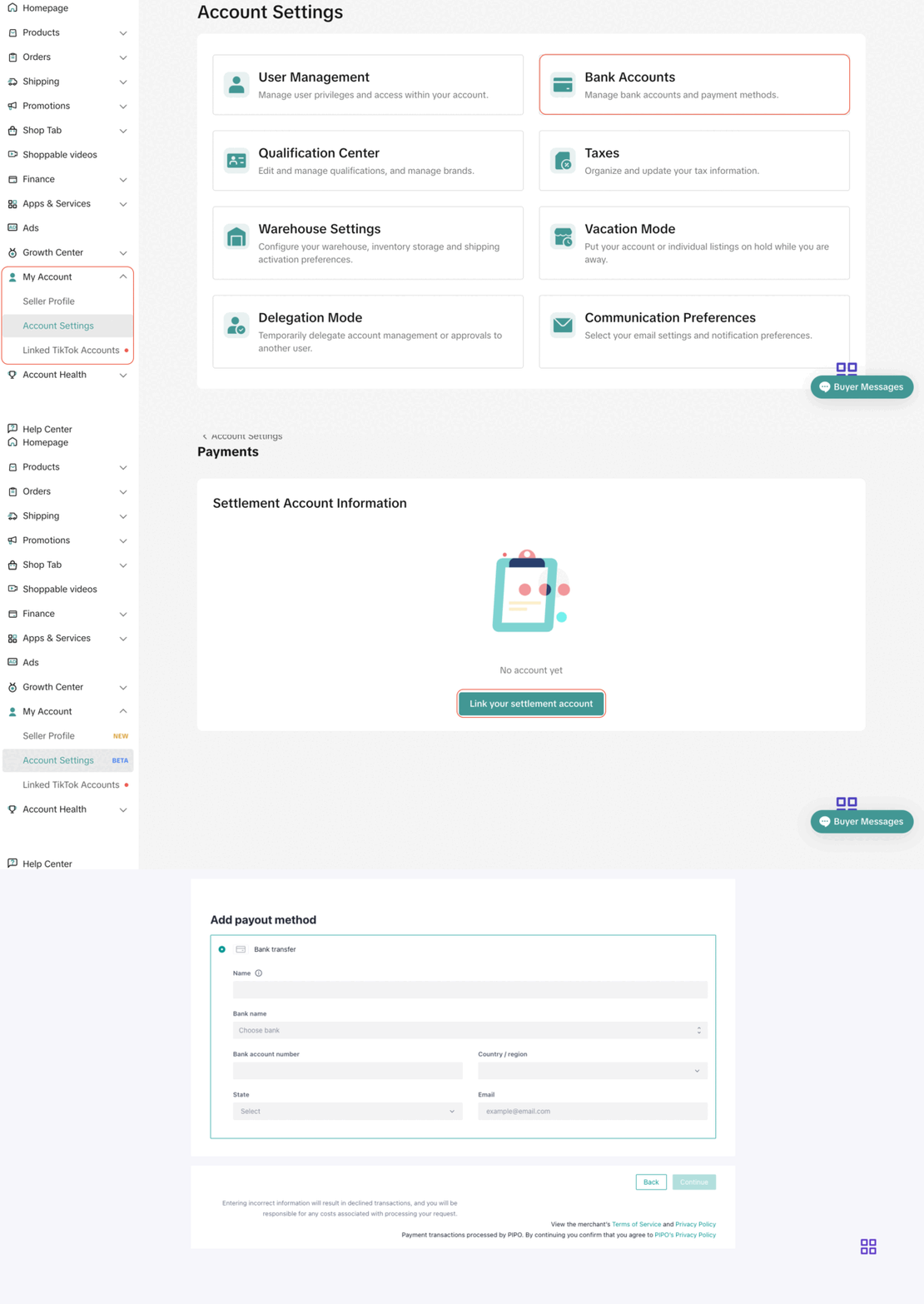
- Step 1: Go to TikTok Shop Seller Center > My Account > Account Settings > Bank Accounts
- Step 2: Click on "Link your Settlement Account"
- Step 3: Verify identity
- Step 4: Sellers will then be redirected to a new web page. Choose "Bank account" and follow the steps on the screen to add bank account details.
Note: sellers may add up to five valid bank accounts.When Making Withdrawals on PC
Manual Withdrawal
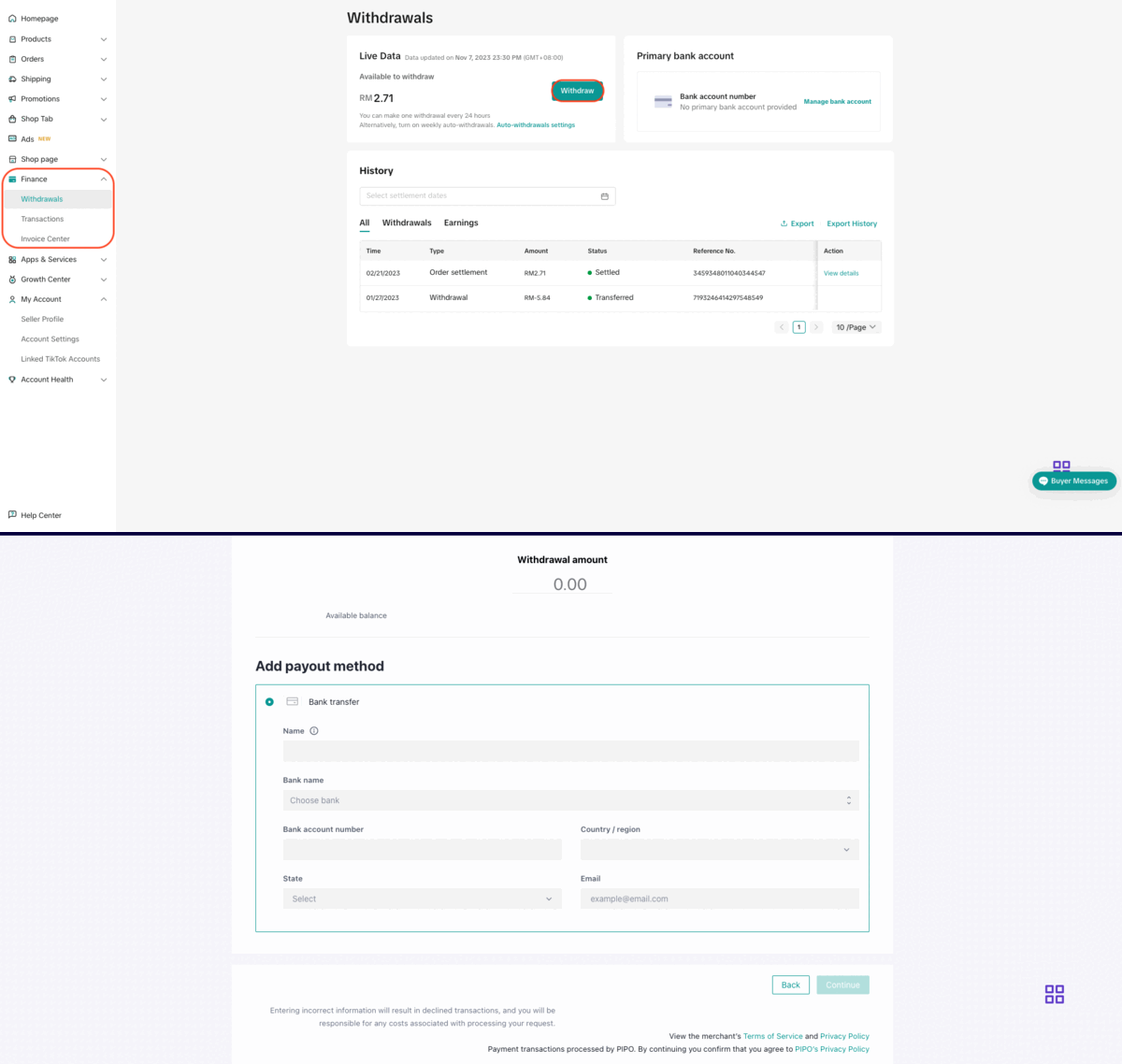
- Step 1: Go to TikTok Shop Seller Center > Finance > Withdrawals and click 'Withdraw'
- Step 2: Click 'Add bank account'
- Step 3: Follow the steps on the screen to add bank account details
Auto Withdrawal
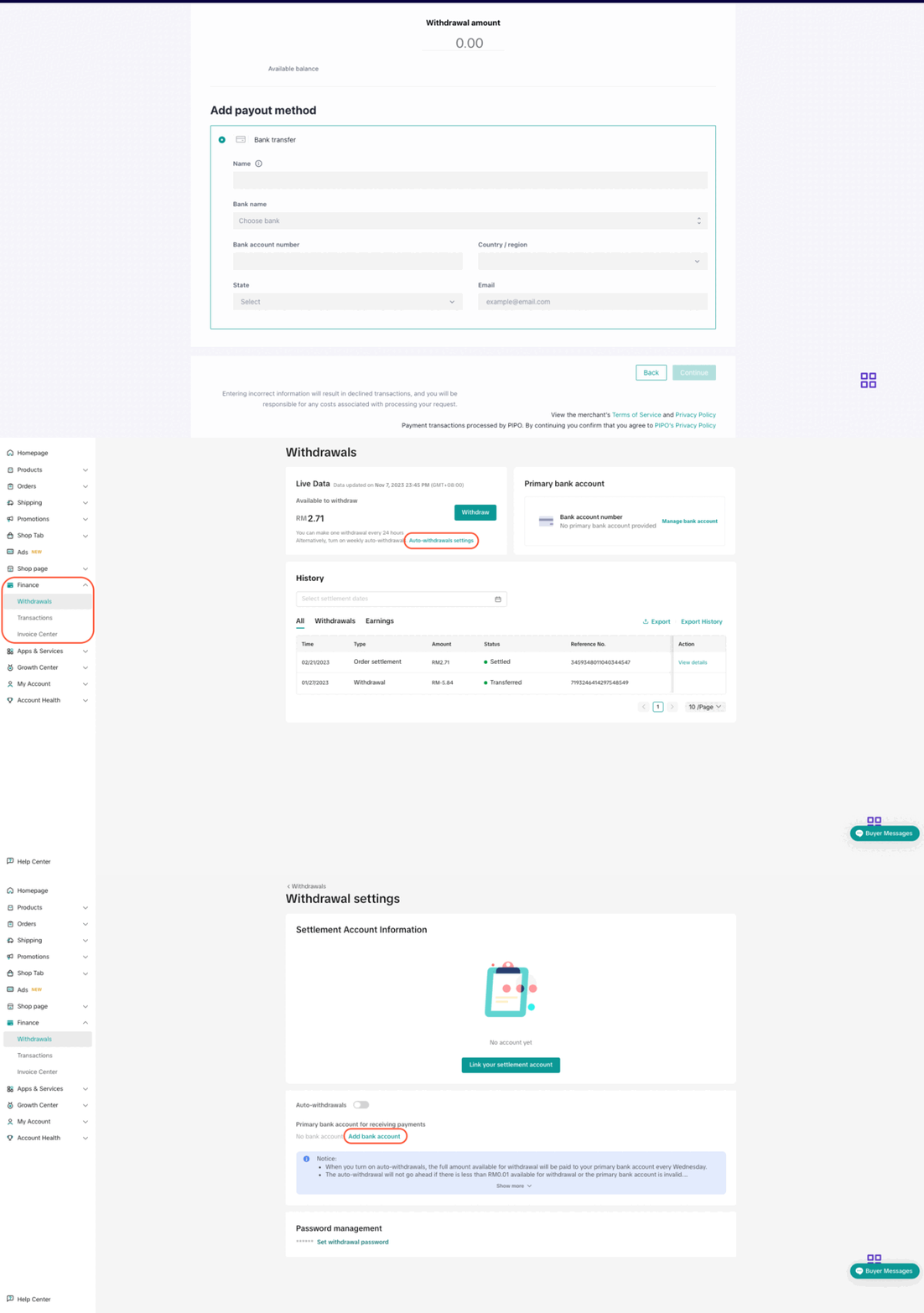
- Step 1: Go to TikTok Shop Seller Center > Finance > Withdrawals and click 'Auto-withdrawal settings'
- Step 2: Click 'Add bank account'
- Step 3: Follow the steps on the screen to add bank account details
On Mobile
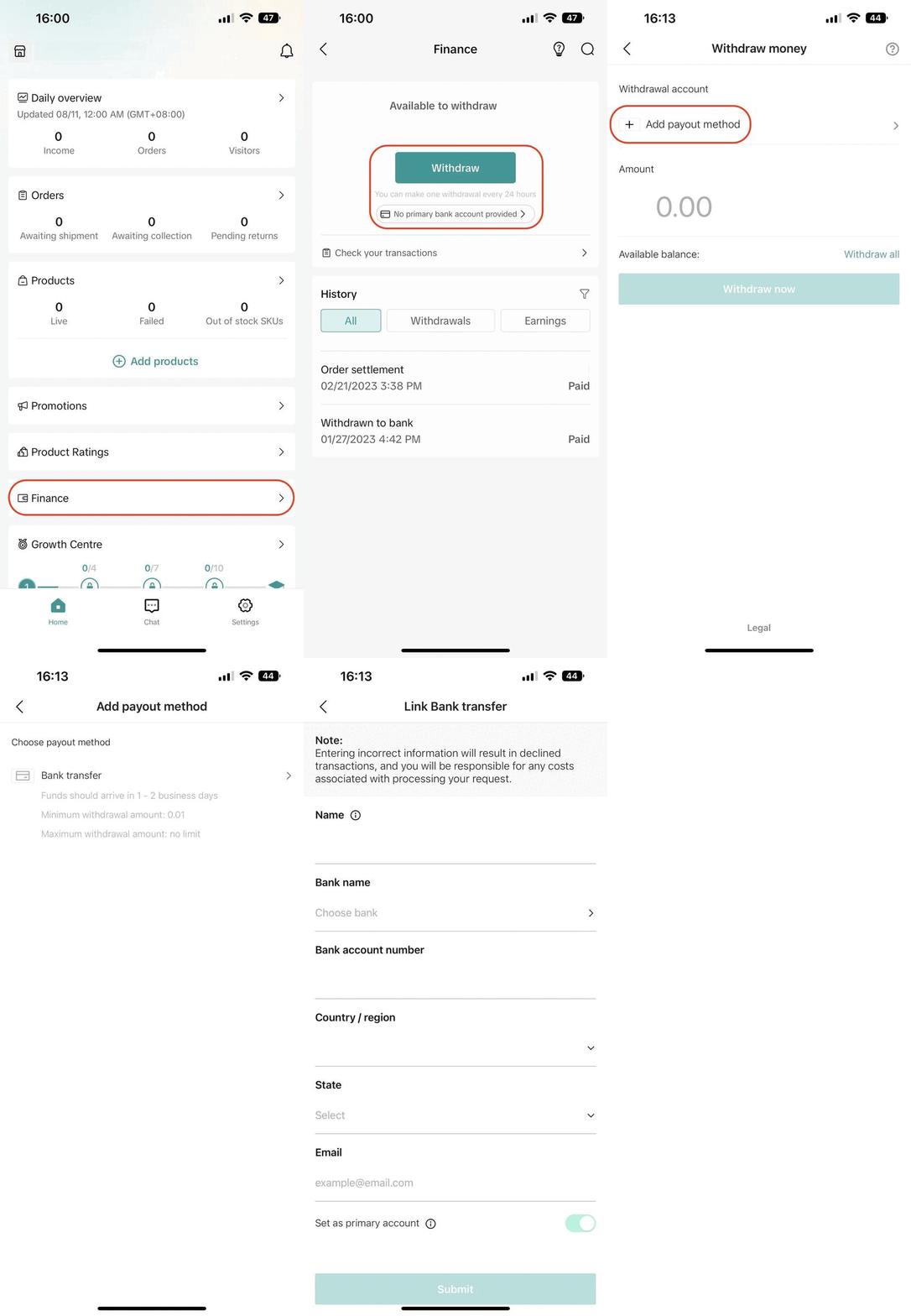
- Step 1: Open the Seller Center mobile app and click on "Finance"
- Step 2: Click "Withdraw" or "No primary bank account added"
- Step 3: Click "Add payout method"
- Step 4: Click "Bank transfer", then follow the steps on the screen to add bank account details
FAQs
- How many banks can sellers add to receive the payout from the Seller Account Balance?
- Currently, sellers can add up to a maximum of 5 (five) valid bank accounts per account.
- Can sellers set up other types of payment to receive the payout from the Seller Account Balance?
- No. Currently, TikTok Shop only supports bank accounts as the payout method.
- Can the Bank Account holder name be different from the Shop Owner Name of the TikTok Shop account?
- No. The Bank Account holder name must be the same as Shop Owner Name of the respective TikTok Shop. Otherwise, the platform will not proceed with payout processing and sellers won't be able to receive the payout amount.
- What if the Business Type is 'Corporate Seller'? Does the Company Name of the bank account need to be the same as the Company Name of the TikTok Shop account?
- For sellers with a corporate entity, please bind the company's bank account instead of personal bank account. The Company Name of the bank account must be the same as the Company Name of the TikTok Shop account.
You may also be interested in
- 5 lessons
Finance
Financial features help sellers easily manage store revenue
TikTok Shop Negative Balance Policy
What is a Negative Balance? Negative balances occur when your account balance has a value below zero…
Order Fulfilment - Overview
Effective and efficient order fulfilment is key to satisfying and retaining customers. Here are the…
Withdraw Seller Account Balance
When is Money Available to Withdraw to the Bank Account? After money is settled to the Seller Accoun…
Set Up TikTok Shop Withdrawal Password
In order to securely withdraw the settled amount on the seller account balance to the bank account,…

Why is my order still unsettled?
You can learn more about why your order is unsettled by going to Seller Center, clicking Finance the…
Payment Settlement
The payment settlement period refers to the duration between the date your order is delivered and th…