

Campaign Season Policy Tips & Tricks for Creators
02/10/2026
 Looking to boost your sales this campaign season?
 Follow these tips to avoid violations, boost your sales, and reach new audiences.
Check your campaign eligibility
- No Content Violations in the following areas in the last 30 calendar days:
- Unoriginal or Reproduced Content
- Content featuring prohibited, unsupported or restricted products
- Content infringing Minor/Child Safety
- Creator Health Rating (CHR) score: At least 150
- Promotion Quality Points (PQP) is at least 3.5 (for Affiliate Creators only)
Tweak your settings: Show your content only where shoppers can buy
Make sure your content is shown only to viewers in regions where your products are available for sale.
How to enable this setting?Go to TikTok Shop Creator Center > Settings > Privacy settings > Toggle "Show content only in shoppable regions"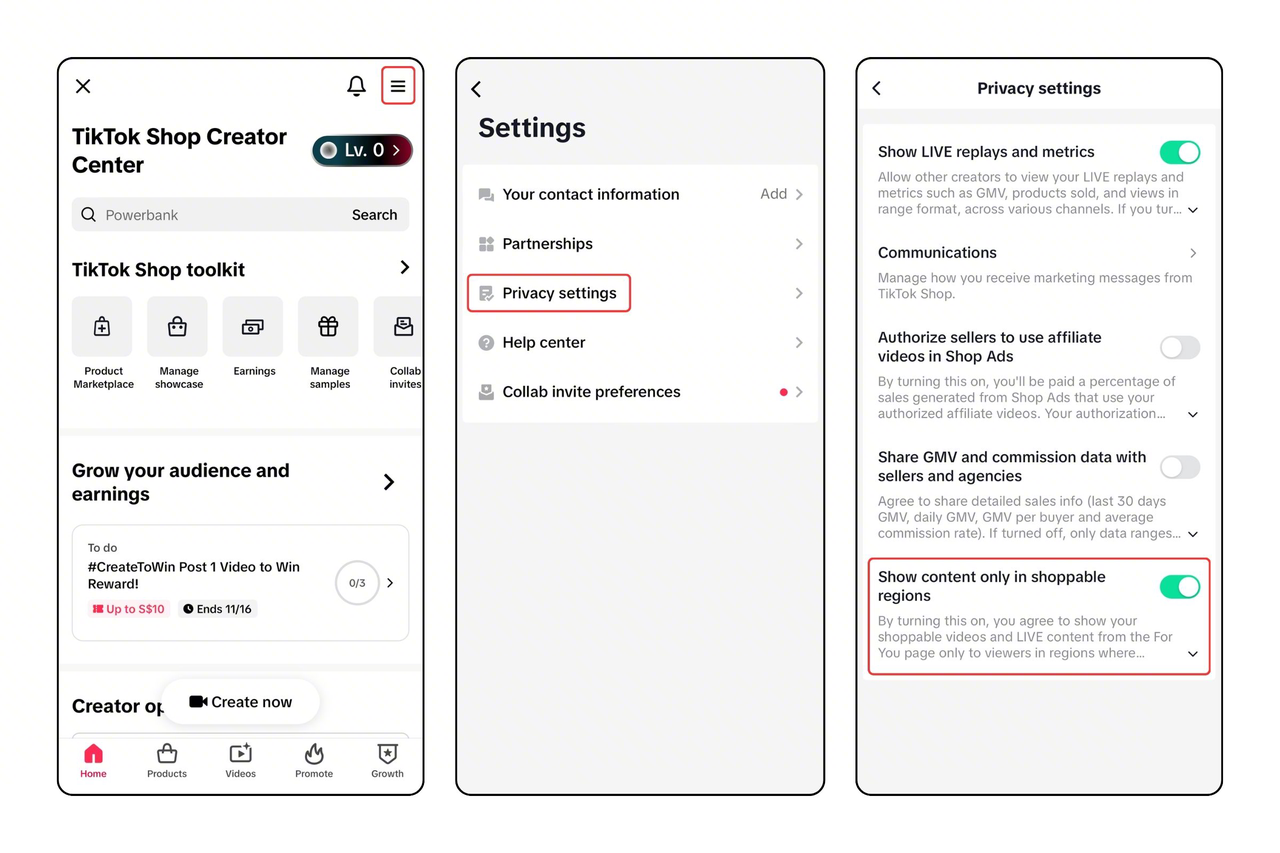
Add products to your LIVE shopping cart early
Keep your content interactive and relevant to the product
 ✅ DO
✅ DO- Stay clearly visible on camera — avoid overlays or images that block your face or body.
- Zoom in to show product details but stay on screen so viewers can see you interacting with it.
- Demonstrate the product from different angles to highlight its features.
- Verbally introduce the product, highlighting its key features and your personal experience with it.
- Keep your livestream focused on the promoted product. Avoid off-topic chats or unrelated content that can distract viewers and reduce engagement.
- During Livestreams, actively respond to comments. Where possible, read comments aloud before replying to ensure all viewers understand the conversation.
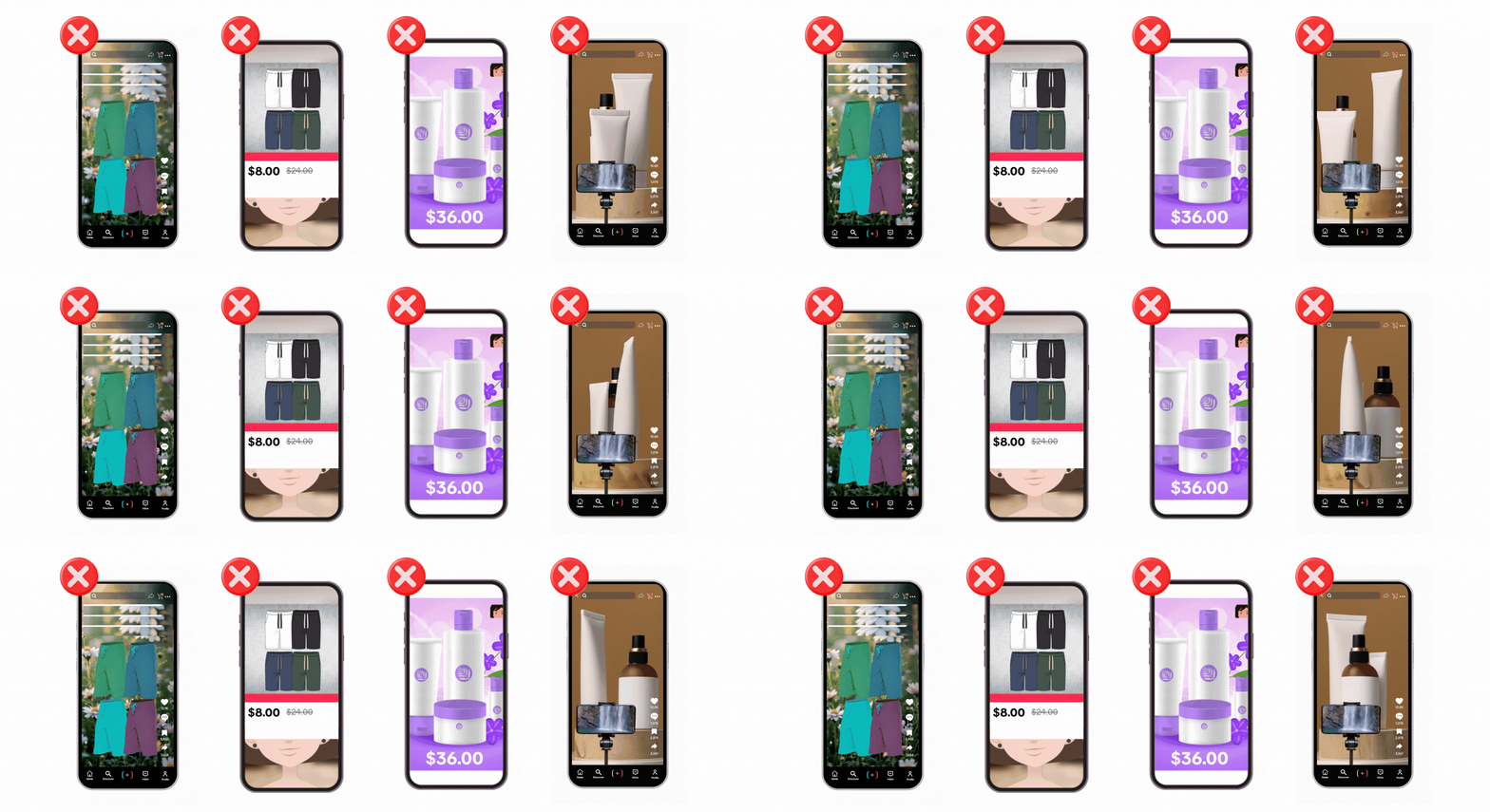
- Avoid looping or slideshow-style videos that consist of still images, text, or GIFs. Use real footage to showcase and sell your product.
- Don't hide behind filters, overlays, or looping edits.
- Don't stay silent or rely only on background music or on-screen text.
- If stepping away briefly, continue talking to stay connected with your audience.
- Use the PAUSE button if you're away for more than 2 minutes (up to 5 minutes).
- To use the PAUSE function, navigate to "..." (bottom right) and click PAUSE LIVE
- If you're gone for longer than 5 minutes, or have used the pause function 3 times, end the session and start a new livestream when ready.
Be clear and accurate about pricing
 ✅ DO
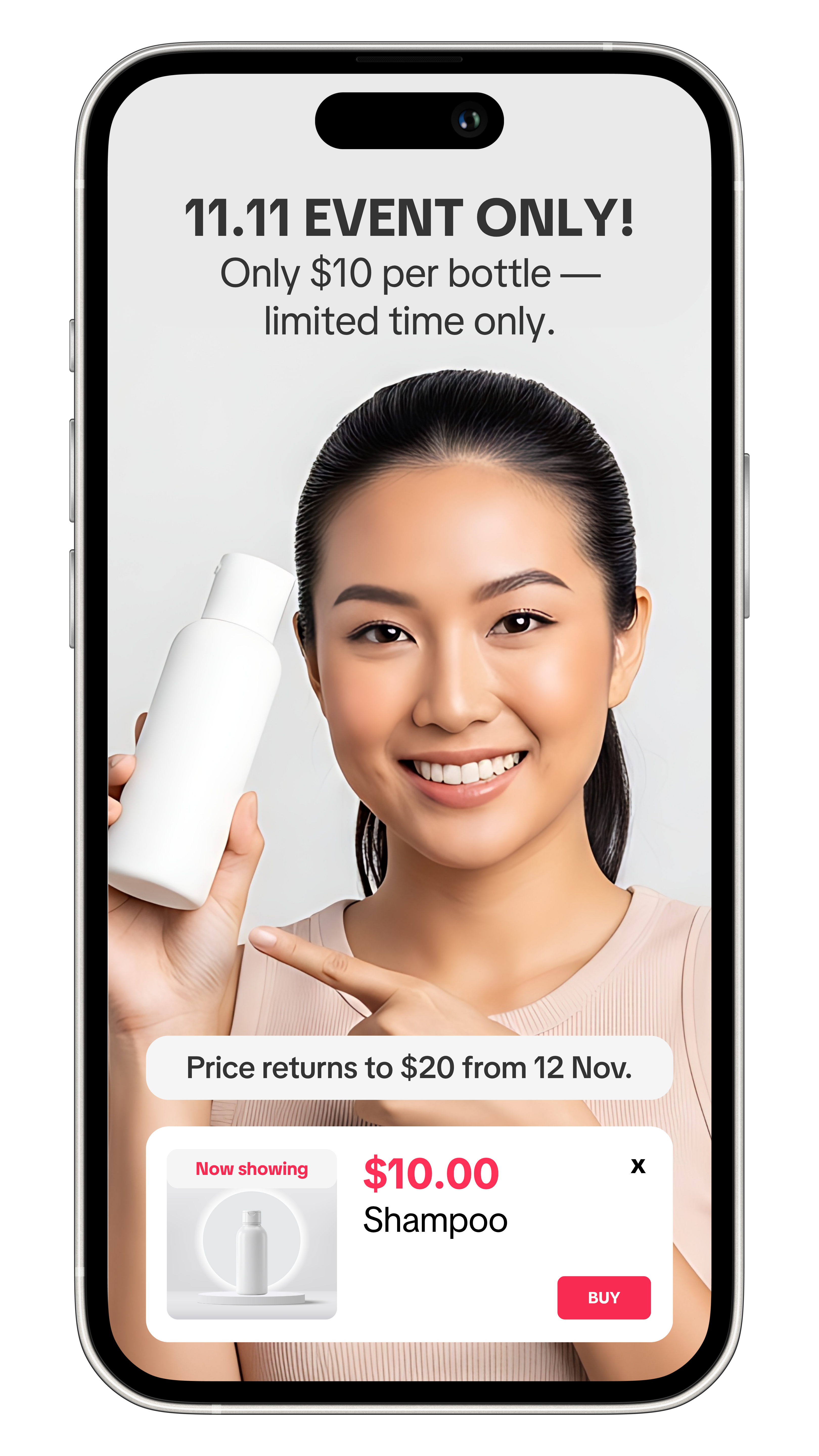
✅ DO- Ensure prices are accurate — double-check that the price shown matches the actual product listing. Correct any mismatches before publishing.
- Add clear disclaimers. Tell viewers how long promotions last or if bundle deals come with any restrictions.
- When promoting discounted prices that apply only for a limited period, state the promotion period clearly, e.g. “Special price for 11.11 event” or “Sale from Dec 1–3.”
- Remind viewers that prices may change after the promotion ends, using disclaimers like “Prices may vary” or “Price subject to change after sale.”
- Don't show a different price from the product listing.
- Don't round down the price (e.g. $9.99 → $9).
- Don't hide promo limits or bundle conditions.
- Don’t keep old videos with expired prices that don't include a disclaimer such as "prices may vary".
- Don’t claim “lowest” or “best price” without proof.
Conduct giveaways the right way
- Use only TikTok Shop's LIVE Giveaway feature to run any giveaway.
- Explain giveaway details clearly, including:
- Entry method
- Giveaway duration
- Number of winners
- Prize details
- How winners will be selected and how they can claim
- Use only the two supported giveaway formats:
- Join to Win: Viewers can enter the giveaway by joining their LIVE.
- Comment to Win: Viewers can enter the giveaway by commenting on their LIVE.
- Follow to Win: Viewers can enter the giveaway by following the host's account.
❌ DON'T
- Don't use gambling, gamification, or any randomization methods.
- Don't offer prohibited prizes such as cash, virtual currency, or gift cards as prizes.
Stick to the facts — don't oversell!
Make sure everything you say about your product is accurate and doesn't mislead shoppers.
Note: While AI-Generated Content is allowed, please ensure all content is genuine, and reflects the product accurately. .✅ DO
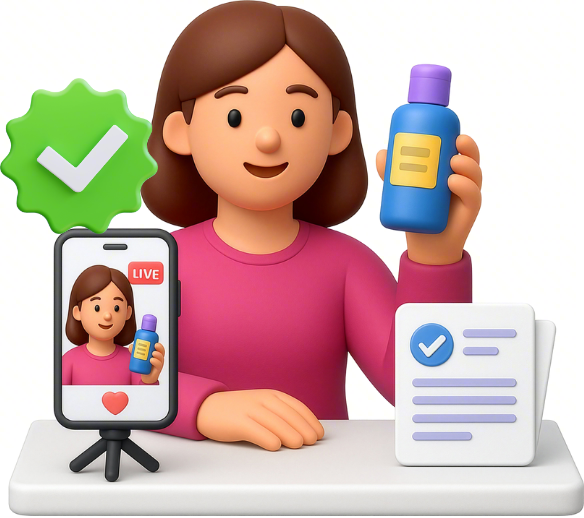
- Ensure all product details, prices, and claims match the actual listing.
- When talking about promotions, be clear about the promotion timelines.
- Show real, unedited results. Avoid using filters or exaggerating product effects.
- Use AI in a manner that is compliant with the TikTok Shop Content Policy & TikTok Community Guidelines.
- Don't exaggerate or make false claims, such as promising guaranteed results (e.g. "clears scars in 3 days").
- Don't show incorrect or outdated information — prices, effects, and packaging must match the actual product.
- Don't use visuals or language that may mislead shoppers.
- Don't use AI to make exaggerated/unsupported claims that could mislead buyers or misrepresent the product.
Promoting health and wellness products? Do it responsibly
✅ DO
- Only promote products that are allowed on TikTok Shop: Protein powder, collagen drinks, detox supplements (non-weight loss), fitness gear, shapewear, and weight tracking tools are permitted.
- Promote general wellness: Say “supports energy” or “aids overall health”, not “burns fat”, "suppresses appetite".
- Use positive language. Keep messages empowering and inclusive for your audience.
- Follow local laws and ensure all listings and claims comply with applicable health and advertising regulations.
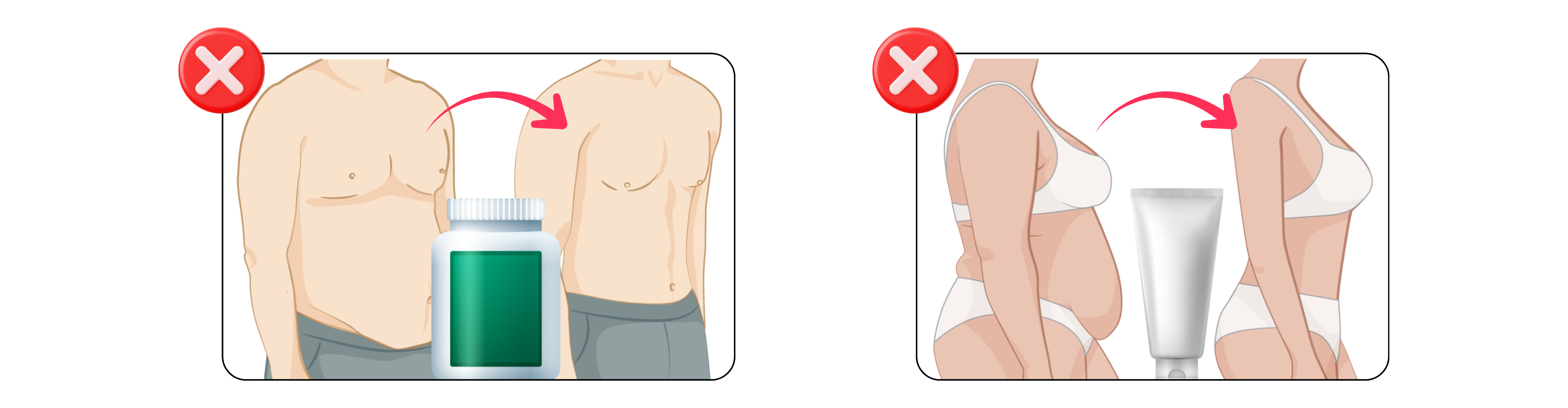
- Don't promote prohibited products such as slimming and fat loss products (e.g. fat loss pills, beverages for weight loss, slimming patches, creams or oils), or muscle-gain enhancers (e.g. prohormones, growth hormone peptides).
- Don't make weight-loss or muscle-gain promises, e.g. “Lose 10kg fast”, “Burn fat instantly”, or “Gain muscle in 10 days.”
- Don't use before–after images or body-shape transformations.
- Avoid using body-shaming language.
- Don't use filters or visuals that exaggerate or imply guaranteed results.
Selling fashion products? Show materials and sizing clearly
 ✅ DO
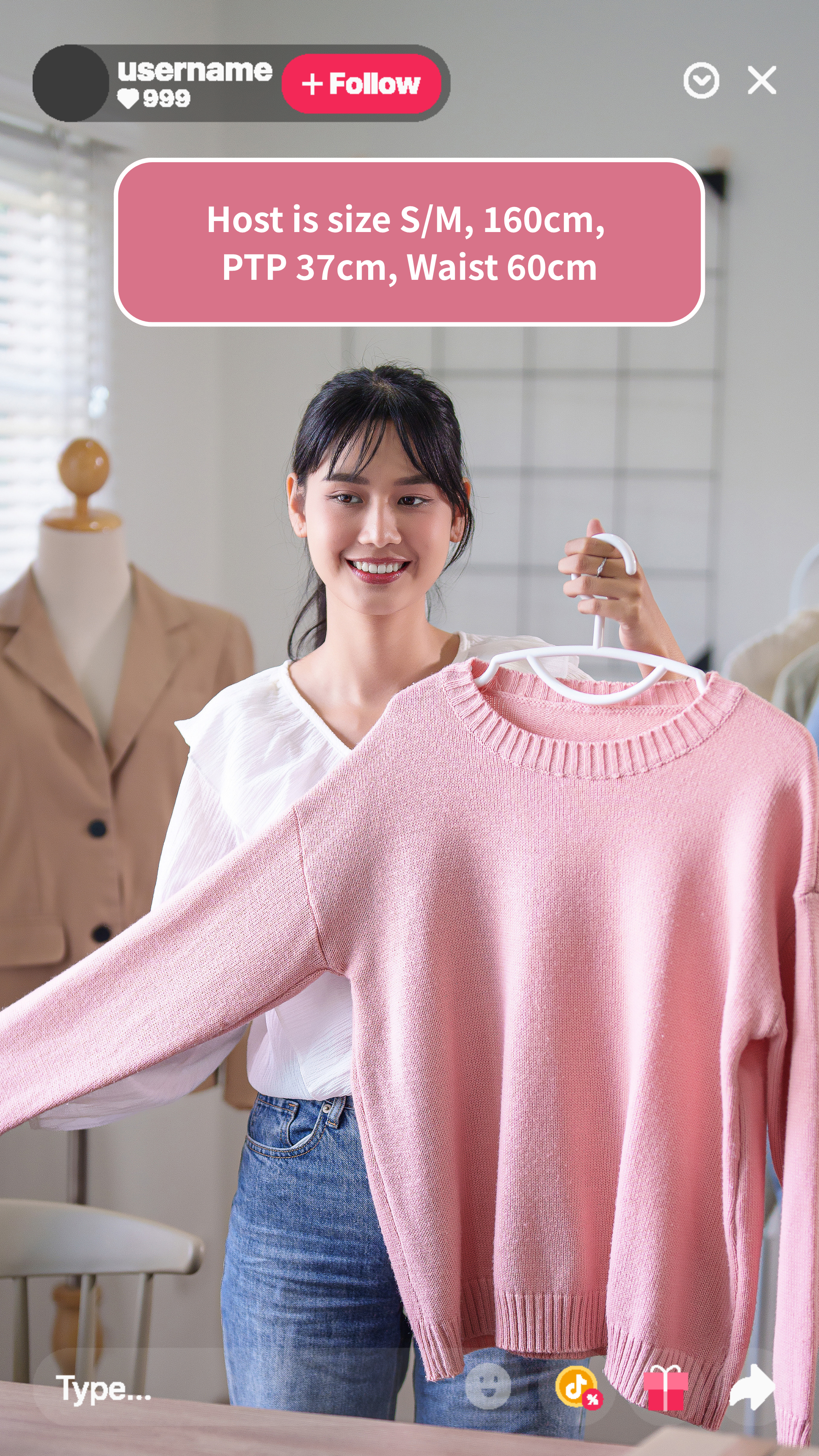
✅ DO- Use close-ups and real footage to showcase materials and details.
- Provide accurate fabric, material, and sizing information.
- Always include a clear size chart.
Keep your content appropriate for all ages and relevant to your audience
- Don't show nudity or use suggestive poses or movements to draw attention to intimate body parts.
- Avoid discussing sexual activity when promoting products, including using suggestive emojis or language.
- When promoting intimate apparel on mannequins or models, showcase products in a neutral and informative way — for example, highlighting the fabric, fit, support, or design.
- Don't use thumbnails, camera angles, or visuals designed to attract attention in a sexualized way.
Level up with the Star Creator Program
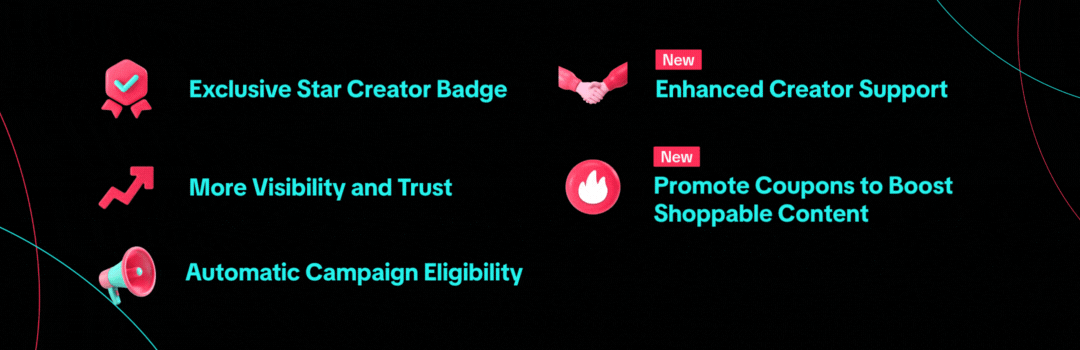
The Star Creator Program celebrates top creators who drive strong sales, deliver great content, and earn shopper trust. Star Creators can receive added benefits such as increased content reach, dedicated support, and access to Promote Coupons they can claim and use to boost their performance.
Star Creator Program Benefits
 How to become a Star Creator?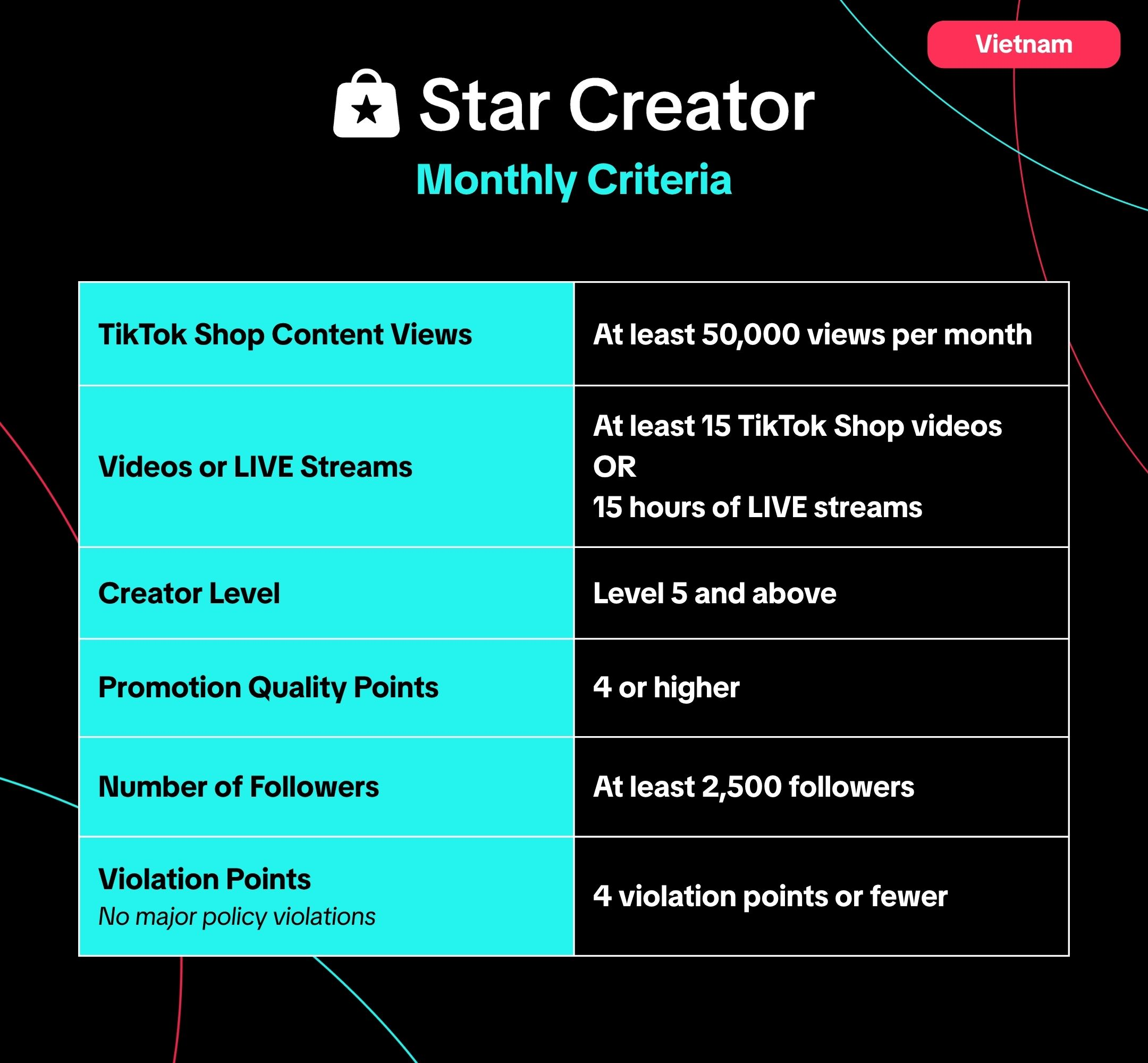
 For more campaign season policy tips:
Anda mungkin juga tertarik

Misleading Content
To protect customers and maintain trust, TikTok Shop prohibits any content that could mislead buyers…

Non-Interactive Content - How to Avoid Violations
Understanding "Non-Interactive Content" Violations and Why It Matters Non-Interactive content is a f…
Avoid Inconsistent Product Promotion
What is Inconsistent Product Promotion? Inconsistent Product Promotion occurs when the product being…