

Product Opportunities
03/09/2026
 Entrance: Seller Center > Products > Product Opportunities
How to Use Product Opportunities
Opportunity Type
Featured: Popular products are based on market trends.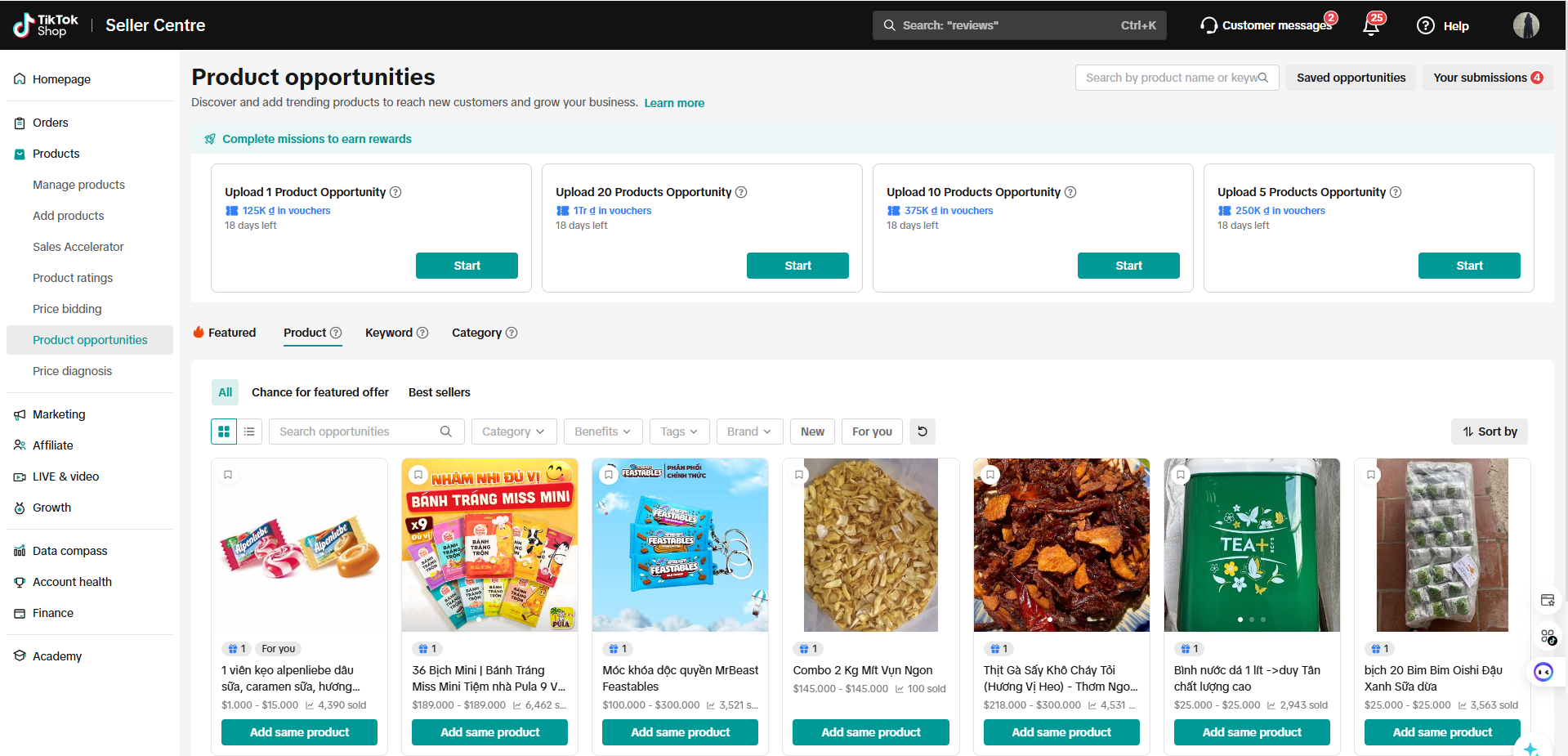 Product
- Chance for featured offer
- Best sellers: This product has outsold other products in the same category over the past 30 days.
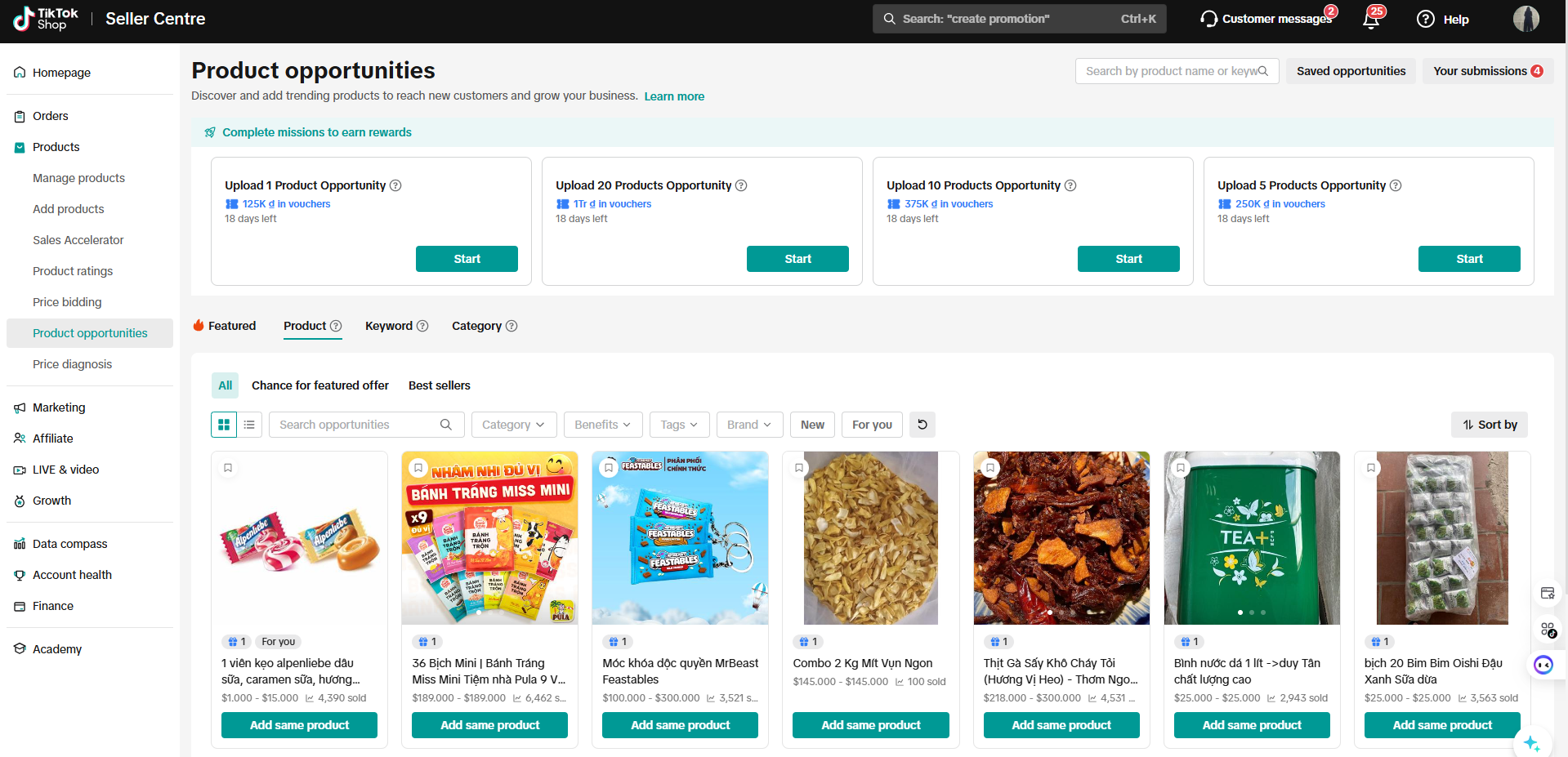 Keyword: Top Search Keywords: These are frequently searched product keywords with low inventory on TikTok Shop.
- Trending Hashtags: Commonly used hashtags and currently trending products on the TikTok app. Search by popular hashtags used in trending or high-selling videos. There are two types of tags: Trending on TikTok and Most Purchased.
- Trending on TikTok: Products featured in TikTok videos with a large number of views in the past 7 days.
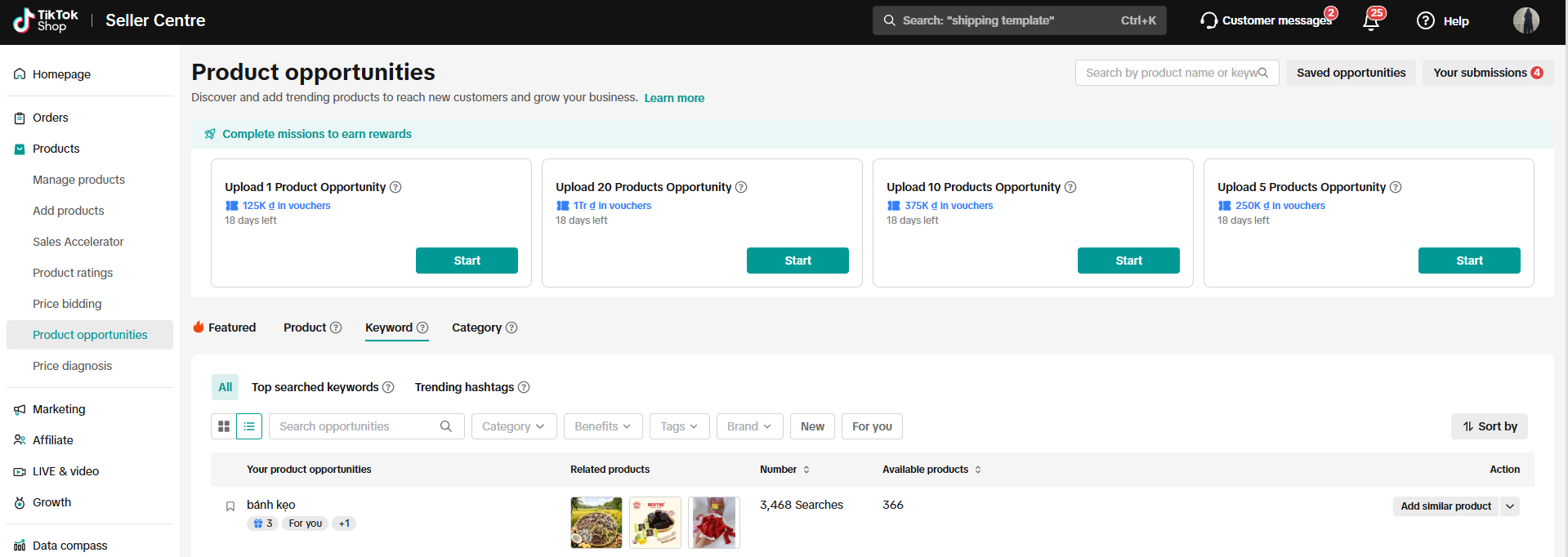 Category: These are the sub-items that generate high sales.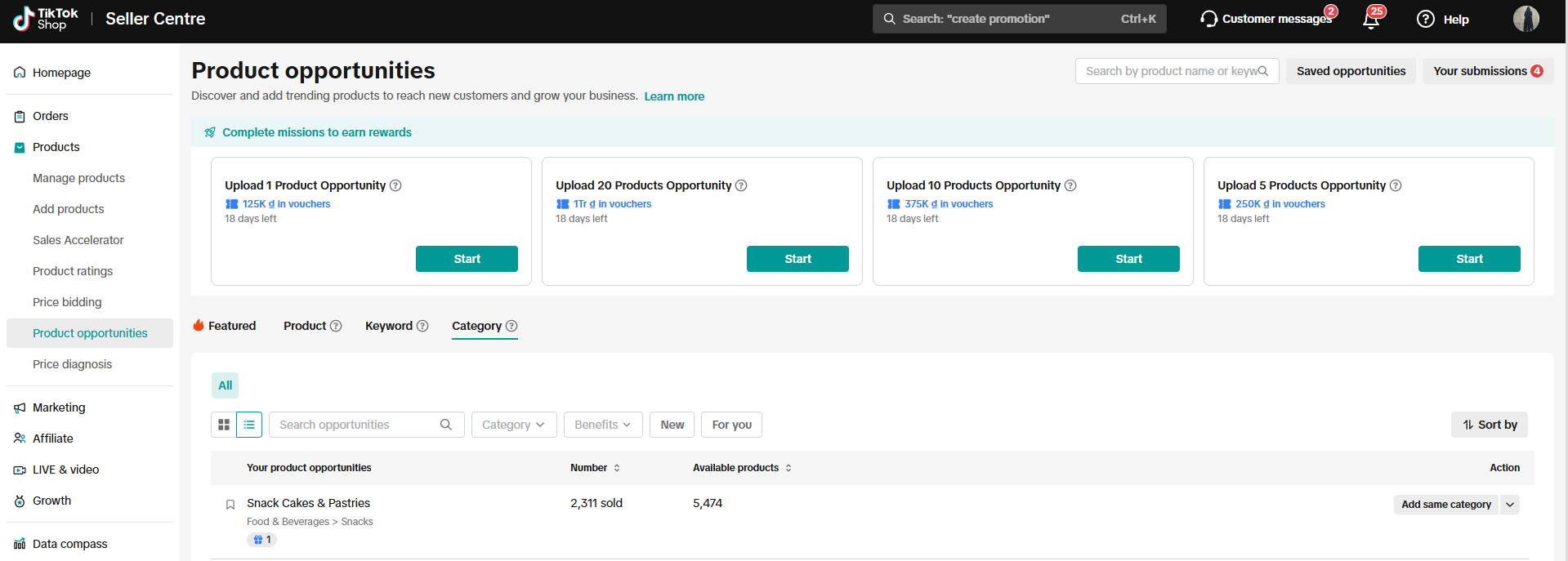
Actions To-Do
Search & Filter
You can utilize the search or filtering features to browse products from a specified brand or category and unique tag.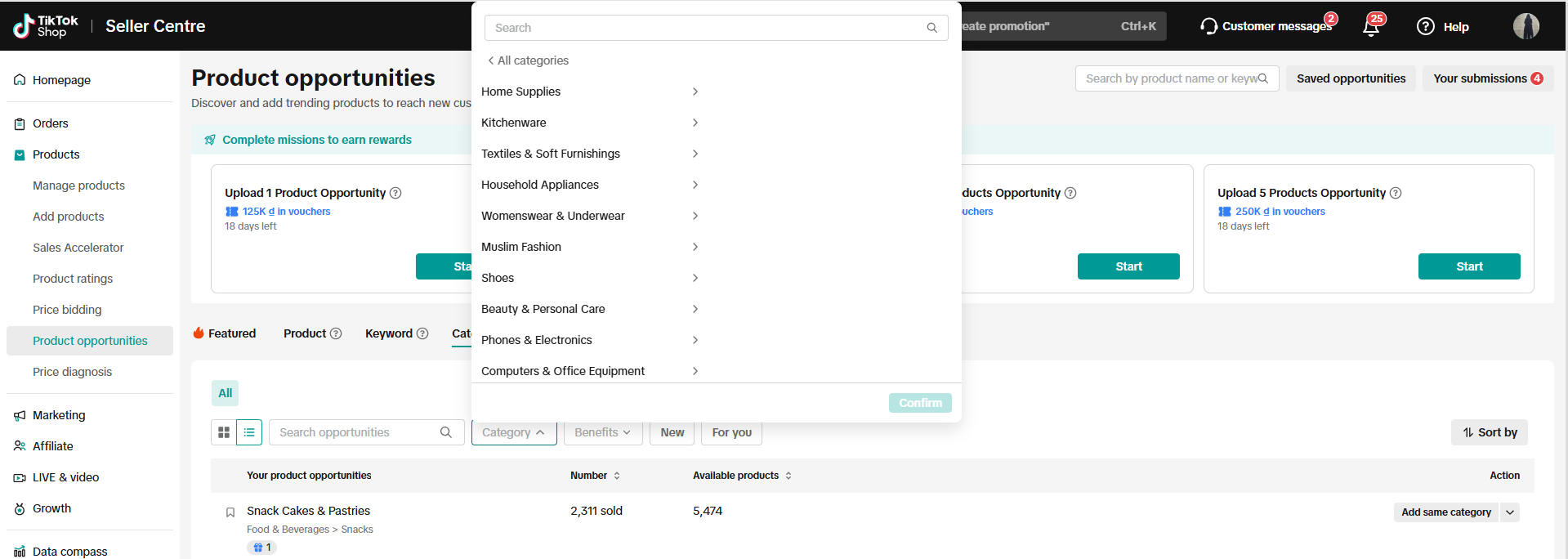
"Save" Opportunity Products
Bookmarking products for future reference is an option, but please be aware that opportunities may change due to market dynamics and can be adjusted at any time. If you find suitable products, upload or associate them promptly.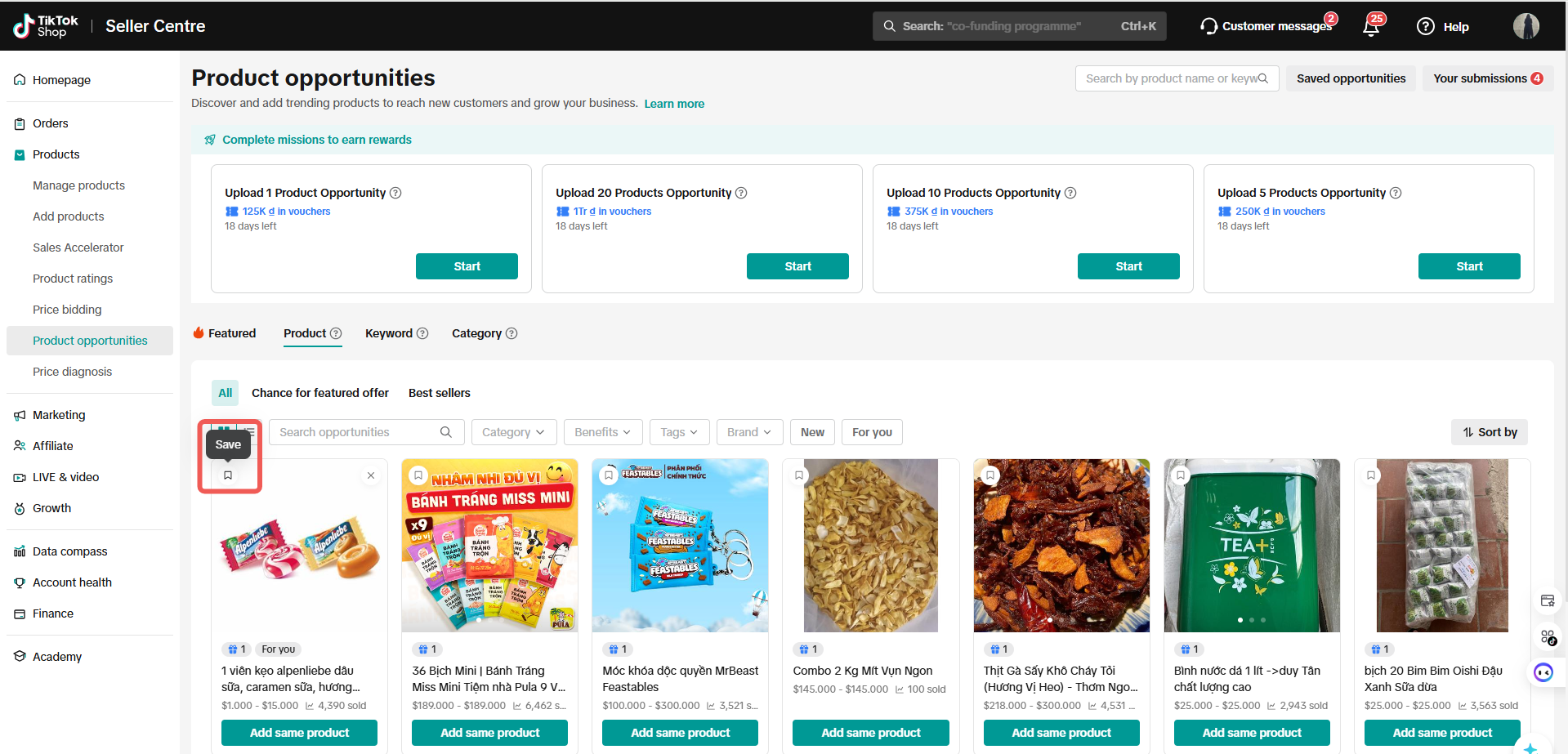
Product Metrics
To help you decide on expanding products to sell based on the recommendations, the system provides potential sales information based on the product's existing performance.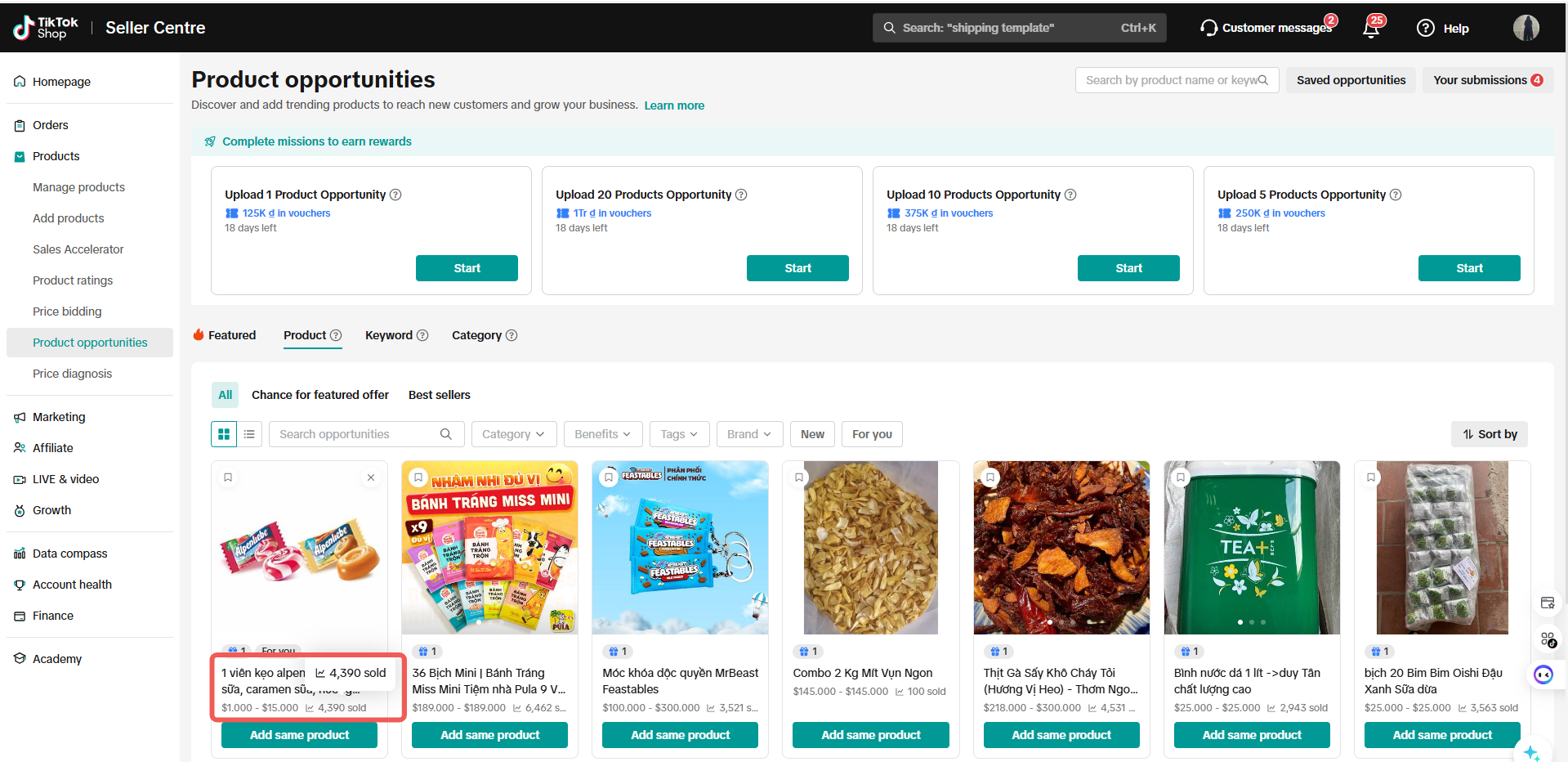
Remove Opportunities Leads
To increase the relevancy of our personalized recommendations, users can also remove opportunities leads for various reasons available. We will not provide similar recommendations of opportunities leads that users have removed and tagged.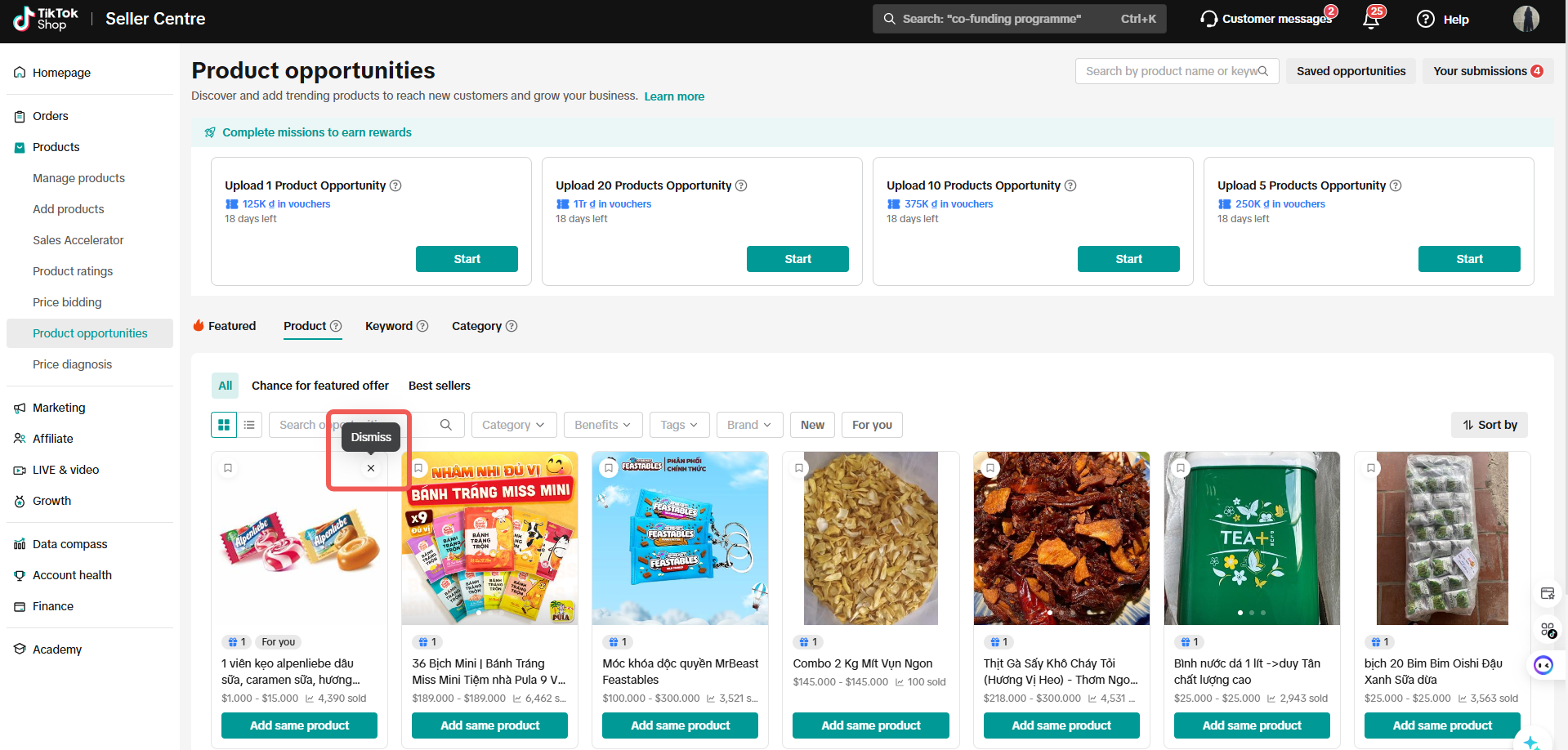
Upload Opportunity Products
Tips before you upload
Before you upload your opportunity products, make sure that the product you submit matches the product opportunity.Same subcategory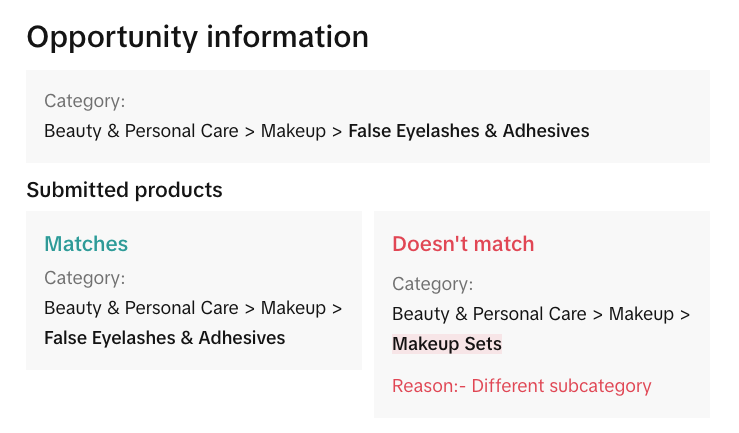 | Same brand and model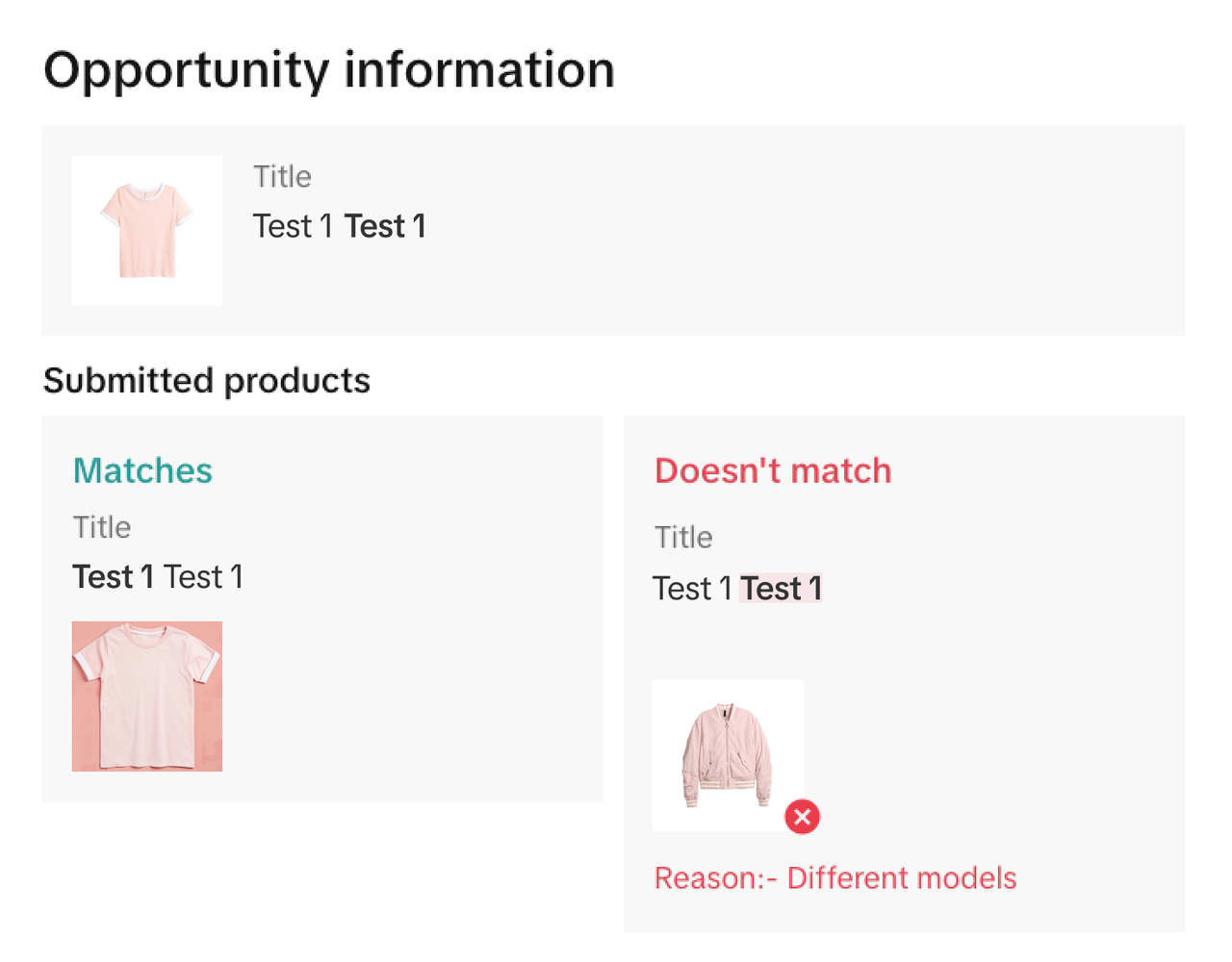 | Same styles and key features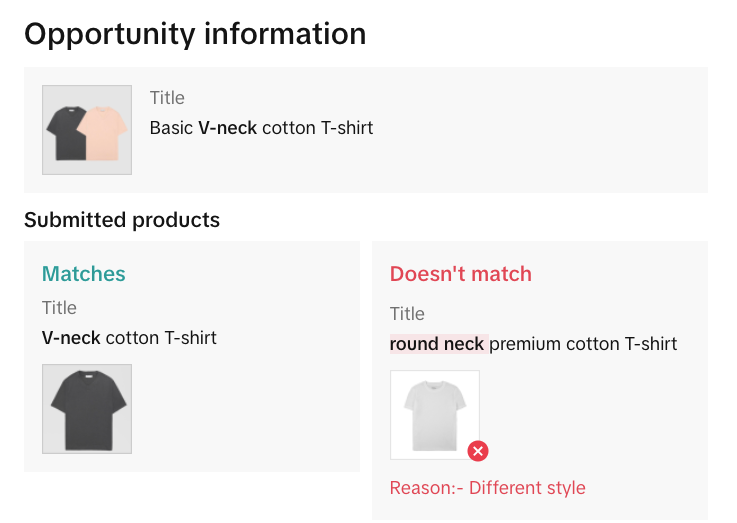 |
Upload or Link Your Products
- Click on the Add Products button on the product card to link similar products from your existing assortment or to register new products that are similar to the opportunity leads product card
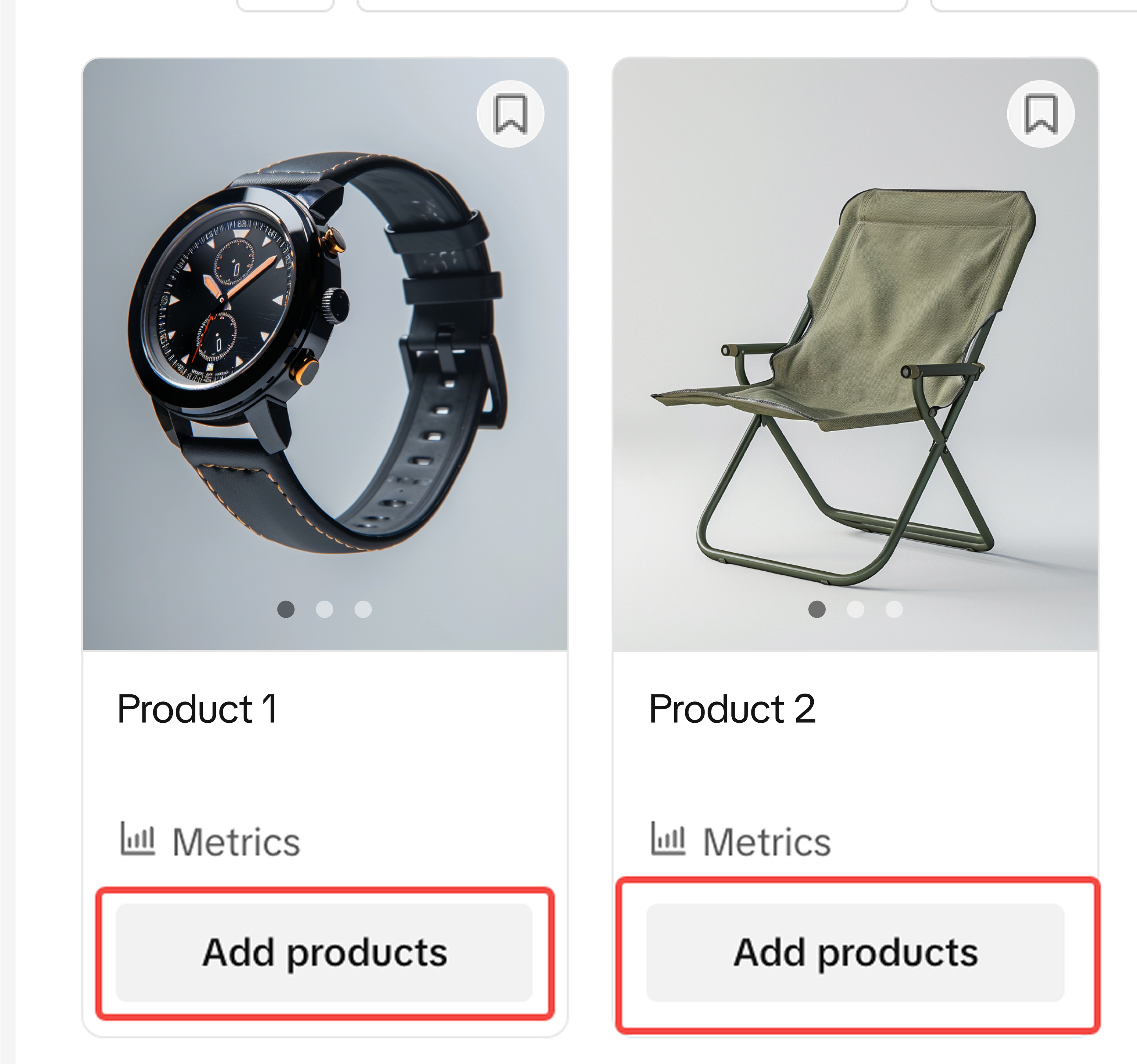
- Select your existing product that is similar to the opportunity leads, and click on submit button.
- Or click on the "add new product" button to be redirected to the "add new product" page and submit your new product
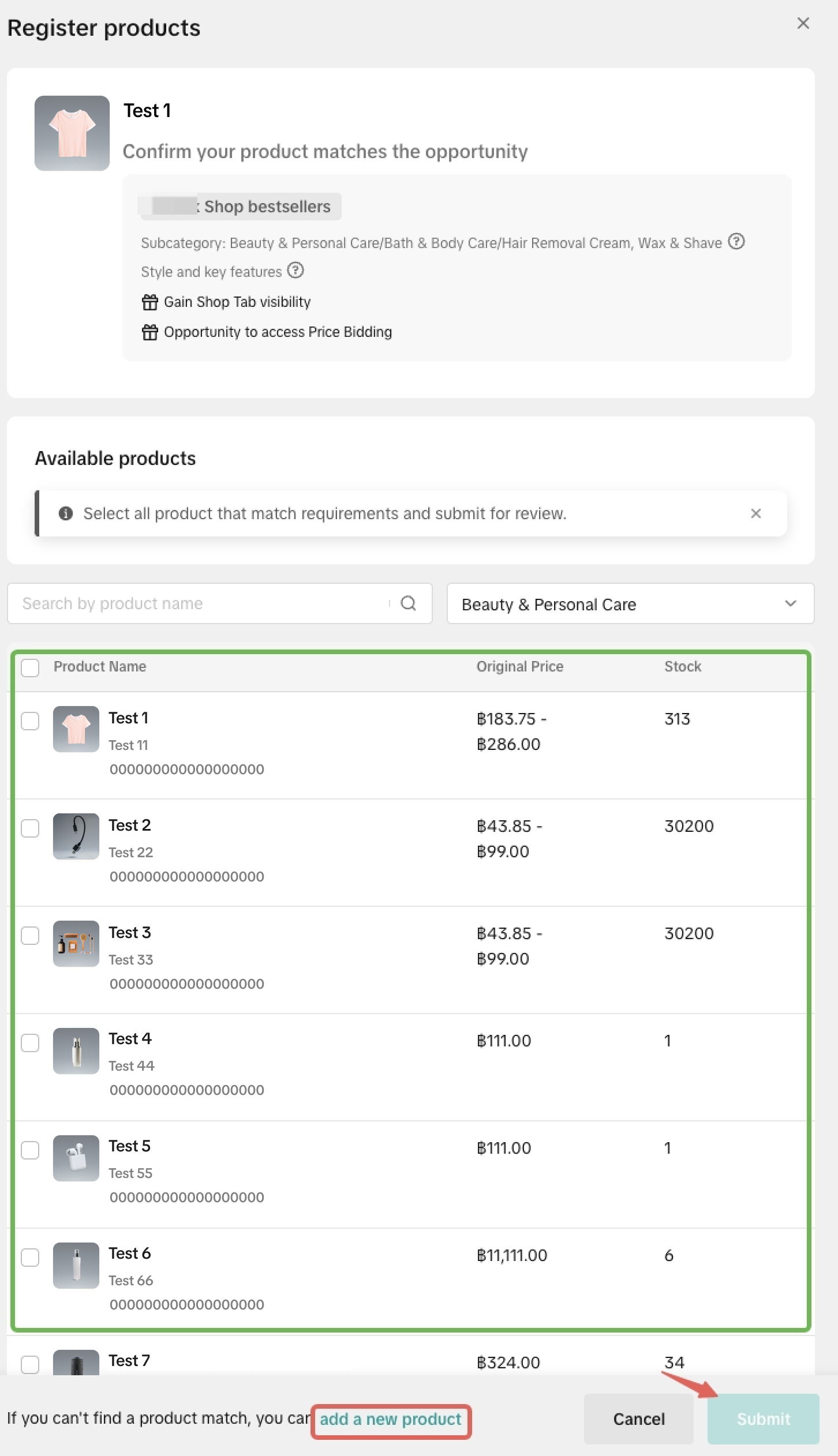
Check Your Submission Result

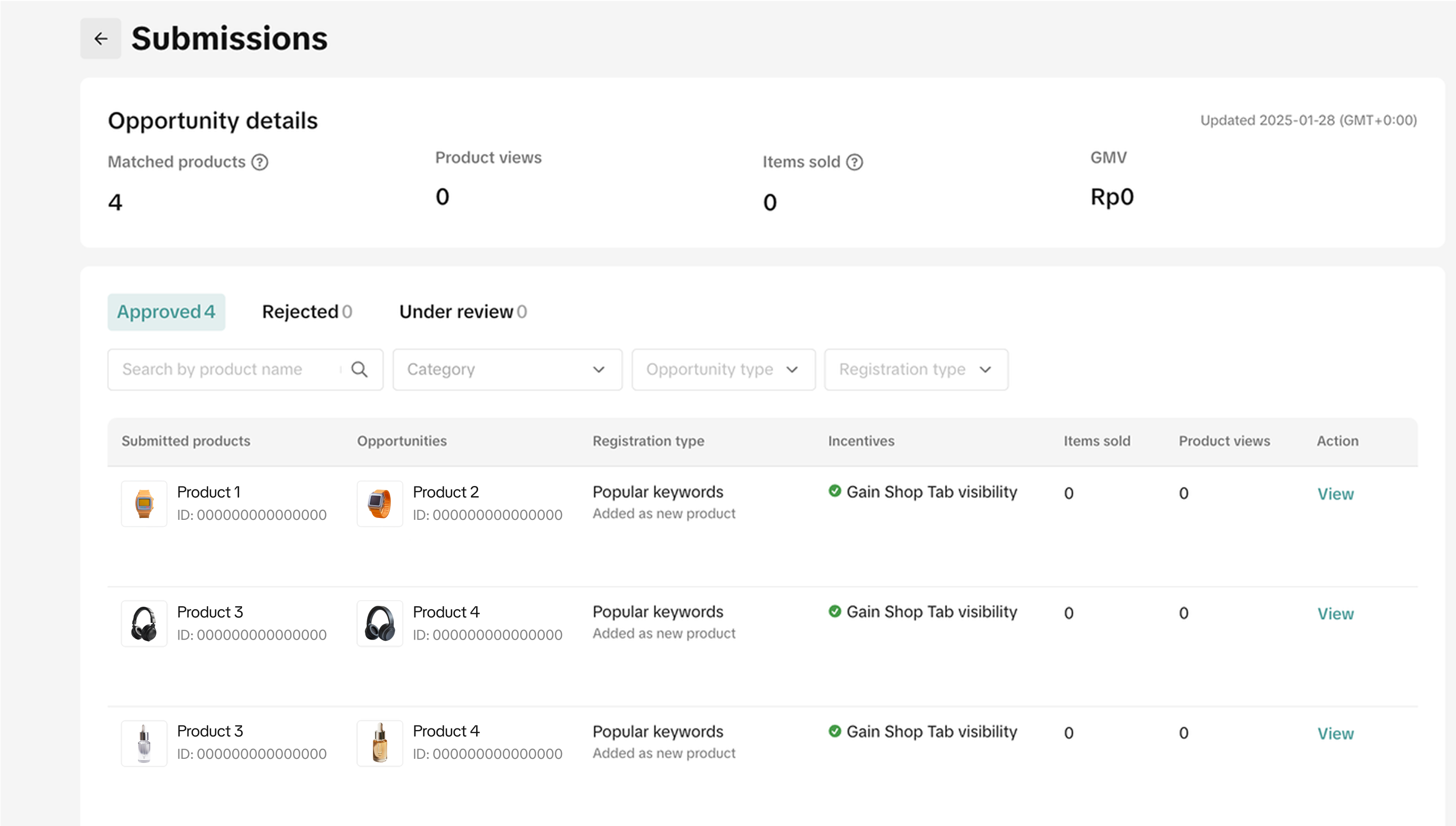 You can check your submission result by clicking on "My Submissions" Tab, and the submission of potential products may yield one of the following three outcomes:
2) In reviewWe are reviewing if the products you submitted match the opportunity item, and the results are typically completed within 2-3 days.
3) RejectedThe uploaded/linked product failed to match the opportunity item. And you can try it again if the opportunity is still active and you have a more suitable product to be matched.

FAQs
- What's logic of these opportunities? Where does it come from?
For "Popular keywords", those opportunities stem from the specific terms users utilize when conducting searches on our platform.
- Why did my product submission fail?
1) Same subcategory
2) Same brand and model (if specified in the product opportunity)
3) Same styles and key features (if specified in the product opportunity)
- How can I obtain the extra reward?
*For criteria related to product information, please refer to the next question.
- What are the criteria for product information?
- Product name: ≥ 40 characters
- Product description: Pure text should be over 500 characters with proper paragraphing, or includes both text and images;
- First image quality: High-resolution, non-stitched images, complete product display, tidy background, and non-localized text, etc.
- Image quantity: ≥ 5 unduplicate images
- Stock: > 5
- Why are some opportunity items I saw before disappear now?
- How often are the opportunities updated?
- Why is my Product Opportunities page blank without any opportunity information?
You may also be interested in
- 5 lessons
Product Listing And Management
Listing your product is the first step in officially bringing your product to consumers.
- 1 lesson
What causes Incomplete Information in product listings? (Inf…
Best practices to avoid Incomplete Information violation
Adding Existing Products from TikTok Shop
Getting your products live is the first essential step to succeeding on our platform. While we offer…

Branded Products Listing Guidelines
What are Branded Products? Branded products are products bearing a brand. The brand and its features…

Price Diagnosis
This feature will help sellers to review their product price competitiveness in TikTok Shop and full…
Trademark Infringement
What is a Trademark? A trademark includes but is not limited to words, symbols, slogans, designs, sh…
Product Listing and Image Editor on Seller Center App
Image Editor The new product image editor enables sellers to take product pictures continuously and…
Patent and Design Infringement
What are patents and designs? Patents protect inventions and give the owner the right to prevent oth…
Copyright Infringement
What is a copyright? Copyright is a legal right that protects original works and stops others from u…
Making Comparisons in Product Listings
What constitutes a "comparison"? A "comparison" is any statement that compares your product with the…