

Promotion Tools Analytics
03/19/2025
This article gives you a brief overview of what Promotion Tools are and how you can track the performance of these tools.
 To understand the performance of these tools, read on to find out how you can navigate to Promotion Tools Analytics!

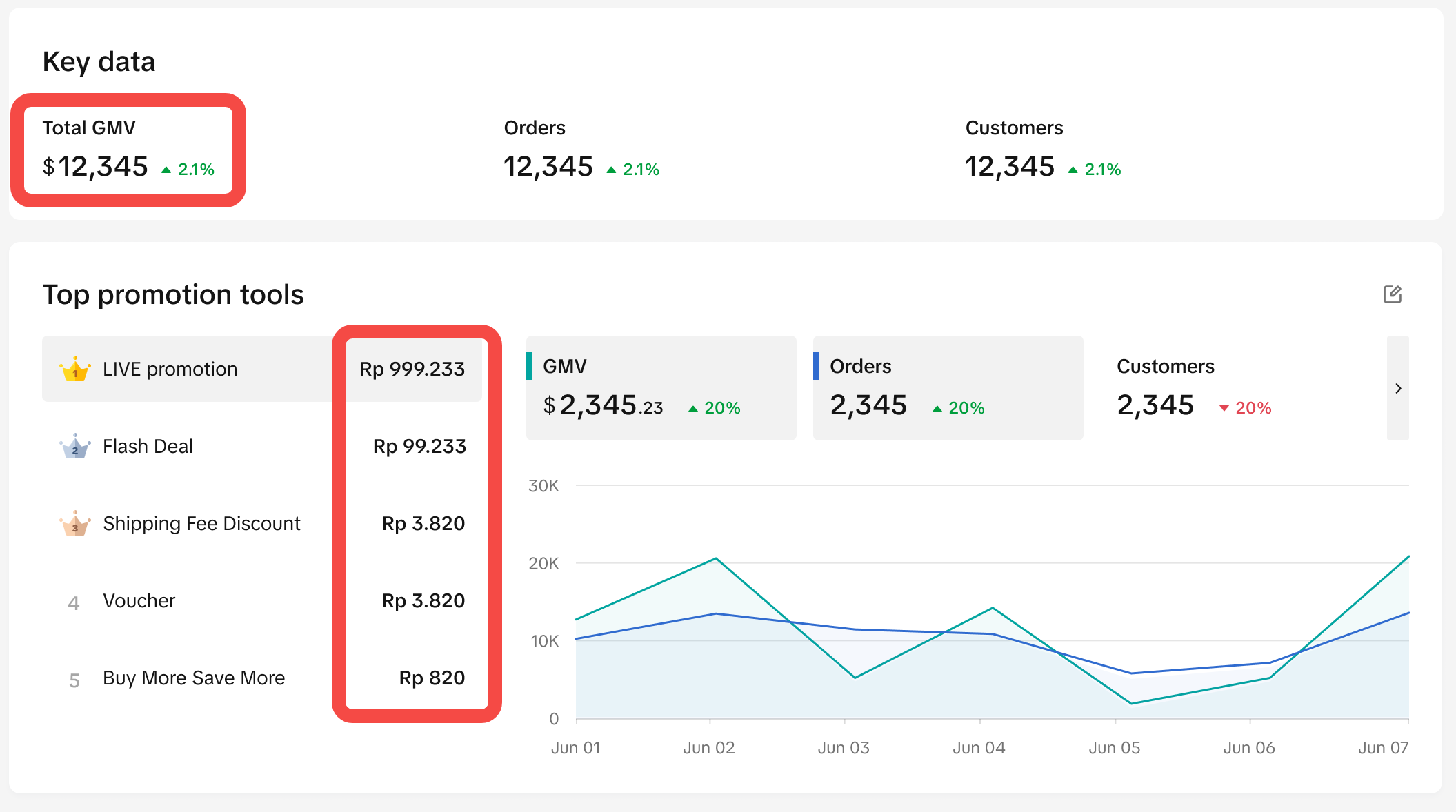
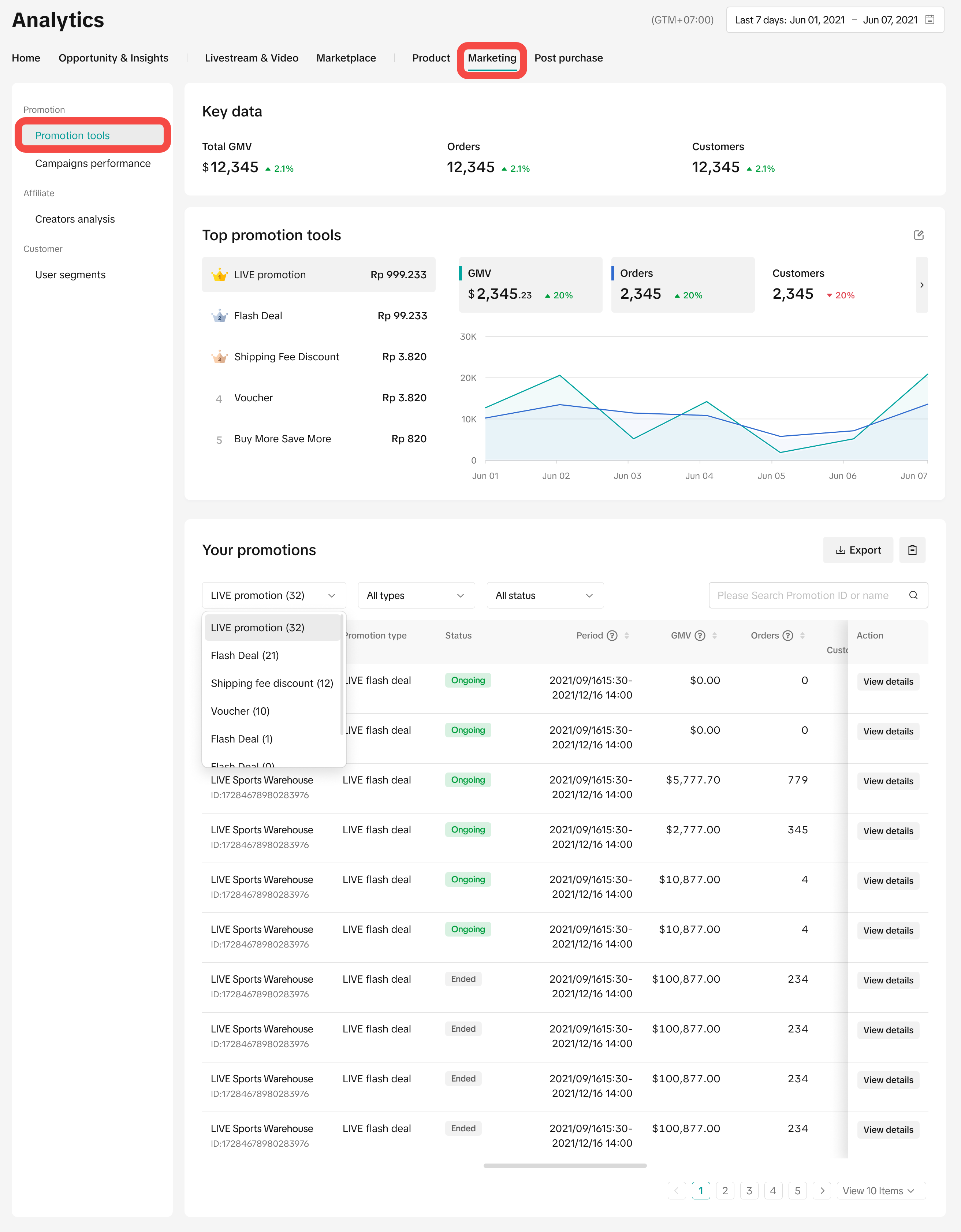 Shown above is the main page of Promotion Tools Analytics.



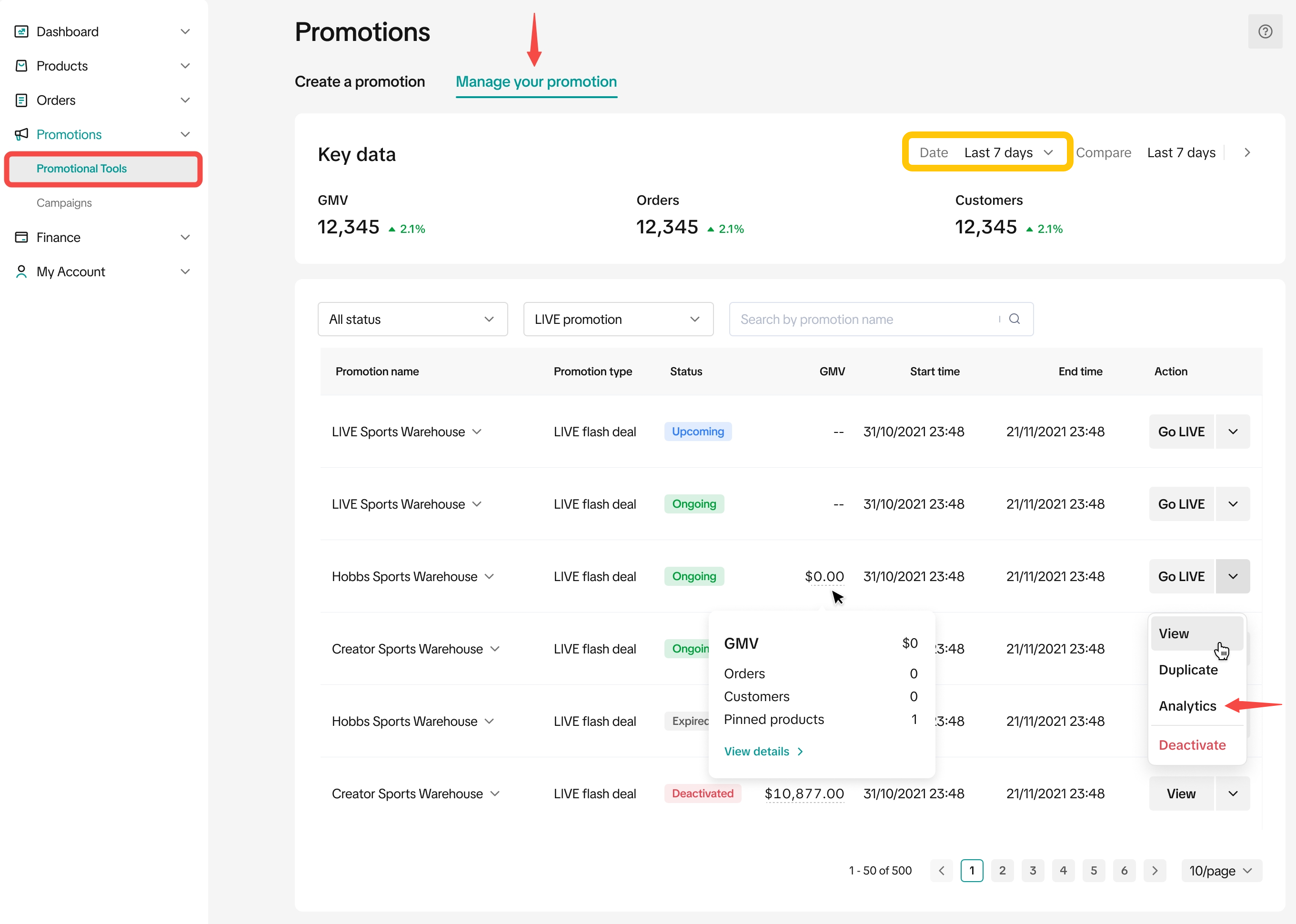
Here are 2 ways you can access a specific promotion's performance:
 Note: In the Key data section, you can toggle the time filter to Last 7 Days or Last 28 Days to view the performance of aggregated promotion tools during the selected timeframe.Once you have performed either of the actions above, you'll be able to access the page below, which gives you a thorough view on the selected promotion.
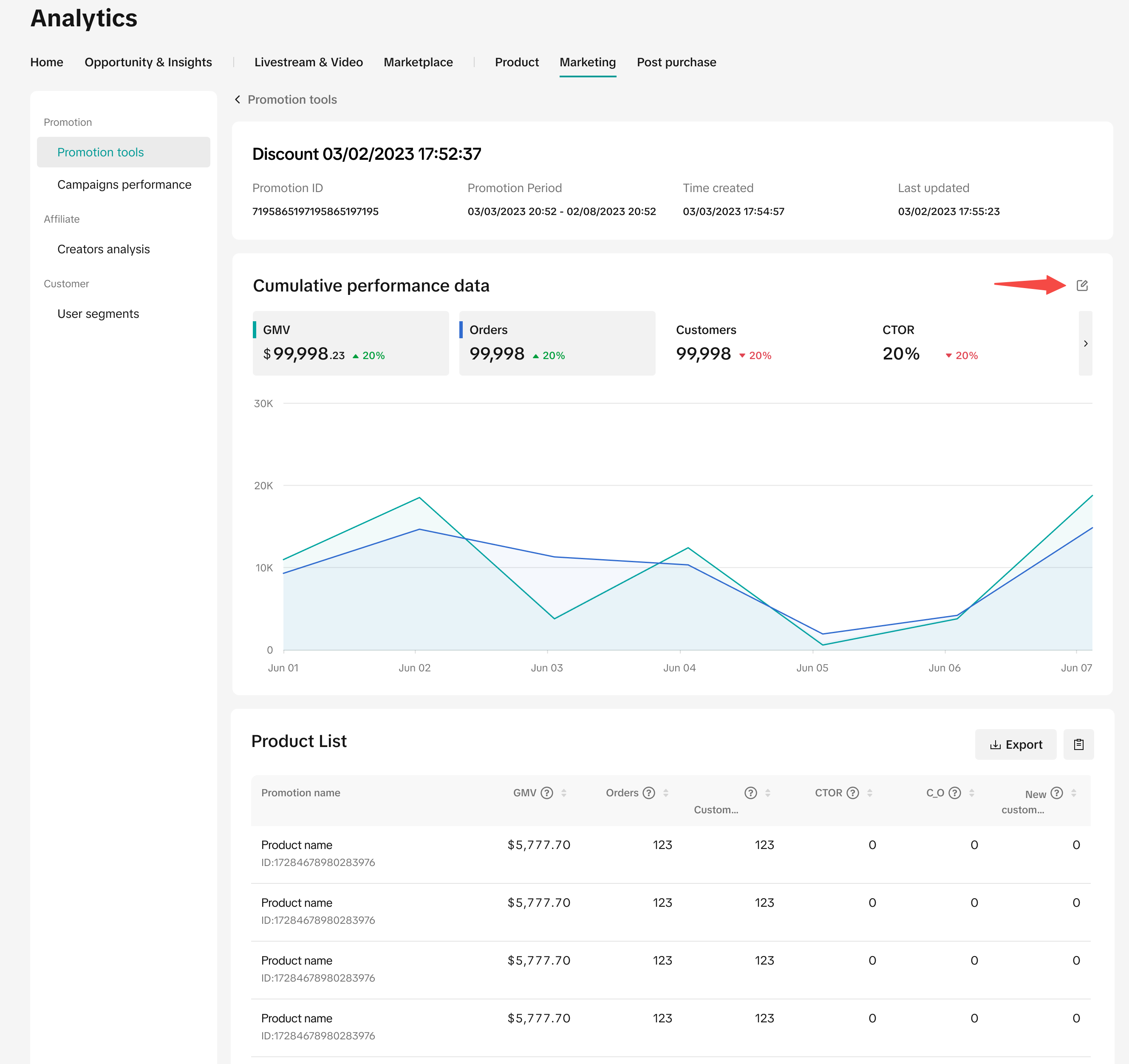 Here, you can get information such as:

What are Promotion Tools?
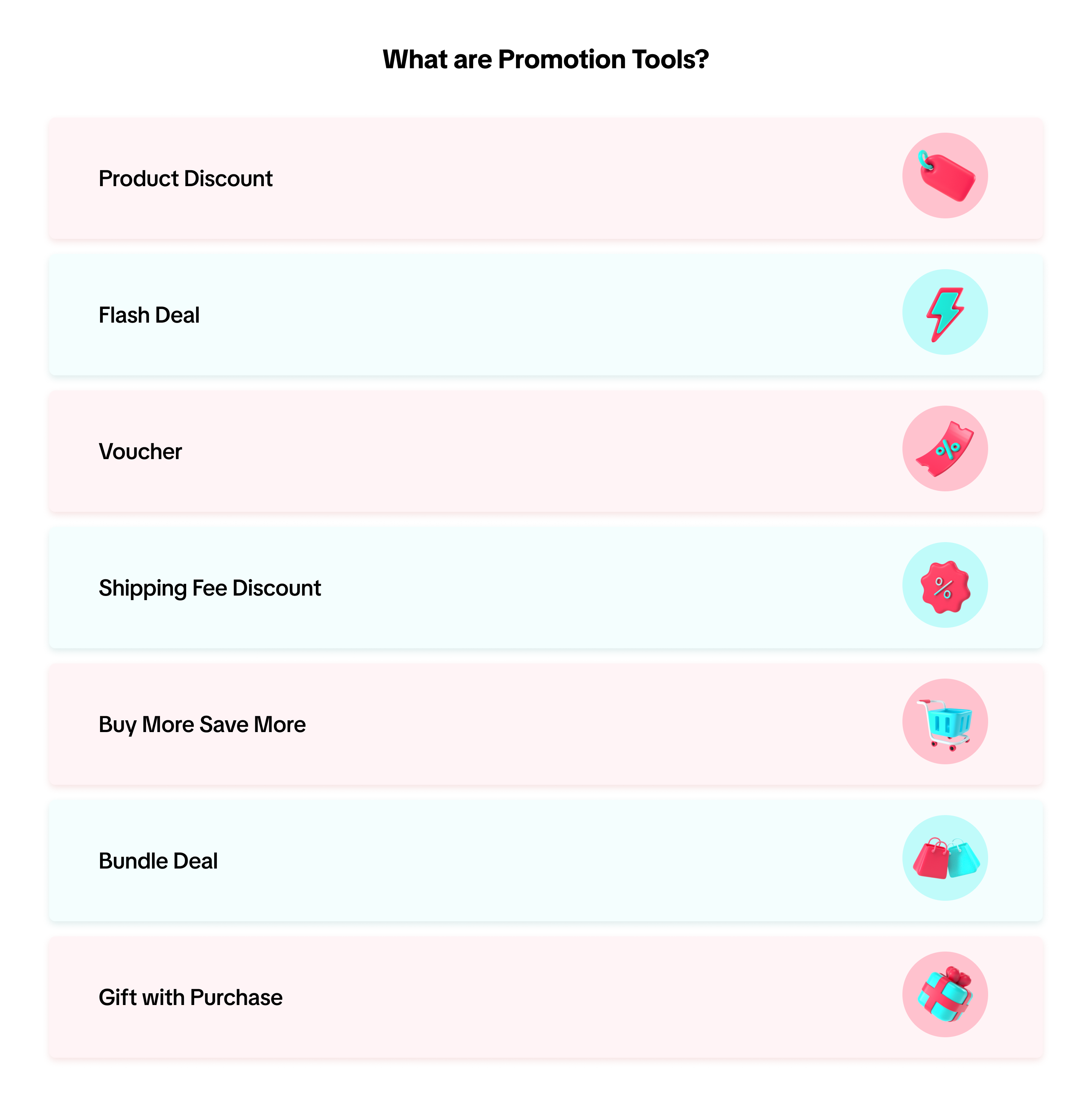
Promotion Tools are tools that are accessible via Seller Center and allow sellers to create various sales promotion mechanics and shipping discounts. The various types of promotional tools are featured below.How to Access Promotion Tools Analytics
Entrance: Data Compass -> Marketing -> Promotion ToolsUnderstanding Overall Promotion Tools Performance
- Firstly, upon arriving at the main page of Promotion Tools Analytics, you will see the Key data section.
- Here, get a quick view on the aggregated performance of all your Promotion Tools (Revenue, Orders, Buyers)
- The data shown here is based on your selected time period
- See the performance fluctuation icon in red (negative) or green (positive) to evaluate how your promotions were performing versus the previous period
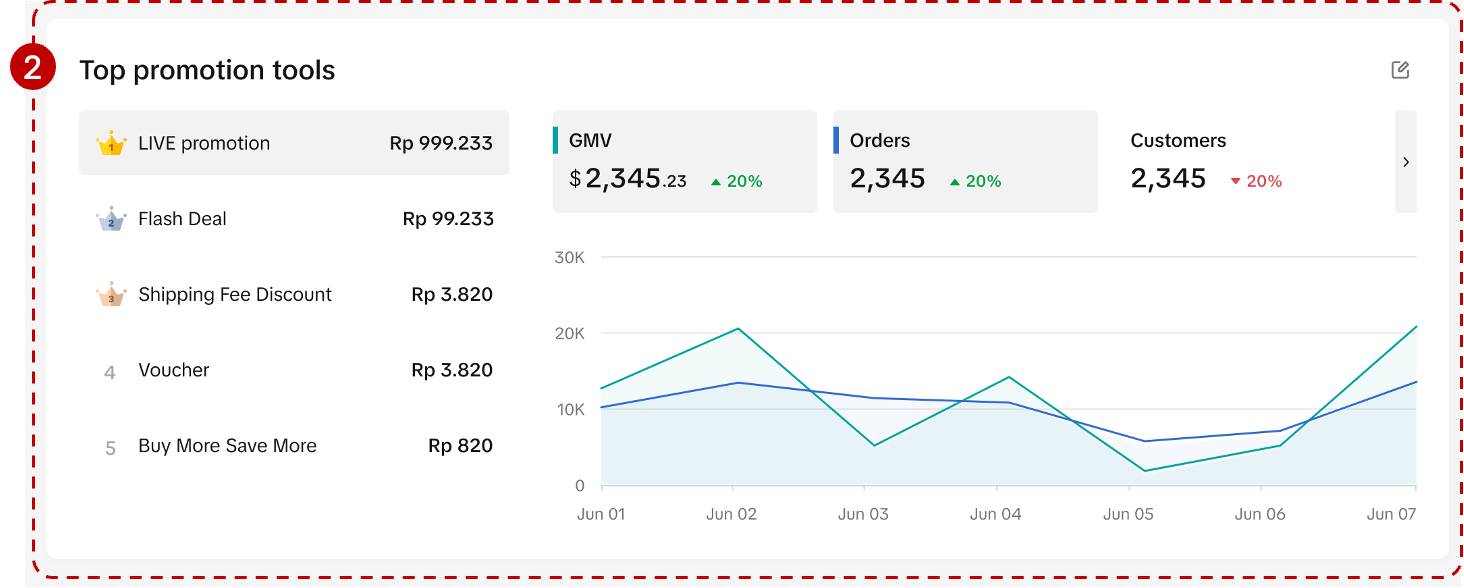
- Next, discover your Top Promotions and its key performance metrics (GMV, Items sold and Orders)
- At a glance, see your top promotions ranked from highest to lowest GMV. If you have utilised more than 5 promotion tools, simply scroll down to see more.
- Click on a single promotion to view the key performance metrics on the right hand side
- Select two metrics to view the trend line performance and identify the highs or lows during the selected time period
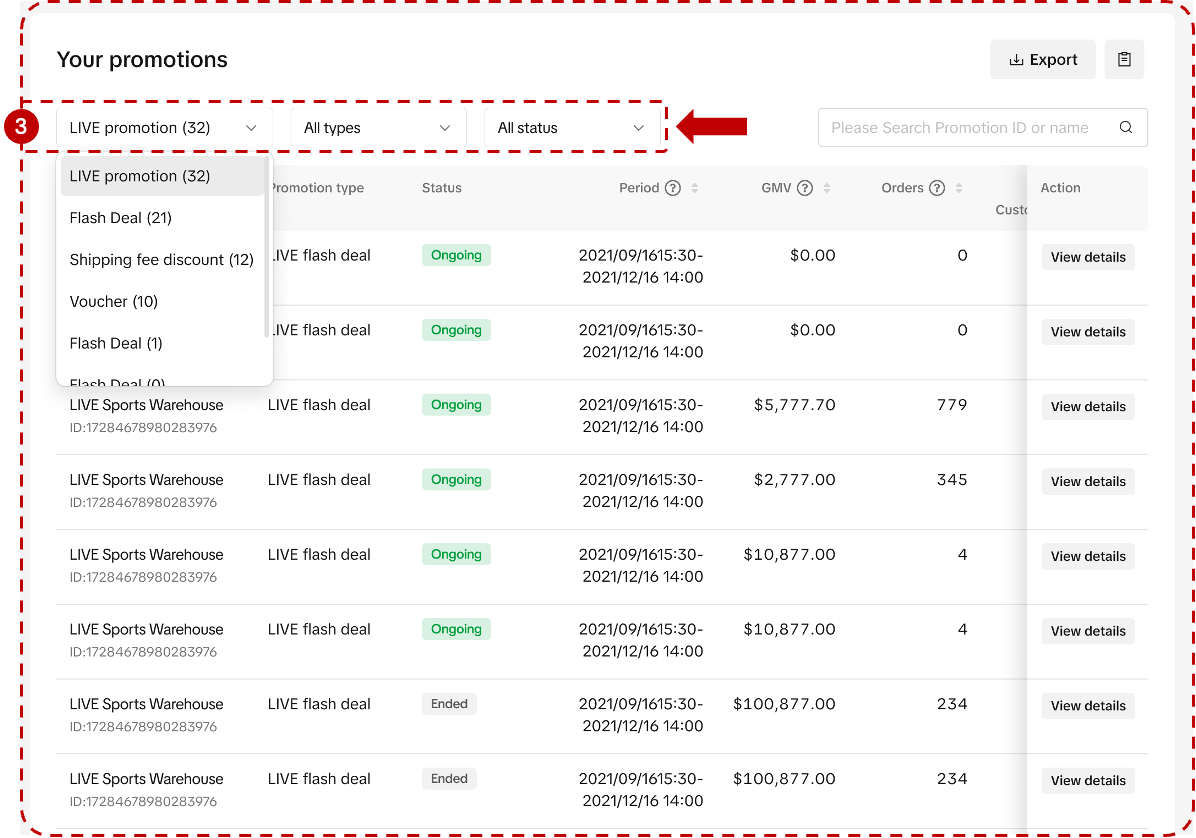
- Scroll further down to access a record of all your promotions via the Promotion List. Here, you can filter by Promotion Status or Promotion Type.
- Promotion Status
- Ongoing
- Upcoming
- Deactivated
- Expired
- Promotion Type
- Product Discount: All, Percentage off, Fixed price
- Seller Flash Sale: Product-Level, Variation-Level
- Buy More Save More: Buy X items, get Y% off
- Shipping Fee Discount: All, Free shipping, Partial discount
- Coupon: All, Regular Coupon, Seller New Customer Coupon, Creator Exclusive Coupon, LIVE Coupon & CHAT Coupon
- Bundle Deal: All, Percentage off, Fixed price
- Gift with Purchase: Buy N items to get gifts
- Promo Code
- Promotion Status
Zoom Into a Specific Promotion's Performance
Once you have identified a promotion type that is most effective for your shop, you can further deep dive into that specific promotion's performance. Doing so allows you to optimise your sales funnel and enhance strategies that yield the best return of investment!Here are 2 ways you can access a specific promotion's performance:
- At the Promotion List, go to the "Action" column and click on "View" for a specific promotion.
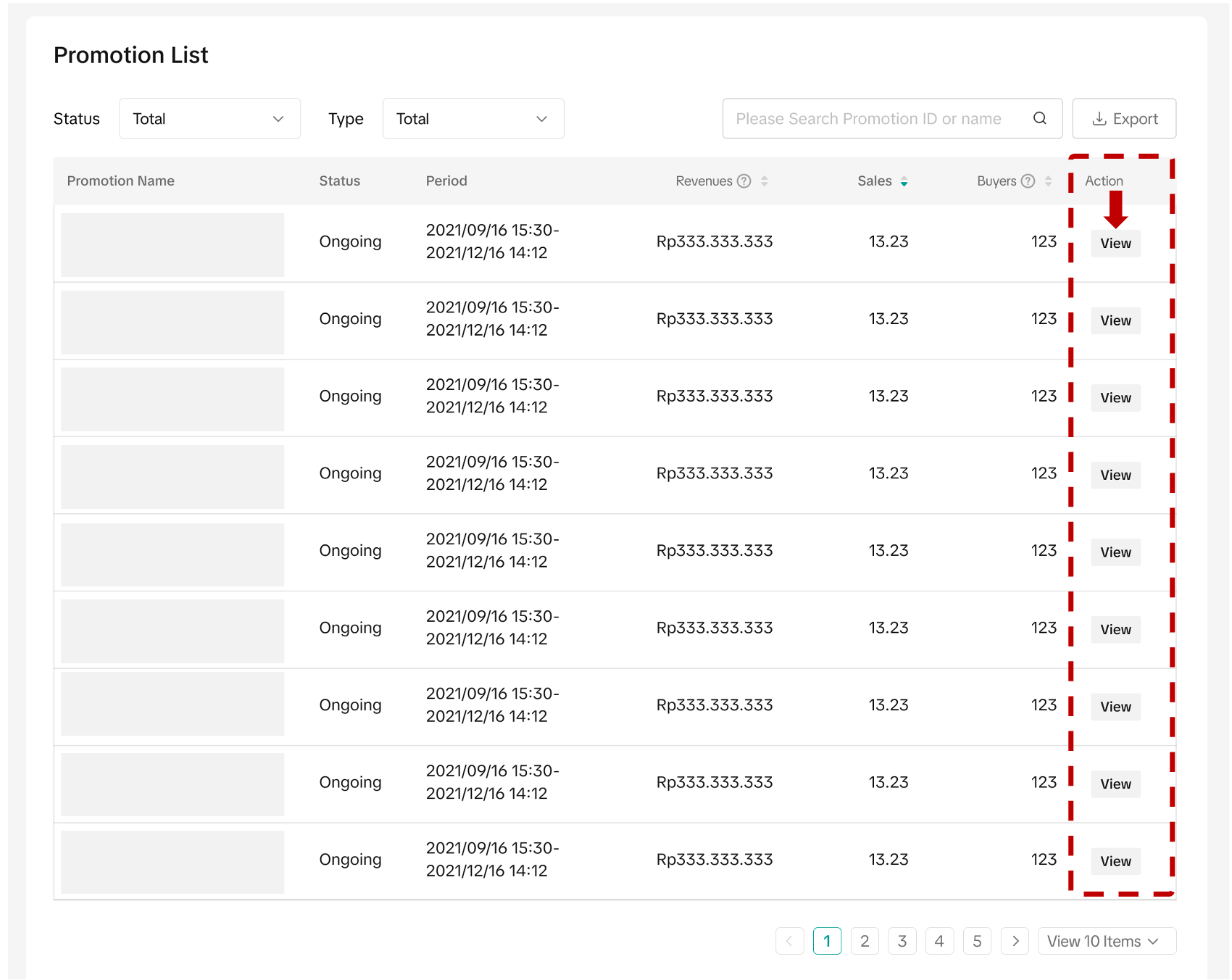
- Or, head to Manage your promotion > Action column > Click on the dropdown to select "Analytics"
- Promotion overview: Promotion ID, Promotion Period, Time Created, Last Updated
- Performance data: Click on the Metrics button to customise the metrics you'd like to view.
- Product List: List of products under this promotion and it's revenue, orders, buyers, conversion rate
FAQ
- The GMV shown at Top Promotion is not equivalent to the GMV shown in the Overview section. Why is that?
 |
|
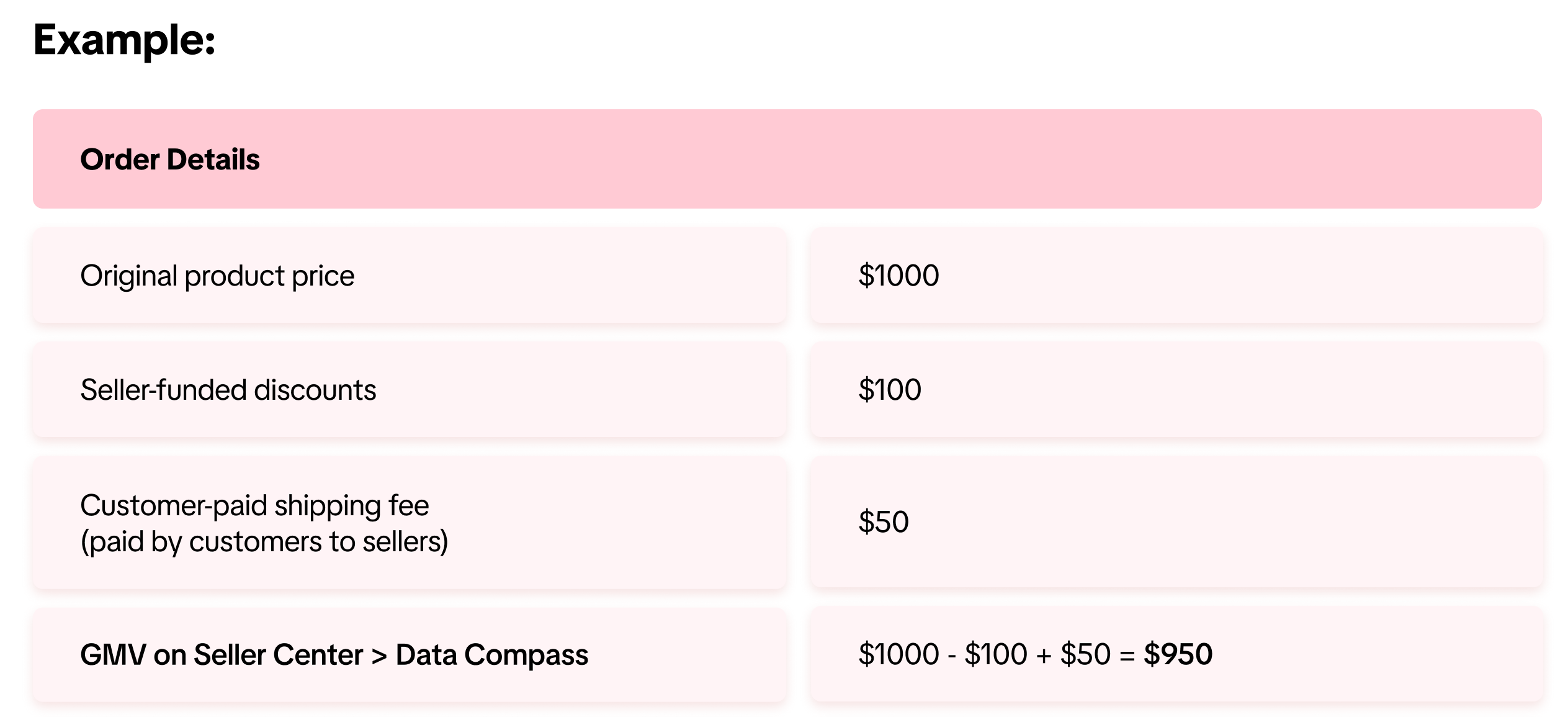
- How is Gross Merchandise Value (GMV) calculated?
- Is the data shown on Promotion Tools real-time data?
- Today's Date = 10 October
- Data shown = 9 October
Anda mungkin juga tertarik
Campaign Performance Insights
This article will help you understand how to use the new feature to help in tracking your shop's per…
Flash Sale Program Analytics
This article gives you a brief overview of what Flash Sale is and how you can track the performance…
Campaign Dashboard
This article will help you understand what Campaign Dashboard is and how you can view and analyse yo…