

Creator Level for Sellers
04/02/2025
What is Creator Level System?
- Creators are classified into L0 to L8 and their level will be refreshed at the start of each month based on their previous month's performance, which is determined by their GMV and active performance, also their capability for product selection and e-commerce business.
- A higher Creator Level indicates stronger performance in generating GMV and remaining consistently active in affiliate sales. It also grants creators access to more benefits and support from the platform.
This content is only supported in a Feishu Docs

Why Do We Show Creator Level to Sellers?
 |
|

How Can Sellers Check the Level?
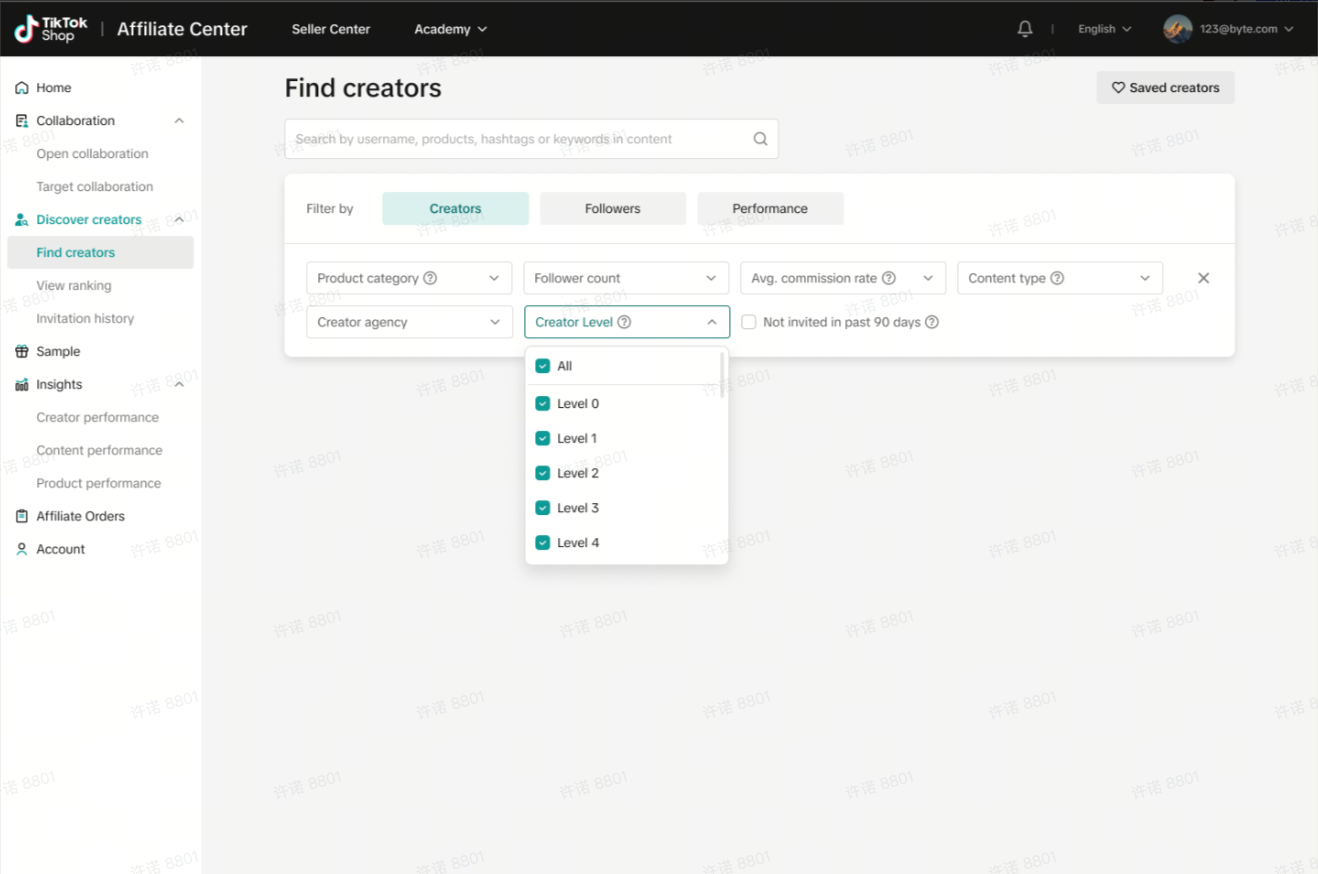
Sellers can view each creator's level in the following modules on Affiliate Center:Find Creator
Creator's level can be found next to the creator's name on the Find Creator's main page and Creator Detail Page.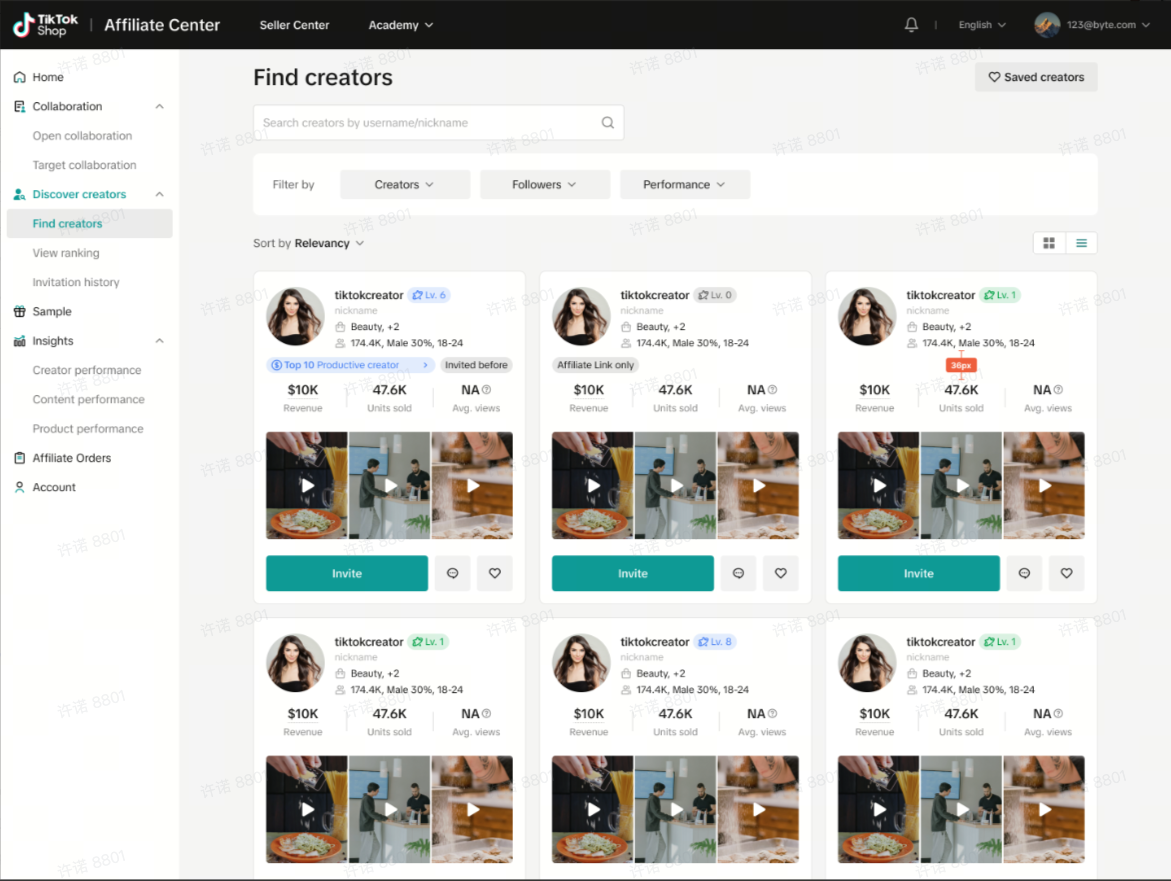 | 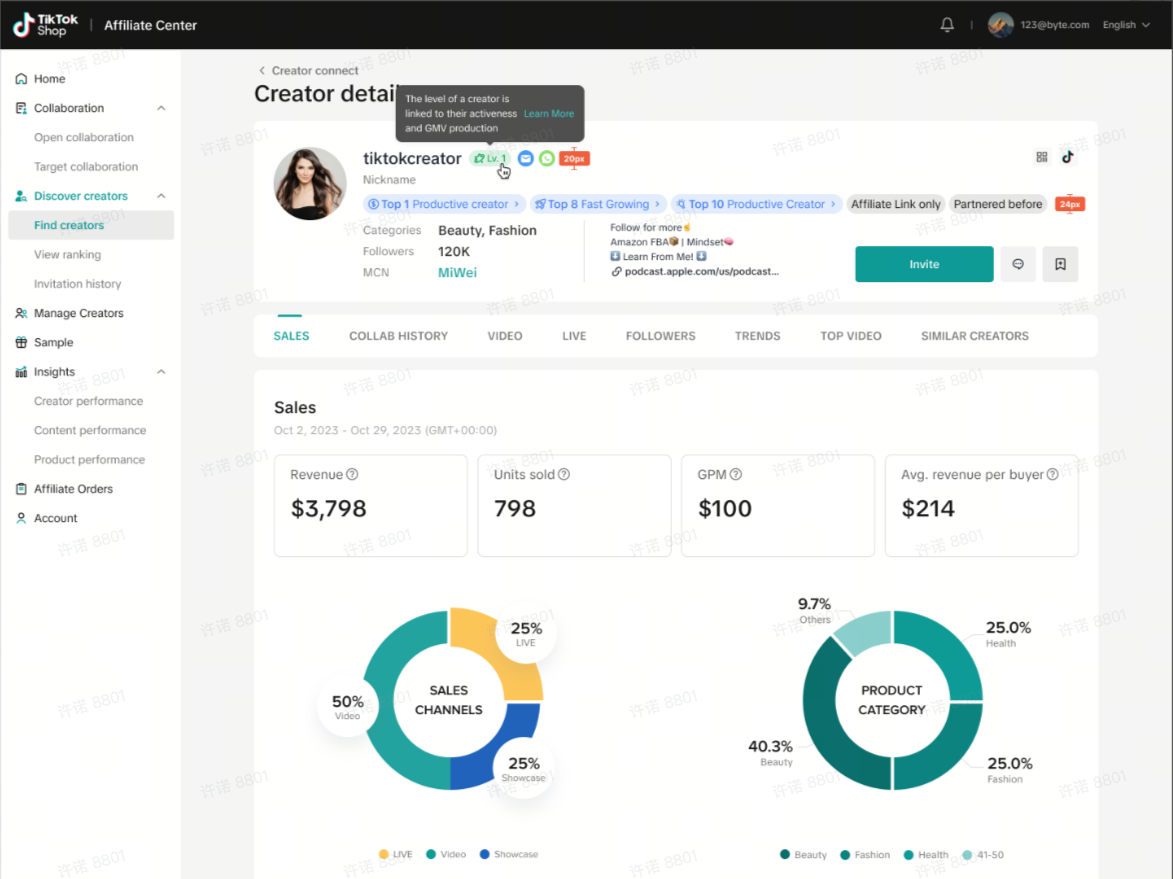 |
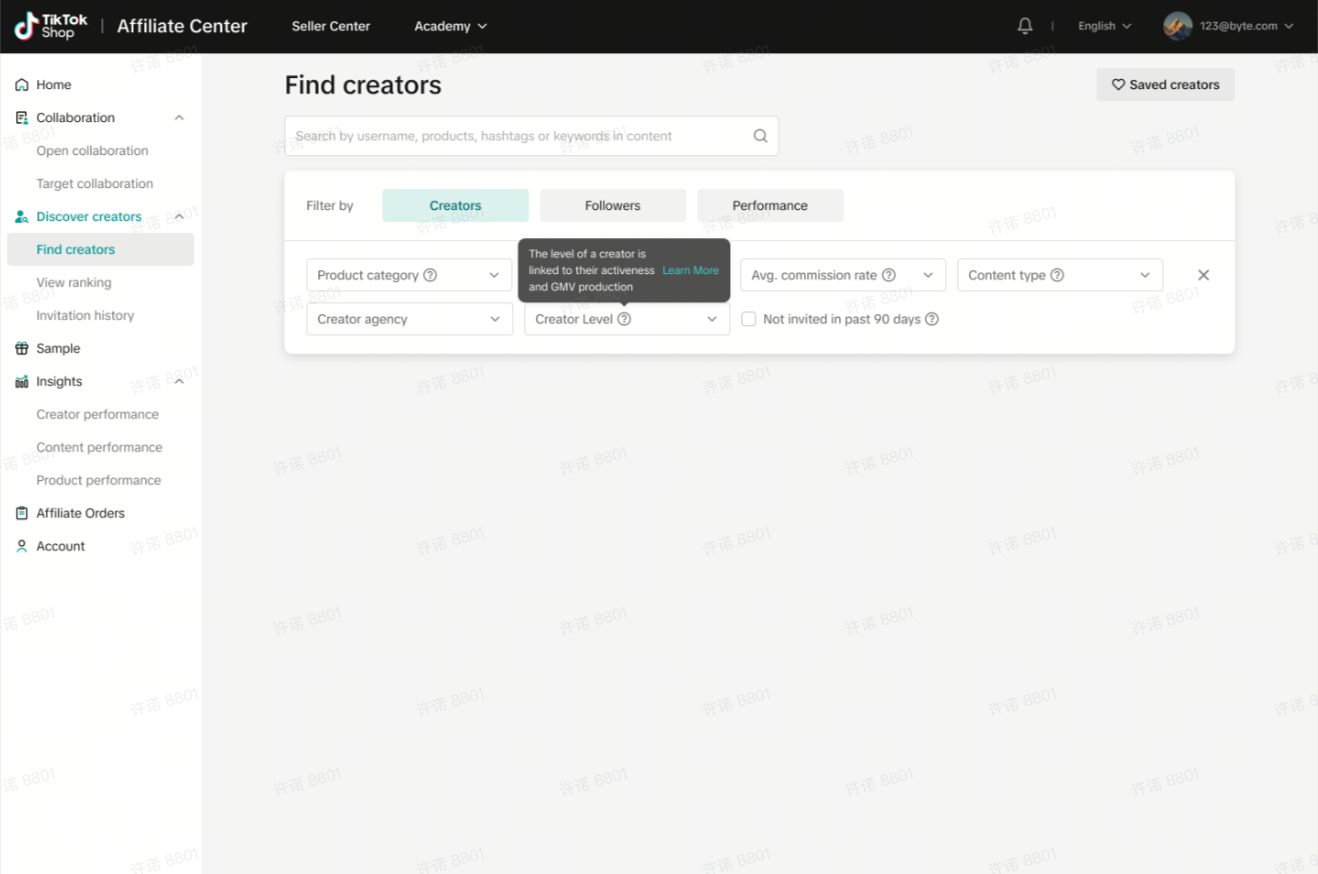 |  |
Target Collaboration
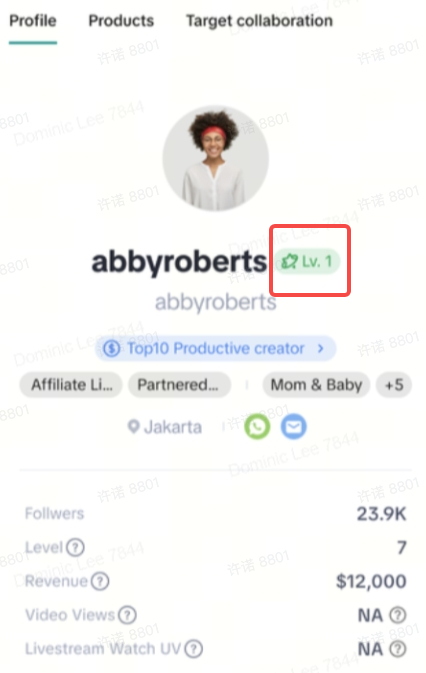
When selecting creators for a Target Collaboration invite, sellers can also view the creator's level for those they've saved from the Find Creator module, as well as for the recommended creators.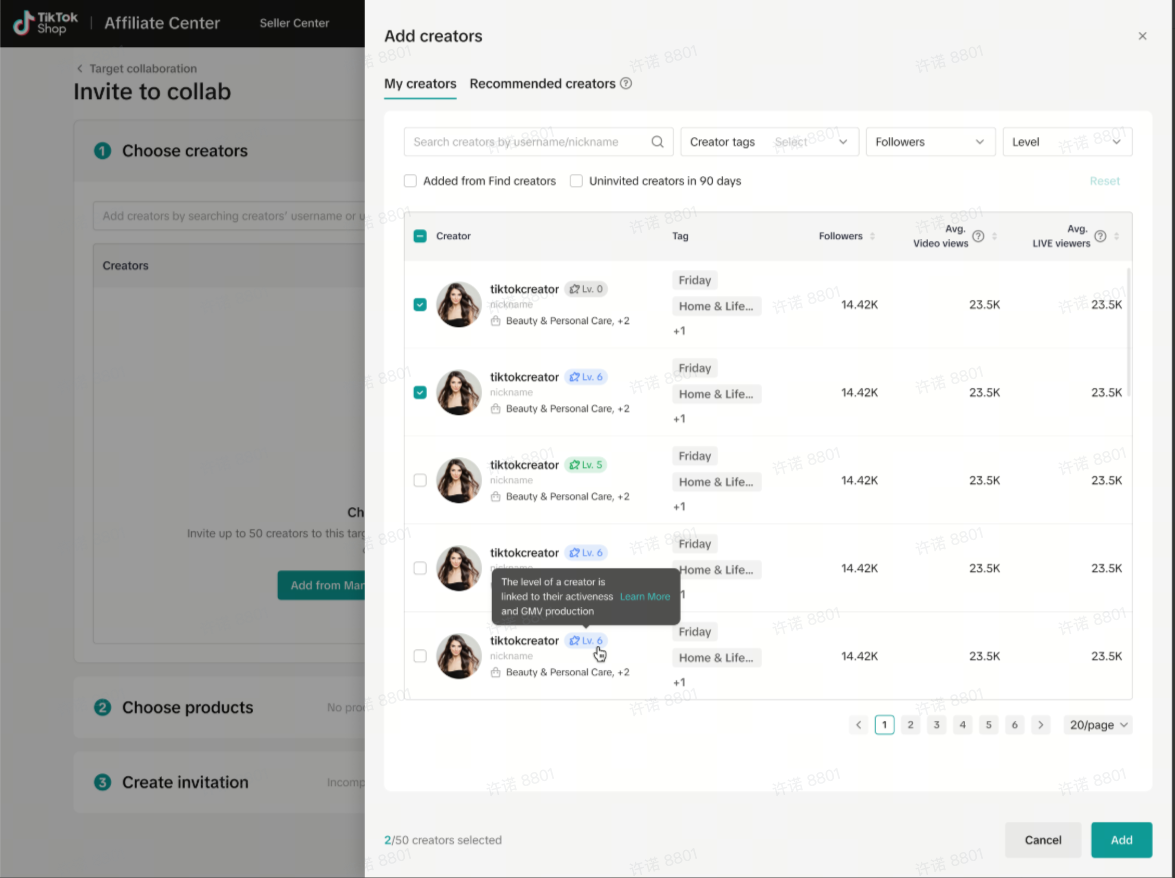 Saved Creators | 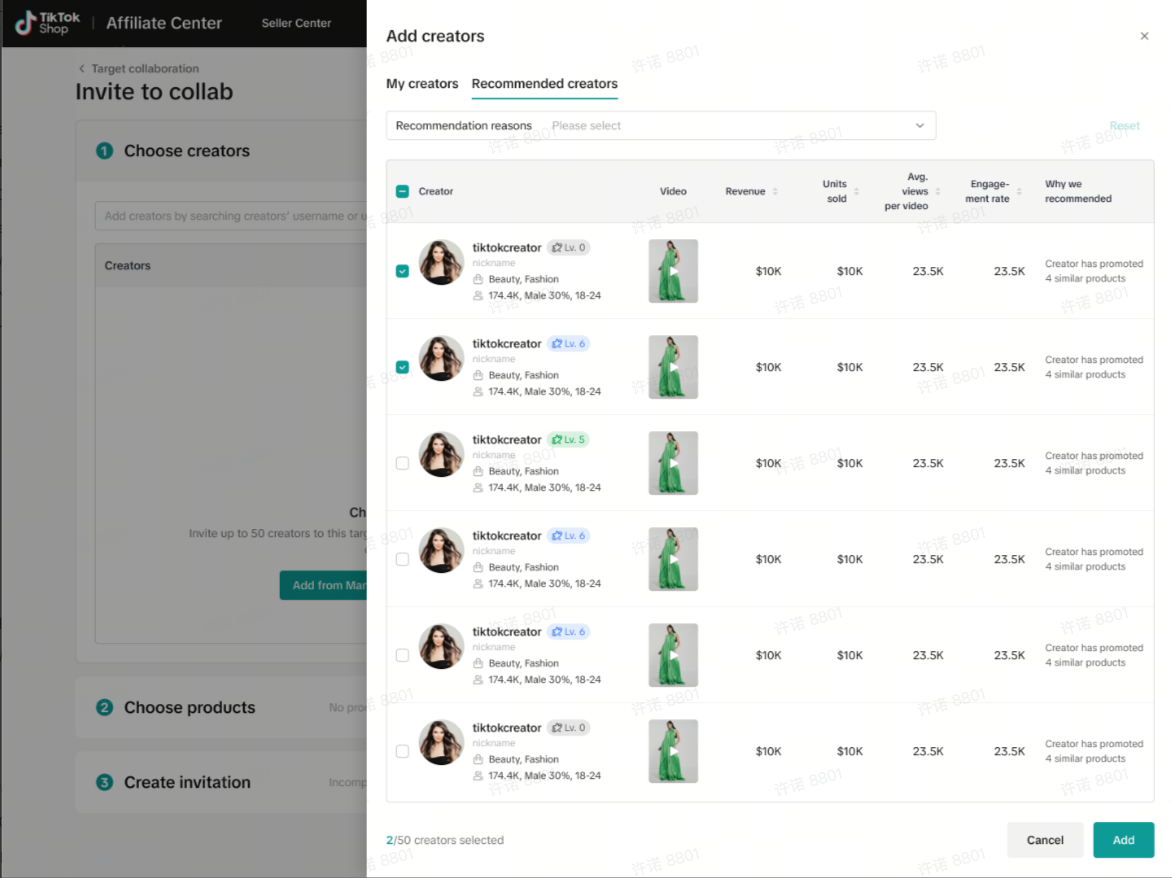 Recommended Creators |
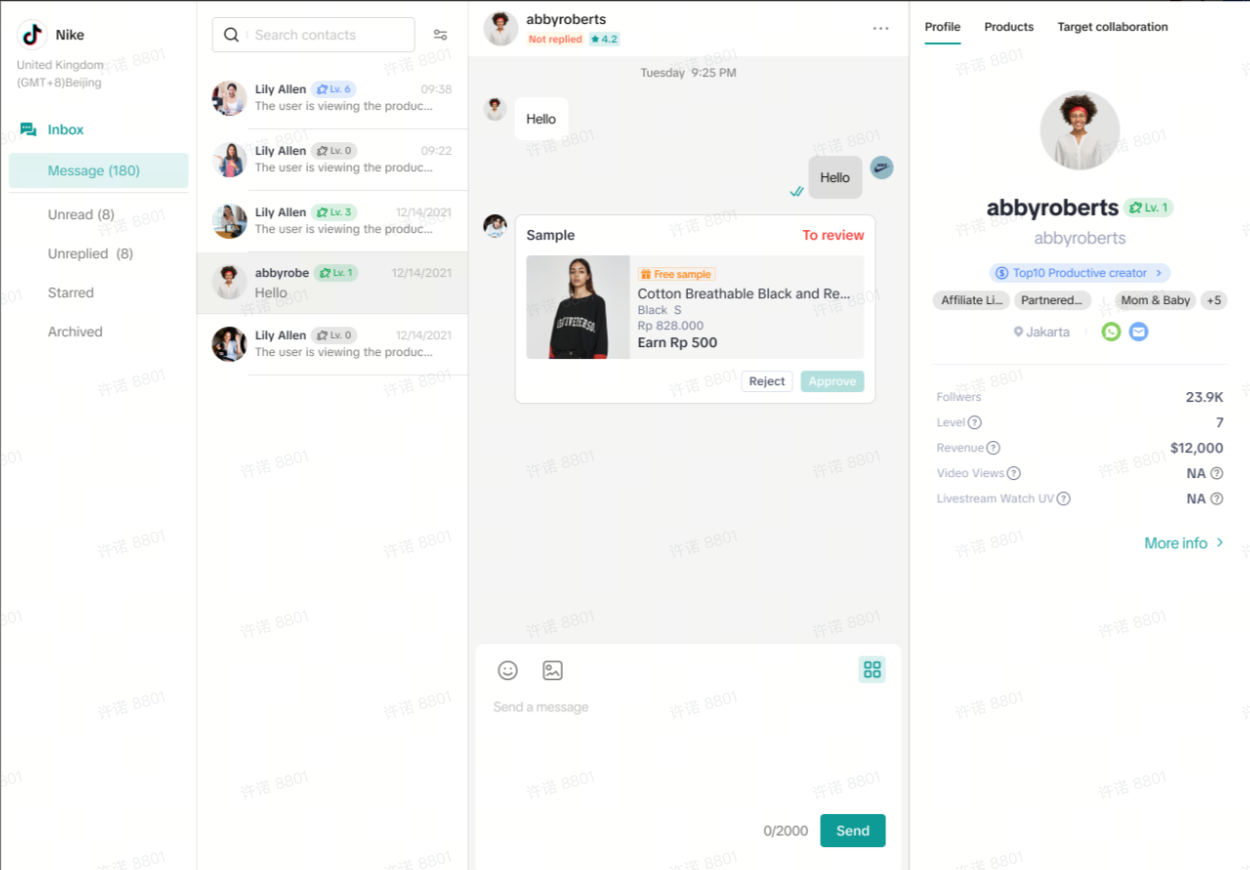
Seller-Creator IM
 |
|

How to select and collaborate with creators on different levels?
Suggestions for sellers to select creators:Sellers are recommended to choose creators based on two primary criteria:- Affiliate Marketing Purpose: Determine if Link-Share Only Creators meet your needs, or if Affiliate Creators, capable of both linkshare and content creation (LIVE and short videos), are required.
- Creator Level: A timely evaluation of creators based on recent GMV performance, activeness in promoting products, and the diversity of the products selected by creators.

FAQ
- Will users view creator levels?
- No, only creators themselves and sellers will be able to view the creator levels.
- What are 'Active Days' and why is this metric important?
- Active Days are earned by creators when they consistently promote affiliate products through LIVE, short videos, or sharing product links externally. This metric shows the creator's dedication and engagement, which translates to a higher likelihood of promoting sellers' products effectively and proactively.
- There are different creator levels (L0-L8). How shall sellers know which level of creator is best for promoting their product?
- Higher Creator Levels generally indicate stronger performance and activeness, which unlock increased benefits and eligibility for campaigns like Leaderboard.
- Apart from creator levels, sellers are suggested to also consider whether the selected creators align with the product, target audience, budget, and overall marketing goals to choose the ideal creators for affiliate collaborations.
- What will happen to sellers if the level of a creator they are collaborating with suddenly drops?
- A slight decrease in level may occur due to creators falling below minimum GMV or activity thresholds in the previous month, as creator's performance naturally varies. A significant, consistent drop, however, could indicate unreliability, prompting sellers to reconsider their collaborations.
- Furthermore, a level decrease can result in the loss of access to level-specific benefits or eligibility for campaigns like Leaderboard. Sellers relying on these benefits and campaigns should be aware of potential disruptions due to fluctuations in creator levels.
Anda mungkin juga tertarik
How to Request TikTok Shop Partners
In this guide, we'll walk you through the new process that allows sellers like you to connect and co…
Connecting with Creators at Affiliate
In this article, we will teach you how to message and contact your Affiliate Creators in the Seller…

Find Creators for Affiliate
This article will guide you on how to look for Creators to work with for your Affiliate Collaboratio…

How to Join Affiliate Partner Campaigns
This guide will walk you through how you, as a seller, can join affiliate partner campaigns to colla…
Creator Ranking List
This article will teach you how to understand and navigate the "View Rankings" page in the Affiliate…
Manage Creators
This article will guide you on how to use and explore the "Manage Creators" page in the Affiliate Ce…
Affiliate Partnerships Overview
This guide will walk you through on how sellers can now track and monitor performances when collabor…