

How to Withdraw Commission
12/13/2022
Bank card withdrawal
1.Link bank card
Step1,Enter the TikTok Shop, click Commissions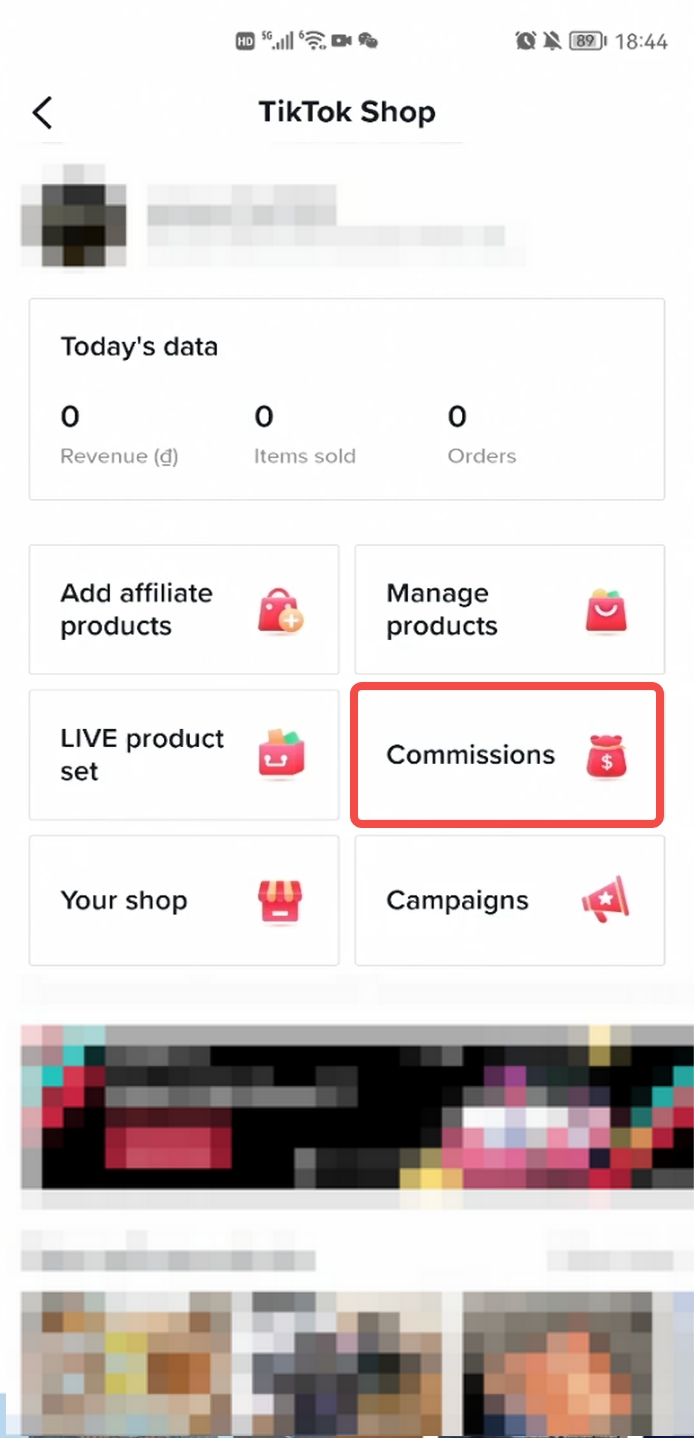 Step2.,Click the withdraw button
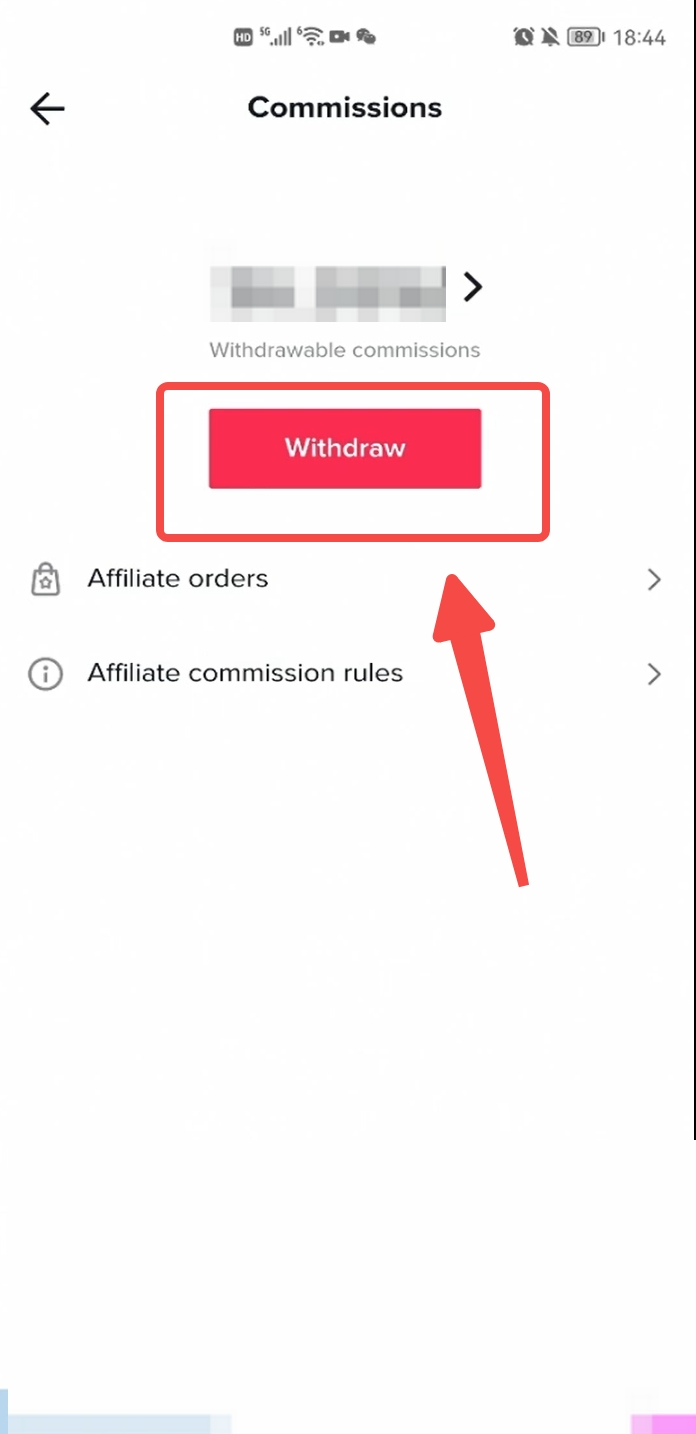 Step3, Click add a new payout method
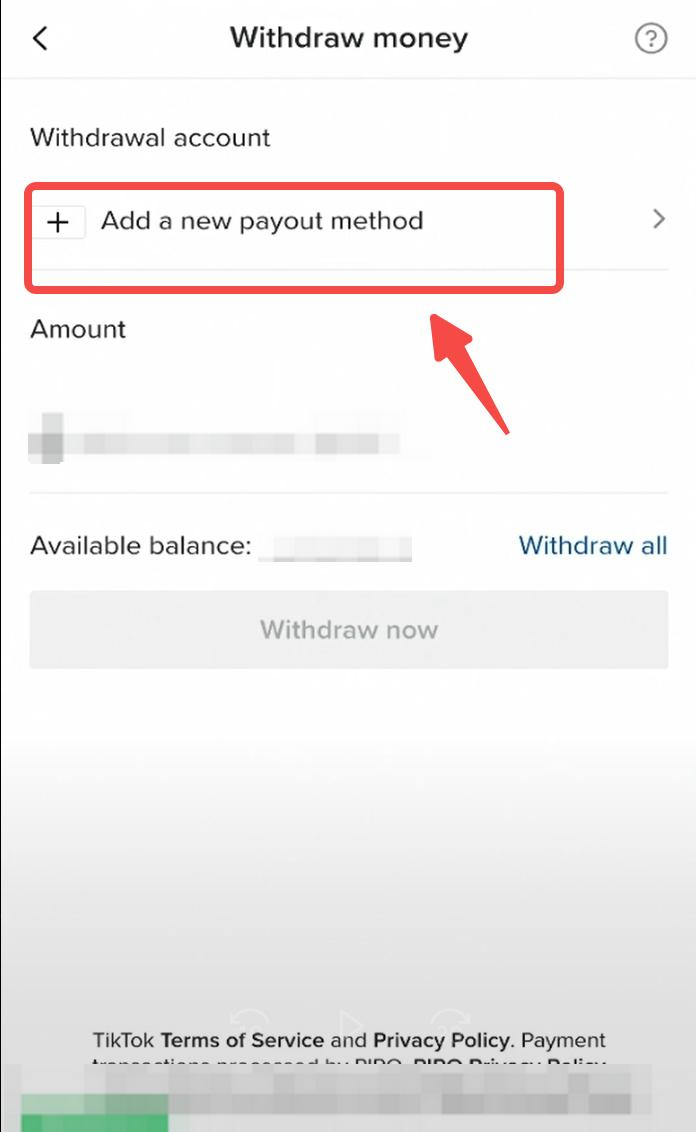 Step4, select Bank transfer
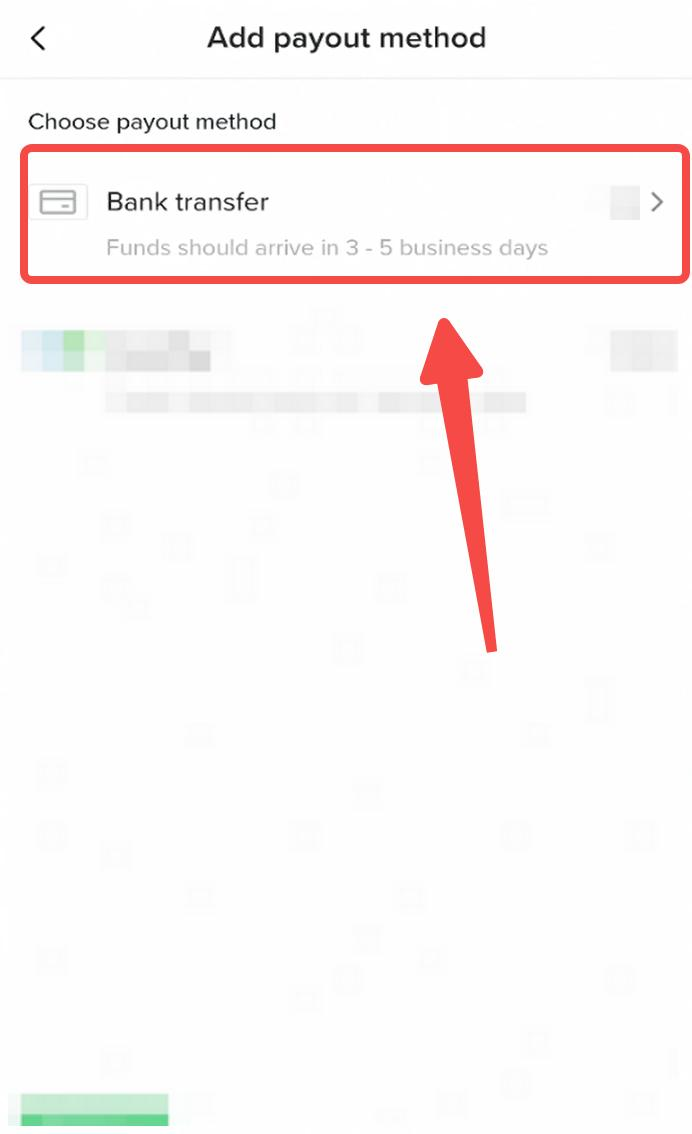 Step5, complete the OTP authentication, PS: The verified phone number here is the phone number registered for this TikTok account. If it does not match the current phone number you are using, please apply to modify the phone number through this link https://www.tiktok.com/legal/report/feedback
 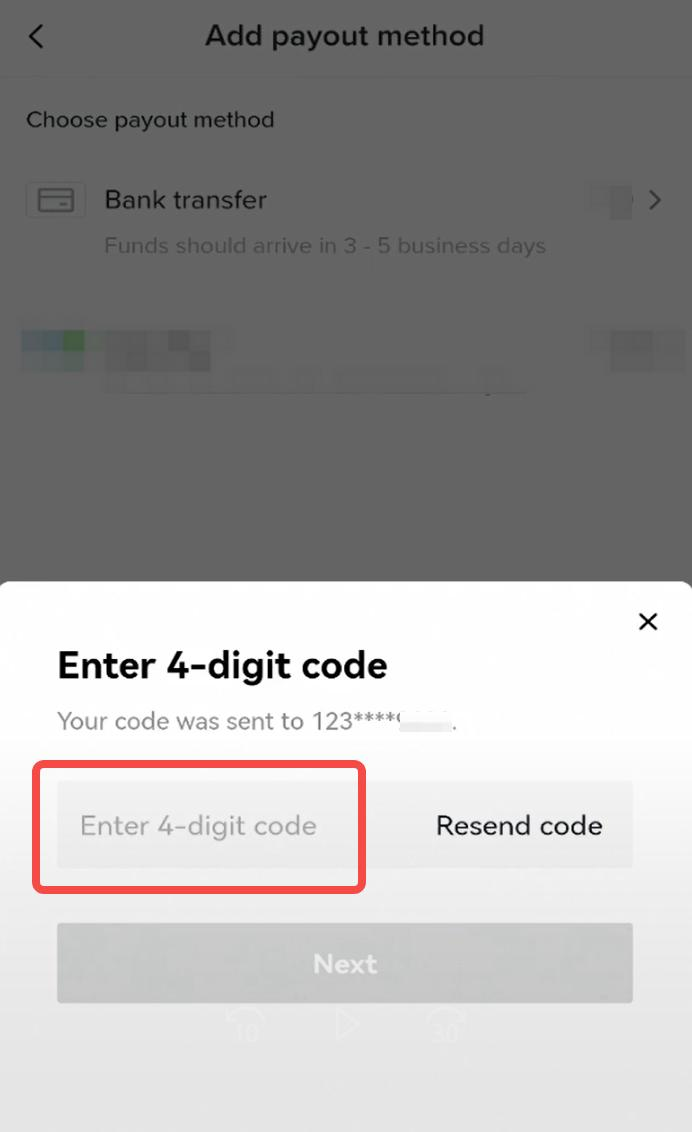 Step6, Fill in the bank card information
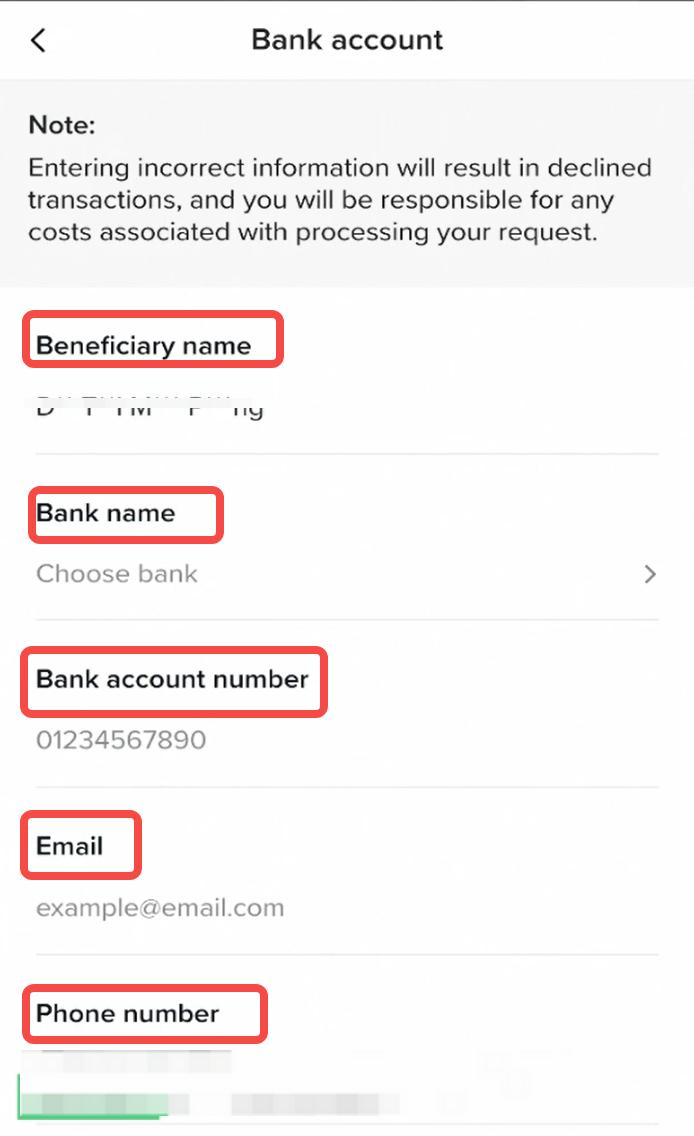 Beneficial name: The name of the account holder, which is the same as the name you filled in when you completed the affiliate commission account openingBank name: Click to select the corresponding bankBank account number: Please enter your bank card numberEmail: Please provide your valid email contact informationPhone number: Please provide your valid phone numberStep7. After double-checking the bank card information, click confirm to complete the binding
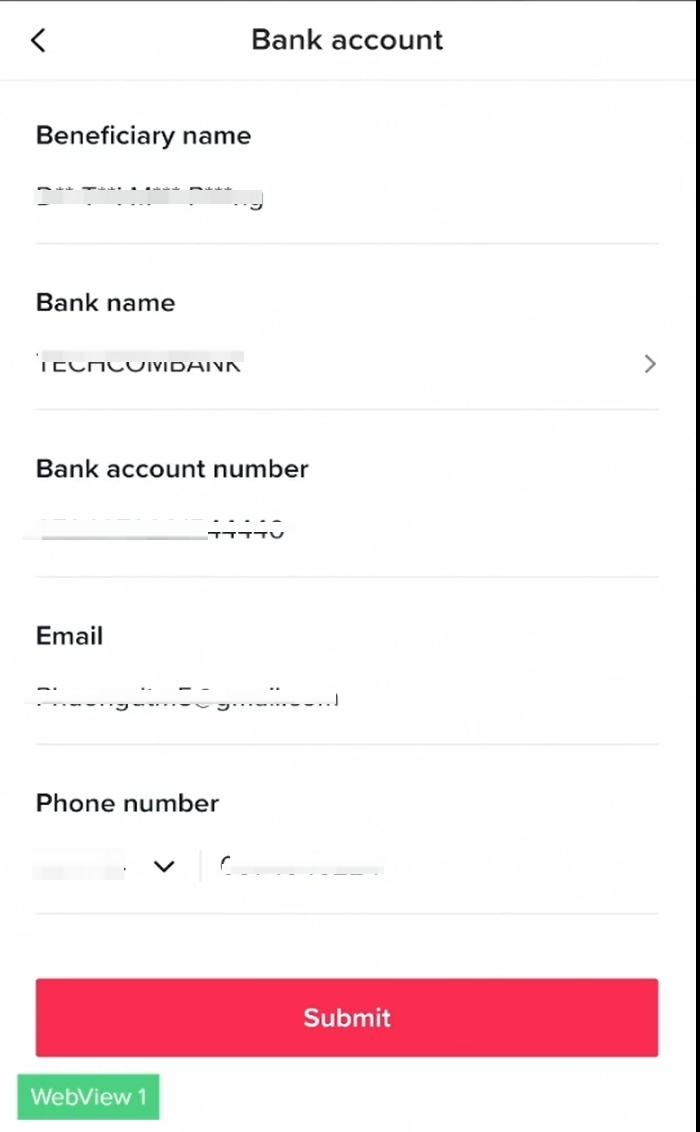 Step8, Binding is successful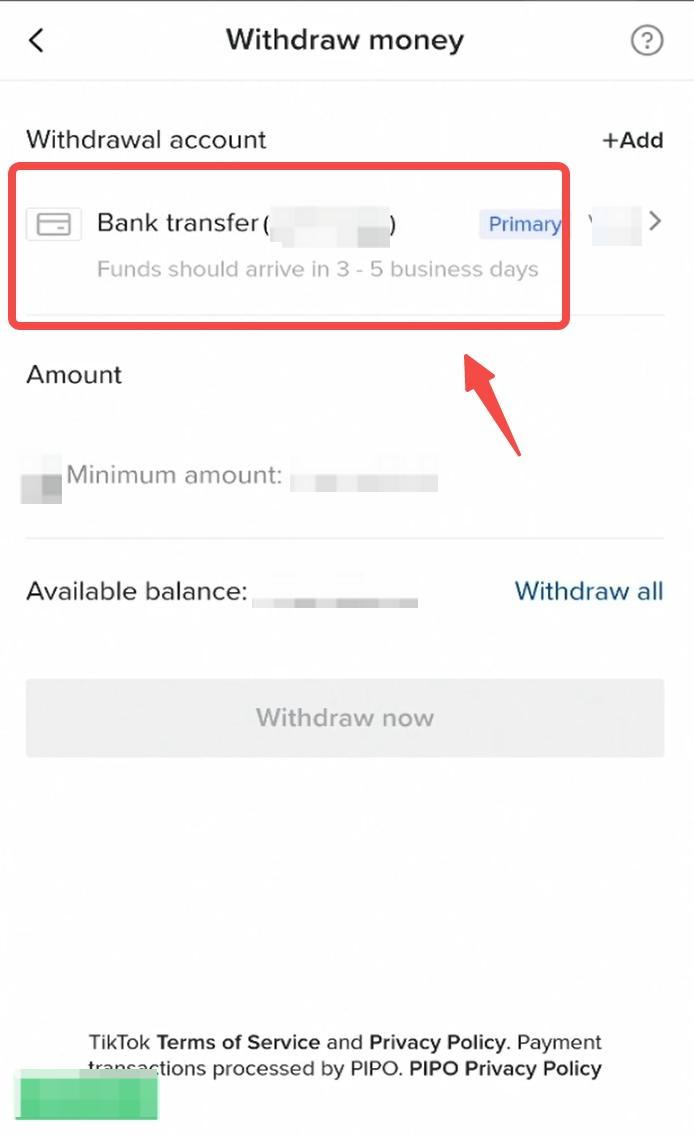
2. Withdraw commission
Step1, enter the amount you want to withdraw, and the system will help you calculate the service fee below (Want to know more about withdraw rules?,please find more information in Platform Withdraw Rules tab)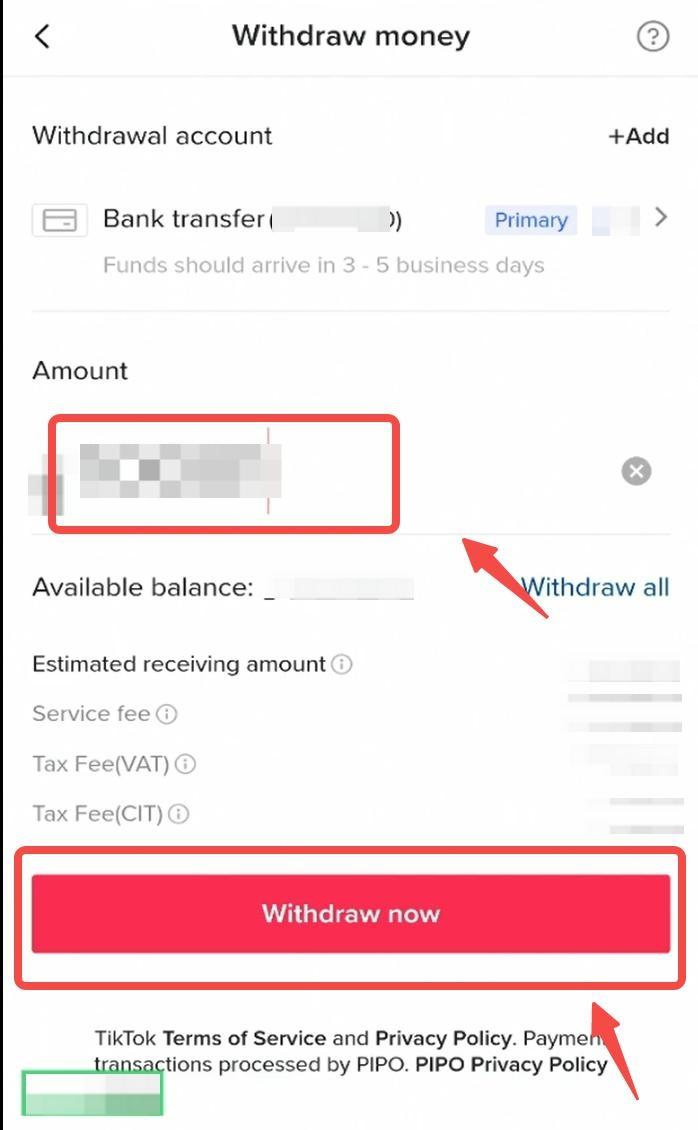 Step2. Please click confirm to submit the withdraw application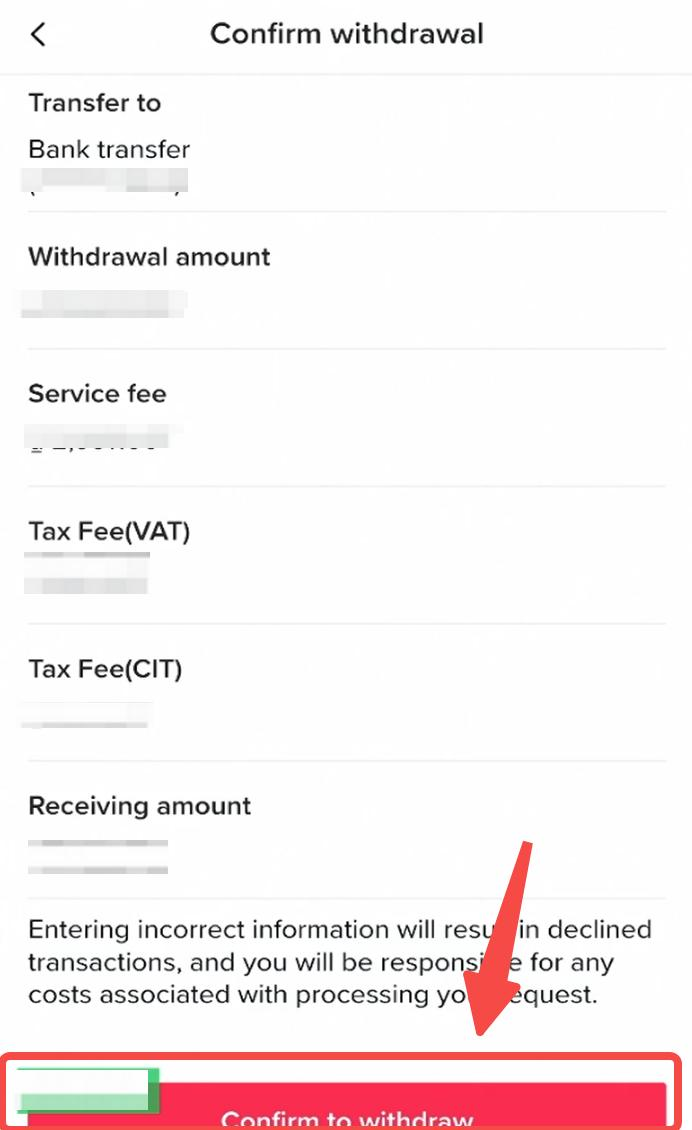
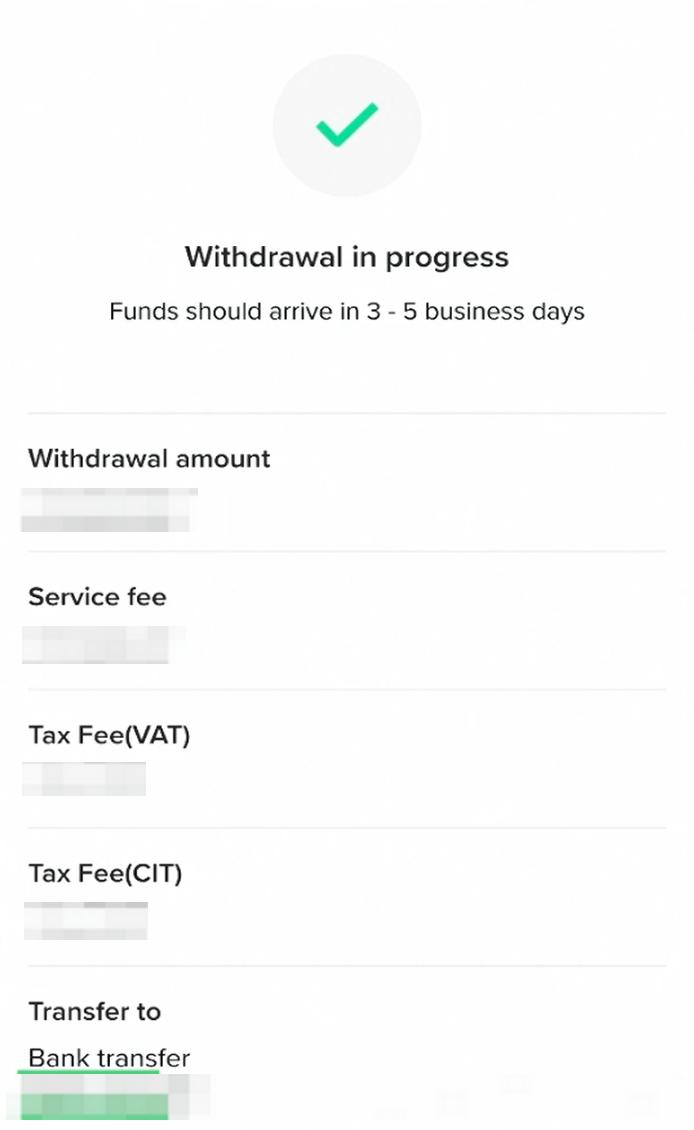
Withdrawal with Zalopay
1. Bind Zalopay
Step1, Enter the TikTok Shop, click Commissions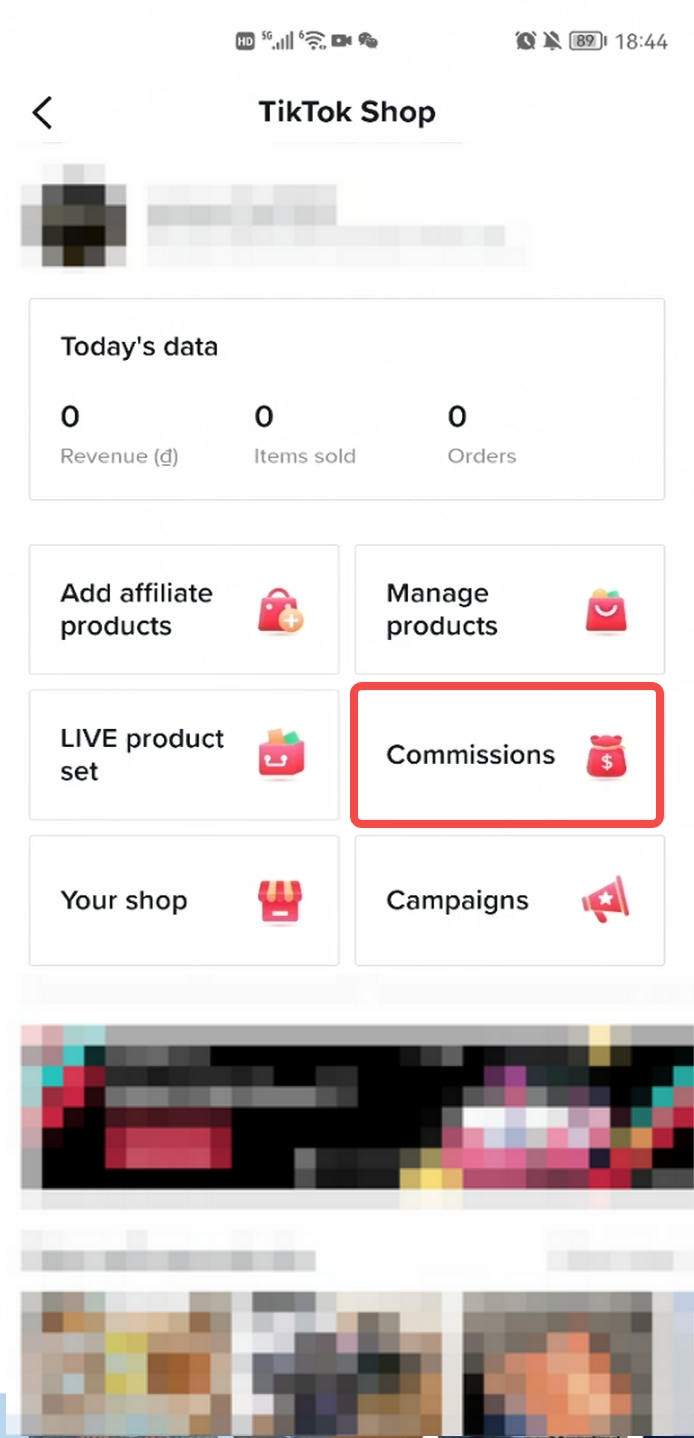 Step2. Click the withdraw button
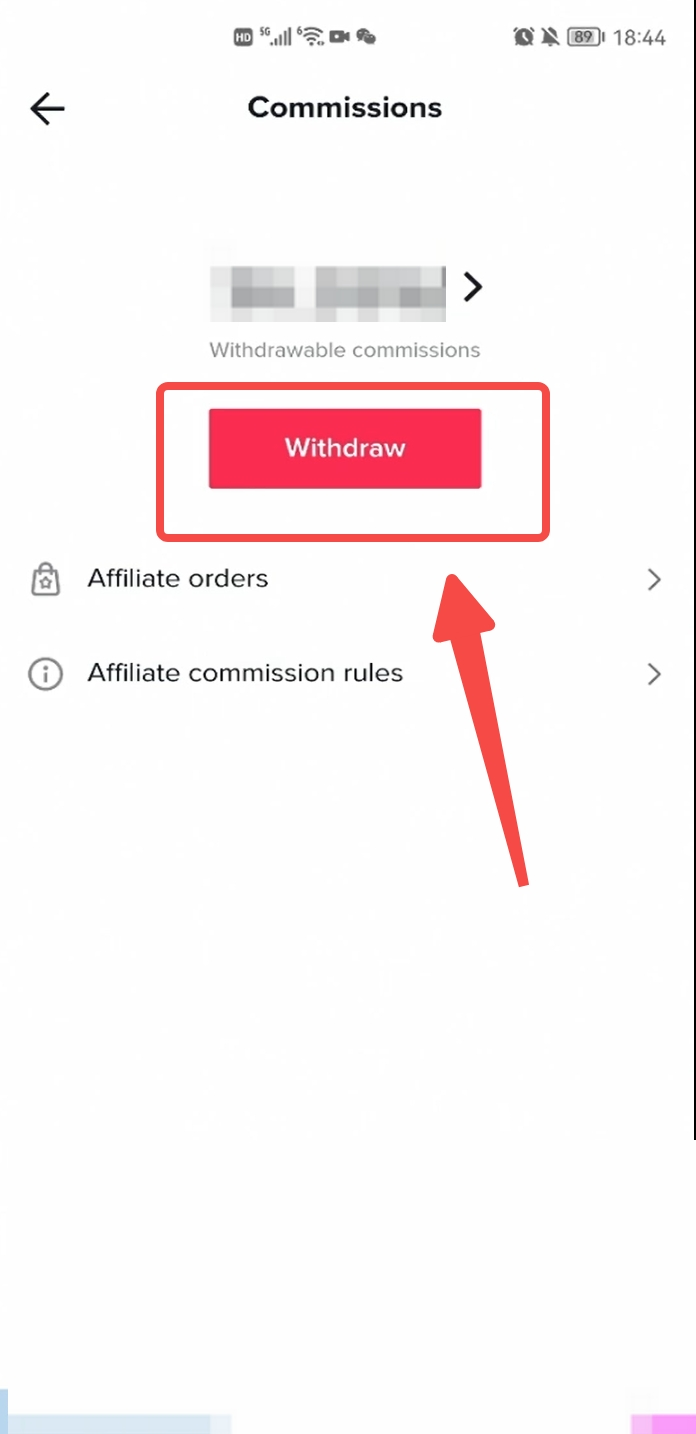 Step3, Click 【+Add】 to add withdrawal account
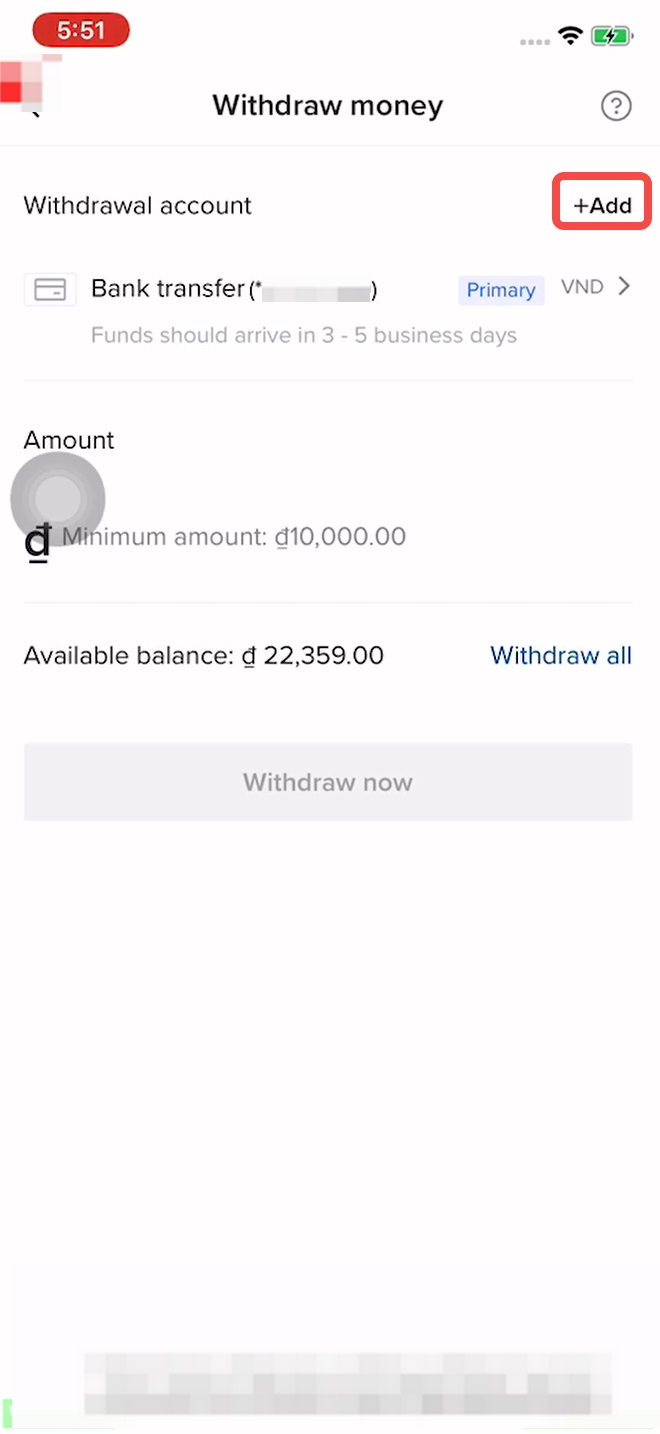 Step4, Select Zalopay
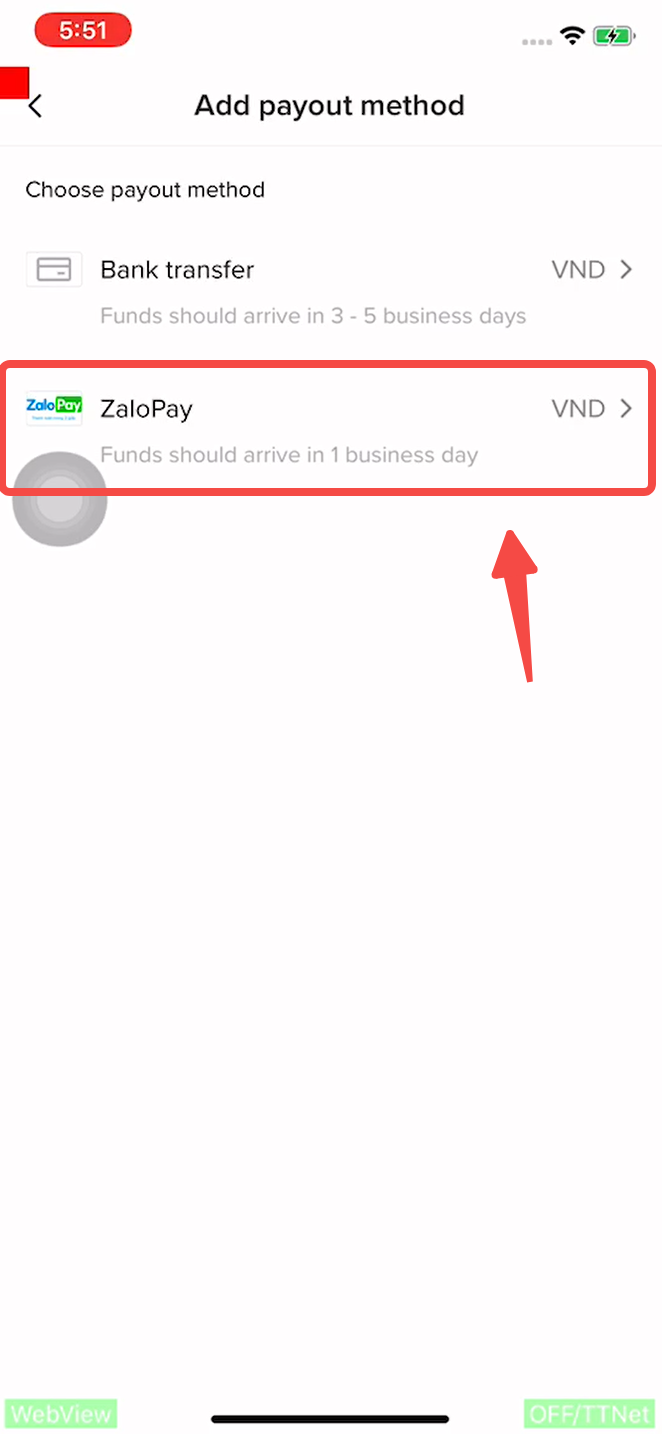 Step5, Add Zalopay account
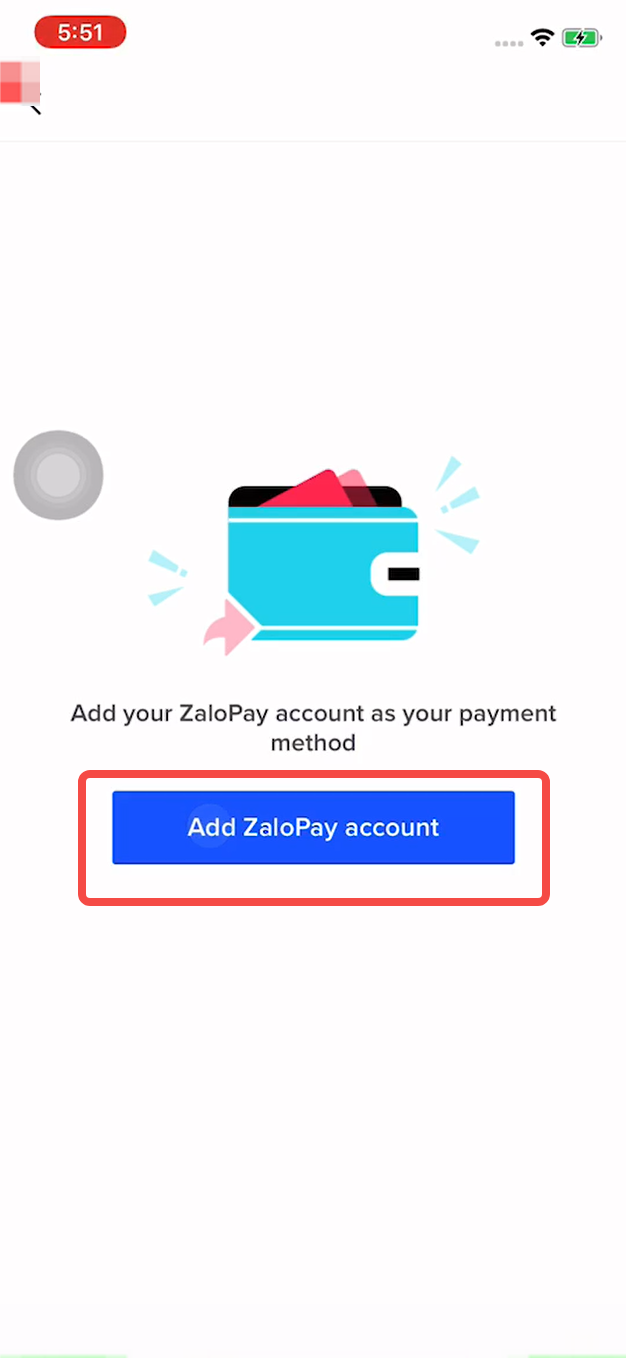 Step6. Enter the Zalopay platform and complete the verification and authorization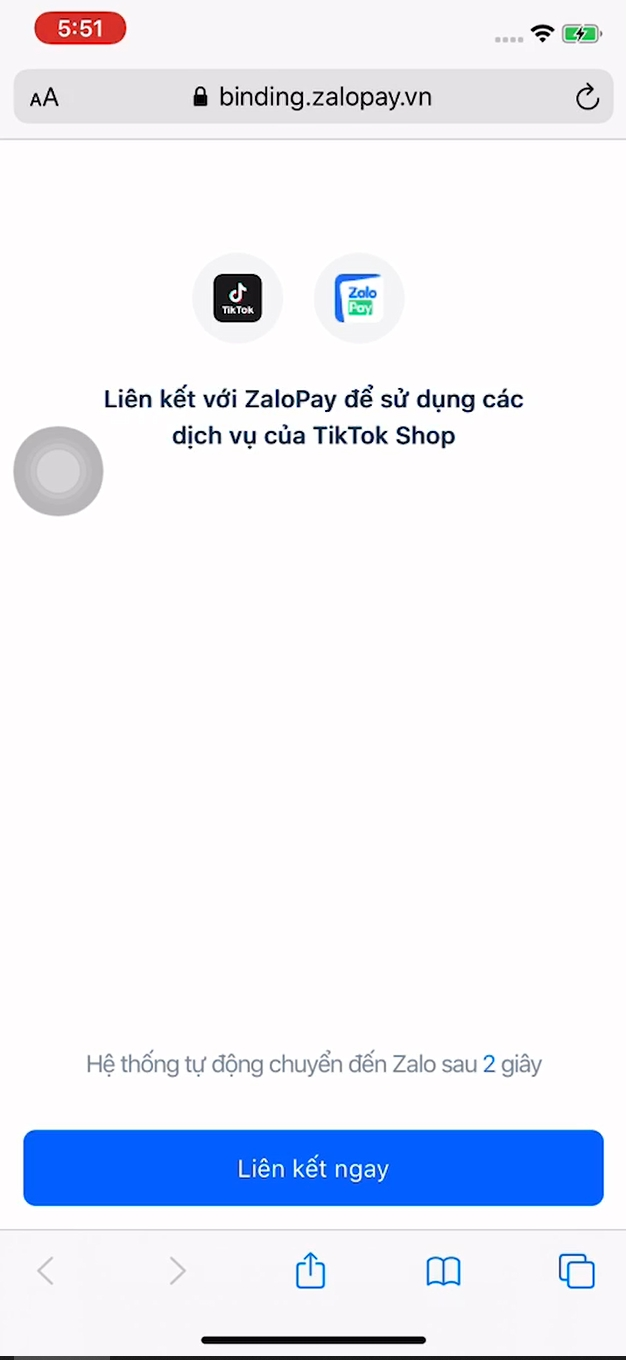
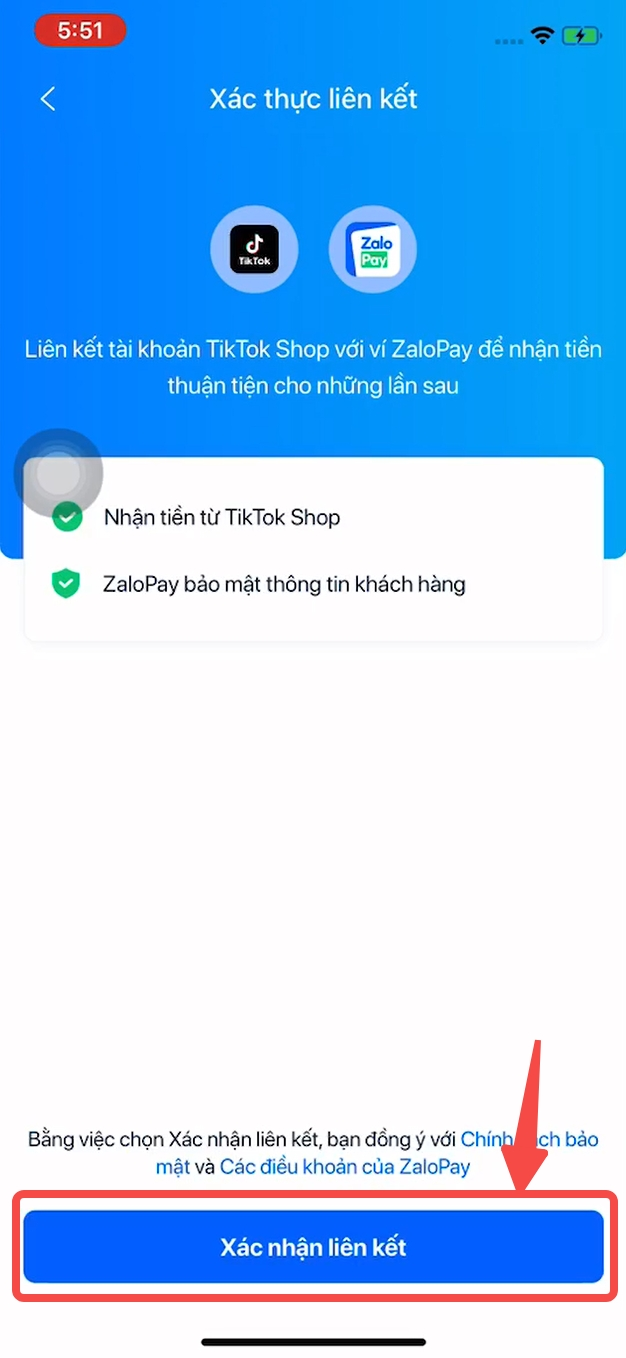
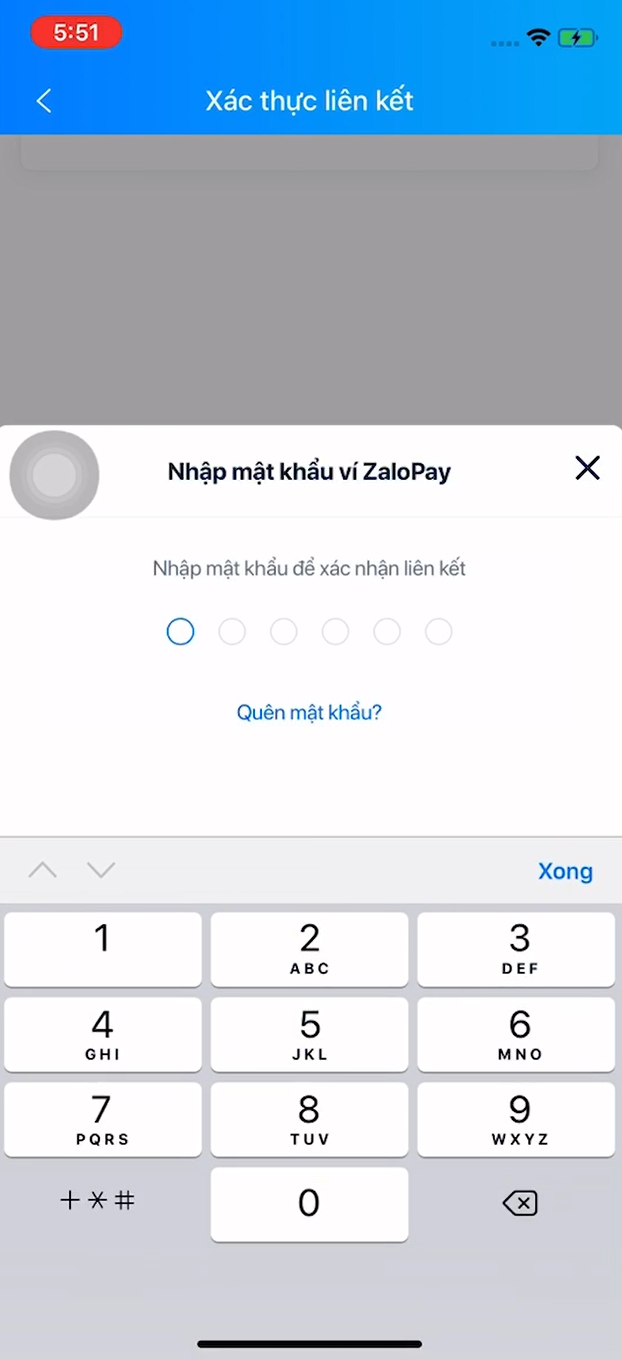
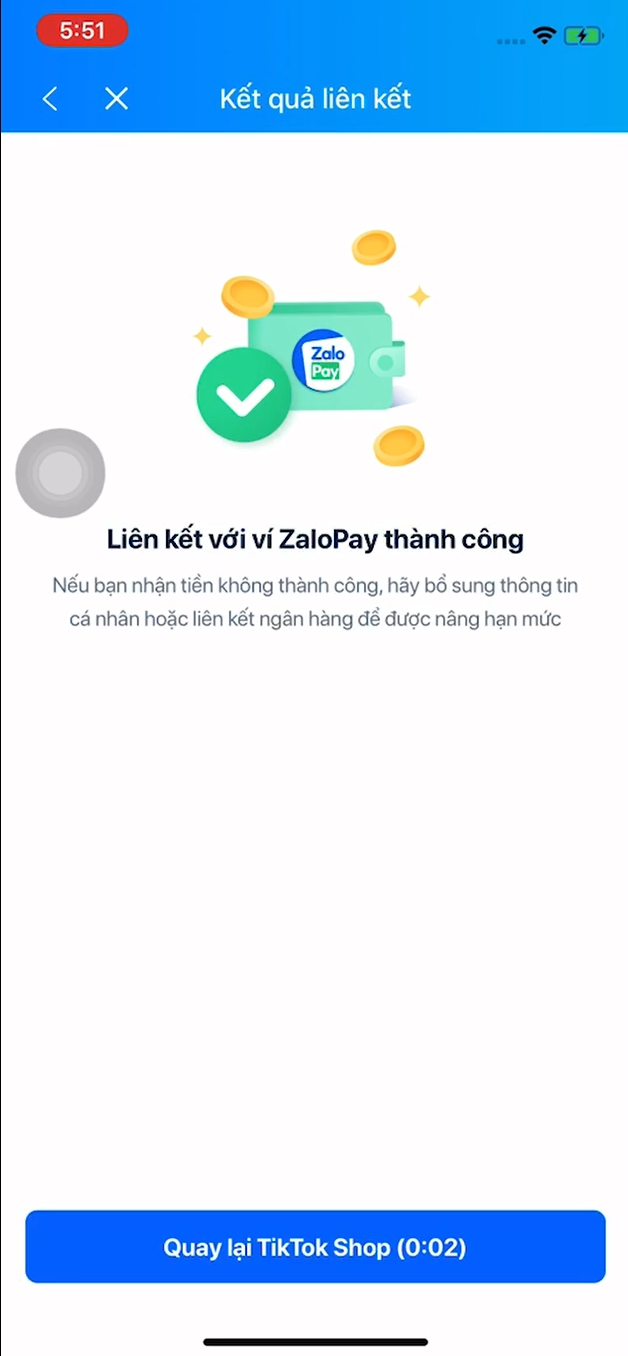 Step7, bind Zalopay successfully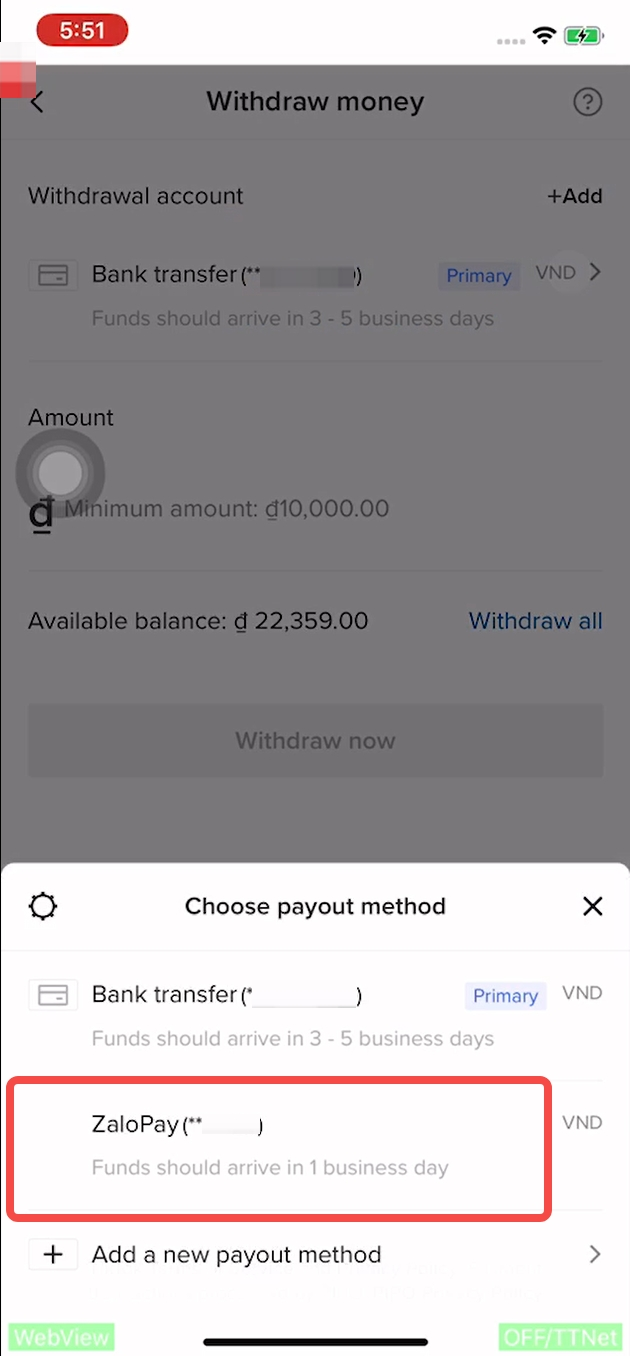
2. Withdraw commission
Step1, Switch the payout method to Zalopay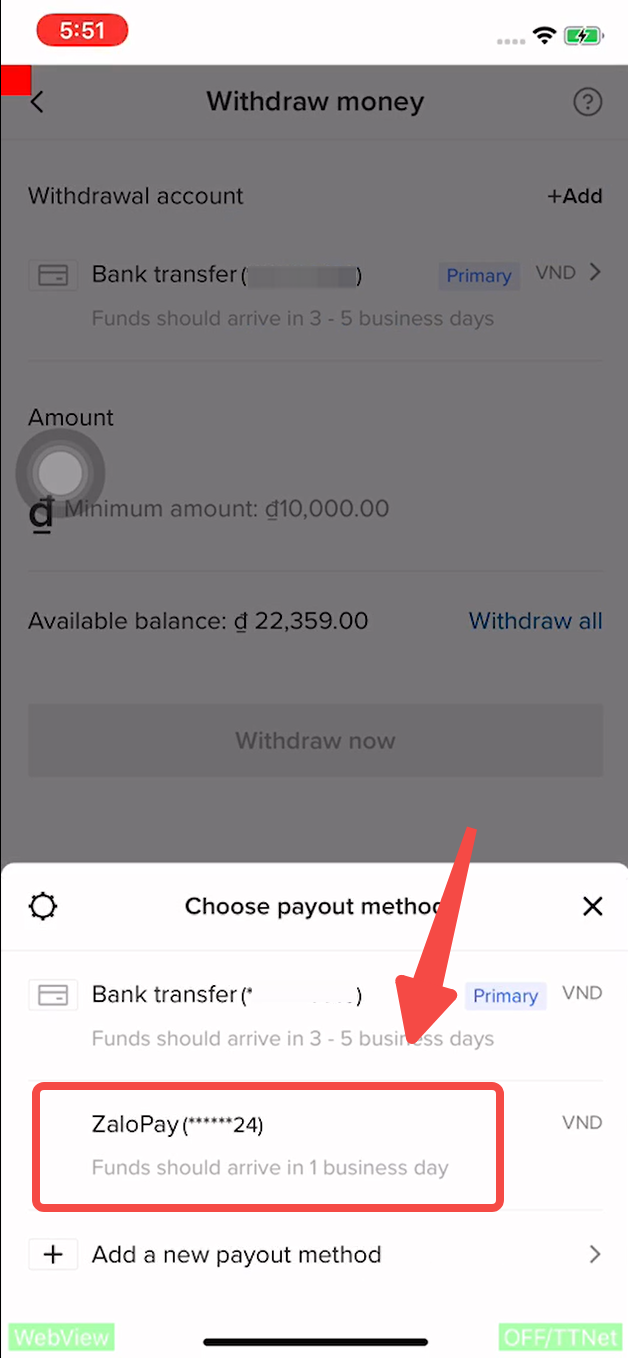 Step2, Enter the withdrawal amount and confirm the service fee
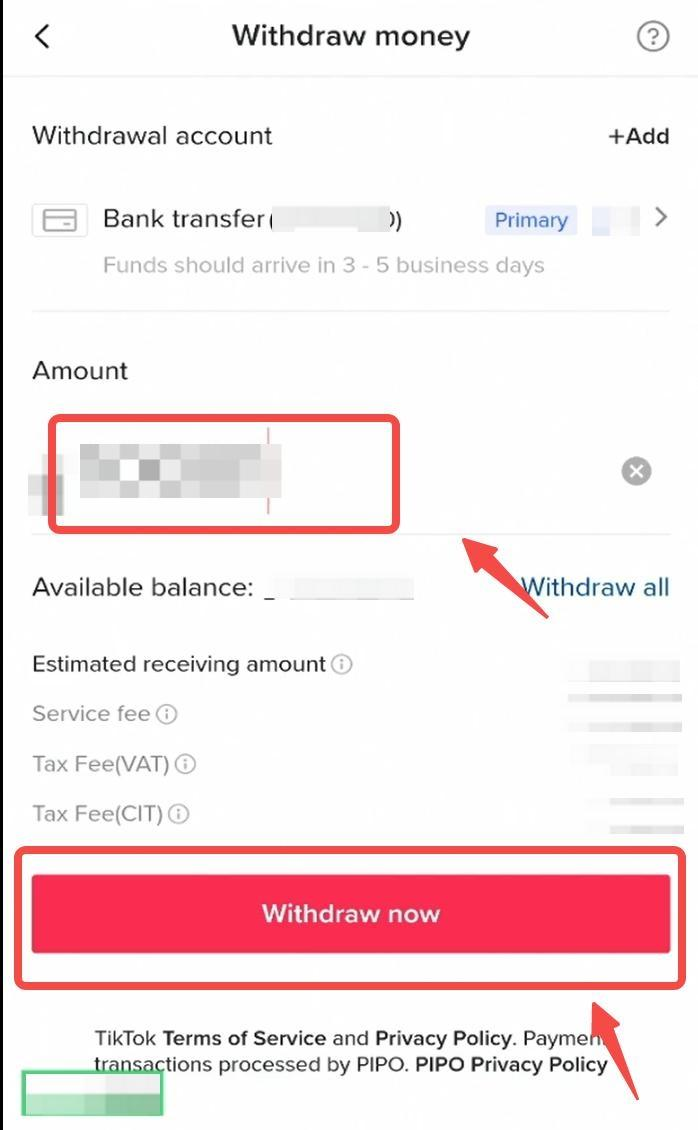 Step3, Confirm withdrawal information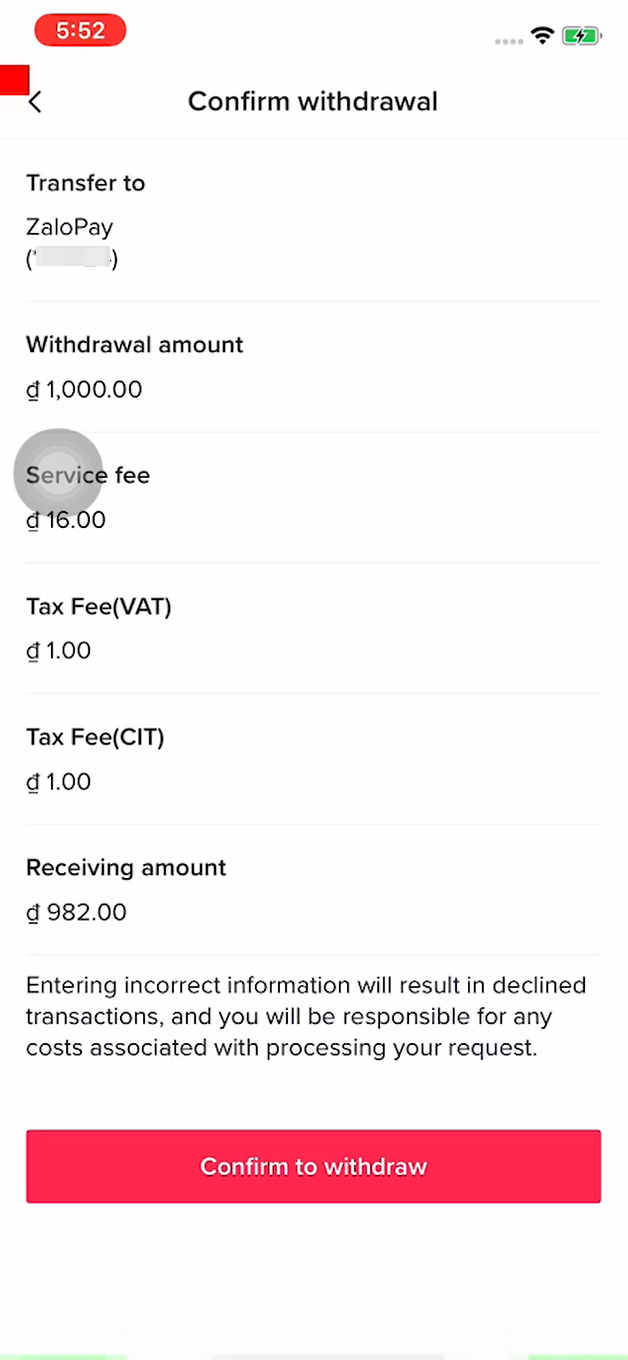
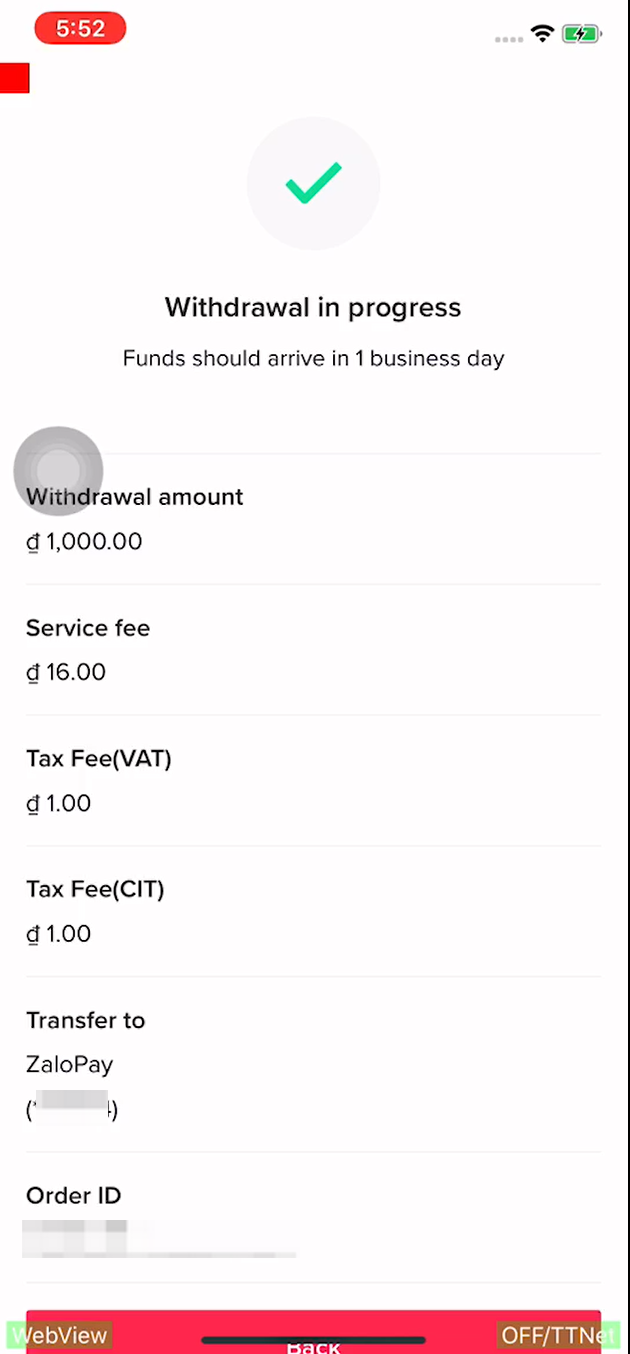
How to check the withdrawal progress?
Click the button next to the commission amount to enter the transaction page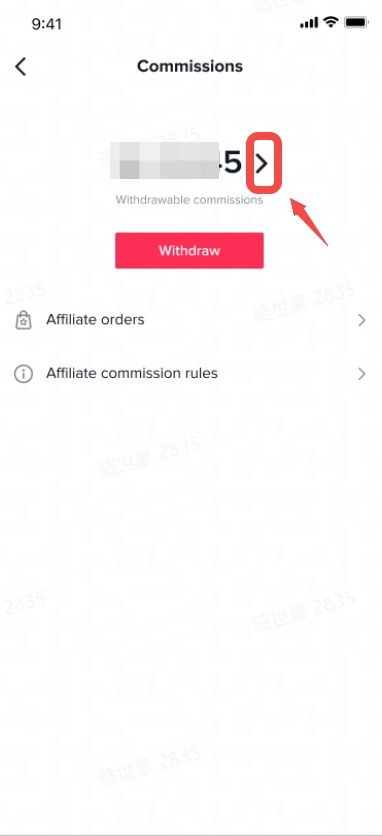 Click withdrawals to check the withdrawal record
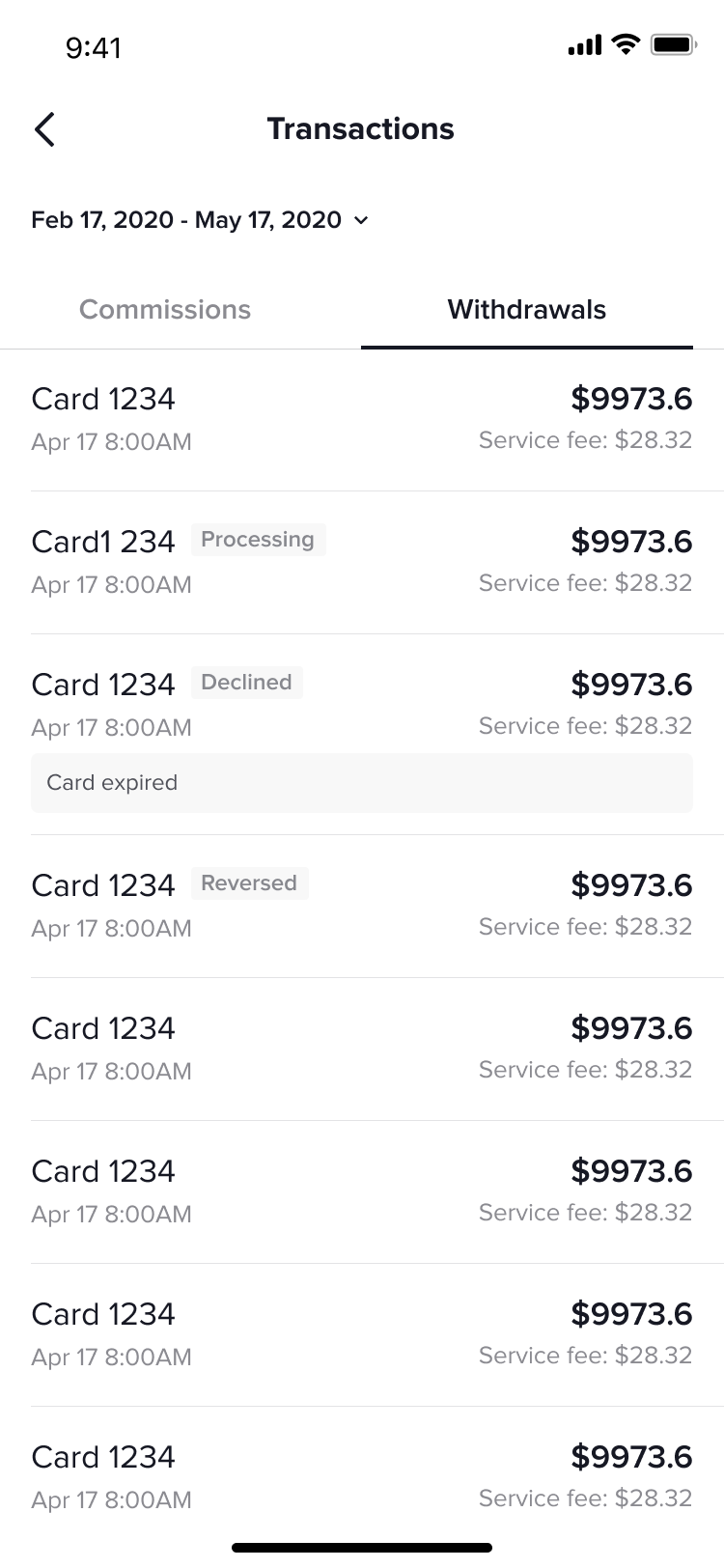 Explanation of withdrawal status:[Processing]: This commission withdrawal is in progress, please be patient. For the specific withdrawal time of different channels, please check the [Withdrawal time limit] tab[Declined]: Withdrawal failed, please try to withdraw again, or consult customer service solution through Help center[Reversed]: You canceled the withdrawal request