

How to Apply as an Affiliate Creator on TikTok Shop
02/10/2026
In this article, we will guide you on how to join as an Affiliate Creator. We have two types of Affiliate Creators, Link-Share Only and Affiliate, that have different features available to them upon applying.
To get you started: We will go over the differences between both Link-Share Only and Affiliate Creators, what their functions are, and how a Link-Share Only Creator can upgrade to become an Affiliate Creator.

Things to note:


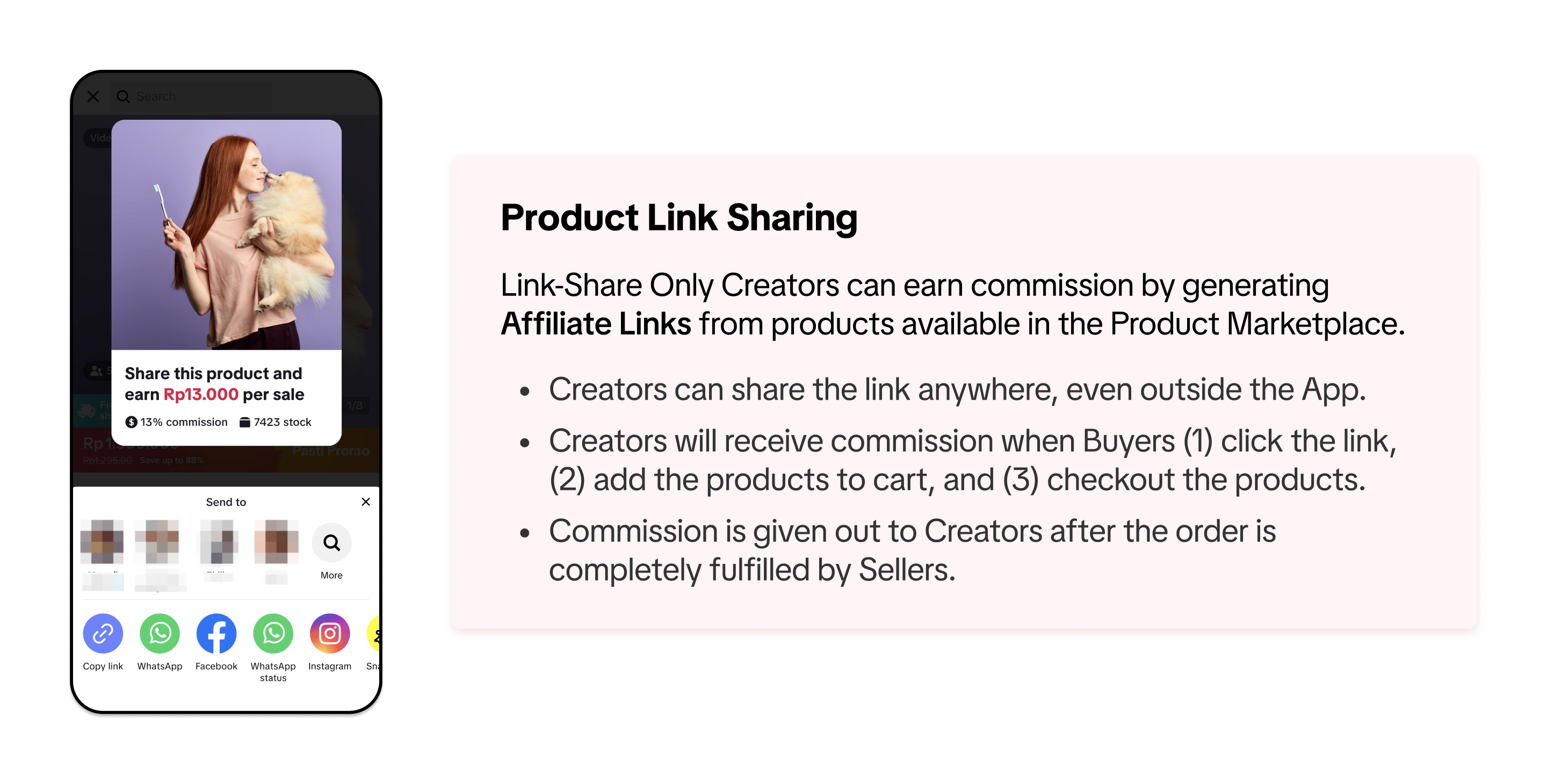 To learn more about Affiliate Links, we recommend you read our feature guide: LINK
To get you started: We will go over the differences between both Link-Share Only and Affiliate Creators, what their functions are, and how a Link-Share Only Creator can upgrade to become an Affiliate Creator.
Before You Start
Check Your Eligibility
To apply to be a TikTok Shop Creator:- Your TikTok account must have at least 1000 followers
- You must be at least 18 years old
- Your TikTok account must not be a Government, Politician and Political Party Account (GPPPA) as defined in this article.
- The e-commerce content on your TikTok account must comply with our TikTok Community Guidelines
- You must not have any prior record of having e-commerce permissions revoked by TikTok Shop
- Your associated TikTok Shop account(s) must not have any platform violation risk.
Documents for Identity Verification
| Nationality | Documents accepted | Additional Information / Supporting docs |
| Vietnamese | Căn cước công dân (CCCD) 12-digit ID card | Tax code (Same as 12-digit ID number)*Note: Tax information submission is required as part of the mandatory guideline that will be enforced by the Vietnamese Government from July 1, 2025 (See Tax collection article for more info INSERT LINK) |
| Non-Vietnamese | Passport | Proof of Address (POA) verification. POA documents must contain the creators' registered name and full address in Vietnam, and can include: Utility bills/ Credit Card Statement/ Bank Statement. |
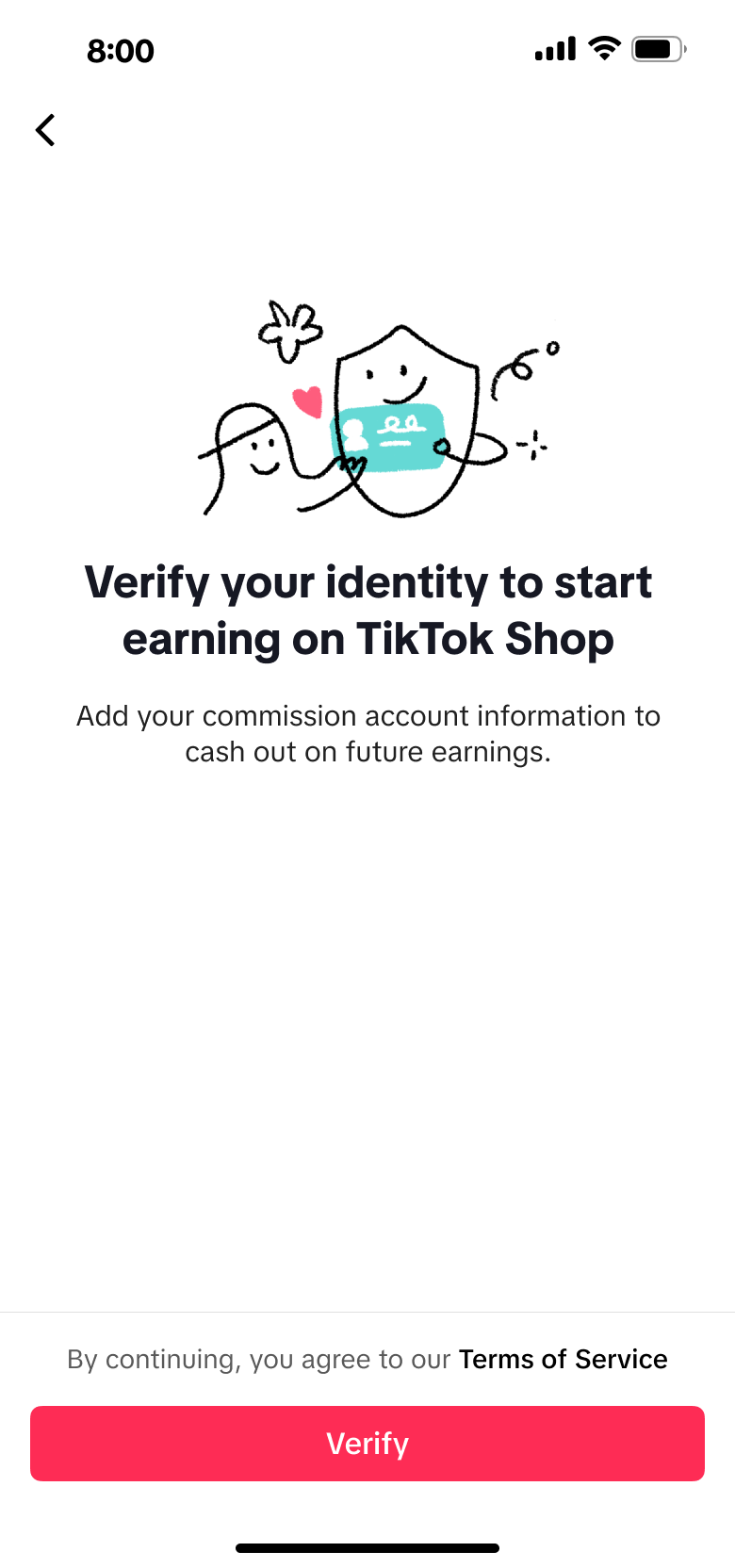
Verify your Identity before Starting Your Journey as an Affiliate Creator
Before you start your journey, such as posting shoppable videos, going LIVE, adding products into Showcase and withdrawing your earnings, you will be asked to complete your Identity and Age Verification.Click "Verify" to begin the verification process
You will be prompted at various points across the app to begin the verification process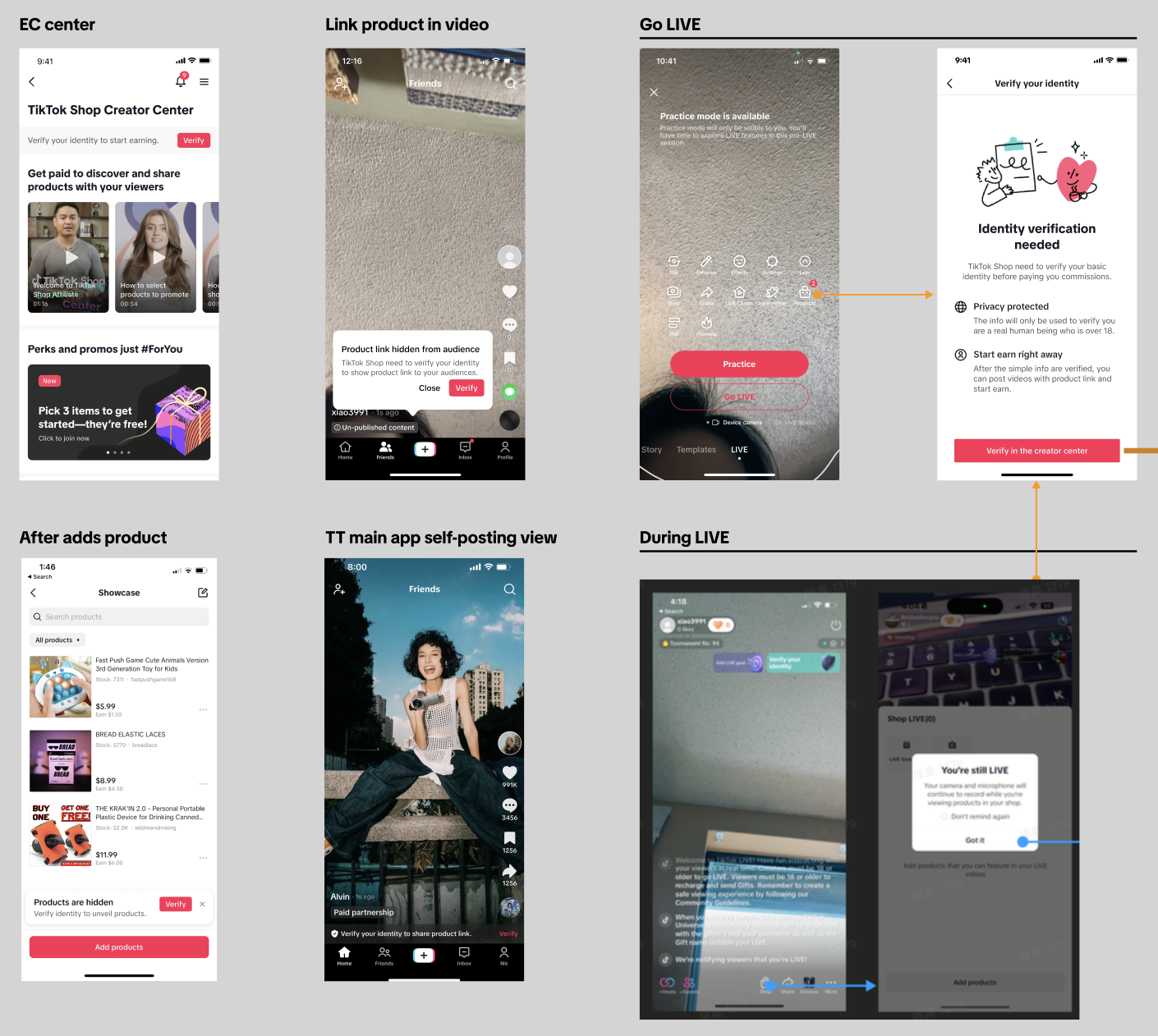 |
|
Step 1: Start the Verification Process
Step 2: Select ID and scan ID based on the in-app guidance for verification.
You are able to select the following 2 types of ID for verification: Căn cước công dân (CCCD) 12-digit ID card (Vietnamese), Passport (Non-Vietnamese)
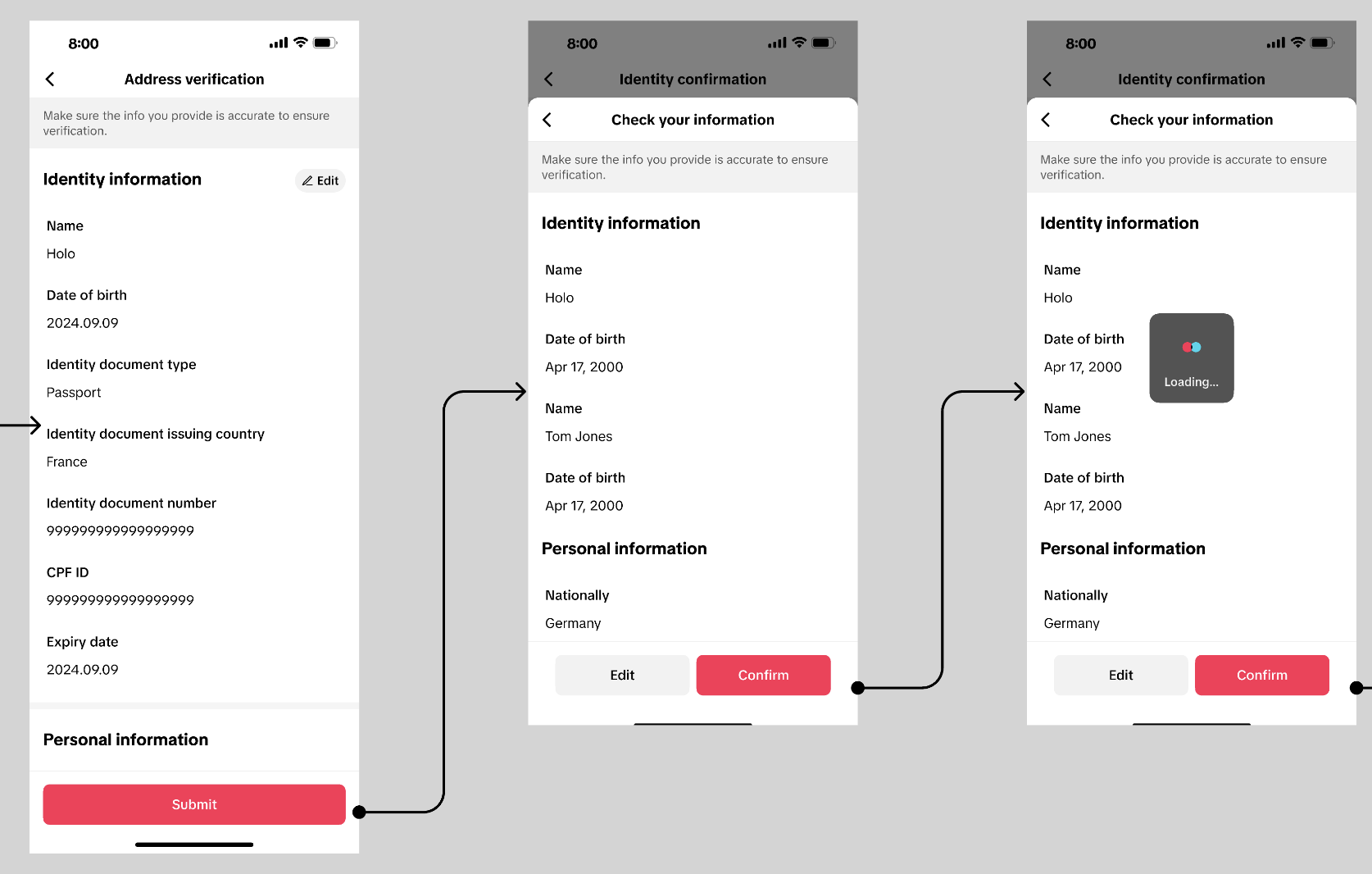
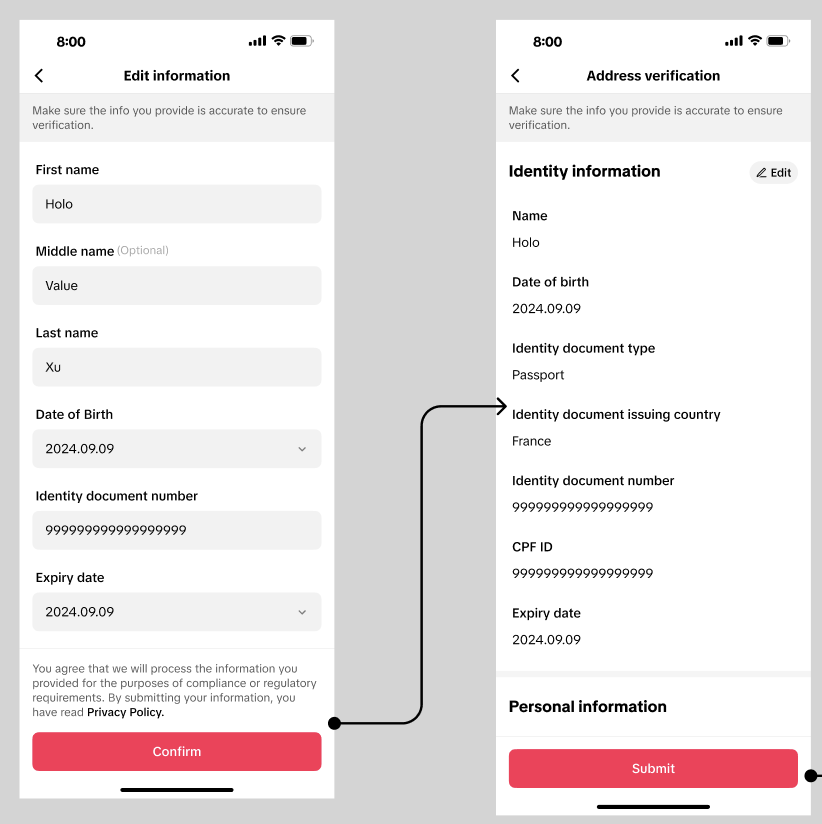
Step 3: Submit your address information based on your ID to help us verify your identity.
 |  |
- All documents must be valid and not expired.
- Information from each uploaded document must match what was manually entered.
- Uploads must meet requirements of having the full document visible, and must not be physically or digitally altered.
- Please ensure all uploads of documents are <5 MB in PDF, JPEG (JPG) or PNG format. File names should be a string of text or alphanumeric without any special characters (*, \, ?, ]), etc.
Applying as an Affiliate Creator
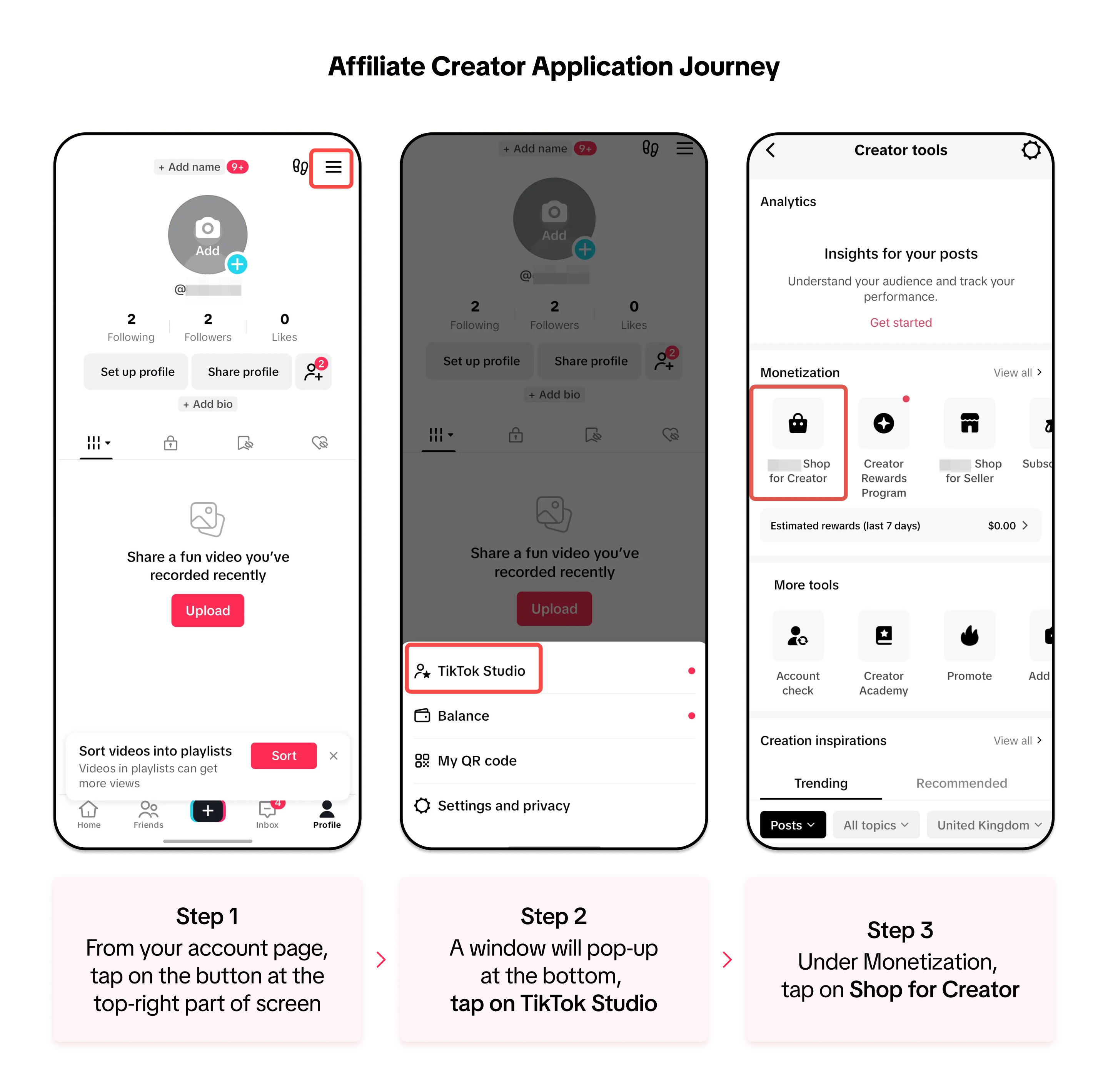
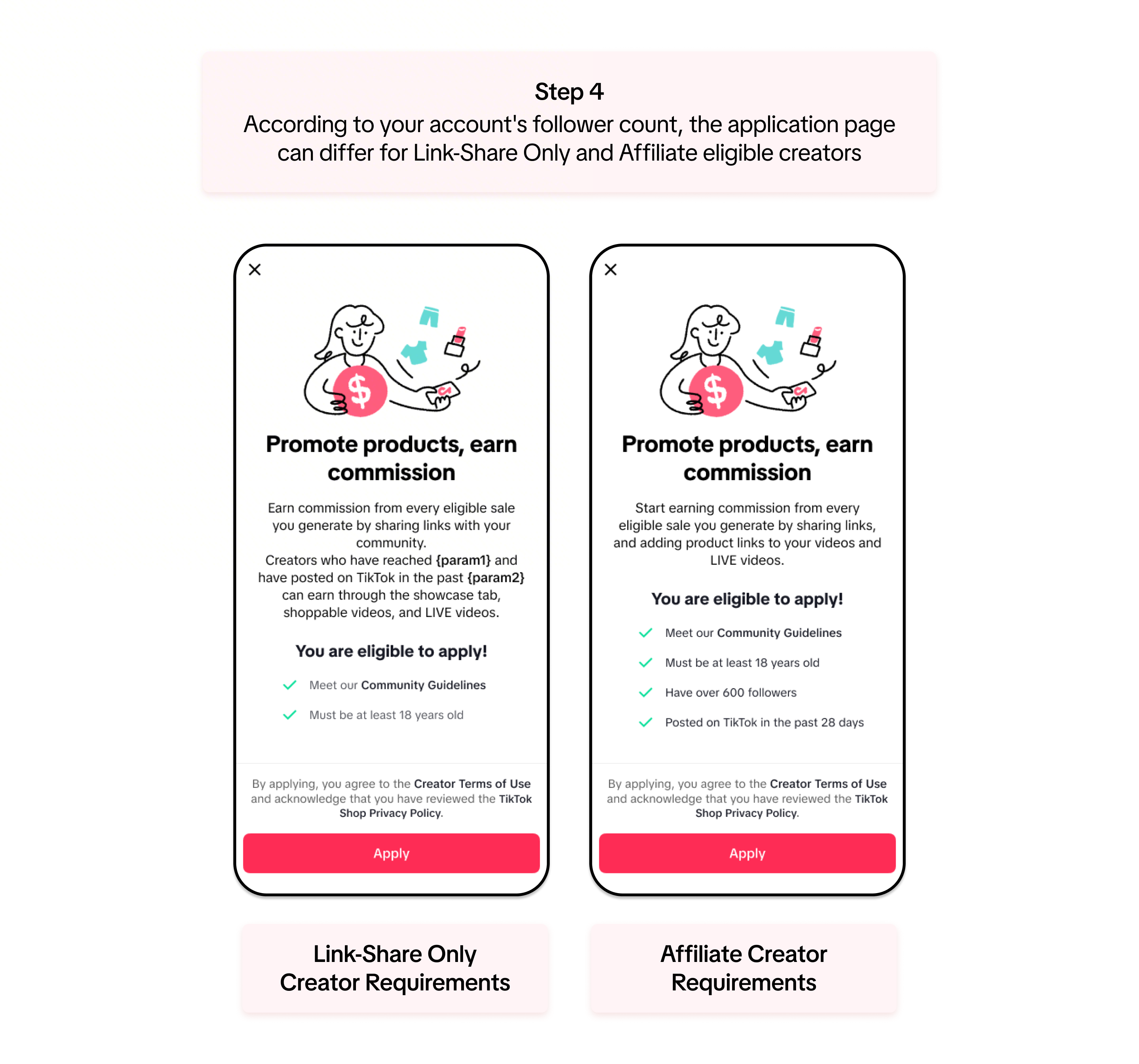
Your journey to earn commission from our products starts here! The application process for both Link-Share Only and Affiliate Creators is the same. Walk through the step-by-step guide below to apply:Account Registration
Step into Your Creator Journey
Ready to join us? This video guides you through every step to get started as a creator.
Link-Share Creator:Affiliate Creator:Comparing Link-Share Only and Affiliate Creators
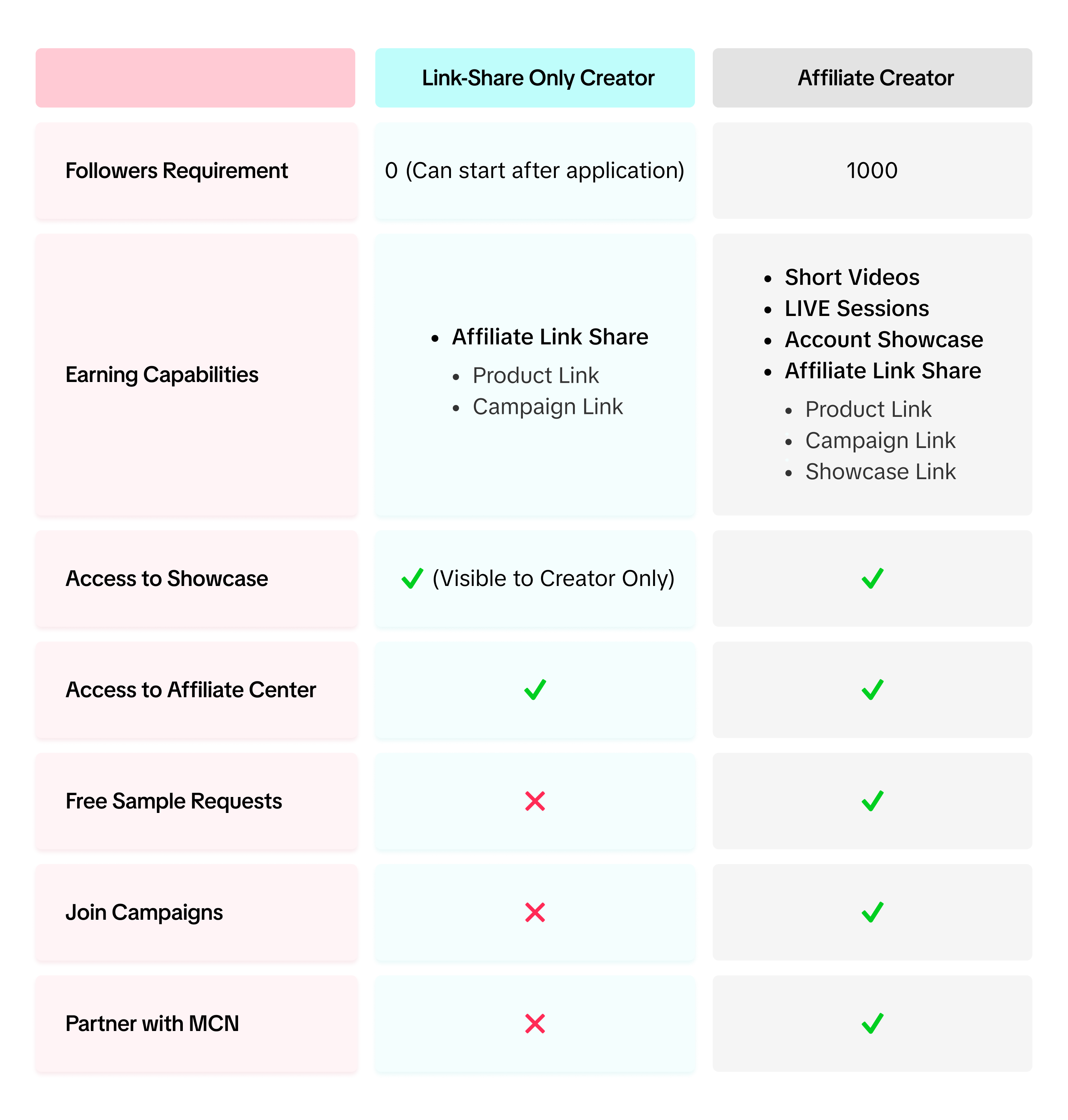
Here's a side-by-side comparison of the two types of Creators to show you how each designations differ:Link-Share Only Creator Functions
As a Link-Share Only Creator, your in-app functions mainly focus on your earning capabilities using Affiliate Links. You will be able to do the following functions:- Access to Affiliate Center
- Add Products to your Showcase: Link-Share Only Showcase is only visible to the Creator. To earn commission from products, you will need to add your products to your Showcase to generate the link!
- Check Creator Data: In the Creator Center, you can track your earning capacity along with your estimated commission
How can Link-Share Only Creators earn Commission?
Affiliate Creator Functions
Once your account reaches the requirements to start/upgrade as an Affiliate Creator, you get to enjoy all the Link-Share Only functions and more.- Access to Affiliate Center
- You will have access to more features that are only for Affiliate Creators. Open it in your app and explore!
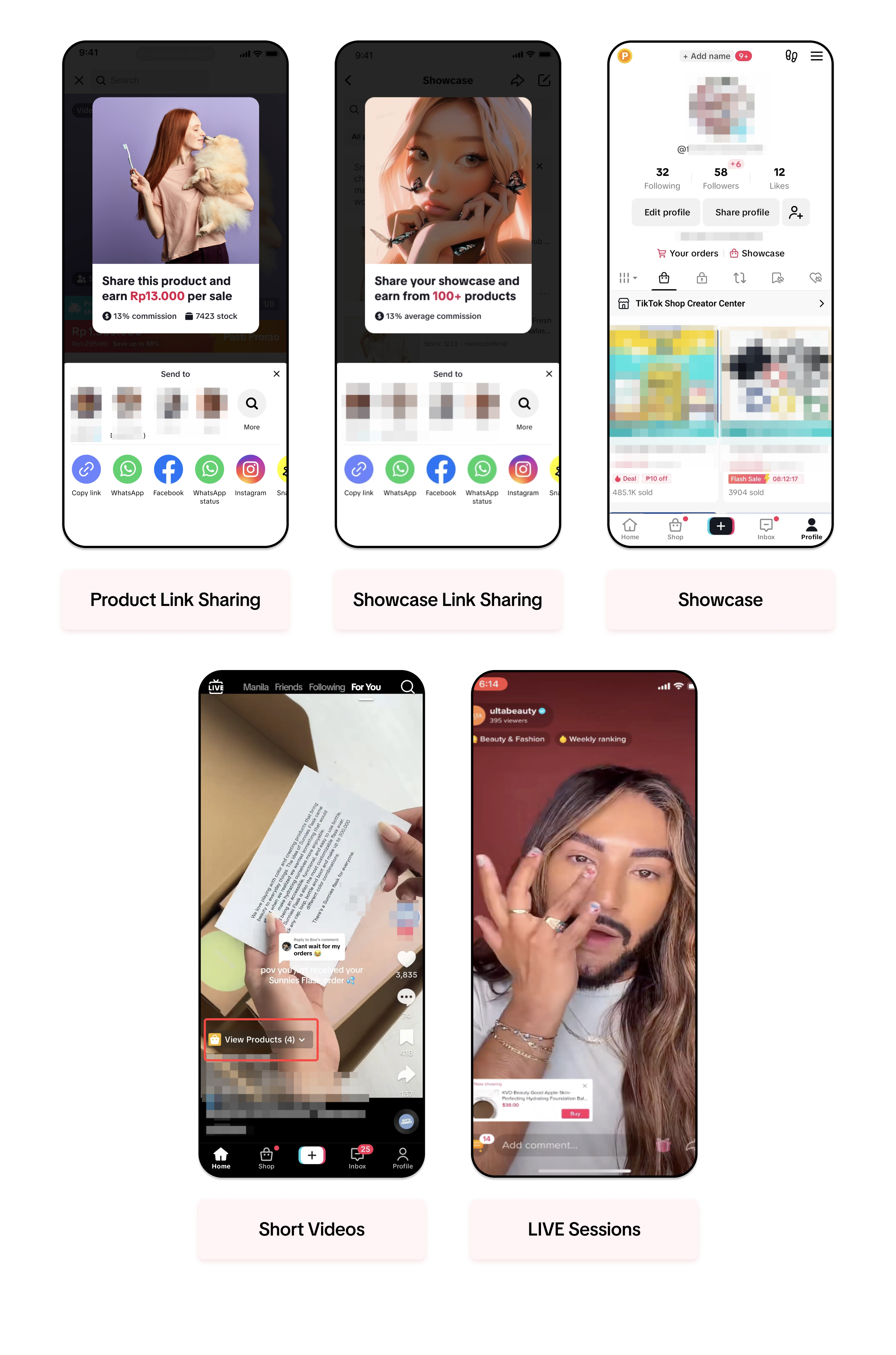
- More ways to earn commission: Aside from product link sharing, you will have more options to earn commission. You will get to promote products directly on the FYP page.
- Free Sample Requests: With Affiliate Creators, you can request free products from Sellers to use in your short videos or LIVE sessions
How can Affiliate Creators earn Commission?
Affiliate Creators have the capability to earn commission from these pathways. The main advantage is that you can directly earn from the app itself through the use of short videos and LIVE sessions.- Aside from Product link sharing, Affiliate Creators can also earn by sharing their showcase link. All the products in the showcase are eligible for commission.
- Buyers can also directly add products from the creator's showcase by going to their account.

FAQ
- If the Creator suddenly falls below the minimum follower limit for Affiliate designation, will they be reverted back to Link-Share Only?
- No. Once you are granted access as an Affiliate Creator, you can continue to use all the available features.
- If my account already has the minimum follower count to be an Affiliate Creator before I apply, will my account start at Link-Share Only or can it go straight to Affiliate Creator?
- In this case, your account can automatically become an Affiliate Creator. You will have the option to earn commission from your links, showcase, short videos and livestreams from the very start.
Anda mungkin juga tertarik
Becoming a TikTok Shop Creator - Requirements & Application…
You may only monetise your content when promoting products on TikTok Shop if you meet certain criter…
Tax Information Required for TikTok Shop Creators
In compliance with Vietnam's anti–money laundering regulations, TikTok Shop creators are required to…
【video】TikTok account positioning and original account IP cr…
01. What is the definition of account IP? 02. Why do we need to position the TikTok account? 03. How…
Seller-Creator Unbinding Criteria
What are the Seller-Creator Unbinding Criteria? The Seller-Creator Unbinding Criteria applies to Mer…
Creator Age Verification
We've moved! Click here to view the Tax Information Required for TikTok Shop Creators.
Seller-Creator Unbinding Criteria
What are the Seller-Creator Unbinding Criteria? These criteria determine whether a TikTok Shop offic…