

Identity Verification Guide for Commission Withdrawal
09/30/2025
This article will teach you, as a Creator, how to verify your identity in TikTok Shop so that you can manually withdraw your commission. You will need to update your account with your Government-mandated ID with your current address to manually withdraw any Commission from your Creator content.
However, this option is not mandatory as the alternative option would be an automatic weekly withdrawal (auto-withdrawal does not require you to complete your account information).
Note: If you are a binded creator under an agency, you will need to complete your commission account information for both auto-withdrawal and manual withdrawal.

However, this option is not mandatory as the alternative option would be an automatic weekly withdrawal (auto-withdrawal does not require you to complete your account information).
Note: If you are a binded creator under an agency, you will need to complete your commission account information for both auto-withdrawal and manual withdrawal.
How to Complete your Personal Information
For the weekly auto-withdrawal, it is not required for you to add your information. However, for the option to withdraw anytime, you will need to complete your commission account information. For existing creators, please follow the step-by-step guide below.Step 1: Finding Manual Withdrawal Option
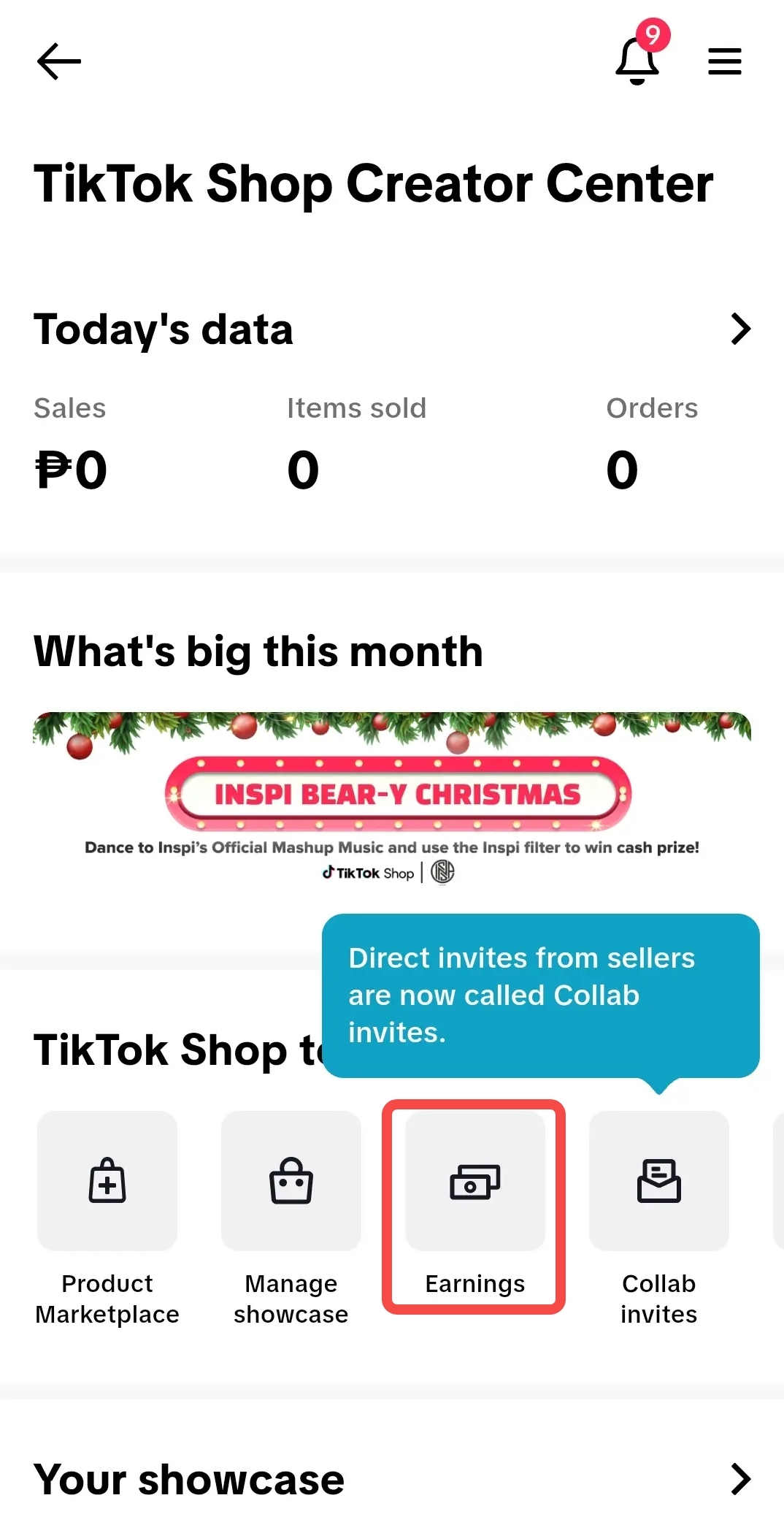 | 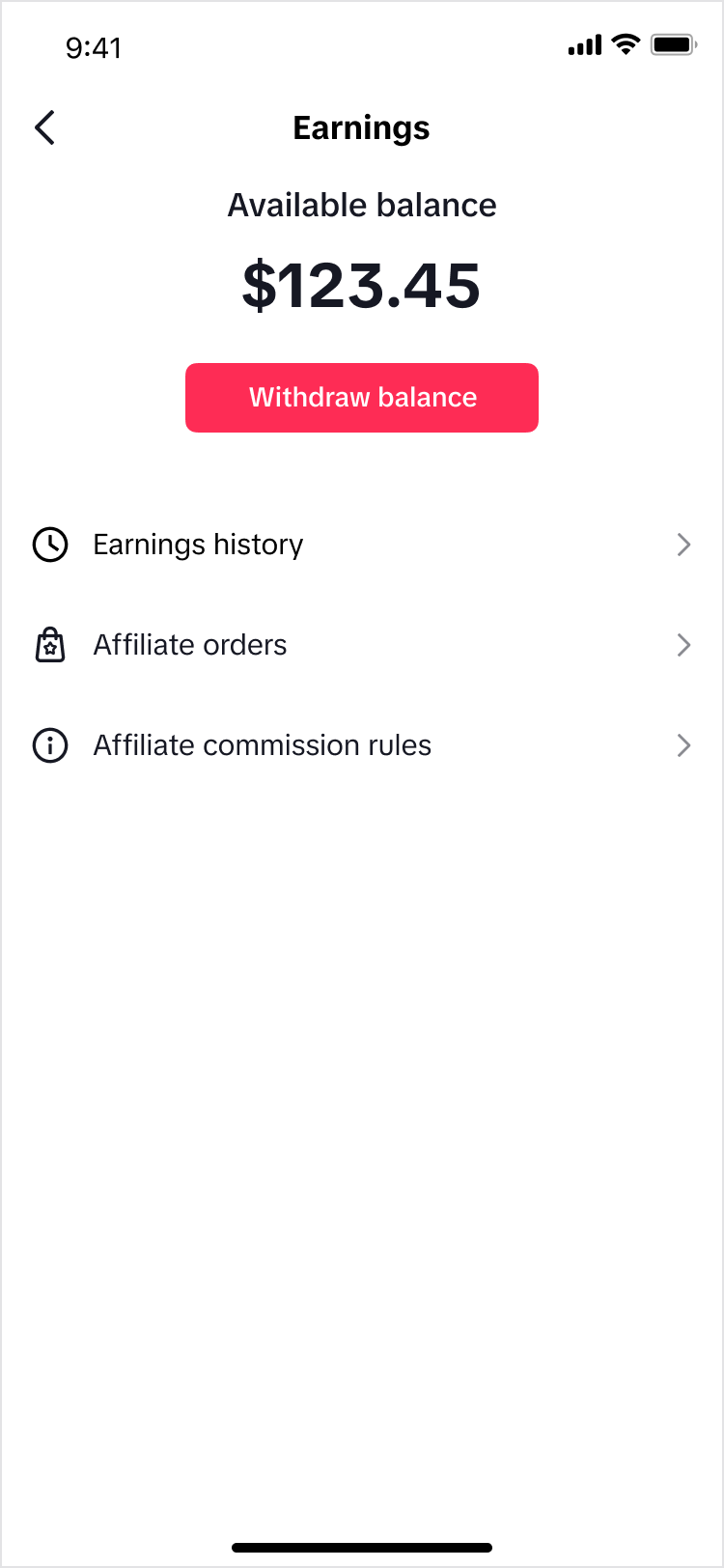 | 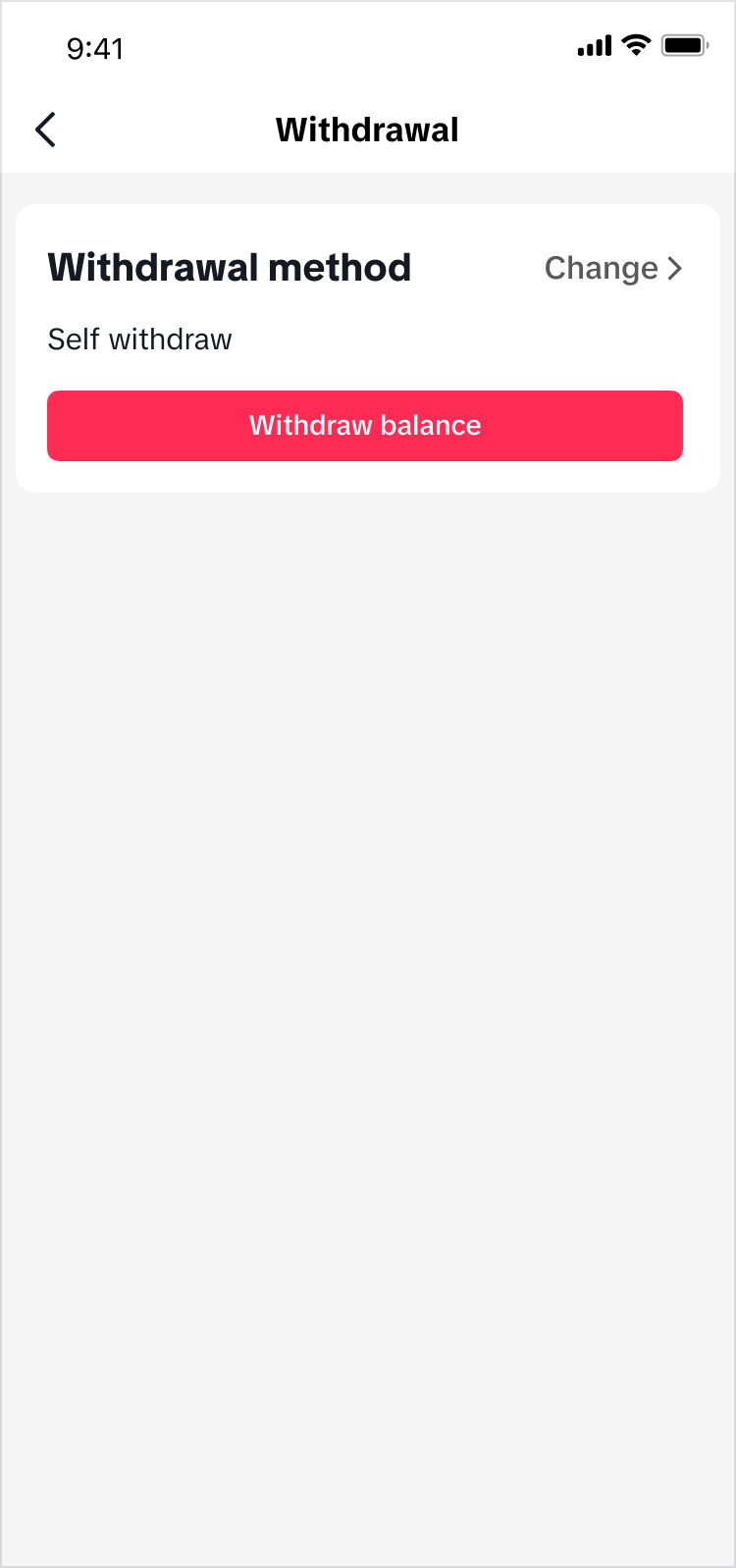 | 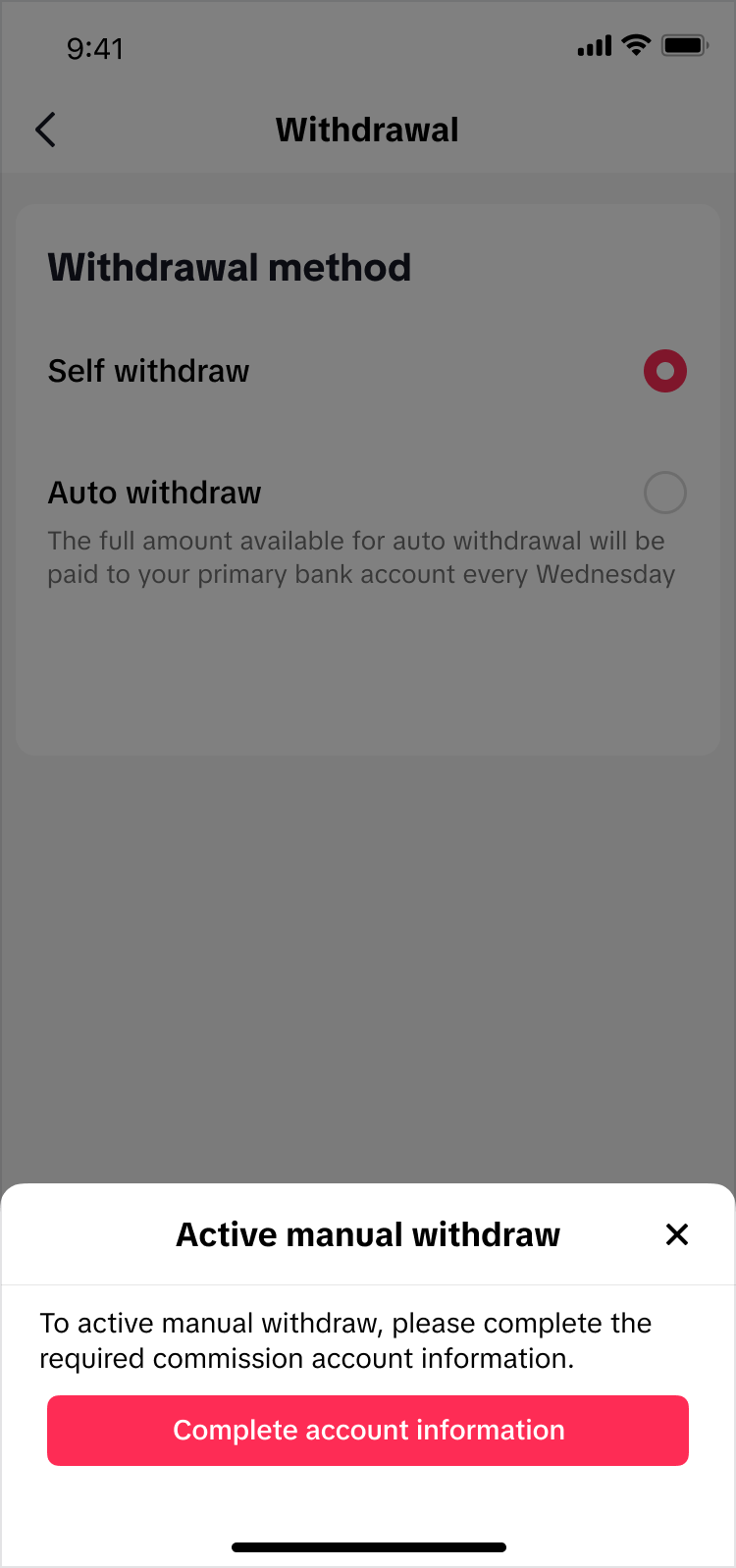 | 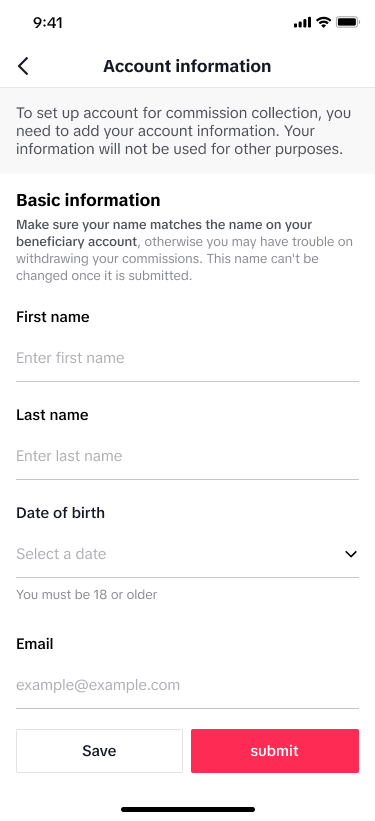 |
| From the TikTok Shop Creator Center, enter through Earnings. | On Earnings, Tap on Withdraw Balance. | Upon entering Withdrawal, tap on Change to switch to Self withdraw. | Tap on Self withdraw and a pop-up will initiate the manual withdraw process. | Fill up your Account Information and after clicking submit, it will redirect you to another page to submit your ID or Passport. |
Step 2: Fill in your Information
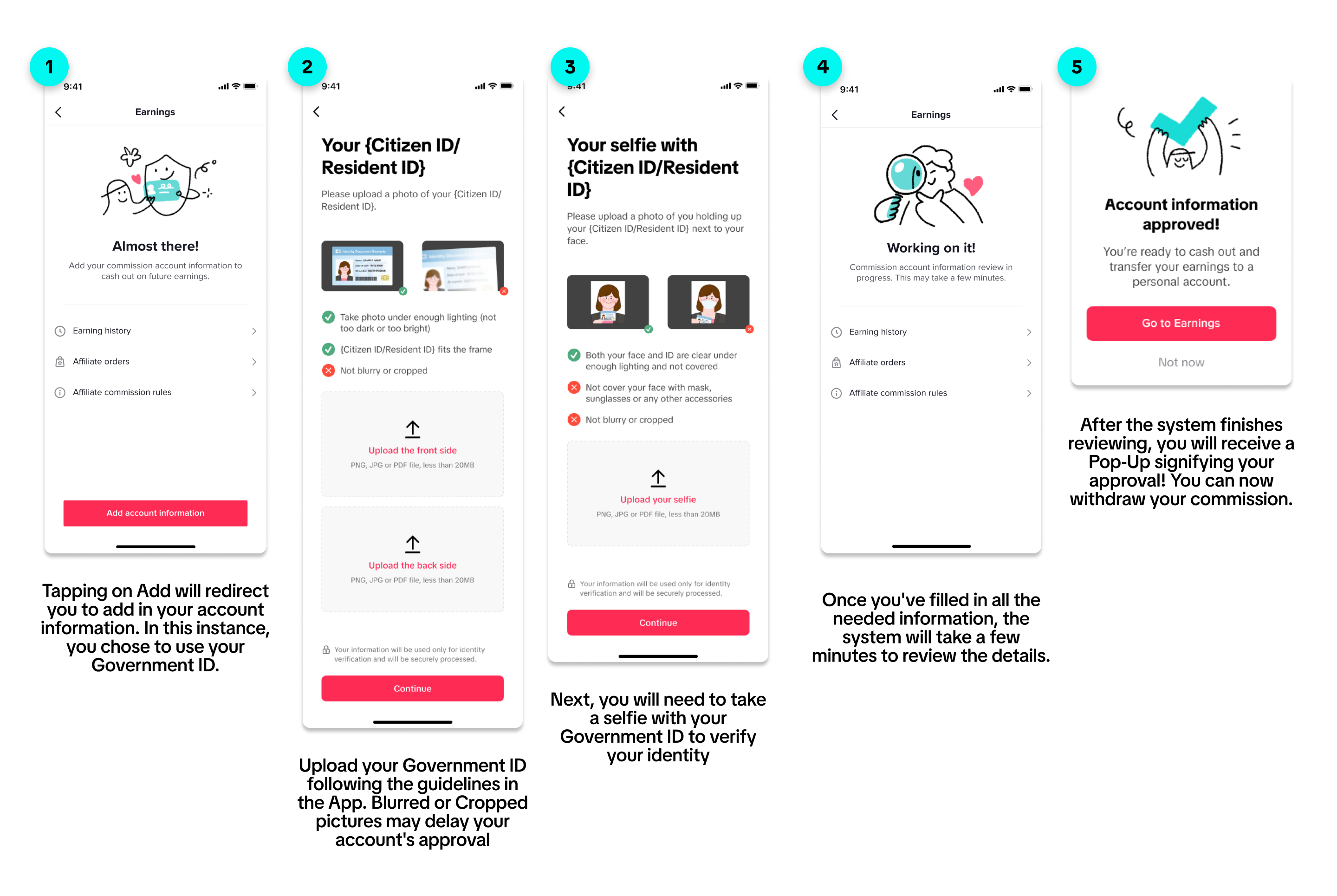
Using your Government-Issued ID
List of Approved Government IDs
| Country | Citizen | Residents | Note |
| MY | MyKAD |
| |
| VN | Citizen Identity Card |
| |
| PH |
|
| |
TH | Thai National ID Card | Passport + Proof of Address |
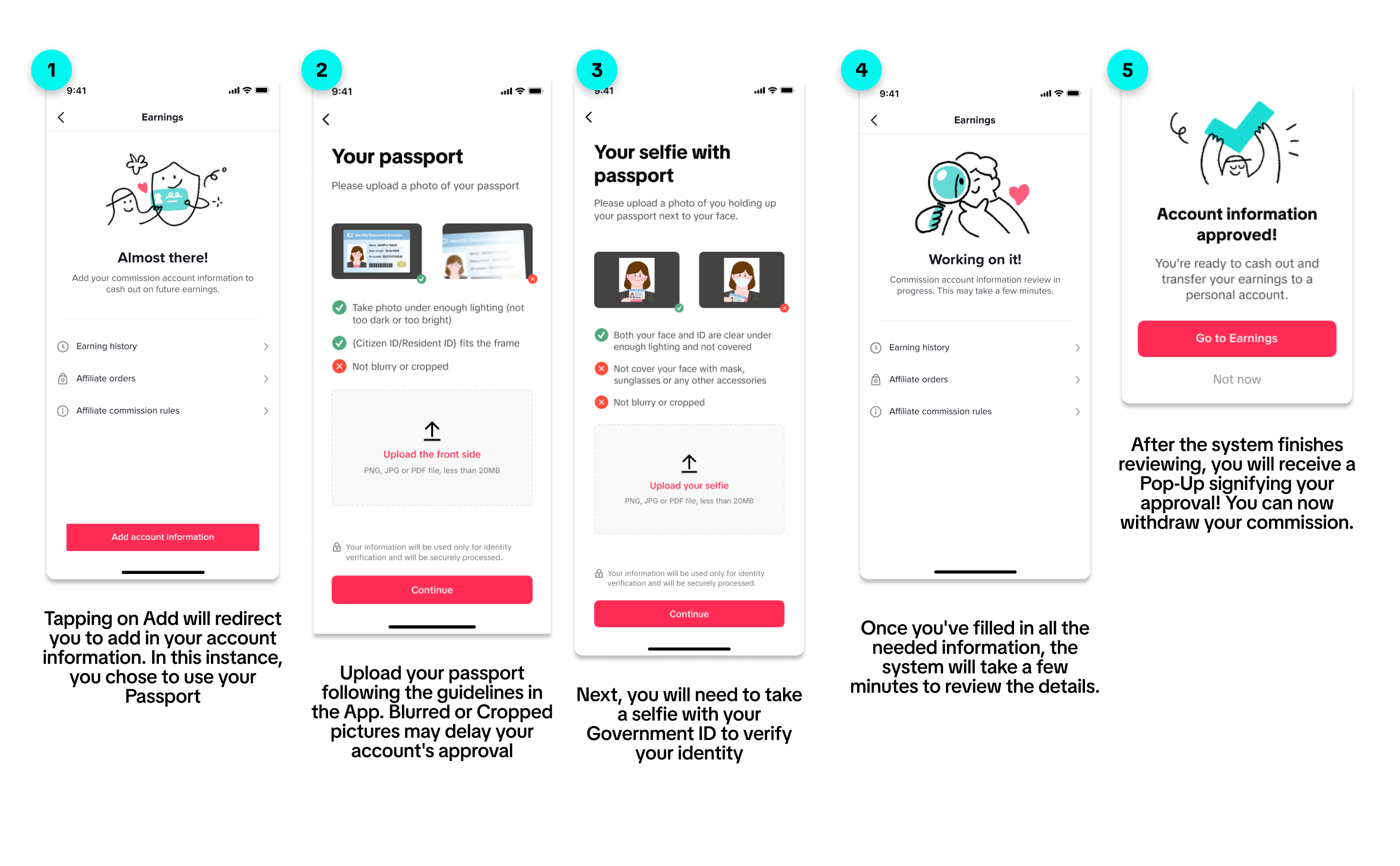
Using your Passport
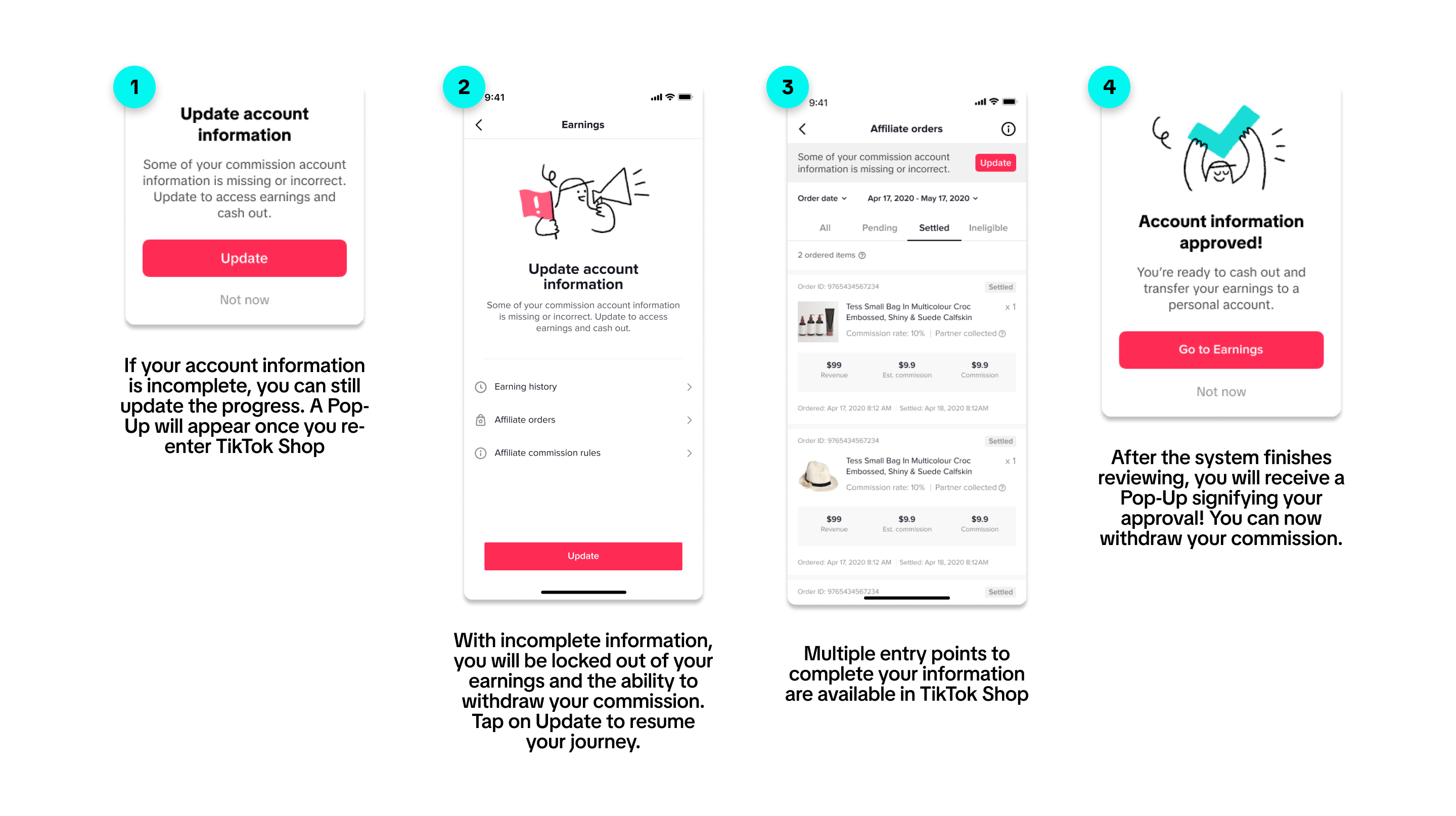
Step 2.5 - Unfinished Application
Step 3: Withdrawing your Commission
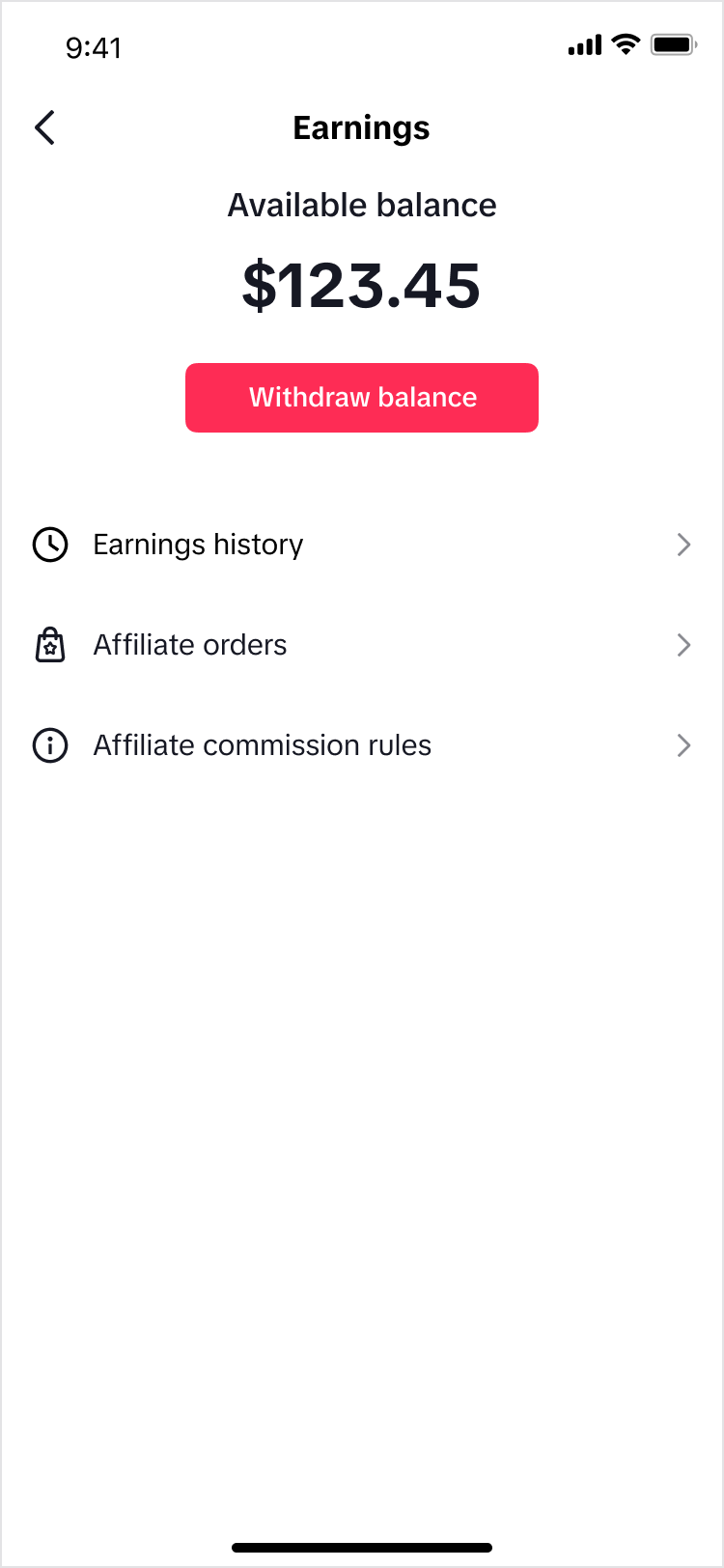 | 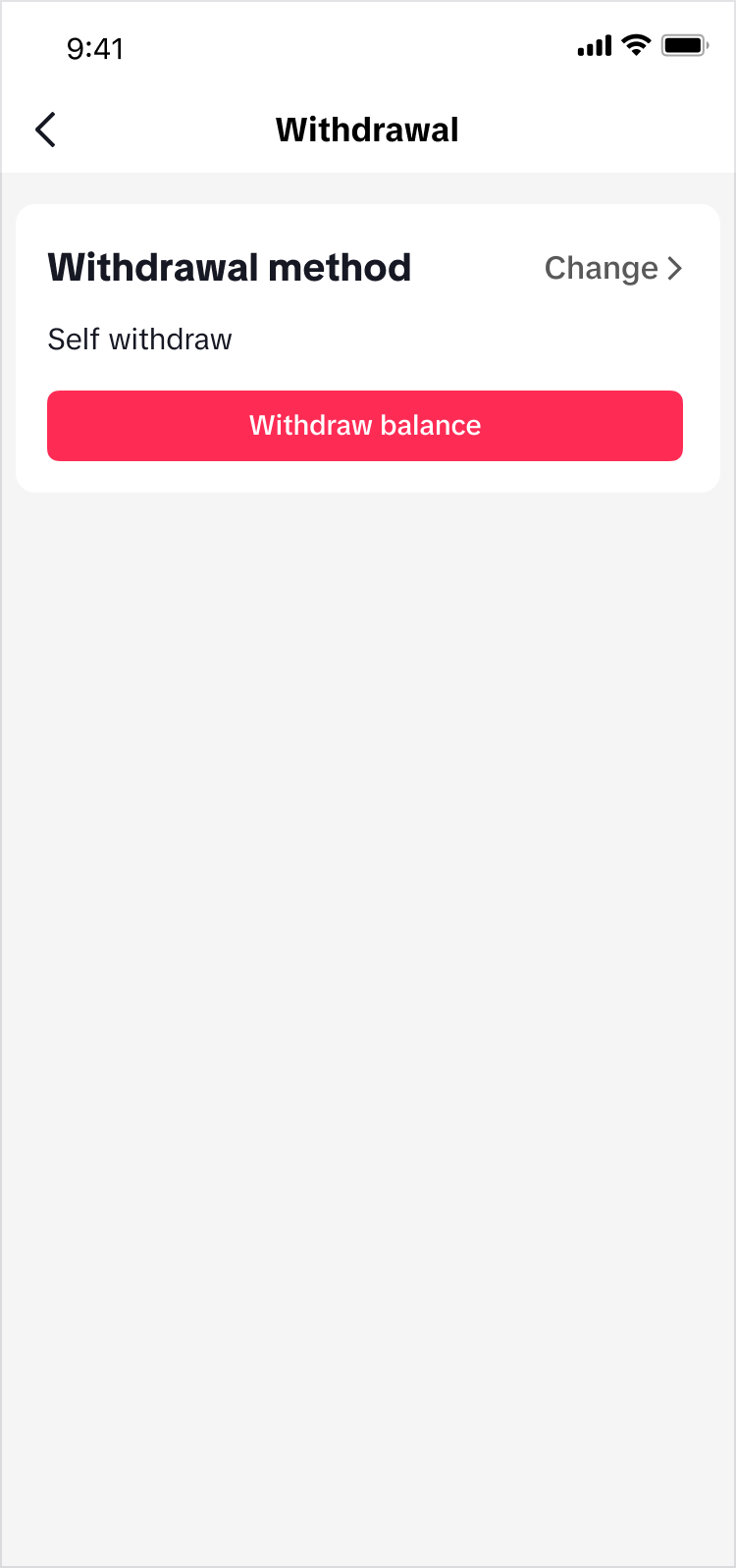 | 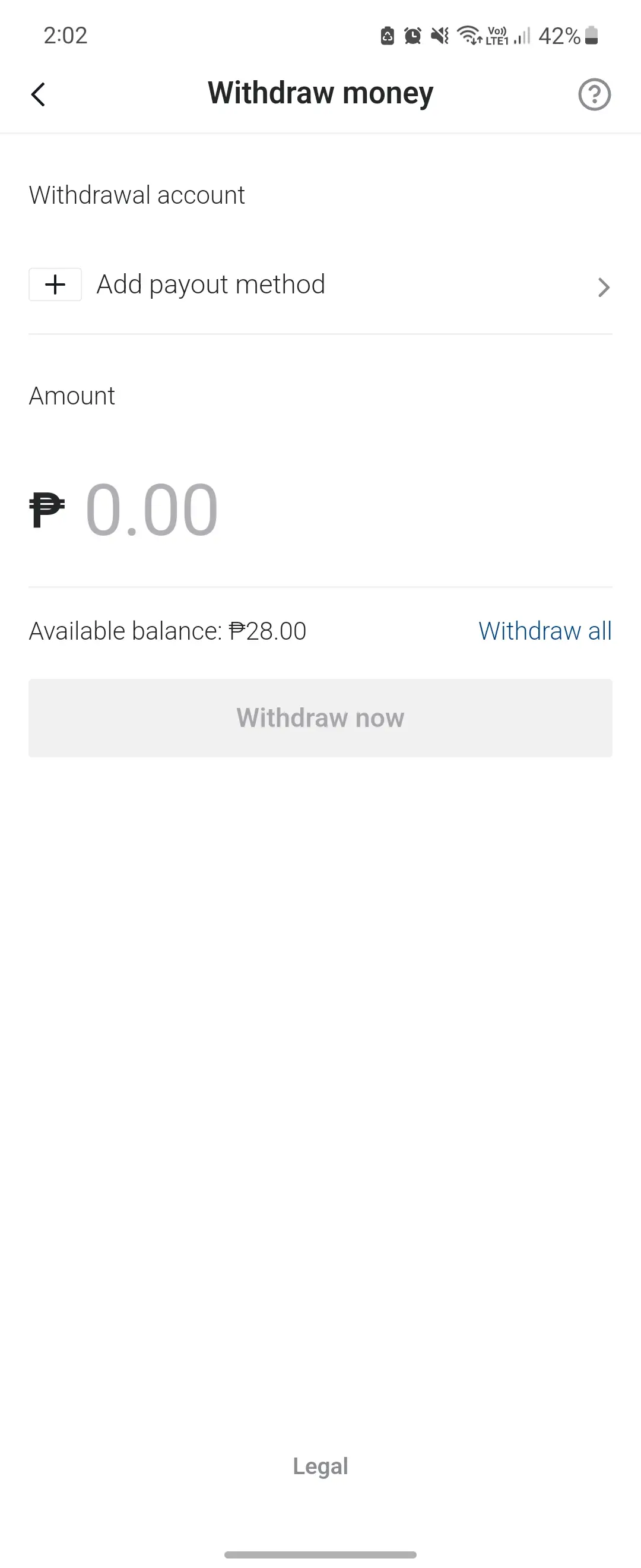 |
| Once your Account Information is accomplished and accepted, you can now withdraw your commission anytime! | After tapping on the Withdraw Balance button, it will redirect you to choose your withdrawal method. Choose Self withdraw and continue to Withdraw balance. | On this page, you can add or select your withdrawal account. Input your desired amount or withdraw all your remaining commission. |
Withdrawal Method and Limits
| Country | Withdrawal Method | Limit |
| ID | Bank Account | IDR 10,000.00 - No Max Limit |
| Dana | IDR 3,000 - 10,000,000 | |
| MY | Bank Account | MYR 1.00 - 10,000,000MYR |
| TH | TrueMoney | THB 20.00 - 30,000.00 |
| PromptPay | THB 20.00 - 2,000,000.00 | |
| Bank Account | THB 10.00 - 2,000,000.00 | |
| VN | Bank Account | VND 10,000.00 - 499,999,999.00 |
| ZaloPay | VND 10.00 - Daily limit 50,000,000 VND, Monthly limit 100,000,000 VND | |
| PH | GCash | PHP 10 - 100,000.00 |
| Priority Payment | PHP 10 - 25,000,000.00 |
FAQ
- Am I required to complete my information to withdraw my commission?
- No. If you are using periodic auto-withdrawal, you are not required to go through the steps shown above. However, if you want to manually withdraw your commission and opt to not wait for the auto-withdrawal system, you will need to follow the steps above.
- Do I need to do the same steps all over again for the next time I opt for manual withdrawal?
- Completing your account information is a one-time task. Succeeding manual withdrawals will not need you to input your account information again.
- What happens if I don't complete my information?
- You can still receive your commission on a weekly basis (every Wednesday), but you can not manually withdraw your commission without completing your information.
- What will happen if my account information is rejected?
- You can still receive your commission on a weekly basis, but you can not manually withdraw your commission without completing your information. Although for extreme cases, you may need to contact customer support.