Affiliate Commission Fee
09/19/2025
What are TikTok Shop Affiliates?
You might consider collaborating with selected Creators through the Affiliate Programme to earn additional sales. A TikTok Shop Affiliate on TikTok Shop is a TikTok Creator that has agreed to collaborate with sellers to promote and sell products in exchange for a commission.Learn more about the TikTok Shop Affiliate programme here.
What are Affiliate Commissions?
Affiliate Commissions are the commission fees that a seller pays to the Affiliate once an order has been successfully delivered by placing an order through an Affiliate's order link.How is the Affiliate Commission calculated?
The Affiliate Commission is calculated at a rate based on the item price after deducting any seller discounts.Note: Shipping fees and TikTok Shop platform discounts are not included as part of the calculation of the Affiliate Commission.
Calculation Formula
Affiliate Commission Fee = Affiliate Commission Rate X (Product Price before Discount - Seller Discount)Example
In the following example, an Affiliate successfully sells 1 unit of a product through their livestream. The relevant information is as follows:- Product Price (before discounts): $1,900
- Seller Discount: $120
- Affiliate Commission Rate: 10% (agreed between Affiliate and Seller)
- Final Product Price = Product Price ($1,900) - Seller Discount ($120)
- Final Product Price = $1,780
- Affiliate Commission = Final Product Price ($1,780) X Affiliate Commission Rate (10%)
- Affiliate Commission = $178
Frequently Asked Questions
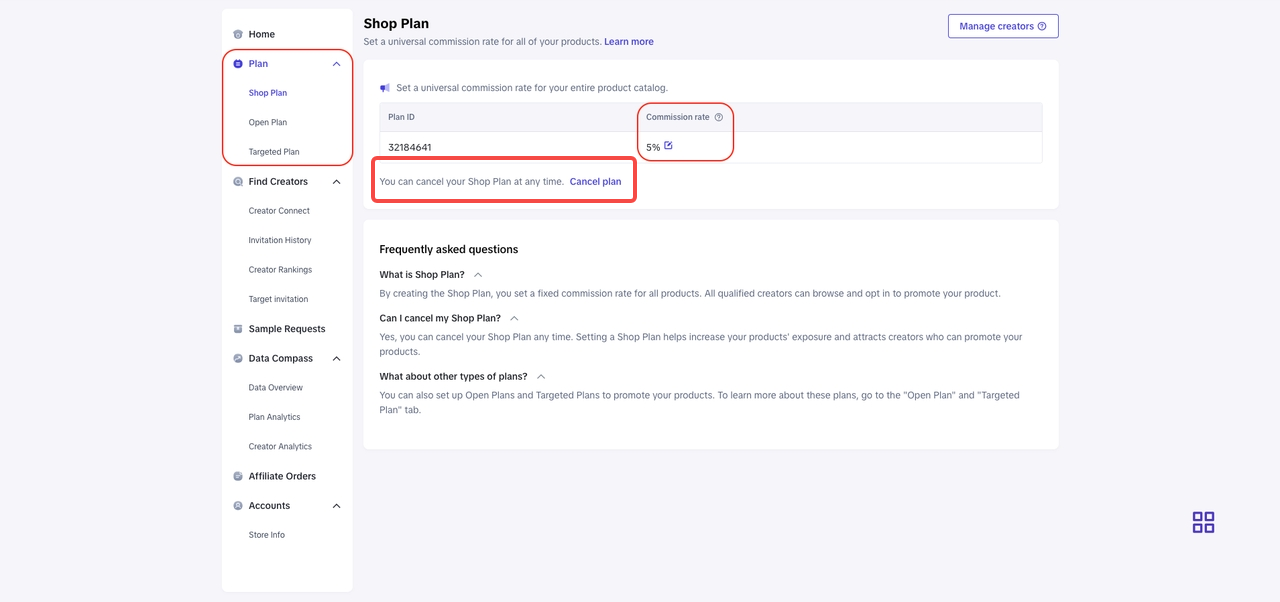
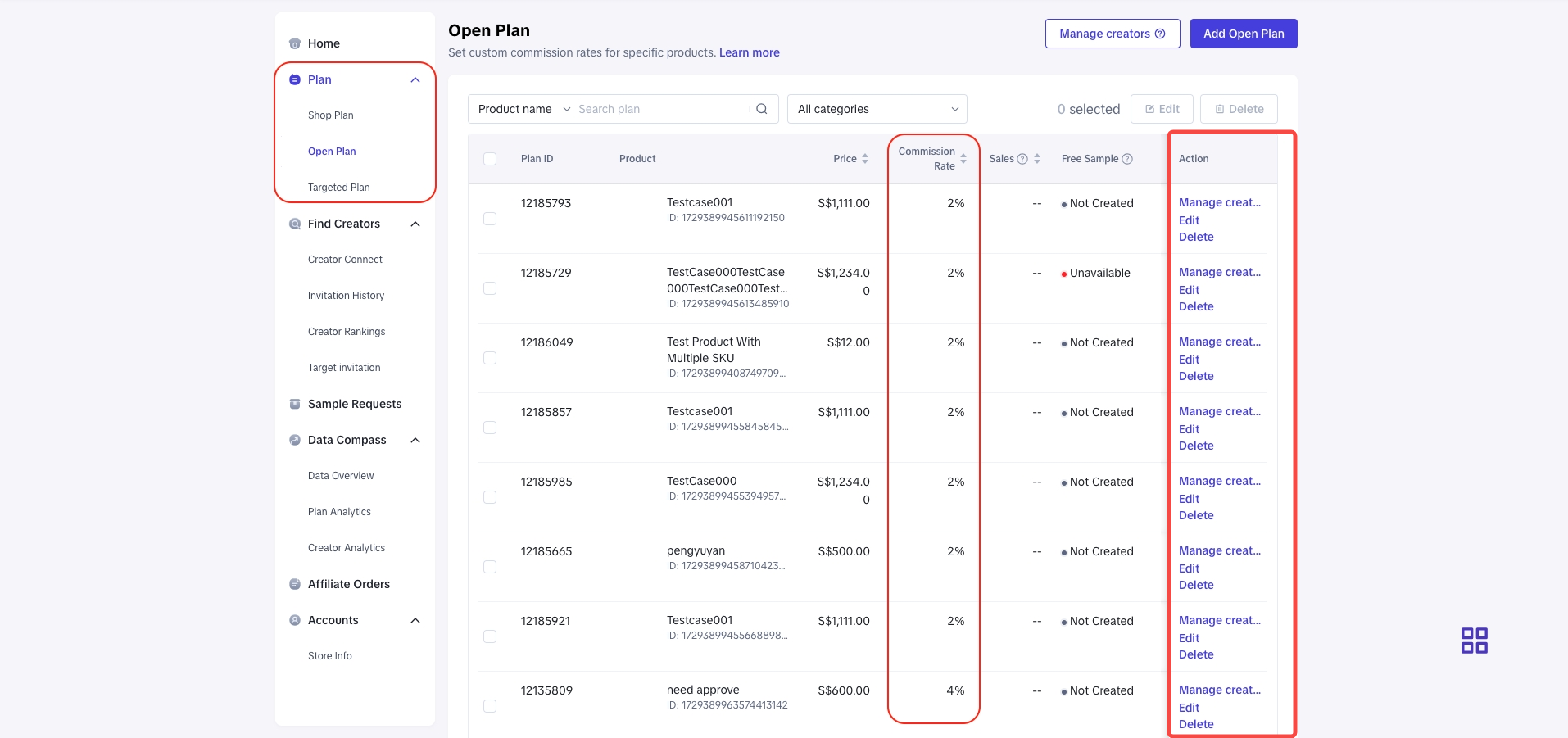
- Where can I review the Commission Rates set for each product and Affiliate?
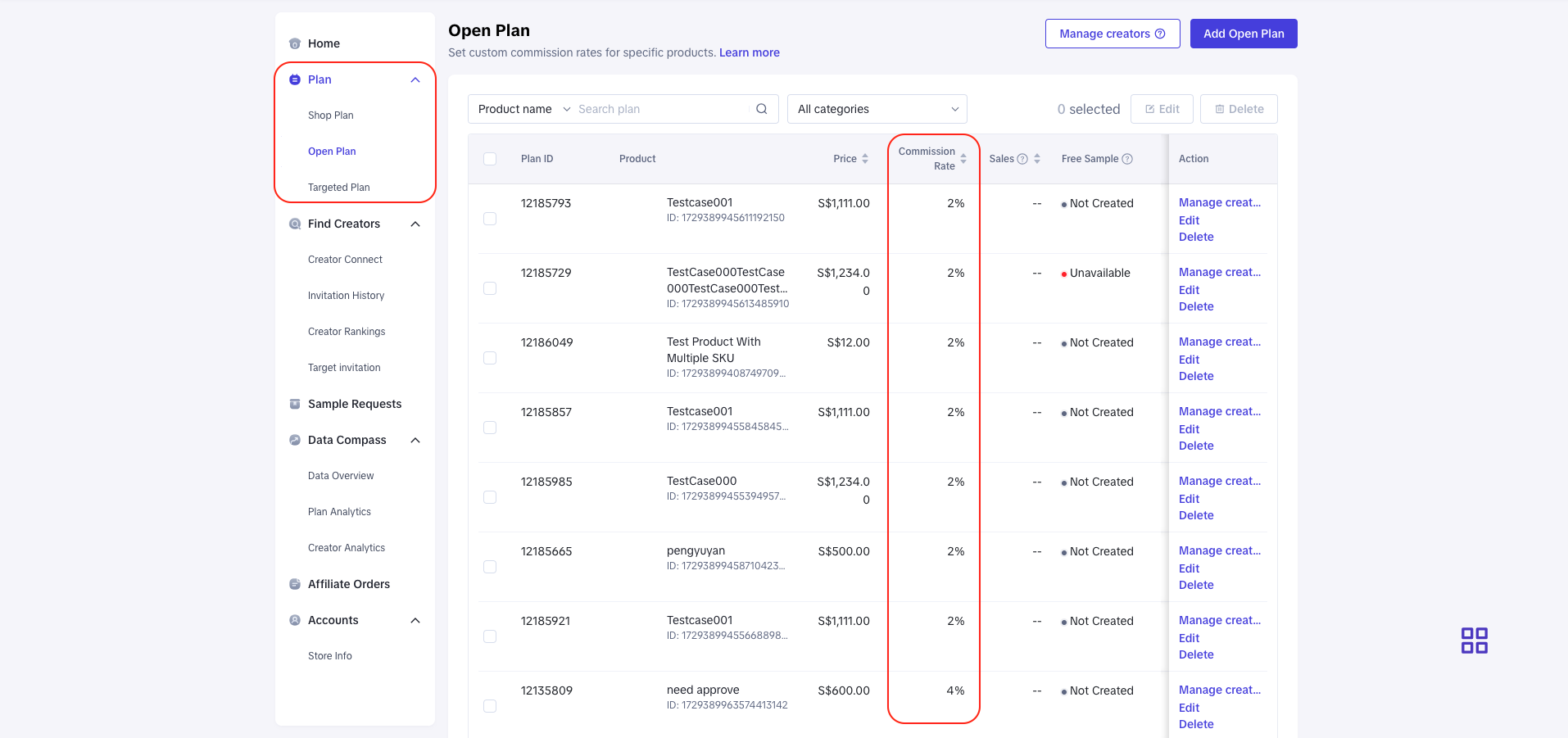
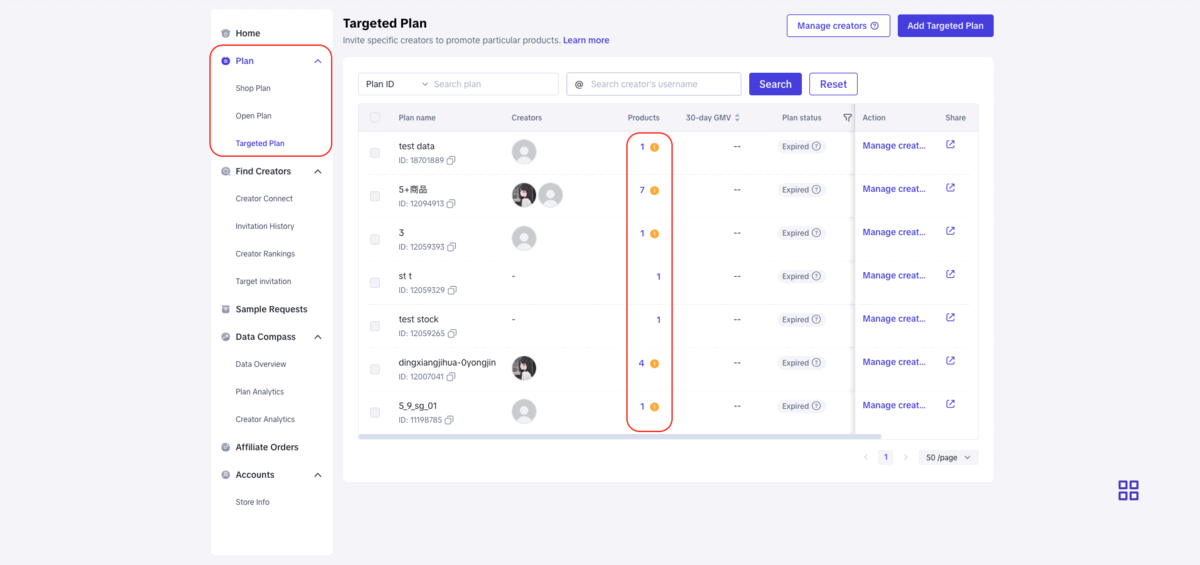
- You may review the Commission Rate that you have set via TikTok Shop Seller Center -> Affiliate Marketing -> Collaborations -> Open Collaboration / Targeted Collaboration
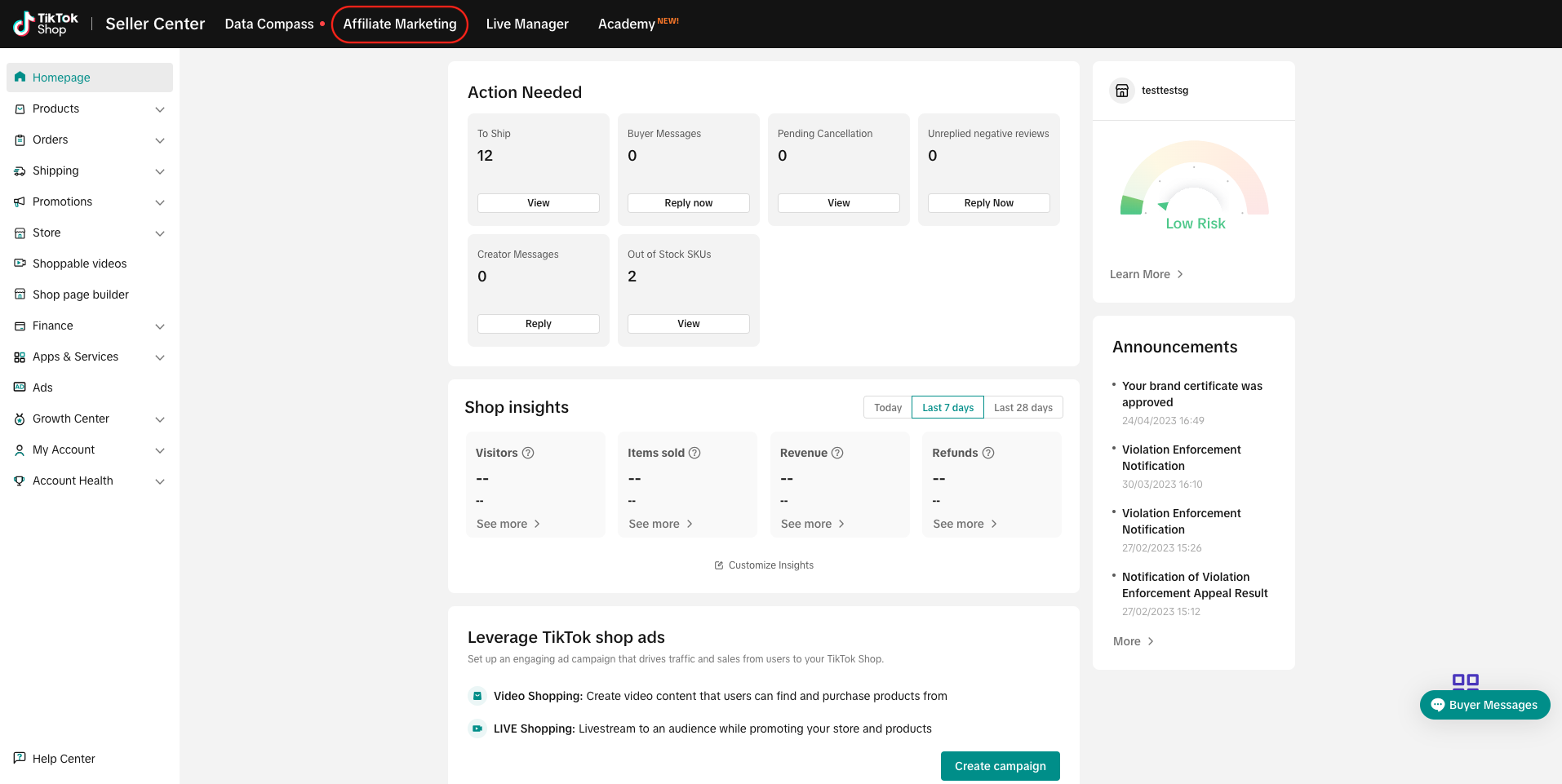
- Open Collaboration
- Targeted Collaboration
- How can I remove products from Affiliate Marketing Collaborations?
- The Affiliate marketing collaborations can be cancelled at any time by clicking on "Cancel Collaboration" or "Delete" under respective collaborations.
- Who will be charged with the Affiliate Commission?
- The Affiliate Commission is applicable to all TikTok Shop sellers who engage an Affiliate service to sell on their behalf (via Affiliate Collaborations).
- The seller will be charged affiliate commission fee unless the cancellation or refund request is successfully processed before the order is completed
- How will I be charged with the Affiliate Commission?
- The Affiliate Commission charges will be deducted directly from the order payment.
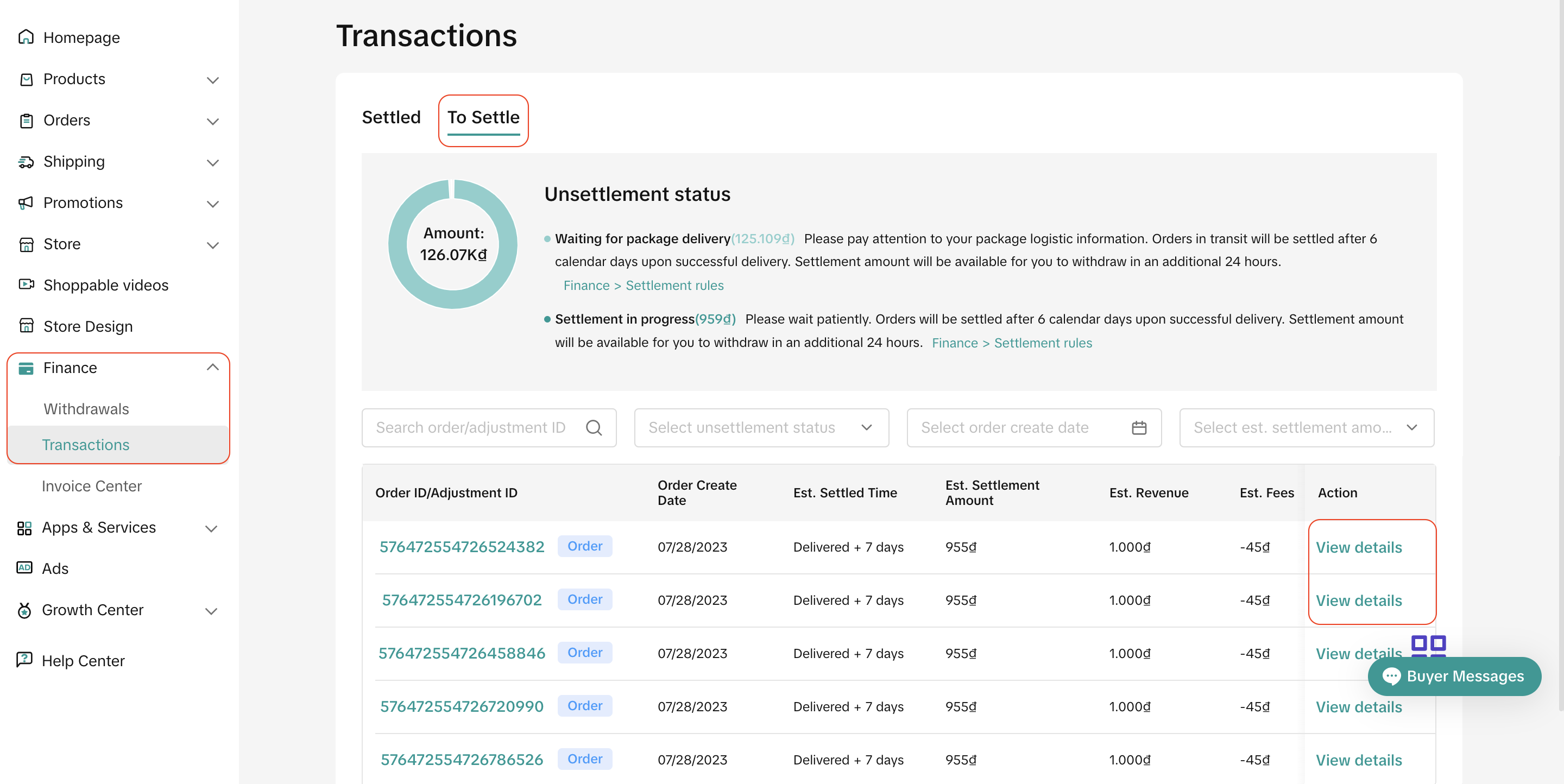
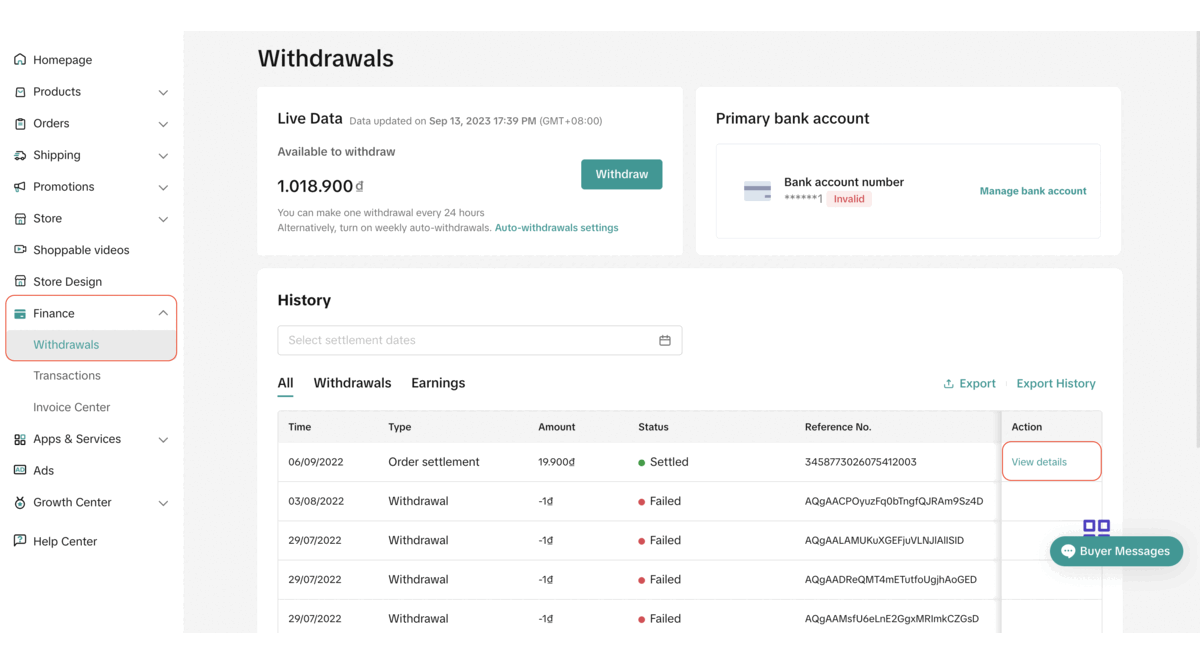
- Where can I check the details of the Affiliate Commission amount charged for my order?
- For orders that have yet to be settled, you may see Affiliate Commission in TikTok Shop Seller Center -> Finance -> Transactions -> To settle -> View Details
- For orders that have been settled, you may see it in TikTok Shop Seller Center -> Finance -> Withdrawals -> Settled > View Details > Earning Details
- Will I receive an invoice describing the full Affiliate Commission amount TikTok Shop has charged me for the month?
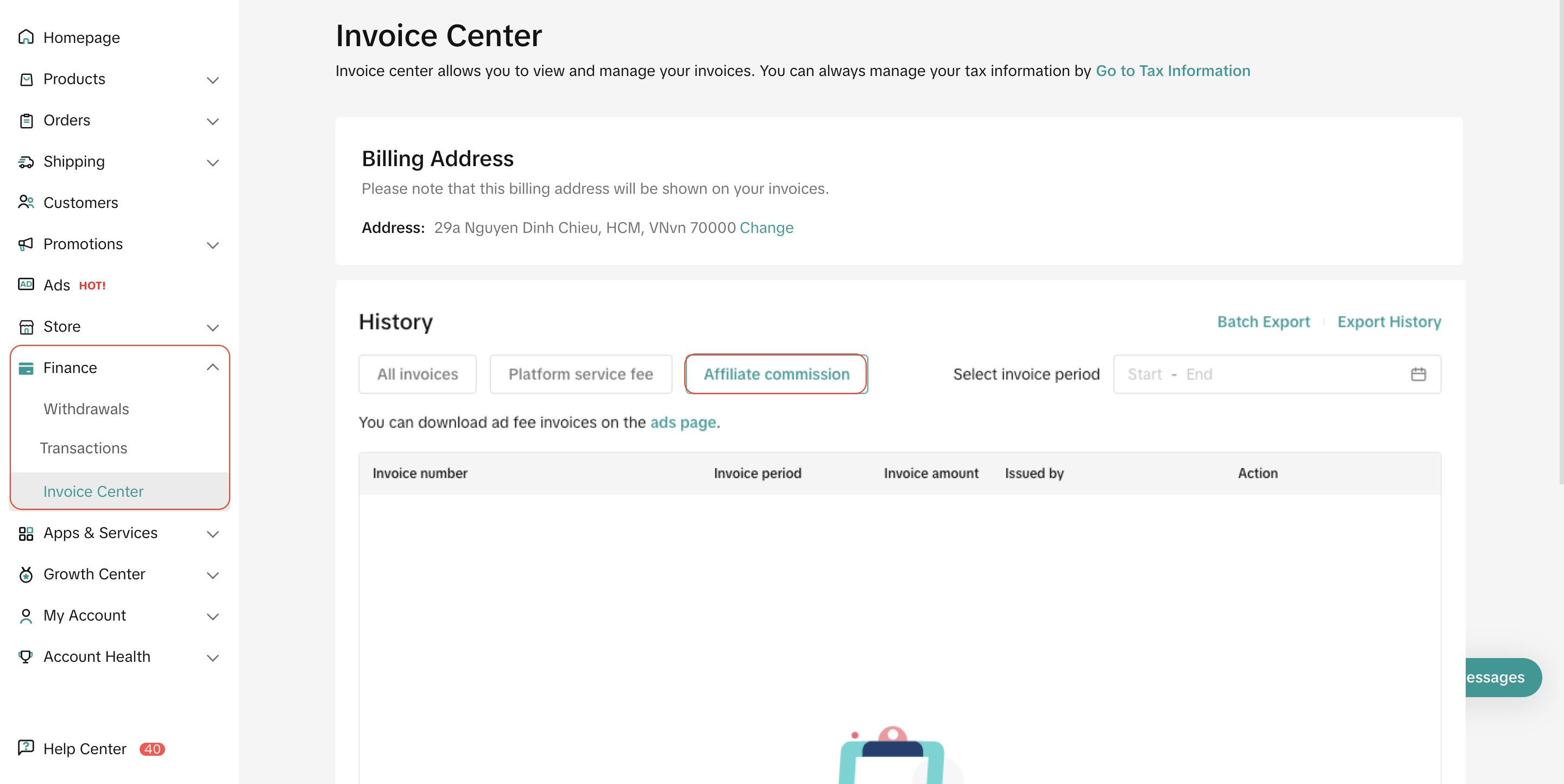
- Yes, you will receive an invoice the following month for the previous month's billing period. You may visit Finance -> Invoice Center -> Affiliate Commission to download the invoice.
- What should I do if I have some inquiries in regards to the Affiliate Commission?
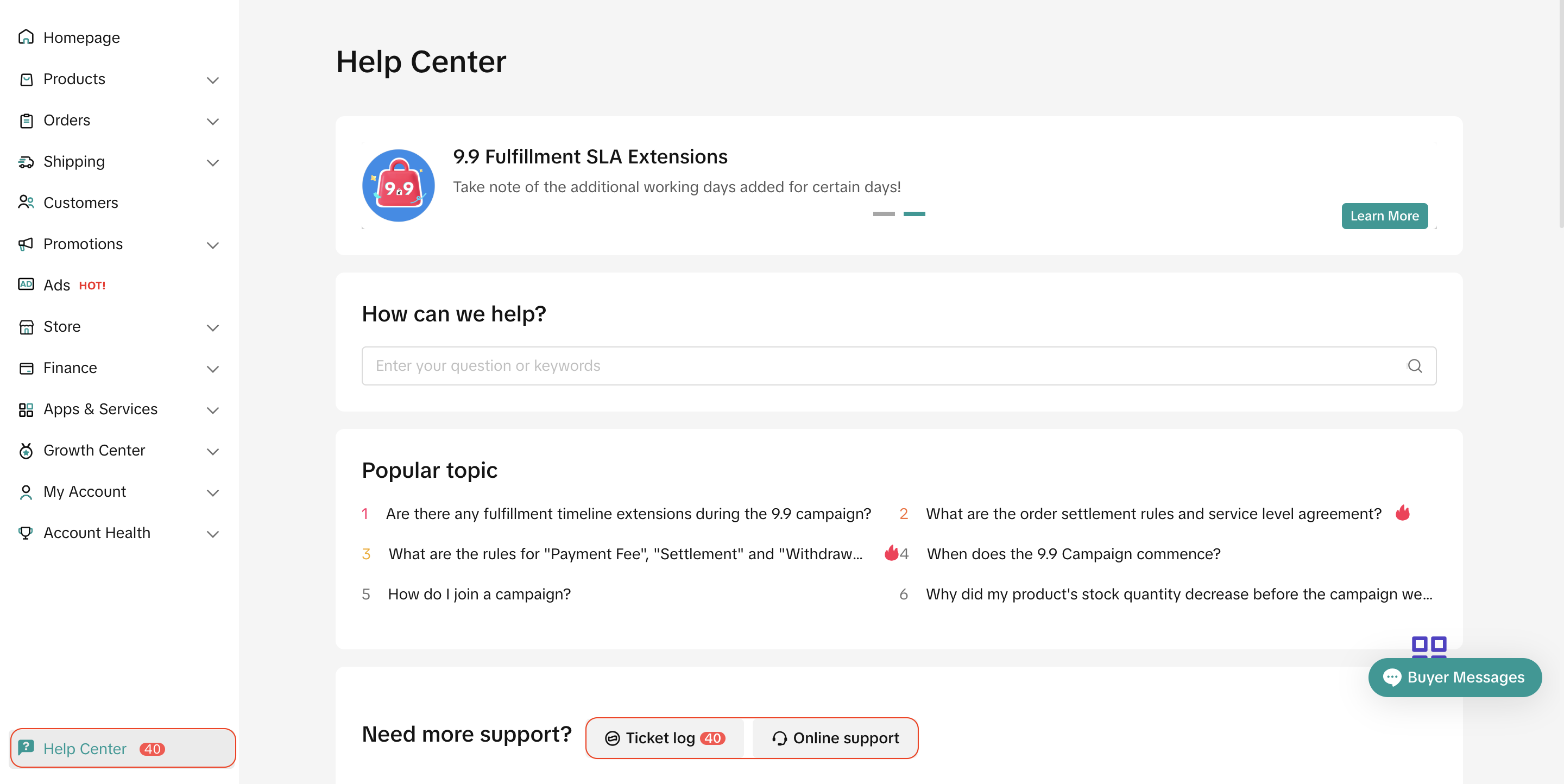
- You may reach out to our support team in TikTok Shop Seller Center -> Help Center.
- Or you may also file an inquiry ticket at 'Ticket log' or please feel free to reach out and speak to our support representative via 'Online Support