

Seller Registration
01/08/2026
Registration process in TikTok Shop is very convenient. You can sign up with your existing TikTok account, or make a new dedicated account for TikTok Shop.


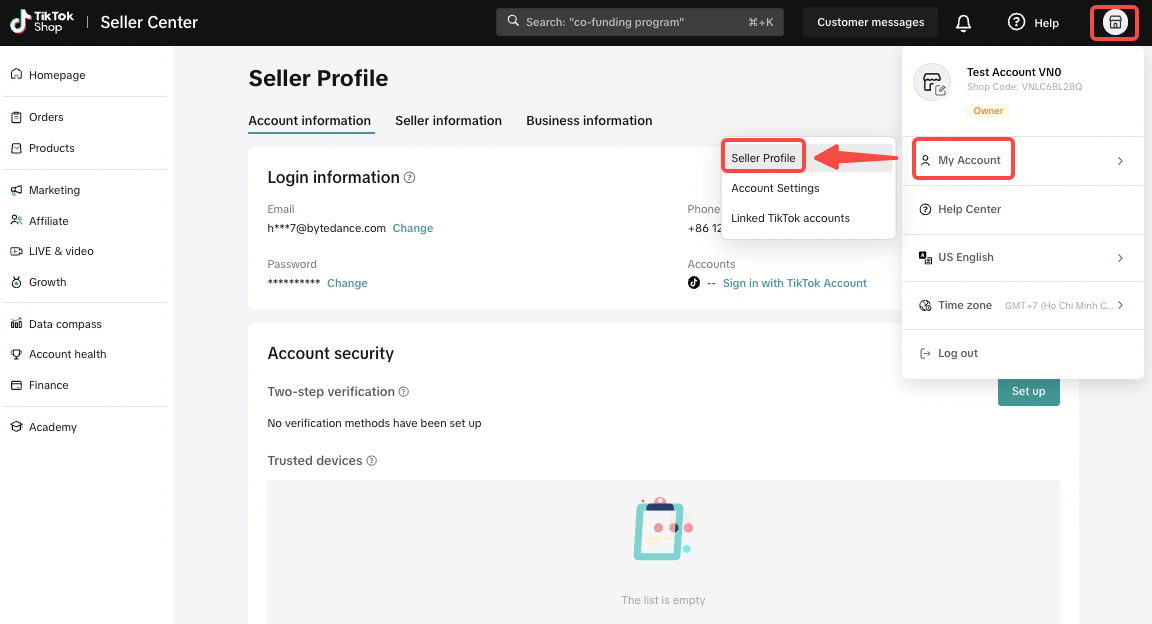
The phone number or email you use during sign-up will automatically serve 2 purposes which can be modified anytime later.
Please note that a store can bind with 1 Official Account and 4 Marketing Accounts.
 Now your shop is all set. Get ready for your first order and happy selling on TikTok Shop!
Note: If you get stuck during sign-up, we’re here to help! Simply click the "Help" button in the top right corner of your screen to submit a support ticket. Our customer service team is ready to assist you with any questions.

Important things to know:
Registration Page
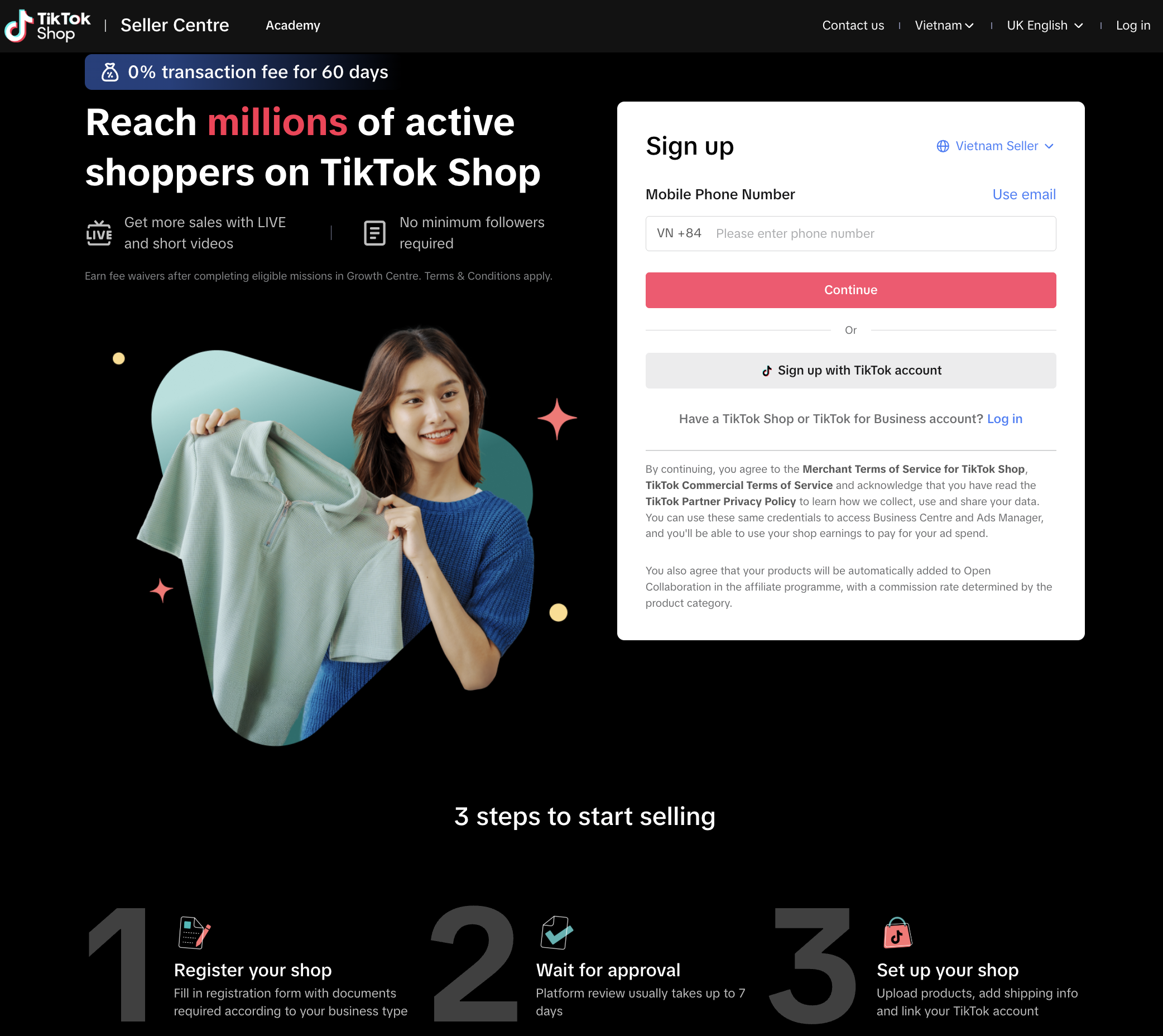
Firstly, visit TikTok Shop Seller Center Vietnam to sign up for a shop.Registration options
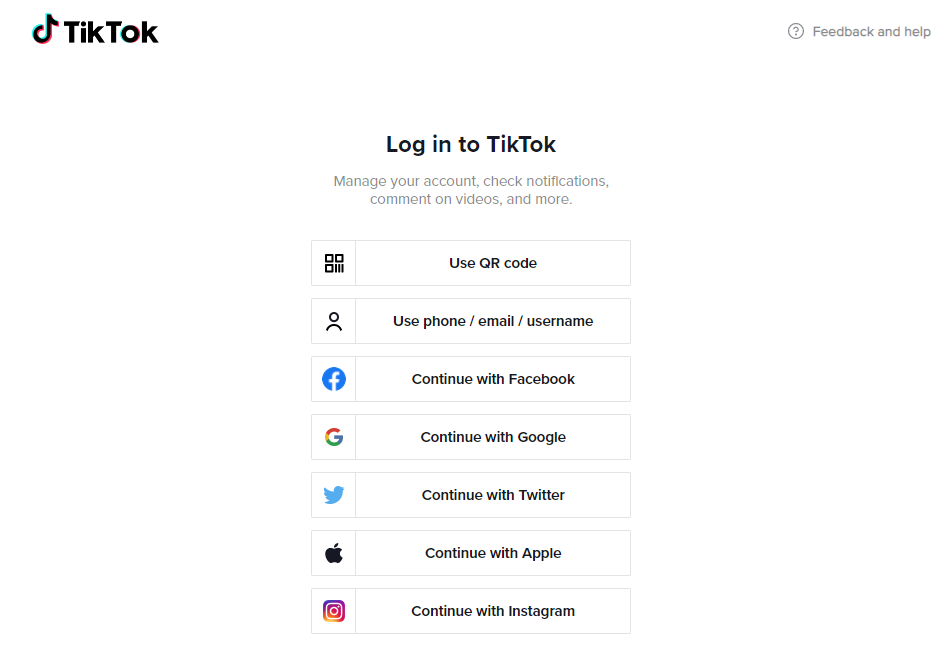
Option 1 - Register with your TikTok Account
You can sign up using your TikTok account. This can be done by selecting "Use QR code" and following the instructions, or by logging in using the phone/email/username associated with your TikTok account.Option 2 - Register with Phone Number or Email
You can register using your Mobile Number or Email. Simply enter your details, set a password, and enter the verification code sent to you.The phone number or email you use during sign-up will automatically serve 2 purposes which can be modified anytime later.
- Log-in credentials: Your access to the Seller Center.
- Platform updates: Where TikTok Shop will send important platform news and official updates.
- Security: We verify your phone or email to keep your account safe and ensure it's really you.
- One account limit: Each phone number or Email can only be used for one TikTok Shop account for an individual entity. If you wish to open a second shop, you will need to use different contact details.

Set Up A Store
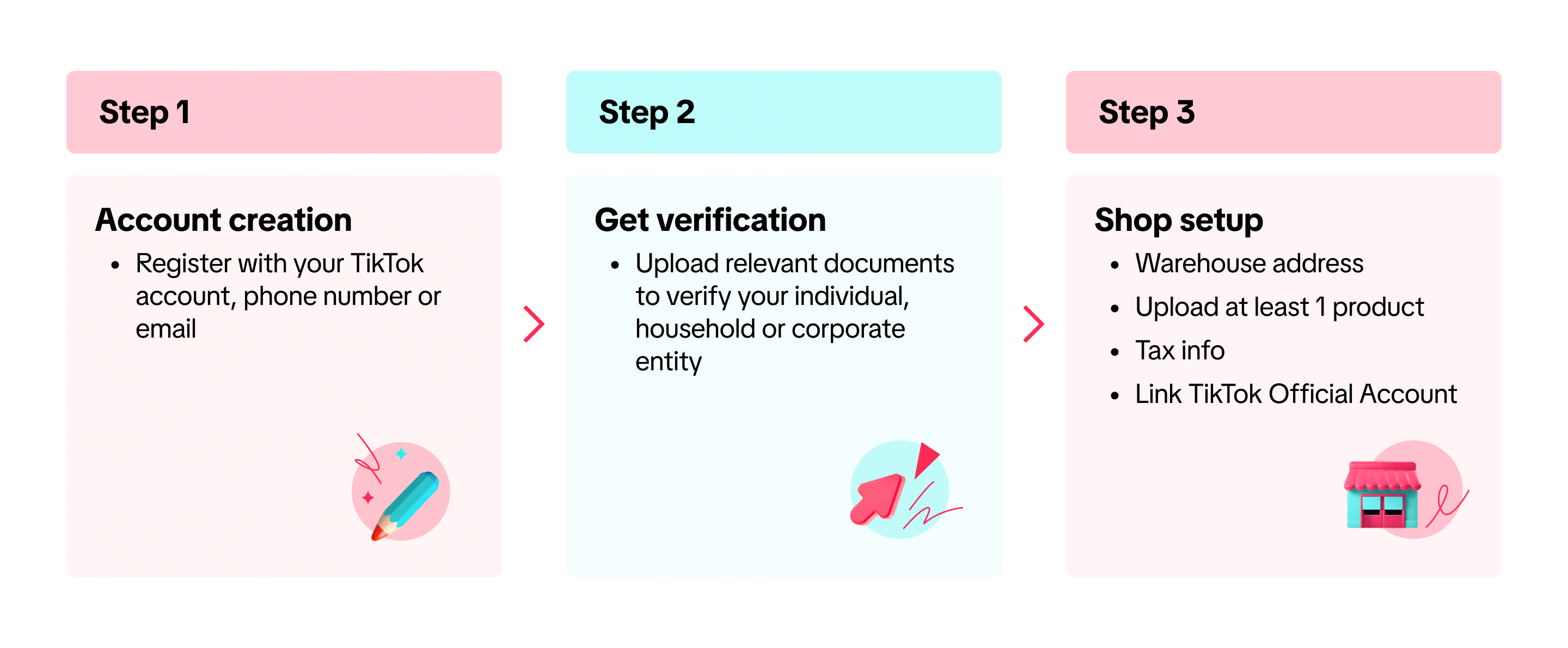
Step 1 - Identity Verification
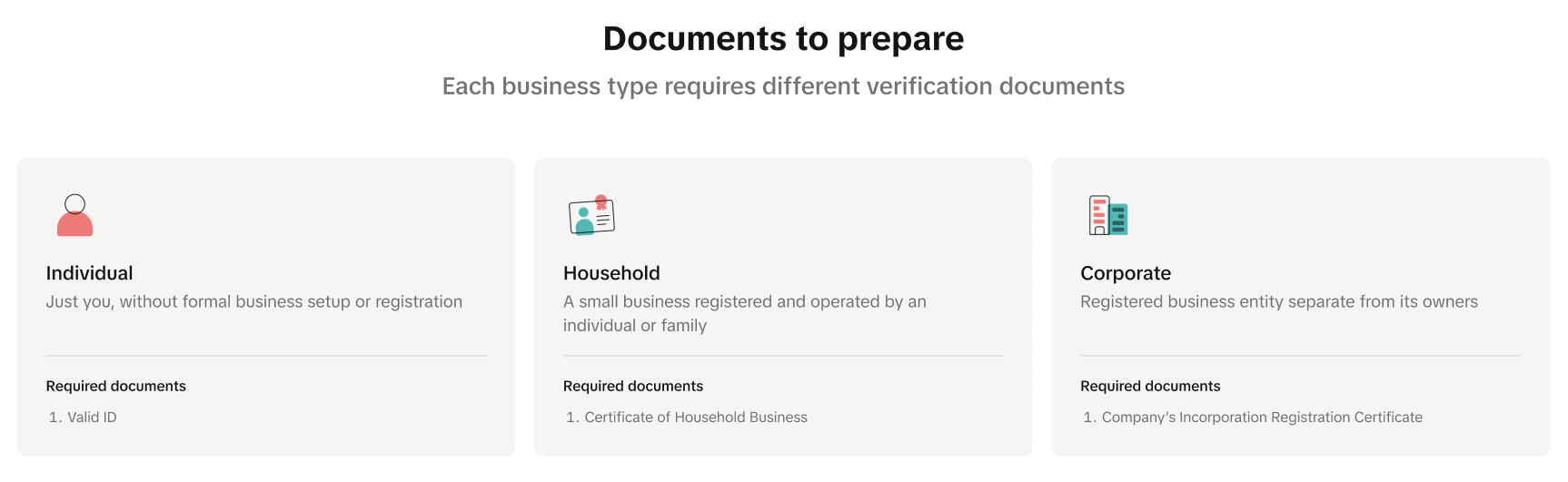
To start selling, you'll need to complete a quick verification process. This keeps the platform safe for everyone, and your data remains private and secure.- Basic Info: Choose your business type and create a shop name.
- Contact Details: Provide your phone number, email, and home address.
- Verification: Upload your ID or business documents (and proof of address if requested).
Step 2 - Store Setup
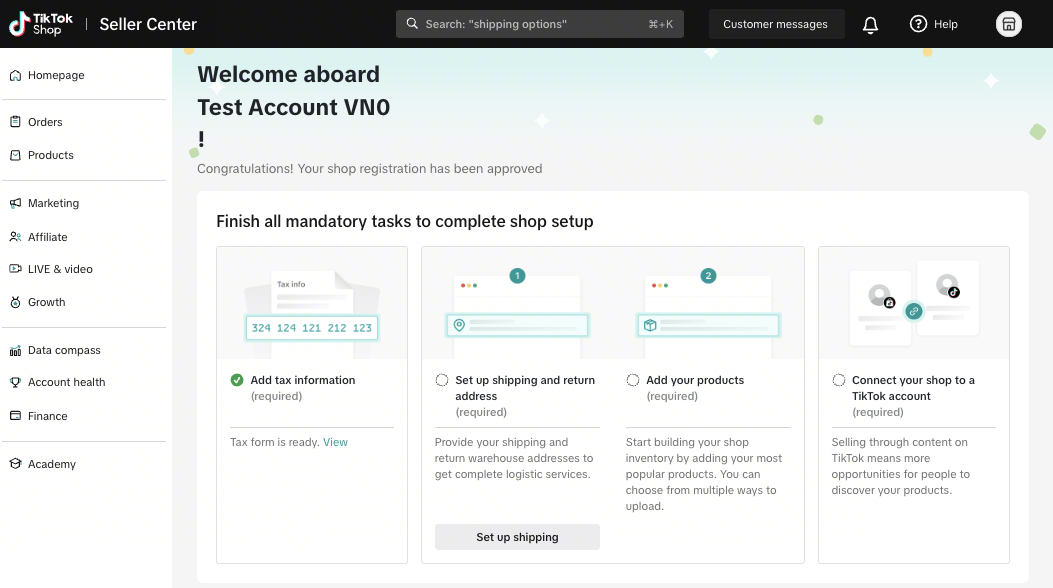
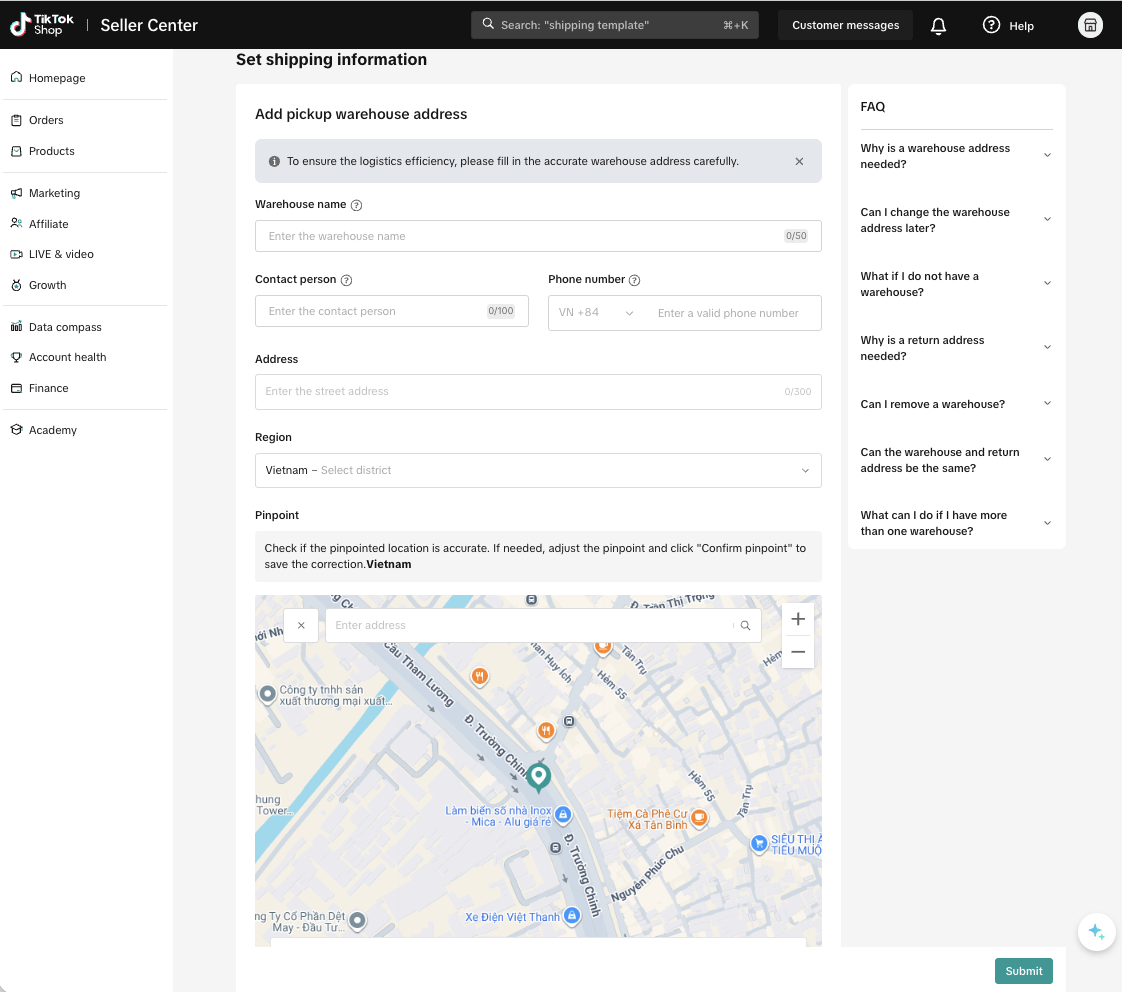
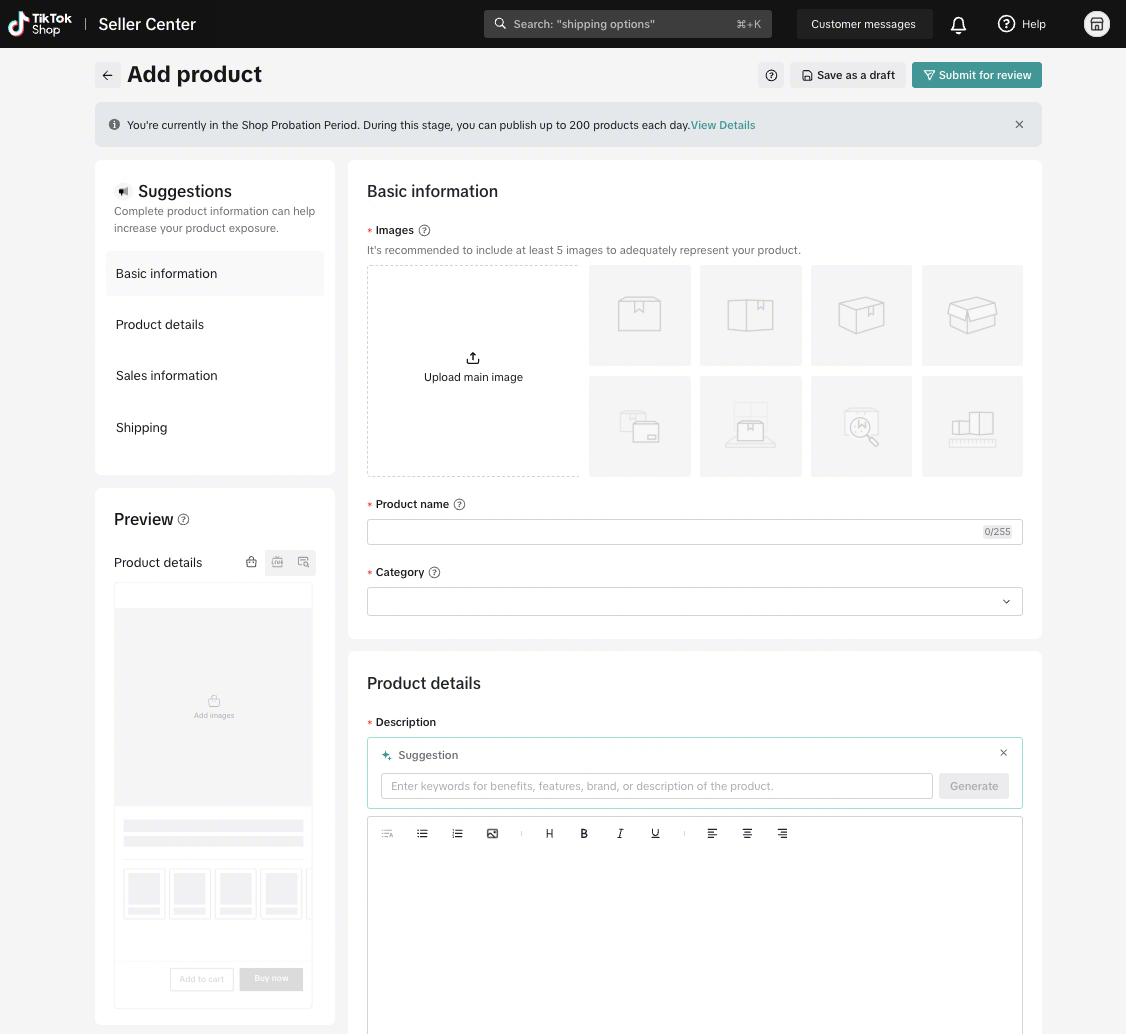
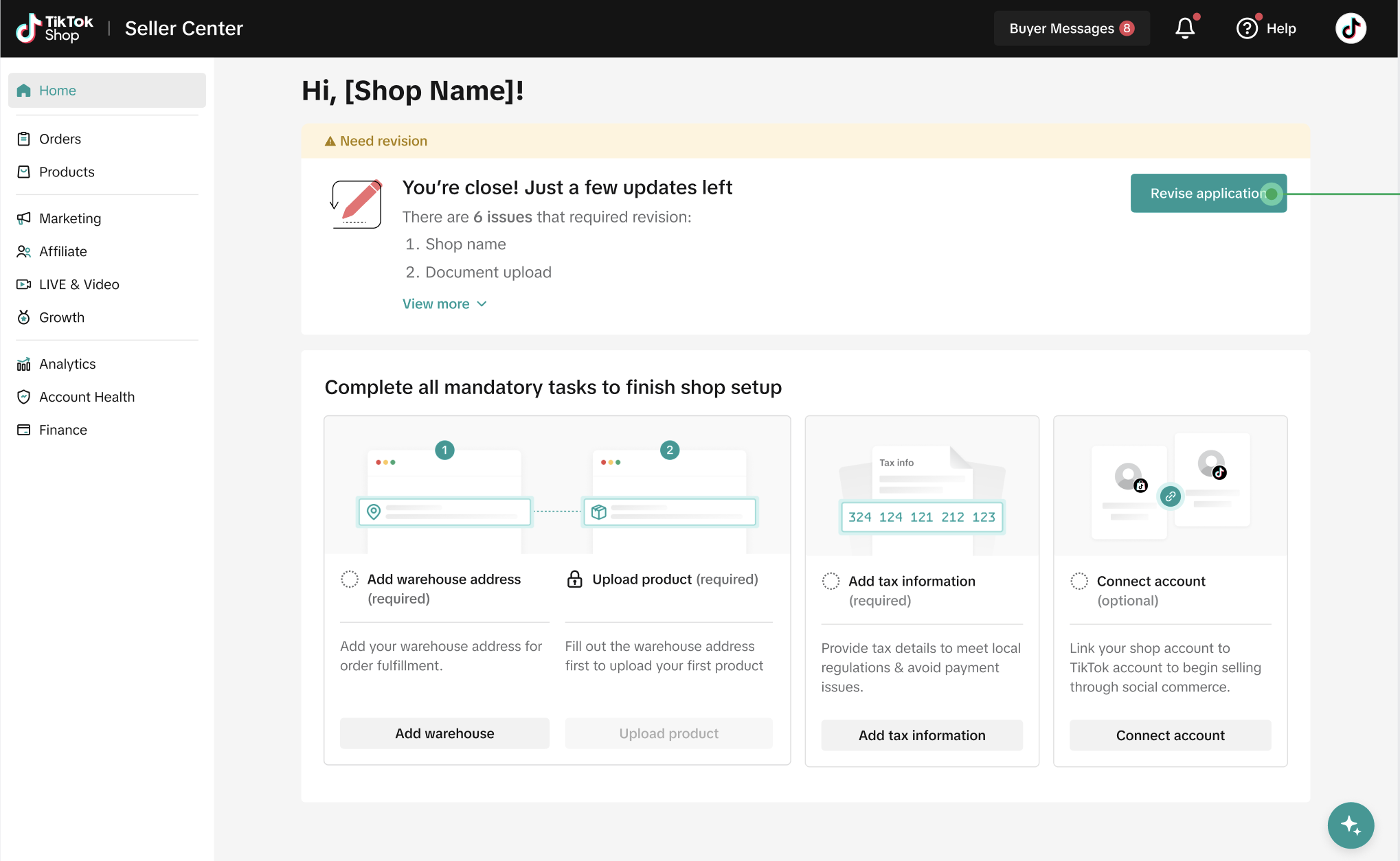
Follow the tasks on Seller Center to complete your store set up.- Tax information to facilitate income withdrawal
- Warehouse address for smooth aftersales operation
- Upload product listings for product visibility on TikTok app once your qualification documents are verified.
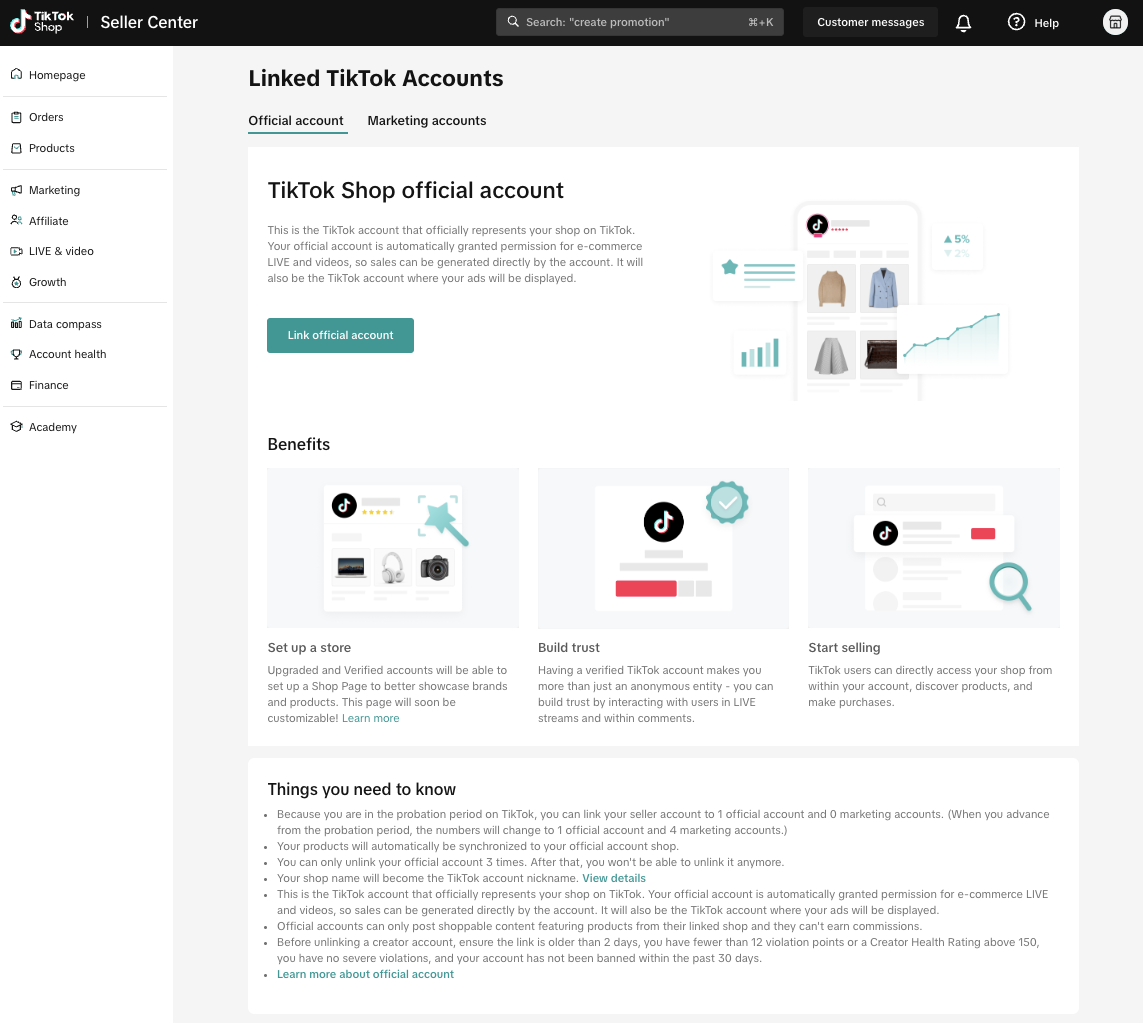
Step 3 - Link your TikTok Account
Once your qualification documents are verified, it's time to get your store an Official TikTok Account. This can be an existing TikTok account or a newly created one.Please note that a store can bind with 1 Official Account and 4 Marketing Accounts.
Note: If you get stuck during sign-up, we’re here to help! Simply click the "Help" button in the top right corner of your screen to submit a support ticket. Our customer service team is ready to assist you with any questions.
FAQ
- Can I modify log-in information?
| Change Email | Change phone number |
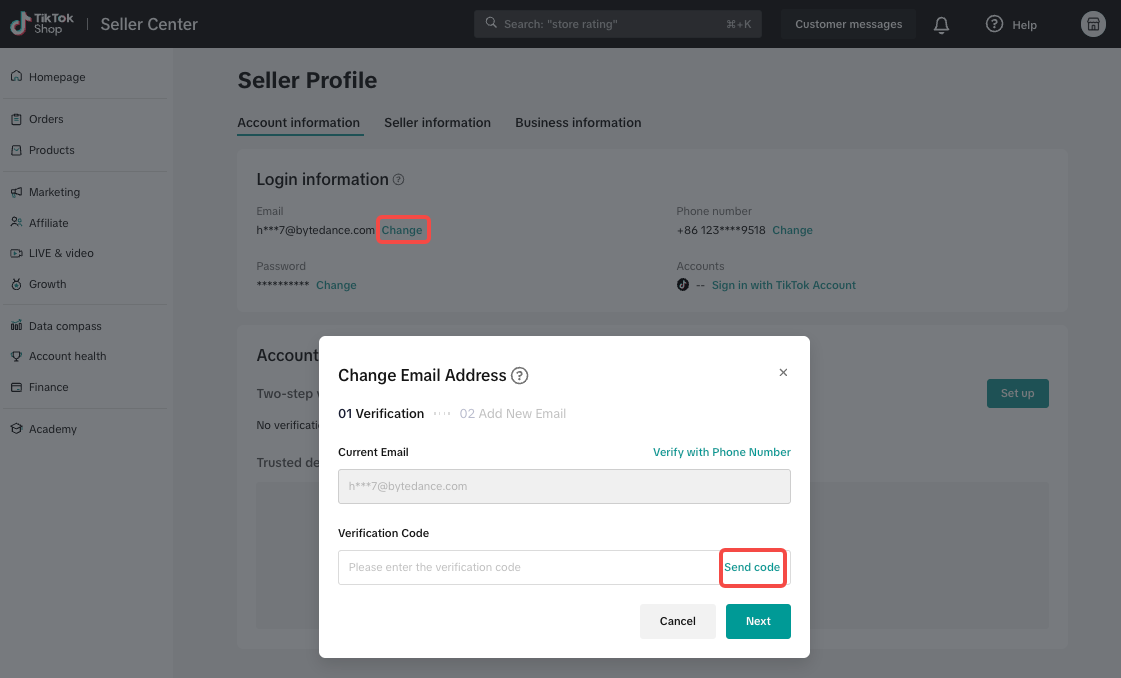 | 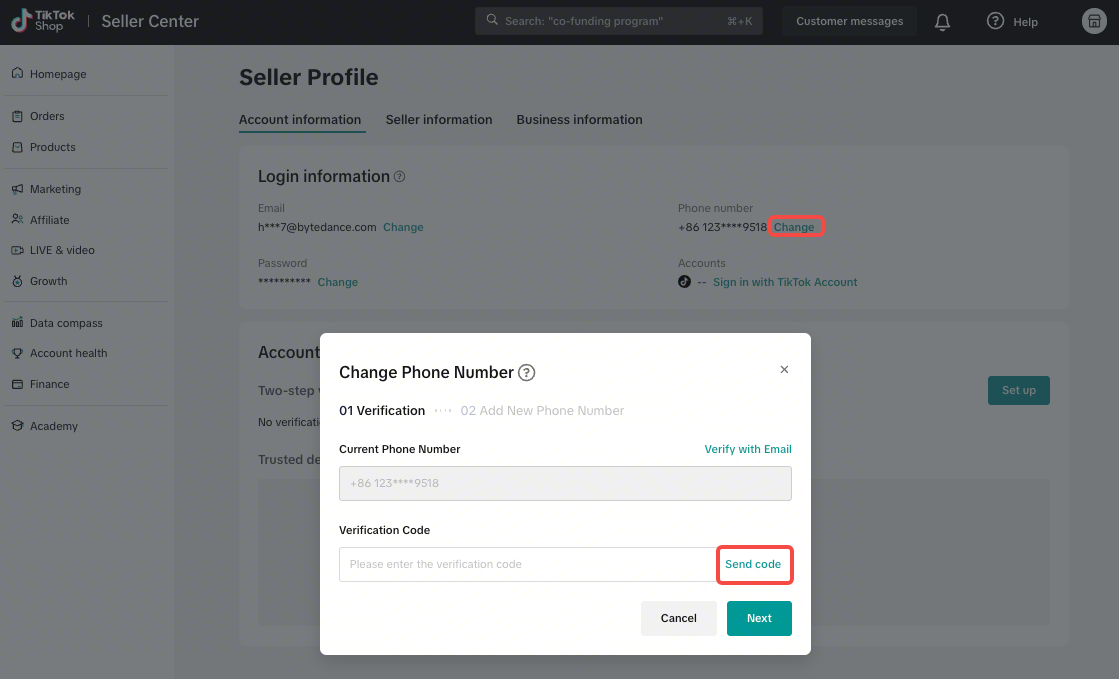 |
- Security check: For your protection, you must verify your identity using your current Email or phone number before you can set up a new one.
- Separate updates: Changing your login credentials will not automatically update your Seller Contact Information (and vice versa). If you want to change both, you must update them separately in your settings.
- What should I do if my documents got rejected in the verification process?
- Please refer to the rejection reason displayed on Seller Center and adjust accordingly.
- What if I enter the wrong phone number or email during sign-up?
- Don't worry. To finish signing up, you must enter a One-Time Password (OTP) sent to that device. If you don't receive the code within a minute, it's likely there was a typo. Just go back, correct your details, and request a new code.
- I forgot my Seller Center password, what should I do?
- Visit "Contact Us" on the top right corner to raise a ticket to our live agents. Read more.
- What are the common reasons to reject a shop?
- It's usually due to unclear or ineligible documents, incomplete information, inaccurate information or wrong address leading to the system unable to verify your business according to the given information and document.
- What happens if my registration is rejected?
- You will receive an email notification of your application or you can periodically check the seller center for the status of your registration to resubmit your rejected application again with the right information.
- Will the TikTok I use to register for a shop on the registration page become my store's Official Account?
- No, you will be asked to perform TikTok Official Account binding later in the process. You may bind it on the Official Account binding page to confirm the decision.