How to add products into EC-video & LIVE
01/07/2025
Part1:For adding products into EC-video
step1, create a video
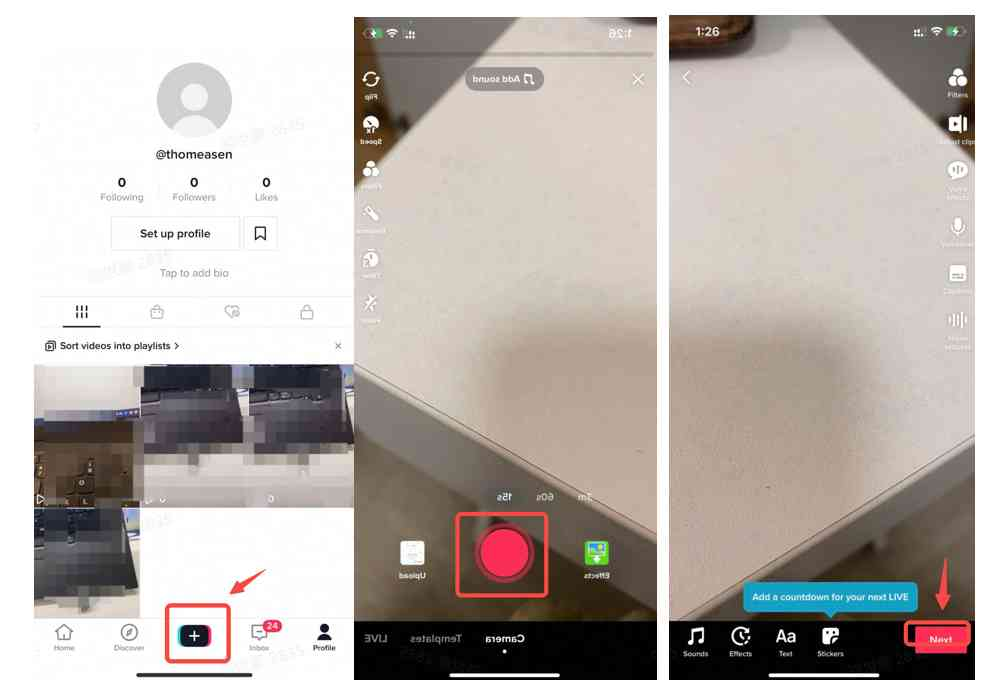 first secondthird
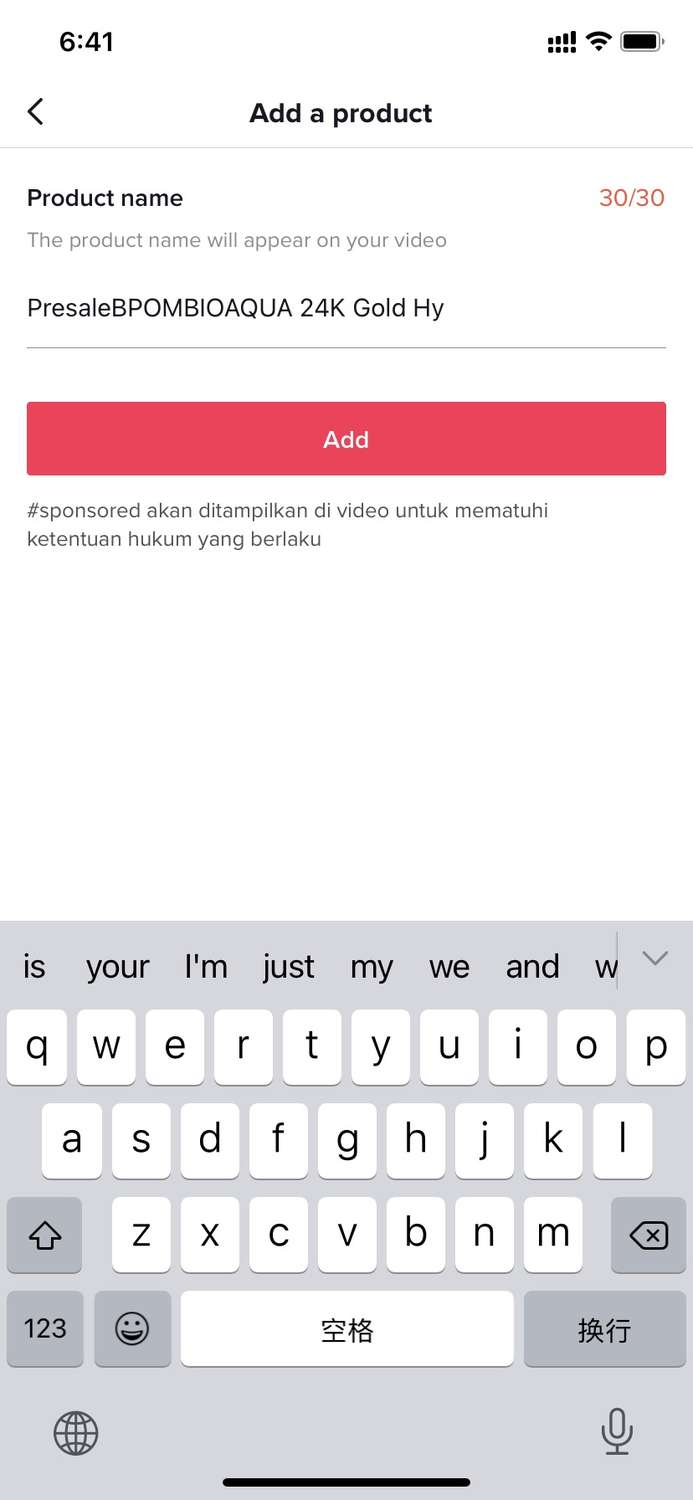
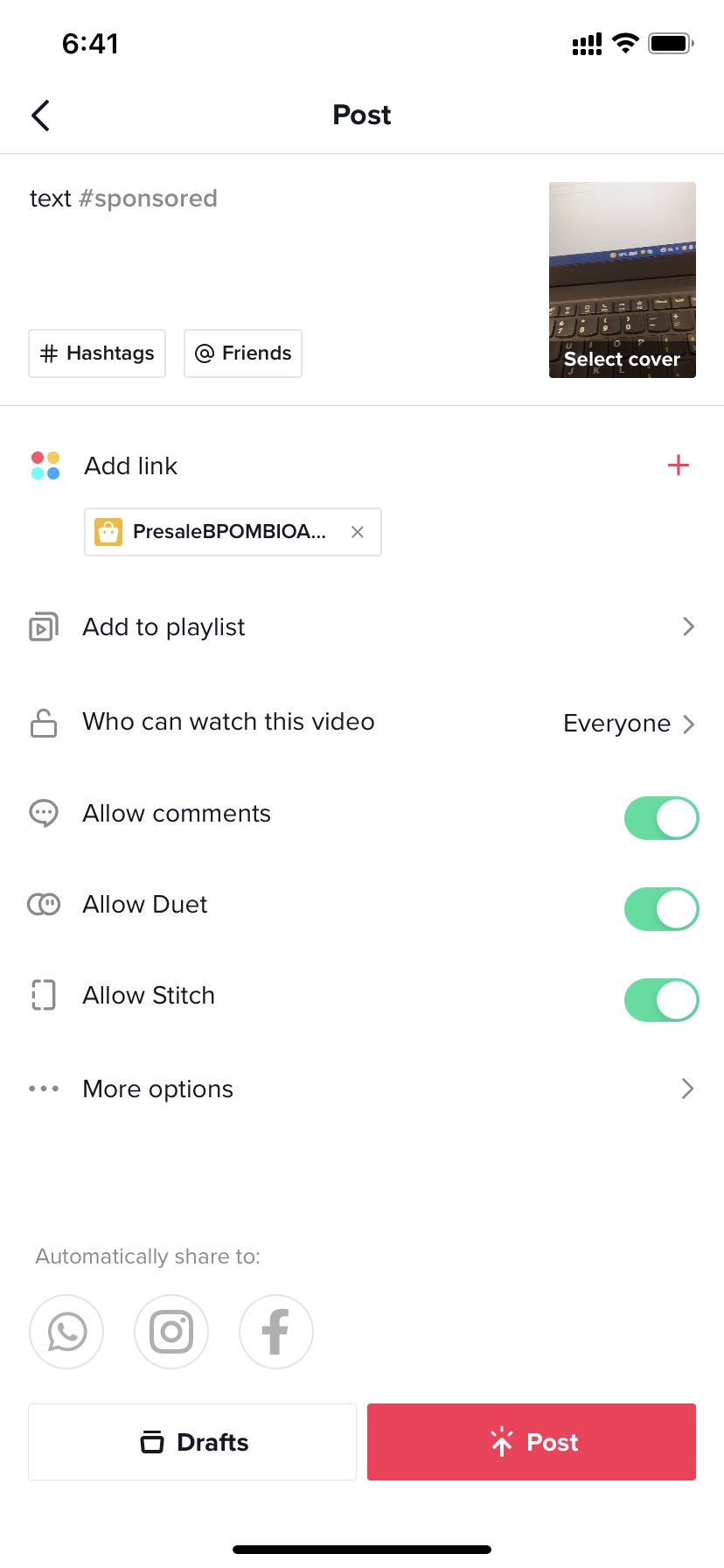
step2,add product into EC-video
| After finfish the video,click add link | You can add product from showcase | You can also add product from affiliate by click 【add more product】in previous page | Input the product name which will show on the EC-video | click post |
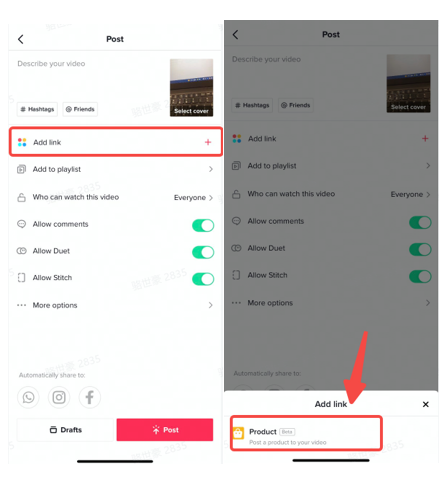 | 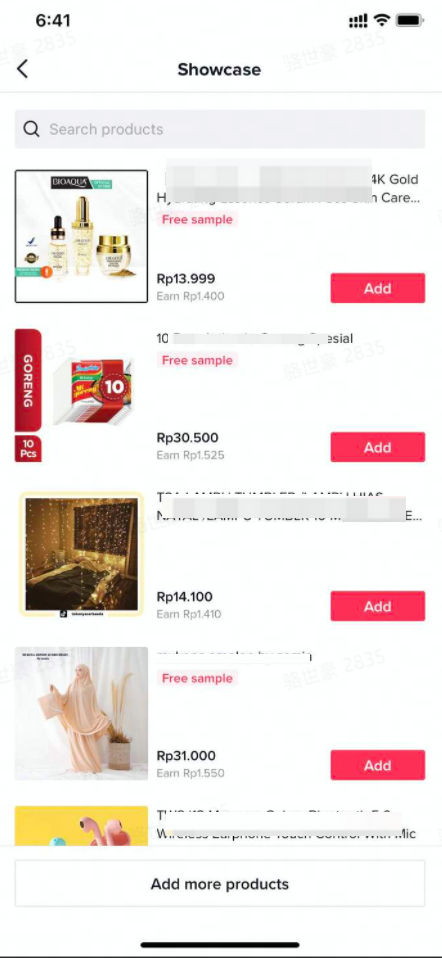 | 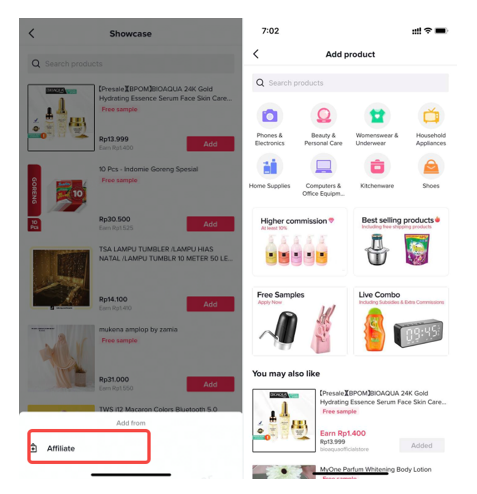 |  |  |
Part2,For adding products into EC-Live
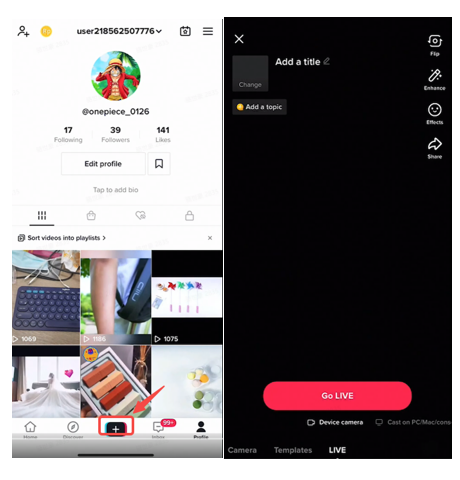
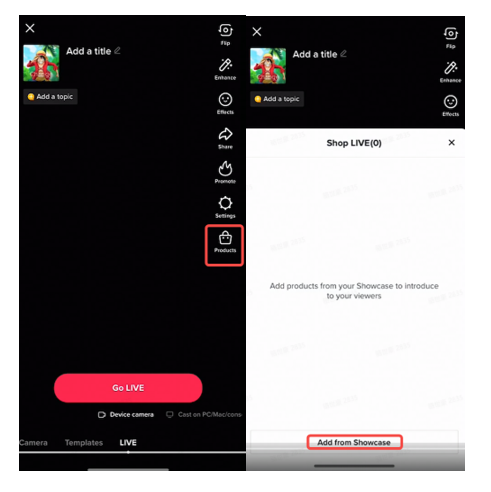
Adding products to TikTokAPP
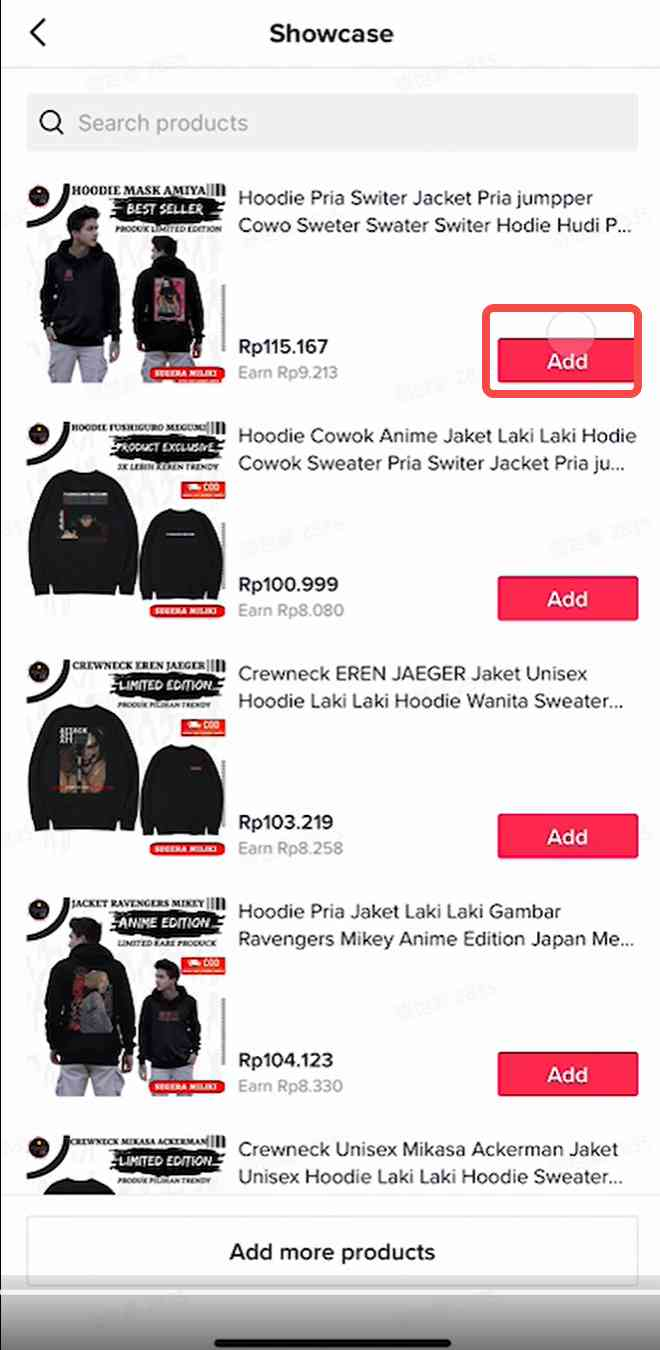
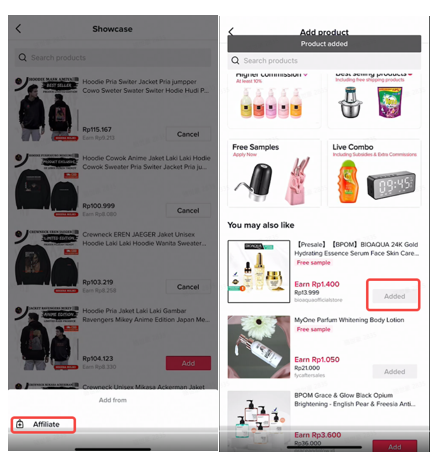
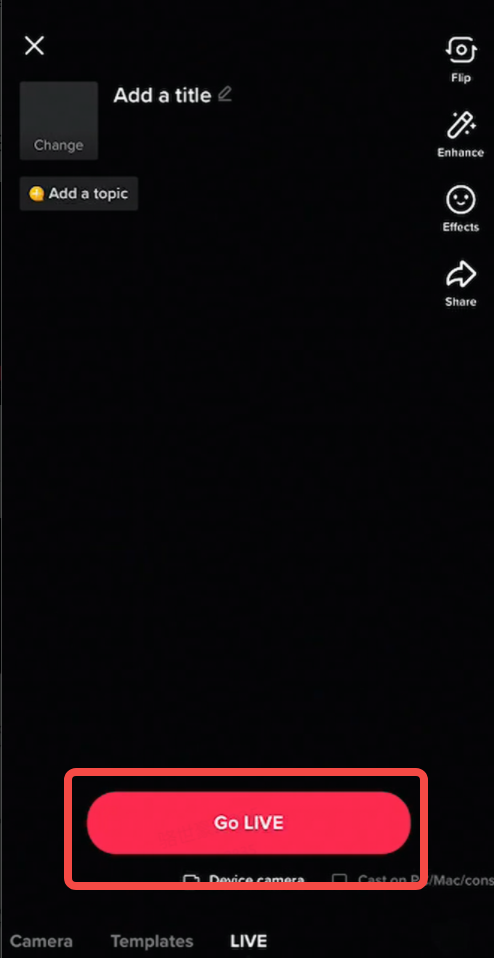
| step1,click the [+] and get into EC-Live | step2,click the 【product】 button to add product into EC-live | step3,select the product from showcase | step4,you can also select product from affiliate | step5,after finish adding products into shopLIVE, click GO LIVE to start EC-live |
 |  |  |  |  |
Adding products to Livestreaming Dashboard
| Feature | Demo | Instruction |
| Showcase - Add products to Livestream | 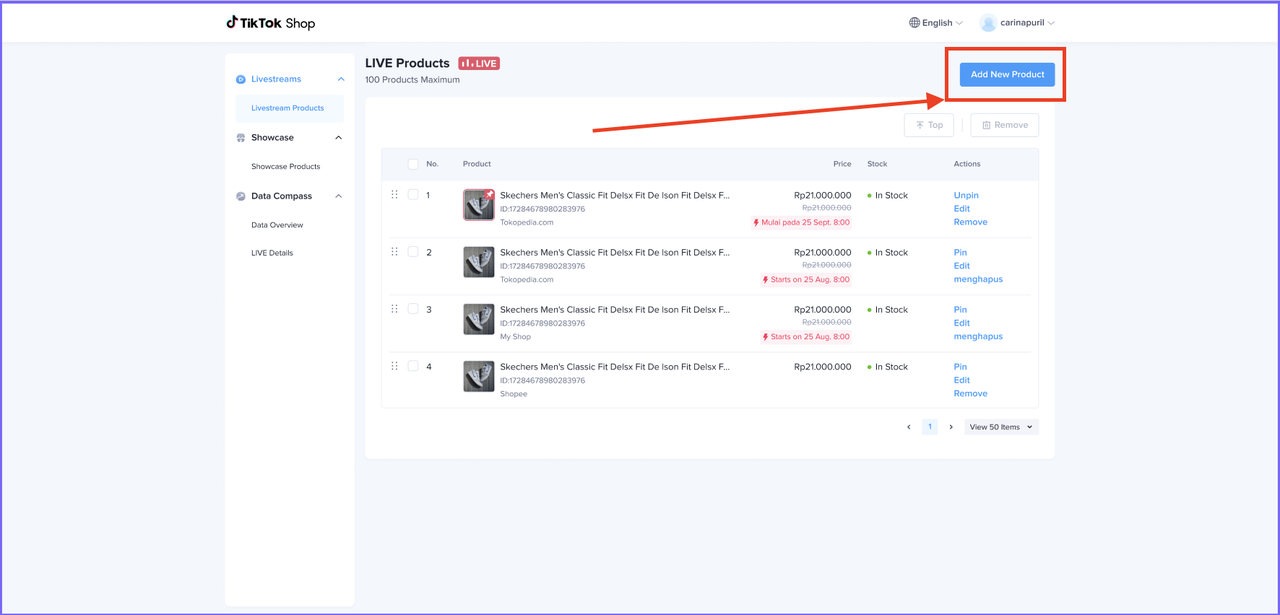 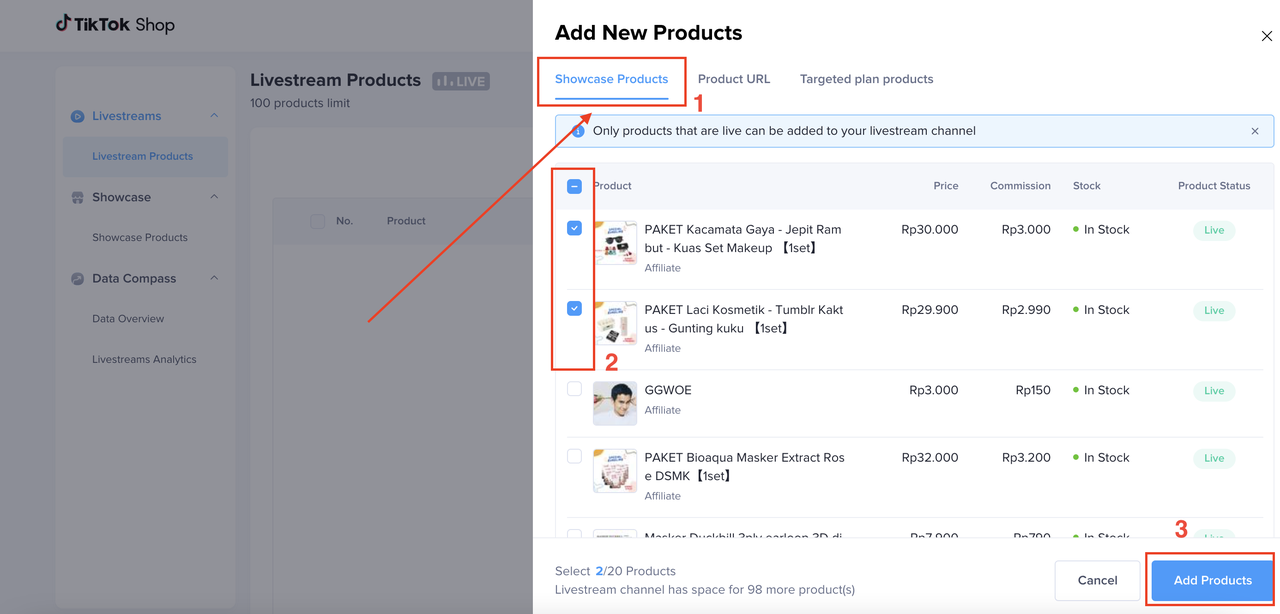 | Livestream Products => Add new Product => Showcase Products |
| URL - Add products to Livestream | 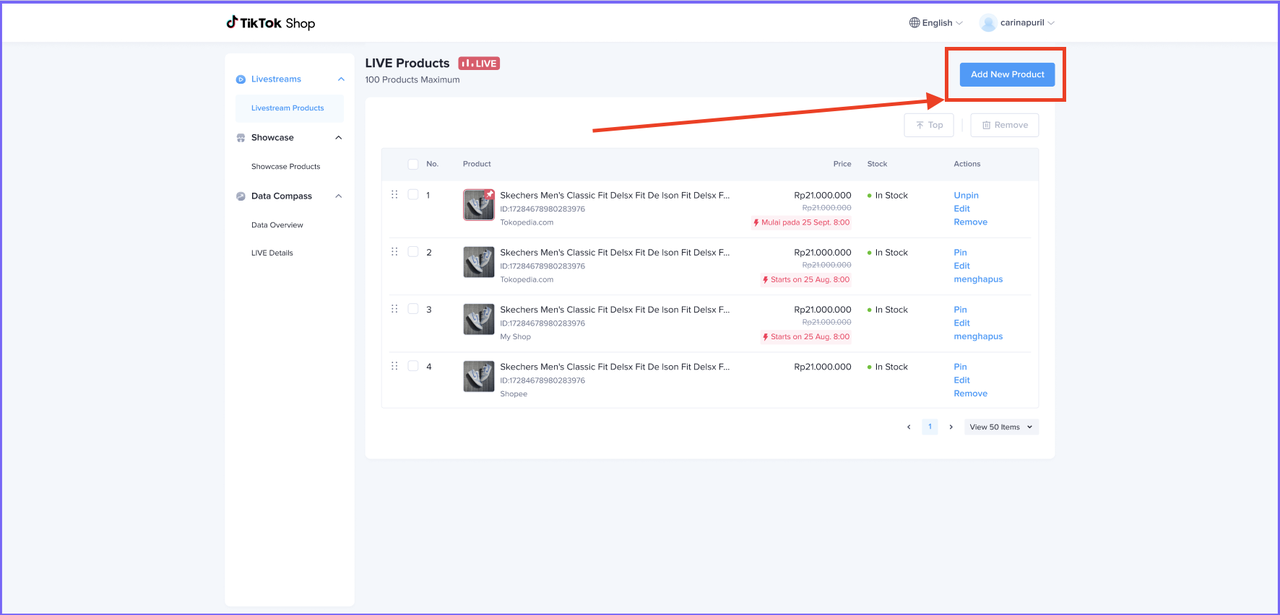 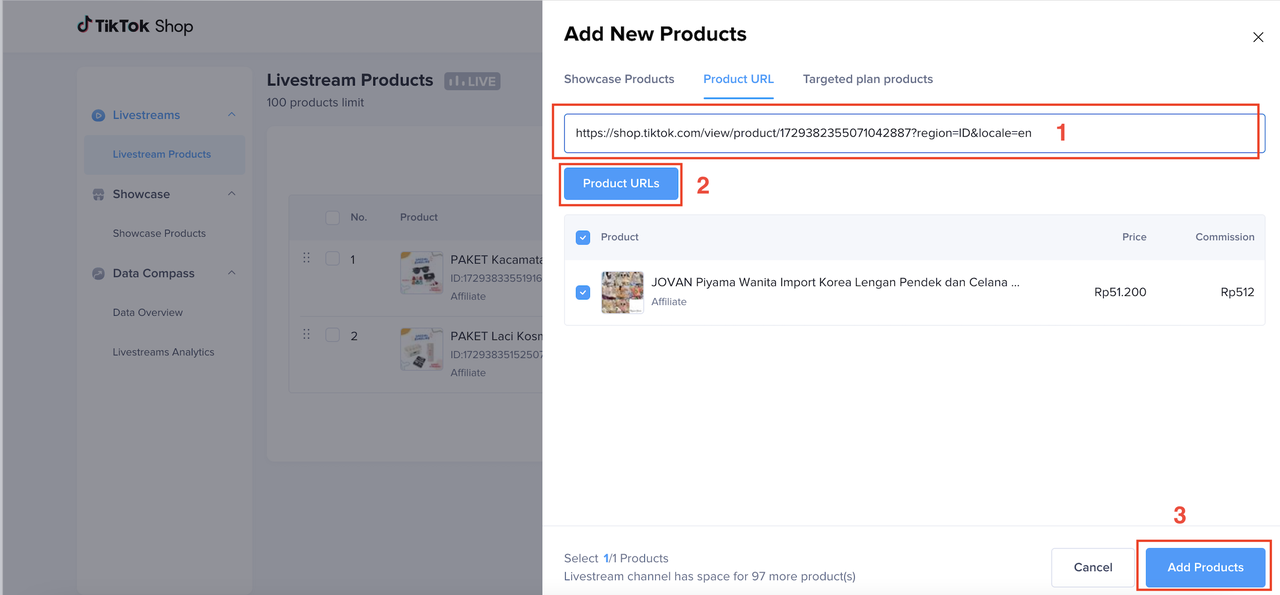 | Use the product URL to add Targeted Plan productcopy the product link from seller center - Manage products 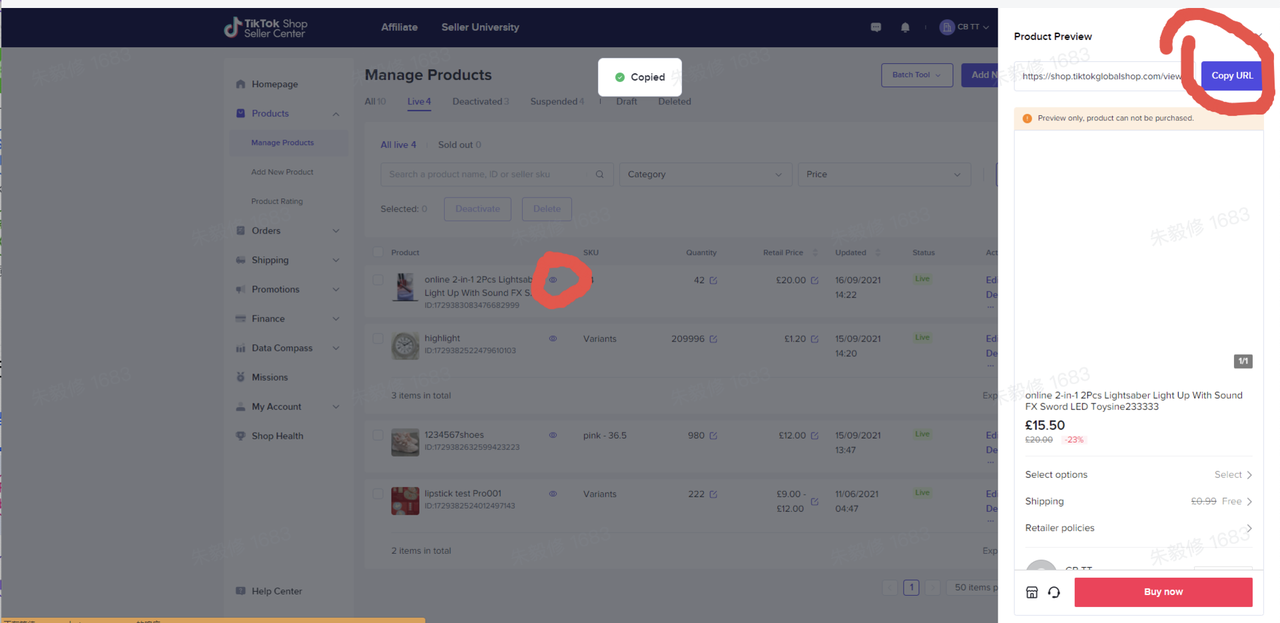 |
| Targeted plan - Add products to Livestream |  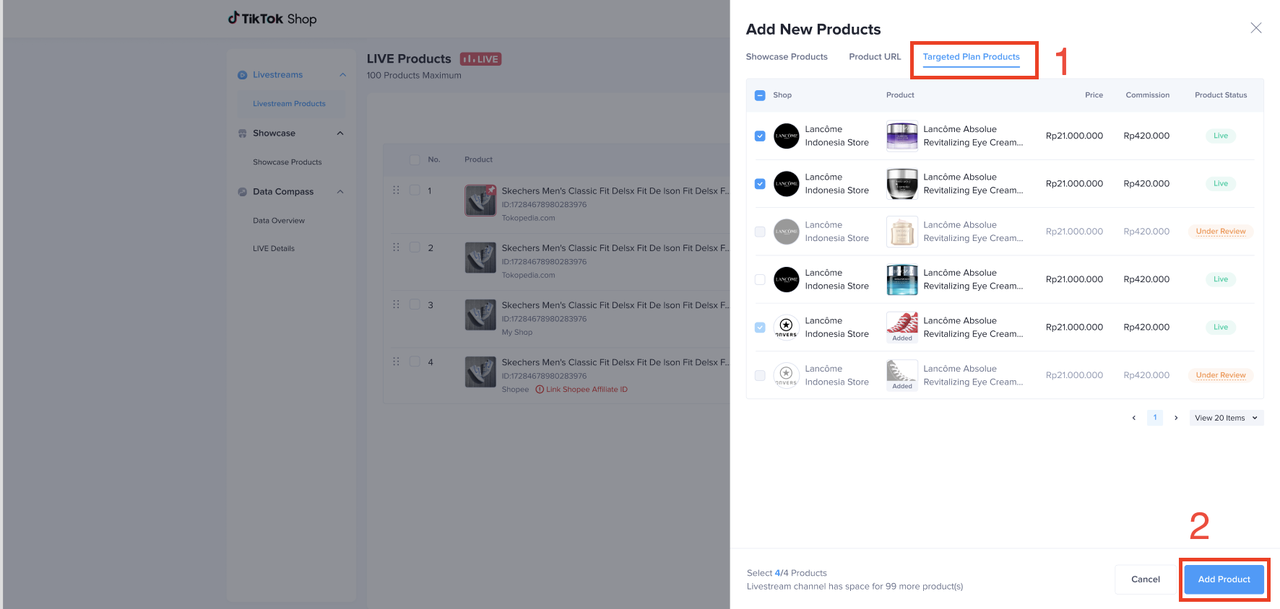 | Livestream Products => Add new Product => Targeted Plan Products |