

Updating Personal Details via Seller Qualification Center
Introduction
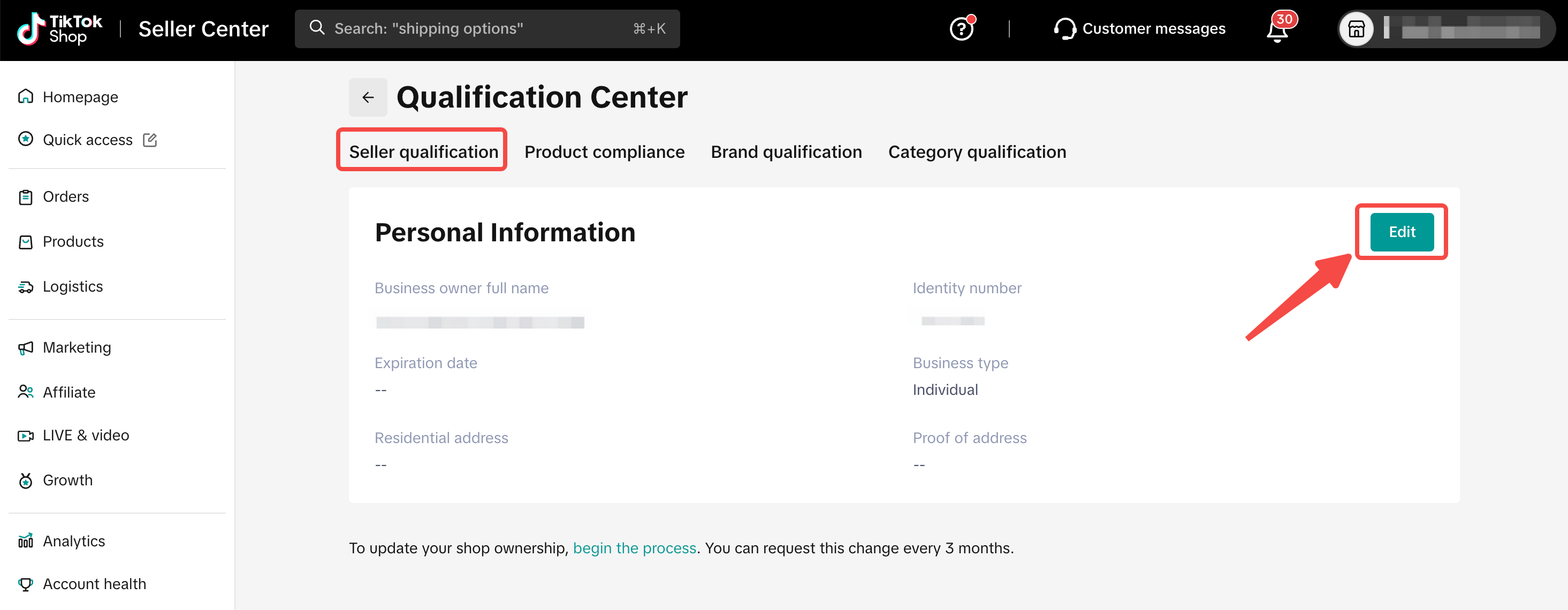
The Seller Qualification Center is a one-stop page displaying the personal details that are linked with your seller account. These are the details that you used to register a seller account on TikTok Shop.The Seller Qualification Center can be accessed via the following:
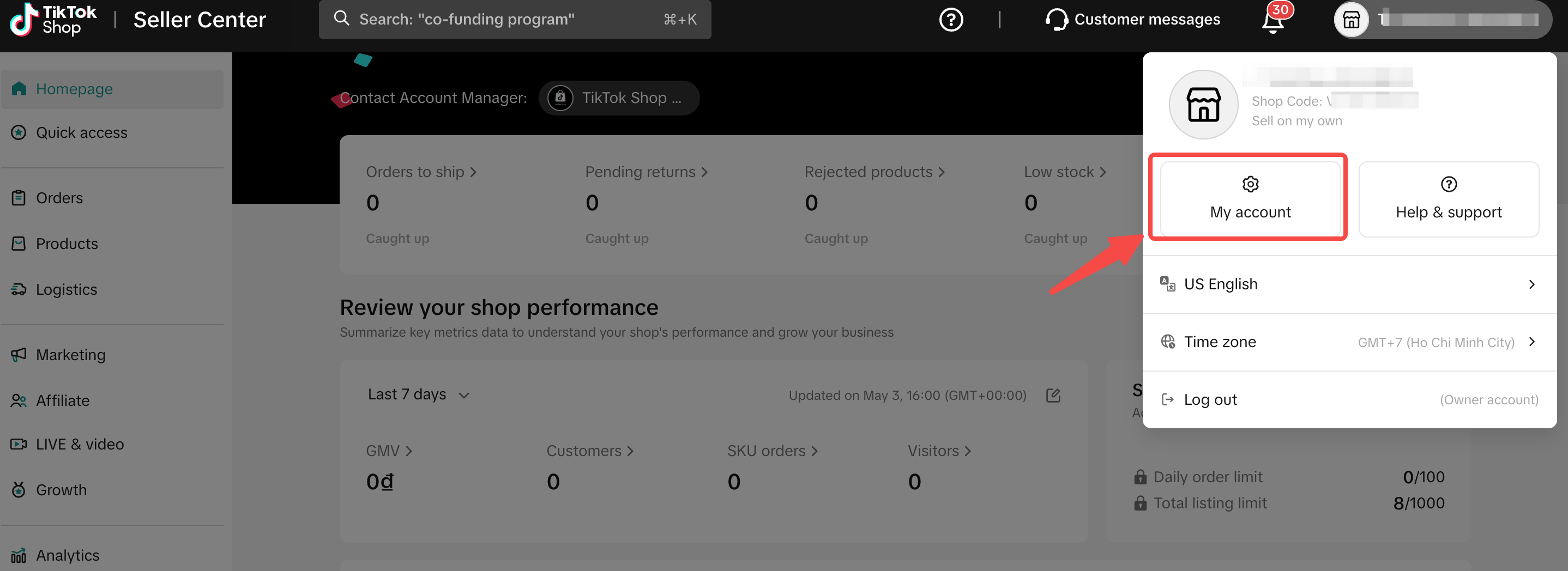
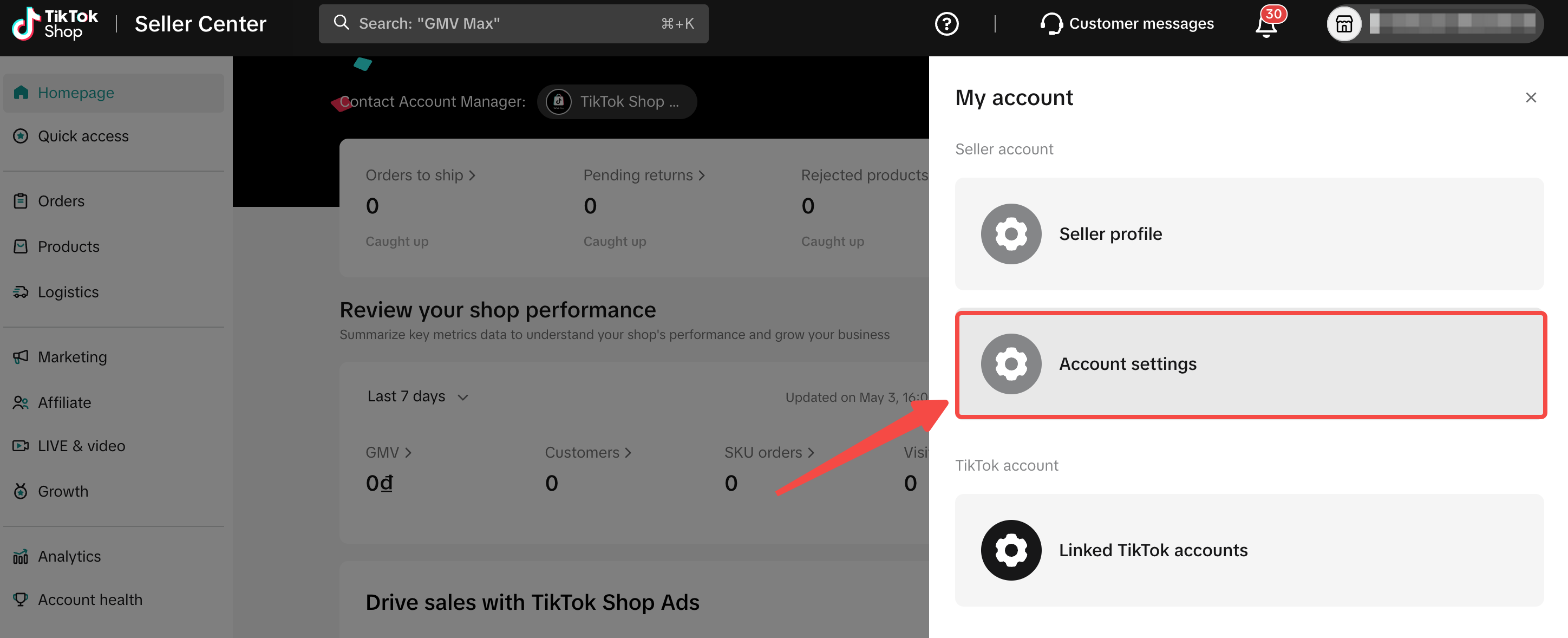
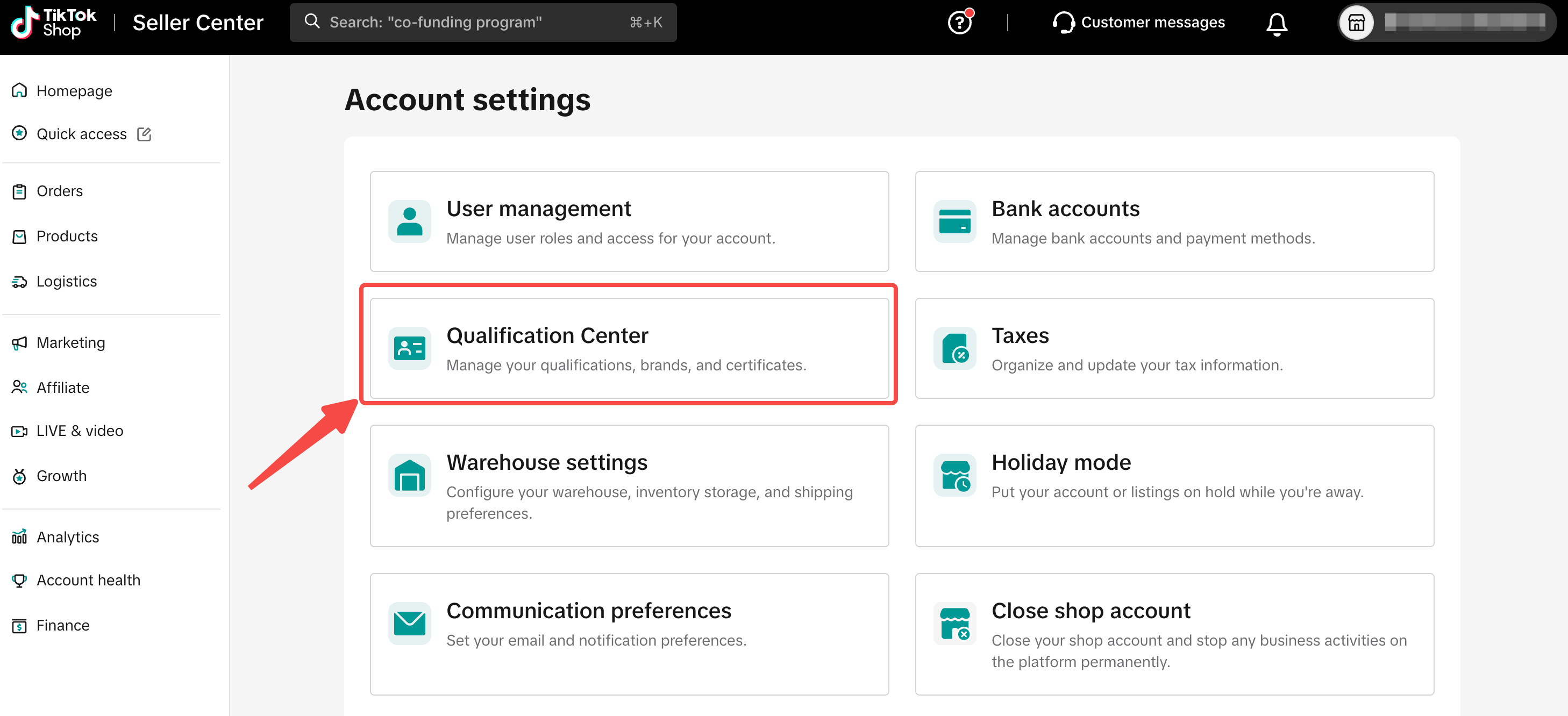
- My Account > Account Settings > Qualification Centre > Seller Qualification
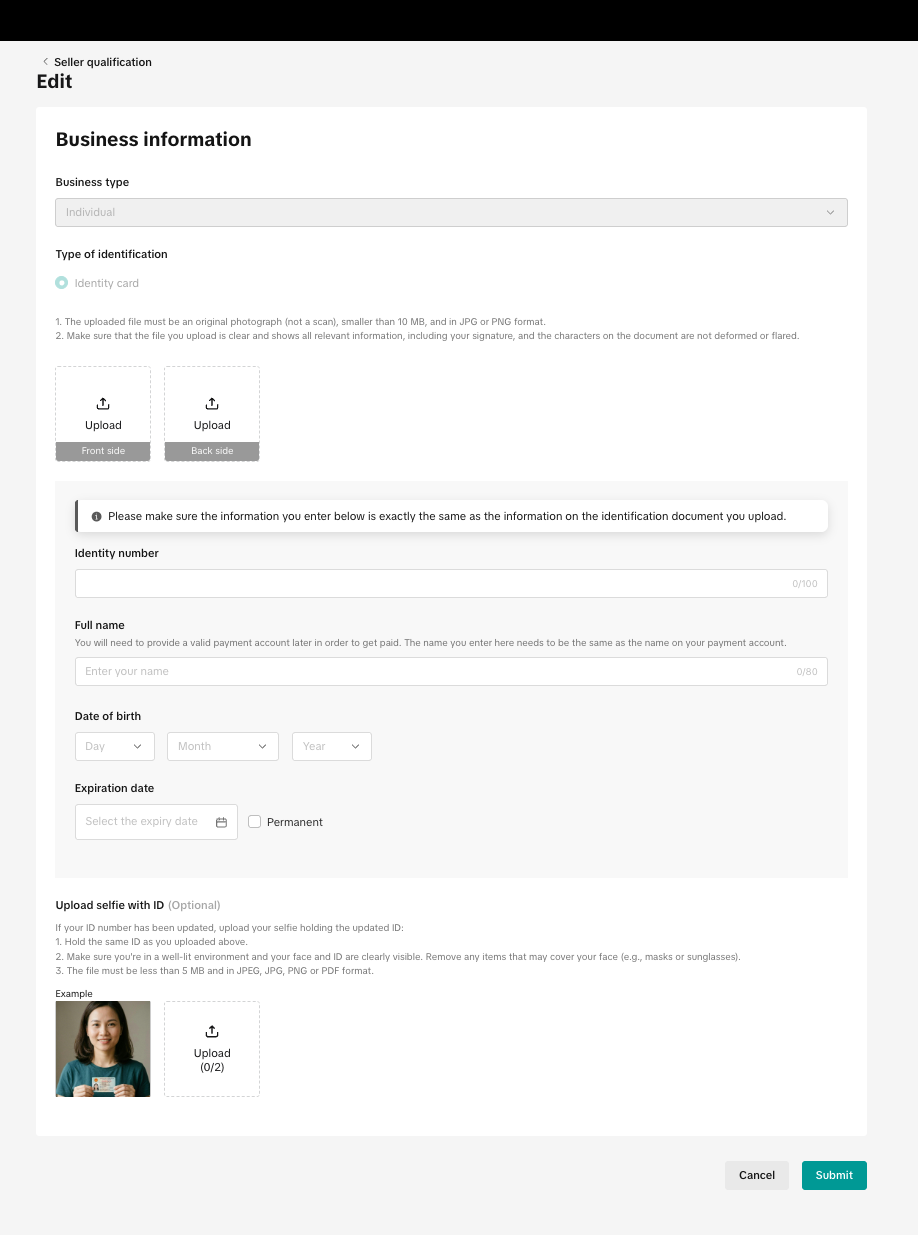
Editing Personal Details
In order to prevent any disruptions to your shop operations on TikTok Shop, it is important to keep us updated on any changes in your personal details.On the Seller Qualification page, click on the "Edit" button to start. Please remember to have your supporting documents ready.
What Details Can I Edit?
| Business type | Details you can edit |
| Individual Seller | Identification
|
| Corporate Seller | Company information
|
| Business Household Sellers | Ultimate Beneficial Owner (UBO) information for Business Household Sellers
|
- Do note that your new personal details have to be consistent with the supporting documents that you upload.
- Updating your personal details is not the same as changing shop ownership, which follows a separate process.
- For individual sellers, if your shop was registered using a passport or a 9-digit ID number, please update it to a 12-digit ID number before proceeding to change ownership to a Business Household or Corporate seller account.
What Happens After I Submit?
After submitting, we will review the changes before updating your information. You will receive a notification once this is done.Supporting Document Requirements
Similar to your previous experience when you first registered for a seller account, the supporting documents that you upload need to meet the following requirements so that we can verify the details.General Document Format Requirements
- Supporting documents uploaded must be of high quality, coloured and unobstructed. Angled, blurry, black-and-white, or cropped screenshots are also not allowed.
- Supporting documents must be government-issued, and valid at the time of submission (i.e. not expired).
Individual Sellers
- Supporting documents must be in either PNG or JPG format.
- The name on your identity document must match the name that you are editing to.
- The identity document you upload must be of the same type as what you used during seller registration (e.g. if you registered using an ID card, please provide your ID card this time as well).
Corporate Sellers
- Supporting documents must be in either PNG, JPG or PDF format.
- The company name on your business registration document must match the name that you are editing to.