

[Part 2] How can I create Video Shopping Ads or LIVE Shopping Ads?
12/26/2023
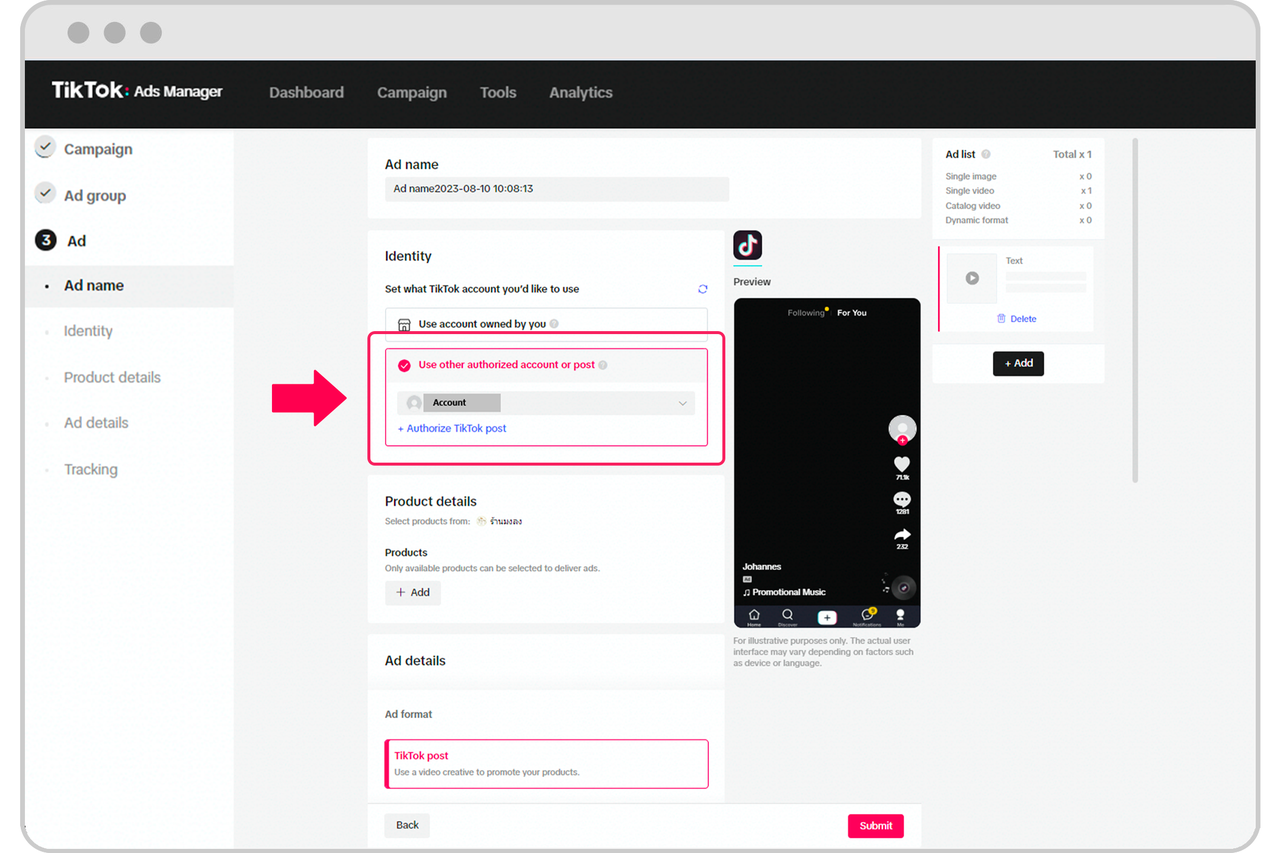
- For Video Shopping Ads:
- In the Ad group section, select TikTok Shop.
- In the Ad section, under Identity, select Use other authorized account, then select the official account.
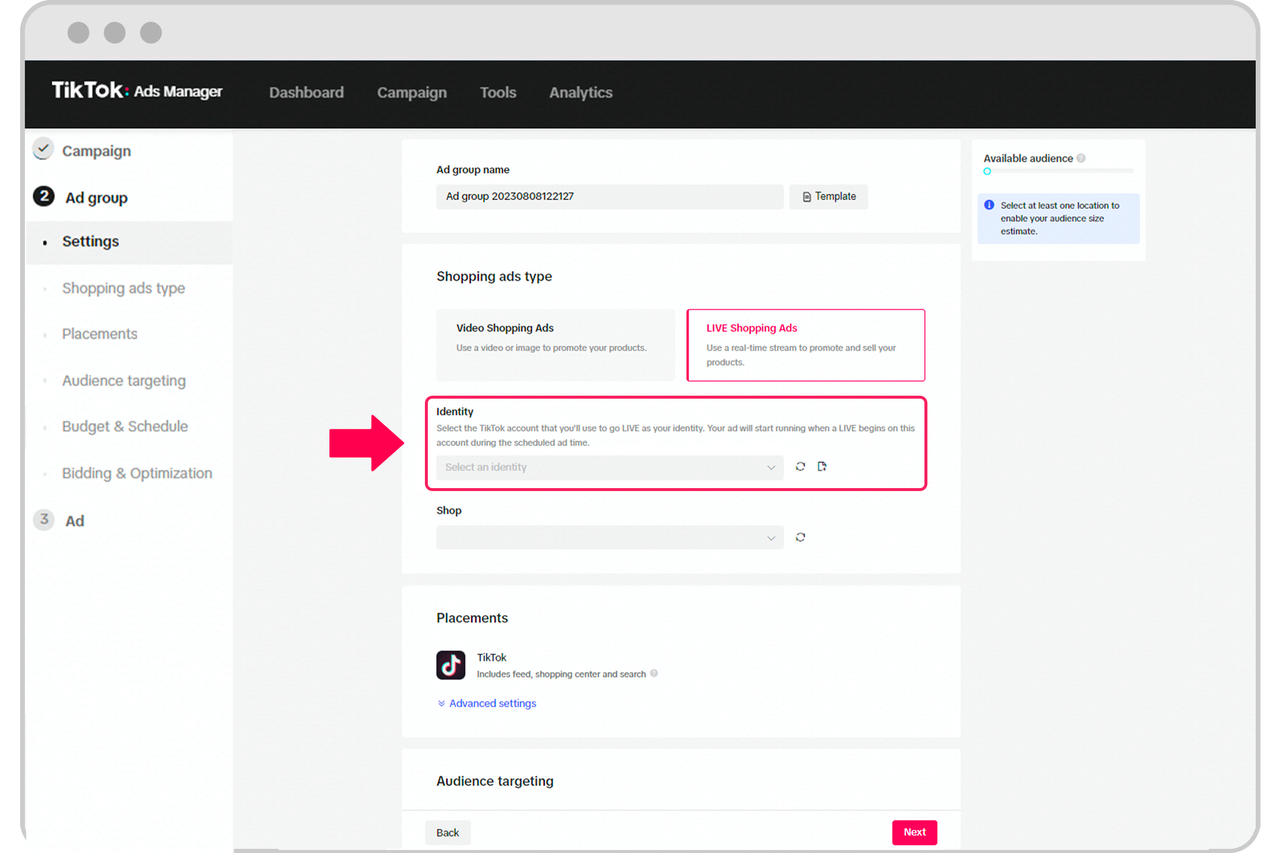
- For LIVE Shopping Ads:
- In the Ad group section, under Identity, select the official account.
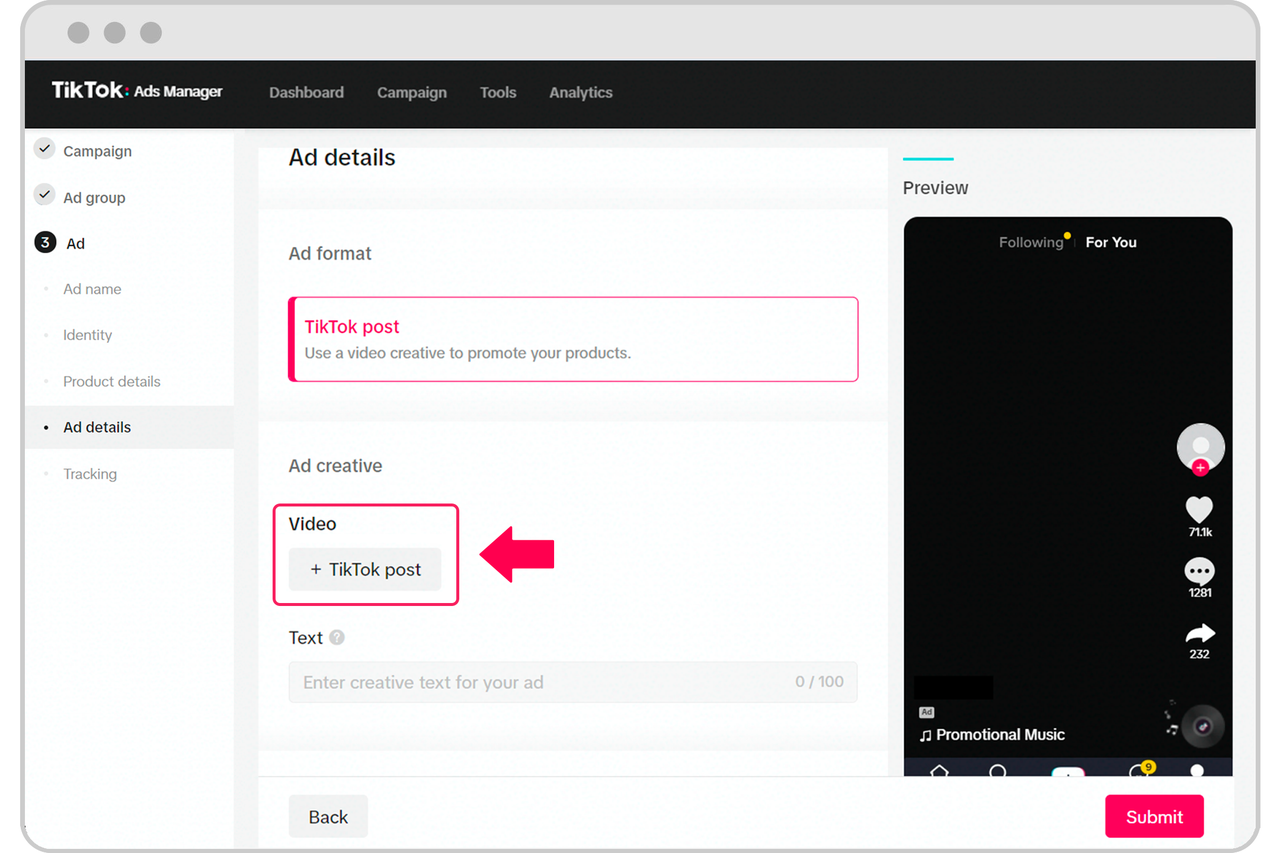
 After you select the Identity for your shopping ad, you will need to choose the creative for your Shopping Ad.
- For Video Shopping Ads, click +TikTok post and choose a TikTok post.
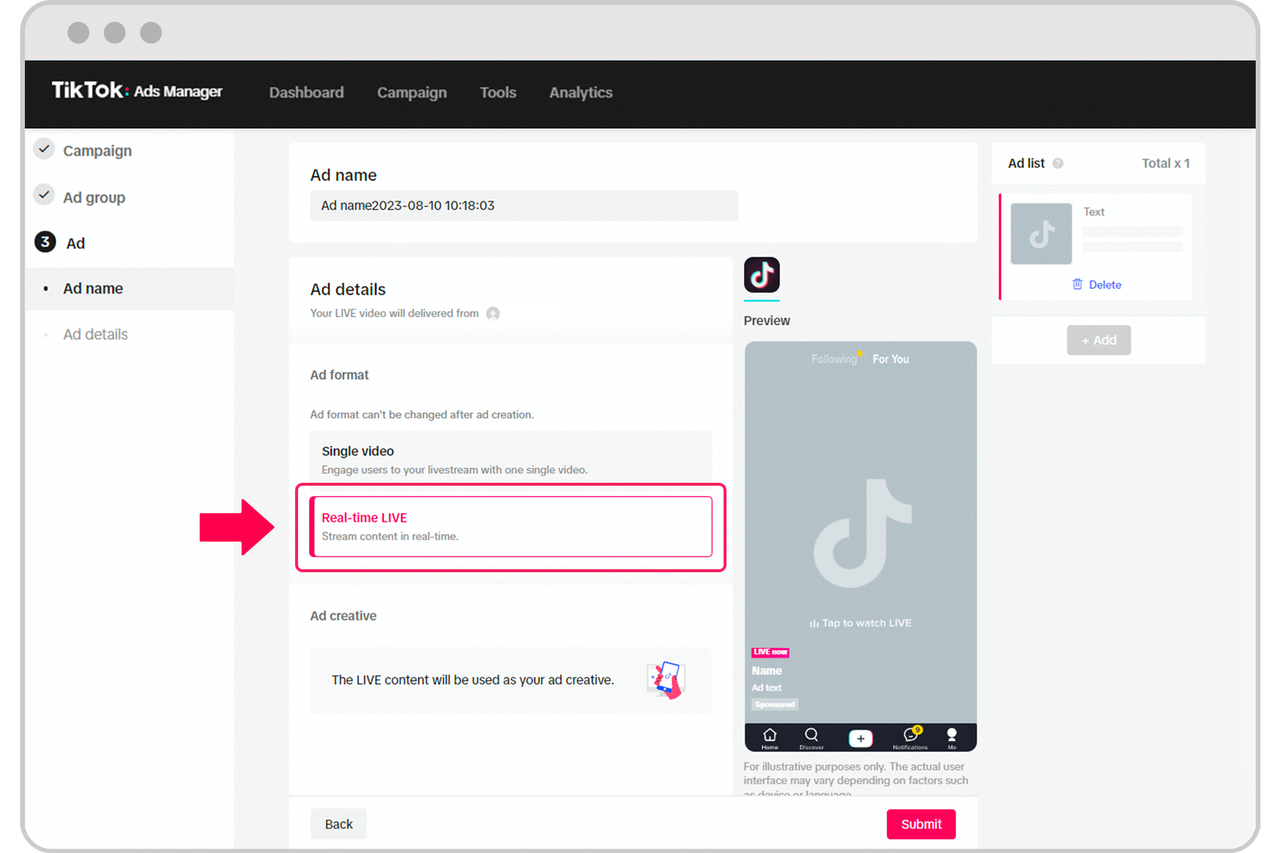
- For Real-time LIVE ad format, no TikTok post is needed prior to the start of the LIVE video.
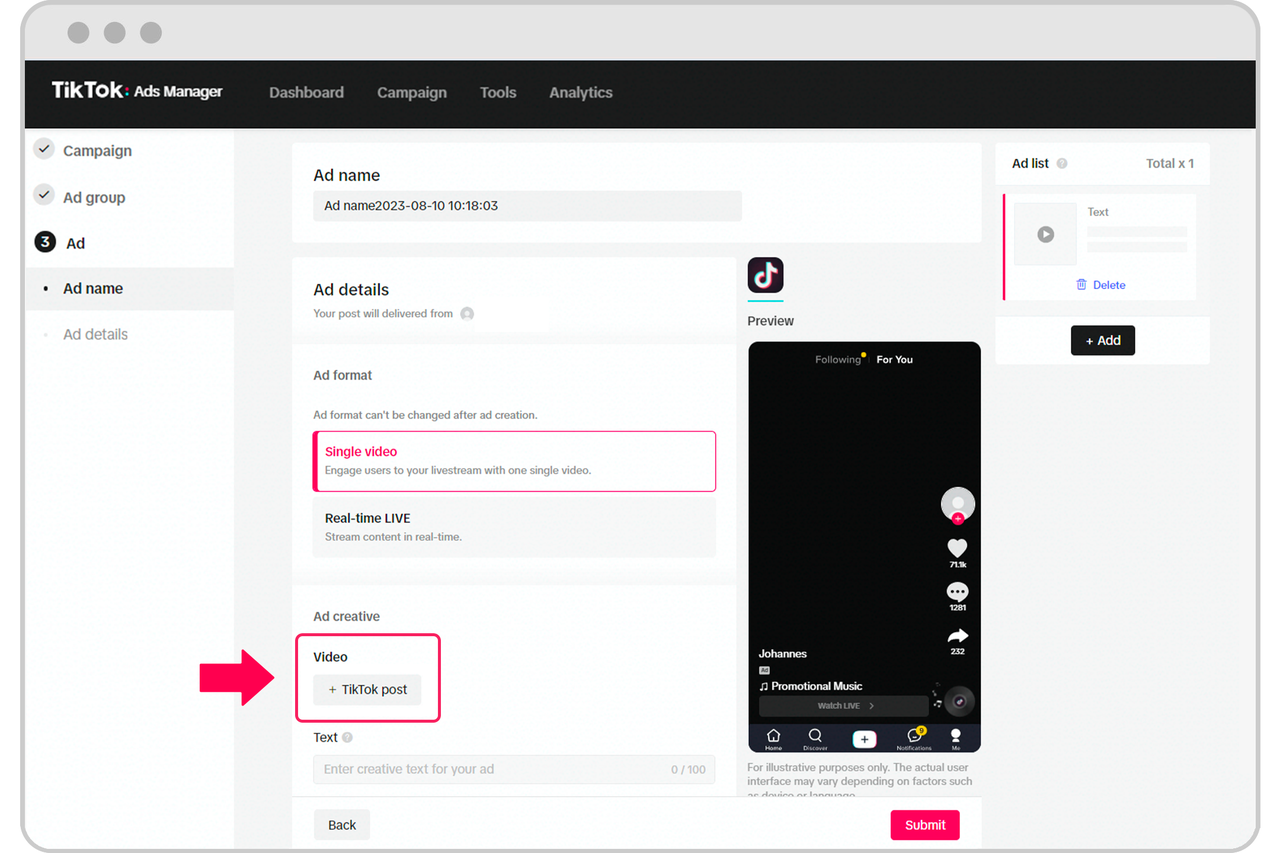 Complete the rest of the required ad settings and you will be well on your way to publishing a shopping ad!
You may also be interested in

About Auto Remix for LIVE GMV Max
Auto Remix feature enhances the Video-to-Live feature of LIVE GMV Max by automatically generating sh…

Set Up Live Ads
Interact in real-time with viewers while promoting your products and store. You can create LIVE shop…

Set Up Live Ads
Interact in real-time with viewers while promoting your products and store. You can create LIVE shop…

Optimization Roadmap For LIVE GMV Max Ads
This article will guide you through the basic usage and optimization roadmap for running LIVE GMV MA…

What are LIVE Shopping Ads?
With LIVE Shopping Ads, you can engage viewers with real-time LIVE videos while also promoting produ…

From content to cart: Drive sales with Live Shopping Ads
Live Shopping Ads (LSA) is where entertainment meets commerce on TikTok. Here's what we recommend to…

Affiliate Creatives for Ads (ACA), for Sellers
This guide will focus on affiliate operations, which entail setting up your Shop Ads Commission Rate…

Set Up Video Shopping Ads
Showcase your products to TikTok users through creative video content. Within the ad, your audience…

Set Up Video Shopping Ads
Showcase your products to TikTok users through creative video content. Within the ad, your audience…

High Season Oppotunity