Check Tax Invoices
03/09/2026
This article describes how to check your tax invoices and their details in Seller Center.

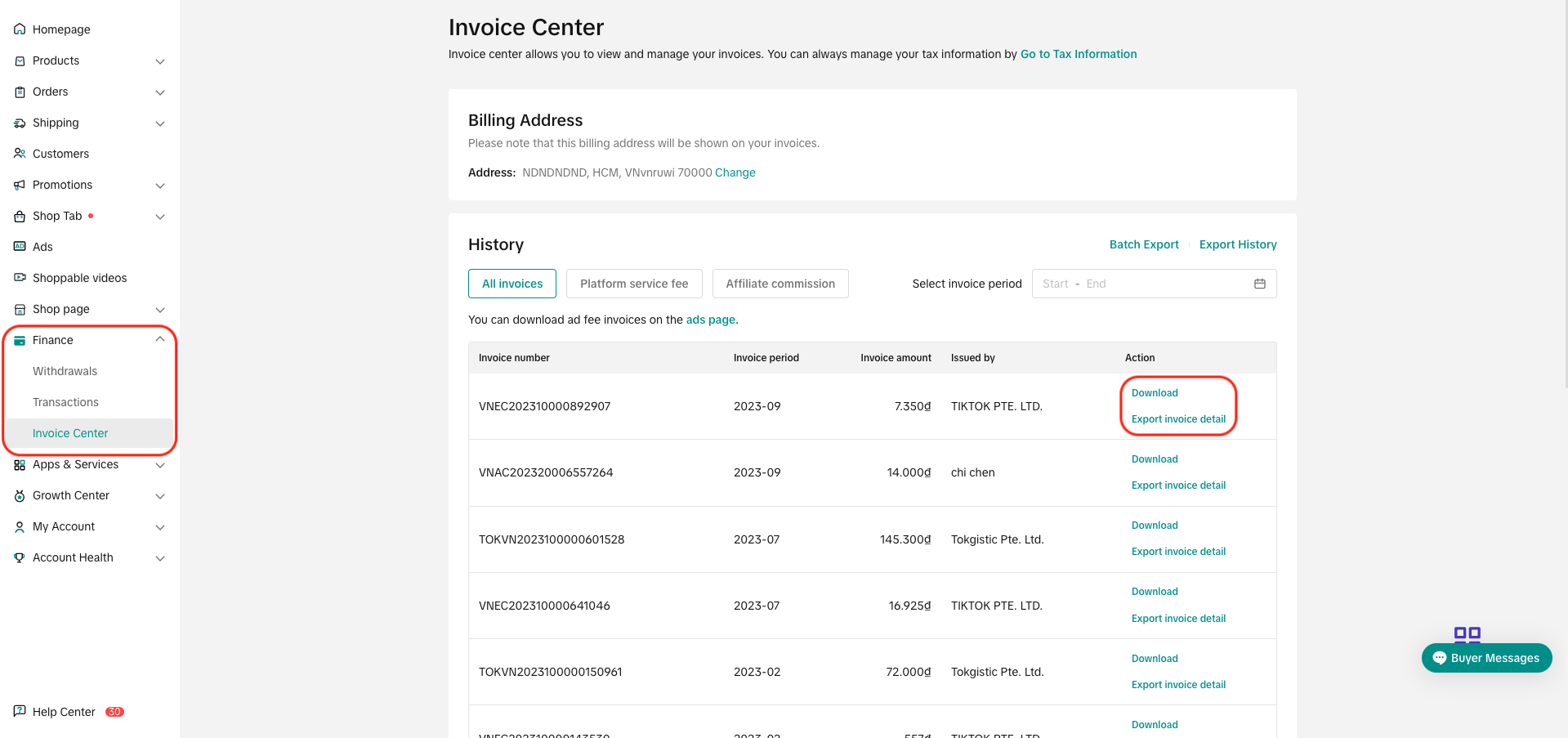
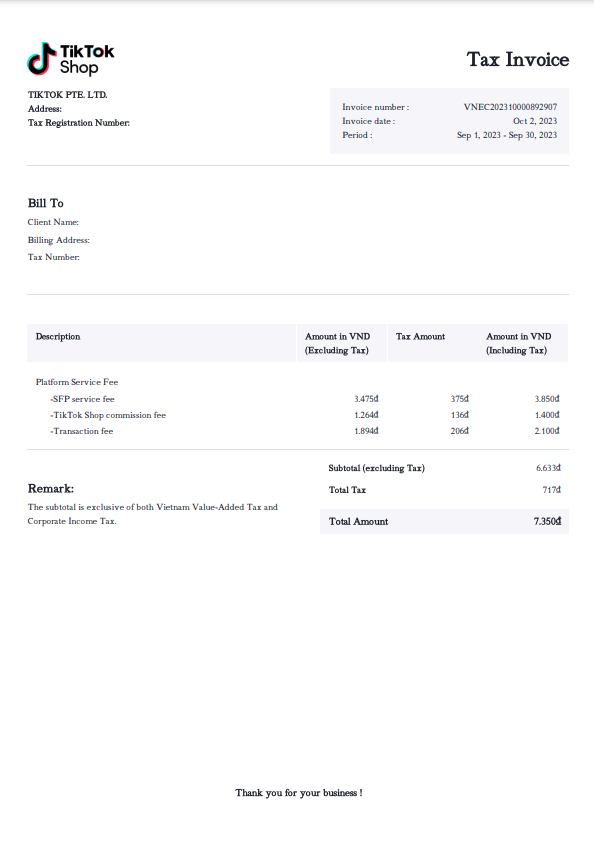
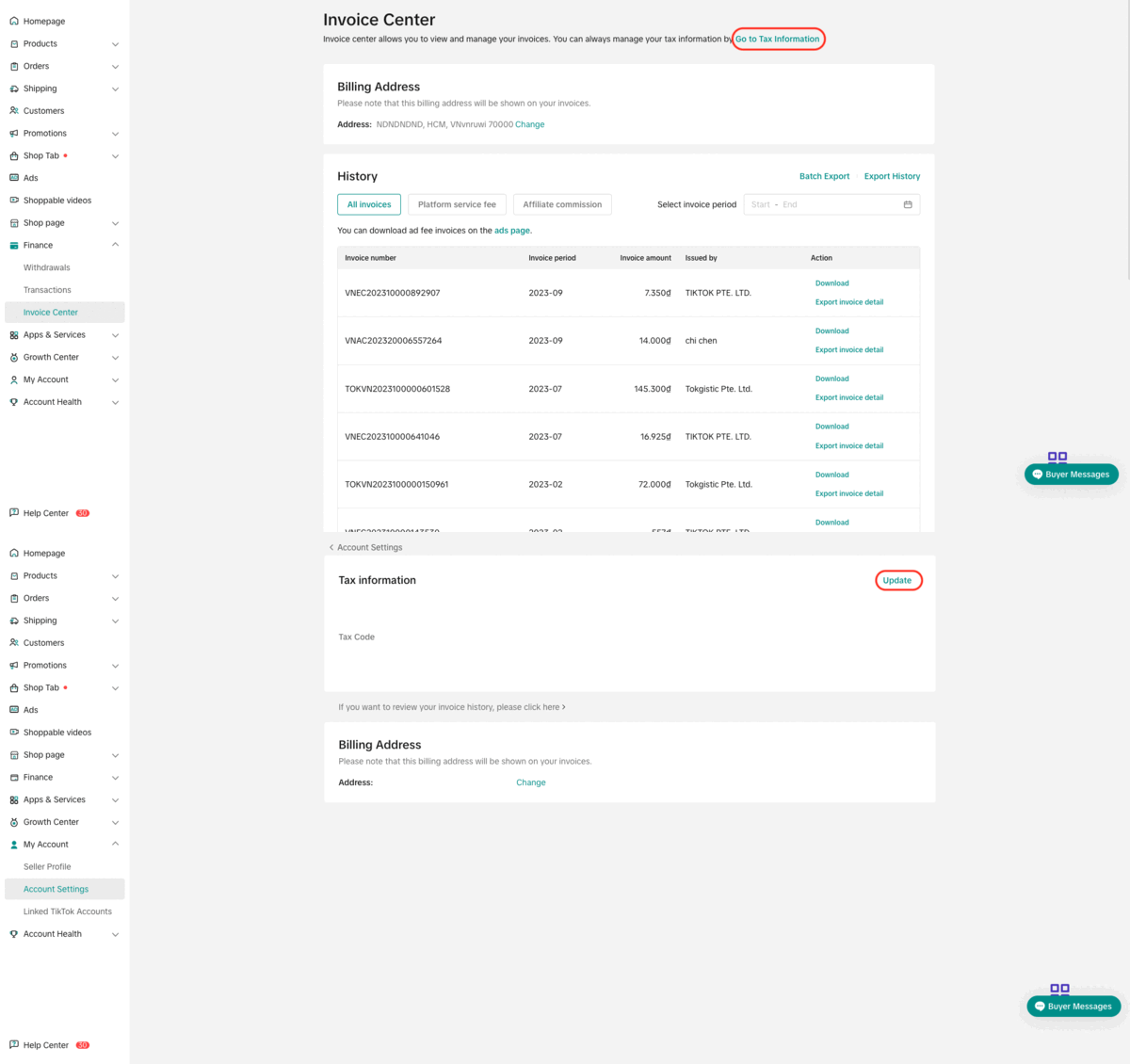
Click "Export invoice detail" to export and download supporting invoice details as an Excel file.
After the exporting is finished, sellers can find the file in "Export history". Undownloaded files will have a red dot next to its "Download" button.
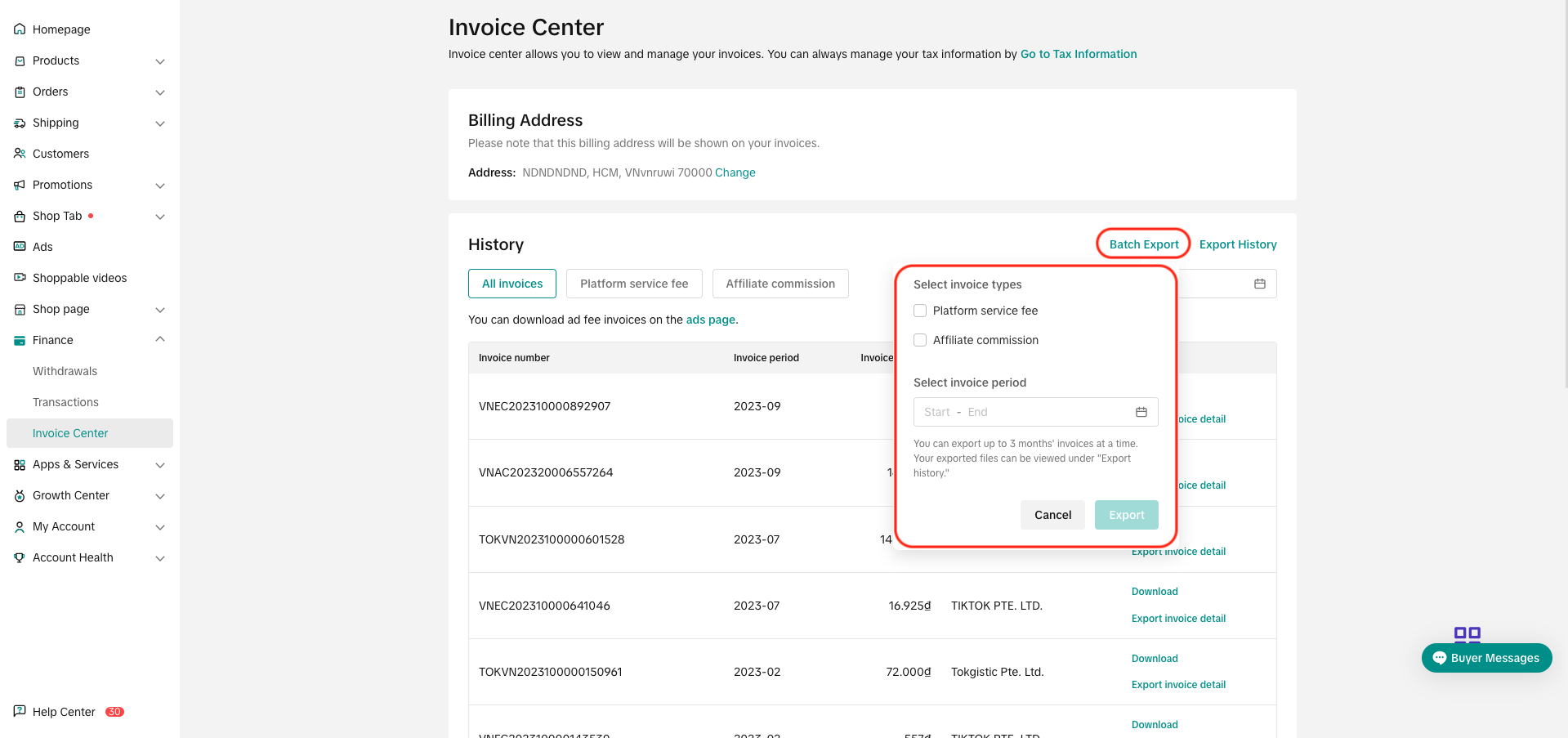
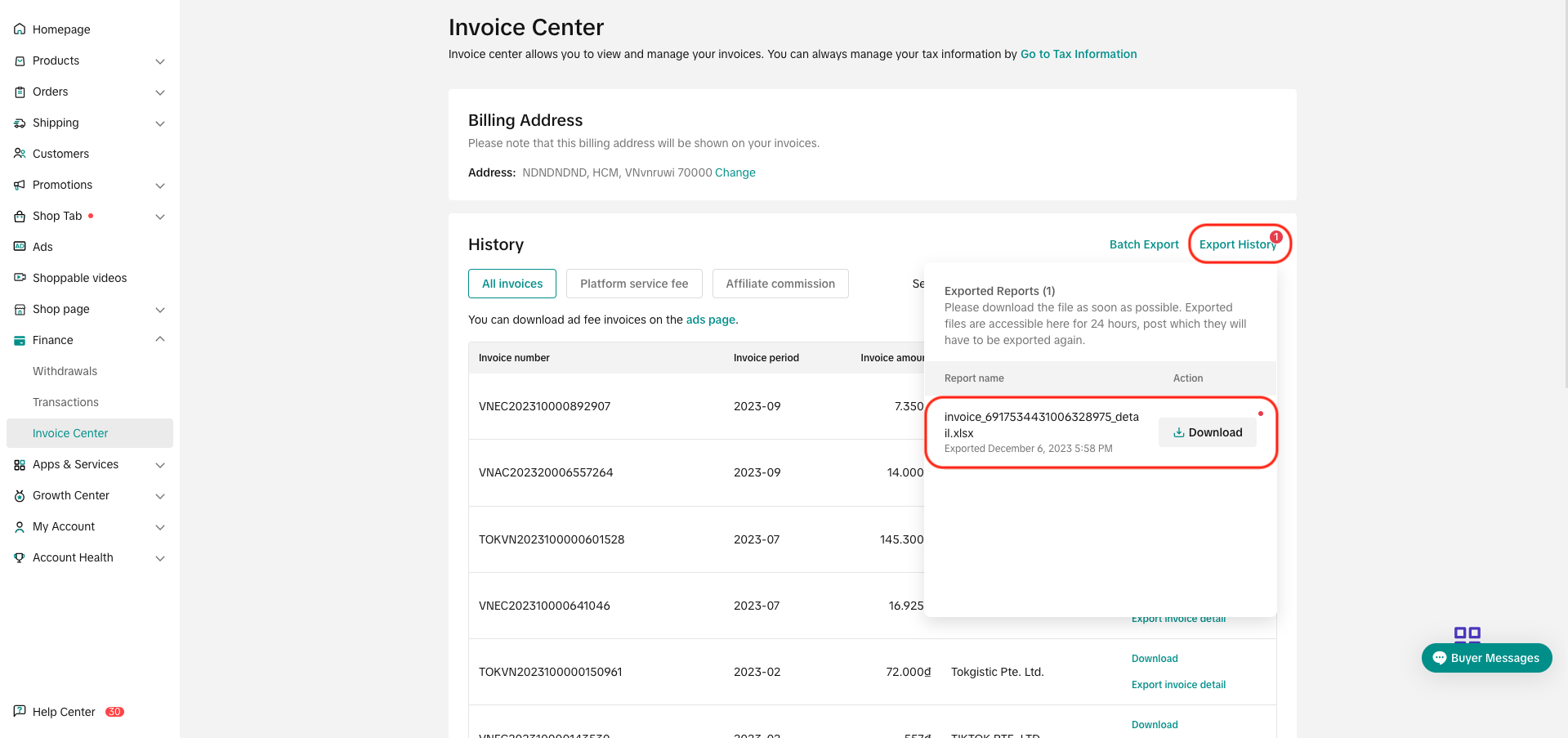 Sellers can also export details in a batch throughout a time period by clicking "Batch export", fill in the invoice type and period, and then export. After the exporting is finished, sellers can find the file in "Export history"
 Sample exported Excel file:
 Information in Excel file:
*Sellers may ignore Bill ID and Tax Type.
 What types of fees can sellers see in the invoice detail Excel file?Other notesInvoices are uploaded into the system latest by the 15th of the following month.
If tax information is missing, sellers can add their tax information and invoices will be available for download
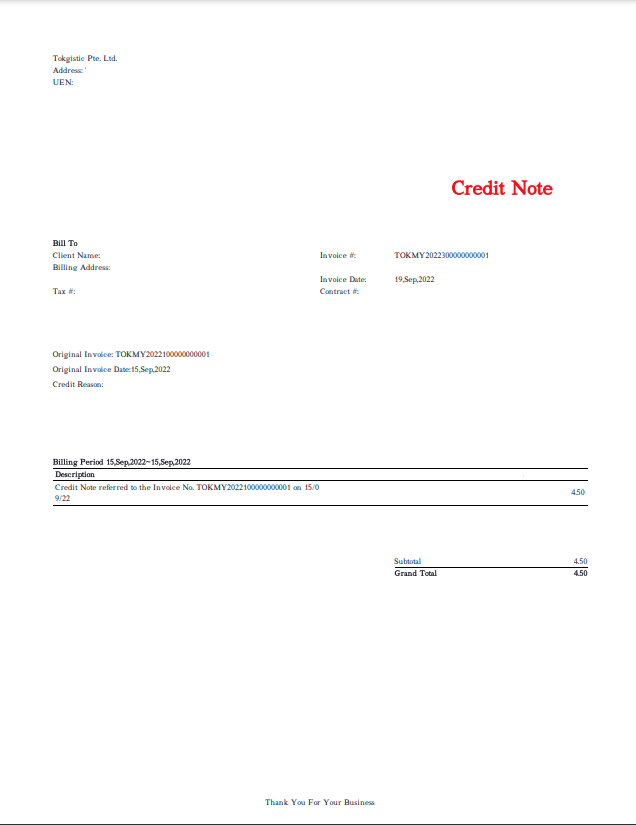
For Credit Note type of Invoices, sellers will not be able to export and download the supporting details Excel file.
 Example of a Credit Note:
Introduction
In the Invoice Center in TikTok Shop Seller Center, sellers can:- Export and download invoices issued by the platform in PDF format.
- Export and download supporting invoice details as excel files. These files show breakdown by order level alongside fees charged to each order, respectively.
- Platform service fee - Issued by TikTok Pte. Ltd.
- Logistics fee - Issued by Tokgistic Pte. Ltd.
- Promotion service fee - Issued by specific affiliate creators

How to Access Invoices?
Go to Finance > Invoice Center. Here, sellers can download invoices or export invoice details.Invoices
Click "Download" to download the invoice as a PDF file.Invoice Supporting Details
Exporting Invoice supporting details:Click "Export invoice detail" to export and download supporting invoice details as an Excel file.
After the exporting is finished, sellers can find the file in "Export history". Undownloaded files will have a red dot next to its "Download" button.
| Column Title | Explanation |
| Invoice Application Number | The Invoice Number that appears on the invoice and on the Seller Center |
| Order ID | ID of the respective order |
| Invoice Description | The category of expenses taxed |
| Expense Type | The type of expenses taxed |
| Invoice Amount | The amount billed on the invoice |
| Tax Rate | Current applicable tax rate (as of the date of invoice) |
| Tax Amount | The amount of tax (= Invoice Amount x Tax Rate) |
| Net Amount (excl. tax) | The amount after tax (= Invoice Amount - Tax Amount) |
| Currency | The currency billed on the invoice |
FAQs
How to fill in Tax Information for a complete invoice?Go to Finance > Invoice Center, click "Go to tax information", then click "update" and follow the steps on the screen.If tax information is missing, sellers can add their tax information and invoices will be available for download
For Credit Note type of Invoices, sellers will not be able to export and download the supporting details Excel file.