Set Up TikTok Shop Withdrawal Password
11/15/2023
In order to securely withdraw the settled amount on the seller account balance to the bank account, TikTok Shop sellers need to set up a 6-digit withdrawal password. There are two ways for sellers to do so.
Set up Withdrawal Password
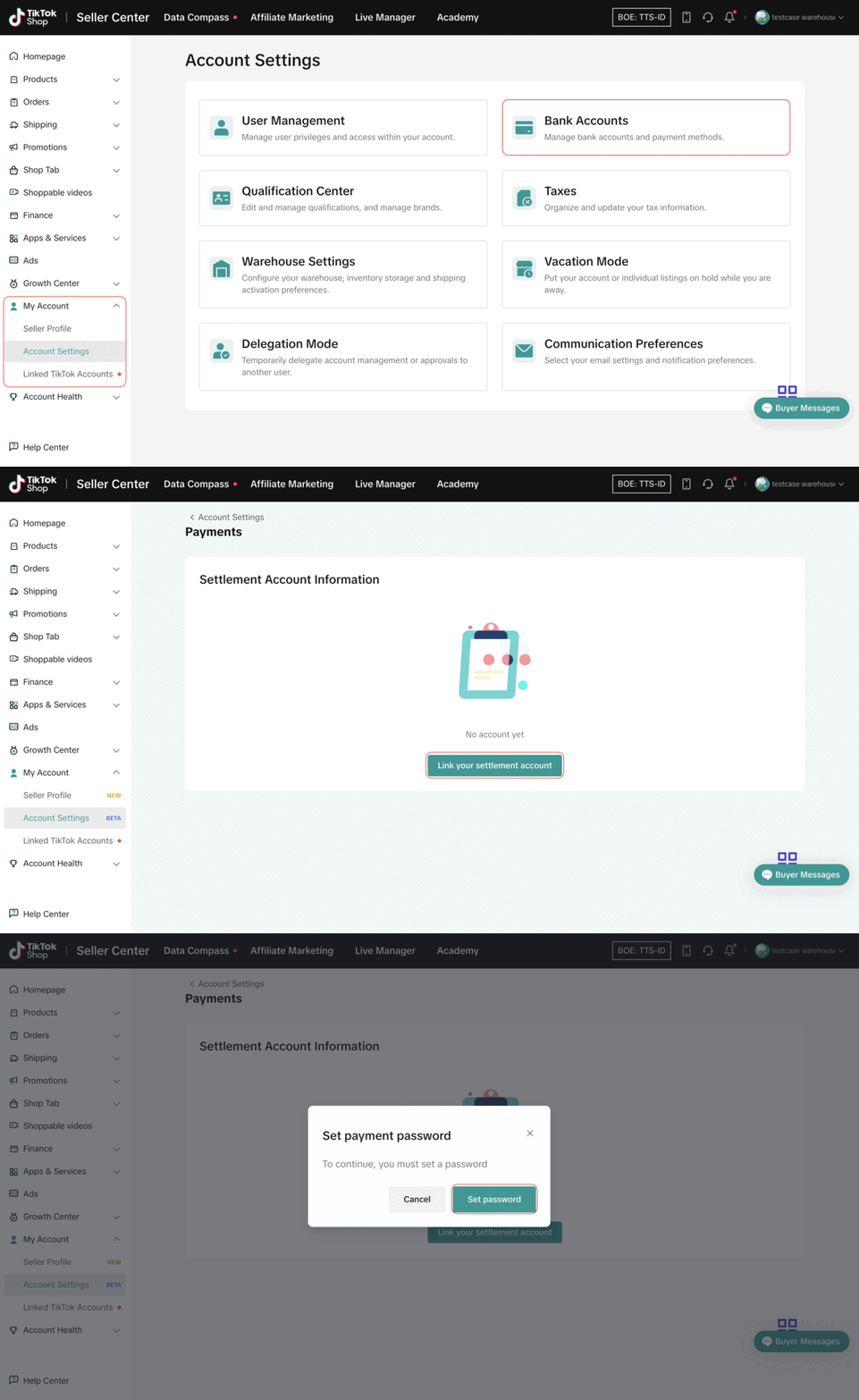
In Account Settings
- Step 1: Go to TikTok Shop Seller Center > My Account > Account Settings > Bank Accounts
- Step 2: Click "Link your Settlement Account"
- Step 3: Click "Set password"
- Step 4: Verify your identity and follow the steps on the screen.
In Finance
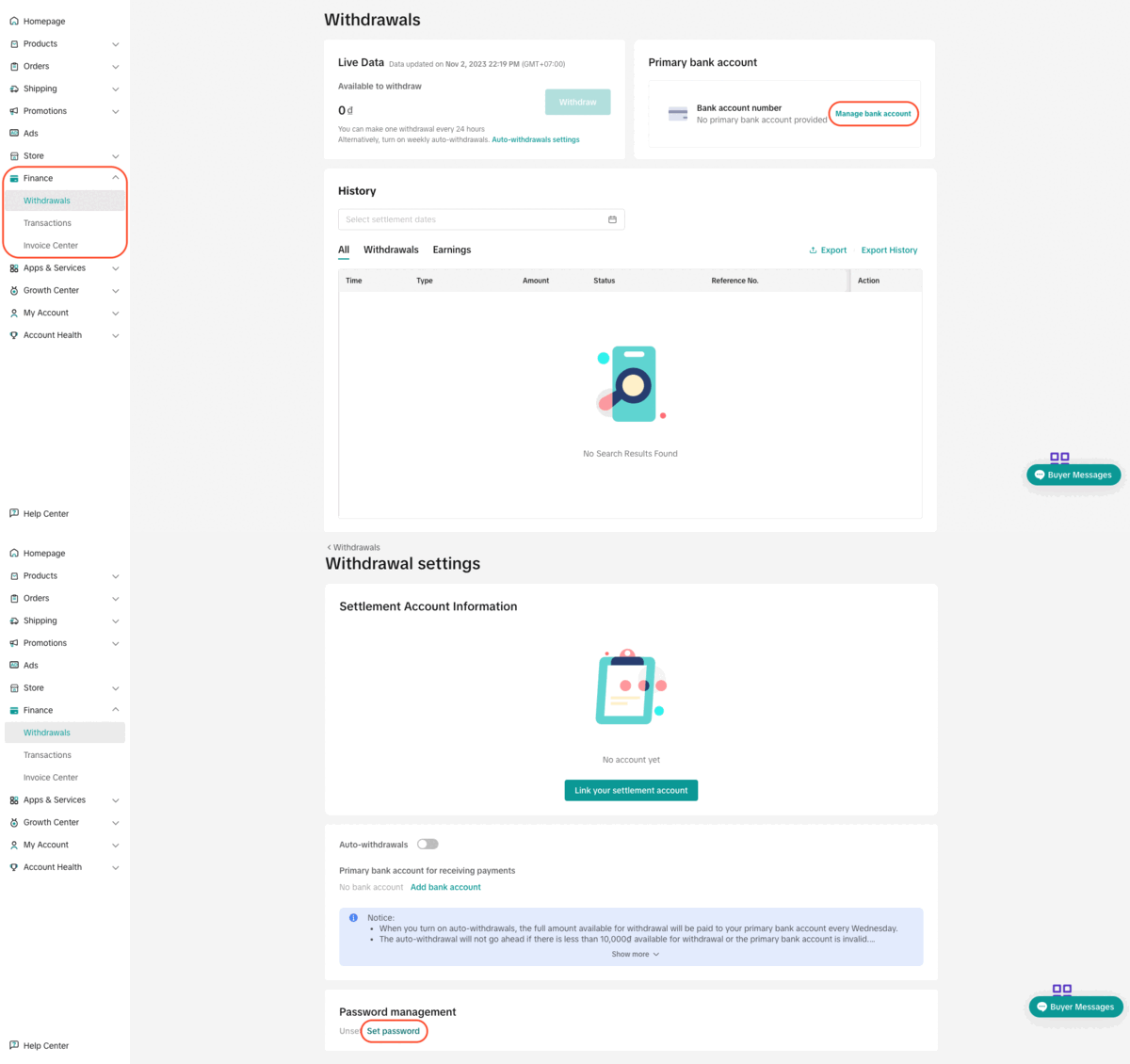
- Step 1: Go to TikTok Shop Seller Center > Finance > Withdrawals > Manage Bank Accounts
- Step 2: Click "Set password"
- Step 3: Verify your identity and follow the steps on the screen.

Change Withdrawal Password
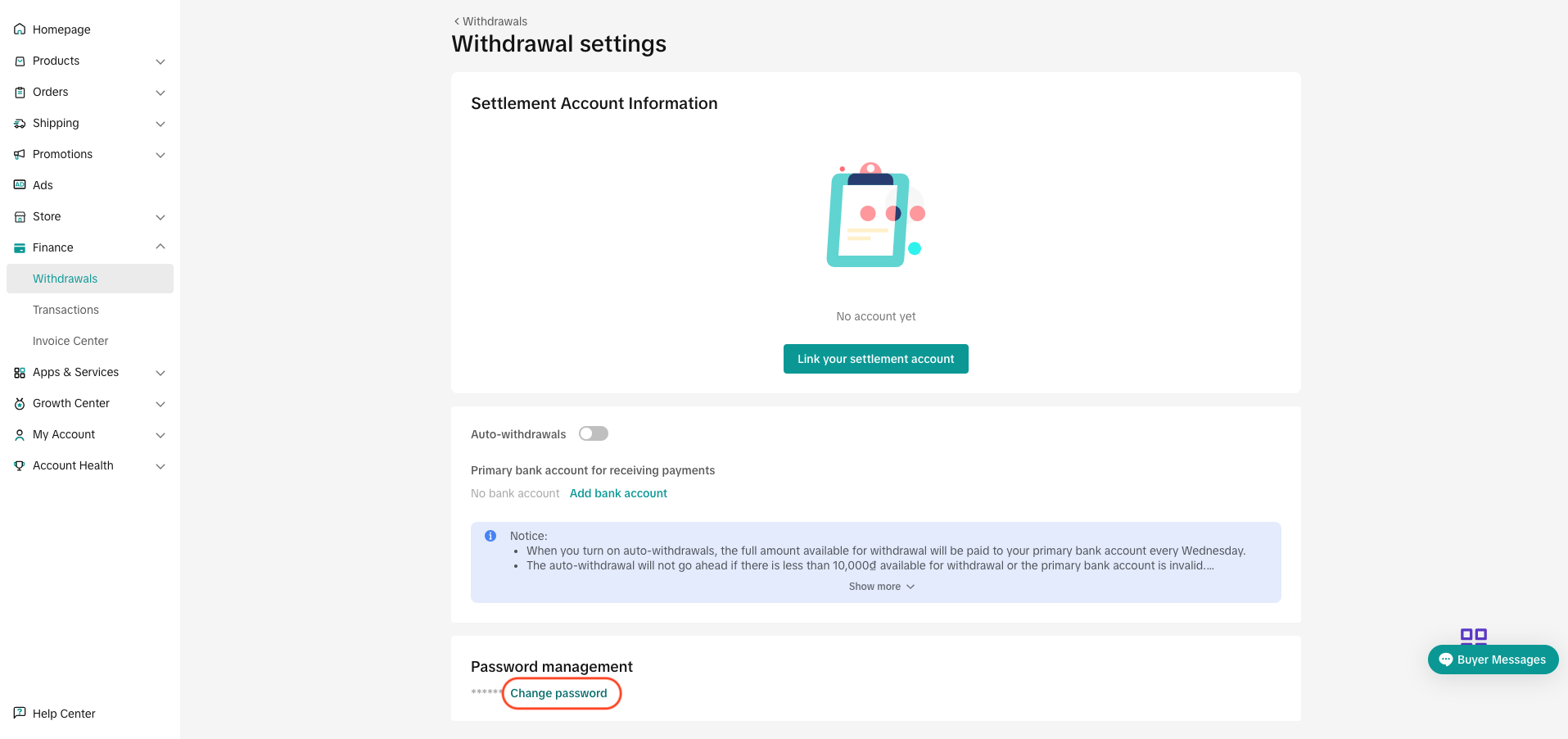
- Step 1: Go to TikTok Shop Seller Center > Finance > Withdrawals > Manage Bank Accounts
- Step 2: Click "Change password"
- Step 3: Verify your identity and follow the steps on the screen.