

Promote to LIVE Operation Manual
08/22/2023
1.Background
Promote to LIVE is a function inside Tiktok LIVE for users to drive more traffic to their LIVE room with real-time LIVE format. As part of the LIVE monetization project, Promote to LIVE plays the role of bringing users to advertisers' LIVE room and to help users go through with cold-start stage, especially for e-commerce industry.2.Who is Eligible to Use Promote to LIVE
To use the Promote to LIVE, users must meet each of the following criteria:a.Users who can use Promote to LIVE
b.Users in regions where LIVE is available
c.Users over 18 years old.
3.How to Use Promote to LIVE
a.Step 1: Promote to live entrance (2 scenarios)
Users have 2 scenarios to use Promote LIVE as followed:scenarios 1:Before starting your live 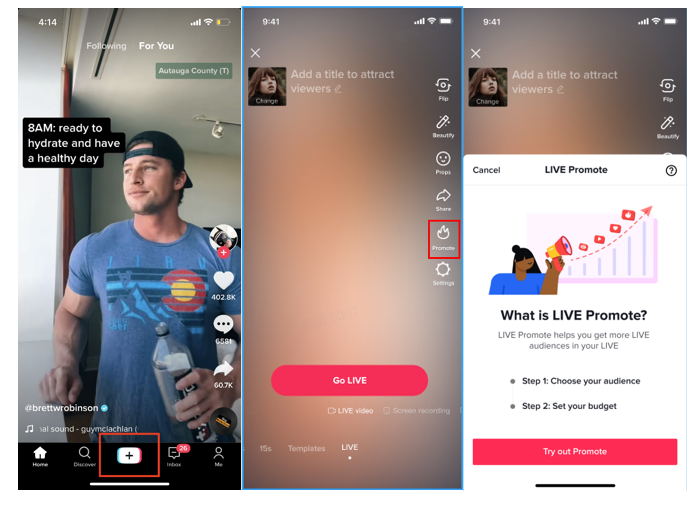 | 1, Click "+ " at the bottom of the interface to enter the LIVE room 2, Click 'Promote' on the right side of GO LIVE panel 3,Start to promote your LIVE | |
scenarios 2:After starting your live /on air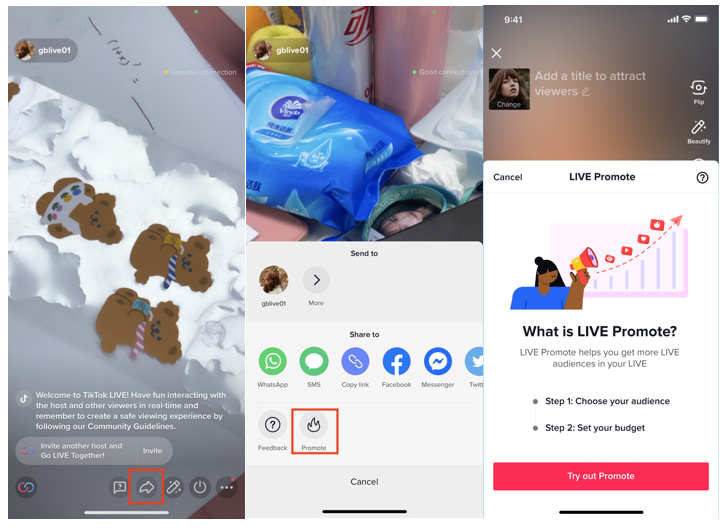 | 1, Click 'share' on the interface to enter the 'more page' 2, Choose 'Promote' on the 'more page' 3,Start to promote your LIVE | |
b.Step 2: Get started to promote your live
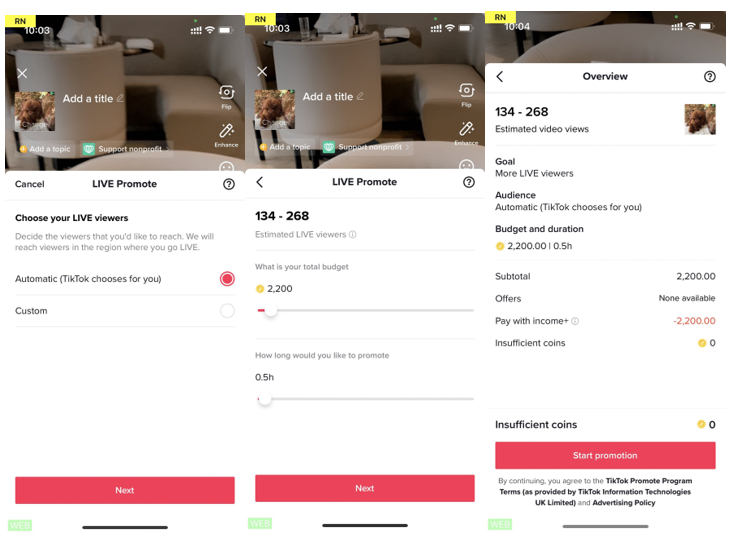 | 1, Choose the target audience----you can either choose automatic or customization(choose your audiences` gender, age and interests) and then click 'next' 2, Set the total budget and duration, and then click 'next' 3, Start to pay and promotion |