

E-Commerce Anchors Promote Operation Manual (external)
08/22/2023
.Background
a. E-commerce anchors offer a solution for merchants to feature their products in their video in an authentic way. Clicking the anchor will direct users to the Product Details Page of that product.
b. E-commerce anchors promote will empower our users by increasing their clickrate and conversion
c. Promoted videos with EC anchor will gradually be available to users in Indonesia and United Kingdom.
2.Who is Enligible to Use E-Commerce Anchor Promote
To use the E-Commerce Anchor Promote function, users must meet each of the following criteria:a. Users who can use E-Commerce Anchor
b. Users in Indonesia and United Kingdom
c. Users are over 18 years old.
3.How to Use E-Commerce Anchors Promote
a. Step 1: Create a video with E-Commerce anchor
| 1, Enter the posting page and choose "add link" | 2, Add products and you can choose your products from TikTok Shop, Affiliate, external platform or add product link | 3, Add your product name | 4, Successfully post your video with E-Commerce anchor | |
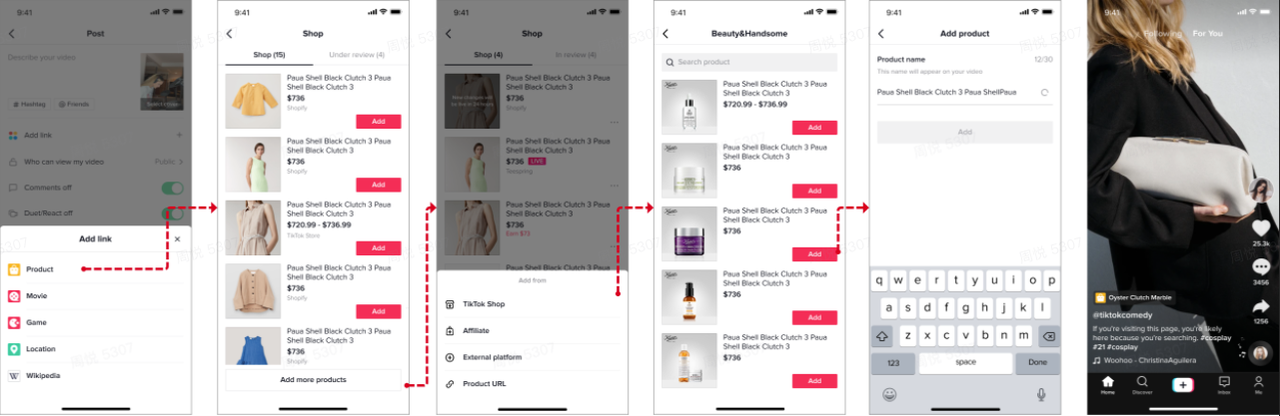 | 1, Enter the posting page and choose "add link" 2, Add products and you can choose your products from TikTok Shop, Affiliate, external platform or add product link 3, Add your product name 4, Successfully post your video with E-Commerce anchor | |||
b. Step 2: Promote entrance (Two options)
Option 1: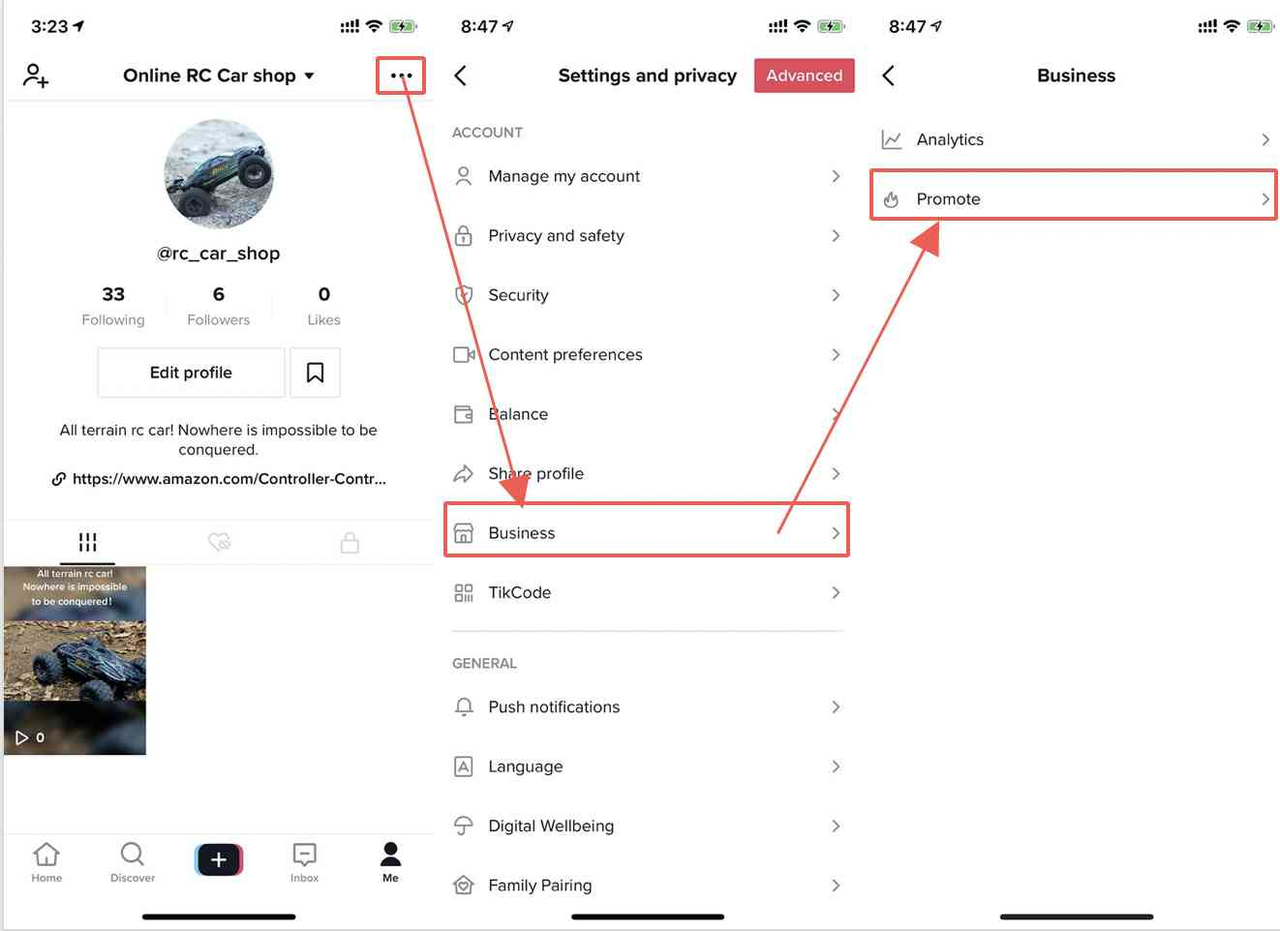 | 1, Enter from the 'me'page and click the '...' in the upper right corner 2, Select ' business suite' 3, Select ' promote' 4, Select a short video to promote |
Option 2: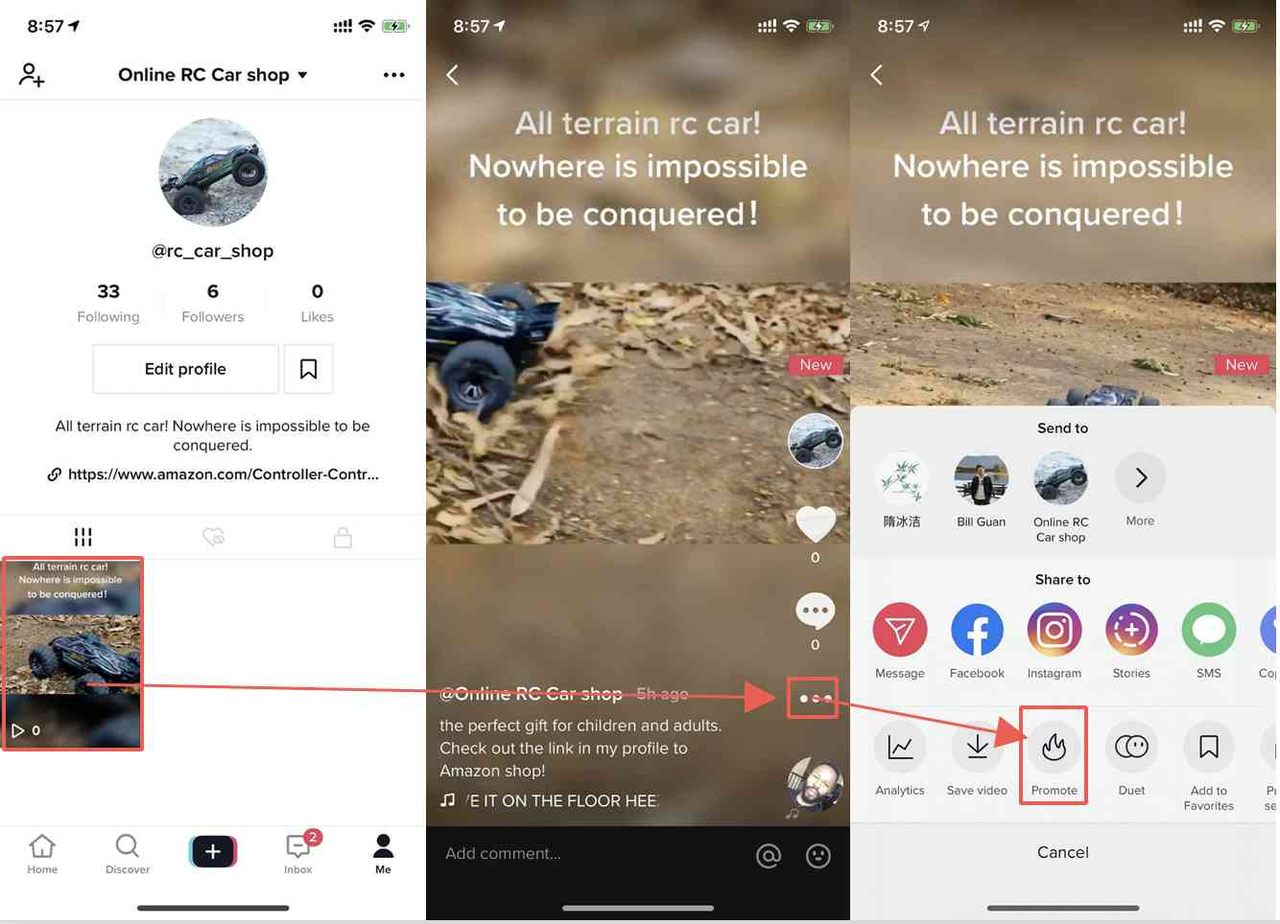 | 1, Enter from the 'Me' page and select a short video to promote 2, Click the '...' on the video page 3, Select 'promote' |
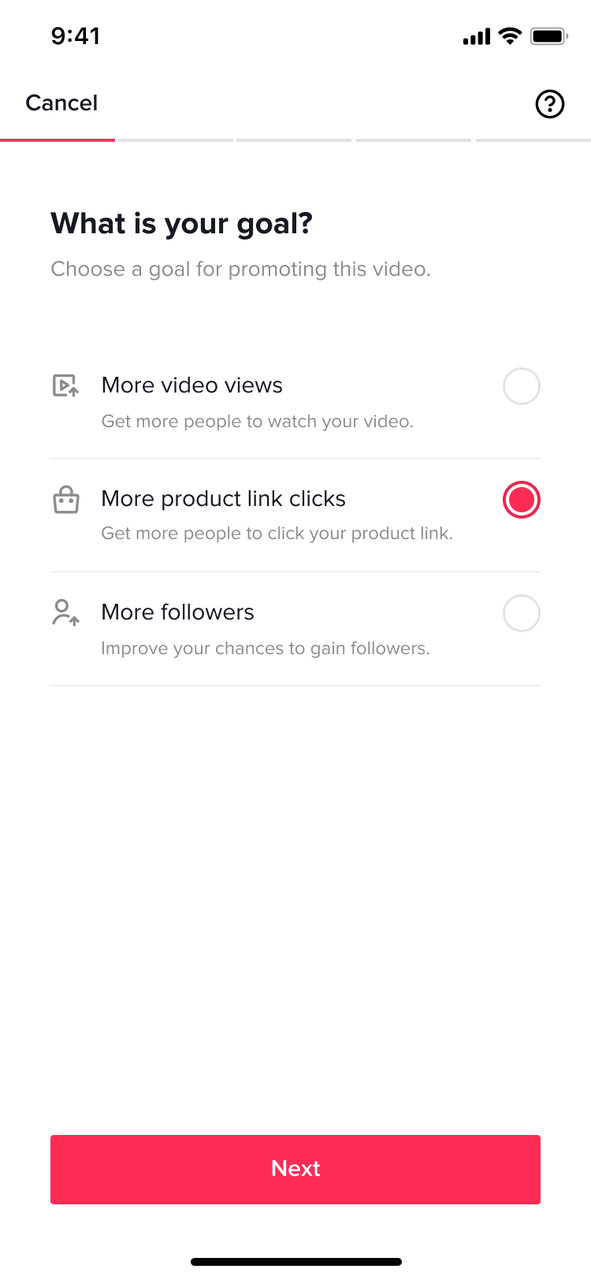
c. Step 3: Promote your e-commerce anchors
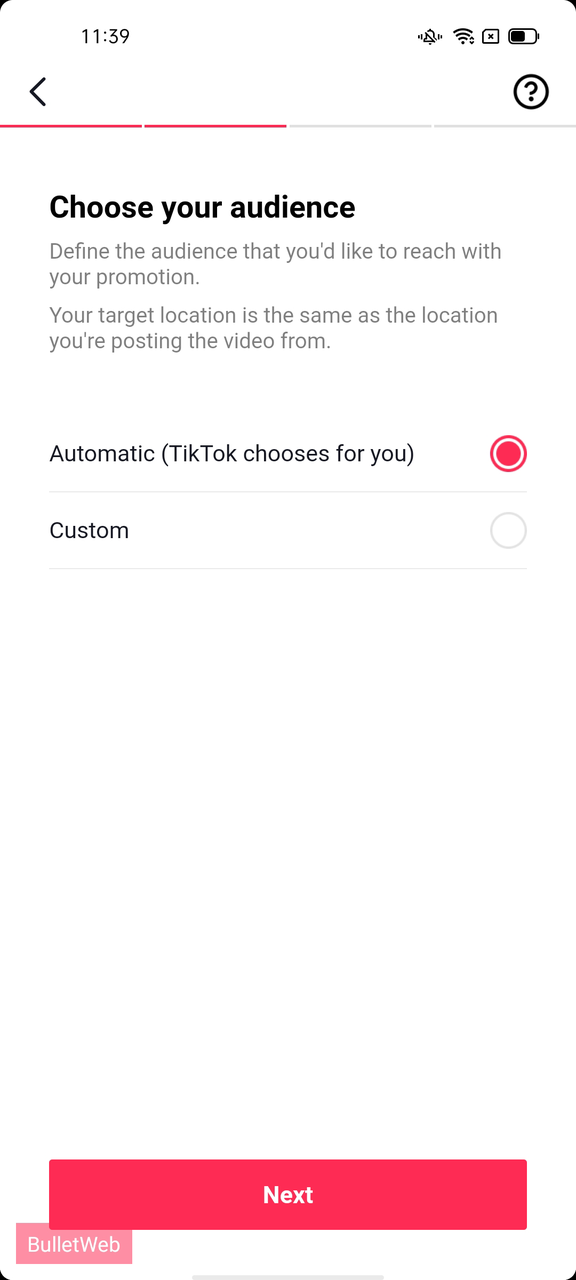
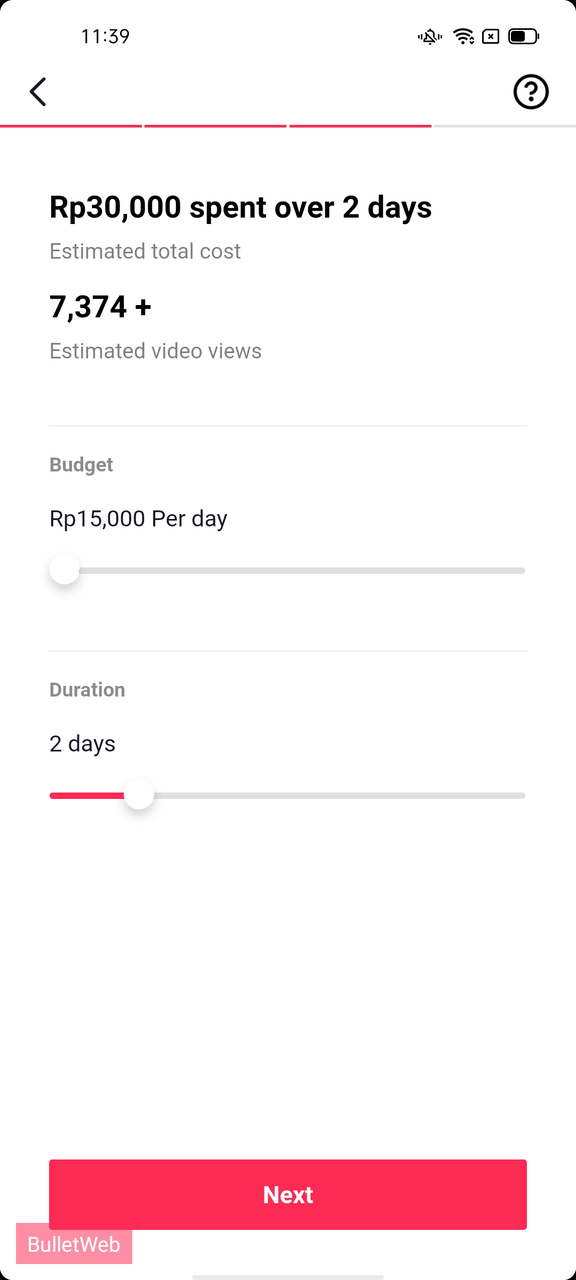
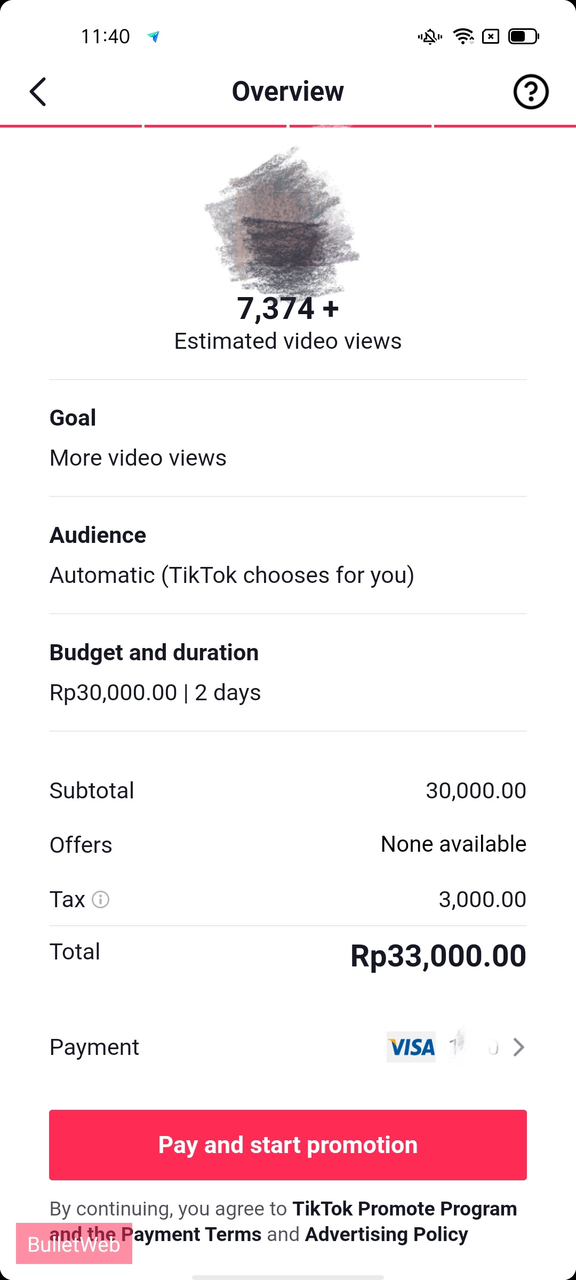
| 1, Choose a goal of ' More product link clicks' for promoting | 2, Define the target audience: Automatic( TikTok choose for you) or Custom (defined by youself) | 3, Define budget and duration for the video | 4, Confirm order details and complete payment | 1, Choose a goal of ' More product link clicks' for promoting 2, Define the target audience: Automatic( TikTok choose for you) or Custom (defined by youself) 3, Define budget and duration for the video 4, Confirm order details and complete payment |
 |  |  |  |