

How to get samples?
08/22/2023
Method 1:Free Sample Product Feature
New Product Feature - "FREE SAMPLE". What are the benefits for Creators?- One-click application for free samples: One Click to Apply for Samples on TikTok App, without buying the sample yourself or communicating manually with the seller.
- Improve the Content Quality & Sales Rate:You can experience the samples in advance, while physical samples could also boost the content quality and Sales rate for Livestreams/Short videos
Step 1:Look for products with free sample icons
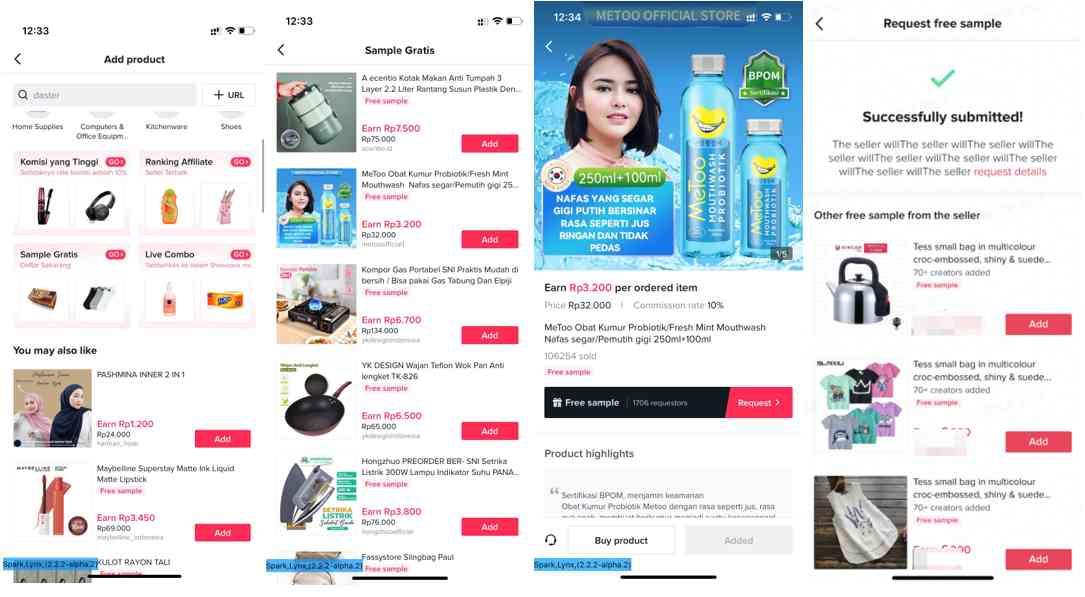
Step 2:Request for free samples
Request products on the product promotion page, and fill in related information, including mail address and contact info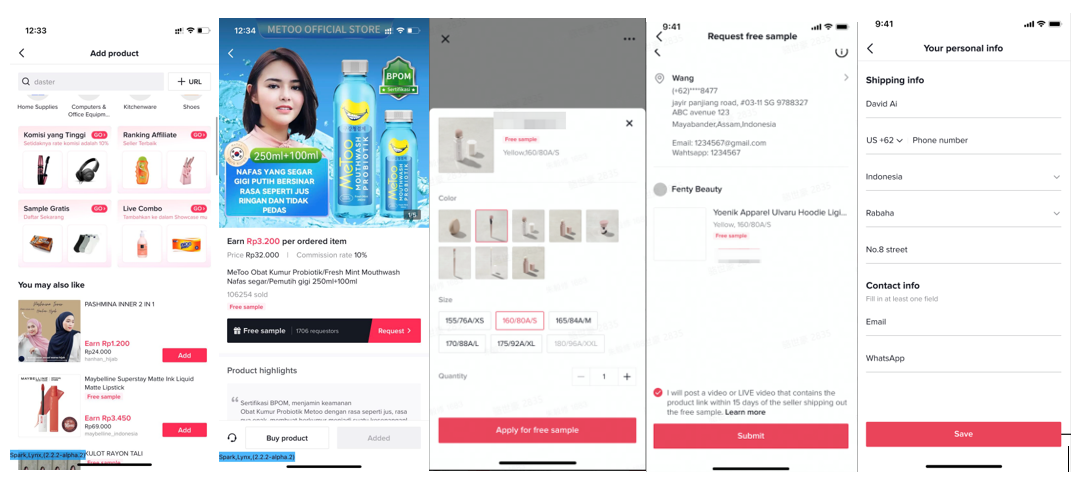
Step 3:Wait for the seller to approve the request and send you the sample
Follow up with request notification, request status & logistic status on the Request detail page
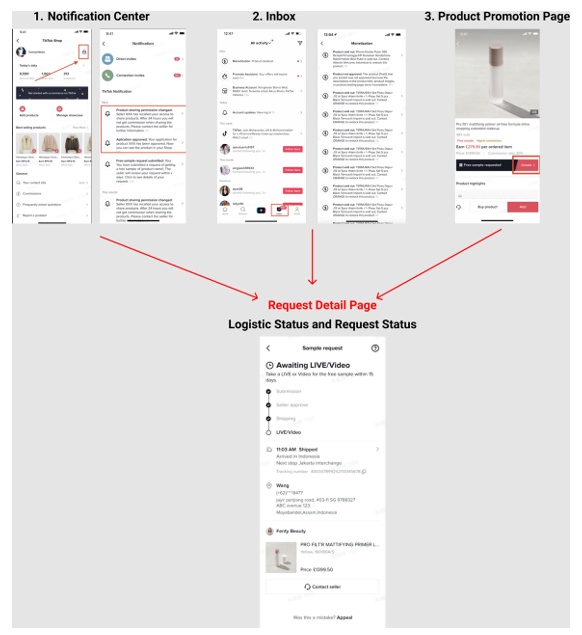
Step 4:Fullfilment - Post a Video or Go Live with the Sample Product Link
- Fulfilment Deadline: Countdown for 17 days after the seller ships the sample.
Go Live
- Live broadcast quality requirements: continuous live broadcast time with the product > 10min
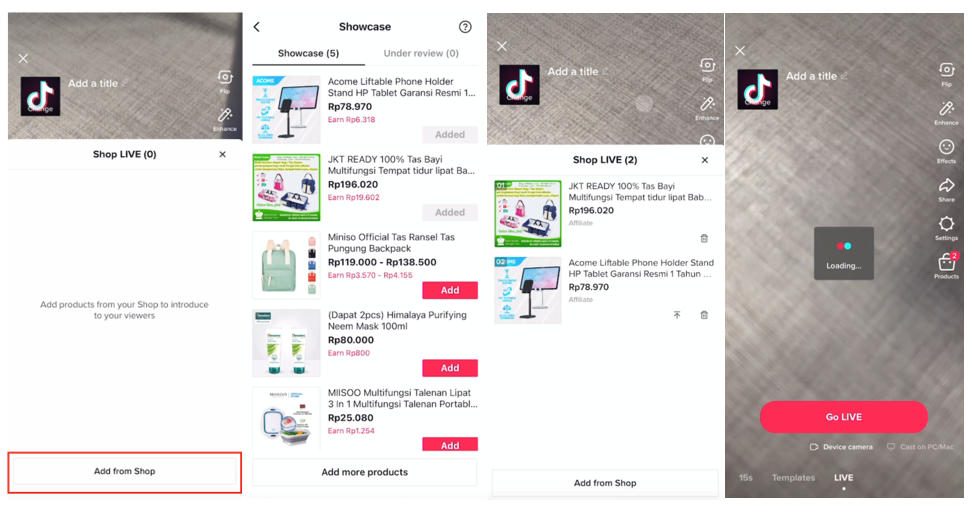
Post a short Video
- Short video quality requirements: video has to be online >3 days, video availability:public
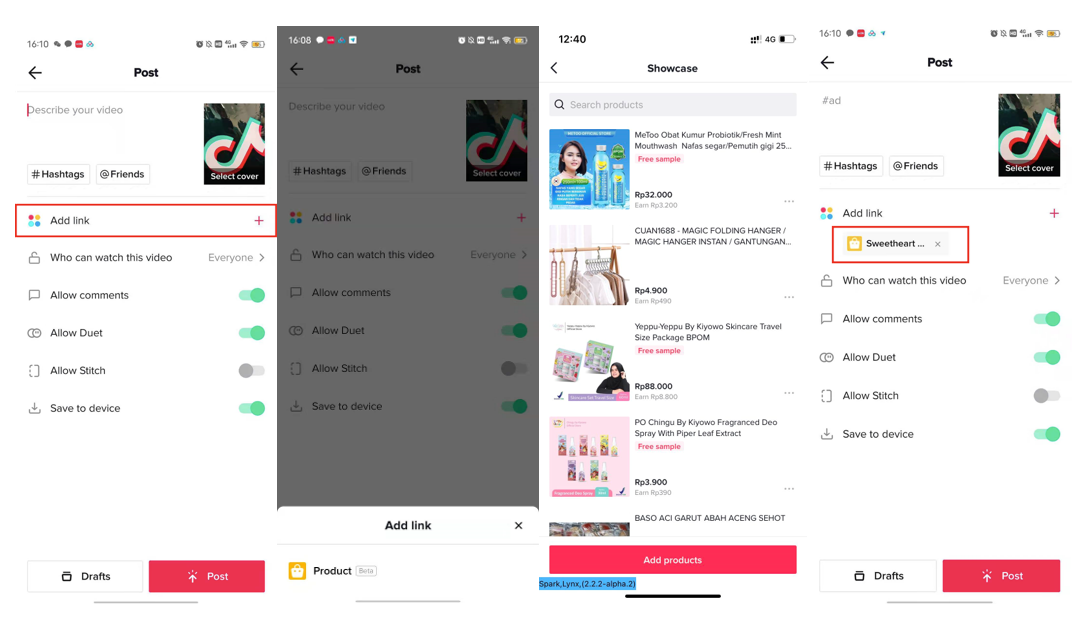
Method 2:Contact Seller for Samples
Steps | Instruction | Screenshot |
| Enter the product promotion page (TikTok shop => add products) —> Contact seller | 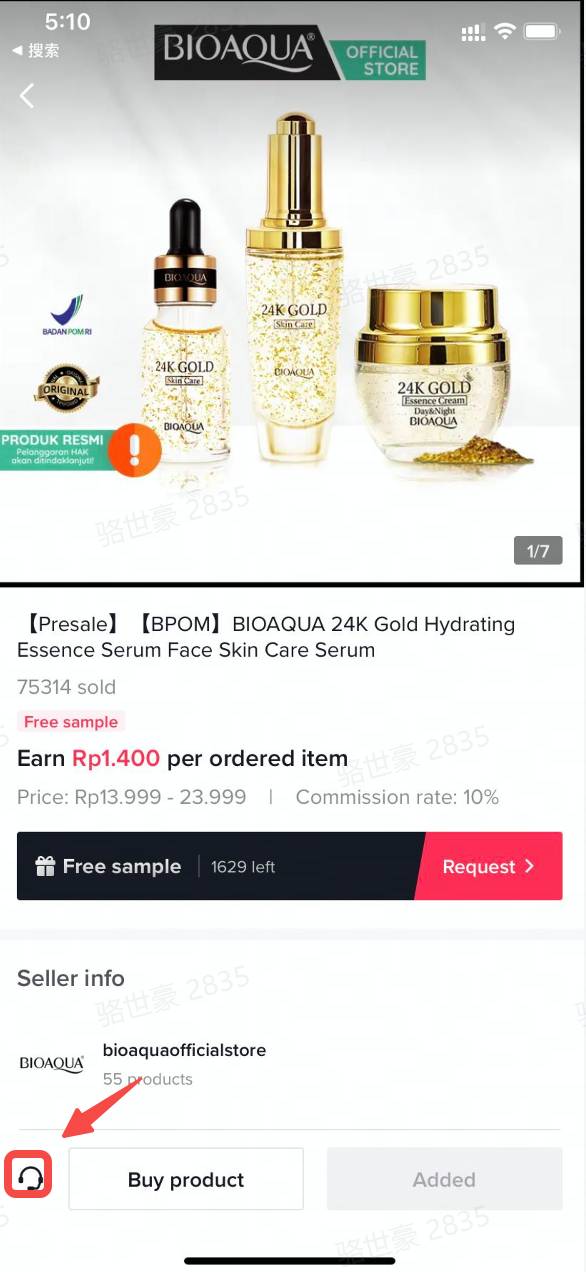 |
| Contact sellers by one of three methods on product promotion page: WhatsApp, Email, TikTok Shop IM.
| 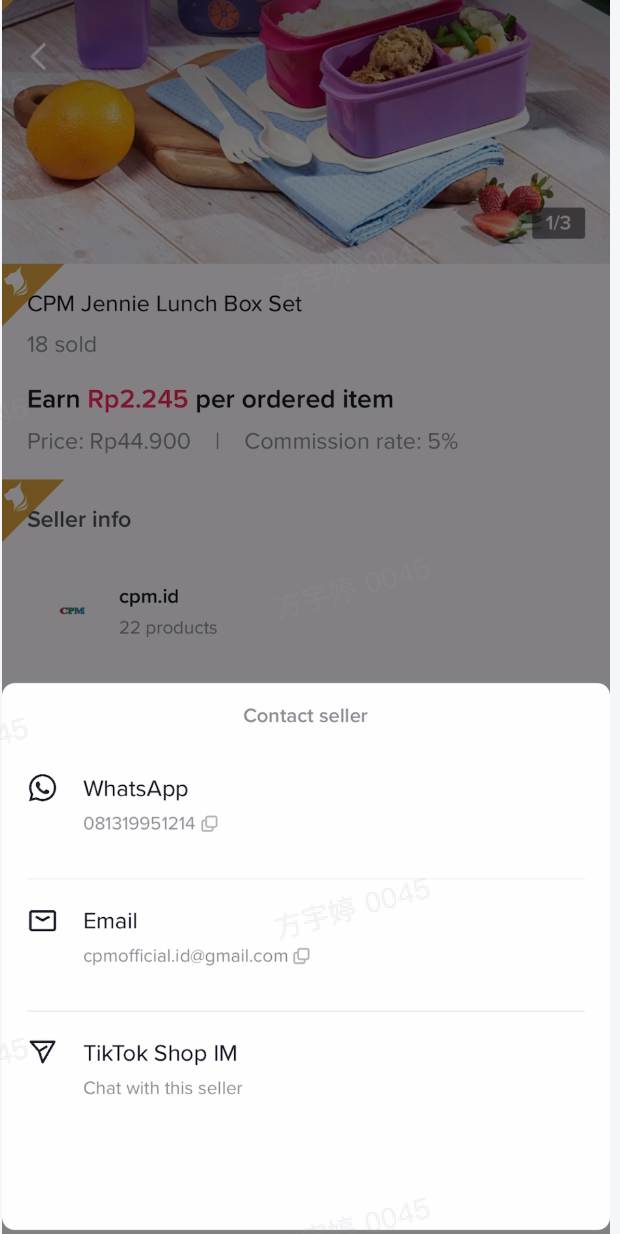 |
Method 3: Buy the Product yourself
| Step | Instruction | Screenshot |
| Step1,find the product | Find the product you want, and click the [buy product] |  |
| Step2,fill in the shipping address | fill in your name,phone number,address | 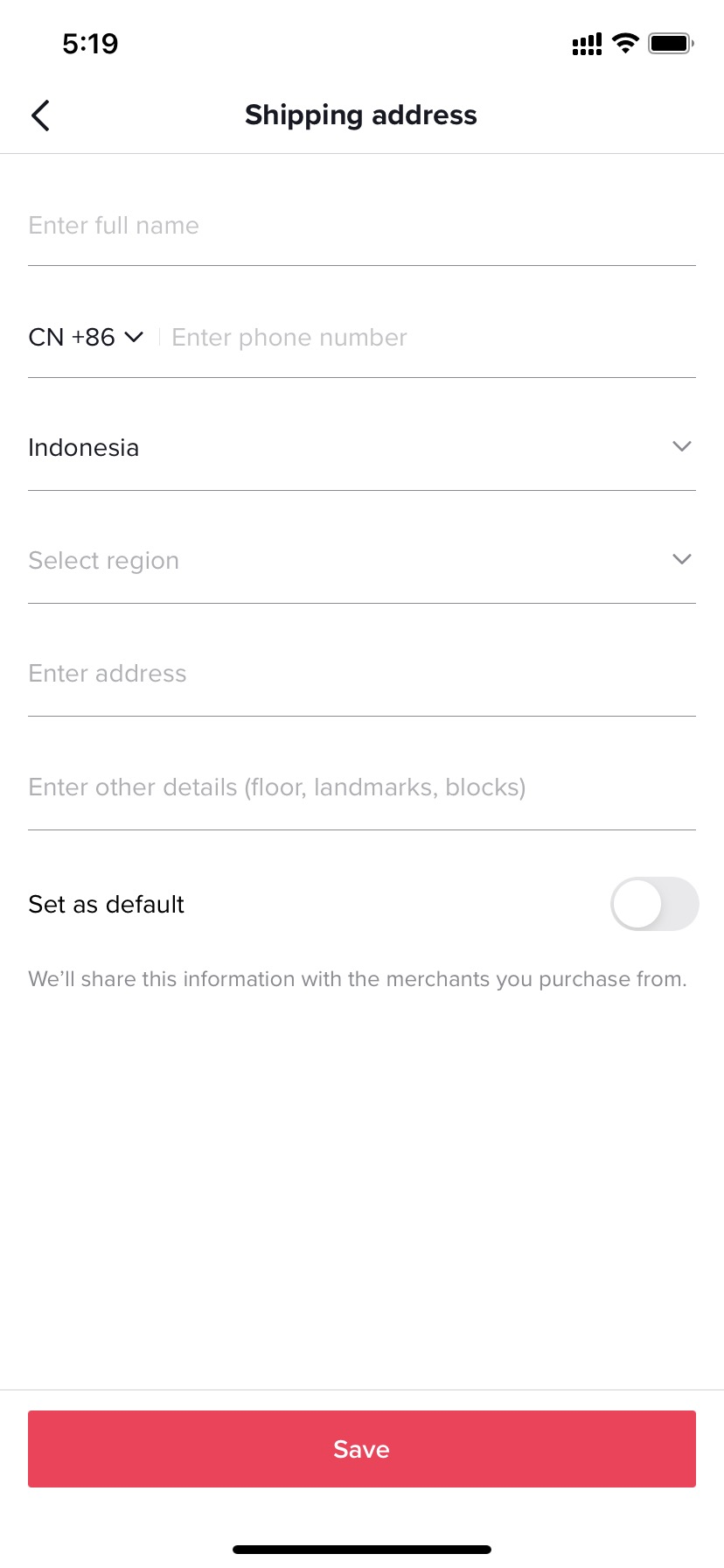 |
| Step3,select the payment method | select the payment method you want | 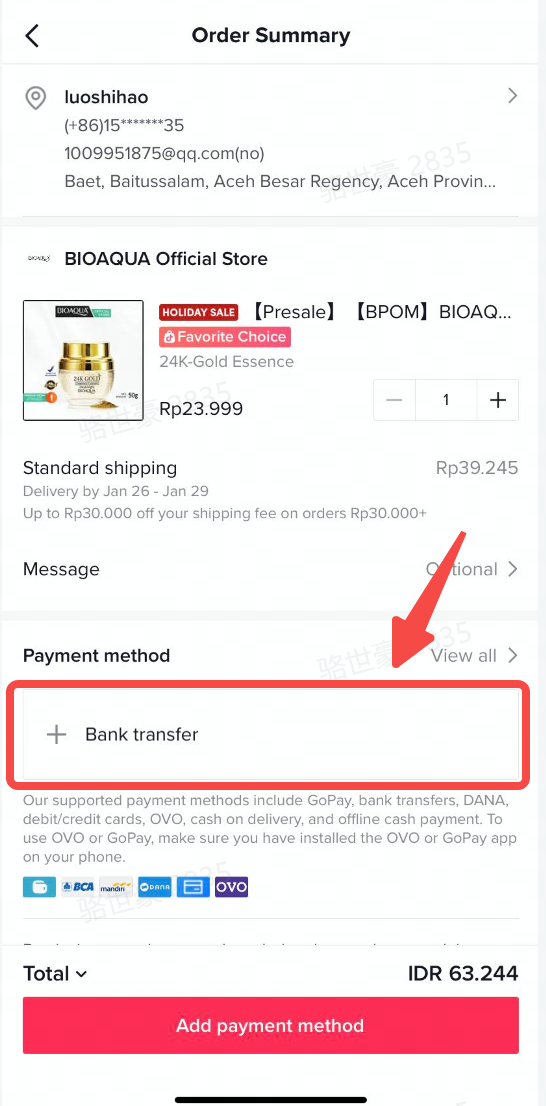 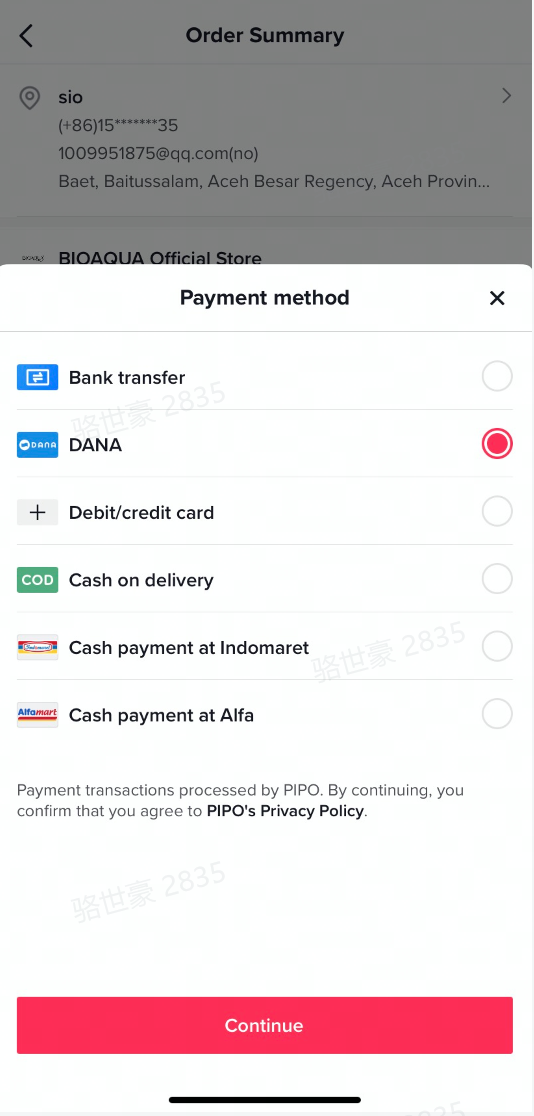 |
| Step4,confirm the order and pay | 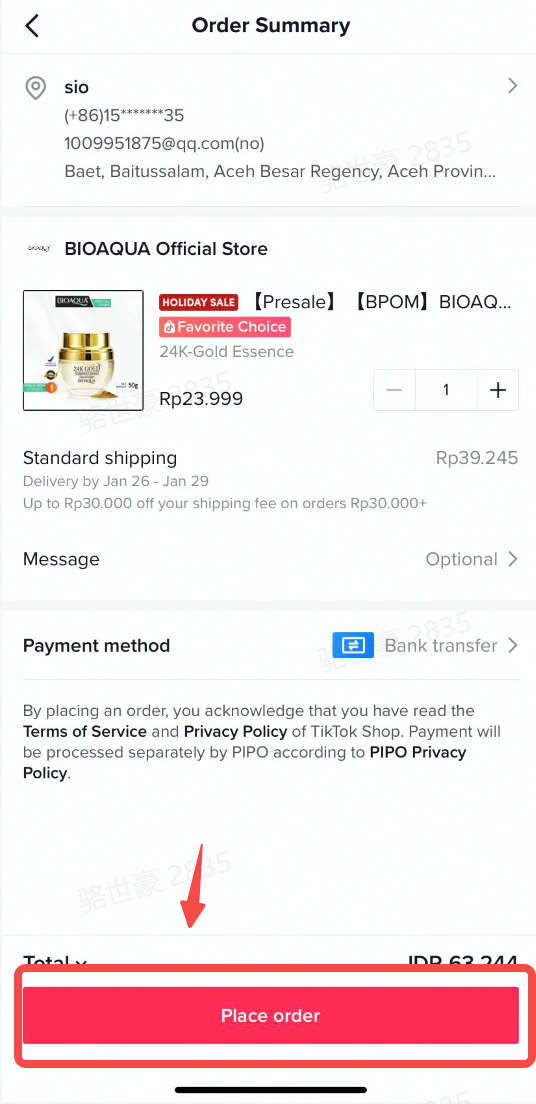 |