How to check the data for creator?
08/22/2023
If you want to check the data from TikTok APP?
| Get into the TikTok shop,you will see the data overview of this account.The definition of this part:Revenue:Revenue from products sold via lite shop or from affiliateItems sold: The number of items sold from lite shop or affiliate (no items from third-part platforms) Customers:the number of customers that payed for goods from lite shop or affiliate, no repetitive counting if one customer made more than one purchase (no customers who made payment to third-part platforms) | 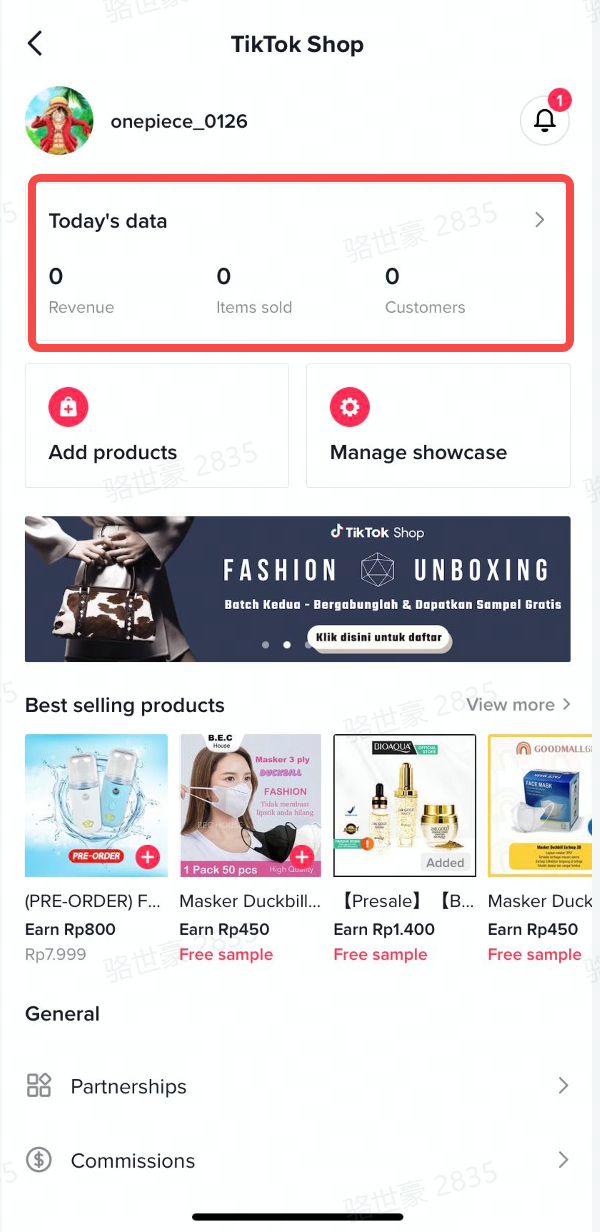 |
| If you click the【Today’s data】and get into the dashborad,you will see two parts: Overview&Top products sold today | 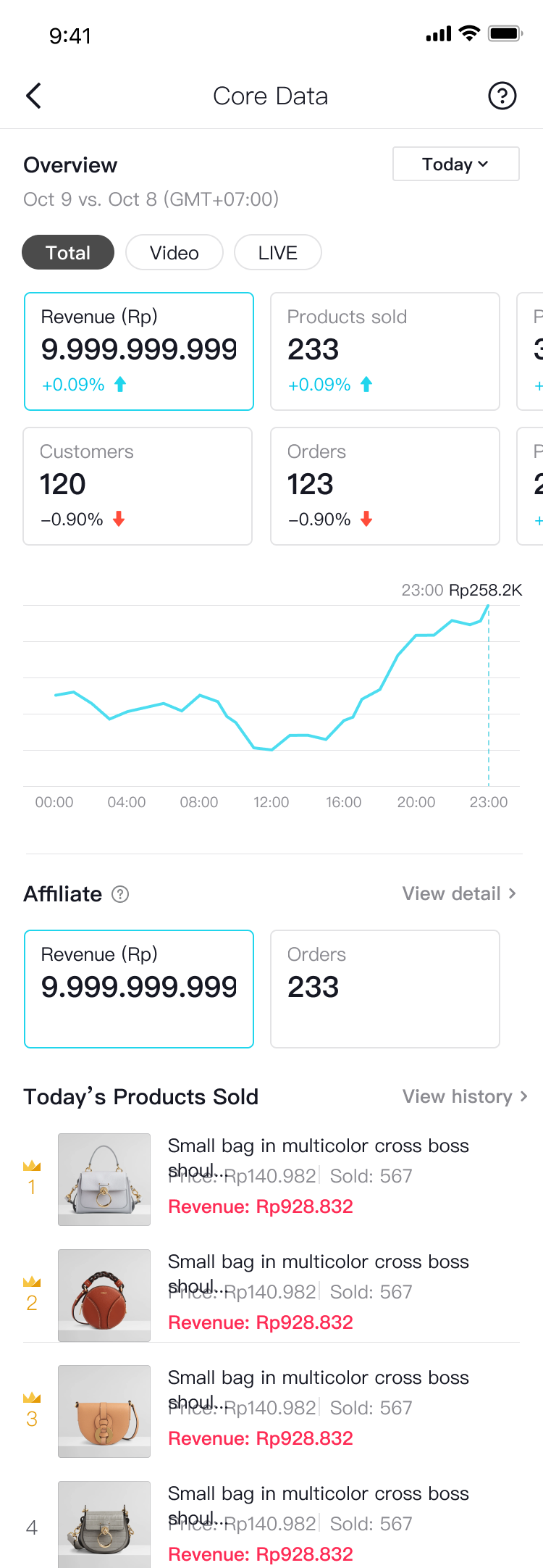 |
For overview part,:
| 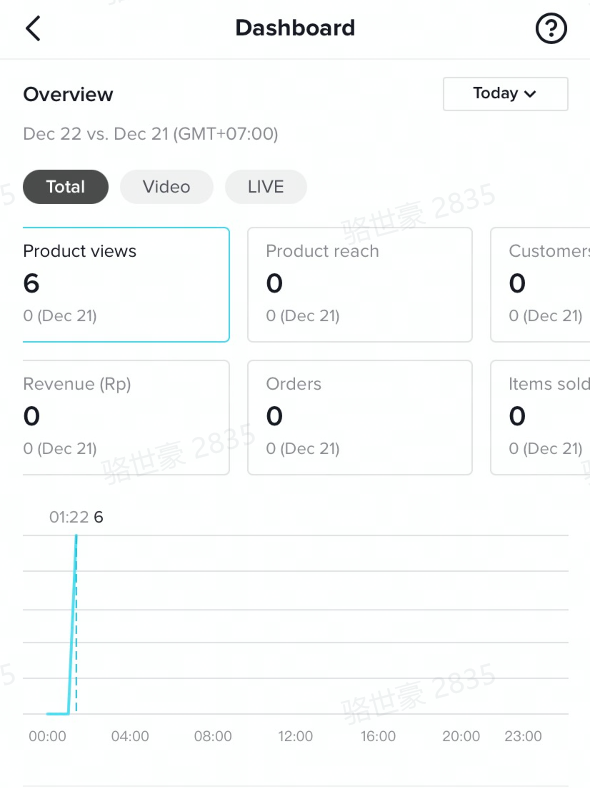 |
trend chart:
| 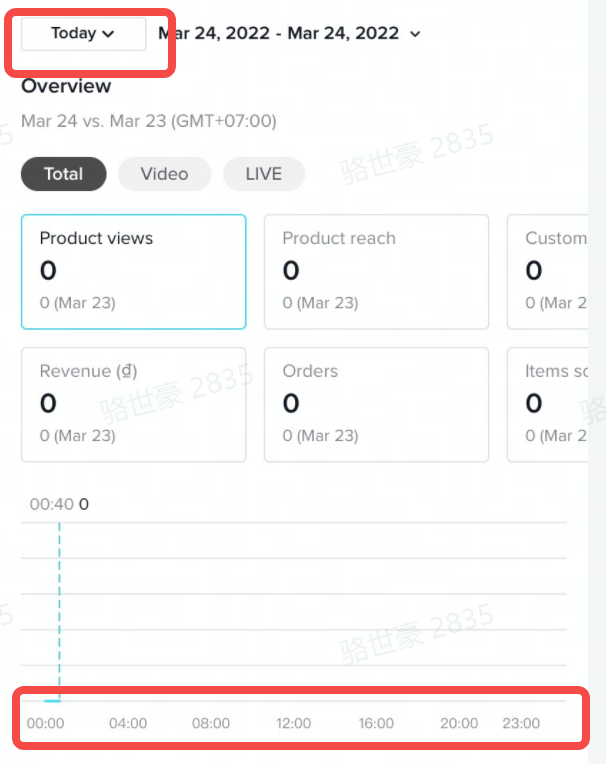 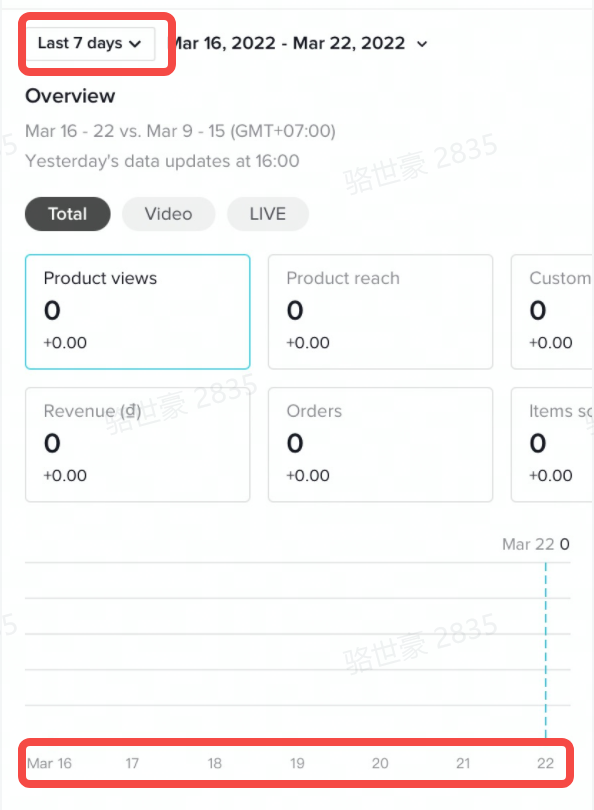 |
| comparison:It shows comparison in the second row of each indicator.For example: if you filter yesterday 's data, the comparison will be:yesterday's data- the day before yesterday's data. | 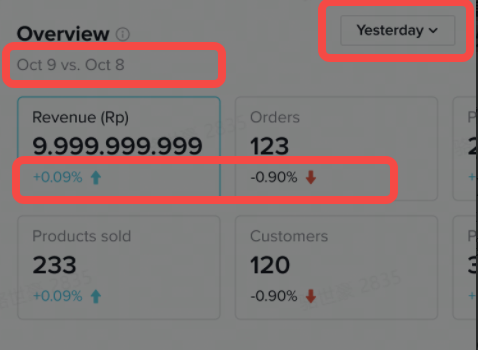 |
| For Affiliate Order:In this area, it will show revenue and order indicators of affiliate orders.Revenue:Revenue from products sold affiliate.Orders: all orders placed affiliate (no orders from third-party platforms) .If you want to check details of affiliate order, you can click 【view detail】 and jump to affiliate order page to know more information about affiliate data. | 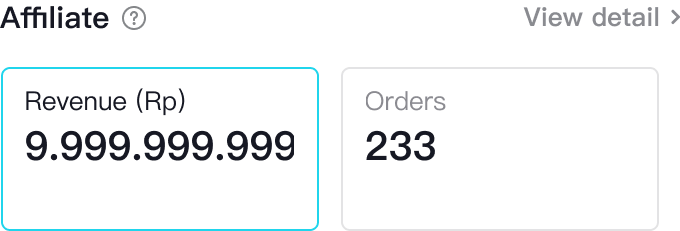 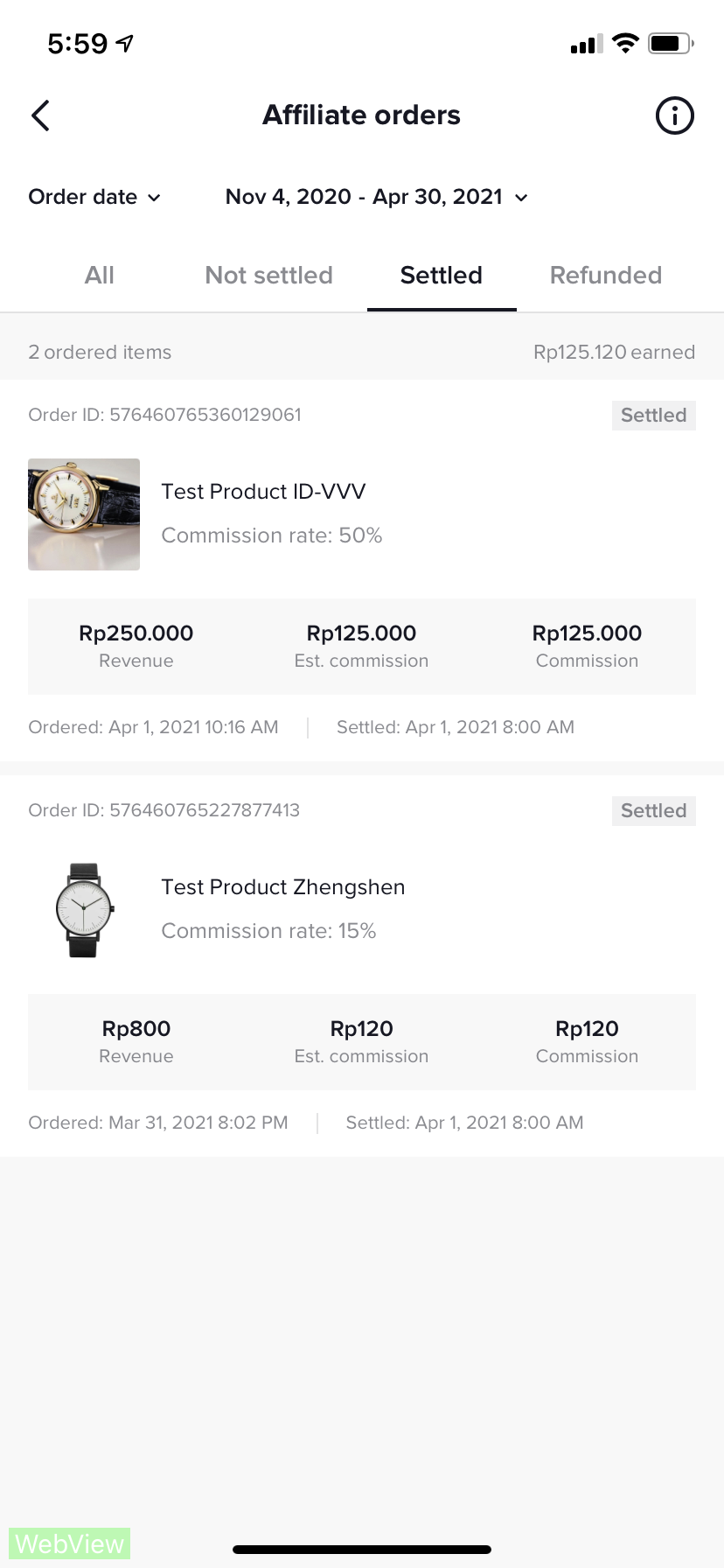 |
| For top products sold today: In this area, it will show the number of products sold (with buyers making payments) today.The rank of the list is according to daily sales volumeIt shows the the product image, product name, unit average price, daily item sold, daily transaction volume. | 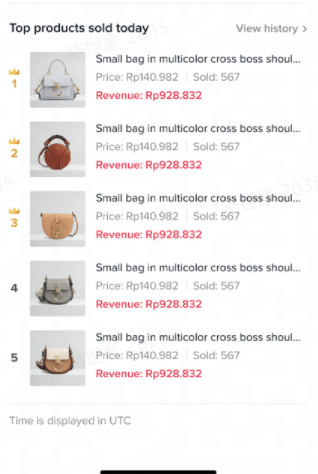 |
If you want to check the data from Streamer Desktop?
Data Overview:supports Hosts performance overview, including new followers, income etc.3.1.1 Core Data- Supports Time period selection for corresponding data.
- Supports 2 metrics for comparison and Correlation analysis. ( includes WoW data comparison)
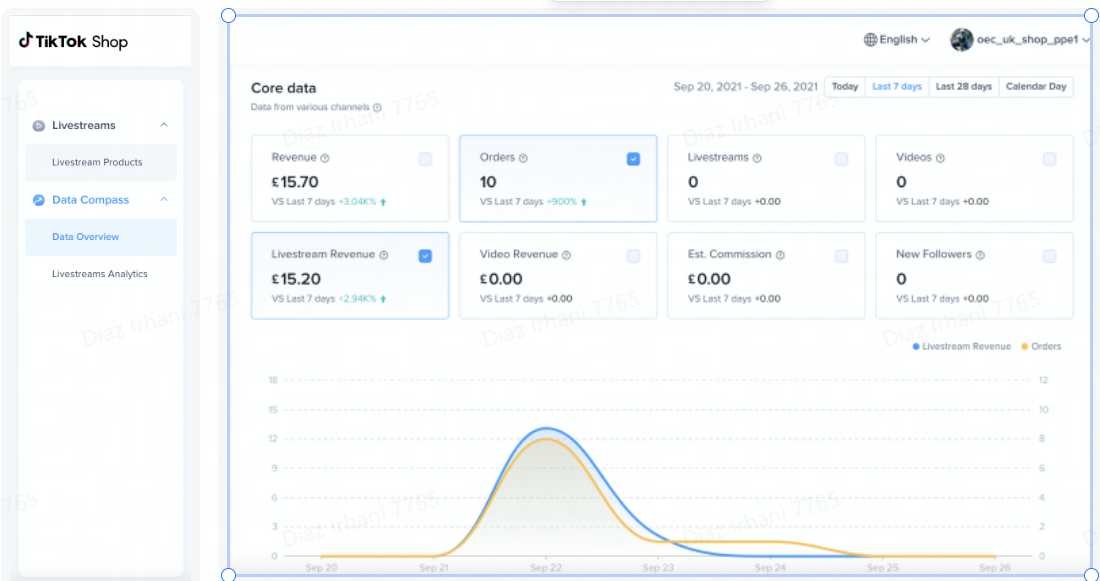
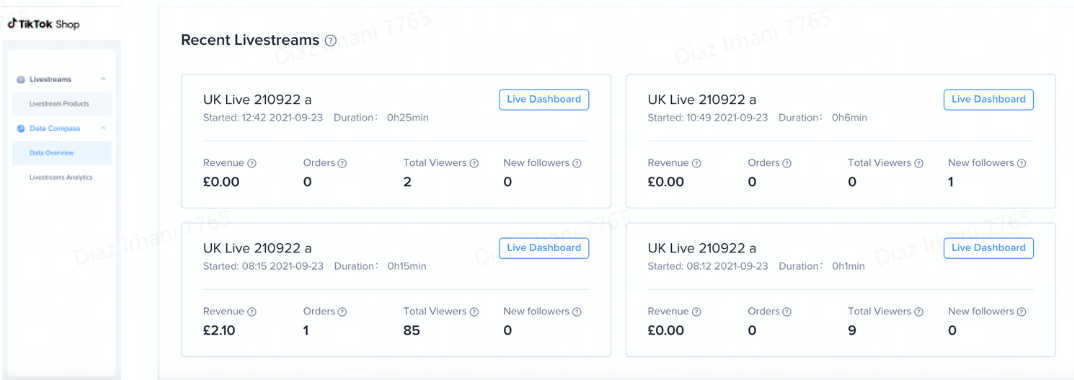
- Displays 4 recent EC livestreams and corresponding data(Revenue, Orders, Total Viewers, New followers)
- Click Live Dashboard to enter the "Live Dashboard".