

Creator Commission Management
08/22/2023
How to withdraw?
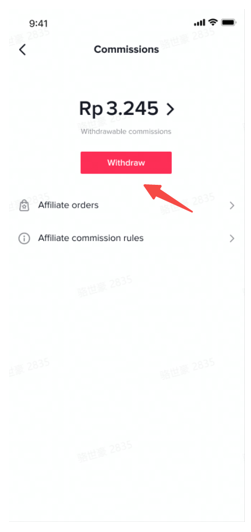 When clicking [withdraw], it will jump to link bank card :If you haven't linked a bank card yet? (Skip if already done)
| step1,click add withdraw method | step2,choose the country and payment method | Step3, fill in the withdrawal account information |
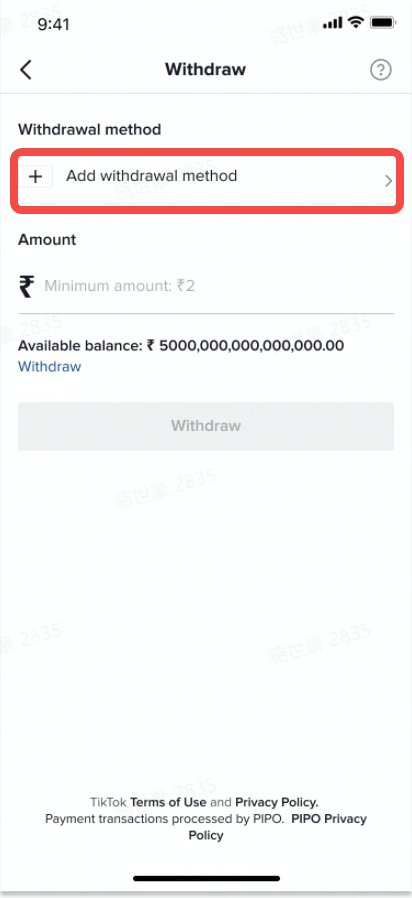 | 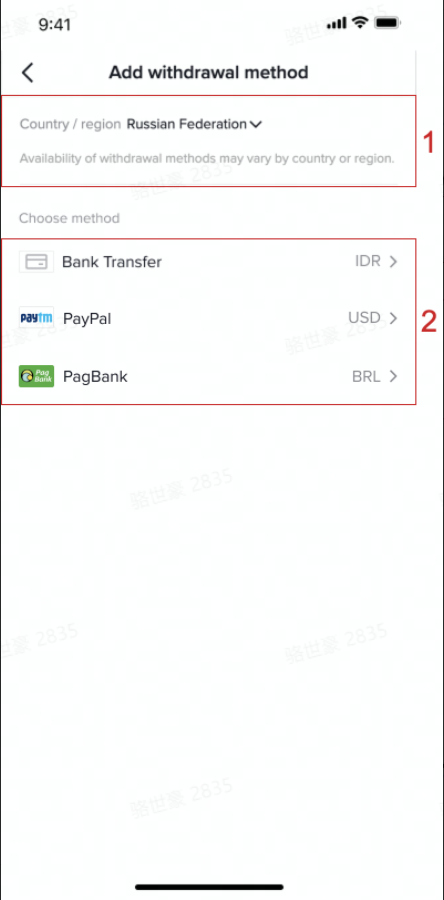 | bank transfer or E-wallet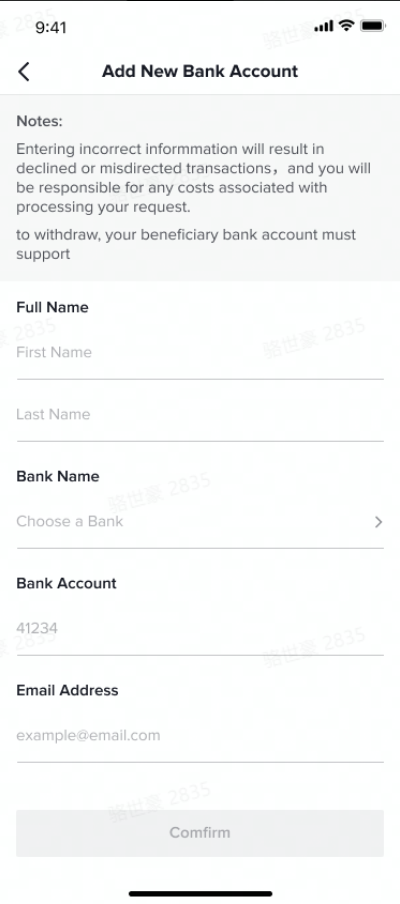 |
| Confirm withdrawal amount | Step1, select the withdrawal method that has been boundStep2, enter the withdrawal amountstep3,click withdrawal | 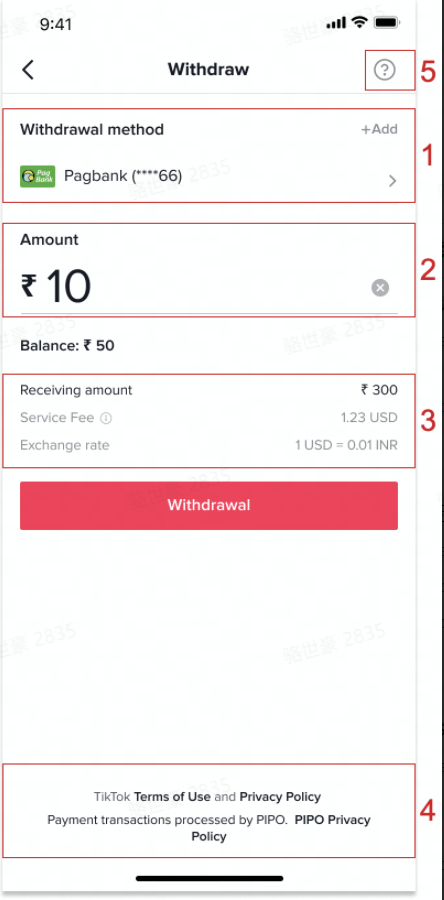 |
| Confirm withdrawal information | After confirming that it is correct, please click confirm | 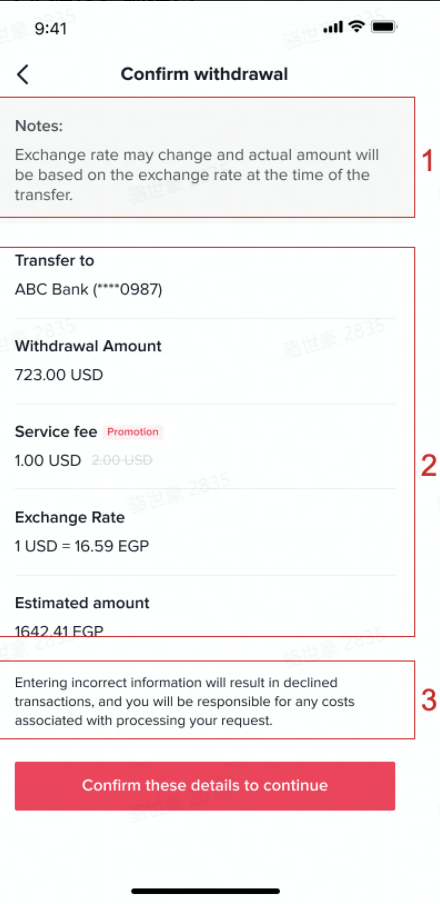 |
| Withdrawal result | The funds is estimated to arrived in 3-5 working daysPS: You can review the results at commission-transaction-withdrawals | 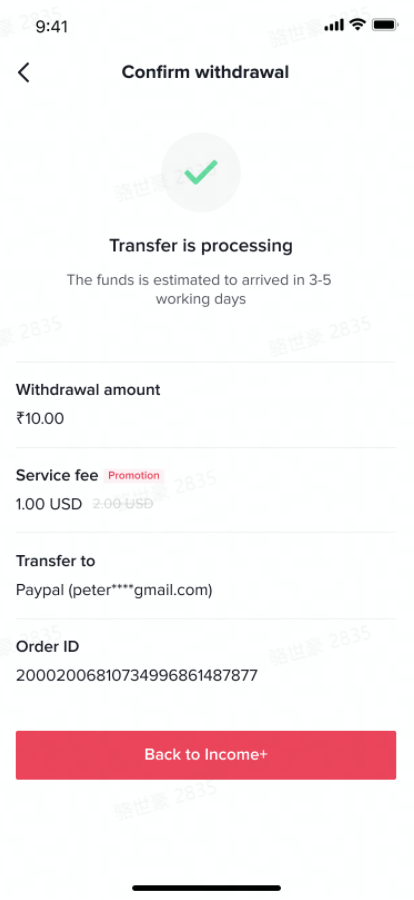 |
How can creators check their orders?
Commission On the commission page, click affiliate orders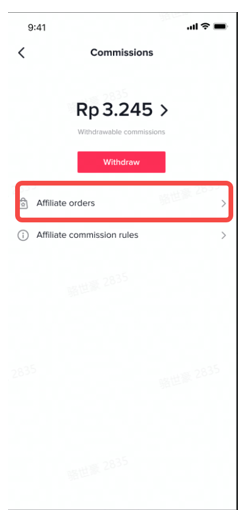 Affiliate orderAfter entering the affiliate order page, you can see all the affiliate orders. It will have three states:
| Overview | Order Status | Show |
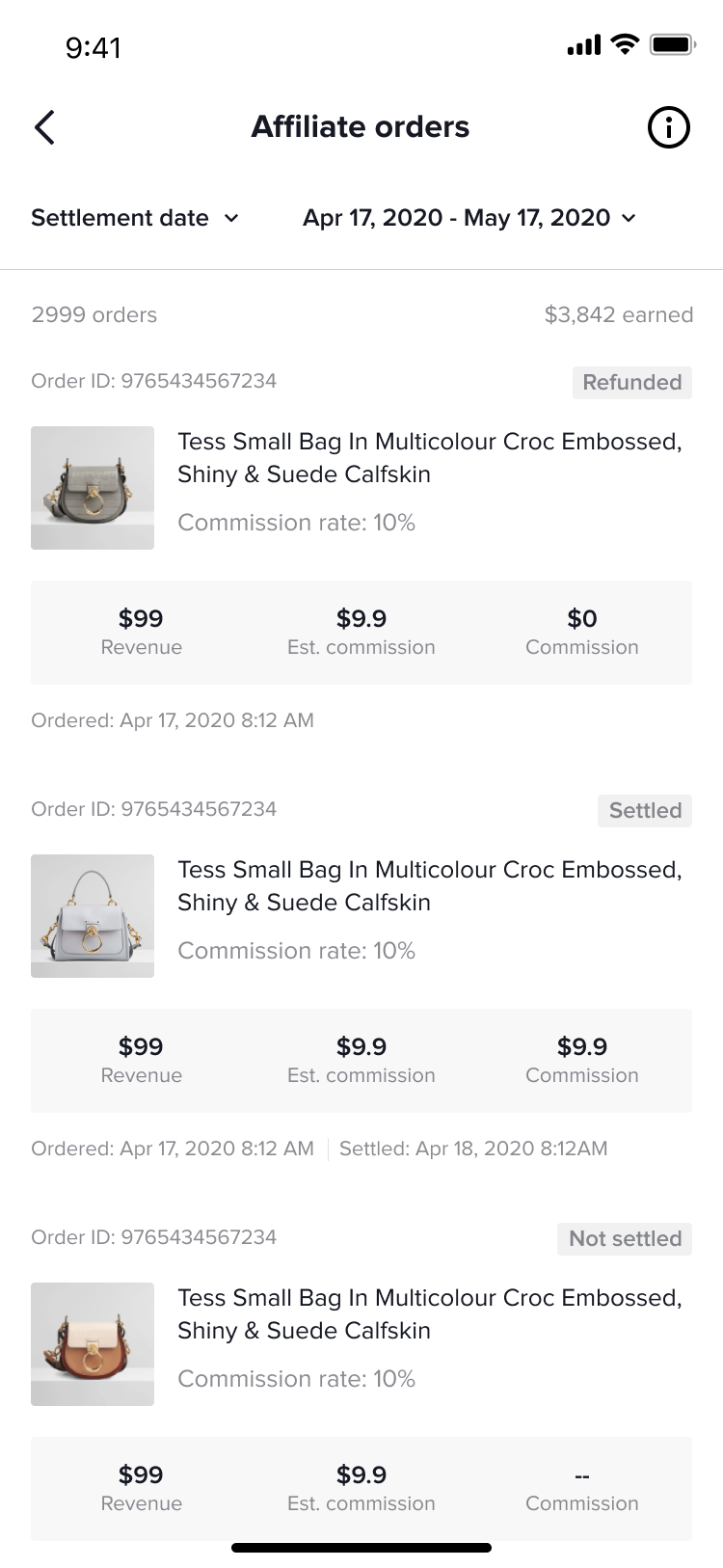 | When the order is paid | 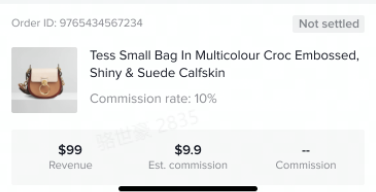 |
| When the order is settled | 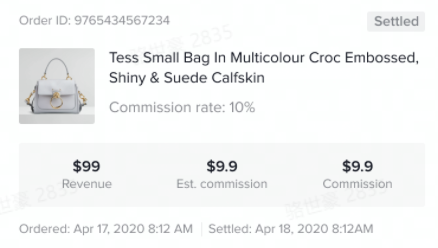 | |
| When the order is refunded | 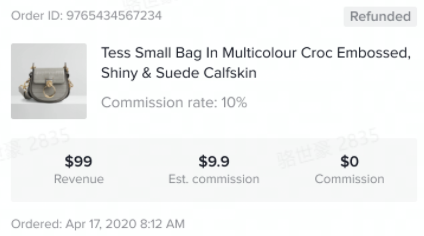 | |
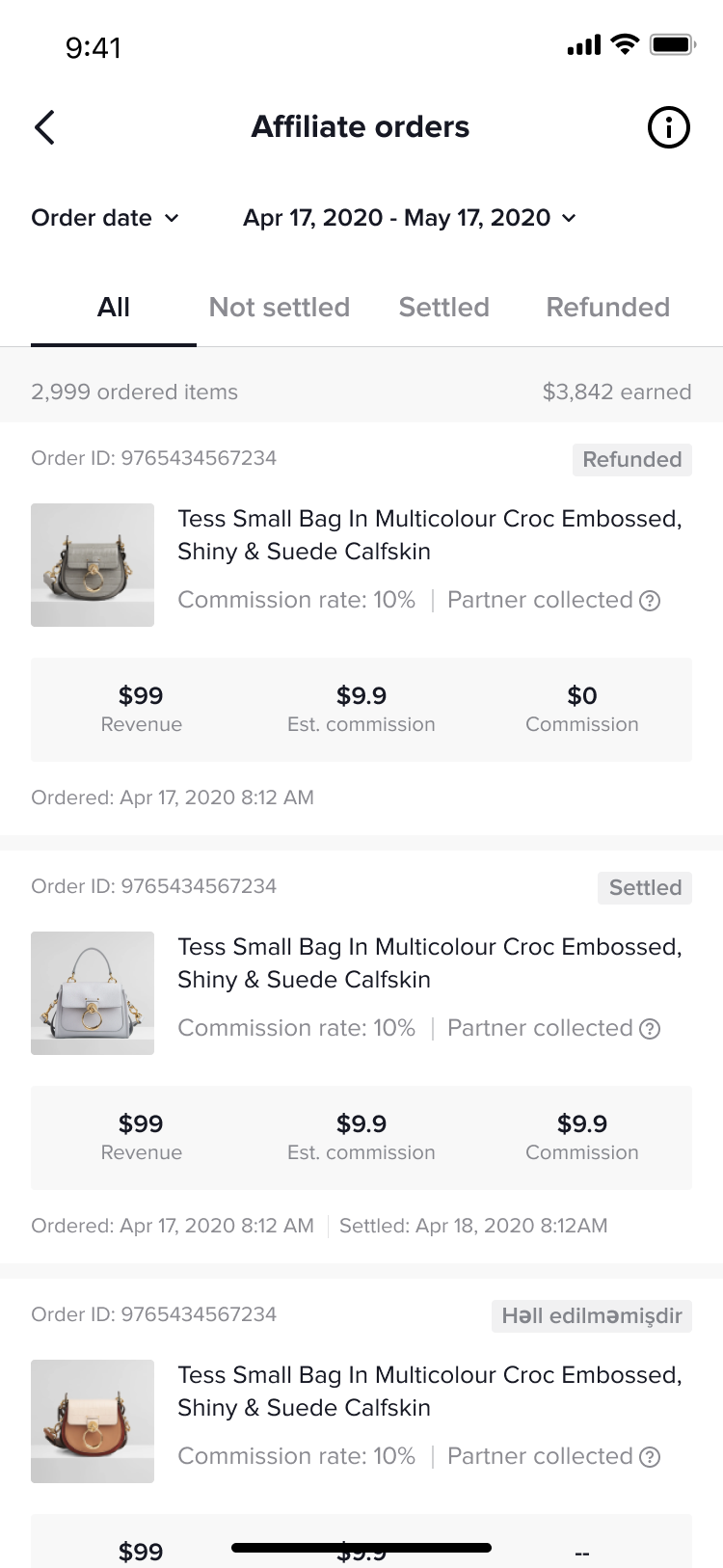 | If the account collects commissions for a partner | 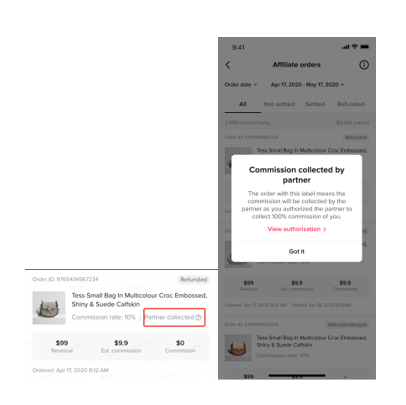 |
| order dateFilter by order date | settlement date Filter by settlement date | Filter order cycle |
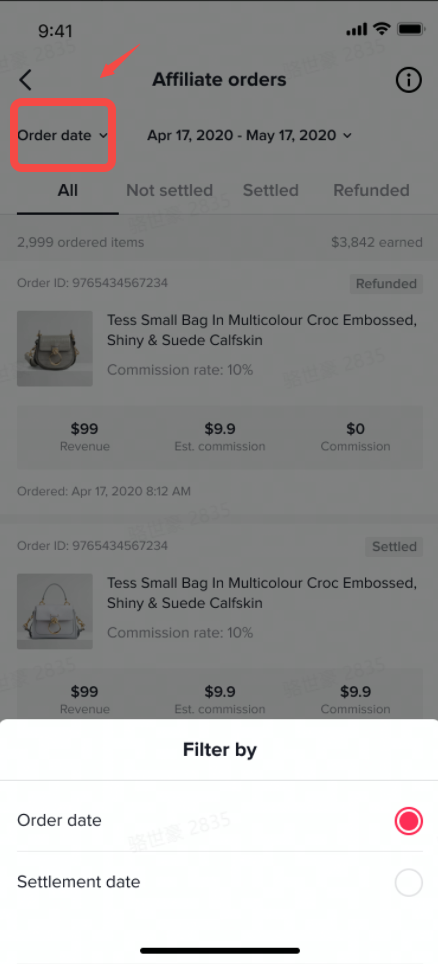 PS: Here you can filter the settled/refunded PS: Here you can filter the settled/refunded | 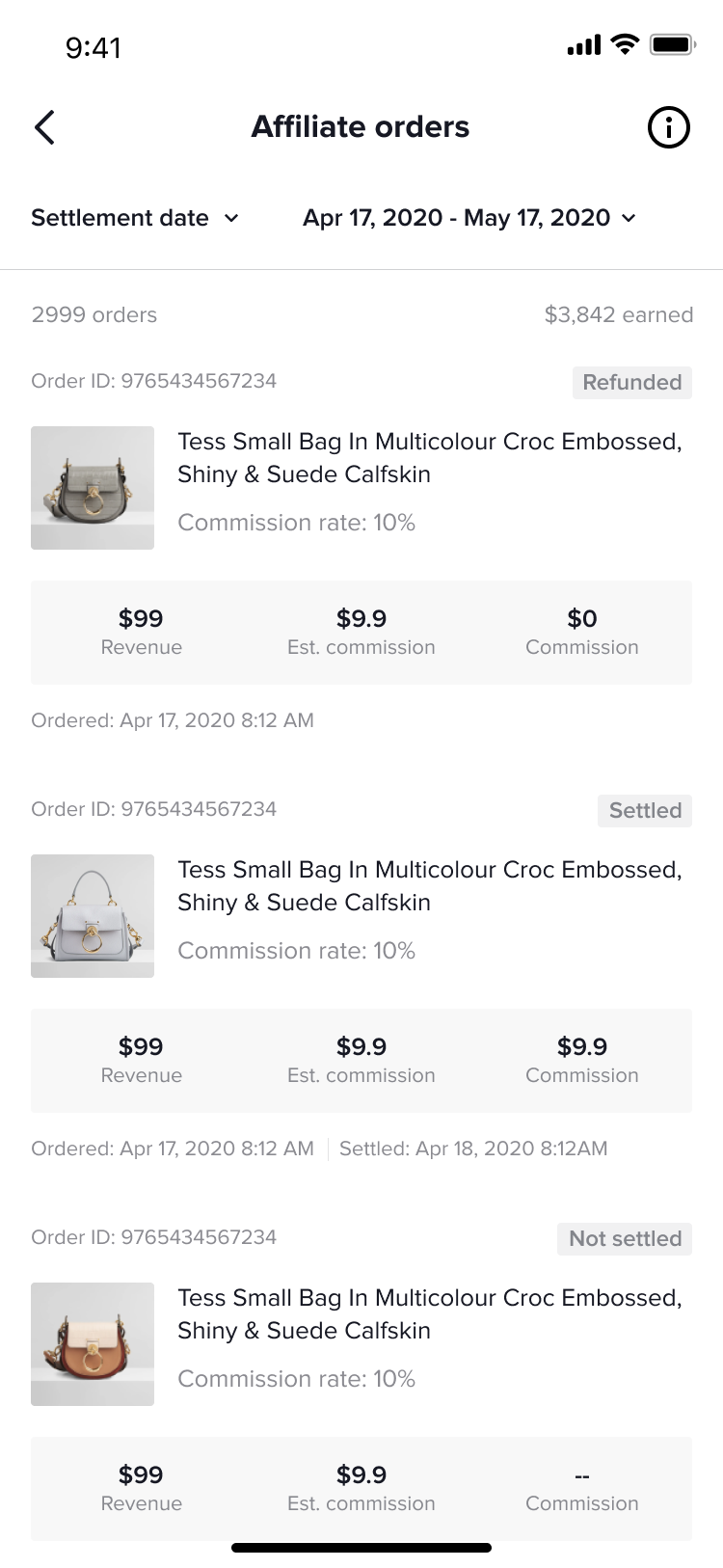 | 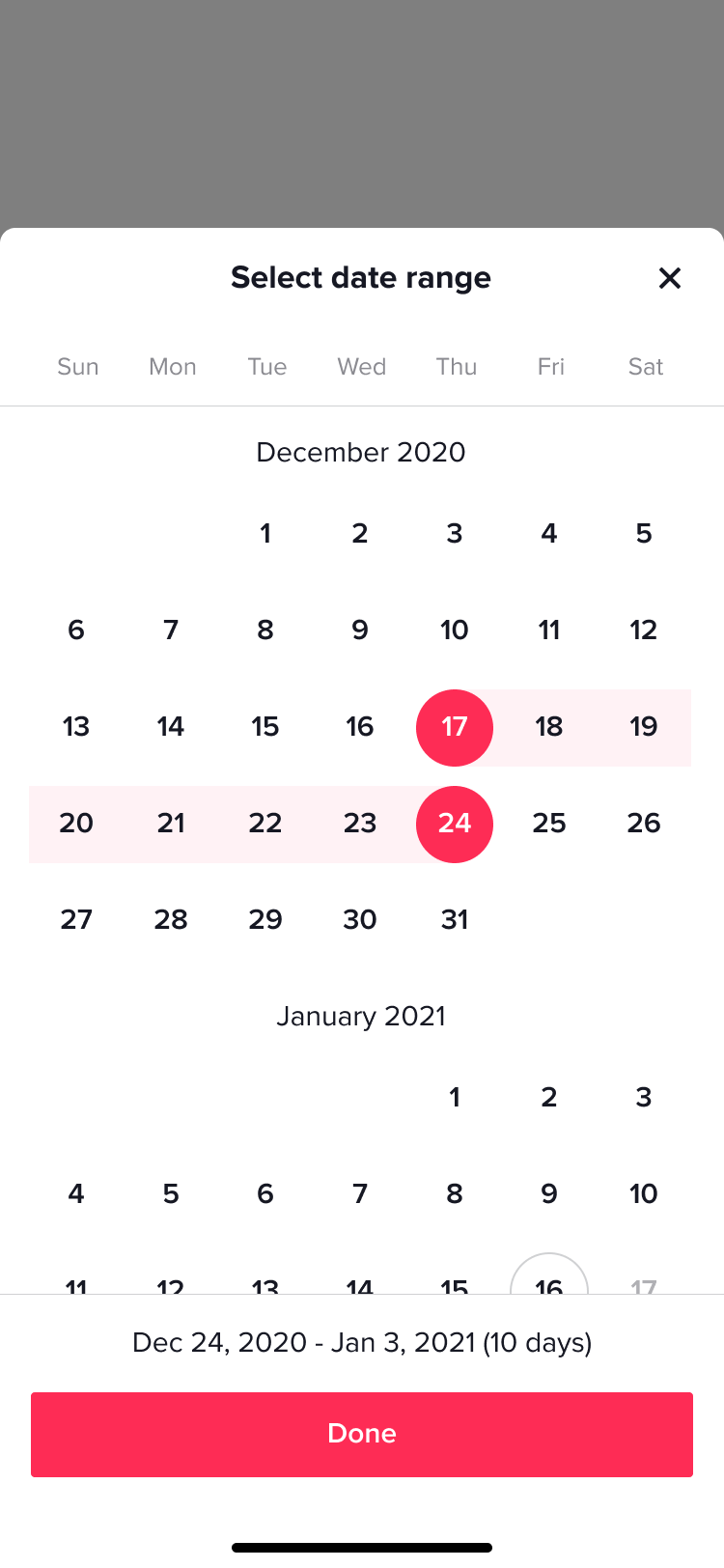 |
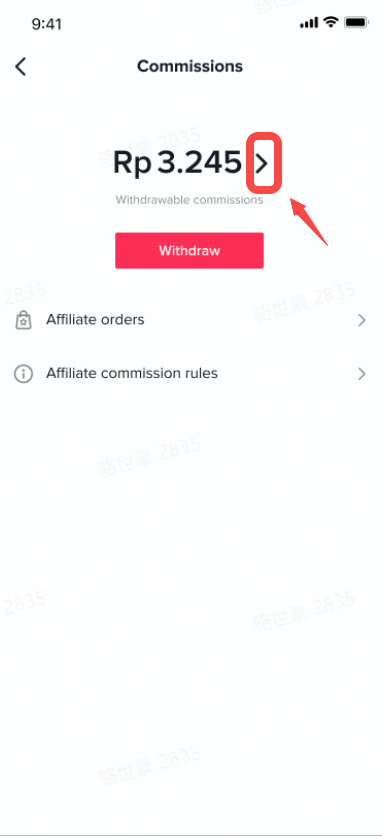
| transactionClick the '>' next to the amount to enter the transaction page | commissionCheck commission | withdrawalCheck withdrawal |
 | 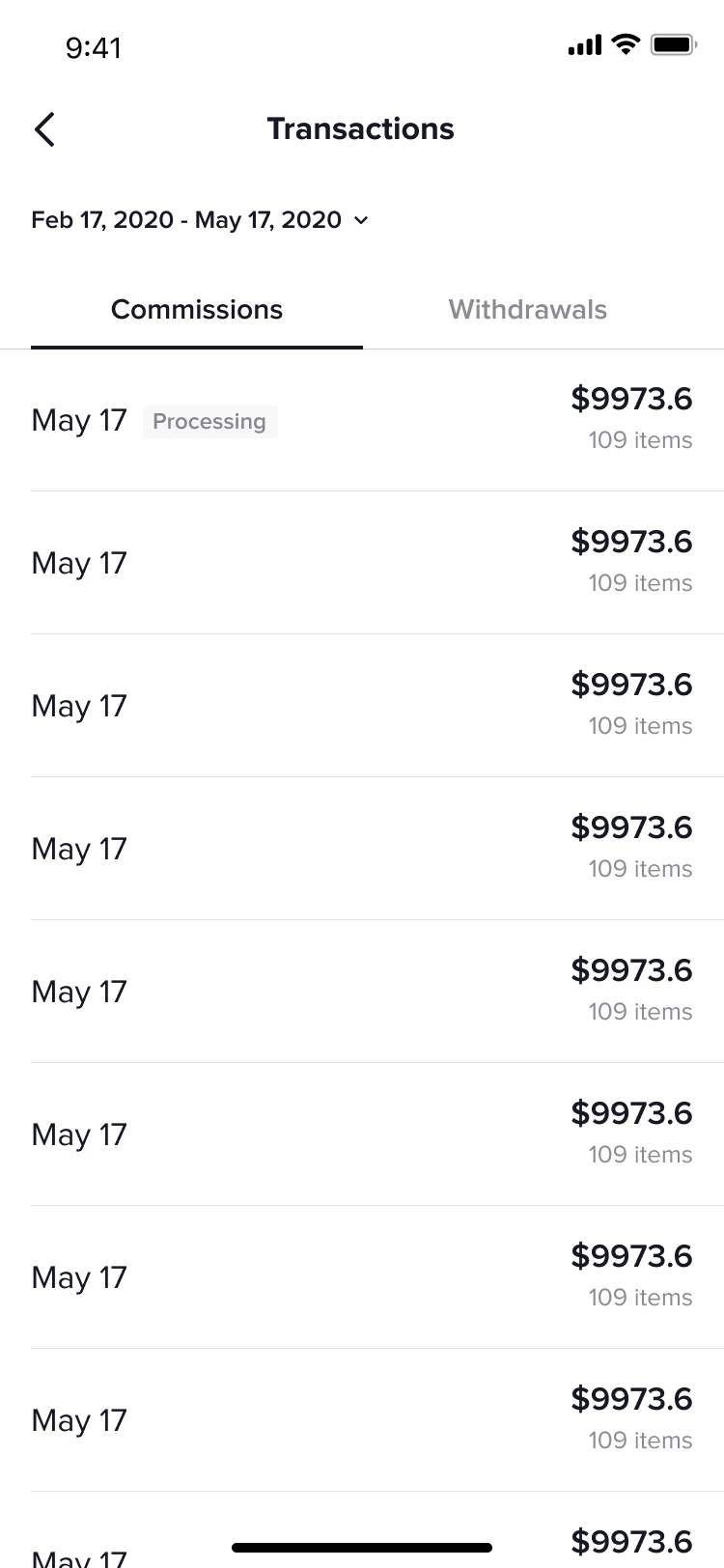 | 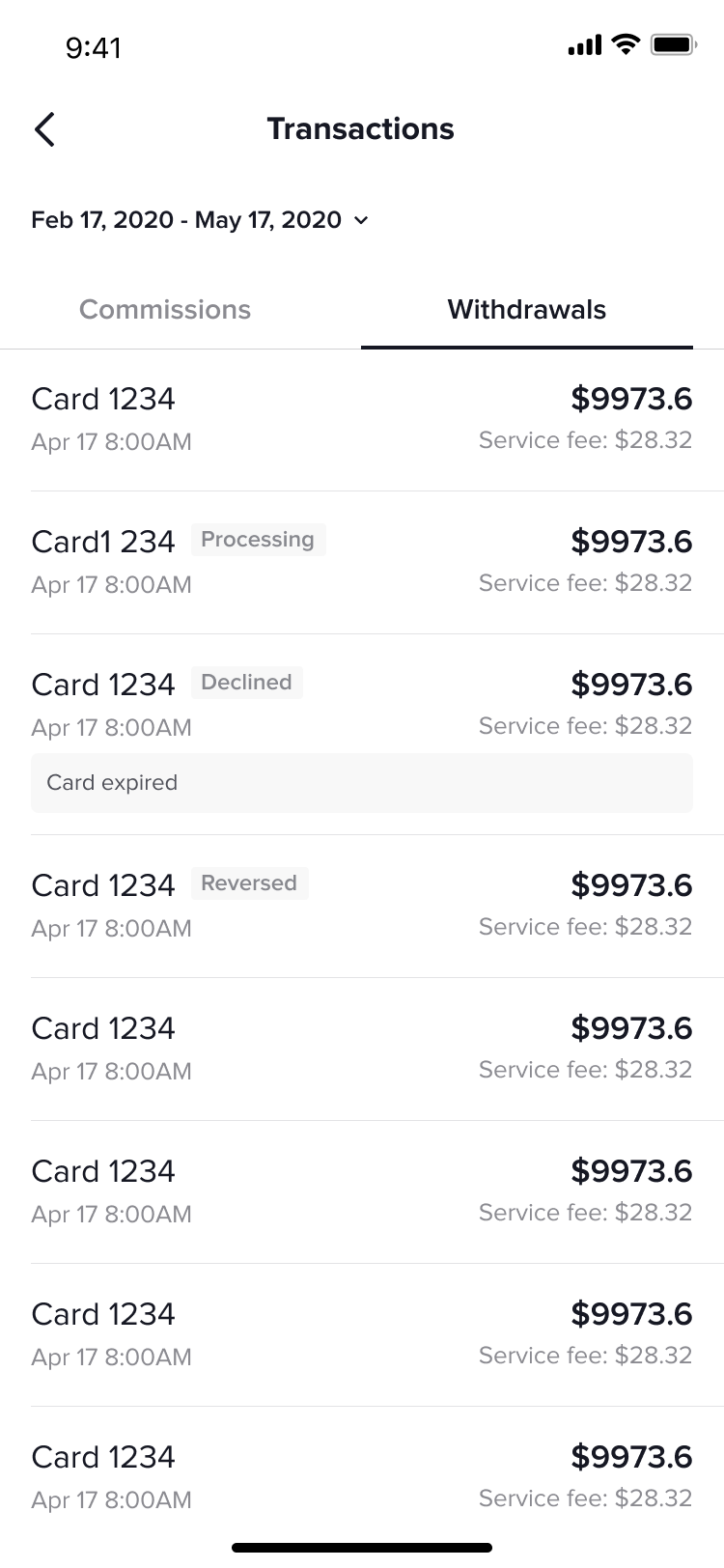 PS:[processing]: Withdrawal in progress[Declined]: Withdrawal failed[Reversed]: Refund PS:[processing]: Withdrawal in progress[Declined]: Withdrawal failed[Reversed]: Refund |